Wiguard – CCTV & Security WordPress Theme for Surveillance Companies


Wiguard is a professional CCTV & Security WordPress Theme designed for CCTV installation companies, surveillance providers, security system specialists, and professional protection businesses. Built with Elementor and Bootstrap 5.x, Wiguard helps you create a trustworthy business website to present security solutions, explain installation services, showcase projects, and generate customer enquiries. Its industry-focused layouts, ready-made demos, one-click demo import, custom Elementor widgets, and flexible header and footer options make it easier to build a website for CCTV cameras, video surveillance, alarm systems, access control, and residential or commercial security services. With responsive layouts, portfolio and blog options, and support for relevant WordPress integrations, Wiguard provides a practical foundation for presenting your security business professionally across desktop and mobile devices.


Who Is This Theme Perfect For?
Wiguard is tailored to businesses that install, supply, maintain, or manage security and surveillance systems. Its service-oriented layouts help you explain technical offerings in a clear format, demonstrate your experience, and give prospective customers a straightforward way to explore your services.
- CCTV Installation Companies: Present camera installation services, site assessments, maintenance plans, and surveillance solutions.
- Security System Providers: Showcase security cameras, alarm systems, access control, and integrated protection solutions.
- Surveillance and Monitoring Companies: Explain monitoring services, video surveillance solutions, and security system management.
- Home Security Businesses: Promote residential CCTV installation, smart security products, and home protection services.
- Commercial Security Contractors: Present security solutions for offices, retail spaces, warehouses, and other business premises.
- Alarm and Access Control Specialists: Highlight entry management, alarm installation, and related security services.
- Security Equipment Suppliers: Showcase security products and related services, with WooCommerce compatibility for businesses that want to add online store functionality.
- Security Consultants and Service Agencies: Introduce your team, explain your expertise, and build a professional online presence.
Designed to Build Trust and Generate Security Service Enquiries
Customers choosing a CCTV installer or security provider need clear information about services, experience, and available solutions. Wiguard offers industry-focused page layouts and customizable content sections to help your business communicate these details and encourage visitors to make contact.
- Present Security Services Clearly: Organize CCTV installation, monitoring, alarm systems, access control, and maintenance services into dedicated sections.
- Showcase Completed Projects: Use portfolio layouts and image galleries to present installations and relevant project examples.
- Build Customer Confidence: Highlight company experience, service details, testimonials, and frequently asked questions where relevant.
- Encourage Calls and Enquiries: Place contact details, contact forms, and calls to action where customers can find them easily.
- Promote Security Products: Use supported product and shop layouts to present equipment and related offerings when your business needs an online catalog or store.
Ready-Made Demos and One-Click Demo Import
Wiguard includes ready-made demo content and pre-built website layouts tailored to security and surveillance businesses. The one-click demo importer provides a convenient starting point by importing the supplied demo structure, which you can then customize to reflect your company, services, and brand identity.
Use the available layouts to build pages for your company introduction, security services, CCTV solutions, projects, FAQs, blog, and contact information. Individual pre-built layouts can also be imported where available, giving you flexibility to add or refine specific sections without rebuilding the entire website.
Before publishing, replace the demonstration text and imagery with accurate information about your service areas, products, installation process, and business contact details.
Elementor Page Builder and Website Customization
Wiguard supports Elementor, a visual drag-and-drop page builder that lets you customize website content and page layouts through an editing interface. You can adjust text, images, sections, and page elements to present your security services in a way that suits your business.
The theme includes custom Elementor modules for common business website needs, including animated text, counters, progress indicators, feature boxes, flip boxes, icon lists, image grids, pricing tables, testimonials, FAQs, services, galleries, timelines, charts, blog content, contact information, social links, and more.
These modules help you assemble service-focused pages and organize information into reusable content sections. Theme customization options also support changes to colors, typography, and layout presentation, while shortcode functionality provides another way to insert supported theme elements.
Header, Footer, and Layout Control
Wiguard offers flexible header and footer layouts so you can organize navigation, contact details, social links, and other essential website information. Available layout options help you adapt the site’s structure to different page types and business requirements.
- Flexible Header Layouts: Choose header arrangements that suit your branding and navigation needs.
- Customizable Footer Layouts: Present contact information, supporting links, and social profiles.
- Page-Level Layout Selection: Select available header and footer layouts for individual pages.
- Mega Menu and Push Menu: Organize navigation for websites with multiple services or categories.
- Sticky Header Options: Keep navigation accessible while visitors scroll through longer pages.
- Boxed and Wide Layouts: Choose an overall website presentation that fits your content.
- Sidebar and Column Variations: Arrange page content using available sidebar and one-, two-, or three-column layouts.
Security Services, Portfolio, Blog, and SEO Readiness
Security businesses often need to explain services in detail while demonstrating the quality of their work. Wiguard includes portfolio layouts for presenting selected installations and projects, alongside blog layouts for publishing company news, service information, and helpful security-related articles.
Use dedicated service pages to describe CCTV installation, video surveillance, access control, alarm systems, and maintenance offerings. Portfolio pages can display relevant installations, while blog articles can answer common questions about camera placement, system selection, and security planning. Multiple blog list and single-post layouts, including masonry-style presentation and different post formats, give you options for organizing content.
The theme is described as search-engine optimized and provides a foundation for publishing structured website content. Improve your site’s search readiness with descriptive page titles, clear headings, useful service information, relevant internal links, and optimized images. Search rankings depend on many factors beyond the theme, including competition, content quality, technical setup, and your ongoing SEO work.
Typography, Colors, and Visual Customization
Give your security company website a consistent visual identity with Wiguard’s customization options. Adjust available colors, typography, and layout elements to align the website with your logo, company branding, and preferred presentation style.
- Custom Color Options: Adapt the website’s visual palette to your business identity.
- Typography Controls: Customize text presentation to establish a clear hierarchy across headings and content.
- Icon Libraries: Use supported Font Awesome, Themify, and Flat Icon resources for service sections and feature lists.
- Portfolio and Gallery Presentation: Organize project images and security installation examples using available visual layouts.
- Flexible Page Sections: Combine supported content widgets to build pages around different security services.
Responsive Design and Plugin Compatibility
Wiguard features a responsive, retina-ready design intended to adapt to desktop computers, tablets, and mobile devices. This allows prospective customers to browse your security services, review project examples, and find contact details on the device they prefer.
The theme is built with Bootstrap 5.x and lists compatibility with Elementor, Elementor Pro, Contact Form 7, Gravity Forms, WooCommerce, and WPML. It also supports RTL layouts and translation-ready website projects. Contact Form 7 and Gravity Forms are compatible integrations rather than automatically included form services, so check the relevant plugin requirements when configuring your website.
Wiguard lists compatibility with major browsers, including Chrome, Firefox, Safari, Opera, and Edge. After installing or updating plugins, test key pages, navigation menus, forms, and product layouts to ensure your website continues to work as intended.
Performance-Conscious Design and Code Quality
Wiguard combines a Bootstrap-based foundation with customizable page layouts and reusable Elementor modules. Its theme options and layout controls provide a practical way to organize security service content and maintain a consistent website presentation as your business evolves.
Actual website speed depends on hosting, image sizes, active plugins, third-party scripts, caching, and page complexity. For a responsive browsing experience, optimize project images, avoid unnecessary plugins, and test important pages across desktop and mobile devices. The theme provides a website-building foundation, but performance should be assessed on your completed site.
Additional Features and Long-Term Value
Wiguard includes additional website-building features for security companies that need more than a basic service page. Its custom widgets, shortcode functionality, portfolio options, and blog layouts help you expand the website as your service range and content requirements grow.
- Custom Elementor Modules: Build pages with supported service, testimonial, pricing, FAQ, counter, chart, gallery, and contact widgets.
- Portfolio Variations: Present security installations and project examples using multiple portfolio list and single-project layouts.
- Blog Layout Options: Publish company news and informative content using different blog presentations and post formats.
- Shortcode Generator: Add supported theme elements through shortcode functionality.
- Coming Soon and Under Construction Pages: Display a temporary website presentation during development or maintenance.
- Child Theme Included: Keep custom theme modifications separate from the parent theme when using a child-theme workflow.
- One-Page and Multipage Layouts: Choose a website structure suited to your company’s services and navigation.
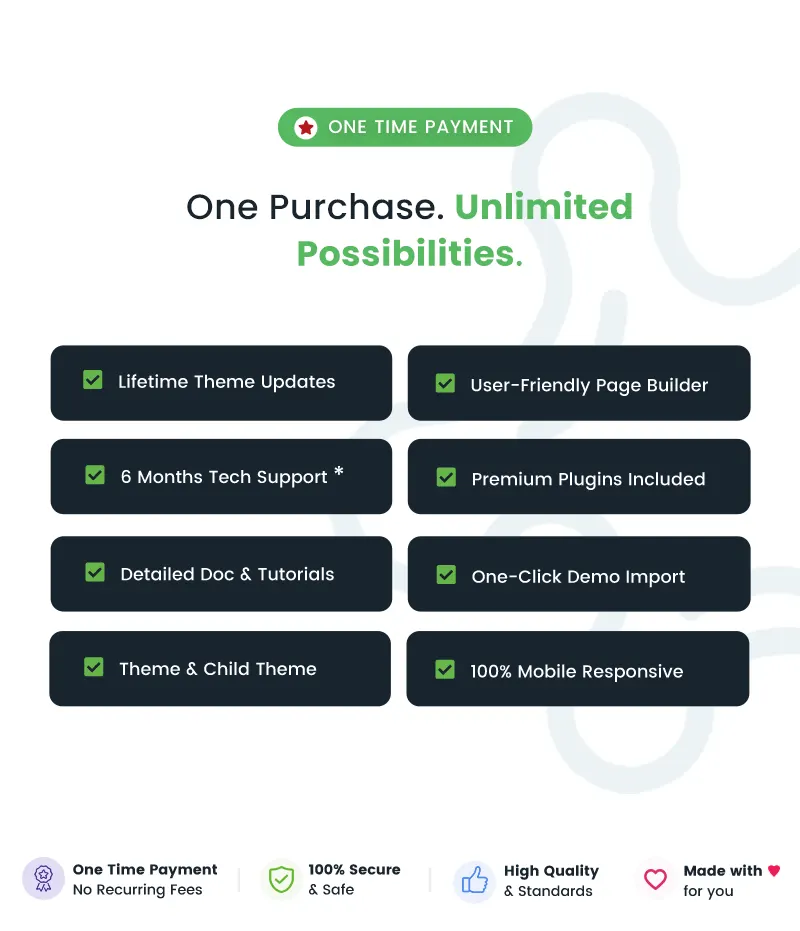
- Lifetime Theme Updates: The product information states that lifetime theme updates are provided.
Documentation, Support & Pre-Sales Help
Use the official documentation and support resources to help with theme installation, demo import, page customization, troubleshooting, and ongoing website maintenance. If you have questions before purchasing, contact the team through the pre-sales channel.
- Need Help Choosing the Right Theme? Contact Us
- Online Documentation: View Documentation
- Support Center: Open Support Ticket
- Changelog: View Changelog
Why Choose Wiguard?
- Purpose-Built for Security Businesses: Present CCTV installation, surveillance, alarm systems, and security services with industry-focused layouts.
- Elementor-Based Customization: Build and refine pages using a visual drag-and-drop editing workflow.
- One-Click Demo Import: Start with supplied demo content and adapt the layouts to your company and services.
- Service-Focused Widgets: Organize service descriptions, testimonials, pricing, FAQs, project images, and contact details.
- Flexible Navigation and Layouts: Customize available header, footer, menu, sidebar, and page layout options.
- Portfolio and Blog Presentation: Showcase completed security projects and publish helpful content for prospective customers.
- Responsive and Multilingual-Ready: Use responsive layouts with WPML compatibility and RTL support for relevant projects.
- Ongoing Product Resources: Access online documentation, a support channel, a child theme, and stated lifetime theme updates.
Frequently Asked Questions
- What type of website can I build with Wiguard?
Wiguard is designed for CCTV installation companies, surveillance businesses, security system providers, alarm and access control specialists, and related security service agencies. It can be customized to present services, projects, company information, and contact details. - Does Wiguard support Elementor?
Yes. Wiguard supports Elementor and includes custom Elementor modules for creating service sections, pricing tables, testimonials, FAQs, counters, charts, galleries, and other website content. - Can I import the demo website with one click?
Yes. The product information confirms one-click demo import and included demo content. You can customize the imported layouts and replace the demonstration content with your company’s information. - Can I customize the header, footer, and colors?
Yes. Wiguard provides flexible header and footer layouts, page-level layout selection, navigation options, and customization settings for colors and typography. - Is Wiguard suitable for multilingual and RTL websites?
Yes. The theme lists WPML compatibility, translation readiness, and RTL support. Additional configuration may be required depending on your language and plugin setup. - Can I sell security equipment through a Wiguard website?
Wiguard lists WooCommerce compatibility, which can be used to add online store functionality. WooCommerce and any additional extensions or payment services required for your store may need to be installed and configured separately. - Does Wiguard include documentation, support, and updates?
Yes. Online documentation and a support channel are available, and the product information states that lifetime theme updates are provided. ThemeForest item support duration and terms are subject to the applicable support policy.
Changelog
View full changelog here: View Updates
$69 |
Download |
4.8 average based on 16 ratings.

| Last Update | 2026-11-05 |
| Created | 2020-07-24 |
| Sales | 398 |
| Discussion | Comments |
| Columns | 4+ |
| Compatible Browsers | Firefox Safari Opera Chrome Edge |
| Software Version | WordPress 7.1.x WordPress 7.0.x WordPress 6.9.x WordPress 6.8.x WordPress 6.7.x WordPress 6.6.x WordPress 6.5.x WordPress 6.4.x WordPress 6.2.x |
| Compatible With | Contact Form 7 Elementor Elementor Pro Gravity Forms WooCommerce 10.x.x WooCommerce 9.x.x WPML Bootstrap 5.x |
| Documentation | Well Documented |
| Framework | |
| Gutenberg Optimized | Yes |
| High Resolution | Yes |
| Layout | Responsive |
| ThemeForest Files Included | PHP Files CSS Files JS Files |
| Widget Ready | Yes |


