Vework - Virtual Assistant WordPress Theme


Vework is a professional Virtual Assistant WordPress Theme designed for freelance virtual assistants, remote support professionals, personal assistants, and virtual assistance agencies. Built with Elementor, this flexible theme helps you create a polished online presence to showcase your services, communicate your expertise, highlight client testimonials, and attract potential customers. With ready-made demos, one-click demo import, custom Elementor widgets, flexible header and footer layouts, and responsive page designs, Vework simplifies the process of building a virtual assistant business website. Whether you provide administrative support, email and calendar management, social media assistance, business coordination, or remote consulting, Vework gives you the tools to present your services professionally and develop your online brand.


Who Is This Theme Perfect For?
Vework is created for professionals and businesses that provide remote assistance, administrative services, and specialized business support. Its service-focused layouts and customization options help you explain your offerings, establish credibility, and make it easier for potential clients to understand how you can help them.
- Freelance Virtual Assistants: Present your skills, services, experience, and professional profile in one place.
- Virtual Assistant Agencies: Build a business website that introduces your team, service packages, and areas of expertise.
- Personal Assistants and Secretaries: Showcase administrative support, scheduling, correspondence, and organizational services.
- Remote Administrative Consultants: Explain your business support solutions and communicate your value to prospective clients.
- Social Media Assistants: Present social media management, content coordination, and related support services.
- Executive Assistance Professionals: Create a professional platform for executive support and business coordination services.
- Business Support Providers: Promote remote operations assistance, research, documentation, and workflow support.
- Independent Consultants: Develop a personal brand and publish useful information that demonstrates your expertise.
Designed to Promote Your Virtual Assistant Services
A virtual assistant website should make your services easy to understand and give potential clients a clear reason to get in touch. Vework provides customizable content sections and purpose-built widgets to help you communicate your expertise and organize your website around your business goals.
- Present Your Services Clearly: Use service sections, feature boxes, icons, and content layouts to explain your available assistance and specialist skills.
- Build Trust With Social Proof: Highlight client testimonials, professional achievements, counters, and supporting content where relevant.
- Showcase Service Packages: Use pricing table widgets to present service options and help visitors compare your offerings.
- Encourage Client Enquiries: Add contact information and contact form integrations to provide visitors with a convenient way to reach you.
- Strengthen Your Professional Brand: Customize colors, typography, imagery, and page layouts to create a consistent business identity.
Ready-Made Demos and One-Click Demo Import
Get started with Vework using its ready-made demo content and pre-built layouts. The one-click demo importer helps you establish a starting point without having to build every page from scratch. Once imported, you can adapt the content, images, colors, and sections to suit your services and preferred business presentation.
Individual pre-built layouts can also be imported where available, giving you flexibility when creating new pages or refining existing sections. Use the supplied layouts as a foundation for your virtual assistant homepage, service pages, about page, portfolio, blog, and contact page. Replace demonstration content with accurate business information before publishing your website.
Elementor Page Builder and Flexible Customization
Vework integrates with Elementor, a drag-and-drop page builder that lets you customize website content visually. Arrange sections, edit text, update images, and adjust page layouts through the visual editing interface, helping you build a website that reflects your business without requiring you to write every page manually.
The theme includes custom Elementor modules for common business website requirements, including animated text, counters, feature boxes, icon lists, pricing tables, testimonials, services, FAQs, galleries, blog content, contact information, and social links. These widgets help you assemble useful page sections and tailor them to different virtual assistance services.
Theme customization options also support adjustments to colors, typography, layout styles, and other visual elements. You can use these controls to create a consistent look across your service pages and supporting content.
Flexible Header, Footer, and Navigation Layouts
Your website navigation should help prospective clients find essential information quickly. Vework supports customizable header and footer layouts, with options to select different layouts for individual pages. This flexibility helps you adapt the presentation to your homepage, service pages, portfolio, and contact section.
- Customize header and footer layouts to suit your website structure.
- Use sticky header options to keep navigation accessible while visitors browse.
- Configure mega menu and left- or right-side push menu options where appropriate.
- Choose from boxed or wide layouts and one-page or multipage website structures.
- Organize sidebars and content areas to suit different page types.
Service Pages, Portfolio, Blog, and SEO Readiness
Vework supports a range of content layouts for virtual assistant businesses that want to explain their services, demonstrate experience, and publish helpful resources. Create service pages that describe what you offer, portfolio layouts that present relevant work, and blog content that answers common client questions or shares practical business insights.
Multiple blog list and single-post layouts, including masonry-style presentation, provide options for organizing articles. Different sidebar and content layout variations help you tailor the reading experience to your site. The theme is described as search-engine optimized, providing a foundation for publishing structured, relevant content alongside your preferred SEO workflow.
For stronger search visibility, use descriptive page titles, meaningful headings, informative service descriptions, optimized images, and useful internal links. An SEO plugin can help you manage metadata and other search-related settings. Search rankings and traffic depend on many factors beyond the theme itself.
Typography, Colors, and Visual Branding
Create a website that feels consistent with your professional identity using Vework’s color and typography customization options. Adjust the visual presentation of headings, body text, buttons, backgrounds, and content sections to suit your brand and audience.
- Customize website colors to match your business identity.
- Adjust typography options to establish a clear visual hierarchy.
- Use icon integrations, image grids, galleries, and feature boxes to support your content.
- Choose layout variations that complement your services and brand presentation.
- Use retina-ready design elements to support clear presentation on high-resolution screens.
Responsive Design and Plugin Compatibility
Vework features a responsive layout designed to adapt to desktop computers, tablets, and mobile devices. This helps potential clients browse your services, read your content, and find contact information across different screen sizes.
The theme supports WPML and right-to-left (RTL) layouts for websites that require multilingual presentation or RTL language support. Listed integrations include Elementor, Contact Form 7, Mailchimp, Gravity Forms, and WooCommerce compatibility. Contact Form 7 and Gravity Forms are supported integrations rather than automatically included form services; check the current product package and plugin requirements before installation.
Vework is built with Bootstrap 5.x and lists compatibility with major browsers, including Chrome, Firefox, Safari, Opera, and Edge. For the best experience, keep WordPress, the theme, and compatible plugins updated and test important pages after significant changes.
Performance-Conscious Design and Maintainable Customization
Vework provides an organized WordPress theme structure with customizable layouts and reusable page-building elements. Its responsive presentation and Elementor-based editing workflow help you manage website content while maintaining a consistent design across pages.
Actual loading performance depends on your hosting environment, image sizes, active plugins, scripts, caching configuration, and the amount of content on each page. For a more efficient website, optimize uploaded media, avoid unnecessary plugins, and test your completed pages on both desktop and mobile devices.
Additional Features and Long-Term Value
Vework includes additional tools for building and maintaining a virtual assistant business website, from custom widgets and shortcodes to portfolio and blog layouts. These options allow you to extend your content presentation as your services and business requirements evolve.
- Custom Elementor Widgets: Build content sections with service, testimonial, FAQ, pricing, counter, gallery, and other modules.
- Shortcode Generator: Use the theme’s shortcode functionality to add supported content elements where appropriate.
- Portfolio Layouts: Present selected projects and examples of relevant professional work.
- Coming Soon and Under Construction Pages: Prepare a temporary presentation while your website is being developed or updated.
- Child Theme Included: Use the child theme as a foundation for customizations that should remain separate from the parent theme.
- One-Page and Multipage Layouts: Choose a website structure that suits the scale of your virtual assistant business.
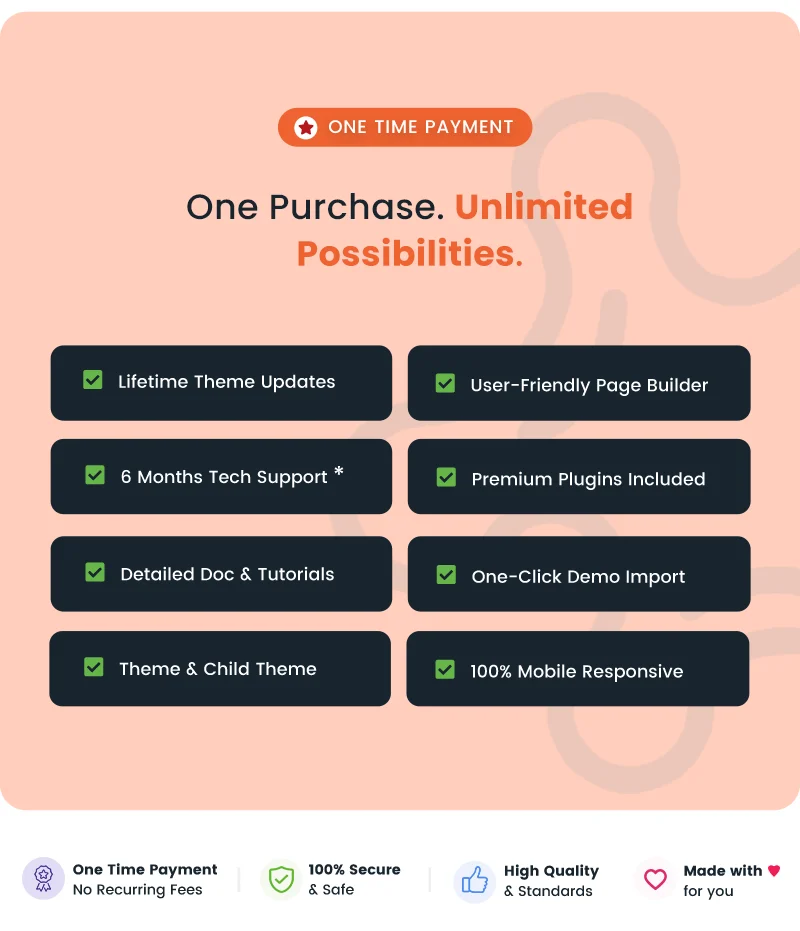
- Lifetime Theme Updates: The product listing states that lifetime theme updates are provided.
Documentation, Support & Pre-Sales Help
Use the official documentation and support resources to help with theme installation, demo setup, page customization, troubleshooting, and ongoing website maintenance. If you have questions before purchasing, contact the team through the pre-sales channel.
- Need Help Choosing the Right Theme? Contact Us
- Online Documentation: View Documentation
- Support Center: Open Support Ticket
- Changelog: View Changelog
Why Choose Vework?
- Purpose-Built for Virtual Assistants: Present remote assistance, administrative support, and professional services with an industry-focused website design.
- Visual Elementor Editing: Customize page content and layouts using a drag-and-drop editing workflow.
- Ready-Made Website Foundation: Start with demo content and one-click demo import, then adapt pages to your business.
- Custom Business Widgets: Add services, pricing tables, testimonials, FAQs, counters, galleries, and contact details.
- Flexible Page Layouts: Choose from header and footer options, portfolio layouts, blog styles, and one-page or multipage structures.
- Responsive Presentation: Give visitors a website layout designed for desktop, tablet, and mobile screens.
- Multilingual-Ready Options: Use WPML compatibility and RTL support for relevant language requirements.
- Resources for Ongoing Use: Access theme documentation, support resources, a child theme, and stated lifetime theme updates.
Frequently Asked Questions
- What type of website can I build with Vework?
Vework is designed primarily for virtual assistants, personal assistants, remote administrative professionals, and virtual assistance agencies. It can also be adapted for related business support and consulting services. - Does Vework support Elementor?
Yes. Vework uses Elementor for visual page building and includes custom Elementor modules for creating service sections, pricing tables, testimonials, FAQs, galleries, and other content. - Can I import the demo content with one click?
Yes. The product listing confirms one-click demo import and included demo content. You can customize the imported layouts and replace the demonstration content with your own. - Can I customize the website header and footer?
Yes. Vework provides customizable header and footer layouts, including options to select layouts for individual pages. - Is Vework responsive and suitable for multilingual websites?
Yes. The theme is designed for responsive display and lists WPML compatibility, translation readiness, and RTL support. - Are contact forms and email marketing integrations available?
Vework lists compatibility with Contact Form 7 and Mailchimp. Check the individual plugin’s availability and setup requirements, as third-party services or plugins may need to be installed separately. - Does Vework include documentation, support, and updates?
Yes. The product provides online documentation and a support channel, and the listing states that lifetime theme updates are included. ThemeForest item support remains subject to the applicable support policy.
Support
We would be happy to help you solve any issues. If you have any questions, ideas or suggestions, please create a ticket through our support center.Changelog
View full changelog here: View Updates
$69 |
Download |
5 average based on 7 ratings.

| Last Update | 2026-11-05 |
| Created | 2020-10-29 |
| Sales | 181 |
| Discussion | Comments |
| Columns | 4+ |
| Compatible Browsers | Firefox Safari Opera Chrome Edge |
| Software Version | WordPress 7.0.x WordPress 6.9.x WordPress 6.8.x |
| Compatible With | Contact Form 7 Elementor Elementor Pro Gravity Forms WooCommerce 10.x.x WooCommerce 9.x.x WPML Bootstrap 5.x |
| Documentation | Well Documented |
| Framework | |
| Gutenberg Optimized | Yes |
| High Resolution | Yes |
| Layout | Responsive |
| ThemeForest Files Included | PHP Files CSS Files JS Files |
| Widget Ready | Yes |


