Shiko - Learning Management System Dashboard UI Kit
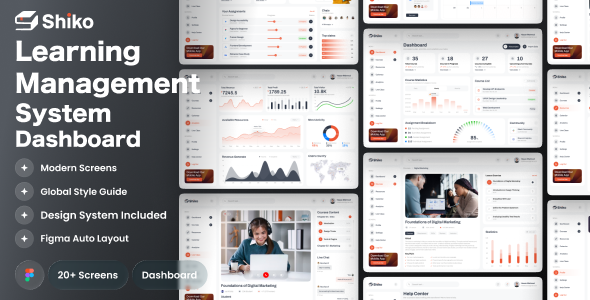

Shiko is a clean, modern, and highly functional Learning Management System (LMS) Dashboard UI designed to simplify online education management. Built with a strong focus on usability, clarity, and scalability, Shiko is ideal for e-learning platforms, online courses, virtual classrooms, academies, and education startups. The dashboard provides a complete overview of learning activity, course progress, assignments, analytics, and community engagement all in one intuitive interface. You can easily change any design. It’s easy to customize and also well documented.

File included in Fig –
- 01.Dashboard One
- 02.Dashboard Two
- 03.Dashboard Three
- 04.Course List
- 05.Course Details(Overview)
- 06.Course Details(Requirement)
- 07.Course Details(FAQs)
- 08.Course Details(Reviews)
- 09.Course Details(Instructor)
- 10.Resources
- 11.Calendar
- 12.Analytics
- 13.Live Class
- 14.Profile
- 15.Settings(General)
- 16.Settings(Password)
- 17.Settings(Teams)
- 18.Settings(Billing)
- 19.Settings(Notification)
- 20.Help Center
- 21.Sign In Page
- 22.Sign Up page
- 23.404 Page
Features –
- 20+ High Quality UI Dashboard Screens
- Clean, unique and modern style
- Symbol & well layer organized
- 100% Vector and Customizable
- Fully Auto Layout with Style Guide
- Well organized layers and groups
- Easy customizable fig files
- Pixel perfect design
- File named layers and groups
- 24/7 great support
- Premium font and icon used
- Designed in Figma
The fig include –
- Documentation
- fig files
How to Edit:
In order to edit the file, you need to have figma installed on your system, and the fonts mentioned in the credits installed. As you can see on the right, the layers are well organized and grouped into folders, which make editing very easy. So, all you have to do is select the layer from the right, and then edit it with figma
Font used
Icons Used
Note –
If you need any help, Please contact us
0 average based on 0 ratings.


