RealStateX – Property Buy, Rent & Sell App Figma Template


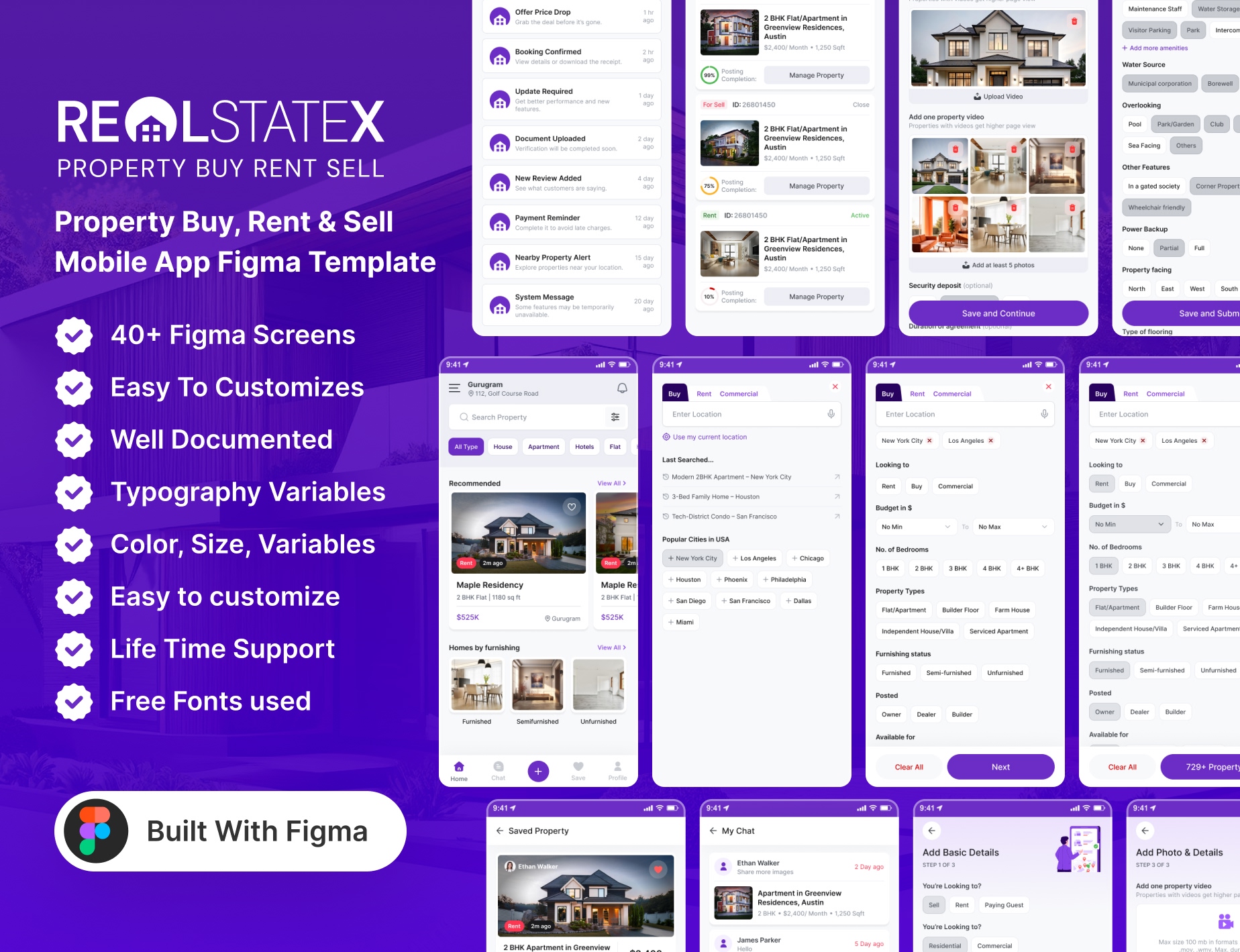
RealStateX – Mobile Real Estate & Property Listing App Ui Kit
RealStateX is a modern UI kit designed for real estate and property listing apps. With a clean, user-friendly interface, RealStateX offers everything you need to showcase properties, manage listings, and create seamless user experiences. From property details to search filters, it’s designed to help users find their dream homes effortlessly. RealStateX is a sophisticated UI kit tailored for real estate and property listing apps. Designed with elegance and simplicity, RealStateX offers a modern approach to showcasing properties. Whether you’re browsing listings or discovering new homes, RealStateX brings the world of real estate to life with style and ease.
What You’ll Get with the RealStateX App :
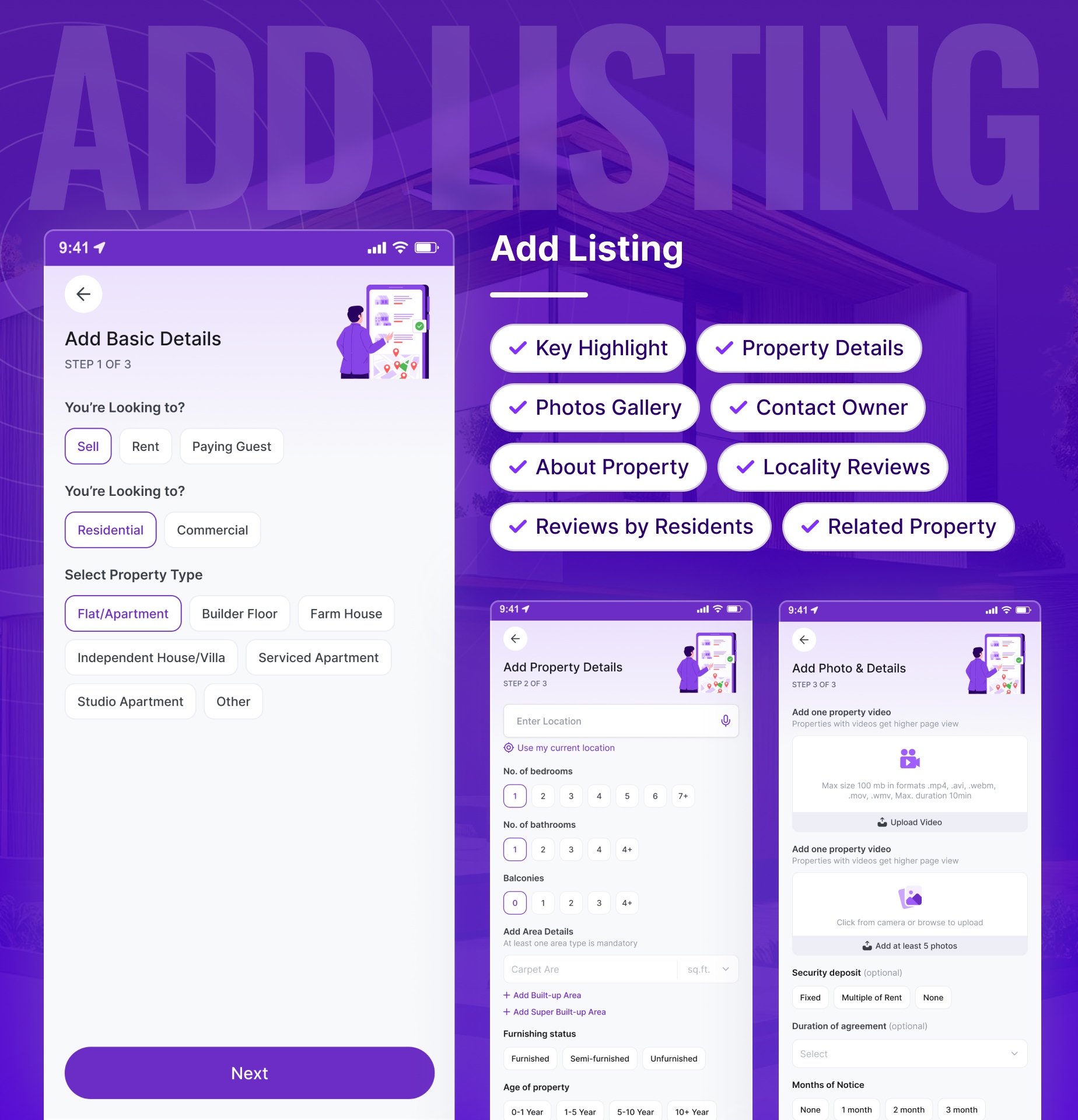
1. Add Listing: Quickly add your property listings and make them available to potential buyers. Streamline the process of showcasing your properties and reach a larger audience with ease.
2. Virtual 360 Mode: Explore properties with immersive 360 degree views from anywhere, anytime.
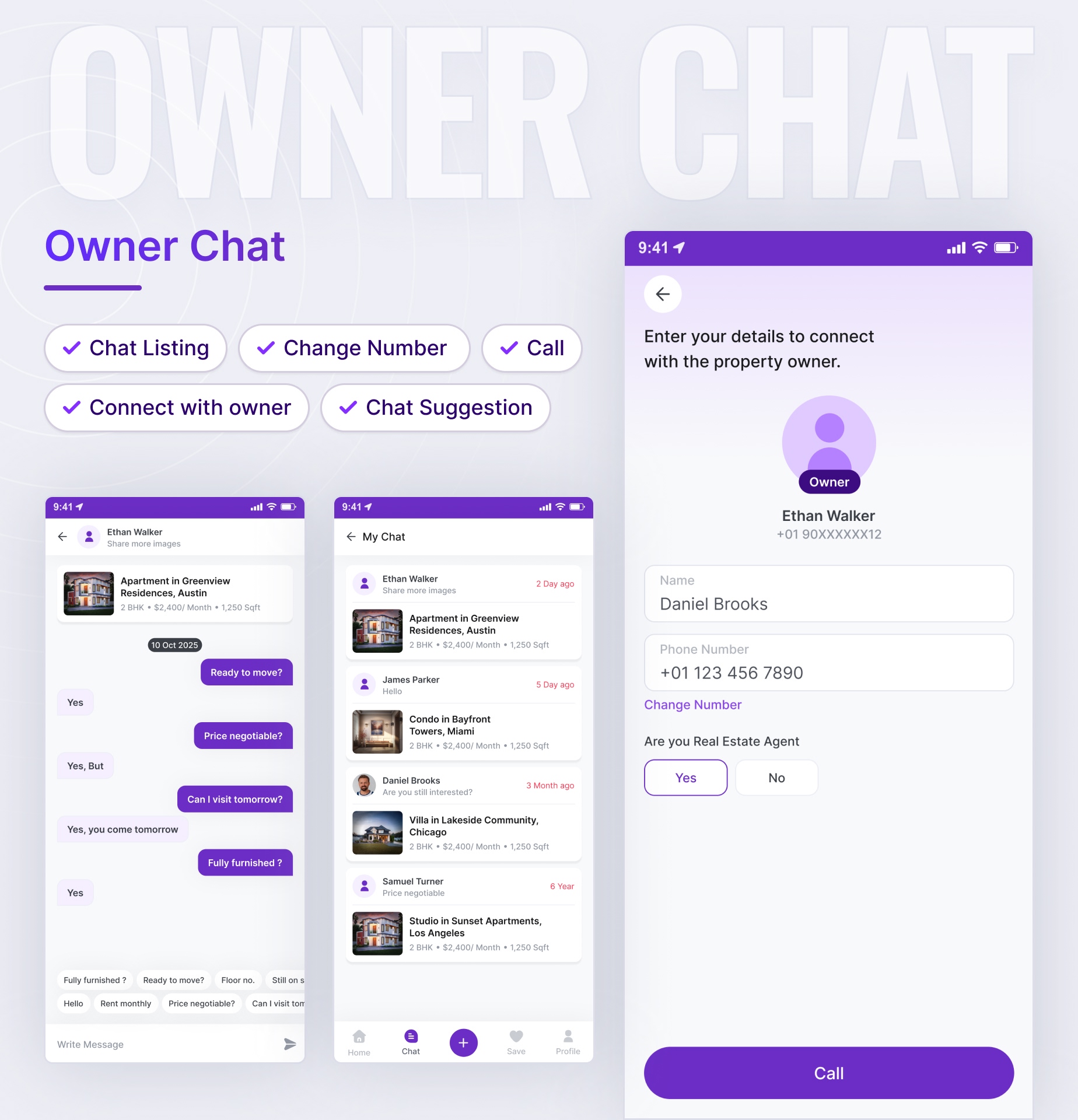
3. Agent Consultation: Connect directly with experienced agents for personalized property advice and assistance, guiding you through every step of the process.
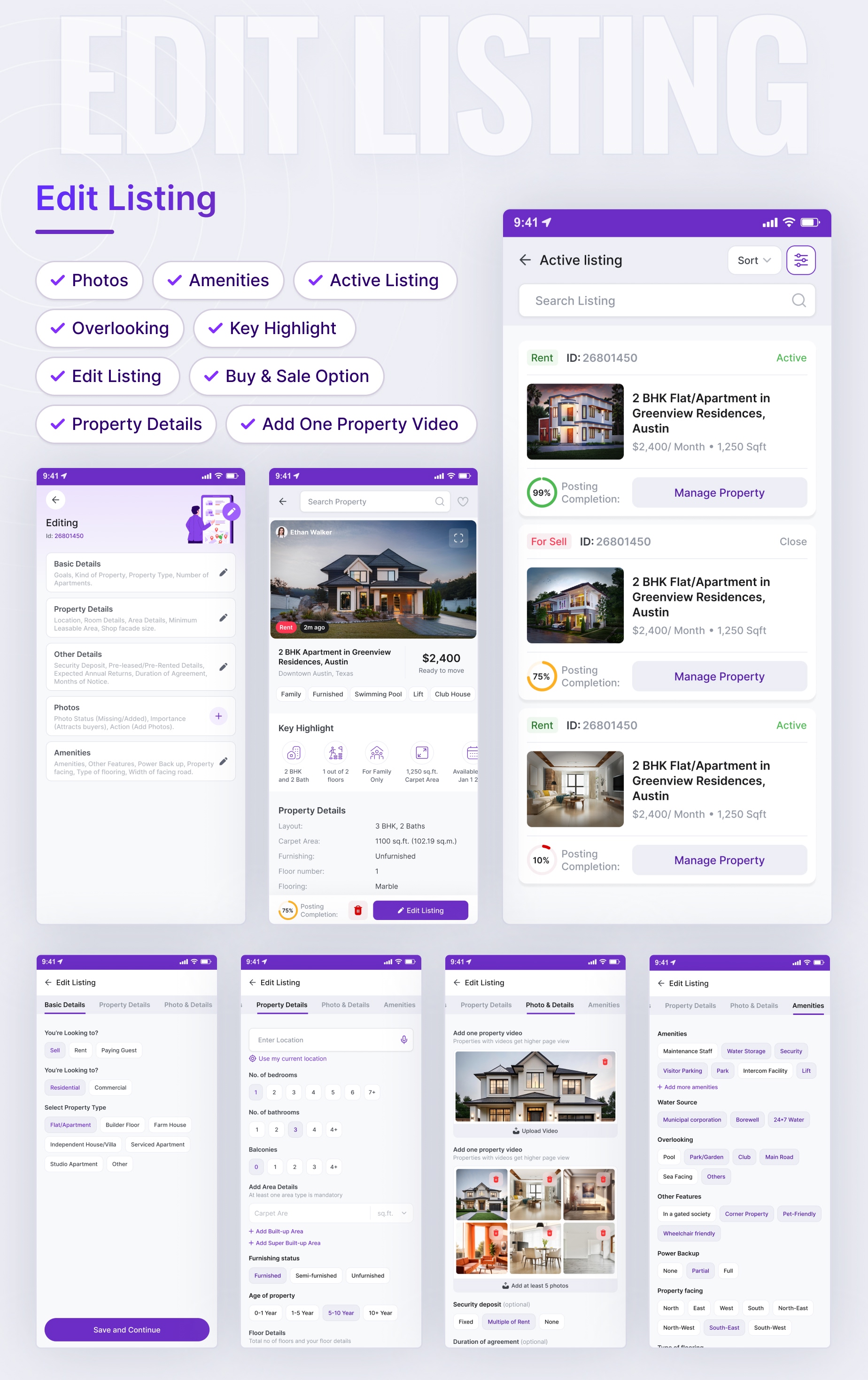
4. Edit Listing: Easily update your property details and make changes in just a few steps to keep your listings accurate and up to date.
5. User Friendly Interface: Experience effortless browsing with a clean, easy to use design that helps you find what you’re looking for in no time.
This application is easy to use, and you can edit it again to create an extraordinary modern style mobile RealStateX application by using this UI Kit in the selected theme Light Mode & Dark Mode. Not only that, this application is equipped with simple Prototype Mode to help make it easier this App ✨
Including Design Guidelines
Our UI Kit includes a detailed set of design guidelines, ensuring consistency and ease of use across all components. These guidelines cover typography and color. The goal is to empower designers and developers to maintain a cohesive look and feel throughout RealStateX application projects.
Dark Mode Available
Enhance the flexibility of the user experience with the dark mode option, making it easier and reducing light strain on your eyes, which will be perfectly suited to low light environments.
✏️ Fully Customizable
Very flexible and tailored to your branding needs with elements, components, layout & variants that are fully available to you.
✨ Minimalist, Elegant, Modern UI Style
Impress users with a minimal, elegant, and modern UI design style while still prioritizing functionality with aesthetics to provide a better user experience.
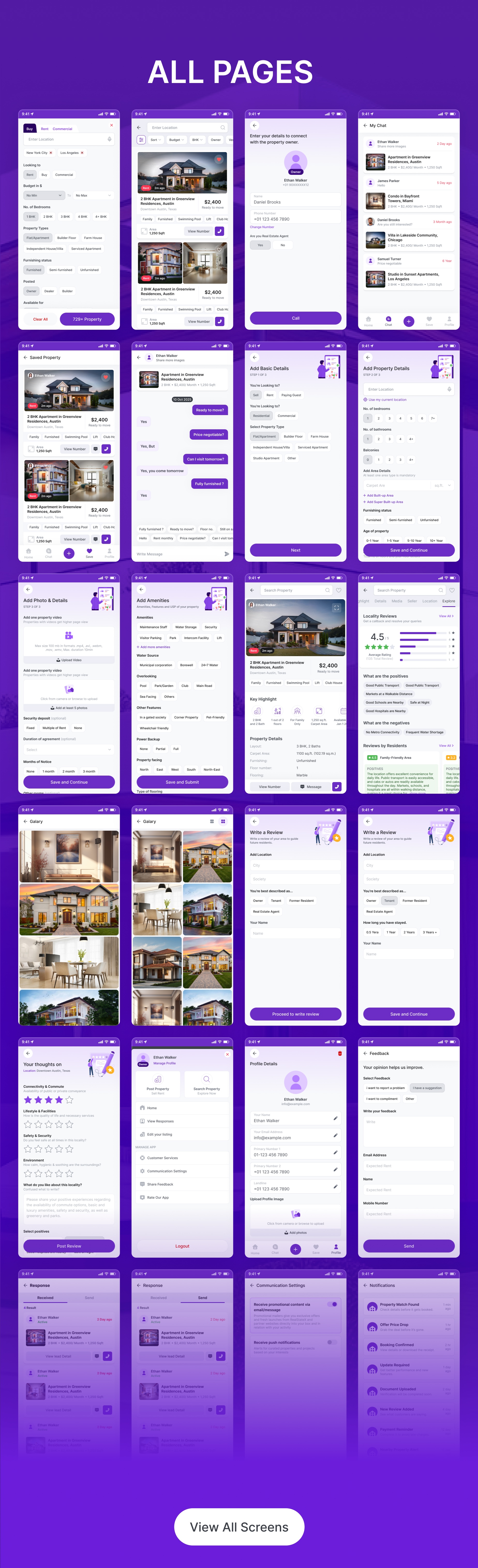
40+ Mobile Screen Included
- 01_Splash_Screen
- 02_Onboarding_Slides_Login_Screen
- 03_Login_Screen
- 04_OTP_Verification
- 05_Home
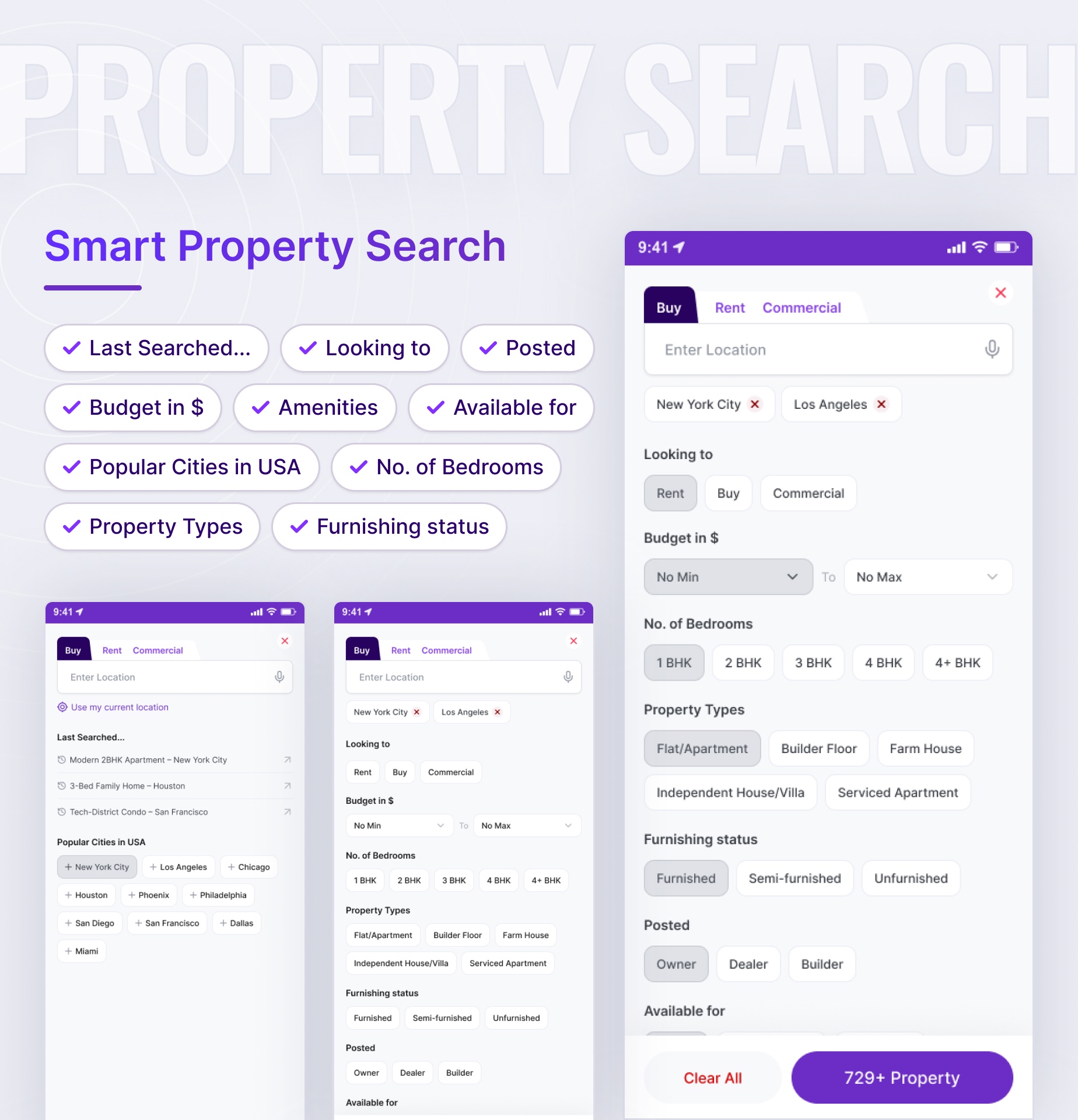
- 06_Search_Property
- 07_Search_Area
- 08_Search_Add_Filter
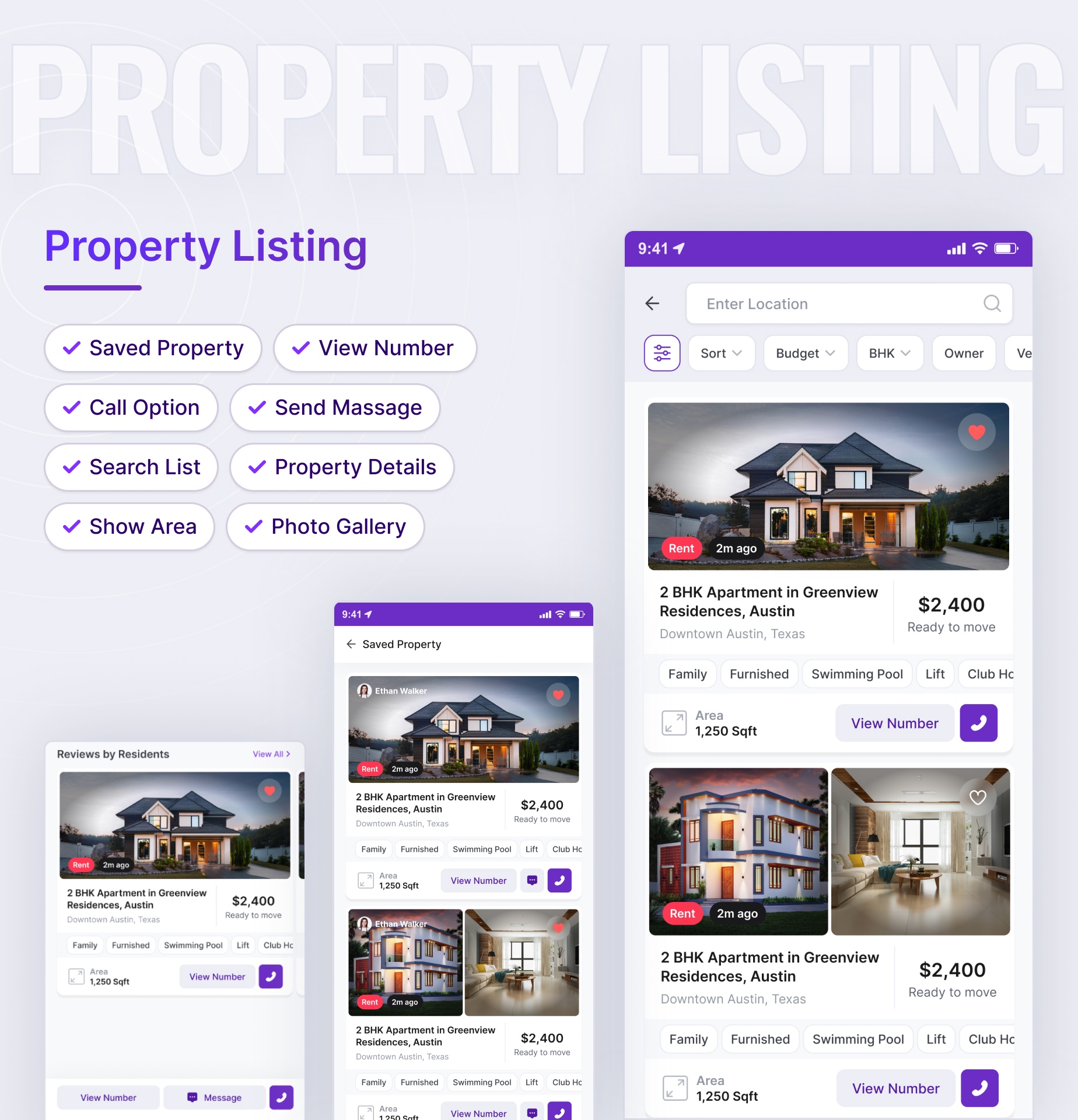
- 09_Search_List
- 10_Save_Property
- 11_Contact_Owner
- 12_Chat_List
- 13_Chat
- 14_Add_Property_Basic_Details_Step_1
- 15_Add_Property_Details_Step_2
- 16_Add_Property_Photo_Step_3
- 17_Add_Amenities_Step_3
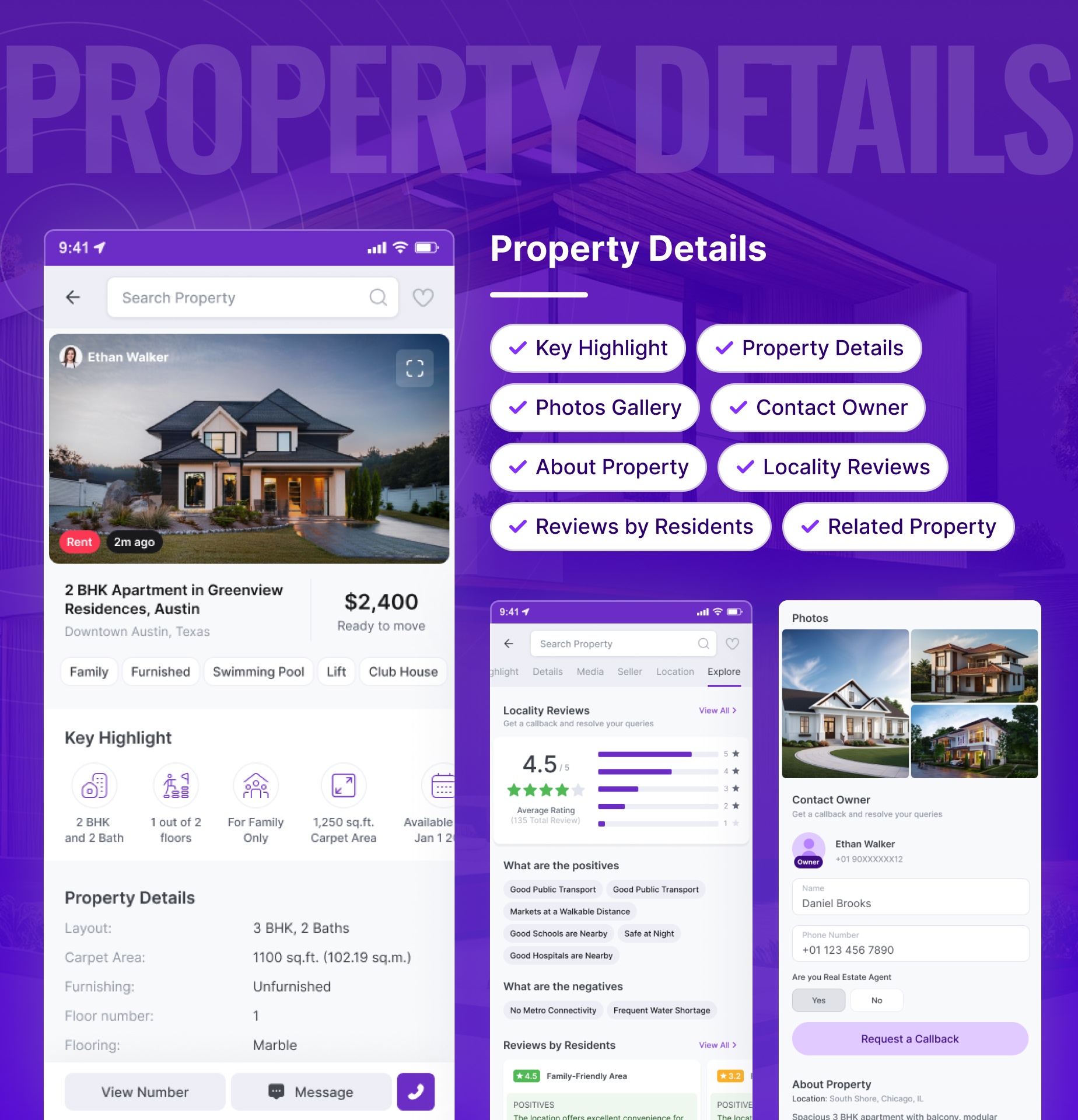
- 18_Property_Details_1
- 19_Property_Details_Review
- 20_Galary_List
- 21_Galary_Grid
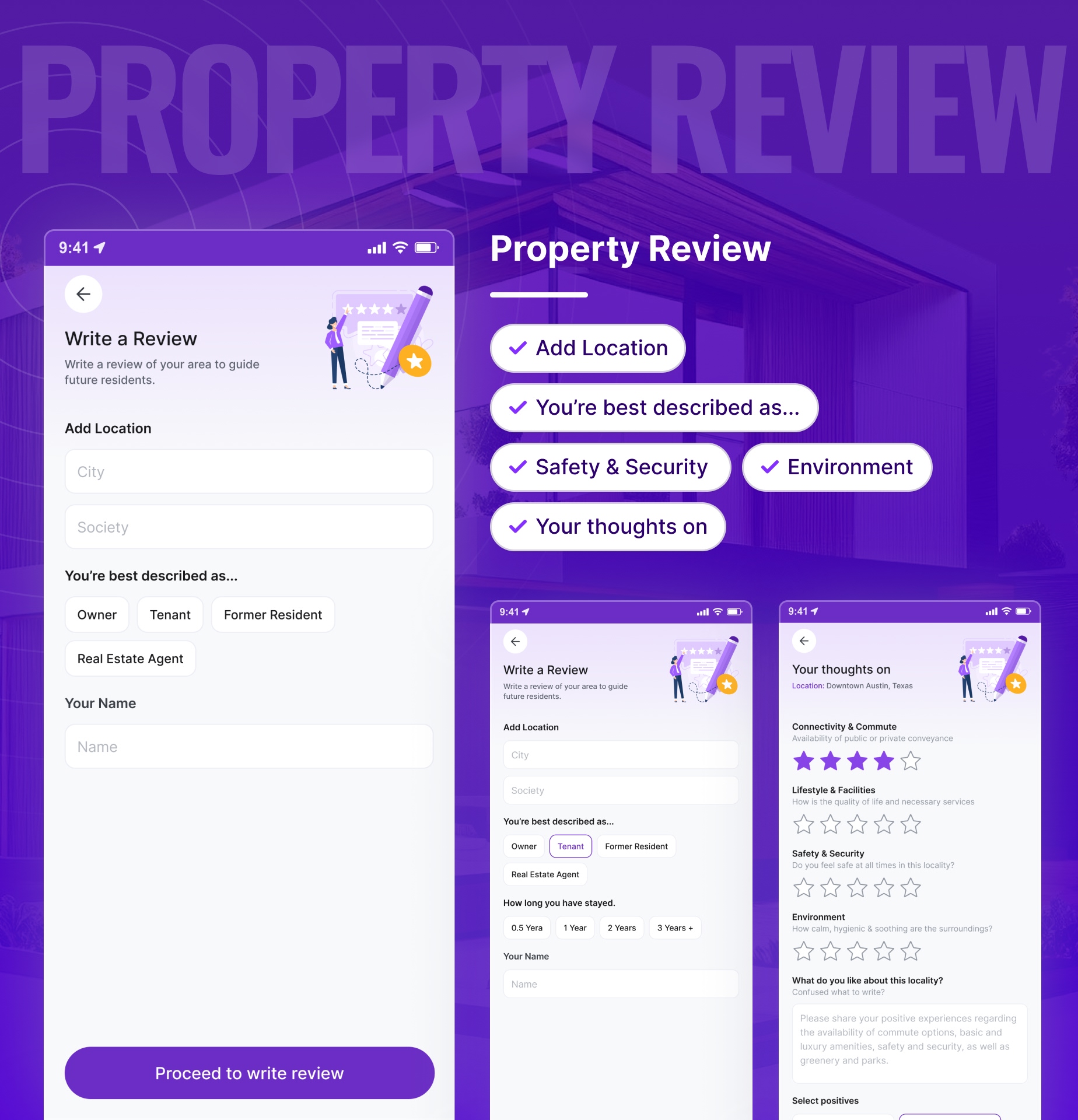
- 22_Write_Review_1
- 23_Write_Review_2
- 24_Write_Review_3
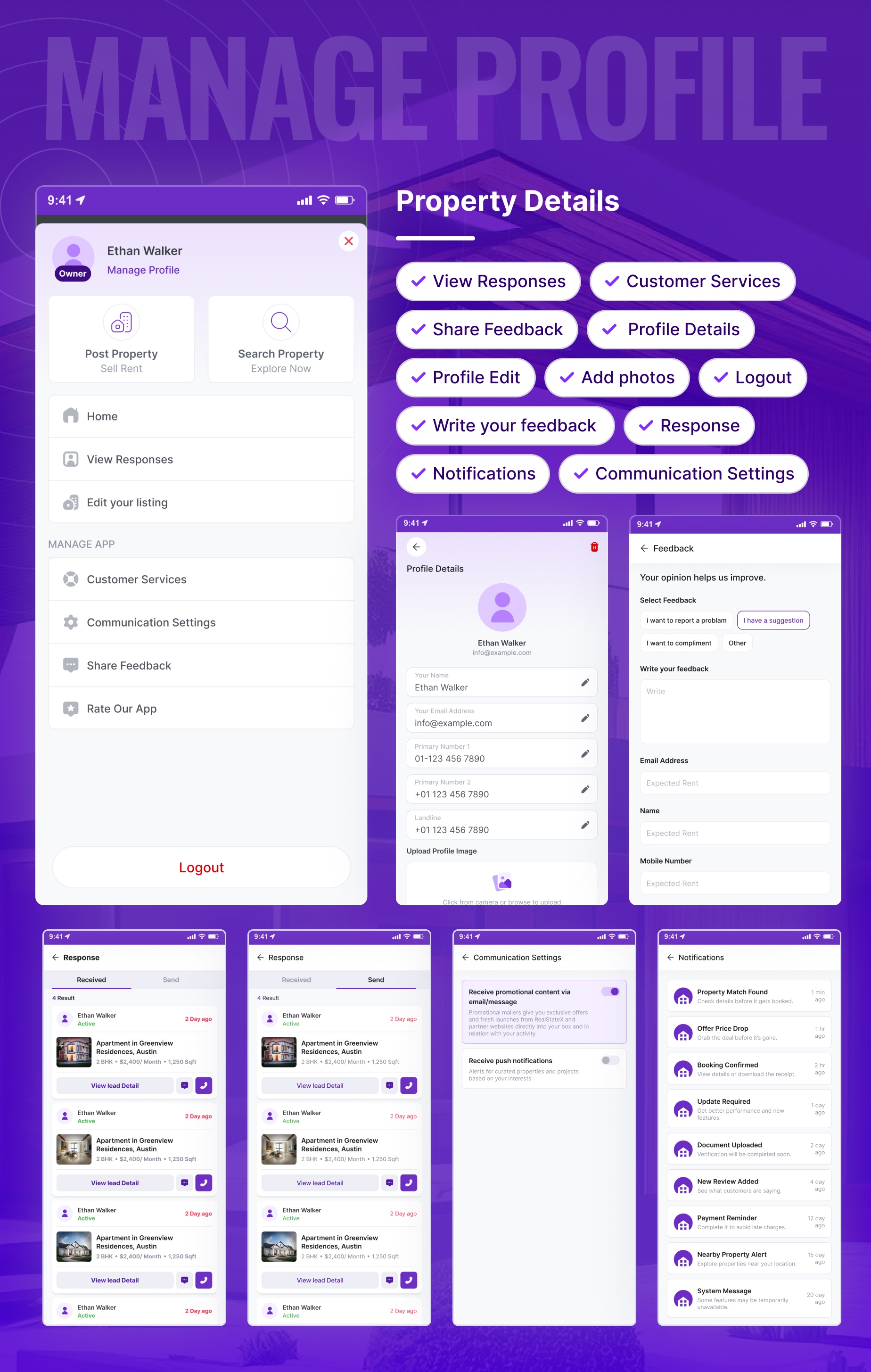
- 25_Sidebar
- 26_Profle
- 27_Feedback
- 28_Responses_Received
- 29_Responses_Send
- 30_Communication_Settings
- 31_Notifications
- 32_My_Listing
- 33_Edit_Listing
- 34_Edit_Listing
- 35_Edit_Property_Basic_Details_Step_1
- 36_Edit_Property_Details_Step_2
- 37_Edit_Property_Photo_Step_3
- 38_Edit_Amenities_Step_3
- 39_Sort_Filter
- 40_Filter
You will get
- Figma Files
- Proper Documentation
Template Features
- 25+ Mobile Screen
- Proper Documentation
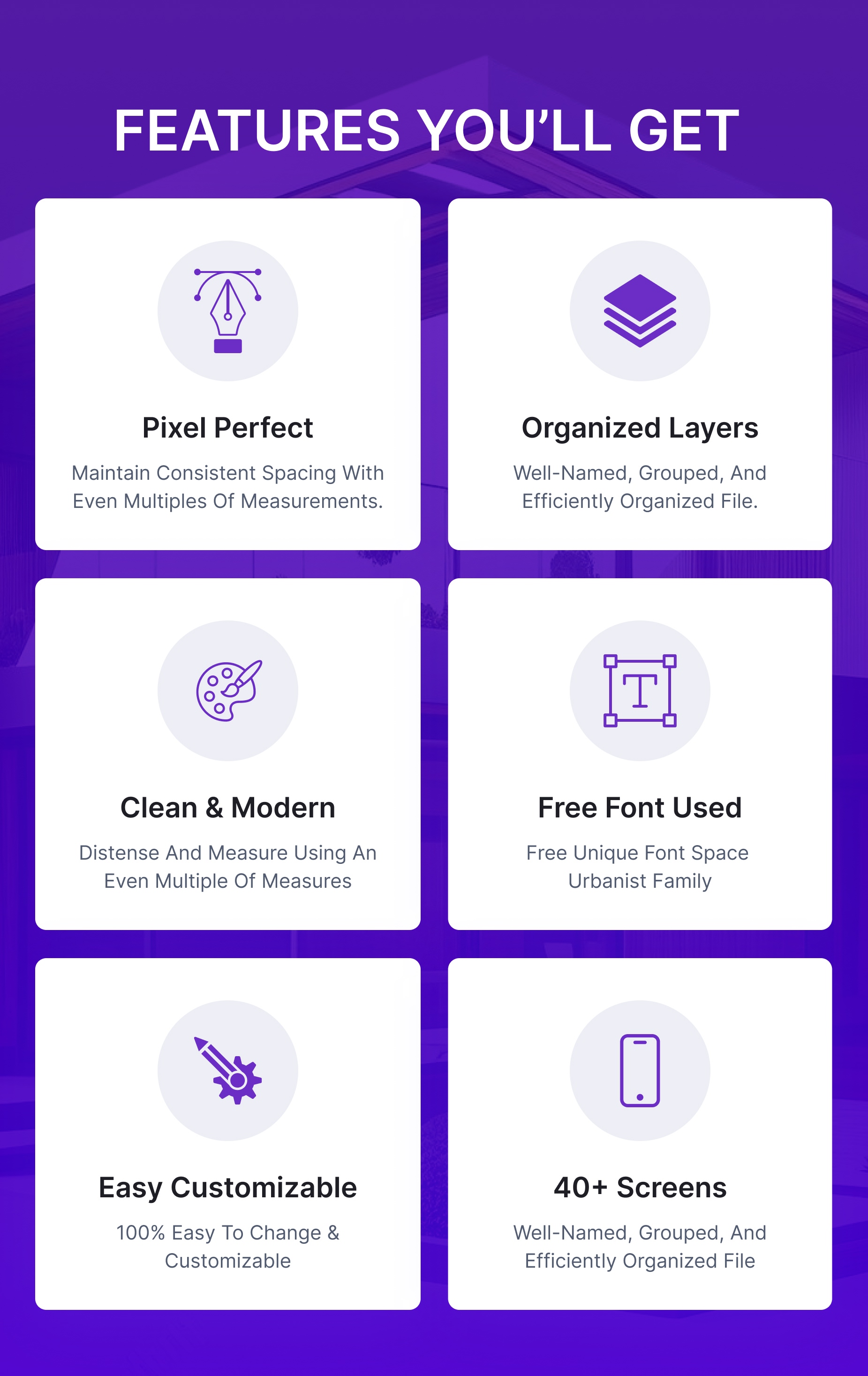
- Easy and 100% customizable Figma files
- Fully Vector & Customizable
- Well Organized Layers
- All layer has been named and grouped properly
- Vector icons
- Creative and unique design
- Easy to Find Art boards, Folders, Layers, Components
- Based on Figma Styles and Components
- Amazing vector illustrations and icons
- Minimal & Modern Design
Font
- ‘Inter’, sans-serif
Credits
- Feather Iconshttps://feathericons.com/
- Flaticons https://www.flaticon.com/
- Upsplash https://unsplash.com/
- Freepic https://www.freepik.com/
Important
Note : Images used in the demo are not provided in download package.
Change Log
v1.0 – 22 Novenber 2025
* New - Created & Upload RealState<strong>X</strong>
0 average based on 0 ratings.


