OneCreative – Digital Agency & Creative Portfolio Elementor Templates Kit
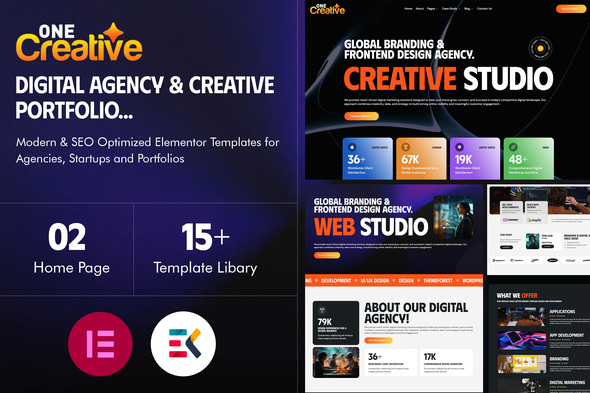

OneCreative – Digital Agency & Creative Portfolio Elementor Templates Kit OneCreative is a modern, smooth, and fully SEO-optimized Elementor Templates Kit designed for Digital Agencies, Creative Studios, and Business Portfolio websites. Built with clean UI/UX principles and high-performance structure, it helps you create a professional website without coding. This versatile Elementor kit is ideal for:
- Digital Agencies
- Creative & Design Studios
- AI Image Generator Platforms
- Architecture & Interior Studios
- IT Solutions & Tech Startups
- Business Consulting Firms
- Mobile App Showcases
- Cryptocurrency & Web3 Projects
- Fashion Studios
- Personal & Freelancer Portfolios
Modern Design Meets Creative Technology OneCreative combines award-winning UI/UX design with modern web technology to deliver a visually stunning and highly interactive experience. With smooth scrolling effects, immersive animations, fluid transitions, and engaging layouts, your visitors will enjoy a premium browsing experience that leaves a lasting impression. Every section is carefully designed to:
- Improve user engagement
- Increase conversion rates
- Enhance brand identity
- Deliver fast loading performance
- Follow SEO best practices
⭐ Key Features:
- ✅ Built with Elementor (No Coding Required)
- ✅ 100% Responsive & Mobile-Friendly Design
- ✅ SEO Optimized Structure
- ✅ Fast Loading & Lightweight Templates
- ✅ Modern Typography & Clean Layout
- ✅ Smooth Animations & Interactive Effects
- ✅ Easy Customization
- ✅ Cross-Browser Compatible
- ✅ Well Organized Layers & Global Styles
Why Choose OneCreative?
Templates Include
- Global Theme Style
- Home01
- Home02
- About Us
- Service
- Single Service
- Pricing
- Portfolio
- Portfolio Details
- Contact
- Our Blog
- Blog Grid
- Single Blog
- FAQ
- 404 Page
- Testimonials
- Header
- Footer
Required Plugin(included):
- Elementor
- ElementsKits Lite
- Jeg Elementor Kit
- MetForm
- Qi Addons for Elementor
How to Use Template Kits:
This is not a WordPress Theme. Template kits contain the design data for Elementor only and are installed using the envato Template Kit Import plugin for WordPress or directly through Elementor.
Detailed Guide:
For further support, go to Elementor > Get Help in WordPress menu.
How to setup header in Jeg Elementor Kit plugin If you have Elementor Pro, setup headers and footers in Theme Builder. Pages you create with Elementor must have the Page Layout set to Elementor Full width for the global header and footer to appear.
- Go to Jeg Elementor Kit menu item > Header Template
- Click Add New Header
- Add condition > All Site and click Create
- Click the pencil icon to Edit and elementor will appear
- Click gray folder icon to access My Templates tab
- Insert the header template.
- Customize and Save.
How to Import MetForm Custom Form:
- While edititing a page where a form should appear, open the Elementor navigator to locate the Metform widget.
- Click Edit Form in the builder panel.
- Select New, leave blank selected then click Edit Form button.
- Click ‘Add Template’ grey folder button.
- Click ‘My Templates’ tab.
- Choose your imported MetForm template, then click ‘Insert’.
- Once the template is loaded, click ‘Update’.
Images Images in this item are free to use under CC0 license from Freepik or you may replace them with your own.
$21 |
Download |
0 average based on 0 ratings.

| Last Update | 2026-02-14 |
| Created | 2026-02-14 |
| Sales | 1 |
| Discussion | Comments |
| Kit Certified | No |
| Requires Premium Plugins | |
| Software Version | Elementor 3.10.x |
| Template Kit Type | Envato Template Kit |


