Hirework - Human Resource & Recruitment Agency Elementor Pro Template Kit


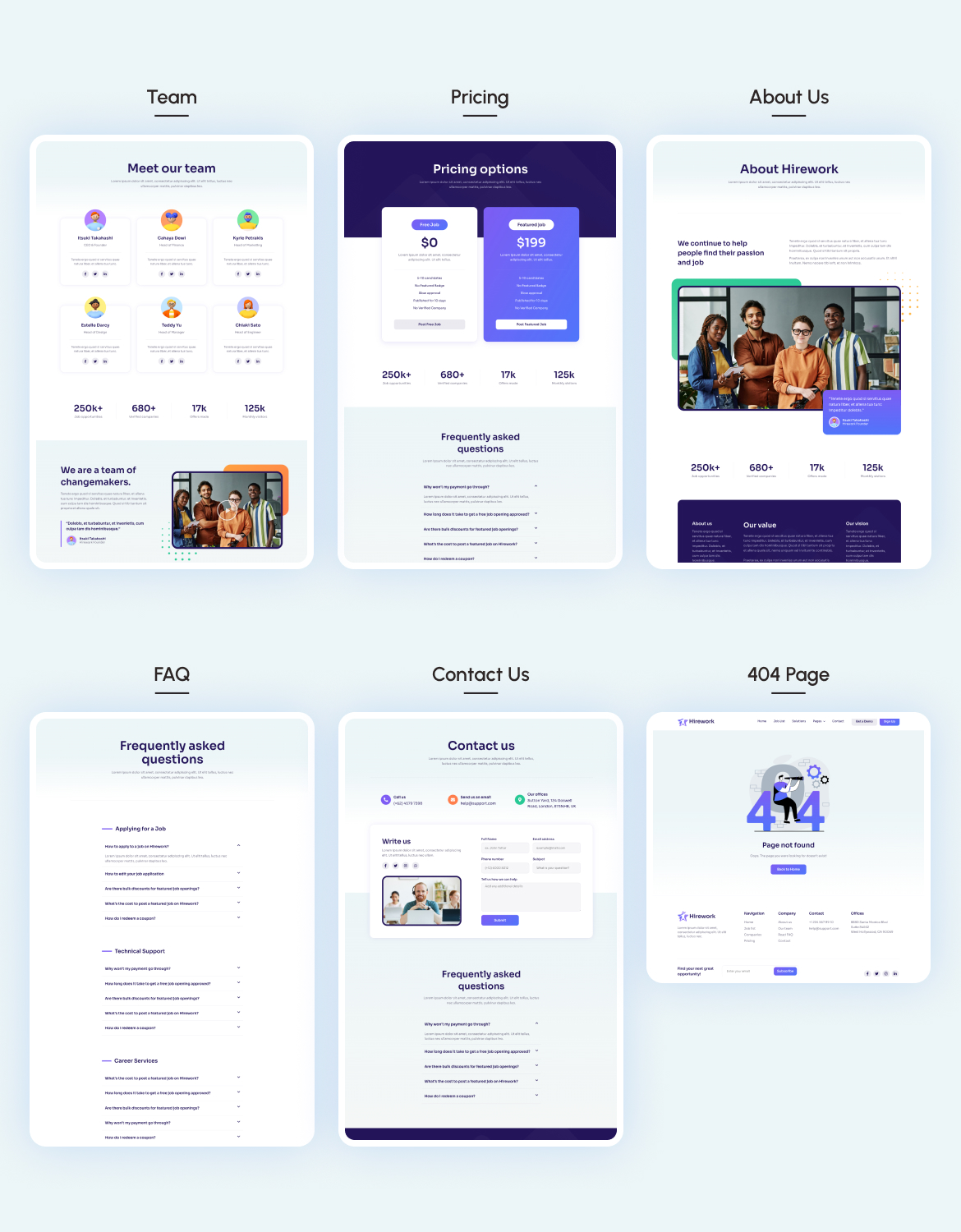
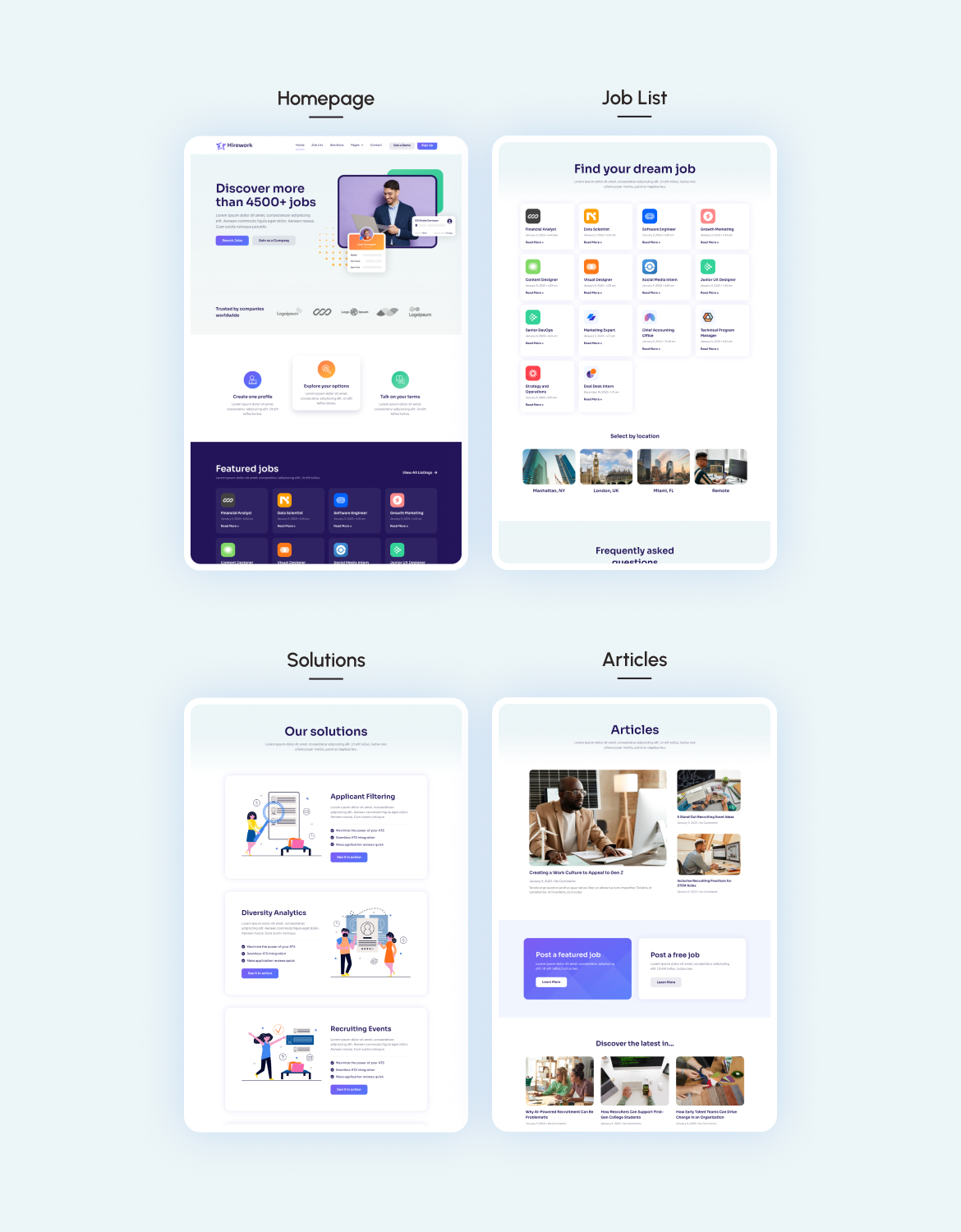
Hirework is a modern Human Resource and Recruitment Consultant Elementor Template Kit that perfect for creating a website for HR, Human Resource, Job Vacancy, Human Relationship, HR Consultant or Resourcing Website. This template has a elegant and unique design with a 100% responsive layout, retina-ready, and easy to customize.
This template kit includes carefully crafted 10 templates that are fully responsive & retina-ready. You can build your professional-looking website with a low budget just a click away!
Page templates included
- Homepage
- Job List Page
- Job Detail Page
- Companies Page
- About Company Page
- Pricing Page
- About Us Page
- Team Page
- FAQs Page
- Contact Us Page
Features
- True no-code customization with drag and drop visual builder
- Customize fonts and colors in one place or fine-tune on individual elements
- Modern, professional design
- Fast-loading
- Works with most Elementor themes.
Elementor Pro upgrade is required for some templates and features (not included)
How to Use Template Kits:
- Install and Activate the Template Kit Import plugin from Plugins > Go to Plugins > Add New and search for “Template Kit – Import” and Install and Activate the Template Kit Import plugin.
- Download your kit file and Do not unzip
- Go to Tools > Template Kit and click Upload Template Kit ZIP File. Your templates should appear.
- Check for the orange banner at the top and click Install Requirements to load any plugins the kit uses
- Click Import on the Global Kit Styles first to set colors, fonts and site settings.
- Then click Import Template on each template one at a time in the order shown.
- Go to Pages and create a new page and click Edit with Elementor
- Click the gear icon at lower-left of the builder to view page settings and choose Elementor Full Width and hide page title.
- Click the Envato icon in the builder area.
- Click View Installed Kit, then ensure the template you want to use is a Page or Container template type, then click Insert Template.
If you have Elementor Pro, headers and footers may be customized under Theme Builder.
Detailed Guide: https://help.market.envato.com/hc/en-us/articles/36033428836889-How-to-Upload-Install-Elementor-Template-Kits-from-Envato
For further support, go to Elementor > Get Help in WordPress menu.
This Template Kit uses demo images from Envato Elements. You will need to license these images from Envato Elements to use them on your website, or you can substitute them with your own.
$24 |
Download |
0 average based on 2 ratings.

| Last Update | 2023-01-23 |
| Created | 2023-01-23 |
| Sales | 27 |
| Discussion | Comments |
| Kit Certified | No |
| Requires Premium Plugins | Elementor Pro |
| Software Version | Elementor 3.6.x Elementor 3.5.x |
| Template Kit Type | Envato Template Kit |


