FoodSense - Food Delivery Elementor Pro Template Kit
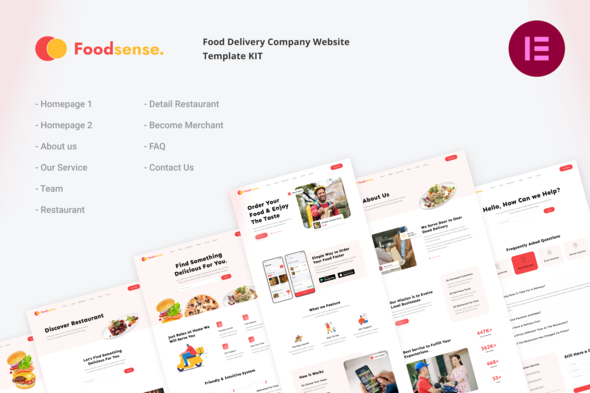

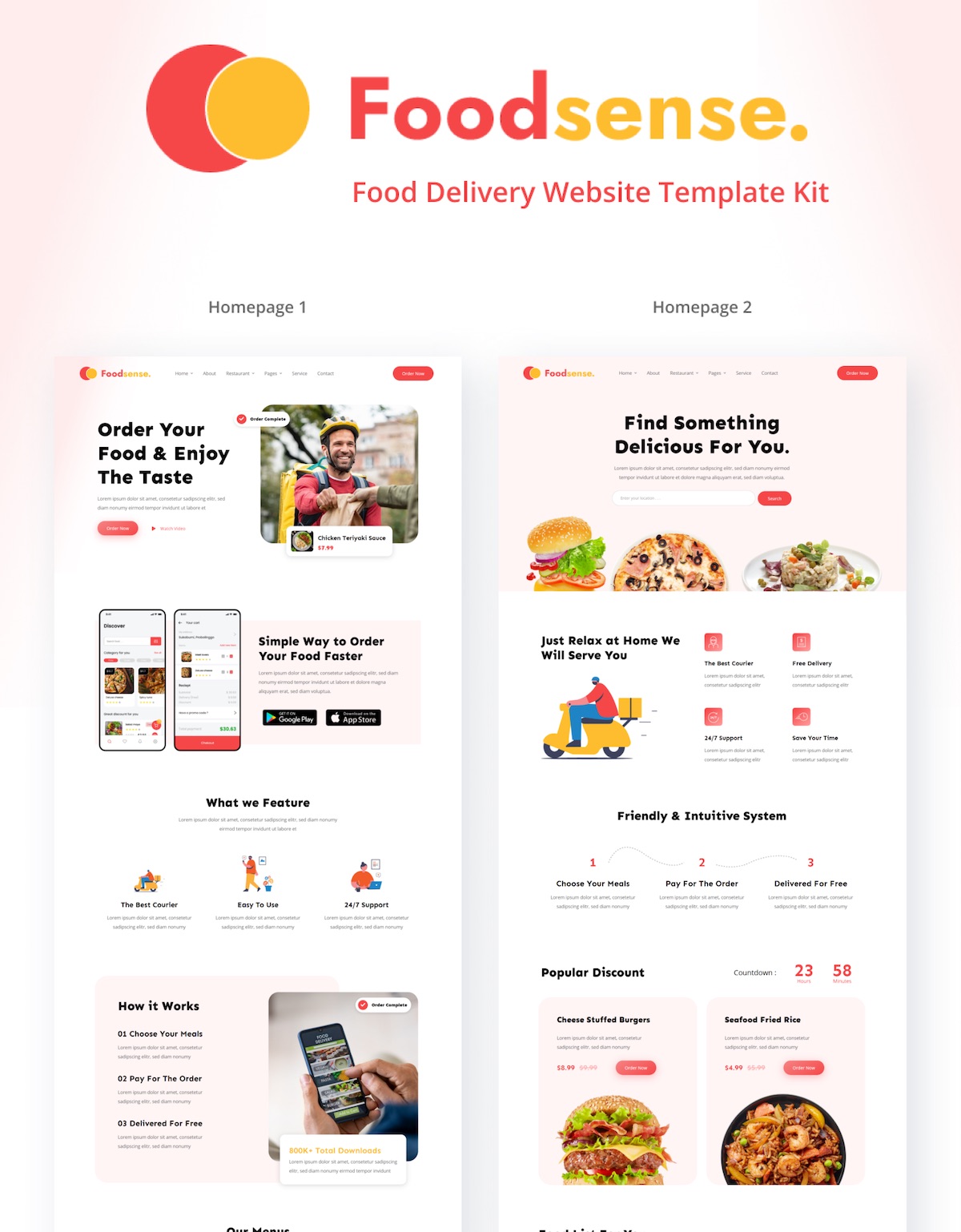
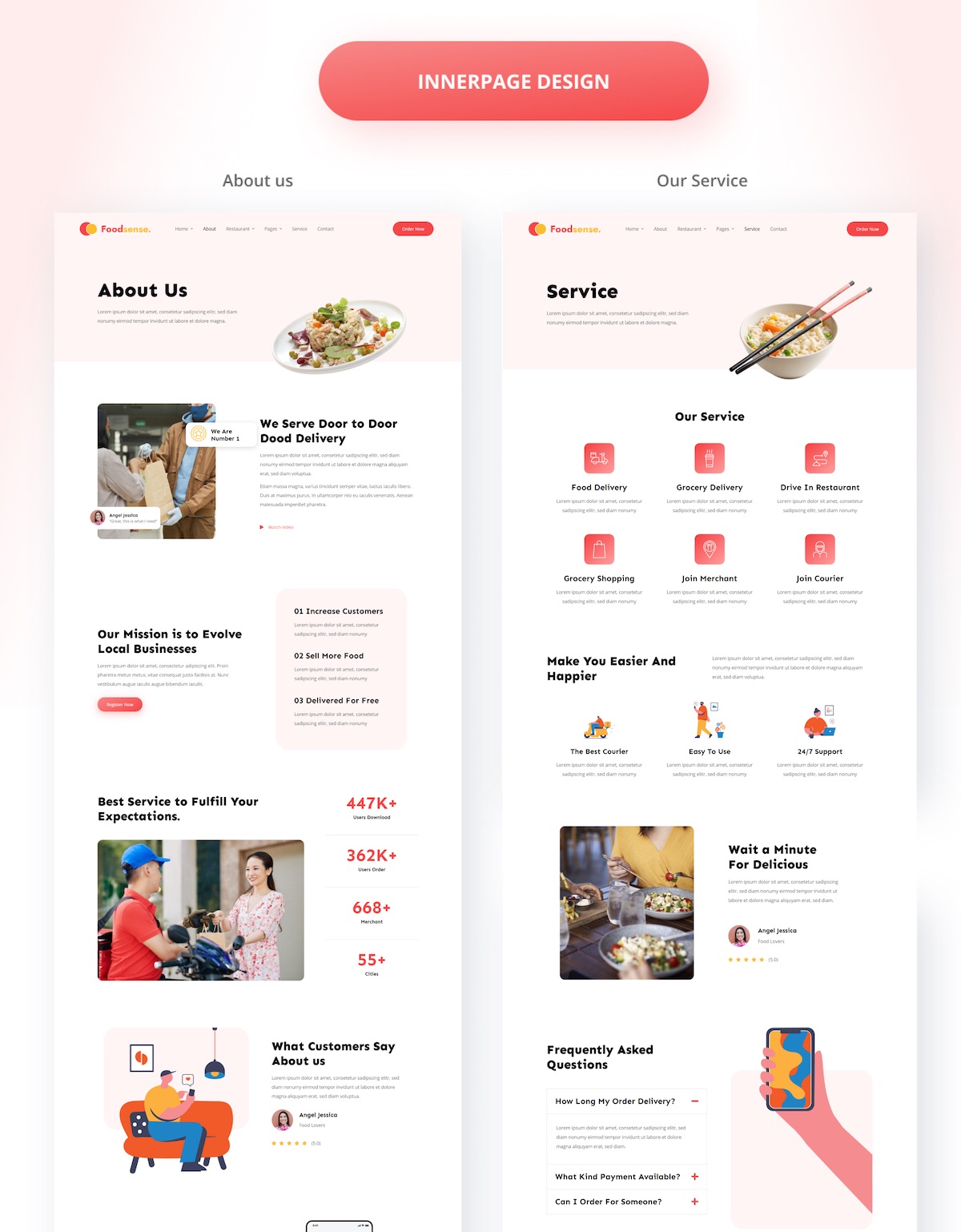
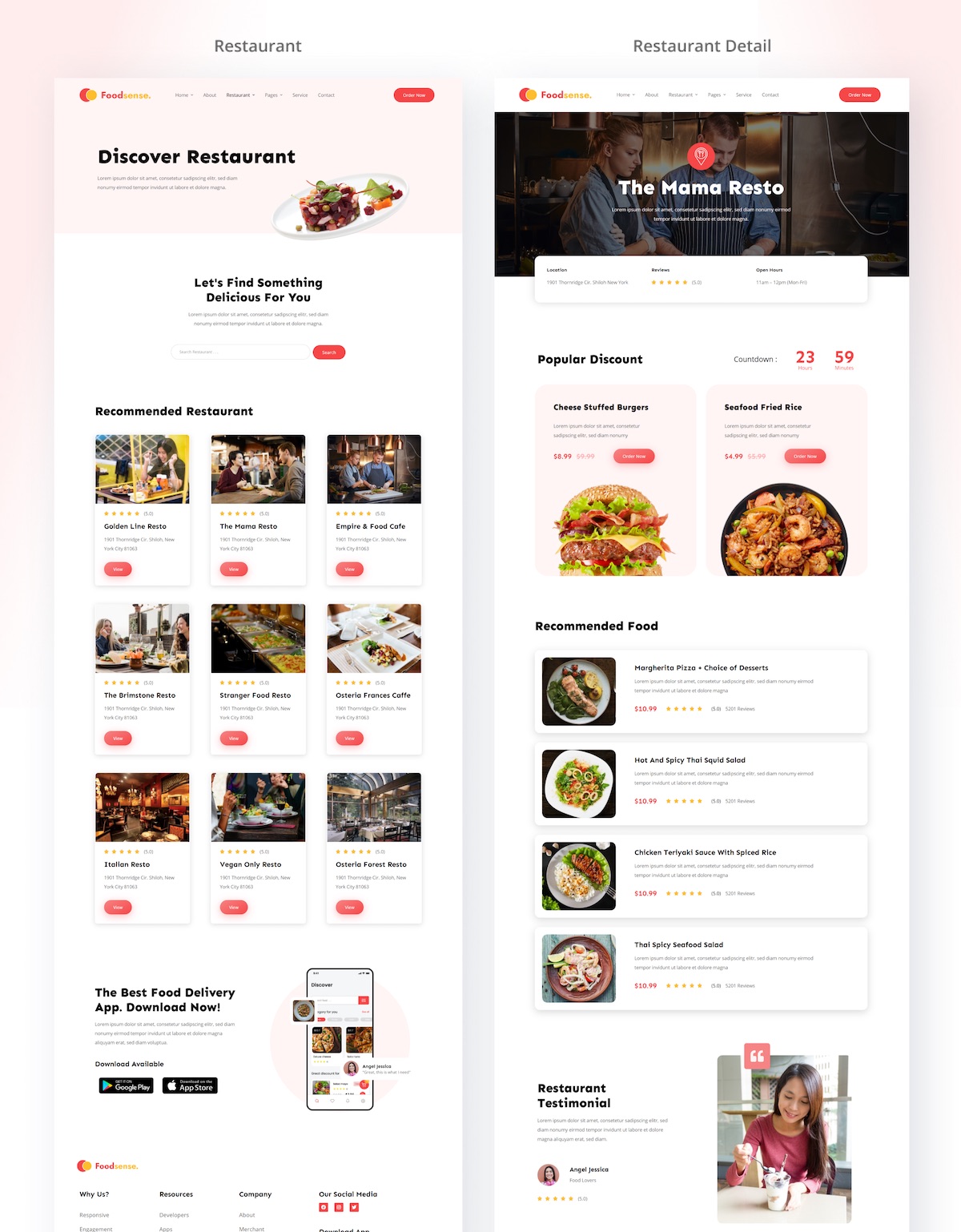
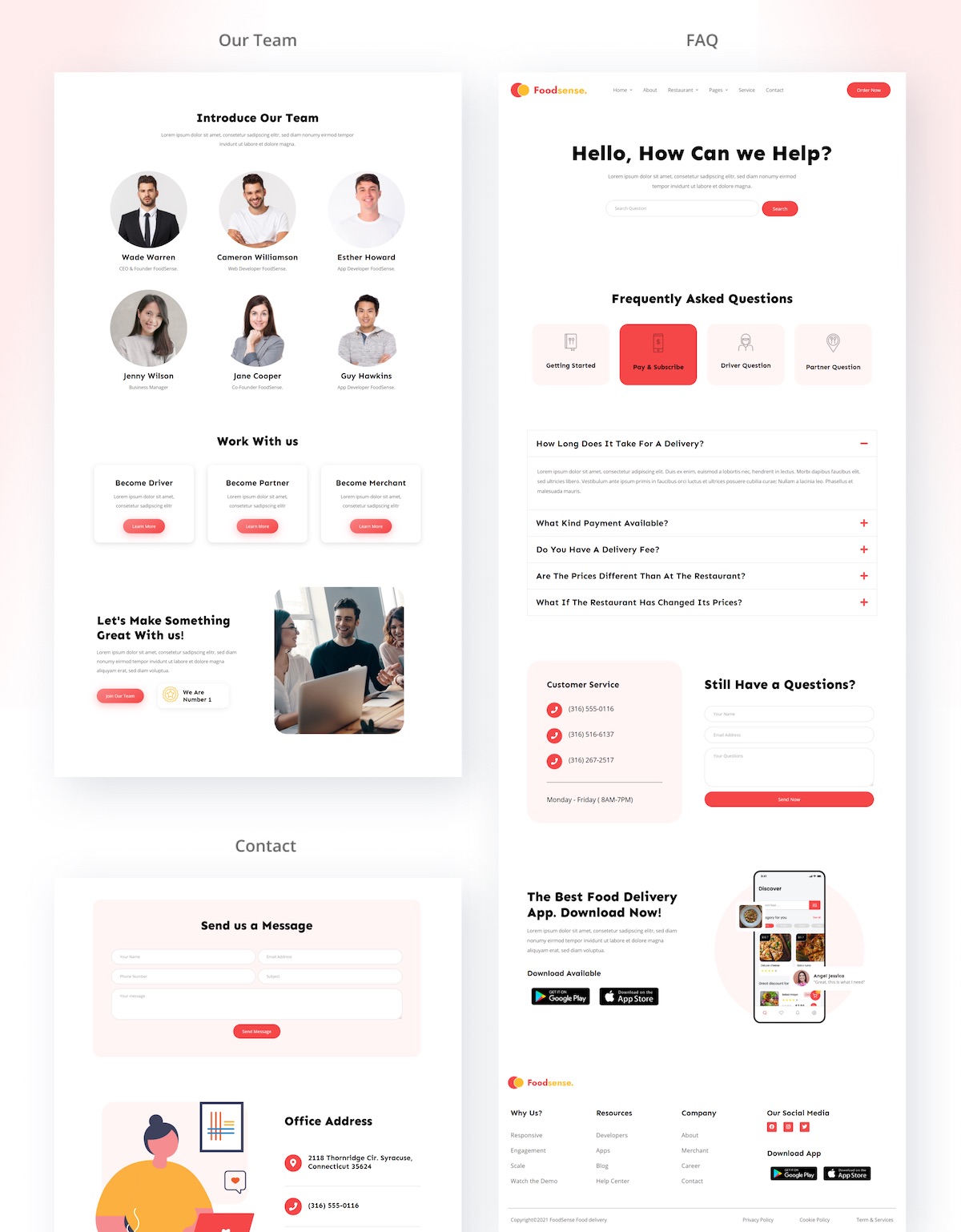
FoodSense is a modern Elementor Template Kit that is perfect to create a WordPress-based website for a Mobile Application landing page especially the On-Demand Food and Grocery Delivery App.
Customize fonts and colors via the built-in Elementor Theme Styles controls and load in your photos, logos, and content using the visual drag and drop builder.
Page templates included
Homepage 1
Homepage 2
About Us Page
Restaurant Page
Single Restaurant Page
Services Page
Contact Page
Become Merchant Page
FAQ Page
Team Page
Elementor Pro upgrade is required for some templates and features (not included)
Features
Header Template For Theme Builder
Footer Template For Theme Builder
*Elementor Pro is a premium version of Elementor that is required for templates and features in this kit (not included) *
How to Use Template Kits:
- Install and Activate the Template Kit Import plugin from Plugins > Go to Plugins > Add New and search for “Template Kit – Import” and Install and Activate the Template Kit Import plugin.
- Download your kit file and Do not unzip
- Go to Tools > Template Kit and click Upload Template Kit ZIP File. Your templates should appear.
- Check for the orange banner at the top and click Install Requirements to load any plugins the kit uses
- Click Import on the Global Kit Styles first to set colors, fonts and site settings.
- Then click Import Template on each template one at a time in the order shown.
- Go to Pages and create a new page and click Edit with Elementor
- Click the gear icon at lower-left of the builder to view page settings and choose Elementor Full Width and hide page title.
- Click the Envato icon in the builder area.
- Click View Installed Kit, then ensure the template you want to use is a Page or Container template type, then click Insert Template.
If you have Elementor Pro, headers and footers may be customized under Theme Builder.
Detailed Guide: https://help.market.envato.com/hc/en-us/articles/36033428836889-How-to-Upload-Install-Elementor-Template-Kits-from-Envato
For further support, go to Elementor > Get Help in WordPress menu.
This Template Kit uses demo images from Envato Elements. You will need to license these images from Envato Elements to use them on your website, or you can substitute them with your own.
- https://elements.envato.com/image-DBXUQTG
- https://elements.envato.com/image-UR9S6HA
- https://elements.envato.com/online-delivery-service-graphic-illustration-VNU5F9F
- https://elements.envato.com/image-ERC7BZ5
- https://elements.envato.com/set-of-thin-line-icons-for-restaurant-food-drink-DYHTBH2
- https://elements.envato.com/image-PE934T5
- https://elements.envato.com/image-AYEZLE7
- https://elements.envato.com/image-57E99V2
- https://elements.envato.com/image-P3B2K5R
- https://elements.envato.com/image-PHGLNBC
- https://elements.envato.com/image-XEA22HZ
- https://elements.envato.com/image-TKTKTJY
- https://elements.envato.com/image-P5RJ66W
- https://elements.envato.com/flying-burger-isolated-WSKEF4T
- https://elements.envato.com/50-food-delivery-elements-in-minimal-design-B4BENQU
- https://elements.envato.com/burger-95CWFUB
- https://elements.envato.com/plate-of-asian-food-GF8U9TQ
- https://elements.envato.com/asian-food-fried-thai-rice-noodles-PXH7MAG
- https://elements.envato.com/tasty-pizza-is-isolated-on-white-background-FYB7QRU
- https://elements.envato.com/bowl-of-asian-food-89RSKYD
- https://elements.envato.com/plate-of-asian-food-PYEJ7GD
- https://elements.envato.com/plate-of-asian-food-FGXM9UT
- https://elements.envato.com/plate-of-asian-noodles-with-fried-meat-P3PUZQF
- https://elements.envato.com/image-PM8JVNN
- https://elements.envato.com/image-PW7AJ8V
- https://elements.envato.com/image-TY2VSNX
- delicious-food-KM4LWR2
- https://elements.envato.com/image-U7GWL3V
- https://elements.envato.com/image-T5TYW8C
- https://elements.envato.com/delicious-food-WCDGCZN
- https://elements.envato.com/image-LSDD4SV
- https://elements.envato.com/image-9P76RXZ
- https://elements.envato.com/image-PCVW5CR
- https://elements.envato.com/image-GNYPXC7
- https://elements.envato.com/image-M23HX6F
- https://elements.envato.com/image-0224198
- https://elements.envato.com/image-P3NGSV6
- https://elements.envato.com/image-N2956GN
- https://elements.envato.com/image-VG69NQU
- https://elements.envato.com/image-F8QC9A9
- https://elements.envato.com/asian-noodle-soup-PR7E3BT
- https://elements.envato.com/image-YMZBKX6
- https://elements.envato.com/delicious-food-RCVRYPR
- https://elements.envato.com/image-PDB2JB4
- https://elements.envato.com/image-SBKQDZ9
- https://elements.envato.com/business-concept-portrait-handsome-business-man-co-TC84FZC
- https://elements.envato.com/portrait-of-a-handsome-young-man-smiling-against-w-45ZKLKP
- https://elements.envato.com/portrait-of-happy-young-handsome-man-smiling-8LYQJ6F
- https://elements.envato.com/happy-woman-smiling-UXBKQKU
- https://elements.envato.com/business-woman-smile-XUUVT9E
- https://elements.envato.com/asian-man-smile-portrait-JSD59AS
- https://elements.envato.com/image-QX5B5J8
$24 |
Download |
0 average based on 0 ratings.

| Last Update | 2026-05-19 |
| Created | 2021-08-12 |
| Sales | 21 |
| Discussion | Comments |
| Kit Certified | No |
| Requires Premium Plugins | Elementor Pro |
| Software Version | Elementor 3.10.x |
| Template Kit Type | Envato Template Kit |


