Devicemaster – Mobile, Laptop & Computer Repair WordPress Theme
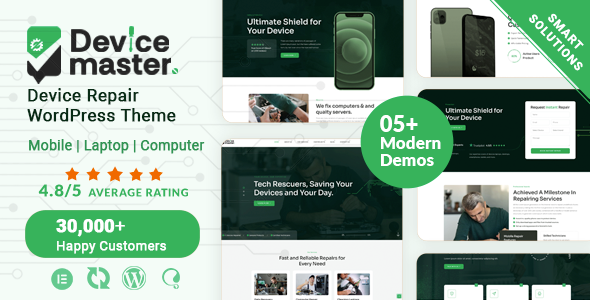

Devicemaster is a mobile, laptop, and computer repair WordPress theme designed for electronics repair shops, device technicians, IT service providers, and technical support businesses. It provides an industry-focused starting point for presenting repair services, explaining device maintenance solutions, introducing your technicians, and helping customers find the information they need. Whether you specialize in smartphone screen replacement, laptop troubleshooting, computer upgrades, hardware diagnostics, or general electronic device repairs, Devicemaster helps you build a professional online presence for your repair business. Use your website to communicate your services, establish customer confidence, highlight your technical expertise, and encourage visitors to contact your team.


Who Is Devicemaster Perfect For?
Devicemaster is designed for businesses that repair, maintain, troubleshoot, or provide technical support for everyday electronic devices. Adapt its website content to your service specialties, target customers, and business model.
- Mobile phone repair shops and smartphone technicians
- Laptop repair and maintenance centers
- Desktop computer repair businesses
- Electronics troubleshooting and diagnostics specialists
- Tablet and other personal device repair providers
- IT support and computer maintenance companies
- Hardware upgrade and component replacement services
- Local electronics service centers and independent technicians
Device Repair Website Design That Builds Customer Confidence
When customers need a device repaired, they want to understand the services available, the types of devices supported, and how to contact a reliable technician. Devicemaster provides an appropriate starting point for presenting these details in a clear, professional business website.
- Promote repair services: Organize information about screen repairs, battery replacement, diagnostics, hardware troubleshooting, and other services you provide.
- Explain your technical expertise: Describe the devices you service, common problems you resolve, and your approach to repairs.
- Help customers find relevant information: Structure your service descriptions and business details so visitors can understand your offerings.
- Encourage service inquiries: Make your contact information easy to locate and guide customers toward the next step.
- Present a professional business identity: Use consistent branding and relevant imagery to represent your repair shop or technical support company.
Demos and Website Setup
Explore the Devicemaster product preview and official documentation to understand the intended design and plan your website structure. Organize your pages around repair services, supported devices, business information, technician expertise, and customer contact details. Check the current product listing and documentation for the exact demos, inner-page templates, and demo-import options included with the theme. Confirm whether one-click demo import is supported before relying on it as part of your setup process.
Customization and Page Builder
Devicemaster is positioned as a WordPress theme for mobile and computer repair services. Consult its official product listing and documentation to confirm the supported page builder or editor, required plugins, and available customization controls. When building your website, tailor the content to your service categories, device types, business branding, and customer needs. Verify the specific visual editing and layout features before planning a workflow around any particular builder integration.
Header, Footer, and Layout Control
A repair business website should make essential information easy to find, including service categories, business details, and contact options. Plan your navigation so customers can move quickly from the homepage to the repair service they need. Consult the Devicemaster documentation for details about supported header and footer customization, navigation options, layout variations, and page-level controls.
Repair Services, Helpful Content, and SEO Readiness
Useful service pages help customers understand what your repair business handles and which devices you support. Consider creating dedicated pages for smartphone repairs, laptop troubleshooting, desktop computer maintenance, data-related services, and hardware replacement where these match your actual offerings. Helpful articles about device care, common technical issues, and maintenance tips can also provide useful information to visitors. Use descriptive headings, meaningful page titles, and clear service descriptions to support a search-friendly content structure. Search rankings are not guaranteed and depend on factors beyond the theme.
Typography, Colors, and Visual Customization
Present your repair business consistently with your own logo, brand colors, device photography, and readable typography. Use clear headings to distinguish repair categories, keep service descriptions concise, and choose images that reflect your actual work and equipment. A consistent visual identity can help customers recognize your business across your website. Refer to the official Devicemaster documentation to confirm which typography, color, and styling controls are available in the theme.
Responsive Design and Compatibility
Customers may search for a nearby mobile or computer repair service directly from their phones, so a usable mobile browsing experience is important. Review your Devicemaster website on desktop, tablet, and mobile screens, paying attention to navigation, service information, images, and contact details. Before installation, consult the current product documentation for WordPress requirements, supported browsers, and any specific plugin or multilingual compatibility requirements relevant to your project.
Performance, Code Quality, and Compatibility
Repair service websites often rely on device images, service descriptions, and contact elements. Use appropriately sized images, avoid unnecessary page elements, and keep WordPress and installed components maintained according to their documentation. If you plan to add appointment forms, live chat, booking tools, or other third-party services, verify compatibility and test the complete setup before publishing. Website performance depends on the hosting environment, configuration, content, and installed components.
Additional Features and Long-Term Value
Devicemaster offers an industry-specific starting point for a repair service website that can evolve with your business. As your services expand, you can update device categories, add new repair information, publish helpful technical content, and refine your business presentation. Review the official product listing and documentation for the confirmed inventory of included templates, widgets, shortcodes, integrations, update terms, and bundled extensions. This helps you make an informed decision based on the functionality actually supplied with the theme.
Documentation, Support & Pre-Sales Help
Use the available resources to review setup guidance, understand supported features, and seek assistance with theme-related questions. If you need to verify a particular customization option or compatibility requirement before purchasing, contact the ZozoThemes team through the pre-sales channel.
- Need Help Choosing the Right Theme? Contact Us
- Online Documentation: View Documentation
- Support Center: Open Support Ticket
- Changelog: View Changelog
Why Choose Devicemaster?
- Device repair specialization: Position your business around mobile phone, laptop, computer, and electronics repair services.
- Service-focused presentation: Organize repair categories and service descriptions around common customer needs.
- Professional business identity: Present your repair shop, technical expertise, and contact information consistently.
- Relevant content opportunities: Publish device maintenance advice and troubleshooting information to support your customers.
- Flexible brand presentation: Tailor website imagery, text, and branding to your repair business.
- Room to expand: Add service information and helpful content as your business develops.
- Dedicated product resources: Access the supplied documentation, pre-sales contact, support center, and changelog.
Frequently Asked Questions
- What type of website is Devicemaster designed for?
Devicemaster is intended for mobile phone repair shops, laptop and computer repair businesses, electronics technicians, and related technical service providers. - Can I use Devicemaster for both mobile phone and computer repairs?
Its stated focus covers mobile and computer repair services. You can plan your website around the device categories and repair services your business actually offers. - Which page builder does Devicemaster support?
Check the current ThemeForest product listing and official documentation for the confirmed page builder or editor and any required plugins. - Does Devicemaster include ready-made demos or one-click demo import?
Consult the current product listing and documentation to verify the available demo layouts and whether a one-click import process is included. - Can I customize Devicemaster for my repair shop’s branding?
You can plan your website around your own logo, colors, images, and service content. Review the documentation for the exact styling and layout controls supported by the theme. - Is Devicemaster suitable for a small independent repair technician?
Yes. Its repair-service focus makes it a relevant option for an independent technician who wants to present services, explain areas of expertise, and provide business contact information online. - Where can I get help with setup or theme updates?
Use the supplied documentation for product guidance, the support center for assistance, and the changelog to review recorded theme changes.
Changelog
View full changelog here: View Updates
$69 |
Download |
5 average based on 6 ratings.

| Last Update | 2026-09-17 |
| Created | 2024-09-02 |
| Sales | 137 |
| Discussion | Comments |
| Columns | 4+ |
| Compatible Browsers | Firefox Safari Opera Chrome Edge |
| Software Version | WordPress 7.0.x WordPress 6.9.x WordPress 6.8.x WordPress 6.7.x WordPress 6.6.x WordPress 6.5.x WordPress 6.4.x |
| Compatible With | Contact Form 7 Elementor Elementor Pro WooCommerce 9.x.x WPML Bootstrap 5.x |
| Documentation | Well Documented |
| Framework | |
| Gutenberg Optimized | Yes |
| High Resolution | Yes |
| Layout | Responsive |
| ThemeForest Files Included | PHP Files HTML Files CSS Files Stylus Files JS Files |
| Widget Ready | Yes |


