Creation - Portfolio & Digital Agency Elementor Template Kit
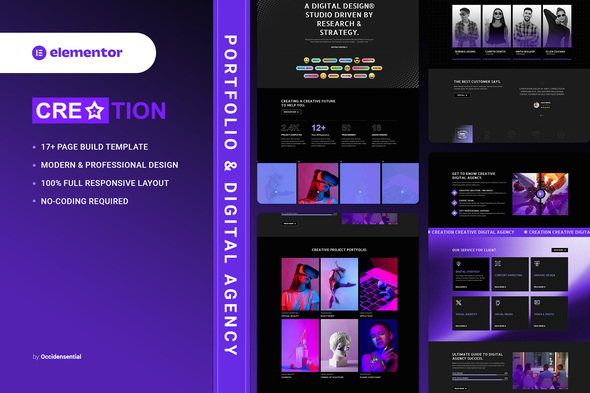


Creation – Portfolio & Digital Agency for Elementor Template Kit. This kit has a modern, creative and original design with a 100% fully responsive layout, easy installation, and sure very easy to customize because using Elementor so you don’t need a single line of coding!
By installing this template kit, all the content shown in our demonstration, such as graphics, texts, and images, will be imported to your site. This Template Kit contains page content for creating Elementor pages. This kit has been optimized for use with the free “Hello Elementor” theme.
In case you have already purchased and you happen to have some questions about it, feel free to visit our Support Center where our support team will be more than glad to help you out.
Features :
- Cross Browser Compatibility: Chrome, Firefox, Safari, Opera
- Using Free Plugins (Elementor Pro is not required)
- 100% Fully Responsive & mobile-friendly
- Modern and Unique design
- 17+ Page templates ready to use
- Customize fonts and colors in one place (Global Kit Style)
Templates in Zip :
- Homepage
- About
- Our Service
- Single Service
- Our Team
- Portfolio Standard
- Portfolio Metro
- Single Portfolio
- FAQ’s
- 404 Error
- Our Blog
- Single Blog
- Contact us
- Header
- Footer
- Subscribe Form
- Contact Form
Required Plugins :
- RTMKit
- RTMForm Builder
- Premium Addons for Elementor
- Royal Elementor Addons
- Elementor (free)
How to Use Template Kits:
This is not a WordPress Theme. Template kits contain the design data for Elementor only and are installed using the envato Template Kit Import plugin for WordPress or directly through Elementor.
Detailed Guide:
For further support, go to Elementor > Get Help in WordPress menu.
How to Setup Forms:
- First, be sure you’ve Imported the form blocks from Template-Kit.
- Click on “RomethemeForm” > Forms in the admin menu
- Click “Add New”
- Enter a “Form Name” and then Click “Save and Edit”
- On the Elementor canvas, Click the gray folder icon to access “My Templates tab” and then choose the block of Forms you’d like to import with Click Insert.
- Next, you can customize the forms by setting the widget as you like or just leave by default.
Images This Template Kit uses demo images from Envato Elements. You will need to license these images from Envato Elements to use them on your website, or you can substitute them with your own.
$28 |
Download |
0 average based on 0 ratings.

| Last Update | 2026-04-14 |
| Created | 2024-03-02 |
| Sales | 5 |
| Discussion | Comments |
| Kit Certified | No |
| Requires Premium Plugins | |
| Software Version | Elementor 3.10.x |
| Template Kit Type | Envato Template Kit |


