Xero Integration for Rise CRM
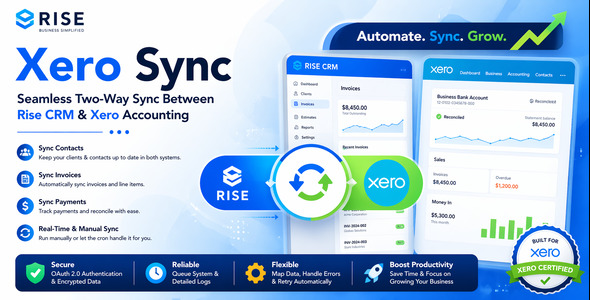

Xero Integration for Rise CRM
Connect Rise CRM with Xero using a structured, queue-based sync workflow built for better reliability, visibility, and control.
This plugin is designed for businesses that manage clients, invoices, and payments inside Rise CRM and want a practical way to sync accounting-related data with Xero while keeping a clear operational trail through queue processing and logs.
Main Features
- Xero OAuth connection flow
- Sync contacts from Rise CRM to Xero
- Sync invoices from Rise CRM to Xero
- Sync payments from Rise CRM to Xero
- Queue-based processing for safer sync execution
- Manual sync controls for supported records
- Dedicated Sync Queue screen
- Dedicated Sync Logs screen
- Validation before enqueueing sync jobs
- Duplicate sync protection
- Entity mapping between Rise CRM and Xero
- Client-side Xero Sync tab inside Rise CRM
- Linux-hosting friendly plugin structure
Why This Plugin
Instead of pushing financial data blindly in the background, this plugin uses a queue-based workflow so you can see what is pending, what succeeded, what failed, and what needs to be retried.
That makes it better suited for real business use where accounting sync should be more controlled and easier to troubleshoot.
Supported Workflow
- Sync client/contact
- Sync invoice
- Sync payment
This order is important because invoices depend on synced contacts, and payments depend on synced invoices.
Included Screens
- Plugin dashboard with connection and queue overview
- Xero settings screen
- Manual sync panel / tab
- Sync Queue screen
- Sync Logs screen
Demo Video
https://youtu.be/o7ES-JVlOSQ?si=92Tf31LhDQSM4BiR
Demo Access
Demo URL: https://rise.rblxdrip.com/
Username: test@gmail.com
Password: test
Important Notes
- You need your own Xero developer app credentials
- Cron setup is required for scheduled queue processing
- Payment sync requires an existing payment record in Rise CRM
- Supported scope should be reviewed against your Xero app configuration
Best For
- Businesses using Rise CRM with Xero
- Agencies managing client invoicing workflows
- Teams who want queue visibility and logs instead of hidden sync behavior
Support
Support includes installation guidance, setup help, and bug fixing for the included features.
.png)


