Tinymce 4 - Wysiwyg Editor Pro For Magento 2


Demo 2.3.x:
Frontend: http://magento23.softdy.com
Backend: http://magento23.softdy.com/admin
Acc: demo
Pass: demo_softdy123
A) Description – top
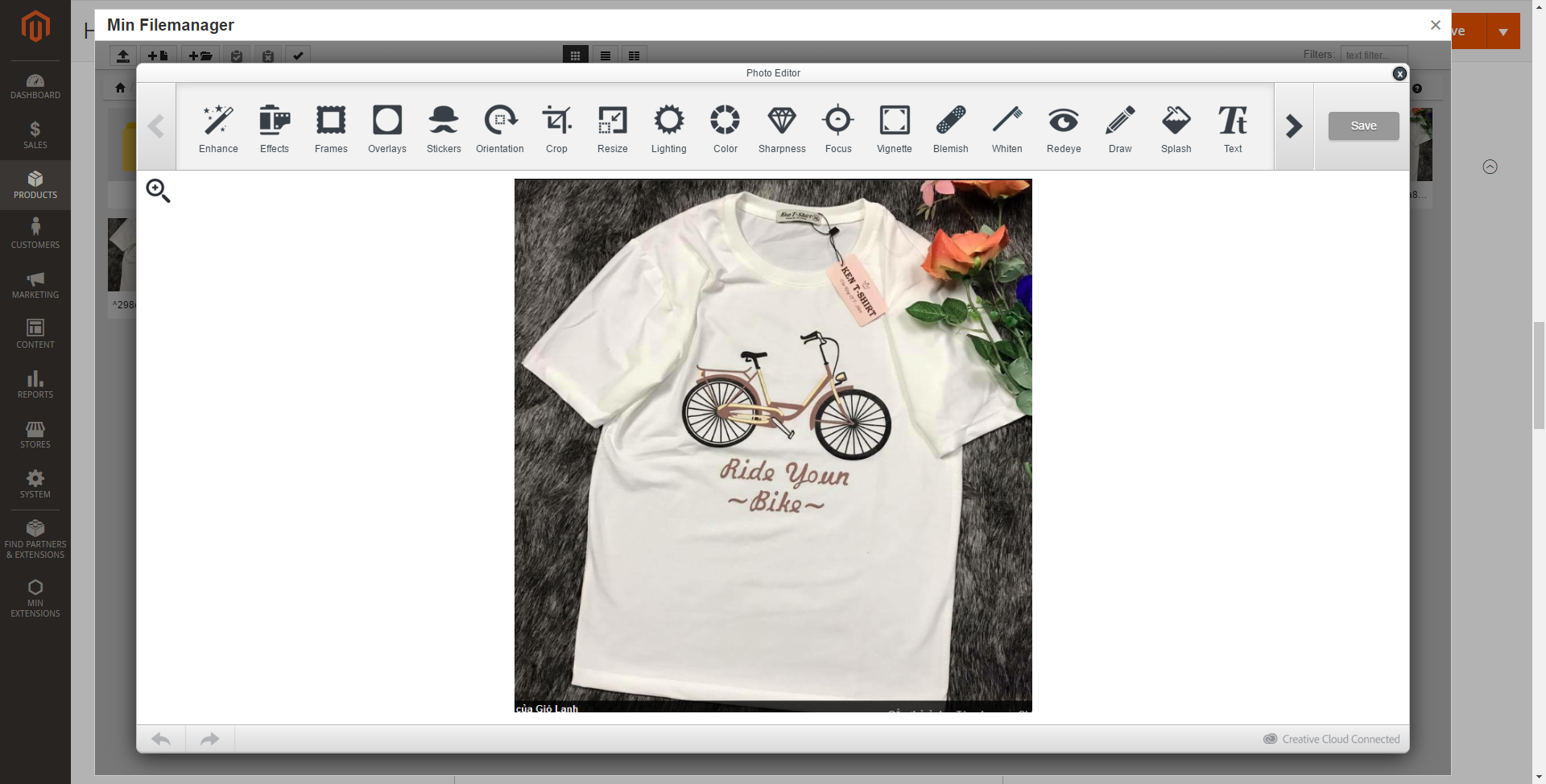
The currently magento is using Wysiwyg editor for default, so it is not good enough for managers to insert images, resize, crop, upload … and files management quickly. And it isn’t also smart enough for image/videos files management. “Wysiwyg Editor Pro For Magento 2” extension provides many features for improving that. It based on Tinymce version: 4, and using “RESPONSIVE filemanager”. It still keeps old features, insert widget, block, variable …. ! It is very helpful for fast modification and files management.
 Key Features – top
 Key Features – top
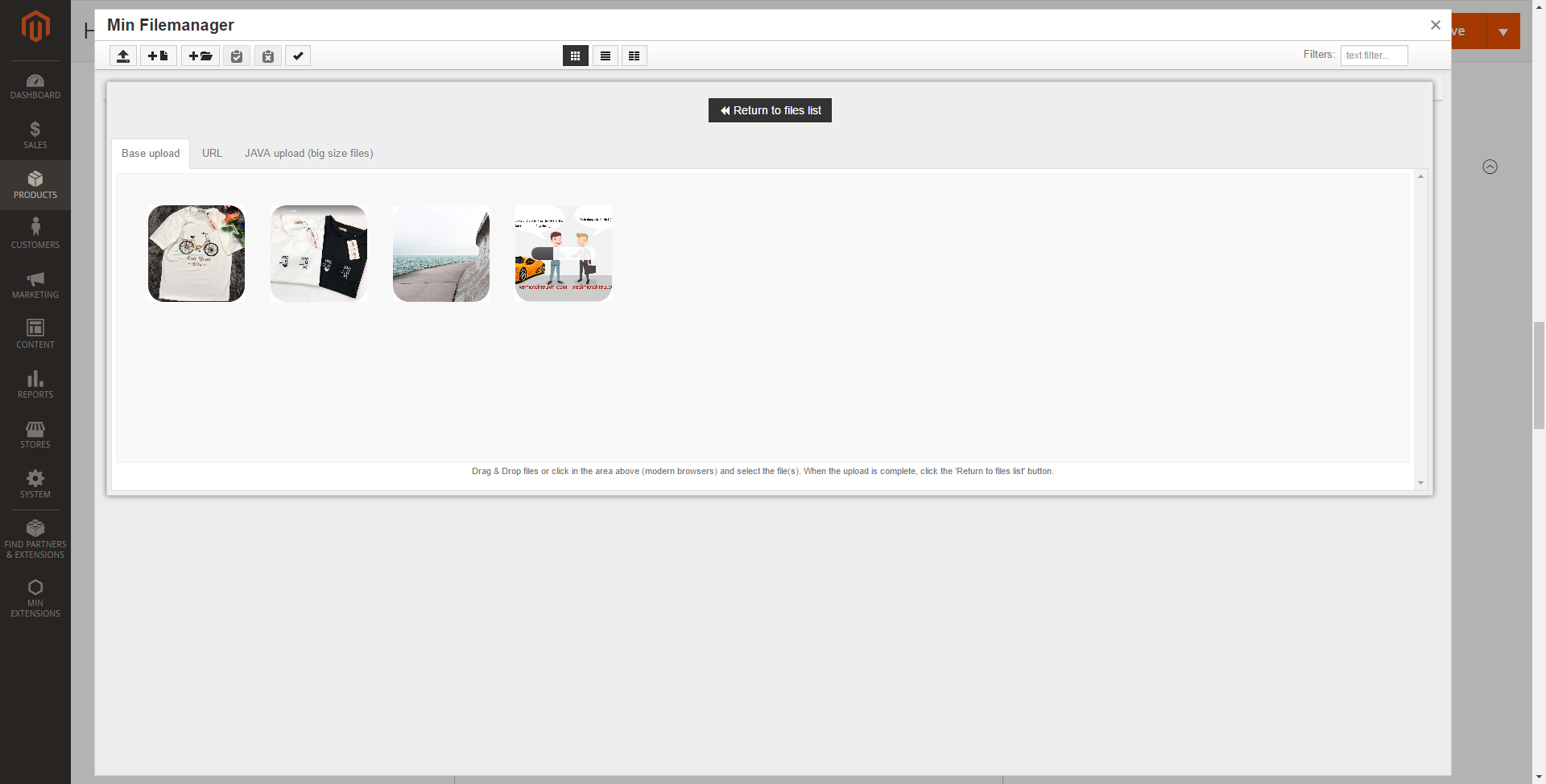
- Quickly upload image/video files with drag – drop
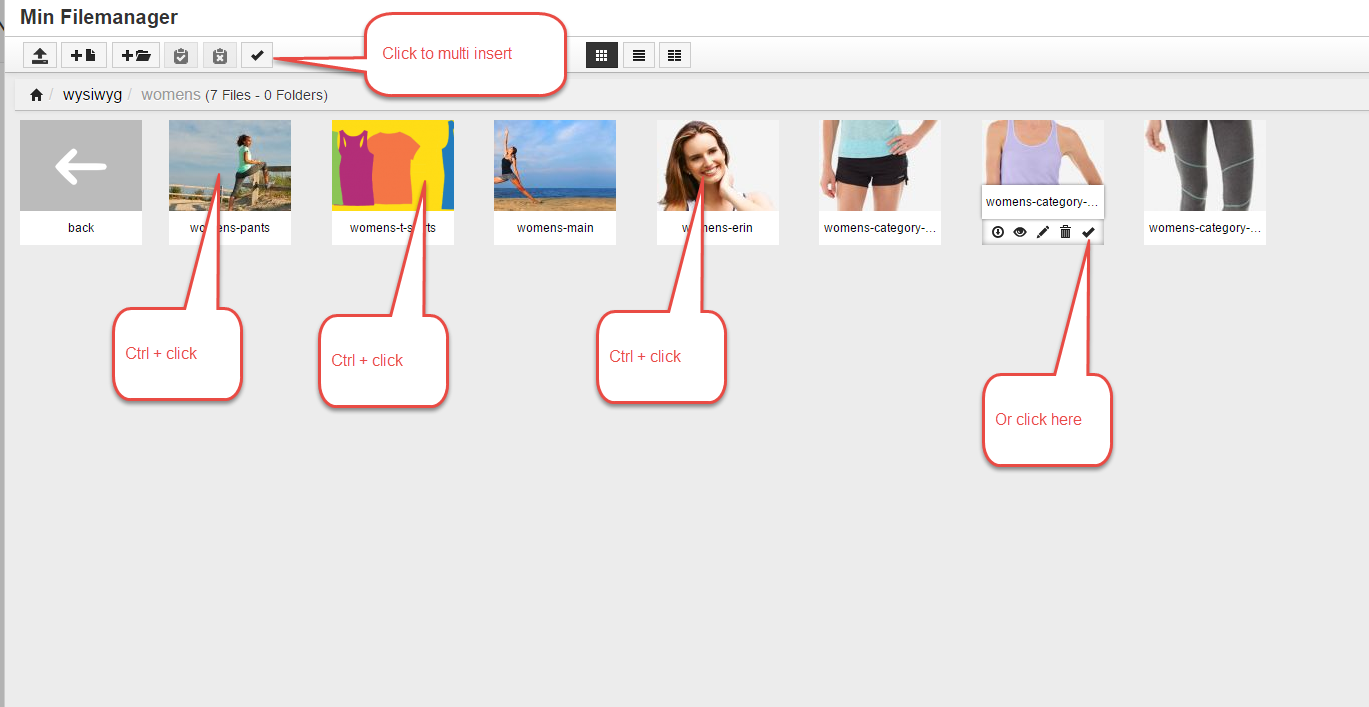
- Multiple upload and insert images/videos
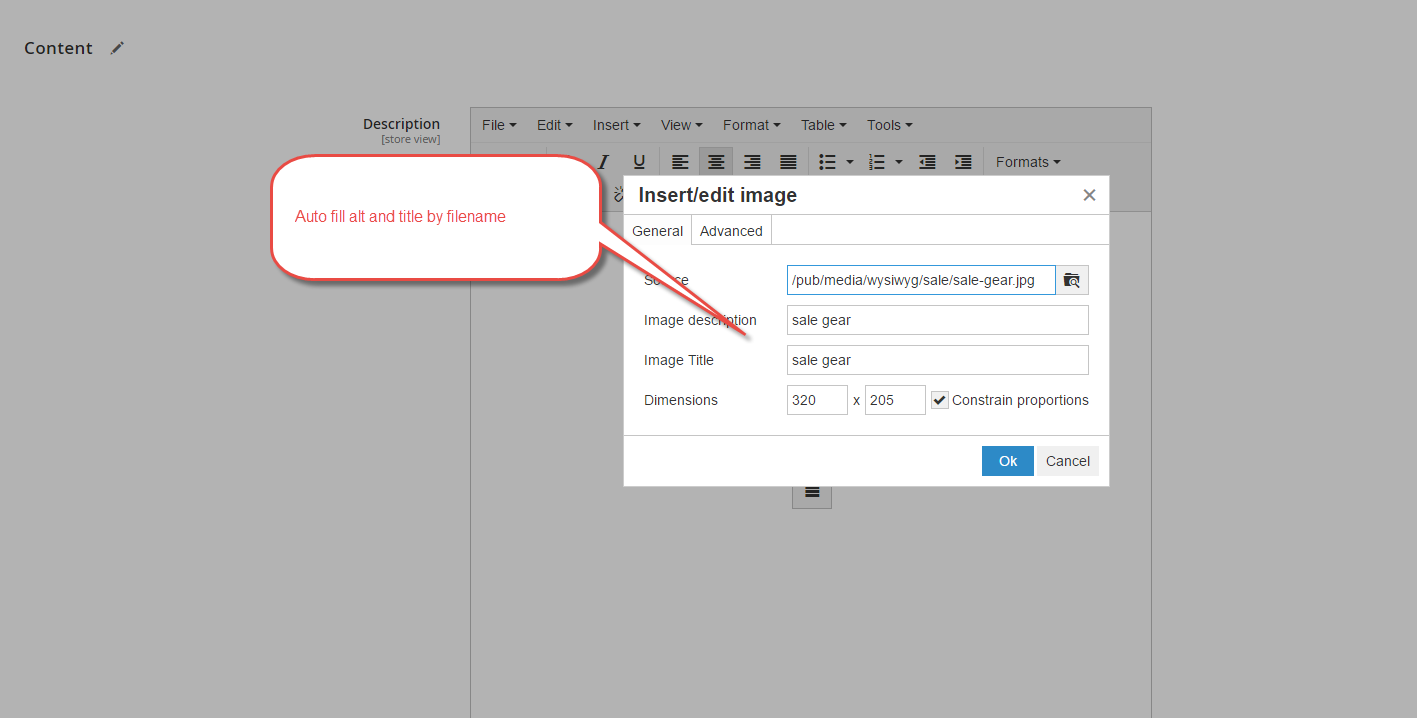
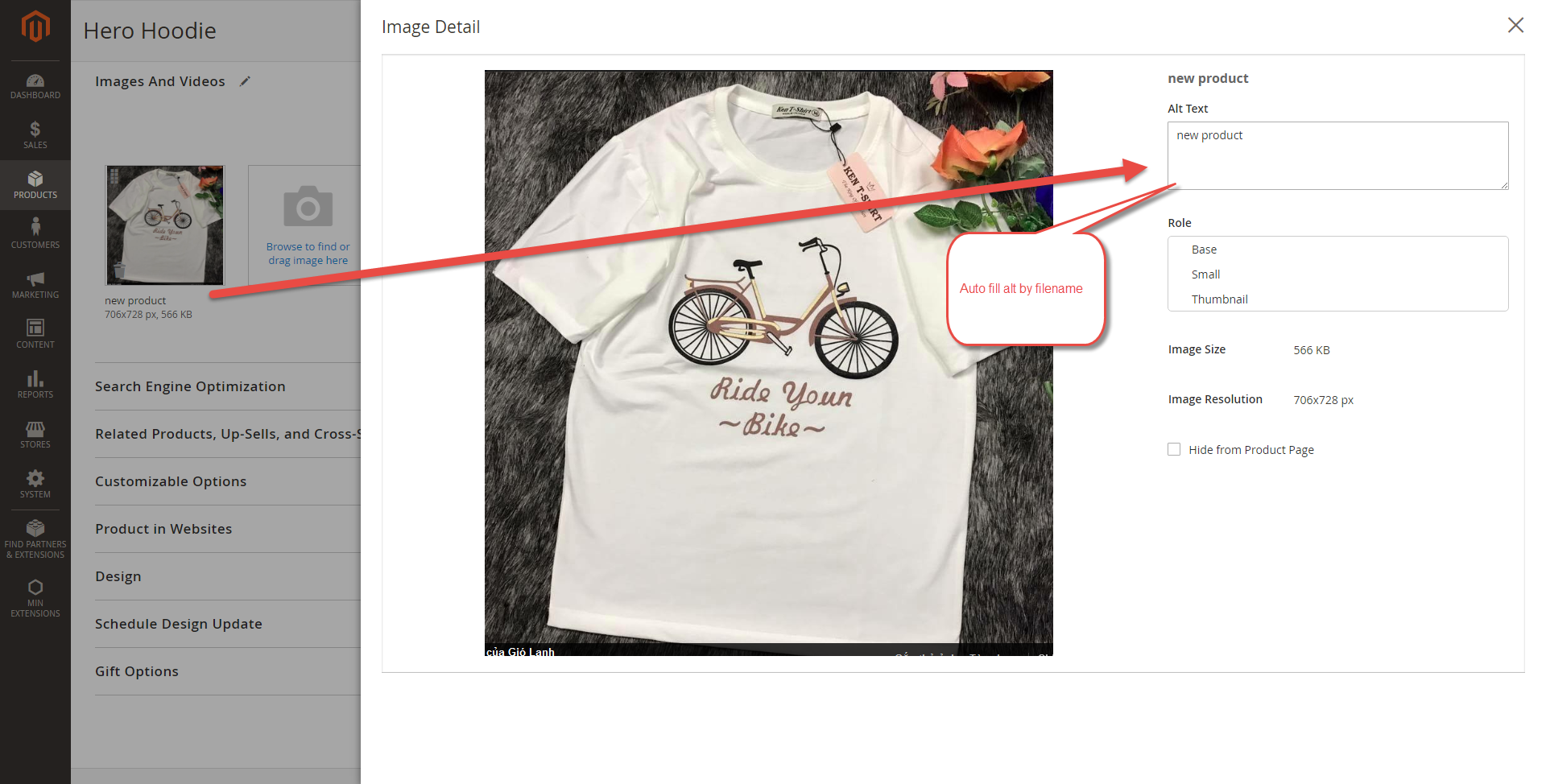
- Auto fill image title and description by filename (support multiple files and support filename with utf-8 unicode) Also, it supports for uploading media/image screen
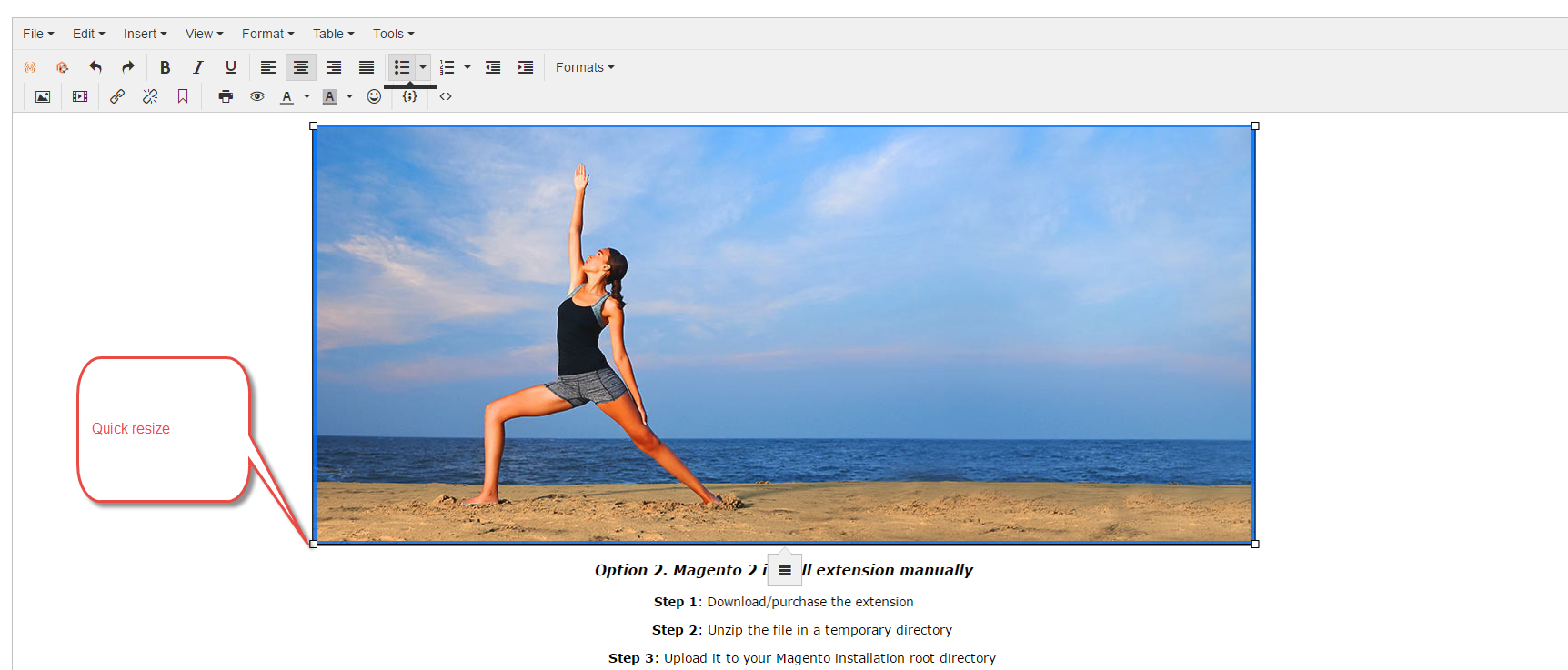
- Quickly resize images/videos
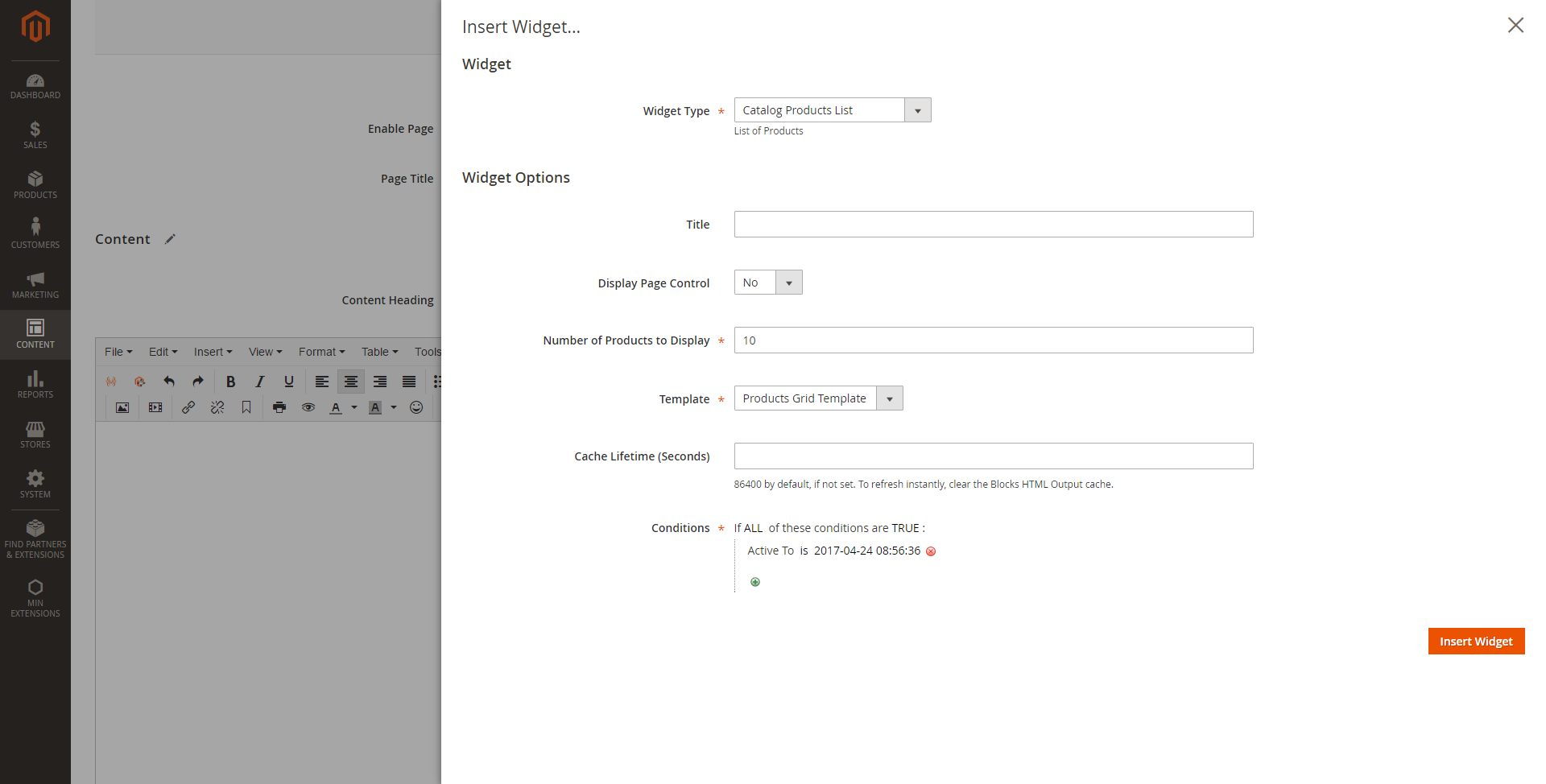
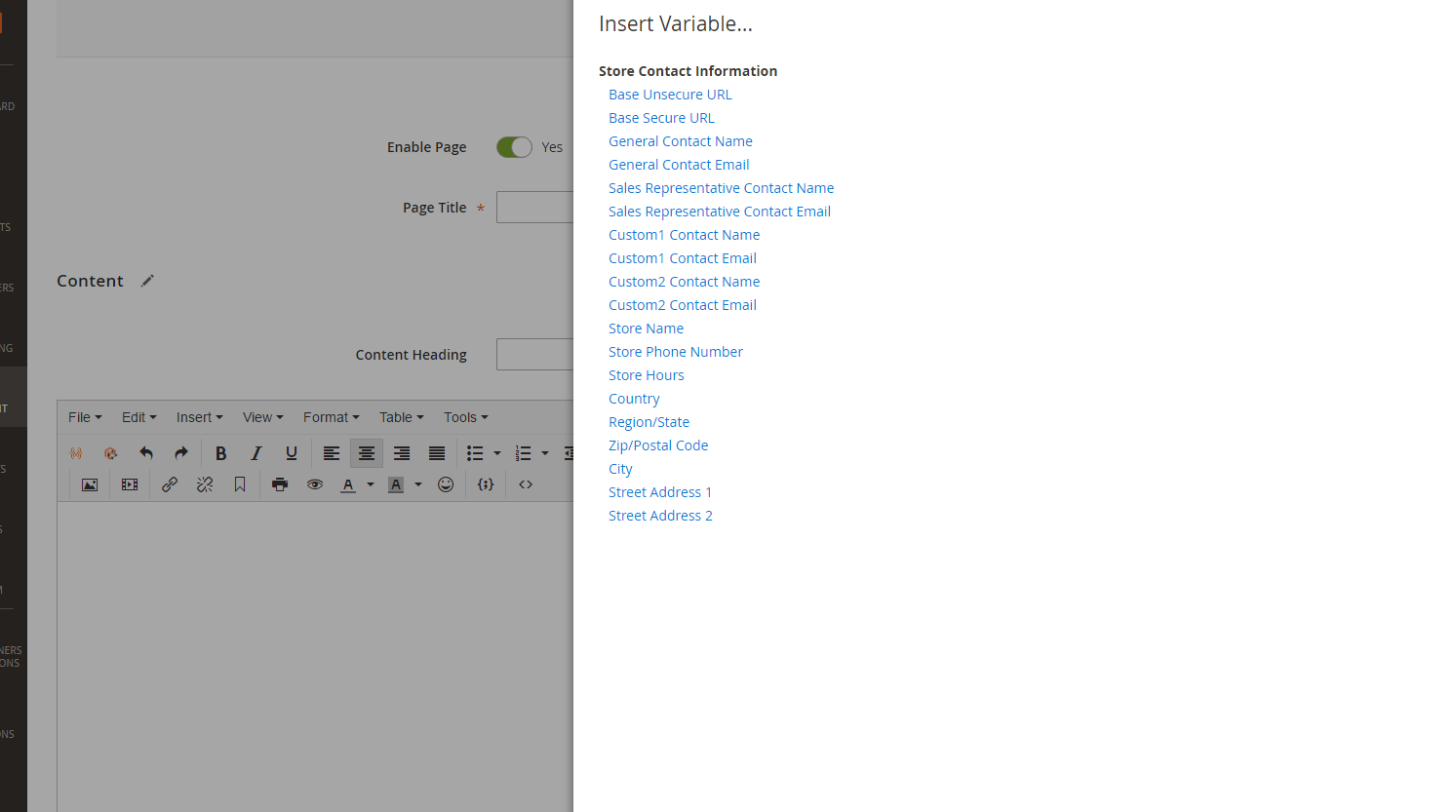
- Support insert magento widget, block, variable and url (same old version)
- Support any Tinymce ver 4 features
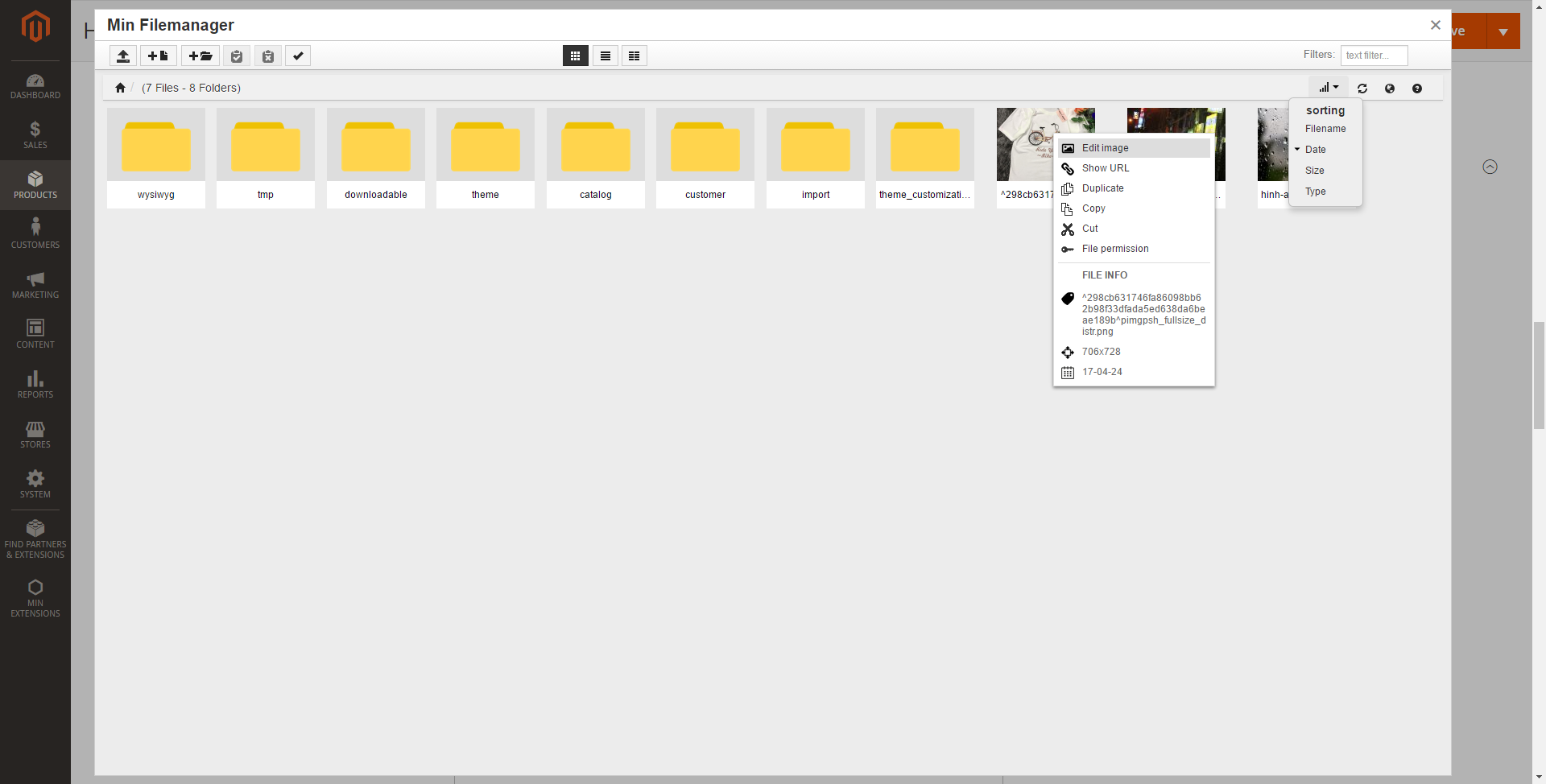
- Find, sort and provide smart view mode
- Rename, crop, resize, rotate, remove … and many features for modification image
- Allow enable/disable “Wysiwyg Editor Pro” in product page and block/cms page
C) How to install Wysiwyg Editor Pro For Magento 2 – top
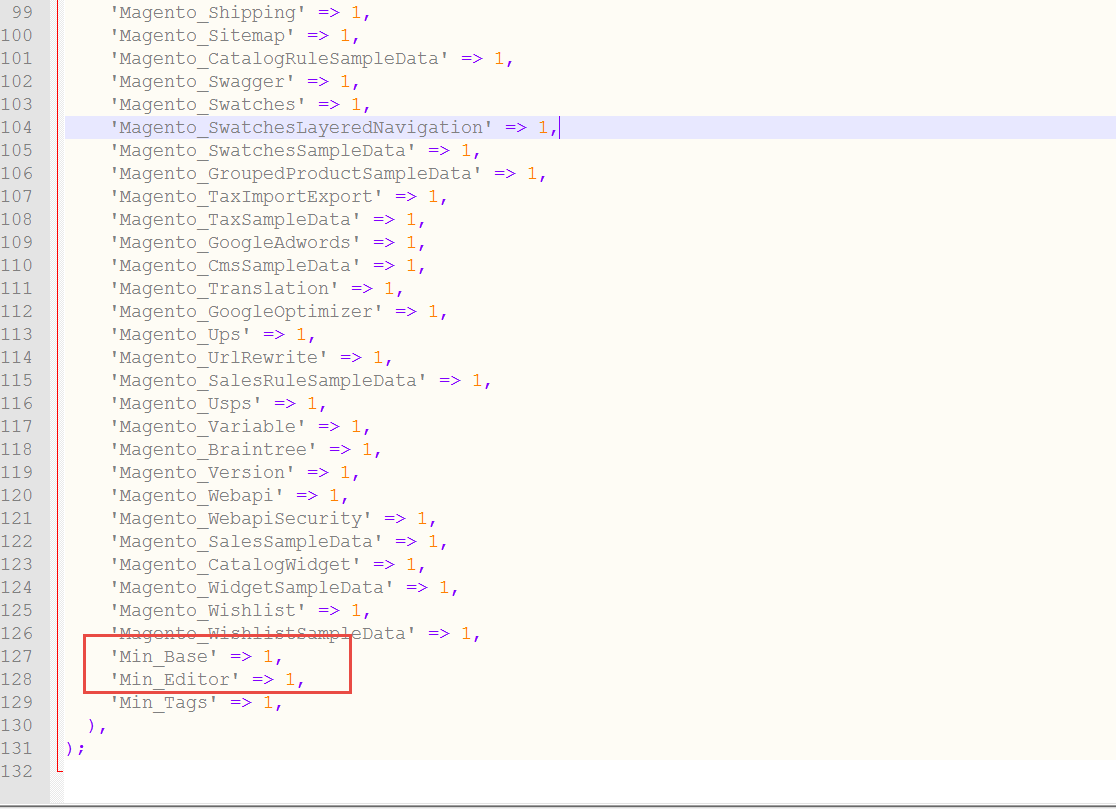
Step 5: Disable the cache under System >> Cache Management
Step 6 : After opening Stores >> Configuration >> Advanced >>
If you using Nginx it may need to be provided permission access for “lib\internal\filemanager” folder.
1. Open nginx.conf and add new config bellowlocation ~ /lib/internal/filemanager { allow all; } 2. Save Watch sample Magento 2 Tutorial Video Here
1. How to install magento 2 blog extension
https://www.youtube.com/embed/q7kjUgq_kVU?feature=oembed
D) How to using Wysiwyg Editor Pro For Magento 2 – top
You can add, update or remove tags by the following step.
- Login to management page
- Enable/disable Wysiwyg Editor Pro
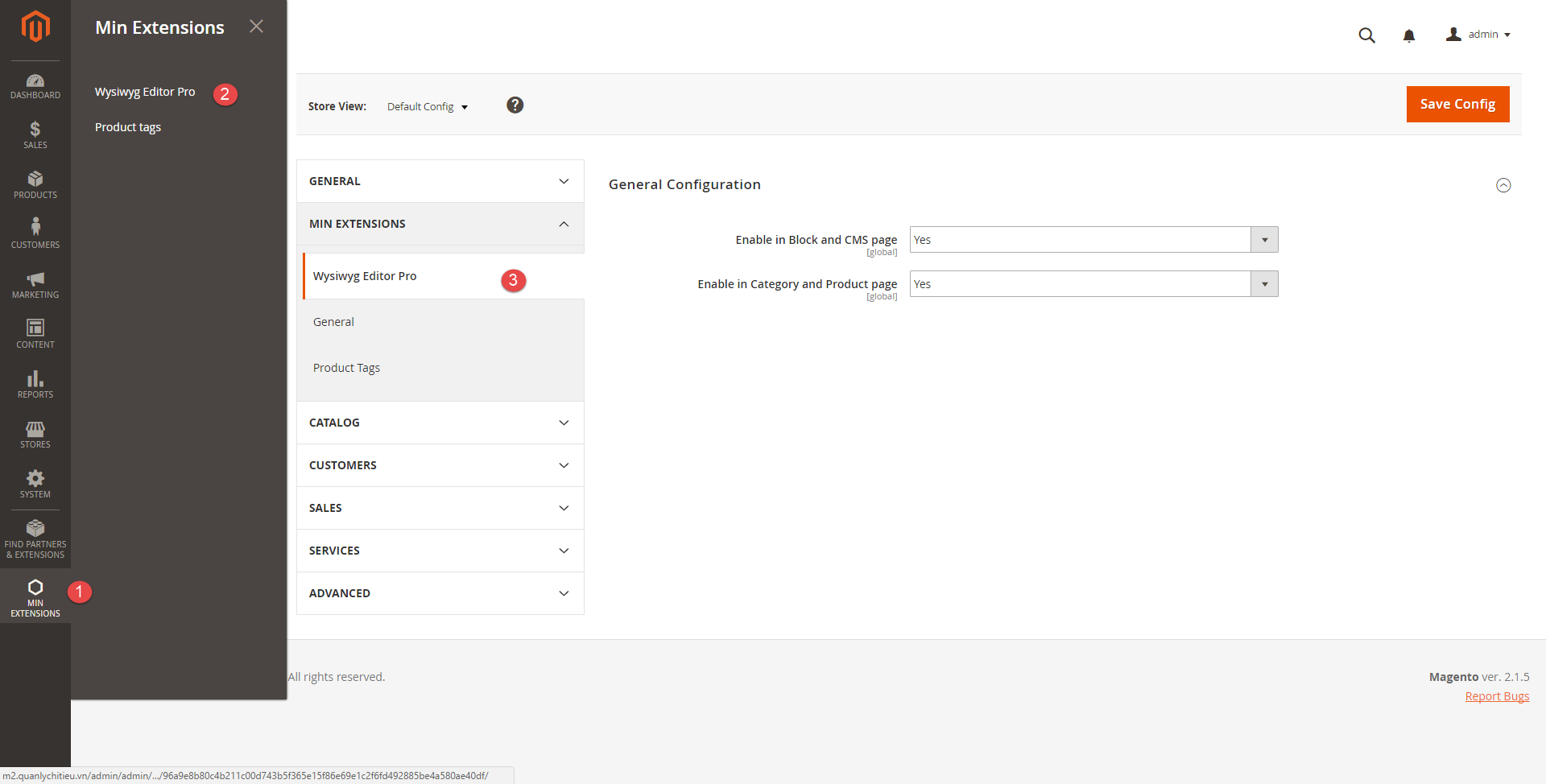
- Min Extensions -> Wysiwyg Editor Pro Choose Yes for “Enable in Block and CMS page” Choose Yes for “Enable in Category and Product page” Save config and Clear cache system.
- Click add or edit any products
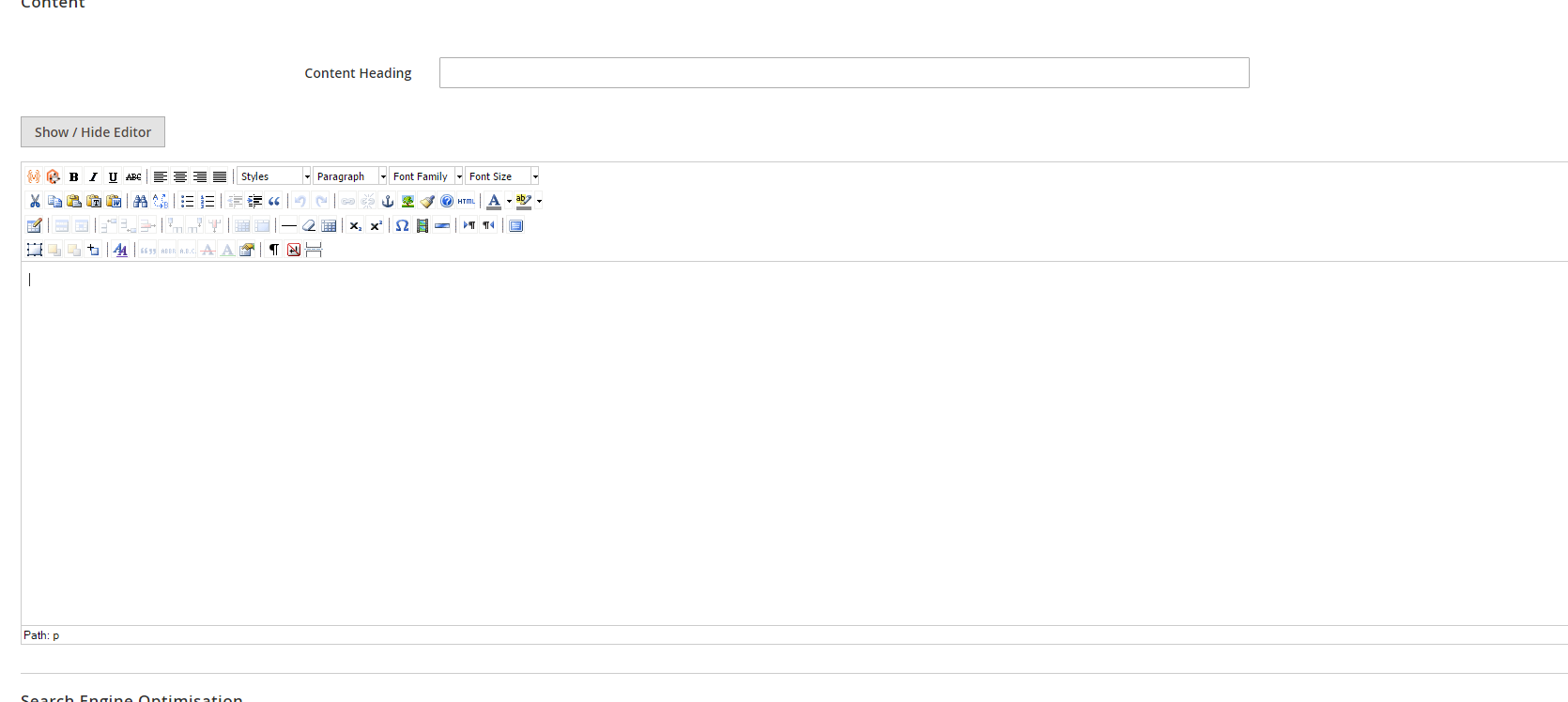
- Click content tab
- You can insert image and resize it
- Click insert image button
- Click upload button
Support multiple upload files.
You can drag or drop to upload - You can edit image. Many features for edit image
- Support multi insert image
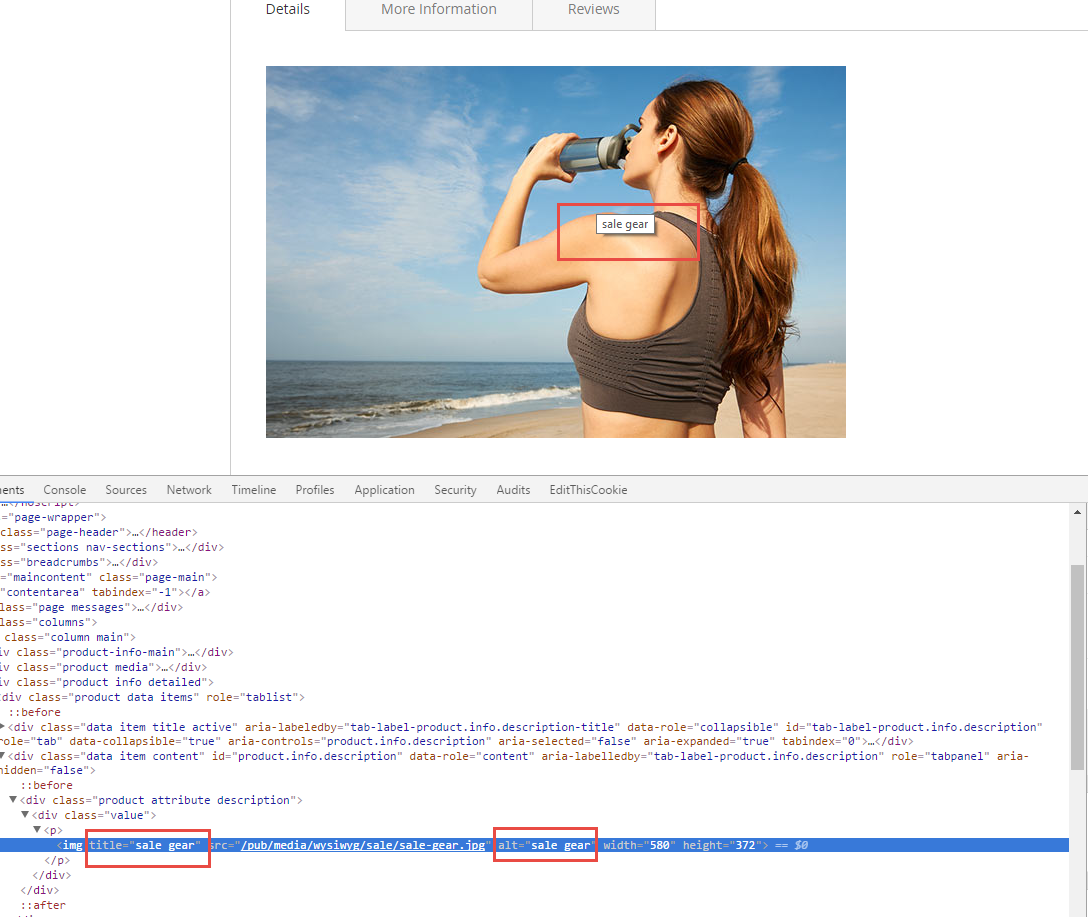
Keep ctrl + click, after that click submit button or press enter for multi insert image - After inserting, it will auto fill image title and alt by filename
It is very helpful for SEO, and you can change image title and alt if you want. - Insert widget
It is same Wysiwyg editor old version - Insert variable
It is same Wysiwyg editor old version - Auto fill title and alt for media/image upload
After you upload any media/image, this extension will auto fill title and alt by filename - Click save button
- Check it in frontend (Product detail page or cms page)
- Using “Wysiwyg editor” old version or you can disable my extension
- Min Extensions -> Wysiwyg Editor Pro Choose NO for “Enable in Block and CMS page” Choose NO for “Enable in Category and Product page” Save config and Clear cache system.
Changelog
V1.1- + Bugfix can edit when disabling admin key
- + Support enable/disable for another area box.
- + Support change font size, font-style.
- + Support edit image.
- + Fix base URL + Fix Not Enough Memory
$94 |
Download |
0 average based on 1 ratings.

| Last Update | 2019-08-19 |
| Created | 2017-05-01 |
| Sales | 39 |
| Discussion | Comments |
| Compatible Browsers | IE8 IE9 IE10 IE11 Firefox Safari Opera Chrome Edge |
| Software Version | Magento 2.3.x Magento 2.2.9 Magento 2.2.8 Magento 2.2.7 Magento 2.2.6 Magento 2.2.5 Magento 2.2.4 Magento 2.2.3 Magento 2.2.2 Magento 2.2.1 Magento 2.2.0 Magento 2.1.8 Magento 2.1.7 Magento 2.1.6 Magento 2.1.5 Magento 2.1.4 Magento 2.1.3 Magento 2.1.2 Magento 2.1.1 Magento 2.1.0 Magento 2.0.7 Magento 2.0.6 Magento 2.0.5 Magento 2.0.4 Magento 2.0.2 Magento 2.0.1 Magento 2.0.0 |
| High Resolution | Yes |
| Files Included | JavaScript JS JavaScript JSON HTML XML CSS PHP |
| Video Preview Resolution |


