WP Magic Link Login - Passwordless Authentication WordPress Plugin
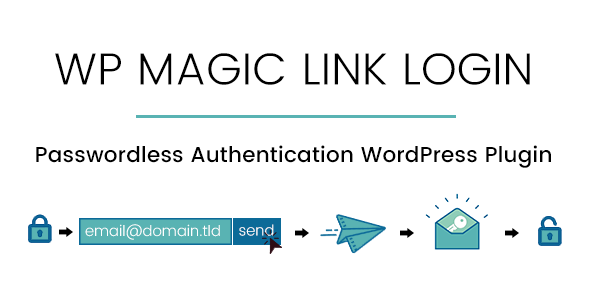

Secure your website with WP Magic Link Login. Users rarely are using strong passwords and your website is vulnerable to attacks. With our plugin, you can allow them to login without a password. After submitting the email address, they’ll receive a secure login link via email that will have an expiration time (you can set a value between 1 to 60 minutes). When the user accesses the link, it will automatically login without asking a password. You can also enhance the security by restricting users to login from the same IP address that requested the link.
 |  |  |


If you’re running a small company and want to allow only company employees to be able to log in, you can use our plugin and restrict the login just for email addresses ending with your tld (for example you can allow only users that have emails @pixolette.com to be able to log in)
Below you’ll find a list of features and settings:- You can choose to display the Magic Link form below the WordPress default login form or you can choose to disable the WordPress default login form and display only Magic Link form
- You can set the expiration time for a Magic Link
- You can allow only registered users to request a magic link or allow also the guests to be able to login(in this case, a new account will be created using the email address that requested link)
- You can choose the landing page on successful login:
- User’s profile page
- Custom Url
- Internal Page
- You can allow only specific addresses to be able to login
- You can set the email subject, sender name and email content
Changelog:
Version 1.5.8 / April 4th, 2021 - feature: option to enable bot scan / antivirus detection. In this case, link will not be invalidated - feature: implemented auto-update functionality Version 1.5.7 / 30 Dec 2020 - feature: firewall (brute force) protection - improvement: get user's IP in a better way - small code fixes & improvements Version 1.5.6 / 07 Apr 2020 - hotfix: changed hardcoded plugin directory name Version 1.5.5 / 06 Apr 2020 - option to to display form via shortcode only - added wp_login action on success login - shortcode functionality: -- replace the login form with logout link if user is logged in -- added new attribute: heading -- added new attribute: description -- added new attribute: login-button-text -- added new attribute: logout-link-text Version 1.5.4 / 14 January 2020 - feature: custom login path/link. Now you can set the custom login link to be received in email, for example: https://webiste.com/custom-login-path even if /custom-login-path page doesn’t exists - feature: Polylang PRO compatibility Version 1.5.3 - feature: login from any page - fix: send only 1 email when multiple shortcodes are used on the same page - feature: compatibility with Simple Membership plugin Version 1.5.2 / 06 July 2019 - bugfix: fixed the error caused by is_plugin_active function in the frontend / multisite network admin Version 1.5.1 / 05 July 2019 - feature: functionality to force display the login form - feature: Polylang compatibility Version 1.4 / 25 May 2019 - bux fix: if a list allowed domains to login was set, it allowed to request a login link to all domains. Fixed and now only emails containing domains from the list are allowed to request login link - feature: functionality to use the redirect_to parameter when requesting the magic link - feature: added new attribute the the [wpmll_form] shortcode -> redirect_to="current-page" that will redirect users on succesful login to the page where shortcode is used Version 1.3 / 01 Apr 2019 - added functionality to display the login form as shortcode 1.2 / 27 February 2019 - allow emails from a specific list to login - assign a role to new user that login with Magic Link - added the option to display Magic Link form on the WooCommerce My Account page and Checkout page - added translations .pot file - added the login reports page in dashboard
$49 |
Download |
4.8 average based on 4 ratings.

| Last Update | 2021-04-04 |
| Created | 2019-02-15 |
| Sales | 304 |
| Discussion | Comments |
| Compatible Browsers | IE8 IE9 IE10 IE11 Firefox Safari Opera Chrome Edge |
| Software Version | WordPress 5.0.x WordPress 4.9.x |
| Compatible With | |
| Gutenberg Optimized | Yes |
| High Resolution | Yes |
| Files Included | JavaScript JS HTML CSS PHP |
| Video Preview Resolution |


