WooCommerce Multi Vendor Marketplace Plugin


The WooCommerce Multi Vendor Marketplace Plugin converts your eCommerce store into a fully functional multi-vendor marketplace with multiple sellers and separate vendor profiles. Vendors get access to a dedicated vendor dashboard where they can easily add products and manage their online store.
Using this plugin, vendors can view and edit their profile information, manage their product list, and search, edit, or delete products directly from the vendor panel. Vendors can also track transactions, analyze sales reports, and view interactive sales charts from their dashboard.
Additionally, vendors can check their complete order history, change account passwords, and communicate with the admin by asking questions or raising queries whenever needed.
The admin has full control over the marketplace, including vendor management, product management, commission settings, and overall configuration. Admins can edit or delete products, approve or disapprove vendors, and assign vendors to products.
The plugin also allows the admin to set different commission rates for each vendor and configure key settings such as product auto-publish and vendor auto-approval, making marketplace management smooth and scalable.
Note- This module is fully compatible with all standard WooCommerce themes. Our demo is built using the WooCommerce Fashion Ethereal Theme, known for its clean design and seamless WooCommerce integration. You can explore all the features and design elements of the WooCommerce Fashion Ethereal Theme in our detailed guide If you’d like to create a marketplace that looks just like our demo, you can also purchase the Ethereal theme from our store.
WooCommerce Multi Vendor Marketplace Plugin is Compatible by the WPML

WooCommerce Marketplace is now compatible with WooCommerce’s latest features Cart and Checkout blocks and High-Performance Order Storage (HPOS)
WooCommerce Marketplace is compatible with Elementor . The admin can add the vendor page using Elementor’s shortcode widget and then add the shortcode [marketplace].
Now, the vendor registration and login page will be shown on this page, and after login as well, vendors can also see their profile details on the same page.
Check how to activate your WooCommerce plugin through the purchase code. and How do you get updates on Webkul Modules directly on the Plugins page.










List Of Features that Admin need to Vendor,Vendor Orders and Product


Front View Of Store Vendor(Vendor’s Profile)

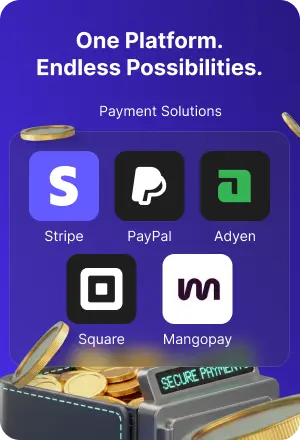
The WooCommerce Multi Vendor Marketplace plugin is compatible with multiple payment modules.
The WooCommerce Multi Vendor Marketplace plugin is fully compatible with multiple popular payment modules, ensuring seamless transactions for both vendors and customers.


The WooCommerce Multi Vendor Marketplace plugin is compatible with multiple shipping modules.
The WooCommerce Multi Vendor Marketplace plugin supports integration with various popular shipping modules, enabling vendors to manage and offer flexible shipping options to customers.







The WooCommerce Multi Vendor Marketplace plugin is compatible with multiple WooCommerce themes
Webkul Multi-Vendor Marketplace plugin is fully compatible with any third-party themes as long as it is working fine with the default WooCommerce platform. Check out -


The developers are constantly updating and adding new features thereby making it even better every day. No doubt, the WooCommerce Marketplace is the “ the game-changer” for WordPress WooCommerce shop owners. No need to waste time looking for an alternative, you can get the plugin today and enjoy the awesome features that come with it.
Business Use
The user can also extend the features and functionalities of the WooCommerce Multi Vendor Marketplace using the add-ons. The extensions like:


1. WordPress WooCommerce Marketplace Auction Plugin allows marketplace owners to host online auctions, enabling vendors to list products for bidding and customers to place bids in real time.
This feature boosts engagement, creates excitement, and offers a unique shopping experience, increasing sales opportunities and attracting a wider audience to the marketplace.
2. Multi Vendor Marketplace Membership for WooCommerce enables marketplace owners to create tiered membership plans for vendors, offering exclusive features and benefits based on subscription levels.
This monetizes the platform, enhances vendor engagement, and streamlines vendor management by providing access to different tools and resources according to their membership status.
3. WooCommerce Multi Vendor Printify Integration allows marketplace owners and vendors to seamlessly integrate Printify’s print-on-demand services into their WooCommerce stores.
This automation streamlines product creation, order fulfillment, and shipping, enabling vendors to focus on sales while Printify handles production and delivery, expanding the product range without inventory management.
4. WooCommerce WCFM Marketplace Shopify Connector enables seamless synchronization between WooCommerce marketplaces and Shopify stores, allowing vendors to manage inventory, products, and orders across both platforms.
This integration expands sales channels, improves operational efficiency, and simplifies multi-platform management, boosting growth opportunities for vendors.
5. Multi-Vendor Point of Sale System for WooCommerce enables vendors to manage in-store and online sales through a unified POS interface, integrating with WooCommerce for seamless inventory and order management.
This system enhances operational efficiency, provides real-time data, and improves the customer experience by allowing vendors to process sales quickly, both online and offline.

ChangeLog
"Initial release v 1.0.0", "Current release v 6.8.0"
= 6.8.0 = **Major Release — New Vendors Vacation and Store Hours features.** This release introduces vendor vacation mode and store hours settings. Admins can enable and manage vendor vacation settings, and vendors can set their store hours and enable vacation mode from the frontend dashboard. Additionally, this release includes UI redesign for vacation and store hours, and frontend vacation & store hour tabs on the vendor profile page. A site backup before updating is recommended. == Changelog == == 6.8.0 (2026-07-30) == Fixed: The Shop Followers page did not load when its endpoint setting was unsaved. Fixed: Notification mails to shop followers ignored the subject the vendor typed. Fixed: Notification mails from the Shop Followers page could reach customers who did not follow the vendor. Fixed: Logged-in customers who registered as a vendor received no email notification. Fixed: Deleting a vendor who was awaiting approval left an orphan "Anonymous User" row in the vendor list. Fixed: A vendor's withdrawal ledger could be viewed by another vendor. Updated: Redesigned the Send Notification popup on the vendor Shop Followers page. Updated: Redesigned the legacy vendor profile page — card-style header and tabs (Collection, About, Reviews, Policies), gated by the legacy layout setting. Updated: Redesigned the vendor product edit, profile edit and notification page tabs with a flat underline style. Updated: Improved the layout of the vendor profile Collection and Feedback pages. Updated: Restyled the admin default commission field as a currency/percentage input group. Updated: Restyled the vendor product SKU prefix as a flush input group. Updated: Added RTL support to the marketplace front-end. Updated: Clearer help tip and description for the Select Vendor Page setting. Added: Vendor Staff — vendors can add store manager sub-users who log in and manage the store, with per-task permissions the vendor grants for each section (view, add, edit, delete and more) within the sections the admin allows. Added: Vendor KYC verification — admin toggle, admin-managed document types, and allowed file format and size limits. Added: Vendors can upload a KYC document at registration or from the My Profile tab. Added: KYC column and row action on the admin vendor list, with a review screen offering Approve, Reject (with reason) and Hard Reject. Added: Vendor emails on KYC approval, rejection and hard rejection. Added: Vendor email when the admin deletes their account. Added: Vacation mode — vendors schedule a vacation from the dashboard to close their store; the storefront then shows a vacation notice with the vendor's message and blocks purchases. Admins can enable or disable the feature, edit a vendor's vacation, and bulk enable, disable or delete vacations from a sortable list, alongside the settings and endpoint options. Added: Threaded "Ask a Question to Admin" — vendor and admin replies form a chat-style thread on both the storefront and the admin panel. Added: Store Hours — vendors set a weekly schedule from the My Profile tab with per-day Open/Closed toggles and multiple slots per day. The schedule shows on the vendor profile page and on a hover tooltip in the closed notice. An optional setting blocks purchases while the store is closed, with admin-configurable messages for the listing button and single product notice, and closed-store products can optionally be hidden from shop, archive and search while staying visible on the vendor profile. Added: Vendors can translate products into the configured WPML languages from a new Translations tab on the frontend product edit page, including variable-product variations (requires WPML and WooCommerce Multilingual). The separate Marketplace WPML Integration add-on is no longer needed. Added: Admin-configurable upload restrictions for every vendor image (avatar, logo, fulfillment, banner) — allowed file types, plus optional file size and dimension limits per image. Added: "Sold by" visibility control — a global setting and a per-vendor override to hide the vendor name and store links from customers across the shop, cart, checkout, orders, emails and invoices. Added: Admin settings to hide individual vendor dashboard sections. Added: Scheduled sale price for simple products on the vendor product add and edit pages. Added: Read-only Applied Commission on the vendor profile General tab, falling back to the global default. Added: Profile View — each vendor chooses how their public store page looks, Storefront (info sidebar with contact details, store hours, map and a product gallery) or Spotlight (full-width hero banner), from a My Profile tab with a live preview. Added: Admin can select the Seller Central page. The vendor, seller central and terms & conditions selectors are now searchable, and saving is blocked when two point to the same page or a page slug clashes with a marketplace endpoint. Added: Option to re-show the Logout endpoint when customer endpoints are hidden. Added: Pinterest profile field, shown with the other social links on the vendor store page. Added: Bulk Approve and Disapprove actions on the admin Vendors list. Added: Vendor listing on the selected Vendor page. Added: Screen Options to show or hide columns on the admin Products listing page. Added: Order summary line and subtotal on the vendor order view page.
v 6.7.1 (2026-07-09) Fixed: An issue with license activation and update.
v 6.7.0 (2026-06-18) Fixed: Stale REST responses being applied to the Collection tab on fast category-filter changes (request-sequence guard). Fixed: Allowed-categories meta now resolves by slug with term-id fallback for backward compatibility. Added: New "Vendors Payout" admin submenu under Marketplace — list, filter, search, bulk Mark as Paid, and bulk Export CSV. Added: Six REST routes under wkmp_pro_api/v1/payouts/* (stats, list, vendors, pay, bulk-pay, export) gated by the marketplace dashboard capability filter. Added: Category filter (chip + dropdown) on the seller profile Collection tab with multi-select via CSV `category` parameter on the seller-products REST route. Added: Inline product count on the Collection tab that refreshes on every filter selection and page change. Added: Product search box on the seller frontend product list. Added: Bulk-action dropdown on the seller frontend product list with two new operations — Assign Categories (replace mode, restricted to the seller's allowed categories) and Publish (draft → publish, honors the seller-publish admin gate). Added: Data-driven seller profile tabs via the `wkmp_seller_profile_tabs` JavaScript filter to let addons register their own tabs. Updated: Seller frontend product list bulk Assign Categories now opens a searchable modal picker (with Select all / Clear) instead of the inline multi-select. Updated: Renamed "Miscellaneous Settings" to "Settings" on the seller frontend product list. Updated: WooCommerce "Tested up to" bumped to 10.9.
v 6.6.0 (2026-03-24) Fixed: REST endpoint registration for withdrawal settings. Fixed: Notices in vendors' emails. Fixed: Search box not showing on the badge listing page. Fixed: Issue with the notifications tab date when the site is not using English. Fixed: Validation issue for regular and sale prices on the vendor product add/edit page when the decimal separator is not the default dot (.). Added: Map placeholder and a "View Map" button on the vendor profile page for faster loading. Added: Filter to retrieve assigned seller modules for the Seller Price Comparison module. Added: Compatibility with non-ASCII characters in the shop slug. Added: Vendor store name in vendor emails instead of the vendor nice name. Added: New license activation system for Webkul modules. Updated: License table to completely remove the action column.
$86 |
Download |
4.5 average based on 73 ratings.

| Last Update | 2026-08-28 |
| Created | 2016-12-24 |
| Sales | 1724 |
| Discussion | Comments |
| Compatible Browsers | IE11 Firefox Safari Chrome Edge |
| Software Version | WordPress 7.0.x WordPress 6.9.x WordPress 6.8.x WordPress 6.7.x |
| Compatible With | WooCommerce 10.x.x WooCommerce 9.x.x |
| Gutenberg Optimized | Yes |
| High Resolution | Yes |
| Files Included | JavaScript JS HTML CSS PHP SQL |
| Video Preview Resolution |


