WordPress Primary Category
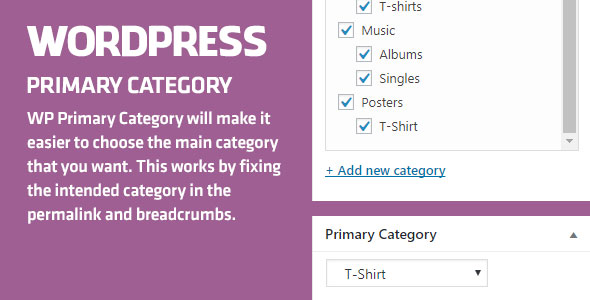

When there are too many categories tagged in your post or product, it is automatic that Wordpress chooses one as the main category and uses it for the permalink and breadcrumbs.
Adding an additional category may lead to changes in permalink and breadcrumbs. This may make the 404 Error – page not found appear in your post or product, reducing your website’s rank in search tools like Google.
WordPress Primary Category will make it easier to choose the main category that you want. This works by fixing the intended category in the permalink and breadcrumbs. It is completely SEO friendly.
Easy Set-up And Use:
- 1. Activate Plugin. A Meta box will appear right under “Thumbnail section” in your post or product.
- 2. Select and save one of those tagged categories. Its permalink and breadcrumbs will appear.
- 3. Once users access to the post or product, that category will be used for breadcrumbs.
$10 |
Download |
0 average based on 0 ratings.

| Last Update | 2020-03-03 |
| Created | 2017-08-15 |
| Sales | 23 |
| Discussion | Comments |
| Compatible Browsers | IE8 IE9 IE10 IE11 Firefox Safari Opera Chrome Edge |
| Software Version | WordPress 4.8.x WordPress 4.7.x WordPress 4.6.1 WordPress 4.6 |
| Compatible With | |
| Gutenberg Optimized | No |
| High Resolution | |
| Files Included | JavaScript JS HTML PHP |
| Video Preview Resolution | 720x480 |
Search plugins
Browse Categories


