WooCommerce Subscriptions and Recurring Payments


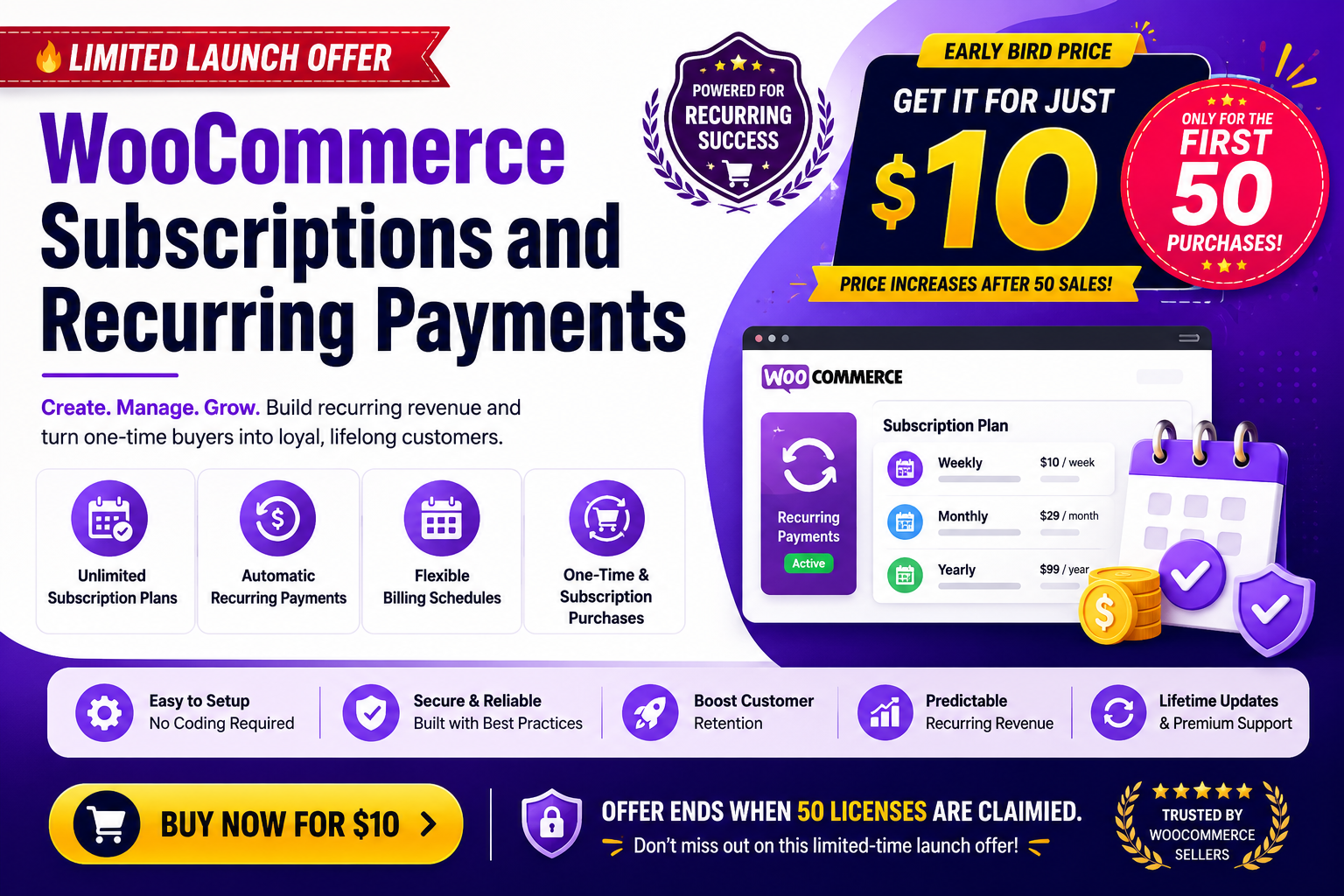
Sell subscription products with flexible billing schedules, free trials, sign-up fees, recurring discounts, and automated renewals. Create subscription plans once and apply them across your store to generate predictable recurring revenue while providing customers with a seamless subscription experience.
Why Choose WooCommerce Subscriptions and Recurring Payments?
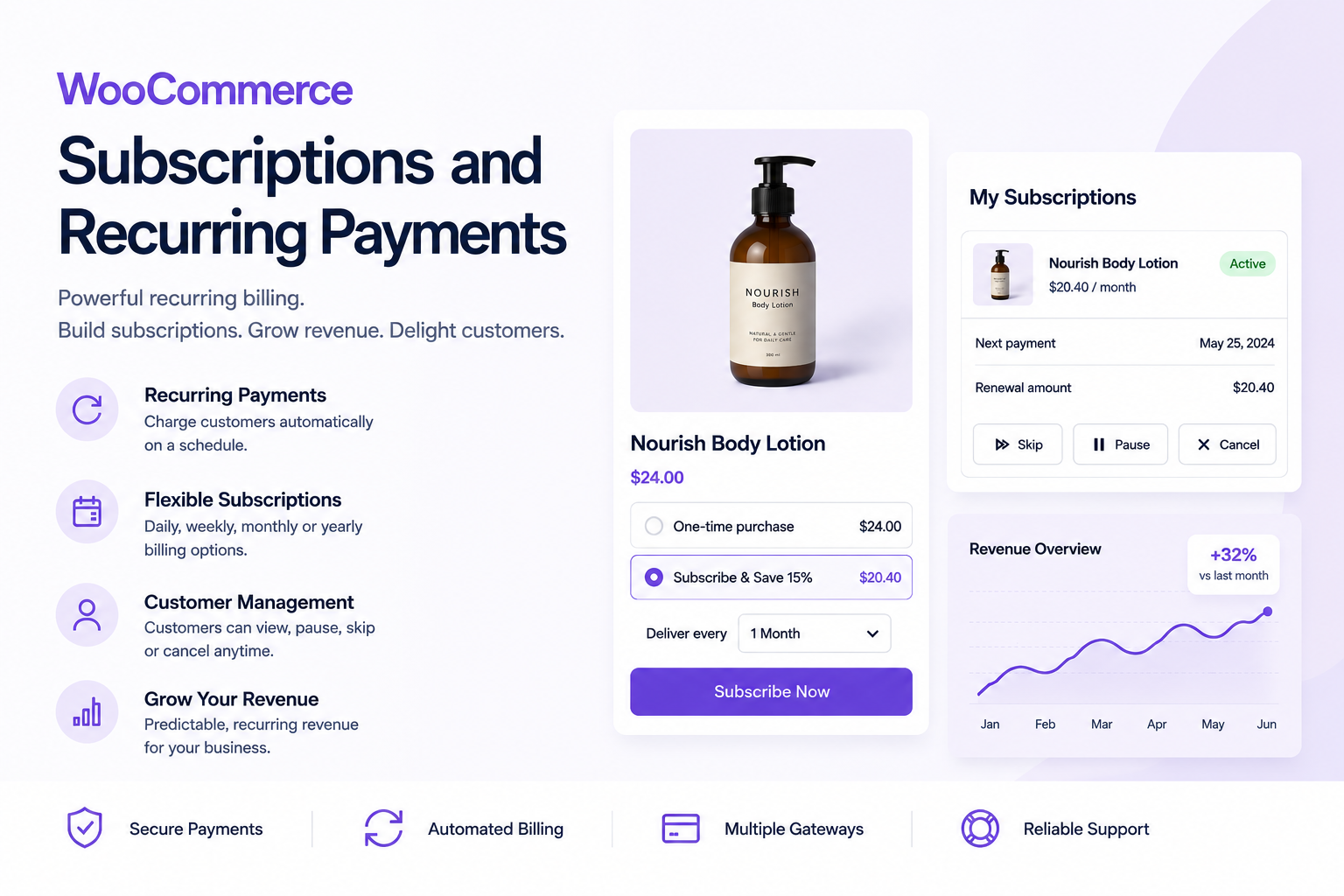
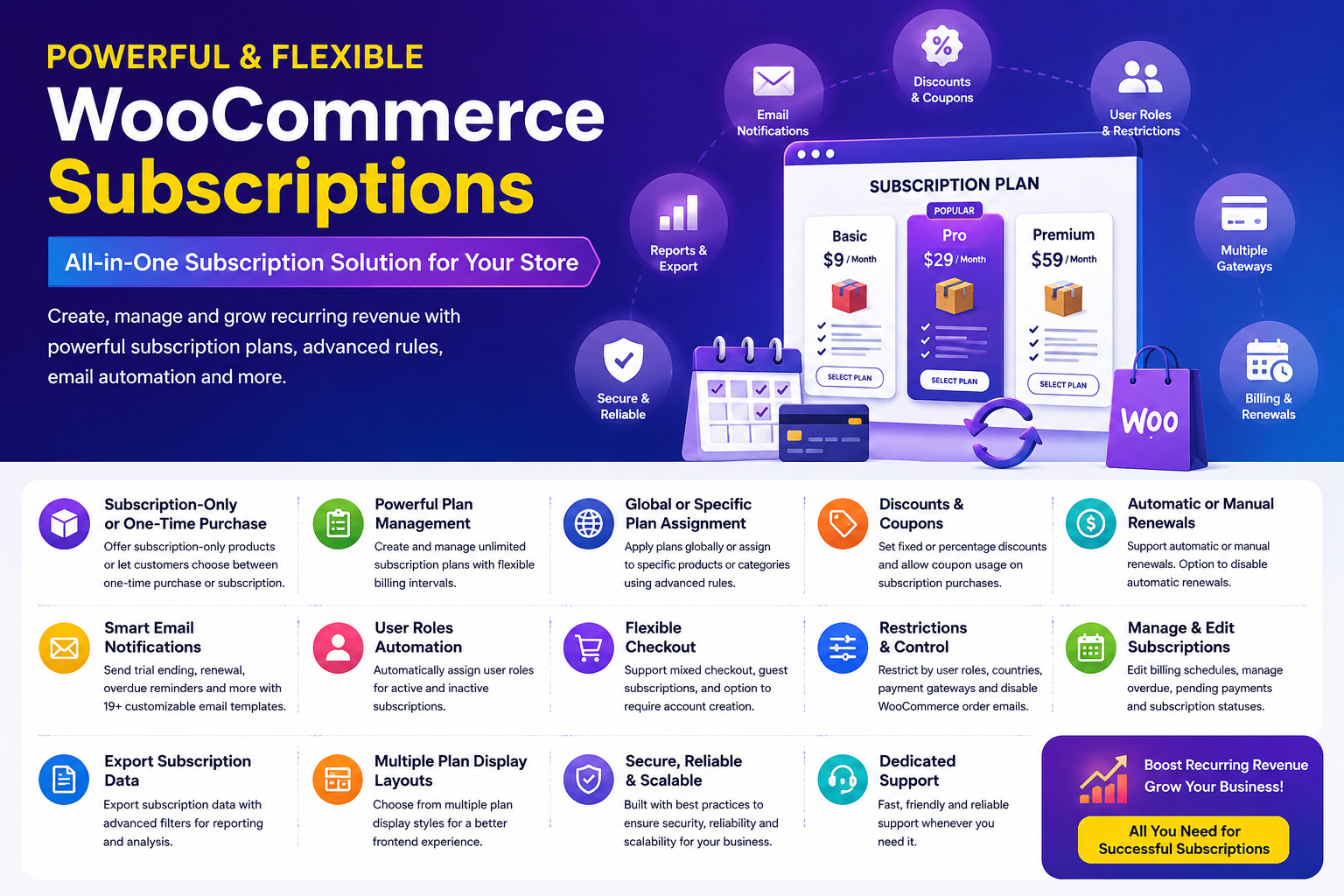
WooCommerce Subscriptions and Recurring Payments gives you complete control over how subscriptions are created, sold, and managed within your store. Offer subscription-only products or let customers choose between one-time purchases and subscriptions, while managing billing schedules, renewals, discounts, reminders, and subscription plans from a centralized system.
Create subscription plans once and apply them globally or to specific products and categories using advanced rules. Automate renewals, send personalized subscription notifications, manage overdue payments, and allow customers to self-manage their subscriptions through their account dashboard. Built for flexibility and scalability, the plugin helps increase customer retention, reduce administrative workload, and maximize recurring revenue.
Automatic Recurring Payments Supported:
Video Tutorial
Watch the complete setup and workflow guide.

Key Features
Flexible Subscription Products
- Create subscription-only products
- Offer customers a choice between one-time purchase or subscriptions
- Support recurring billing on physical, virtual, and downloadable products
Advanced Subscription Plans
- Create and manage unlimited subscription plans
- Apply plans globally across your entire store
- Assign plans to specific products and categories using advanced rules
- Support flexible billing periods and recurring schedules
Free Trials & Sign-Up Fees
- Offer free trials in days, weeks, months, or years
- Charge optional sign-up fees during registration
- Increase conversions with risk-free trial periods
Discounts & Promotional Pricing
- Create fixed-amount subscription discounts
- Create percentage-based subscription discounts
- Support coupon usage with subscription purchases
Automatic & Manual Renewals
- Automatic recurring payments
- Manual renewal payment support
- Optional control to disable automatic renewals
- Support overdue renewals and pending payment management
Manual Subscription Creation
- Create subscriptions manually from existing WooCommerce orders
- Create subscriptions from scratch directly from the admin area
- Follow the guided getting-started notice for easier setup
- Easily create subscriptions for administrator-assisted purchases and customer requests
Customer Self-Service Management
- Customers can cancel subscriptions from their account dashboard
- View subscription details and payment schedules
- Improve customer experience with subscription transparency
Powerful Subscription Communication
- Send trial-ending reminders
- Send upcoming renewal reminders
- Send overdue payment notifications
- Includes 19 dedicated subscription email notifications
- Fully customizable email templates
Advanced Store Controls
- Restrict subscriptions by user roles
- Restrict subscriptions by countries
- Restrict subscriptions by payment gateways
- Require account creation before subscription purchase
- Allow guest subscription purchases
Subscription Administration Tools
- Create subscriptions manually from an existing WooCommerce order
- Create subscriptions manually from scratch
- Modify billing schedules after purchase
- Edit trial end dates
- Edit next payment dates
- Edit subscription end dates
- Automatically assign user roles based on subscription status
- Export subscription data with advanced filters
Enhanced Frontend Experience
- Multiple subscription plan display layouts
- Improved accessibility and user-friendly plan selection
- Optimized subscription purchase experience
WooCommerce Compatibility
- Mixed checkout support for subscription and regular products
- Option to disable WooCommerce order emails for subscription orders
- Seamless integration with WooCommerce workflows
Supported Automatic Renewal Payment Gateways
Automatic recurring payments are supported through:
Allow your customers to enjoy uninterrupted service while recurring payments are processed automatically.
Benefits for Store Owners
Generate Predictable Recurring Revenue
Build a stable and sustainable revenue stream through automated subscription renewals.
Increase Customer Lifetime Value
Convert one-time buyers into long-term recurring customers.
Reduce Administrative Work
Automate renewals, reminders, notifications, and subscription management tasks.
Improve Customer Retention
Use free trials, recurring discounts, and automated communication to keep customers engaged.
Scale Your Subscription Business
Designed to handle growing stores with flexible subscription management and advanced control options.
Fully Customizable
Adapt subscription plans, billing schedules, notifications, restrictions, and customer experiences to match your business requirements.
Demo URL

How to Use
- Go to WordPress Admin > Plugins > Add New > Upload Plugin.
- Choose the downloaded plugin file and click Install Now.
- Once installed, click Activate.
- Enable Subscriptions
- Enable the “Enable Subscriptions” option to allow customers to purchase subscription products in your store.
- Configure Subscription Type
- Configure subscriptions using Rules.
- Configure subscriptions using Storewide Settings.
- Rules-Based Configuration
- Click Create or Edit Subscription Rule to create custom subscription rules.
- Before creating a rule, create a Subscription Plan.
- Click Create your first subscription plan and assign it to the desired rule.
- Storewide Configuration
- By default, all products will follow the configured storewide subscription settings.
- Select and assign subscription plans to apply them across your entire store.
Installation
Requirements: WooCommerce 5.0.0+
Setup & Configuration
After activation, navigate to WooCommerce > Settings > Subscriptions.
Subscription Settings
The screenshot below shows the Subscription Settings available under WooCommerce → Settings → Subscriptions. Configure these settings according to your subscription requirements and business needs.

Subscription Plan Settings
Create flexible subscription plans with daily, weekly, monthly, yearly, or custom billing schedules by configuring the Subscription Interval and Subscription Length settings.
The plugin allows you to enhance your subscription plans with advanced features such as:
- Subscription Discounts
- Sign-up Fees
- Free Trial Periods
By creating subscription plan, you can easily configure plans that match your business requirements. Whether you need simple recurring subscriptions, trial-based memberships, discounted subscriptions, or long-term recurring plans, the plugin provides the flexibility to create virtually any type of subscription offering for your customers.
The screenshot below illustrates how to create and configure a subscription plan using the available settings.
Creating New Subscription Plan

Manage Subscription Plans

Subscription Rules Settings
Once a subscription plan has been created, it must be linked to a corresponding subscription rule. Subscription rules allow you to control where and when subscription plans are available within your store.
You can create rules based on various criteria, including:
- Specific Products
- Product Categories
- Country Restrictions
- Store-wide Conditions
By assigning subscription plans to rules, you can display Subscription Only option for eligible products and customers based on the configured criteria. You can also enable customers to choose between a One-Time Purchase and a Subscription Purchase directly from the single product page.
The screenshots below demonstrate how to create, configure, and manage subscription rules within the plugin.
Creating New Subscription Rule

Manage Subscription Rules

Frontend Display for Subscription Products
Once the subscription plans and subscription rules have been configured, eligible products will be displayed as subscription products on the storefront based on the rule criteria.
Shop Page
Subscription products will be displayed on the shop page according to the configured subscription rule criteria, ensuring that only eligible products are shown with subscription options.
The screenshot below demonstrates how subscription products appear on the shop page.

Product Page
On the single product page, subscription options are displayed before the Add to Cart button. If a product is assigned to a single subscription plan, customers can subscribe directly. If multiple subscription plans are available, customers can select the subscription option that best suits their needs.
The screenshot below demonstrates how subscription plans are displayed on the product page.
Subscription Only 
One-Time Purchase or Subscriptions 
Cart Page
Once a subscription product is added to the cart, the selected subscription details, billing schedule, and related subscription information are displayed accordingly within the cart.
The screenshot below demonstrates how subscription products are displayed in the cart.

My Account Page
After a customer purchases a subscription product, their subscription history and subscription details are available within the My Account page, allowing them to easily manage and review their active and past subscriptions.
The screenshot below demonstrates how subscription information is displayed in the My Account section.

View Subscription Details

Manage Subscription Purchases
Store administrators can manage all subscription records from WooCommerce > Subscriptions. From this screen, administrators can view subscription details, update subscription statuses, and manage recurring billing schedules.
Supported subscription statuses include:
- Pending payment
- Active
- On hold
- Overdue
- Cancelled
- Expired
Administrators can also modify billing dates, schedule renewals, and manage subscriptions according to customer requirements.
The screenshot below demonstrates how subscription records are managed from the administration panel.

Edit Subscription

Manually Create Subscriptions
Store administrators can manually create subscriptions directly from the WooCommerce admin area. Subscriptions can be created either from an existing WooCommerce order or from scratch, giving you greater flexibility when setting up subscriptions for customers. A getting-started notice guides administrators through the process, making it easy to create a subscription and configure the required subscription details.
Create a Subscription from an Existing Order
Convert an existing WooCommerce order into a subscription by selecting the order and creating a subscription from its details.
Create a Subscription from Scratch
Create a new subscription without an existing order by manually selecting the customer, products, billing schedule, and other subscription details. The manual subscription creation workflow is useful for administrator-assisted purchases, offline orders, customer requests, or subscriptions that need to be created directly from the backend.
Export Subscriptions Feature
The plugin includes a built-in subscription export feature that enables administrators to export subscription data for reporting, analysis, and record-keeping purposes.
Export functionality is available under WooCommerce > Subscriptions > Export, allowing subscription records to be downloaded quickly and efficiently.
The screenshot below demonstrates how to export subscription data using the built-in export feature.

Emails Provided

Support
Feel free to reach out to us via support through our email aspiringpluginshelp@gmail.com and hence our team will take care as soon as possible. For more information, Check out our website at https://aspiringplugins.com/.
Updates
Version 1.5.0 on 14 Sep 2026 * New - Added the ability to manually create a subscription from an existing order or from scratch, with a getting-started notice to guide the process * New - Added an optional "Parent order" selector, scoped to the selected customer, for any subscription without one set * New - Added "Apply Subscription Plan" to set a subscription's billing schedule from an existing plan before it's activated * New - Compatibility with latest WooCommerce Stripe 11.0 * New - Compatibility with latest WooCommerce Payments (WooPay) 11.1 * Tweak - Added a payment link to the subscription overdue, renewal reminder, and trial-ending reminder emails * Tweak - Added an internal diagnostic logger to help troubleshoot Stripe automatic renewal issues * Tweak - Tested with WordPress 7.1 * Tweak - Tested with WooCommerce 11.1 * Fix - Manual-renewal subscriptions now automatically email customers a "pay now" invoice, instead of requiring the admin to send it manually * Fix - Registered the missing wc_stripe_upe_params filter so Block Checkout correctly requests a saved payment method for automatic Stripe renewals * Fix - Trashing a subscription now pauses renewals, and restoring it returns to its previous status instead of always "Pending payment" * Fix - Corrected the saved card brand shown for WooPayments subscriptions (e.g. "MasterCard" instead of "Mastercard", "JCB" instead of "Jcb") * Fix - Corrected free-trial detection for WooCommerce PayPal Payments so a product page correctly recognizes a subscription's trial period * Fix - Hid the list table filters on the Subscription Plans, Rules, and Custom Email Templates screens when no entries exist yet, instead of showing filters with nothing to filter * Fix - Fixed a critical error that could occur when clicking the Pay Now button to pay for a renewal order * Fix - Prevented the PayPal Payments amount-normalization filter from overwriting manually paid order amounts during 3D Secure authentication * Fix - Prevented WooCommerce Stripe Gateway's Adaptive Pricing from processing subscription orders without a saved payment method, which could cause automatic renewals to fail * Fix - Cleared the stored PayPal transaction ID after a declined renewal payment, which could otherwise block all further payment attempts (automatic or manual) on that subscription's order * Fix - Attached the required mandate data to WooPayments renewal payments for cards that need it (e.g. Indian cards), which could otherwise cause automatic renewals to fail * Fix - Stopped a failed PayPal token sync from deleting a customer's valid saved PayPal/card payment method, which could cause the next renewal payment to fail with no valid payment method found Version 1.4.0 on 03 Aug 2026 * New - Introduce automatic payments compatibility with WooPayments * Fix - Resolved a checkout failure that occurred in some cases when customers purchased subscription products * Fix - Fixed a fatal error on the cart and checkout pages when a subscription plan had no next payment date Version 1.3.0 on 01 July 2026 * New - Compatibility with latest WooCommerce PayPal Payments 4.1 * New - Compatibility with latest WooCommerce Stripe 10.8 * New - Added CSV export support for subscription plans and rules * New - Added additional export columns for subscriptions * New - Added support for exporting custom metadata for subscriptions * New - Added quick activate and deactivate row actions for subscription plans, rules, and custom email reminder templates * New - Added rule criteria summaries to the admin list table * Tweak - Restricted Stripe Express Checkout methods for subscription products * Tweak - Tested with WooCommerce 10.9 Version 1.2.0 on 20 June 2026 * New - Added optional early renewal so eligible subscribers can renew active subscriptions before the next payment date from My Account * New - Added secure duplicate row actions for subscription plans, subscription rules, and custom email reminder templates * New - Compatibility with latest WooCommerce PayPal Payments 4.0 * Tweak - Tested with WooCommerce 10.8.1 Version 1.1.0 on 10 June 2026 * Fix - Resolved an issue where subscription plans were not displaying properly Version 1.0.0 on 07 June 2026 * Initial Release
$10 |
Download |
0 average based on 1 ratings.

| Last Update | 2026-09-15 |
| Created | 2026-06-07 |
| Sales | 22 |
| Discussion | Comments |
| Compatible Browsers | IE10 IE11 Firefox Safari Opera Chrome Edge |
| Software Version | WordPress 6.9.x WordPress 6.8.x WordPress 6.7.x WordPress 6.6.x WordPress 6.5.x WordPress 6.4.x WordPress 6.3.x WordPress 6.2.x WordPress 6.1.x WordPress 6.0.x |
| Compatible With | WooCommerce 9.x.x WooCommerce 8.x.x WooCommerce 7.x.x WPML |
| Gutenberg Optimized | No |
| High Resolution | No |
| Files Included | JavaScript JS HTML CSS PHP SQL |
| Video Preview Resolution |


