Smart Orders Manager & Statistics for Woocommerce 3.0
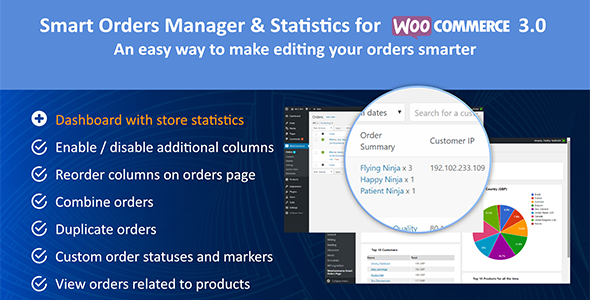


Simple store manager with Statistics, Order Statuses and Admin Orders Page. Woocommerce 3.0 admin orders page is missing some important columns due to performance reasons. Allow you to set custom order statuses, mark orders with your own markers, merge orders and more features! It provides a Lookup Order Page for your customers and manage orders by products. It makes the store managing simple and convenient.
If you did not find the desired function, simply send us an email. We will consider to implement the functionality and will get back to you.
Try it yourself
Each of our plugins is accompanied by detailed documentation and a demo. The best way to decide whether to buy a plugin is to try it in sandbox mode:
Video Overview
Main Features: 
Features Overview
Additional columns you can enable to get more customer info:- Customer IP Address
- Customer Browser
- Customer Operating System
- Customer Phone Number
- Customer Email Address
- Order Summary – shows order items & quantity
- Items Metadata – displayed under each item. It includes the filter to exclude some metadata or to include only desired
- Order Shipping Cost in a separate column
- Compact Mode – works along with Order Summary and allows to hide an order summary until you clicked it
- Manage Order Notes from Table – you can manage order notes in Orders Table without viewing a certain order
- Orders Merging – allows to merge orders made by the same customer, very useful
- Duplicate Orders – clone any orders you want without loosing even a bit of information
- Custom Markers – mark orders with multiple markers than can be customized
- Columns Reordering – reorder columns in Orders Table
- Hide Columns – hide useless columns in Orders Table
- Lookup Form – adds the Lookup Order form into the My Account. It allows customers to see their orders info
- Orders by Products – adds the page into My Account. Your customer now can see their orders related to products. Very useful for Wholesale Customers!
- Custom Order Statuses – create your own Order Statuses, fully customizable
- Sold Products Stats – view orders related to products they contain
- Choose different date range and detailing
- Total Sales
- Top 10 Customers
- Sales by Countries diagram
- Top 10 Products
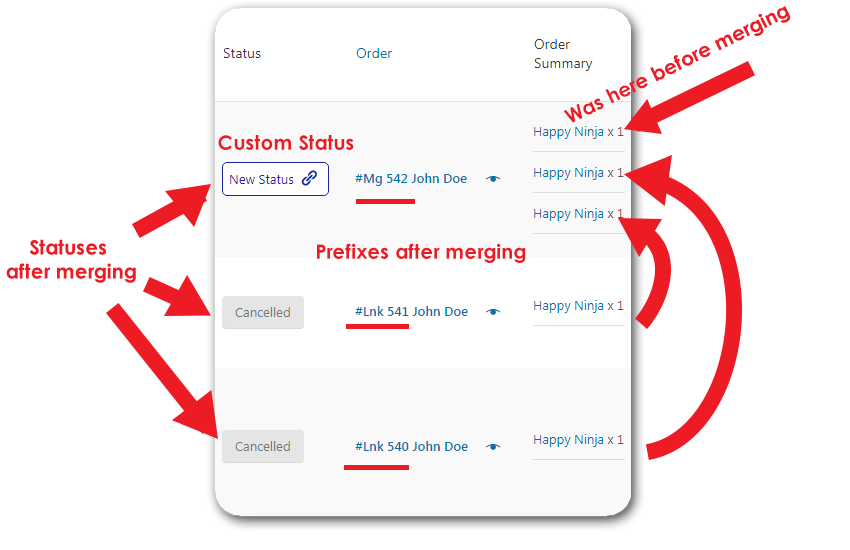
COMBINE (MERGE) ORDERS
Combining two or more orders into one. It will be useful when the user has made several orders in a short time with delivery to one address
DUPLICATE (CLONE) ORDERS (NEW!)
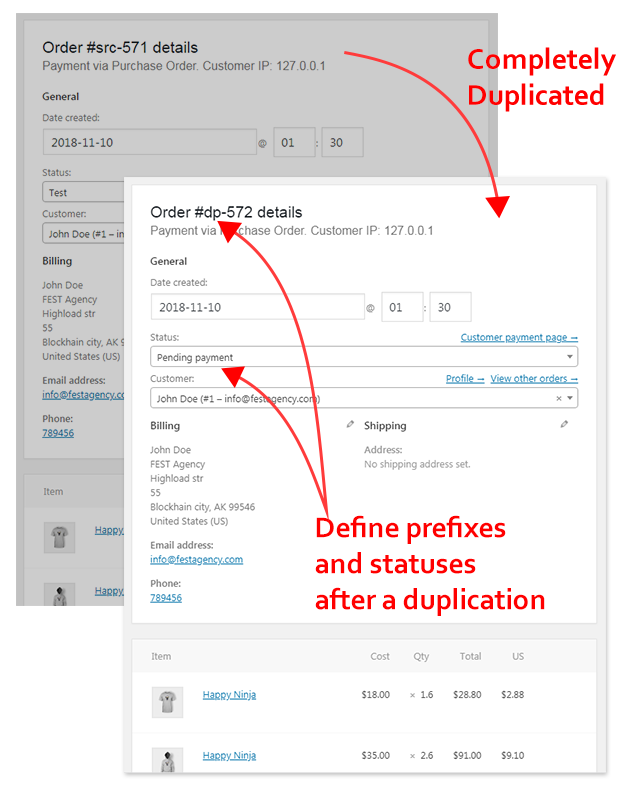
There are thousand of situations when you need this feature. So, we’ve got it for you! It copies the whole order with all the information, meta and custom fields. Set statuses and prefixes, allow duplication for a certain statuses, etc.
See the video!
CUSTOM MARKERS
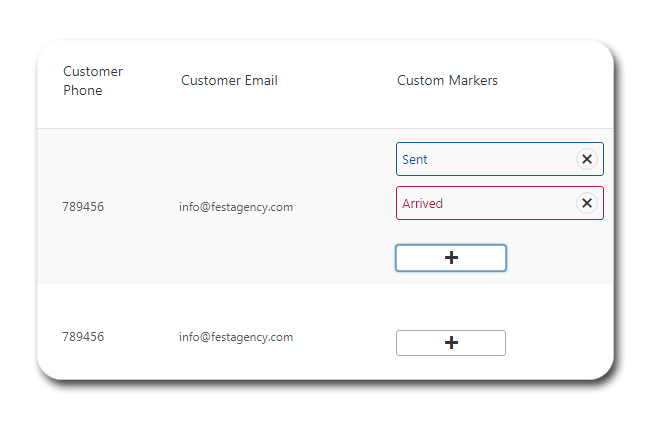
When you are not a single store manager or you have too many orders it is very convenient to mark orders with your own markers. For instance, you can mark some order as Sent when you’ve sent products to a customer and then mark it as Arrived when a customer accepted shipping.
Markers are fully customizable. Color differentiation is convenient to recognize markers without reading them in a big Orders Table.
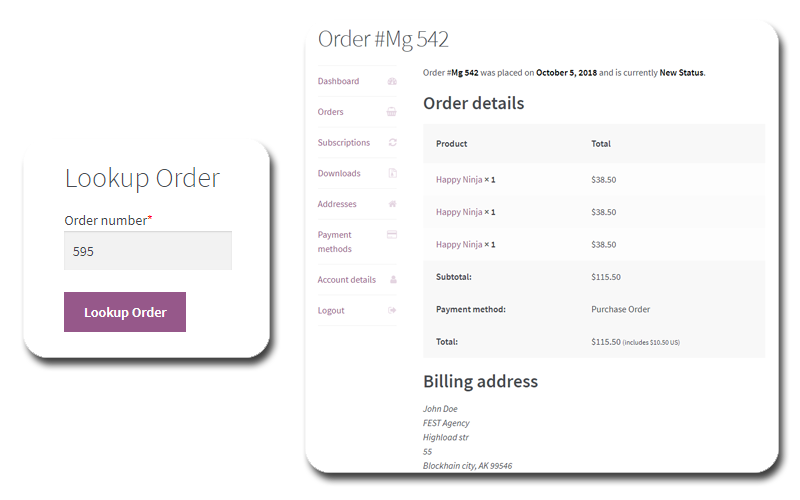
LOOKUP ORDER WIDGET
The frontend widget will help your buyers find their order by number. For an authorized user, a search is made for the orders that he made on the site. An unauthorized user will need to verify by e-mail. Also, the search form becomes available on the user’s order page.
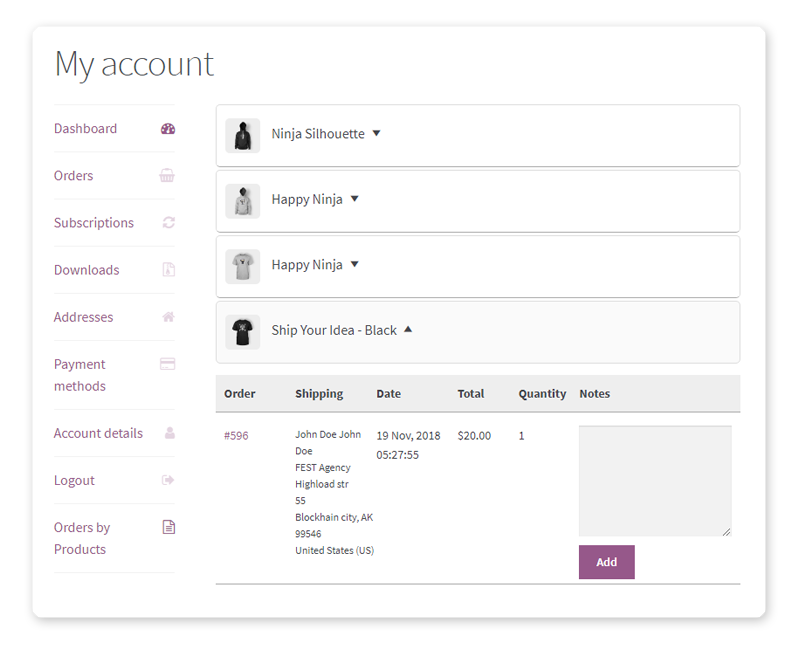
ORDERS BY-PRODUCTS IN MY ACCOUNT
You were requesting this feature and here it is! The useful purposes of it are on the surface. Customers now can see their orders related to products. Wholesale Customers will be very happy! They don’t need to open each order to count how many products they have purchased. Just view the new screen where orders are grouped by products.
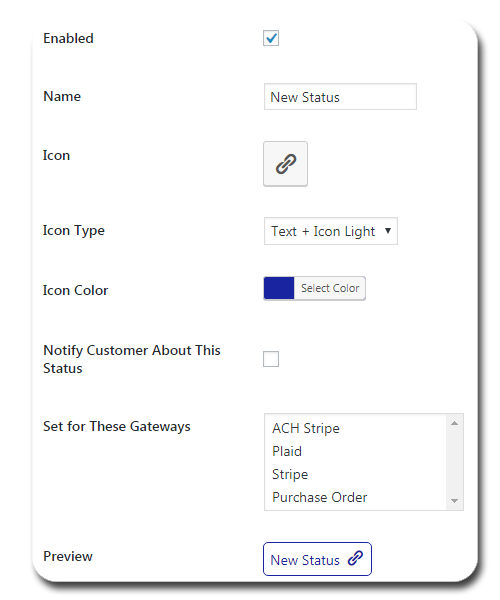
CUSTOM ORDER STATUS
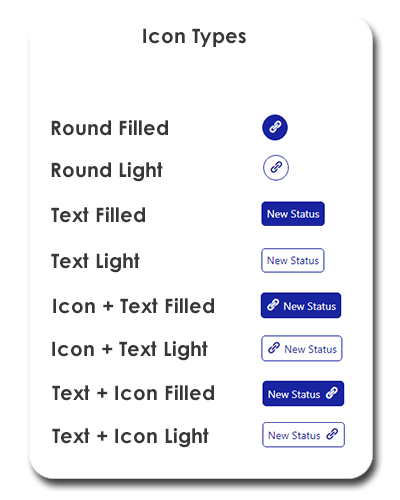
Very useful for sales experience. You can build the logic of your online store as you want. Add any intermediate steps between buying and shipping goods from the warehouse. Make colorful icons and you will not get lost in the interface.
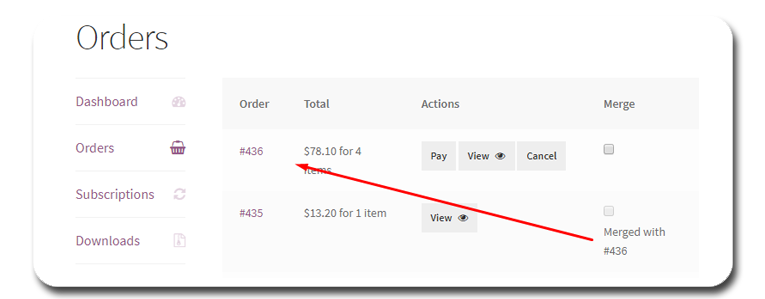
MERGE ORDERS BY CUSTOMER IN `MY ACCOUNT`
Yep! Let your customers organize their orders in the way they want!
SOLD PRODUCTS STATS (NEW FEATURE!)
We received many requests from our dear clients to make this feature and we think it is very powerful and helpful!
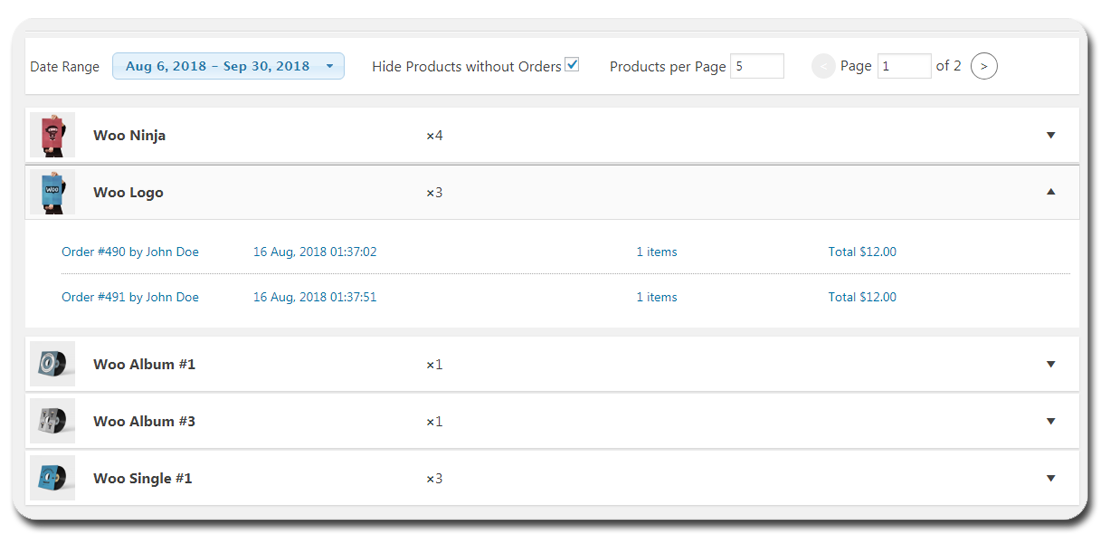
When you have many orders from many people, the WooCommerce Orders List may become not very convenient. The new screen we’ve developed is called Sold Products Stats. Here you will see a list of products and each product has its dropdown list containing orders related to this product.
You can choose date range of when orders were made, hide products which don’t have orders in a certain date range, and how many products to be displayed per page.
SALES STATISTICS
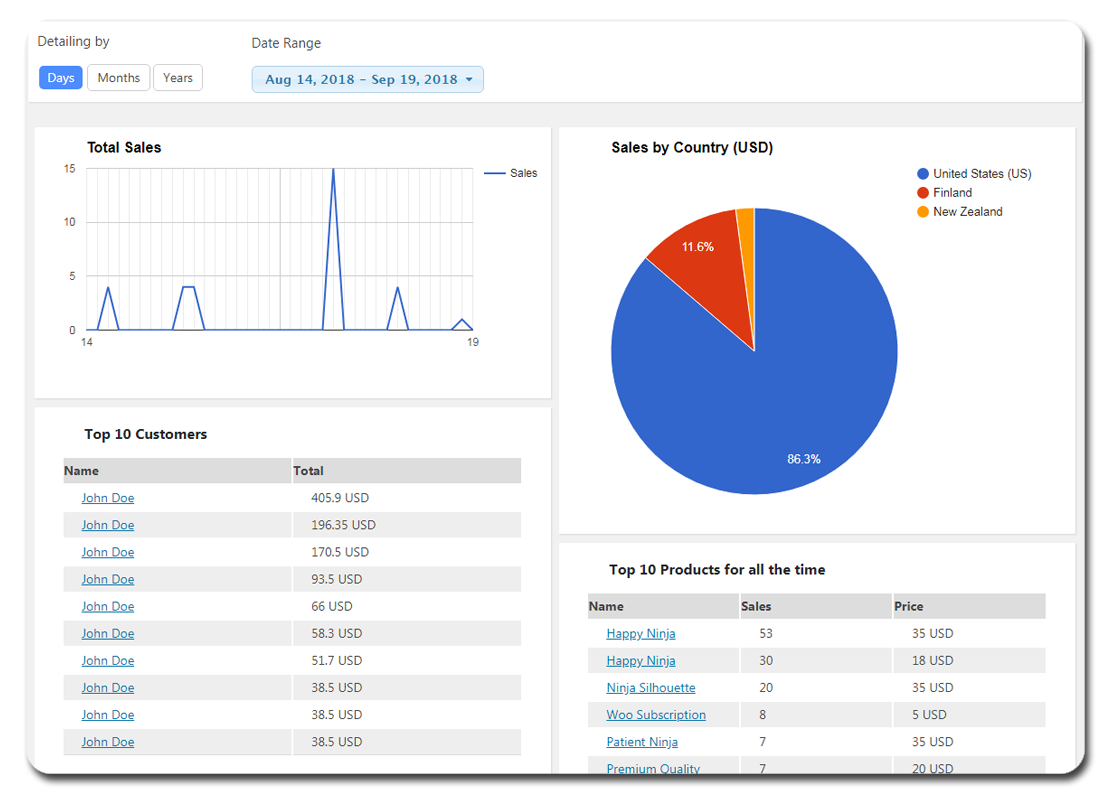
The new tab in the admin panel of the plugin shows some useful sales statistics. It helps to know what products are the most popular in your e-shop, what customers bought most products (maybe to make a discount for them  ) and other useful charts. And you can range all this stuff by a time period to see more details.
Sales Statistics Video Overview 
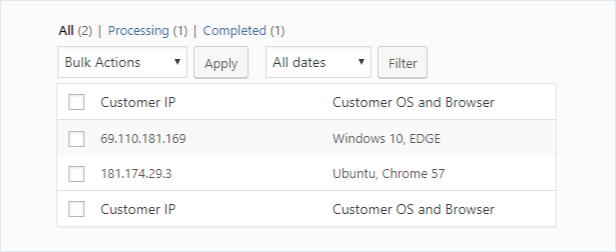
IP ADDRESS, BROWSER, AND OPERATING SYSTEM
These fields can be very helpful when troubleshooting issues. If customer complains that their checkout experience was not good you can see exactly what happened by testing it using same browser, operating system, etc. IP address can help with figuring out location of the customer.
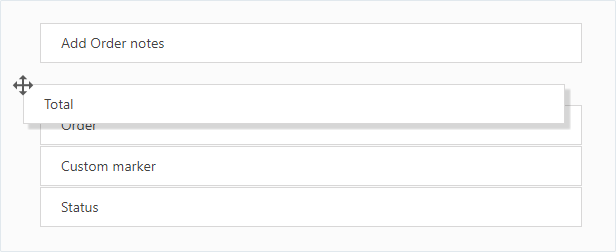
REORDERING COLUMNS
You can set position of columns on the orders page the way you like. Can be helpful for some stores to make order management easier
ORDER META DATA
You can enable the order metadata checkbox in the settings and then see the metadata in the order summary field for each product. This is convenient if you use the custom product metadata or for some reason do not see the product variation on the order page.
COMPACT MODE
To save space on a page when lots of data is present you can use compact mode.

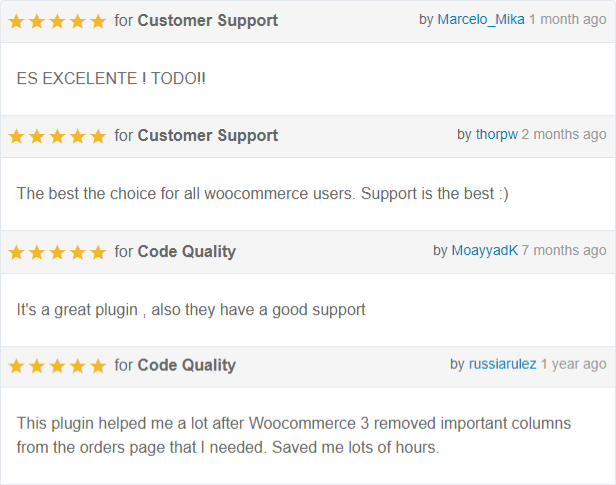
REVIEWS
Suggest a feature
We’d love to hear your feature suggestions. If you need some features that are not currently present in this plugin – please let us know. You can email your ideas to info@festagency.com or comment here.

Change Log == 1.4.6 == Add new column of Company Name to order page == 1.4.4 == Fix sanitizing Fixes in Orders by Products New option - choose shipping cost on merging Fixes in duplicating == 1.4.3 == Fix adding fees on duplication Remove lessons Manage stocks on merging Fixes == 1.4.2 == Added action in my-account Translation updated Added WC Shipment Tracking plugin compat == 1.4.1 == Added Chinese translation Order Notes were moved from Orders-by-Products screen into an Order screen of My Account Custom Order Statuses bulk setting for orders == 1.4.0 == Fix Duplicate Orders - calculate totals after duplication New Feature - Orders by Products in My Account == 1.3.9 == New Feature - Duplicate Orders == 1.3.8 == Fixed args count for triggered Email Proper call of static log function Fixed issues with not-array custom markers == 1.3.7 == Fixed for...of for IE11 Fixed Custom Markers when for the first install == 1.3.6 == Fix custom markers Fix Lookup page Fix Merged orders prefixes == 1.3.5 == Improve columns reordering Feature - Exclude columns from Orders list Better Custom Order Statuses management Feature - Notify customer when Custom Statuses is set to an order Feature - Automatically set Custom Status for orders made with a certain gateway Feature - Prefix for merged orders name Feature - Show linked orders for merged orders on Order page Feature - Sold Products Stats Feature - Custom Markers == 1.3.4 == Added support of fractional quantities == 1.3.3 == Added feature to choose Order Statuses that couldn't be merged General Settings were reorganized into tabs == 1.3.2 == Option for not merging similar Downloadable Products == 1.3.1 == Proper displaying of metadata arrays in Order Summary Non-latin order statuses fix == 1.3.0 == Added translations == 1.2.9 == Added search orders by custom fields Merging shipping address == 1.2.8 == Added select of order statuses after merging == 1.2.7 == Fix WPDB preparation function call == 1.2.6 == Compatibility with Woo Booster == 1.2.5 == Added option `Merging orders by a Customer` == 1.2.4 == Added Customer Phone column Added Customer Email column Added Customer Message column General Settings page sections Fixed reordering list items number Tested with the latest WC 3.3.5 == 1.2.3 == Merging order items properly Merging orders considering all the items Consider fees on merging Show order number instead of ID == 1.2.2 == Ordering backward compatibility == 1.2.1 == Little fixes Order Actions for custom orders == 1.2.0 == Fixed initial sorting Fixed order statuses == 1.1.9 == Fixed sortable Fixed order notes Sequential Order Numbers plugin compatibility in order notes == 1.1.8 == New column - Shipping Cost More order actions - any of them directly on orders page == 1.1.7 == Fix Sortable columns again <img src="/images/smileys/happy.png" alt=" :)" title=" :)" /> Sequential Order Numbers plugin compatibility == 1.1.6 == Fix Sortable columns == 1.1.5 == Merge discounts while merging orders == 1.1.4 == Bug Fixes - Lookup order widget Managing order notes from the orders table Filtering orders by product in the orders table == 1.1.3 == Bug Fixes - Graphs on non-US sites == 1.1.2 == Bug Fixes - Short open tags == 1.1.1 == Bug Fixes - Stats == 1.1.0 == Stats Dashboard - NEW! Bug fixes == 1.0.9 == Order Items Metadata Filter == 1.0.8 == Custom order statuses == 1.0.7 == Bug fixes Add feature 'Merge orders' Add feature 'Search orders on frontend' Add widget 'Search orders' == 1.0.6 == Bug fixes == 1.0.5 == Bug fixes Add feature 'Display the customer message and order notes inside the column' == 1.0.4 == Bug fixes == 1.0.3 == Marker column feature Show order metadata Orders Compact mode == 1.0.2 == Product variations feature Reorder columns feature == 1.0.1 == Bug fixes == 1.0.0 == Initial Release
Last version: 1.4.3
$99 |
Download |
4.3 average based on 9 ratings.

| Last Update | 2022-01-27 |
| Created | 2017-04-13 |
| Sales | 238 |
| Discussion | Comments |
| Compatible Browsers | IE10 IE11 Firefox Safari Opera Chrome Edge |
| Software Version | WordPress 5.8.x WordPress 5.7.x WordPress 5.6.x WordPress 5.5.x WordPress 5.4.x |
| Compatible With | WooCommerce 5.7.x WooCommerce 5.6.x WooCommerce 5.5.x WooCommerce 5.4.x WooCommerce 5.3.x WooCommerce 5.1.x WooCommerce 5.0.x |
| Gutenberg Optimized | |
| High Resolution | |
| Files Included | JavaScript JS CSS PHP |
| Video Preview Resolution |


