Floating Buttons, Action Bar for WooCommerce with Floating Cart
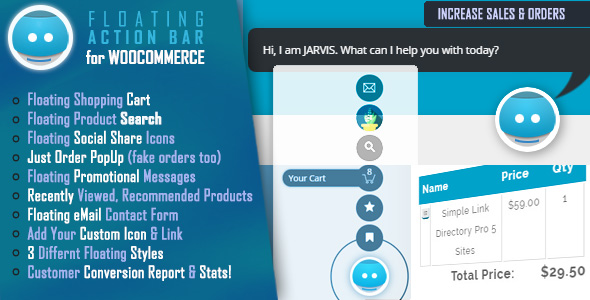

Floating Buttons, Action Bar for WooCommerce with Floating Cart
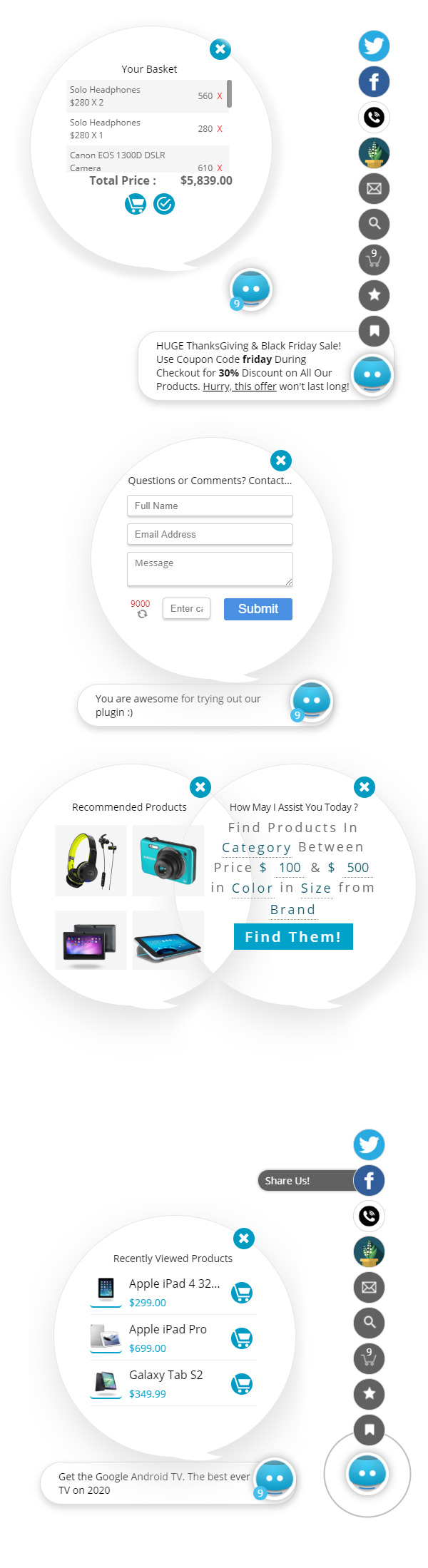
Add a set of Floating Buttons and Action Bar on your WooCommerce website with floating Cart. The floating action buttons act as Shop Assistant for WooCommerce shop and helps increase your sales. The Floating Buttons include recently viewed products, provides advanced, natural language search, floating quick cart, sticky floating contact form, recommended products, social share icons. Not only that, this plugin also provides popup notifications with custom messages and popup recently purchased or just purchased notices for users and Customer Conversion Statistics Report – all in one awesome package!This is a noble approach to persuade buyers to order from your WooCommerce website. When activated, a floating button sits there at the right bottom corner of your website and offers helpful information or popup notices set by you. When clicked it will open a set of floating buttons that offer useful information for shoppers
 NOTE: Try out our Free ChatBot for WooCommerce – WoowBot
 NOTE: Try out the ChatBot for WordPress – WPBot
JARVIS Features Include:
Advanced, Natural Language Search Interface
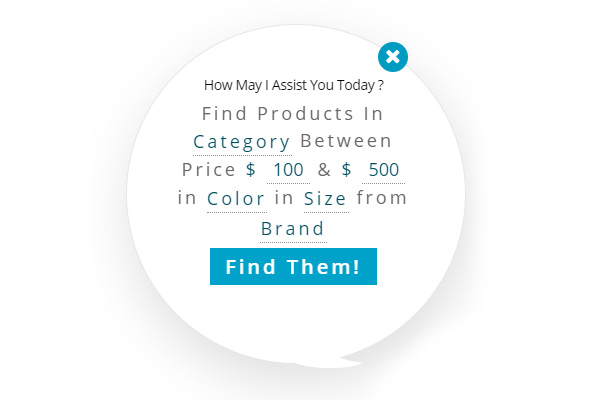
JARVIS provides an advanced, natural language search interface in a human friendly manner that admins can customize for words and language and add custom search parameters like Tags, Attributes like color, size etc.!
PopUp Recently Purchased or Just Purchased Notices
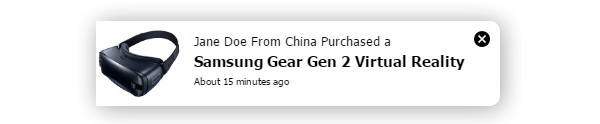
Pop Up Recently Purchased Notices or Sale alerts will help you sell more products by creating an urgency among prospective buyers by showing who else just Purchased products from your store. New sales alerts are shown in near real time. If your store is not so busy, you can create artificial or fake Just Purchased notifications.
Discreet Promotional Messages
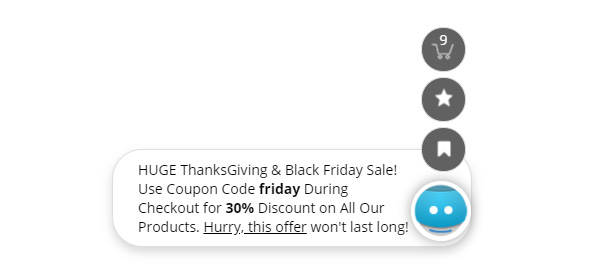
In message center, you can add up to eight different messages with display duration time in seconds. The messages will come out of JARVIS floating icon in time intervals defined by you during buyer’s stay on your website in any page. Messages can be anything or any link or even can contain images and they a. Let your buyers know what is special about your store, promote a single product or just tell them about your free shipping offer.
Recently Viewed Products
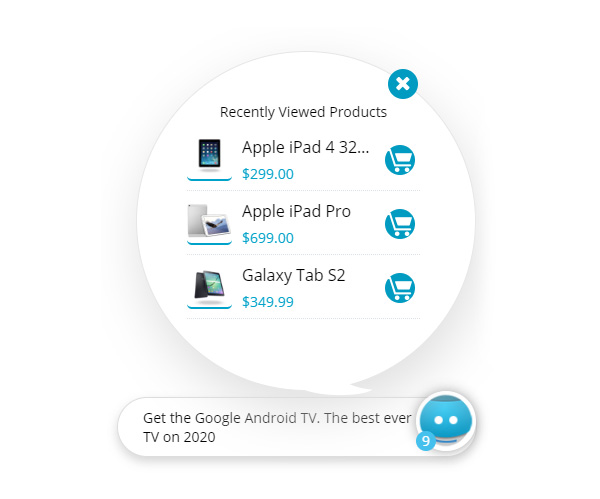
Buyers can quickly view at a glance the products he has already viewed and add the to the cart right from the JARVIS full-screen interface.
Floating Cart – Quick Cart
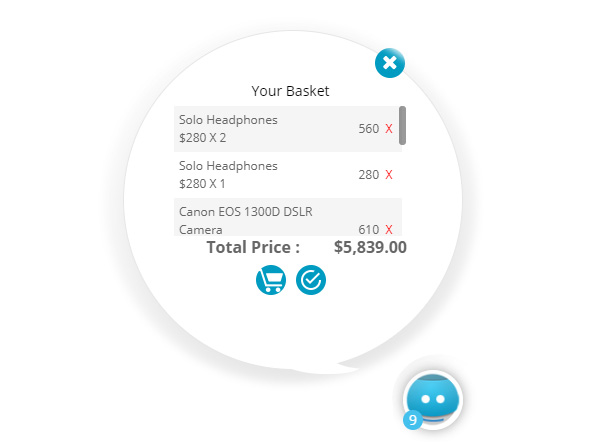
Shopper can have a quick view details of products added to the cart from any page of your website and checkout. JARVIS provides a one stop view of all user activities to help make a purchase decision and buy more!
Sticky, Floating Email Support
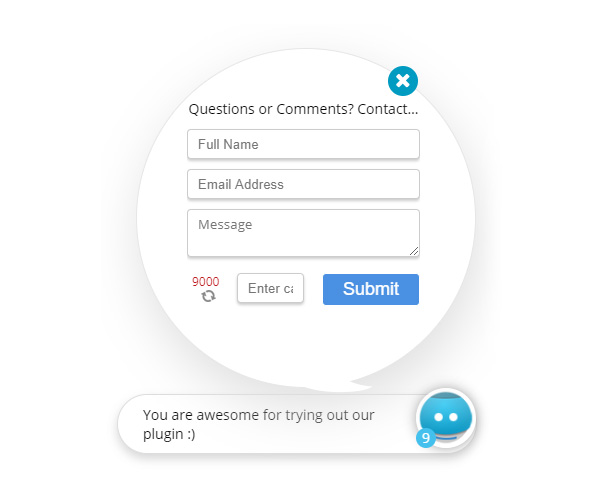
Activate the support module and shoppers can send you a quick email from any page of your website with their feedback, question or inquiries from the sticky, floating contact form. The email to admin also contains the page link from where user sent the email from. Helps you identify which product she is interested in.
Social Share Icons
Enable Facebook, Twitter, LinkedIn and WhatsApp Share Icons! Clicking on the icons users can share the page that she is on through the social medias. You can also set a URL, if you want to always share a particular page instead of user visited page.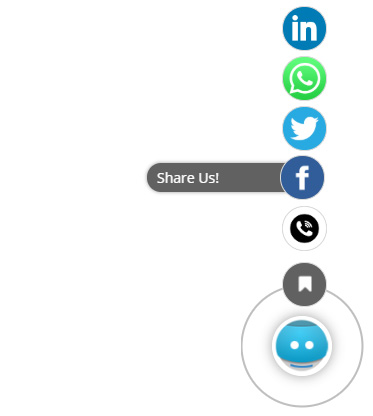
Custom Link Quickball
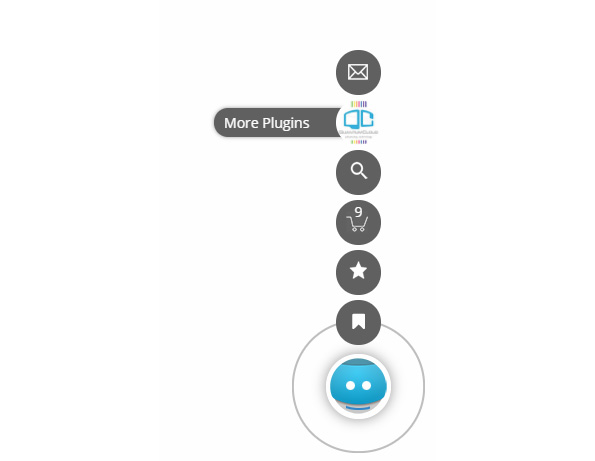
Add a custom quickball that users can click and go to any important page or link of your choice. You can upload a custom icon and specify the link where it should go to.
Language Center to Change or Translate Texts and Labels
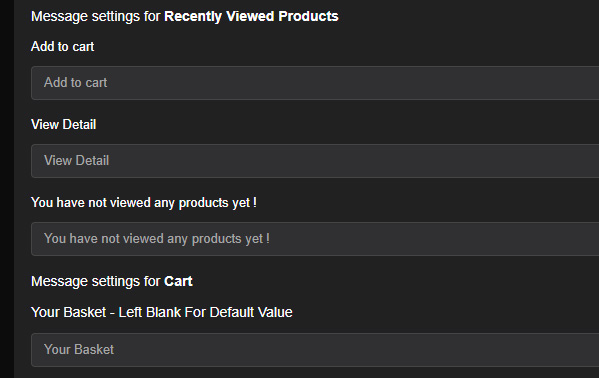
Advanced Language Center to change or translate various label texts and prompts in JARVIS popup windows. All front end texts are customizable from backend in any any language.
JARVIS Widgets
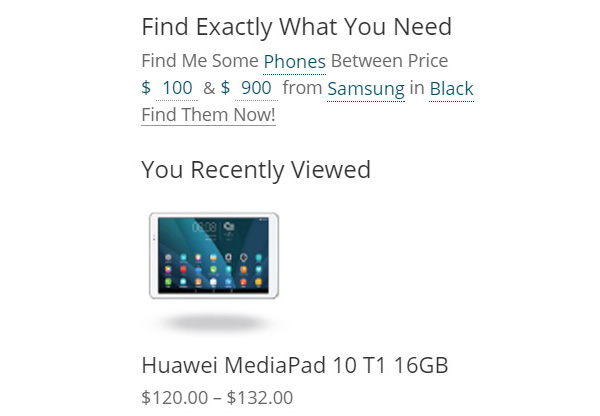
JARVIS also offers two widgets that you can add to your sidebars. The Advanced search widget offers the same natural language search feature you create. The second widget shows the recently viewed products by the buyers.
These widgets can be used even if you turn off the JARVIS floating agents.
Customer Conversion Rate Tracking
Track if your customers are abandoning carts. Conversion Report and Statistics that show how many shoppers are adding products to the cart, how many have reached the checkout page and how many actually completed the order process. Very helpful to take necessary action in reducing abandoned cart. Combine this WooCommerce Conversion Tracking report with the retargeting features to increase your sales by up to 25%!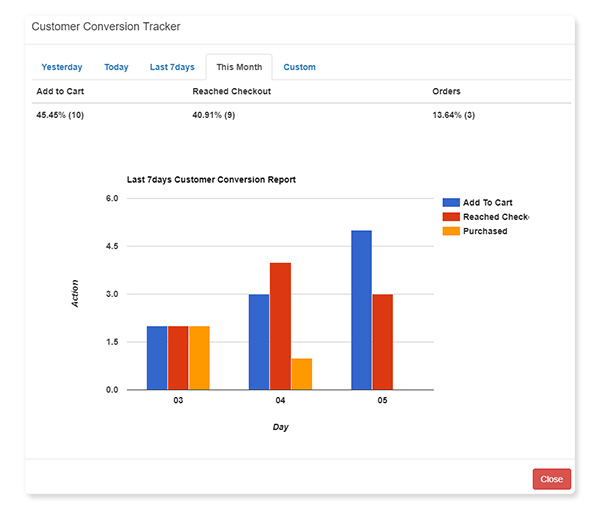
3 Different Modes to choose from
JARVIS offers 3 different modes to choose from: 1. Vertical Balls (icons float up in vertical mode) 2. Quickballs (icons come out in circle) 3. Slider Bar (a small, floating icon that extends horizontally when clicked)
Floating Buttons, Action Bar for WooCommerce with Floating Cart Features
- Vertical balls, Quick Ball or Sliding bar Mode
- Natural Language Search Query Builder
- Show Recently Viewed Products
- Show Cart Items
- Custom Quickball
- Social Sharing for FaceBook, Twitter. WhatsApp, LinkedIn
- Option to share fixed URL sharing
- Phone Call Icon
- Sticky, Floating Support, Contact, Inquiry Form
- Advanced Search and Recently Viewed Products Widgets
- Popup Sales (new order) Notifications
- Artificial or Fake Sale Alerts to Create Urgency Among Buyers
- Enable or Disable Notification Sound
- Disable Sales Notification for Mobile
- AJAX Add to Cart from Recently Viewed and Recommended Products
- Message Center for Custom Promotional Messages with Support for Message Duration and Delay.
- Many Prepackaged JARVIS Icons with Option to Upload Your Own
- Fine Tune JARVIS icon position
- Choose from Dozens of Animation Effects
- Language Center to change or translate various label texts in JARVIS popup window. All front end texts are customizable from backend with in any language
- Customer Conversion Reporting with Charts and Graphs
- Shopper Conversion Statistics by Day, Week, Month and Custom Date Range
- Rapid, One on One Premium Support
- Lifetime Free PlugIn Upgrades
Why WooCommerce Shop Assistant JARVIS?
- Developed by a company with 14+ years of experience. You can rely on us
- Always up to date and under active development for new features
- Extended documentation
- Easy and Flawless Setup
- Fully Responsive Templates
- Automatic updates – Update Easily using the Envato Toolkit
- Powerful iList Options panel
- Unique Features
- Quick, Reliable, No-nonsense and Friendly One-on-One Support

Version History
Version 2.0 Redesigned everything Added 3 new modes Floating Contact form Custom quickball Many minor improvements and bug fixes Version 1.6 Added Quick Ball Mode Version 1.5 – released on Apr 30 – 2017 Inception
$19 |
Download |
5 average based on 7 ratings.

| Last Update | 2021-11-26 |
| Created | 2017-05-02 |
| Sales | 72 |
| Discussion | Comments |
| Compatible Browsers | IE11 Firefox Safari Opera Chrome Edge |
| Software Version | WordPress 7.0.x WordPress 6.9.x WordPress 6.8.x WordPress 6.7.x WordPress 6.6.x WordPress 6.5.x WordPress 6.4.x WordPress 6.3.x WordPress 6.2.x WordPress 6.1.x WordPress 6.0.x WordPress 5.9.x WordPress 5.8.x WordPress 5.7.x WordPress 5.6.x WordPress 5.5.x WordPress 5.4.x WordPress 5.3.x WordPress 5.2.x WordPress 5.1.x WordPress 5.0.x WordPress 4.9.x |
| Compatible With | WooCommerce 6.x.x |
| Gutenberg Optimized | |
| High Resolution | Yes |
| Files Included | JavaScript JS HTML XML CSS PHP |
| Video Preview Resolution |


