WooCommerce Save and Share Cart Plugin
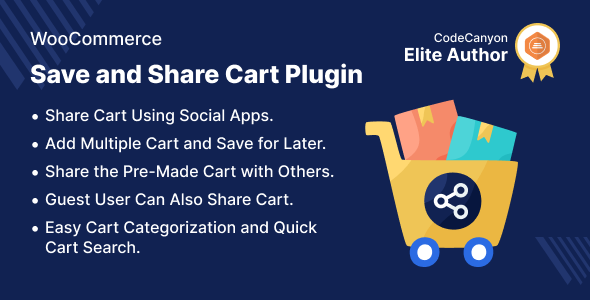

WooCommerce Save and Share Cart Plugin
This module helps the admin to progress the shop by allowing users to save and share carts. Customers should be able to share their pre-made order cart with others.Allows for an unlimited number of pre-populated carts to be saved for later use. Customers can also use the list to search for their stored carts.
This module is now compatible with WooCommerce’s new High-Performance Order Storage (HPOS) feature.and Cart and Checkout block.
Check how to activate your WooCommerce plugin through the purchase code. and How do you get updates on Webkul Modules directly on the Plugins page.


Video Preview

Why WooCommerce Save and Share Cart Plugin?

Support
Dear Customers, if you have a question/query, please raise a ticket at webkul.uvdesk.com. We will do our best to answer as quick as it is possible. Don’t give us a low rate without contacting support on the issue you’ve faced with. We are always happy to help you.
Features of WooCommerce Save and Share Cart Plugin
- Allows you to save and share shopping carts with others.
- Allows you to save your cart and check out later.
- The customers can share their shopping carts with others.
- Other users can use the shared cart to check out directly..
- Works as a completed wishlist can be found in saved carts.
- Sharing carts makes it simple to acquire customer service.
- Users can also share carts via social networking apps. Moreover, the cart link can be copied and shared with others.
- The admin can check the saved cart and the cart can also be shared by guest users.
Highlighted Features
1- To Pay, Save Cart & Share
Customers can save and share their carts, which will help the WooCommerce store grow.2- Save Multiple Carts & Use Later
Customers can keep their carts and return them at a later time.3- Search Your Cart Quickly
From the saved-cart list, perform a quick cart search.4- Manage & Personalize Cart
Customers, as well as authorized individuals, can manage and personalize carts.

Share Your Cart With Apps & Links
By using apps and links, this plugin makes it easier for customers to share their shopping carts.
- Customers have the option to share their shopping cart via WhatsApp, Twitter, LinkedIn, Facebook, Copy Link, and Email.
- Even the user with whom the customer shared the cart can share it with additional users.
- You can copy & share the link directly if the Apps are inappropriate and you want to share a cart.
Instant Cart Search
Customers can add products to their carts and save them for later by using this plugin.
- Finding the necessary cart from the list is made easier with a quick cart search.
- Even lets the customer save their shopping cart for later.
- The customer is prompted to give the cart a suitable name when they select the save for later option.

Business Use
We confirm and finalize the wishlist item list with our friends and family. Sharing a product link takes time because it can only be done one at a time. .
Checking links one by one is boring, thus it’s preferable to have a ready-to-buy cart where you may add or remove goods and check out.
Customers can save and share their pre-made carts with others using the Share Cart function. With a pre-populated cart, you can speed up and simplify the checkout process.
Allows the customer to create the cart of their choice and share it with others for decision-making or checkout.
Customers may now save and share all of their essential products in one go with others that share their interests.



Change Log
"Initial release v 1.0.0" " Current release v 1.3.0"
v 1.3.0 (2026-06-25) Fixed: Guest cart identification logic.
v 1.2.0 (2025-08-27) Fixed: Some minor issues and updated the custom post type from 'wkmsc-save-cart' to 'saved-cart'. Fixed: My Account endpoint title to 'Saved cart' Updated: Share cart URL to 'saved-cart/<cart_id>' format.
v 1.1.0 (2024-09-25) Added: The cron feature to automatically delete old carts. Added: Email functionality to notify both the admin and the customer about the cart post. Added: Feature to share any cart post from the "My Account" cart page. Added: Feature to suggest previous cart posts when saving a cart to a post. Added: Feature to add new cart items to an existing cart post. Modified: The front-end save cart popup.
v 1.0.2 Added: Cart create a function to prevent creating duplicate carts. Added: Compatibility with WooCommerce HPOS feature. Added: Notice for non-compatibility with WooCommerce Cart and Checkout Blocks. Fixed: Insecure design and UI issues. Updated: Code according to WordPress and WooCommerce coding standards.
v 1.0.1 Added: Disable share button as per admin configuration Added: User can remove products from save cart Added: User can add the selected product to the cart Fixed: Cart URL issues Fixed: GUI issues Updated: Readme .pot file and coding standard.
v 1.0.0 Initial release
$146 |
Download |
0 average based on 1 ratings.

| Last Update | 2026-06-29 |
| Created | 2020-10-29 |
| Sales | 47 |
| Discussion | Comments |
| Compatible Browsers | IE11 Firefox Safari Opera Chrome |
| Software Version | WordPress 7.0.x WordPress 6.9.x WordPress 6.8.x WordPress 6.7.x WordPress 6.6.x WordPress 6.5.x |
| Compatible With | WooCommerce 10.x.x WooCommerce 9.x.x WooCommerce 8.x.x WooCommerce 7.x.x WooCommerce 6.x.x WooCommerce 5.x.x |
| Gutenberg Optimized | Yes |
| High Resolution | No |
| Files Included | JavaScript JS HTML CSS PHP |
| Video Preview Resolution |


