WooCommerce Pay Your Price
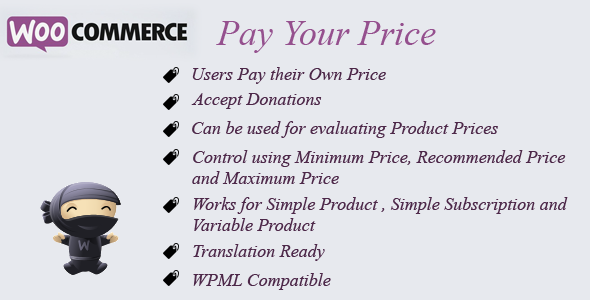

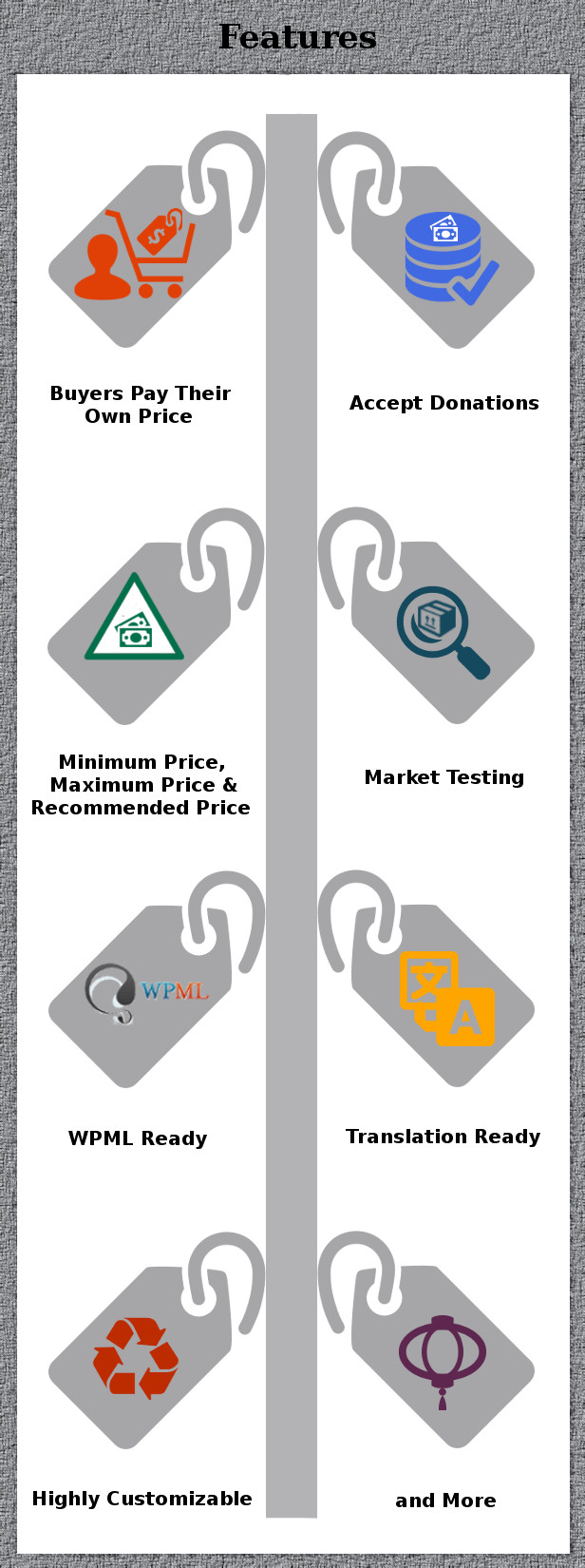
WooCommerce Pay Your Price is a WooCommerce Extension Plugin using which users can name their own price for the products there by giving your users more importance which is likely to get you More Sales. Pay Your Price can be used to Accept Donations using Pay Your Price by setting your price as Minimum Price and the Donation + Minimum Price as Recommended Price, understand what Prices your Products command in the Market etc. You can force users to pay within a range by setting a Minimum and Maximum Price. You can set a Recommended Price which will be set as initial Price in the text box. You can even give the users complete freedom to pay their own price by not setting a Minimum and Maximum Price. Both Minimum and Maximum Prices are optional. Plugin works on Simple Product, Simple Subscription and Variable Product.
Please note that WooCommerce Pay Your Price works on the Shop Page as follows i.e. on the Shop Page you won’t get the input price field for the user to input the price but will be linked to the Single Product Page so the user can come to the Single Product Page to input their price.
Features
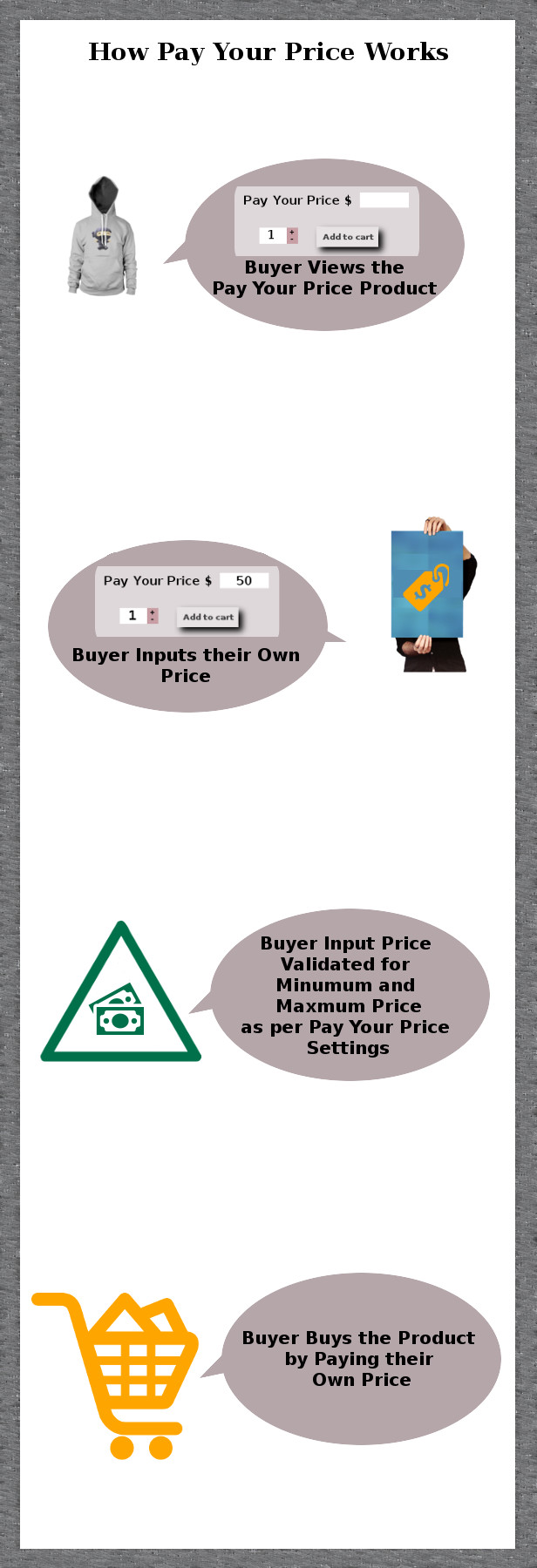
- Accept Donations using Pay Your Price by setting your price as Minimum Price and the Donation + Minimum Price as Recommended Price.
- By letting your users pay their own price you are giving your users more importance which is likely to get you More Sales.
- Test the Market to see what Prices your Products command.
- Enable Pay Your Price only for the Products of your choice.
- You can force users to pay within a range by giving a Minimum and Maximum Price. You can set Recommended Price as guidance.
- Works on Simple Product, Simple Subscription and Variable Product.
- WPML Compatible.
- Translation Ready.
- Highly Customizable options for Labels, Error Messages etc.
- Simple and Easy to Use.
Support
Please check the documentation as we have lots of information there. The documentation file can be found inside the documentation folder which you will find when you unzip the downloaded zip file.For support, feature request or any help, please register and open a support ticket on our site.
Updates
Version 10.2.0 on 02 November 2025 Tweak: Tested with WordPress v6.8.3 Tweak: Tested with WooCommerce v10.3.3 Fix: PHP warning error thrown on both frontend and backend product pages Version 10.1.0 on 01 January 2024 Tweak: Improvement made in variable product price display Tweak: Tested with WordPress 6.4.2 and WooCommerce 8.4.0 Version 10.0.0 on 11 November 2023 New: Compatible with Sumo Subscription Tweak: Tested with PHP 8.2.4 Tweak: Tested with WordPress 6.3.2 and WooCommerce 8.2.1 Version 9.9.0 on 26 July 2023 Tweak: Compatible with High-Performance Order Storage[HPOS] Tweak: Tested with WooCommerce v7.9.0 Version 9.8.1 on 06 July 2023 Tweak: Improvement made in PO Translation File Tweak: Tested with WordPress 6.2.2 and WooCommerce 7.8.1 Version 9.7 on 12 February 2023 Tweak: Improvement made in Add to cart validation in pay your price product Tweak: Tested up to WooCommerce 7.3.0 Fix: Add to cart button caption not working properly in variable product Version 9.6 on 11 January 2023 Fix: Fatal error thrown on frontend Tweak: Tested up to WooCommerce 7.2.2 Version 9.5 on 09 December 2022 Tweak: Improvement made in Pay Your Price Product Button & Text type display Tweak: Tested up to WordPress 6.1.1 and WooCommerce 7.1 Version 9.4 on 08 November 2022 Fix: Pay Your Price not working properly Tweak: Tested up to WordPress v6.0.3 and WooCommerce v7.0.0 Version 9.3 on 26 July 2022 Tweak: Code improvements made in displaying Pay Your Price fields Tested with WordPress v6.0.1 and WooCommerce v6.7.0 Fix: Cart subtotal displaying incorrectly Version 9.2 on 01 March 2022 Tweak: Tested upto WordPress v5.9 and WooCommerce v6.1.1 Fix: Loading issue occur in mini cart when our plugin is activated Version 9.1 on 03 December 2021 Fix: Pay your Price Input Field Type issue for variable products Version 9.0 on 18 May 2021 Tweak: Code improvements Version 8.8 on 06 February 2021 Fix: Pay Your Price Button & Text input field type not work properly Version 8.7 on 09 September 2020 Fix: Conflict with Advanced Product Fields for WooCommerce plugin Version 8.6 on 26 July 2020 Fix: Single Product page breaks conflict with Divi Theme Version 8.5 on 05 May 2020 Fix: WooCommerce Decimal separator does not work properly for Pay Your Price Version 8.4 on 29 June 2019 New: Compatible with WooCommerce bulk discount Tweak: Compatible with WooCommerce Multi Currency Improvements Version 8.3 on 31 July 2018 New: Added option to restrict the Max Quantity Purchasable Per Pay Your Price enabled Product in an Order Tweak: Label display improvements Version 8.2 on 09 June 2018 Tweak: Added hook for the jQuery conflict with Atelier Theme Version 8.1 on 29 May 2018 New: GDPR compliance WordPress compatibility for Privacy Policy update Tweak: Page Reloading option after Bulk Update for Existing Products Version 8.0 on 12 April 2018 New: Compatibility with WooCommerce Product Add-on(Add-on Fee added with user entered Price) Version 7.9 on 04 April 2018 Fix: Input Wrapper Displayed on other input types Version 7.8 on 11 March 2018 Tweak: Added validation in JS file Fix: Price Input Validation for Text and Button type Version 7.7 on 15 February 2018 Fix: Conflict with Slider Revolution when Variation_Form is not available in Single Product Page Fix: Conflict with WC Field Factory Plugin and Displaying the Original Product Price in Subtotal & Total Version 7.6 on 17 December 2017 Fix: Table Elements display problem in single product page Fix: Minimum Price validation issue with WPML Version 7.5 on 11 August 2017 New: Compatibility with WooCommerce Multicurrency improved Tweak: Pay Your Price field not displayed properly In Mini Cart Fix: Minimum/Maximum Price Validation not Functioning Fix: Can't add page builder elements & custom (CSS & JS) in product page Fix: Choosing drop-down for the variable product not functioning correctly Fix: Enhanced variation change function in jQuery Version 7.4 on 11 April 2017 New: WooCommerce 3.0 compatibility Version 7.3 on 09 March 2017 Fix: Pay Your Price field display problem with WooCommerce Product Short codes Fix: Add to cart button not replaced with Pay Your Price field Fix: Add to cart button not working on Non Pay Your Price Products with WooCommerce Product Short codes Tweak: Single Product Page Styles layout collapsed for Variable Product when Pay Your Price is enabled Version 7.2 on 07 February 2017 New: "Text Field" input type added Tweak: Code Improvements Version 7.1 on 14 January 2017 Fix: User Entered Amount not reflected in Mini Cart Fix: Price not displaying properly in Mini Cart for Normal Products Version 7.0 on 08 January 2017 New: Predefined Buttons and Text Box Input field added Fix: Minimum Price and maximum price display problem for Variable Product Fix: Admin Dashboard undefined index error Fix: Selected Amount display problem in Dropdown Input field for Variable Products Version 6.9 on 05 December 2016 Fix: Pay Your Price field display problem for Variable Products with Multiple Variation Attributes Version 6.8 on 11 September 2016 Tweak: Pay Your Price enabled product in shop page redirection to Single Product Page Fix: Color picker library loading issue Version 6.7 on 17 March 2016 - Fix: Button and Drop-down Input Field Type for Variable Products Version 6.6 on 04 March 2016 - Tweak: Compatible with WooCommerce 2.5.x Version 6.5 on 20 January 2016 - New: Added Button/Drop Down Types for Pay Your Price Input Field Version 6.4 on 09 December 2015 Tweak: Troubleshoot option added to display the contribution input field as number field or text box field Version 6.3 on 06 November 2015 - Fix: Error for get_available_variations() Version 6.2 on 17 September 2015 - Fix: Minimum Decimal Contribution - Fix: Default Value Setup upon fresh Install Version 6.1 on 01 September 2015 - Version 6.1 - Fix: Hiding Variation Price Problem on upon changing different variation Version 6.0 on 21 August 2015 - Fix: Displaying Variable Description with WooCommerce 2.4.4 Version 5.8 on 08 August 2015 - Tweak: Increased Hook Priority to remove Pricing for Pay Your Price - Fix: Altered Custom CSS to available only for Pay Your Price enabled Product Version 5.7 on 03 August 2015 - Fix: Error when WooCommerce is not Active - Fix: Added Error Message for WooCommerce Dependency Version 5.6 on 03 July 2015 - Fix: Variable Product Pay Your Price Visibility Version 5.5 on 27 April 2015 - Fix: Entering Decimal Price Version 5.4 on 11 April 2015 - New: Option of Redirection to Cart or Checkout Page when Pay Your Price is added to Cart Version 5.3 on 25 March 2015 - Fix: Validation made for the price entered is less than zero Version 5.2.1 on 18 March 2015 - Fix: Decimal number input for Price Version 5.2 on 13 March 2015 - Bug Fixed on Altering the Price for variations when payyourprice is not enabled Version 5.1 on 05 March 2015 - Bug Fixed on Displaying Contribution Field with Nested Variations Version 5.0 on 02 March 2015 - Code Completely revamped work without AJAX - Fixed Compatibility issues with WooCommerce 2.3.x Version 4.9 on 26 February 2015 - Bug Fix for fatal error during WooCommerce Updation Version 4.8 on 08 February 2015 - Update Option to Bulk Update Pay Your Price Settings for Existing Products Version 4.7 on 03 February 2015 - Fixed Fatal Error when site language is changed using WPML Version 4.6 on 12 December 2014 - Bug Fix on showing false Variable on initialize Variable Product Version 4.5 on 04 December 2014 - Fix: Variant Level Price for Variable Products Version 4.4 on 17 September 2014 - Bug Fix in displaying price for products without Pay Your Price Version 4.3 on 05 September 2014 - Changed ID Selector to Class Selector for Element - Removed Inline CSS use it as default color - Fixed Couple of Warnings on Debug Mode Version 4.2 on 31 August 2014 - Cleared Warning Messages when Pay Your Price is disabled Version 4.1 on 19 August 2014 - Displaying Add to Cart Button and Shop Page to Single Product Page Redirection when Button is clicked - Separate Custom Button Texts for Shop Page as well as Single Product Page Version 4.0 on 01 August 2014 - Bug Fix in Variable Product with Multiple Attributes Version 3.9 on 21 July 2014 - Show/Hide Regular/Sale Price in Product Page Option Version 3.8 on 19 July 2014 - Hide Minimum and Maximum Price Option for Variable Product Version 3.7 on 17 July 2014 - Validation Message for ',' in the Price Field - Validation for double '.' in price - WooCommerce Price Format Support for Frontend - Min/Max Display Bug Fix for Variable Product Version 3.6 on 14 July 2014 - Bug Fix for Conflict with Fancy Product Designer Plugin Version 3.5 on 17 June 2014 - Troubleshoot Option for Force SSL Admin Version 3.4 on 03 June 2014 - Bug Fix in Cart Level Version 3.3 on 22 May 2014 - Fixed Bug which occurred in Version 3.2 - Debug errors fixed Version 3.2 on 21 May 2014 - Bug Fix in Variable Product Version 3.1 on 14 May 2014 - Bug Fix in Displaying Price for Variable Products Version 3.0 on 07 May 2014 - WPML Compatible - Translation Ready - No Redirection after Add to Cart Version 2.9 on 02 May 2014 - Added Custom Color Option for Error Message - Changed Checkbox to Listbox in Simple Product Enable Pay Your Price Version 2.8 on 12 April 2014 - Redirection Option for Shop Page after Add to Cart - Custom Label Option for Add to Cart Button Version 2.7 on 12 April 2014 - Troubleshoot Option Added - Validation for Regular Price Version 2.6 on 9 April 2014 - Redirection Option after Add to Cart Version 2.5 on 08 April 2014 - Now Compatible with Sold Individually Option Version 2.4 on 05 April 2014 - Custom CSS Option Added Version 2.3 on 05 April 2014 - Appending Input Field to Cart is Fixed Version 2.2 on 22 March 2014 - Bug fixed for Non-logged users Version 2.1 on 19 March 2014 - Settings Page Cleaned Up Version 2.0 on 18 March 2014 - Variable Product Supported Version 1.2 on 08 March 2014 - Hide Minimum Price and Maximum Price Option - Shortcodes for Minimum Price and Maximum Price - Settings Page Control made legible - Alert Box Option Removed Version 1.1 on 04 March 2014 - Input Price Text Box Validation for Numbers Version 1.0 on 28 February 2014 - Initial Release
4.5 average based on 59 ratings.

| Last Update | 2025-11-02 |
| Created | 2014-02-28 |
| Sales | 1518 |
| Discussion | Comments |
| Compatible Browsers | IE9 IE10 IE11 Firefox Safari Opera Chrome |
| Software Version | WordPress 6.8.x WordPress 6.7.x WordPress 6.6.x WordPress 6.5.x WordPress 6.4.x WordPress 6.3.x |
| Compatible With | WooCommerce 9.x.x WooCommerce 8.x.x WooCommerce 7.x.x WooCommerce 6.x.x WooCommerce 5.x.x |
| Gutenberg Optimized | No |
| High Resolution | |
| Files Included | JavaScript JS PHP |
| Video Preview Resolution |


