WooCommerce Multi Vendor Subscription
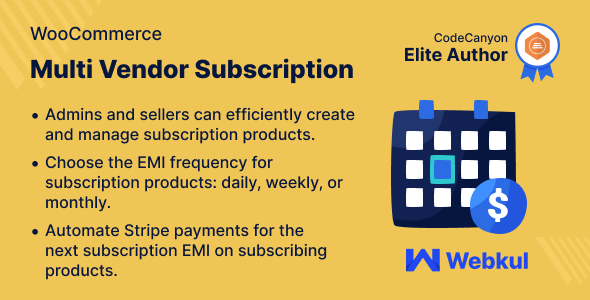

WooCommerce Marketplace Subscription Products
WooCommerce Marketplace Subscription allows customers to subscribe to products on a daily, weekly, monthly, or yearly basis.
Admins and sellers can create and manage subscription products, setting EMI frequency individually for each product.
Customers can quickly renew their subscribed orders at the specified frequency of products, making purchasing more efficient.
Note –


WooCommerce Multi Vendor Subscription Plugin?

Support
Dear Customers, if you have a question/query, please raise a ticket at webkul.uvdesk.com. We will do our best to answer as quickly as it is possible. Kindly do not give us a low rating without contacting support on the issue you’ve faced. We are always happy to help you.
Features of Multi Vendor PayUmoney Payment Gateway for WooCommerce
- Configure the duration for which the installment payment link remains active before the due date.
- Select acceptable payment methods for subscription product payments.
- Sellers can customize the frequency of subscription installment payments in intervals of days, weeks, months, and years.
- Review details of all upcoming installment payments for subscription products within the subscription orders section.
- Customers can review recent transactions associated with their subscriptions.
- Enable sellers to offer product subscription options to their customers.
- Customize the text displayed on the subscription button.
- Customers can access a list of their subscribed products under the ‘Subscription Orders’ tab.
- Access a complete list of subscribers and their orders for subscription products within the account.
Highlighted Features
1 – Configure EMI Frequency
Both admin and sellers have the ability to add the payment frequency (daily, monthly, or annually) that aligns with each subscription product.2 – Track Subscription.
Allow customers to manage their subscriptions directly from their accounts..3 – Manage Subscription
Admin can see all the subscriptions for different products and check specific customers’ payment information, such as next EMI date.4 – Automated Payment
Hassle-free Stripe Payments by automating transactions for subsequent EMI payments on subscribed products.Business Use
The WooCommerce Multi Vendor Subscription plugin is an essential tool for online stores looking to offer subscription products from multiple sellers.
This plugin enables sellers to create and manage their own subscription products within the store, providing customers with a diverse range of options to purchase regularly.
By introducing subscription options for various products, vendors can benefit significantly. Many customers prefer the convenience of subscribing to products they regularly use rather than making individual purchases each time they need them.
This not only streamlines the purchasing process for customers but also helps vendors establish a recurring revenue stream.
ChangeLog
"Initial release v 1.0.0" "Current release v 1.1.0"
v 1.1.0(2026-05-15) Fixed: Renewal orders failed silently on stores using High-Performance Order Storage (HPOS). Fixed: Stripe subscriptions skipped renewals when 3-D Secure was required. Now routed to manual pay. Fixed: Pay EMI button posted the wrong amount in some cases. Fixed: Subscription Orders list returned zero rows after a marketplace plugin update. Fixed: Subscription menu sometimes missing from the admin sidebar. Fixed: Fatal errors on the Subscriptions admin page and on the order edit screen. Fixed: Subscription status badge not appearing on customer and seller subscription lists. Fixed: Subscription Orders list showed the parent order status instead of the subscription status. Fixed: Pause and Cancel buttons stacking awkwardly under the View EMI button. Fixed: "Invalid request" error when customers or sellers clicked Pause / Cancel. Fixed: "Actor not allowed" error when sellers clicked Pause / Cancel. Fixed: Bulk-actions dropdown missing on the Subscription Orders list when filters returned no rows. Fixed: Status badge colors not showing on the admin Subscriptions screen. Fixed: Browser caching old plugin scripts after updates. Fixed: Hardened nonce and capability checks across admin forms and the AJAX handler. Fixed: Removed a duplicated HPOS and Cart Blocks compatibility declaration. Removed: Bulk Pause and Cancel actions from the WooCommerce Orders list. Both moved to the dedicated Subscriptions screen. Updated: Tested up to WordPress 7.0, WooCommerce 10.7 and PHP 8.4. Updated: Tested up to Webkul Marketplace 6.6. Updated: All customer-facing dates follow the site's WordPress date and time format. Updated: Subscription status badges (Active / Suspended / Cancelled) styled the same on customer, seller and admin lists. Updated: Email templates aligned with WooCommerce's standard transactional design. Updated: Front-end and admin script bundles minified for faster page loads. Updated: Translation template (.pot) regenerated with the latest strings. Updated: Code formatting and WordPress / WooCommerce coding-standard compliance improved across the plugin. Added: Pause, Resume and Cancel a running subscription — for customer, seller and admin. Added: Confirmation modal with an optional reason note when a subscription is cancelled. Added: Hover row-actions for Pause / Resume / Cancel under the Subscription ID column. Added: New Subscriptions admin screen under WooCommerce → Subscriptions with filters, search and bulk pause / resume / cancel. Added: Bulk Pause / Resume / Cancel on the legacy Subscription Orders admin tab. Added: Subscription status column with colored badges on customer, seller and admin lists. Added: Per-subscription audit timeline on the order edit screen showing every status change with actor and reason. Added: Nine new transactional emails for pause / resume / cancel across customer, seller and admin. Added: HPOS (High-Performance Order Storage) compatibility. Added: Cart and Checkout Blocks compatibility. Added: Reliable renewal engine powered by WooCommerce Action Scheduler with automatic retry schedule on failed payments. Added: Historical backfill that repairs missing subscription rows on HPOS sites and re-schedules upcoming renewals. Added: Customer dunning emails for failed and abandoned renewals (theme-overridable). Added: Admin Replay and Cancel buttons on the EMI list to retry or stop a single installment. Added: WP-CLI commands `wp wkmps subscription pause | resume | cancel | log`. Added: WP-CLI commands `wp wkmps audit | replay | backfill-renewals` for renewal maintenance. Added: Admin setting to configure the subscription renewal cron interval.
$146 |
Download |
0 average based on 0 ratings.

| Last Update | 2026-05-16 |
| Created | 2024-04-03 |
| Sales | 1 |
| Discussion | Comments |
| Compatible Browsers | Firefox Safari Chrome Edge |
| Software Version | WordPress 7.0.x WordPress 6.9.x WordPress 6.8.x WordPress 6.7.x |
| Compatible With | WooCommerce 10.x.x WooCommerce 9.x.x WooCommerce 8.x.x WooCommerce 7.x.x WooCommerce 6.x.x |
| Gutenberg Optimized | No |
| High Resolution | No |
| Files Included | HTML CSS PHP |
| Video Preview Resolution |


