Lightspeed POS Integration for WooCommerce

Install WooCommerce Lightspeed Integration Plugin & Sync your Store with Lightspeed to Manage your Inventory Properly!
Managing your inventory in eCommerce is an essential part of a successful online business. Therefore, you need plugins like woocommerce quick view to manage your inventory smoothly. You can install woocommerce quick view plugin on your store to sync both platforms.
You can use it further to import all the products and categories from lightspeed to your WooCommerce store and import products from WooCommerce to lightspeed.
Furthermore, multiple store configurations are also possible with this plugin, but it can sync only the primary store.
- Integrate Lightspeed POS With WooCommerce Store
- Synchronize Products’ Inventory Across Both Systems
- Import Products & Categories from Lightspeed to WooCommerce
- Import Products from WooCommerce to Lightspeed
- Multiple Store Configurations
Want to Import and Export Products to your other Stores? Try our WooCommerce Import Products Plugin.
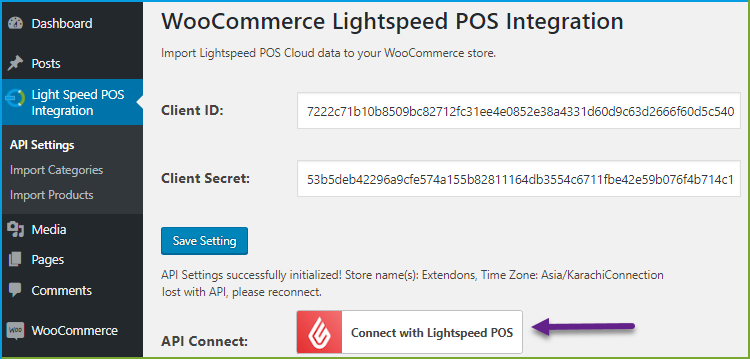
Integrate Lightspeed POS With WooCommerce Store
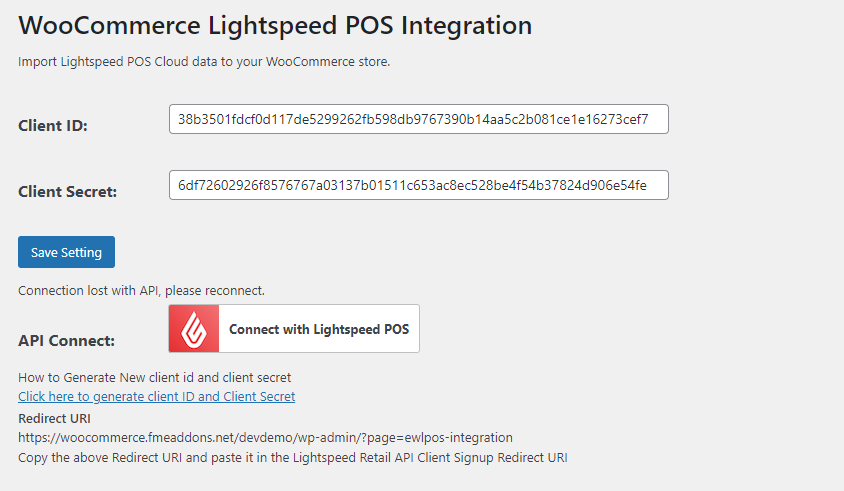
Lightspeed is used to manage the inventory of your store across multiple channels. So, with the lightspeed WooCommerce integration, you can integrate your WooCommerce store with lightspeed POS.
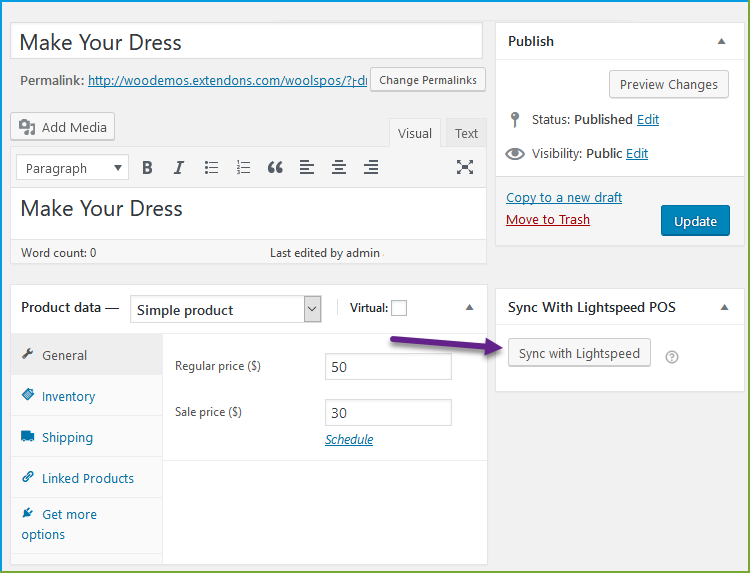
Synchronize Inventory Across Both System
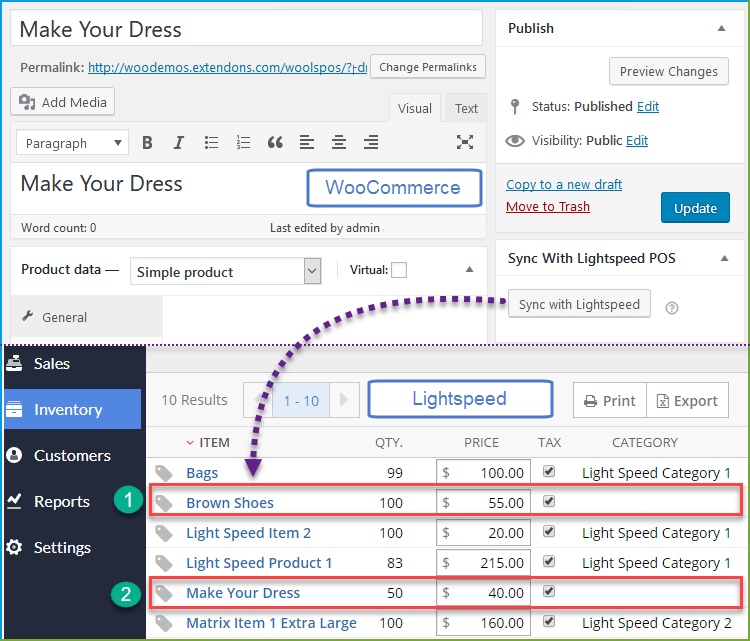
You can synchronize your WooCommerce products with woocommerce quick view to manage the inventory on both systems. For example, if the order is placed on WooCommerce, then stock inventory is updated in lightspeed POS and vice-versa.
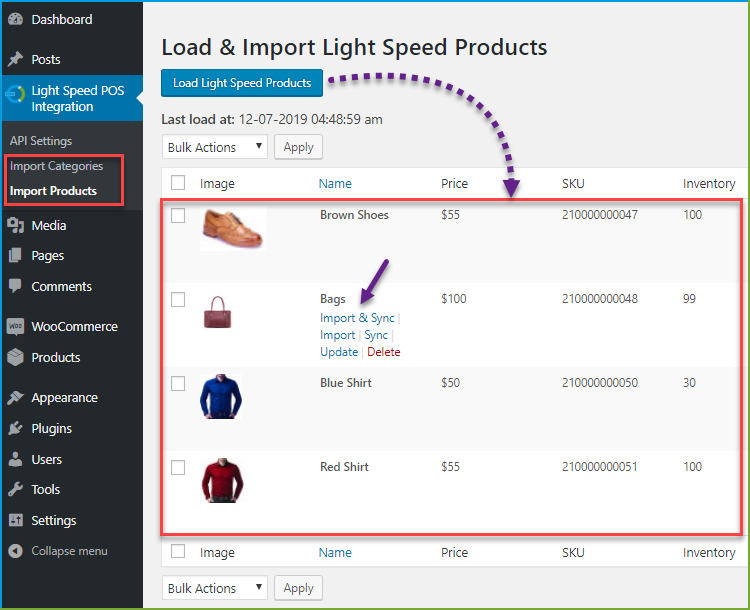
Import Products & Categories from Lightspeed to WooCommerce
The WooCommerce quick view plugin allows you to import products and categories from Lightspeed to your WooCommerce store in a single click.
Import Products from WooCommerce to Lightspeed
When you synchronize the WooCommerce products with lightspeed, it automatically imports the synchronized product to lightspeed.
Configure Multiple Stores to Lightspeed
WooCommerce lightspeed integration plugin also enables you to configure multiple stores with lightspeed, but it will synchronize only one store, which you have selected as a primary store.
FAQs
1. How does the plugin handle product synchronization between WooCommerce and Lightspeed POS?
Ans. Lightspeed WooCommerce ensures that product details, including titles, descriptions, and prices are synchronized in real-time between your WooCommerce store and Lightspeed POS.
2. Does the integration support the synchronization of product variations?
Ans. Absolutely! WooCommerce lightspeed POS supports the synchronization of product variations.
3. Can the WooCommerce Lightspeed integration plugin handle multiple Lightspeed stores?
Ans. Yes! You can configure multiple stores with lightspeed WooCommerce integration.
4. Are there any restrictions on the type or size of products that can be synchronized?
Ans. Lightspeed WooCommerce supports the synchronization of a wide range of product types and sizes, including variations.
Change Log
Version 1.0.5 Resolved the issue where product imports were limited to 100 items from the API.
Version 1.0.4 Made compatible with wordpress multisite
Version 1.0.3 1- Returns the incorrect count of products during the import added some new instructions in the configuration of this plugin. 1- How to create a client ID and Client secret 2- How to Add Redirect URI in the Lightspeed Retail API Client Signup Form
Version 1.0.2 minor issue resolved
Version 1.0.1 Connection lost with API issue resolved
0 average based on 2 ratings.

| Last Update | 2026-01-13 |
| Created | 2019-07-12 |
| Sales | 82 |
| Discussion | Comments |
| Compatible Browsers | IE10 IE11 Firefox Safari Opera Chrome Edge |
| Software Version | WordPress 5.8.x WordPress 5.7.x WordPress 5.6.x WordPress 5.5.x WordPress 5.4.x WordPress 5.3.x WordPress 5.2.x WordPress 5.1.x WordPress 5.0.x WordPress 4.9.x |
| Compatible With | |
| Gutenberg Optimized | |
| High Resolution | |
| Files Included | JavaScript JS HTML CSS PHP |
| Video Preview Resolution |


