WooCommerce Google Merchant Center Integration

Support available in Polish and English!
Jesteśmy polskim zespołem – zapraszamy do kontaktu/zgłaszania problemów po polsku!
 More customers will be able to find your product through Google search – it does increase your earnings!
 After creating your Merchant Account and uploading product feed your products will be shown in Google search results.

 1. Register your shop on https://merchants.google.com. Then skip the URL verification process.
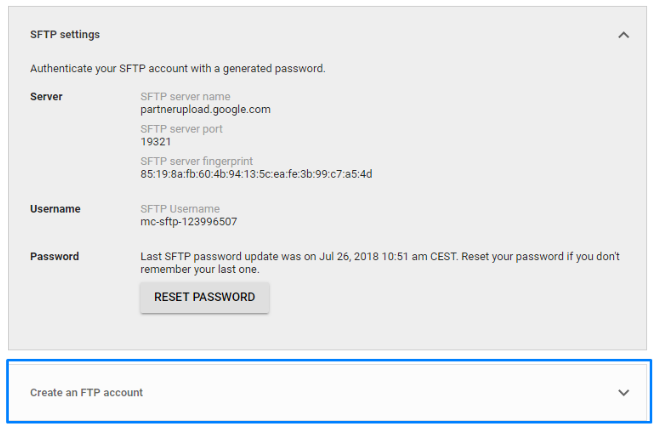
2. Using SFTP / FTP / GCS option in the settings menu (wrench icon) create your FTP account and reset password (you need to store it in secure place, because it is shown only once).
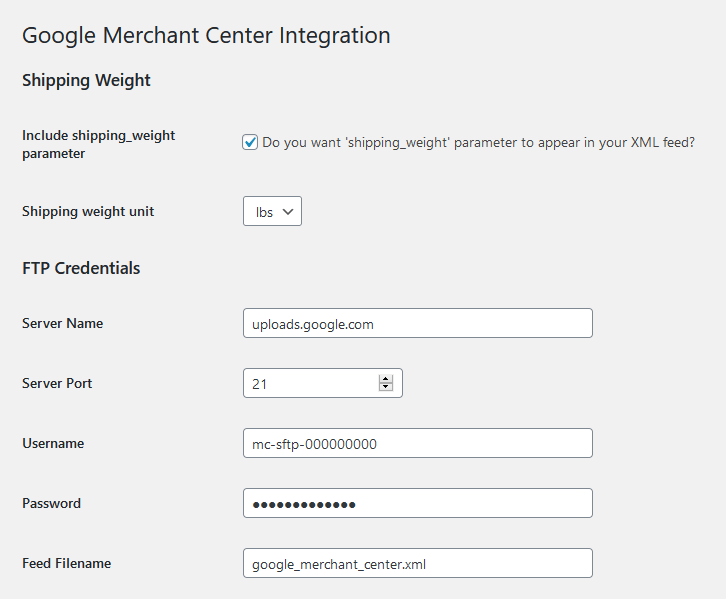
3. Copy FTP account credentials and place them on Google Merchant Center Integration plugin.
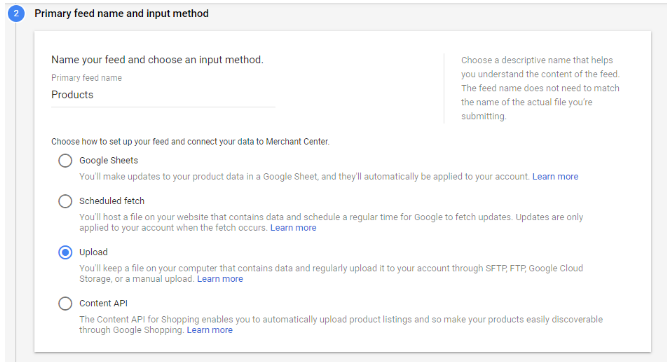
4. Register your product feed in your Google Merchant Center (Products > Feeds > Add primary feed). Then name your feed and choose an Upload input method.
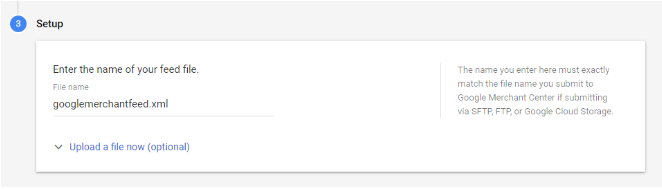
5. Enter the name of your feed file.
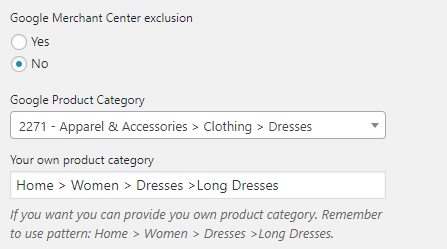
6. Go to Products > Categories subpage on your WordPress admin panel and you will see your WooCommerce categories. Choose a category and click “Edit”. You should change “Google Merchant Center exclusion” option to “No” if you want products from that category to be included in XML feed. Choose suitable Google Merchant category then. You can also provide your own product category or select automatic categorization which is done by Google.
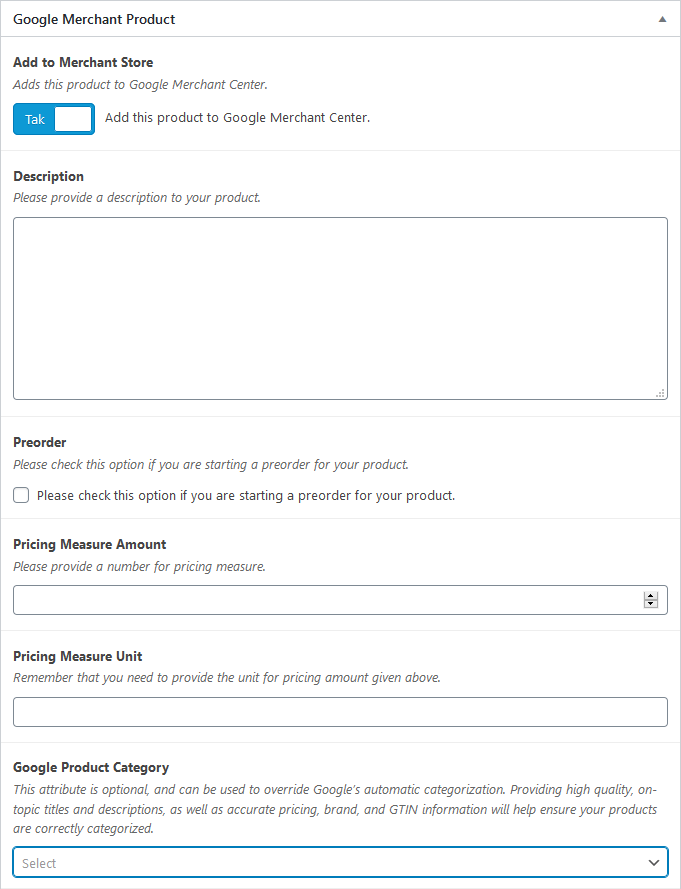
7. Alternatively you can choose a product on your store and provide data. For variable products, it is important to provide at least one of those: color, size, pattern, material, which should be names of attributes of product in WooCommerce.
8. Verify your website URL in your Google Merchant Center. In the settings menu (wrench icon) go to Business information > Website > HTML Tag.
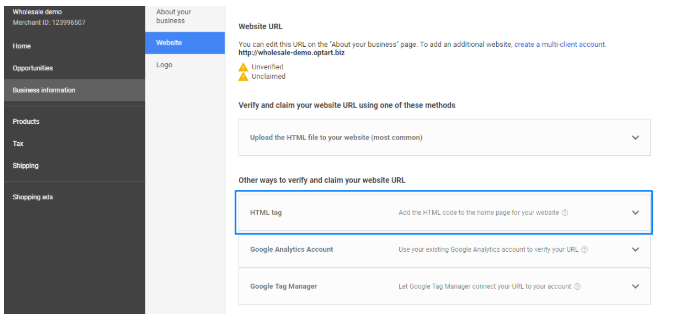
9. Copy the meta tag.
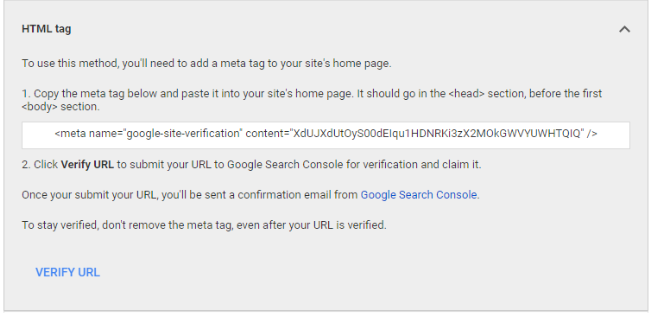
10. Paste it into plugin’s option page, save changes and click “Verify URL” button on your Merchant Account.

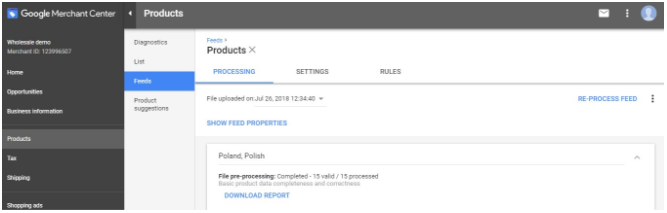
11. Feed is generated and sent via FTP with a given time interval. You can download uploaded XML file and check the status of processing the feed on your merchant account.
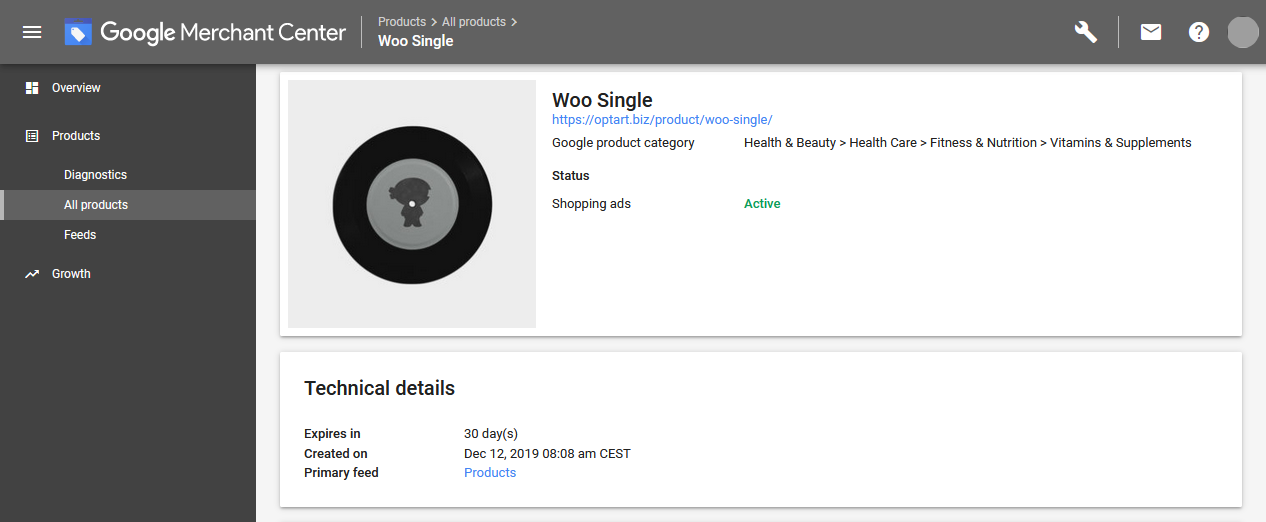
12. Products are listed in Products > All products section of your Google Merchant Center.
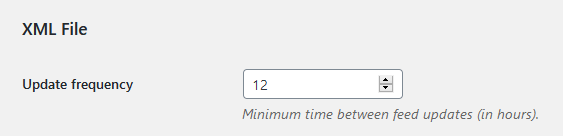
You can now specify how often (in hours) you want to send products’ feed to Google servers.


* 2.0.9 - 2020-04-29 * New: Variation description fallback to parent * New: Build-in ACF plugin update (5.8.9) * 2.0.8 - 2020-04-14 * Fix: Resolve some PHP warnings * 2.0.7 - 2020-03-20 * Fix: Product availability * Fix: Product description * 2.0.6 - 2020-03-11 * New: Button for manually update XML * Fix: Unit Pricing Measure * 2.0.5 - 2020-02-14 * New: Treat variable product as single product * Fix: Item Group ID * 2.0.4 - 2020-01-17 * Fix: Backward compatibility * 2.0.3 - 2020-01-14 * New: Improved CRON * Fix: XML update * 2.0.2 - 2020-01-02 * Fix: Google Product Category update when migrating from version before 2.0.0 * 2.0.1 - 2019-12-31 * Fix: HTML Tag field rendering * 2.0.0 - 2019-12-27 * New: Dynamic Google Merchant categories fetch * New: Google’s automatic categorization * New: Batch processing preventing timeouts and memory allocation issues * New: Native admin options page * New: Added namespaces * New: OOP with conflicts avoidence * New: Build-in ACF plugin update (5.8.7) * New: Change XML generation folder to uploads * Fix: Code optimalization * Fix: Fatal error during modification of product variations * Fix: Conflict with non-PRO ACF plugin * Fix: XML file compatibility with documentation * Fix: Password settings field changed to masked * Fix: Settings description * Fix: Alternative Image for product variation * Fix: Misspelling of field name * Fix: Product attributes in the output file (pattern, material) * Fix: File removal after sucessful upload * Fix: Minor fixes and improvements * 1.0.18 - 2019-11-12 * New: Sanitizing product title in the feed * New: Restrict product status to public for the feed * 1.0.17 - 2019-11-07 * New: Added custom filters for product description: 'gmc_product_description' and 'gmc_product_variant_description' * 1.0.16 - 2019-10-13 * New: Added custom alternative images for Google Merchant XML (single & variable product) * 1.0.15 - 2019-10-13 * Fix: Credentials showing up in user edit page. * 1.0.14 - 2019-06-02 * Fix: Invalid condition for variable products * 1.0.13 - 2019-05-15 * Fix: Fatal error when generating XML file in specific situations * 1.0.12 - 2019-03-21 * New: Replace JSON configuration with native PHP one * 1.0.11 - 2019-03-09 * Fix: Properly use main product image in export file * 1.0.10 - 2019-02-21 * Fix: Add items to Google Merchant by default (as expected from default_value in the product options) * 1.0.9 - 2019-01-18 * New: Added weight options to settings page * 1.0.8 - 2019-01-15 * New: Added shipping_weight parameter to sent XML file * 1.0.7 - 2019-01-09 * Fix: Eliminated invalid variable bug * 1.0.6 - 2019-01-03 * Fix: Eliminated invalid " " character caused by HTML description format * 1.0.5 - 2018-12-27 * Fix: Changed settings options visibility to admin only * 1.0.4 - 2018-12-15 * New: Added frequency option * 1.0.3 - 2018-08-17 * New: Made site verification by html tag optional * 1.0.2 - 2018-08-16 * Fix: Cron event not created * 1.0.1 - 2018-08-13 * Fix: Not showing up settings' fields * 1.0.0 - 2018-07-30 * New: Initial version
3.7 average based on 7 ratings.

| Last Update | 2020-04-30 |
| Created | 2018-08-10 |
| Sales | 128 |
| Discussion | Comments |
| Compatible Browsers | |
| Software Version | WordPress 5.4.x WordPress 5.3.x WordPress 5.2.x WordPress 5.1.x WordPress 5.0.x |
| Compatible With | WooCommerce 4.0.x WooCommerce 3.9.x WooCommerce 3.8.x WooCommerce 3.7.x WooCommerce 3.6.x WooCommerce 3.5.x WooCommerce 3.4.x WooCommerce 3.3.x |
| Gutenberg Optimized | No |
| High Resolution | |
| Files Included | JavaScript JS CSS PHP |
| Video Preview Resolution |


