WooCommerce Gift Card


WooCommerce Gift Card
Sell gift cards your customers will actually want to send. Turn any product in your shop into a gift card, and let happy customers bring new ones through the door for you. It is a complete, modern gift card platform for WooCommerce: unique codes, QR codes and barcodes, printable PDFs, real balance tracking, scheduled delivery, and an admin that finally feels premium.
See it in action: use the Live Preview, Screenshots and Video Preview buttons above.
Version 3.0 is here, our biggest update yet
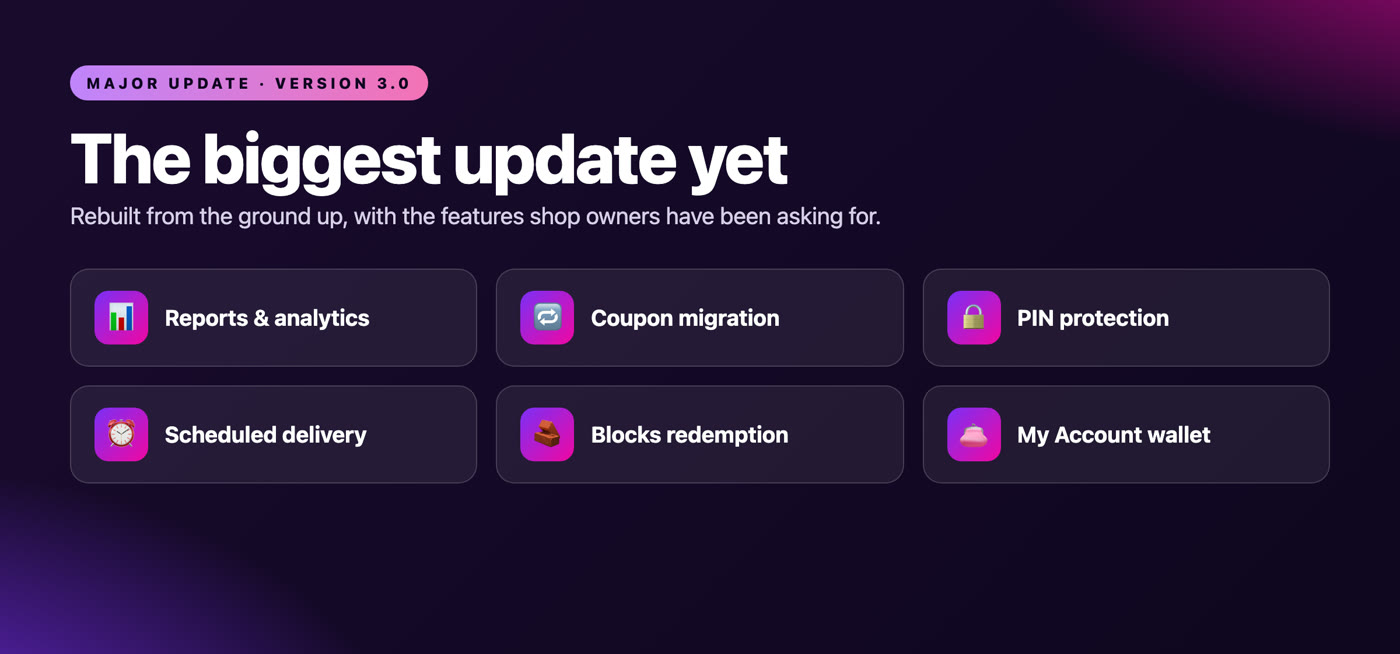
This release is a ground up rewrite on a modern, namespaced codebase, packed with the features shop owners have been asking for. A full reports and analytics dashboard. A coupon migration tool. PIN protected redemption. Scheduled delivery. A My Account wallet. And a proper gift card field in both the classic and the block based checkout. It is faster, safer, and far nicer to use.

Why shop owners choose it
Most gift card plugins bolt a coupon onto an email and call it a day. This one was rebuilt from the ground up for 2026: proper balance tracking, a redemption field your customers can actually find, emails you can personalise without touching code, and reporting that tells you how much you have sold and how much is still waiting to be spent. It works with classic and block based checkout, it is fully compatible with High Performance Order Storage, and it does not slow your shop down.
Everything you get
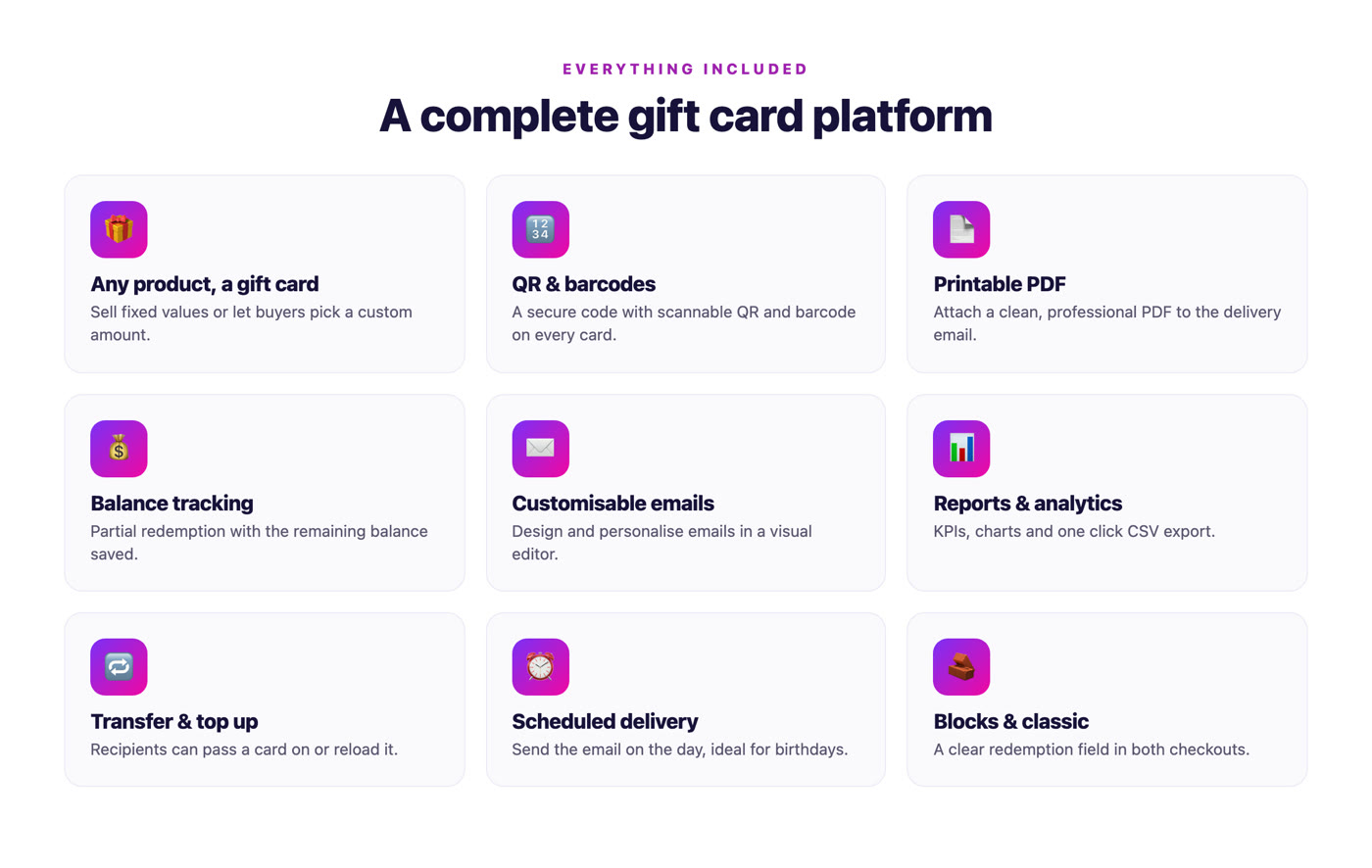
- Any product becomes a gift card. Tick one box on a simple product and you are selling gift cards. Offer fixed values, or let buyers choose their own amount.
- Unique codes with QR and barcodes. Every card gets a secure, one of a kind code, along with a scannable QR code and barcode for in store redemption.
- Printable PDF gift cards. Attach a clean, professional PDF to the email so the recipient can print or gift it.
- Real balance tracking. Spend part of a card and the rest is saved for next time. Customers always see what they have left.
- A redemption field people can find. A clear “Have a gift card?” box at checkout applies the balance instantly, in both the classic and the block based checkout.
- Beautiful, customisable emails. Design and personalise your delivery emails in a built in visual editor, and assign a different template per product for birthdays, holidays or thank you notes.
- Scheduled delivery. Buying a birthday present early? Schedule the email to arrive on the day.
- Transfer and top up. Recipients can pass a card on to someone else, or reload it with more funds.
- PIN protection. Optionally require a PIN at redemption for extra peace of mind.
- My Account wallet. Customers view balances, see their history, claim a card by code, and manage everything from their account area.
- Reports and analytics. A tidy dashboard of total issued, redeemed, outstanding balance and active cards, with issued versus redeemed charts and a value breakdown. Export to CSV in one click.
- Coupon migration tool. Moving from an older setup? Import your legacy gift card coupons into the new system, with a rollback option if you change your mind.
- Built for modern WooCommerce. High Performance Order Storage compatible, block cart and checkout ready through the Store API, and translation ready.
- Developer friendly. Clean PSR-4 code, sensible action and filter hooks, and overridable email templates.
⚙️ How it works
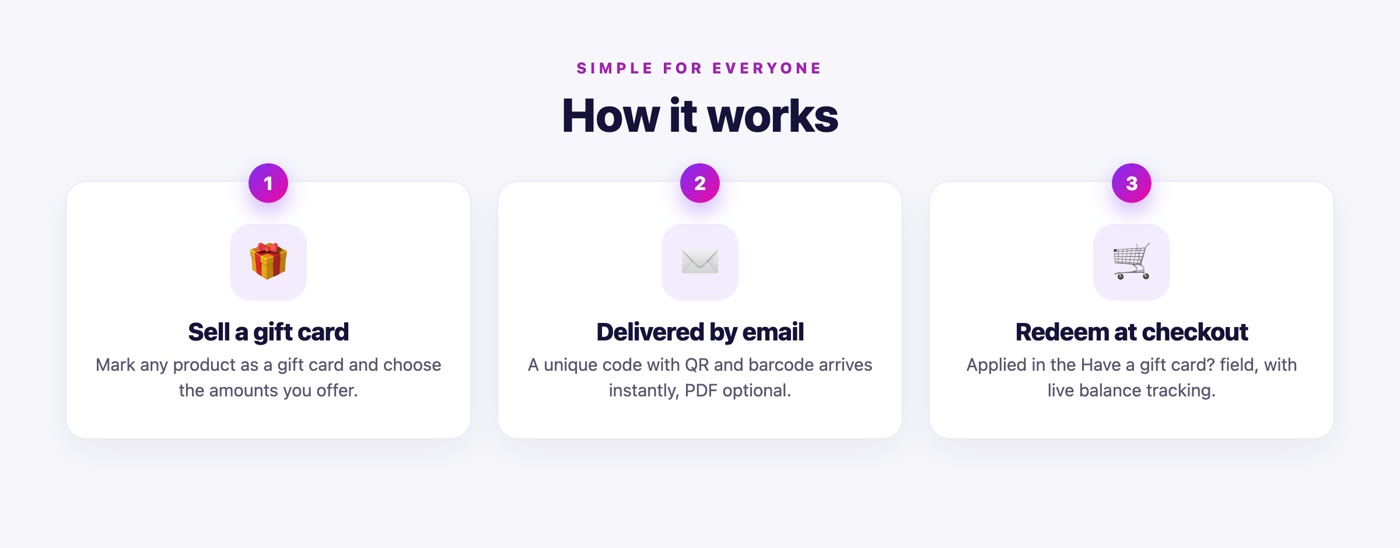
- Create a product and mark it as a gift card.
- Your customer buys it and adds the recipient’s details.
- A unique code, with QR code and barcode, is generated automatically.
- A beautifully designed email lands in the recipient’s inbox.
- They enter the code in the “Have a gift card?” field at checkout, and any remaining balance is saved for later.
✨ What’s new in version 3.0
- Complete rewrite on a modern, namespaced architecture with PSR-4 autoloading
- Reports and analytics dashboard with CSV export
- Dedicated “Have a gift card?” redemption field for classic and block based checkout
- QR codes and barcodes on every card, plus printable PDF gift cards
- Multiple customisable email templates with a visual editor
- Gift card transfer, balance top up and scheduled delivery
- My Account wallet, claim a card by code, and optional PIN protection
- Legacy coupon migration tool, with automatic data migration on upgrade
- Full High Performance Order Storage compatibility and security hardening throughout
Changelog
Version 3.0.0 (30 July 2026) ----------------------------- + Major release: complete rewrite on a modern PHP architecture (PSR-4, Composer) + New: reports and analytics dashboard with CSV export + New: dedicated gift card field for classic and block based checkout (Store API) + New: coupon migration tool with automatic data migration on upgrade + New: PIN protected redemption, scheduled delivery and My Account wallet + QR codes, barcodes, printable PDFs, custom amounts and real balance tracking + Multiple customisable email templates with a visual editor + Full High Performance Order Storage compatibility + Security hardening throughout, with safe, idempotent redemption and refunds + New minimum requirements: PHP 7.4, WordPress 6.0, WooCommerce 7.0 Version 2.3 ----------- + WooCommerce 4.0 compatibility and PHP 7.2 support Version 2.2 ----------- + WooCommerce 3.x compatibility and more reliable coupon generation Version 2.1 ----------- + Resend gift card emails from the order admin, plus email template fixes Version 2.0 ----------- + New email template system and barcode generation for coupon codes
✅ Requirements
- PHP 7.4 or newer
- WordPress 6.0 or newer
- WooCommerce 7.0 or newer (High Performance Order Storage compatible)
Support and updates
The plugin ships with clear documentation and receives regular updates for new WordPress and WooCommerce releases. Existing customers upgrade with no manual steps: your legacy gift card data is migrated automatically. If you get stuck, we are happy to help. Buy once, own it, and keep it up to date.
Give your customers a gift worth giving, and give yourself a gift card system worth running.
3.1 average based on 60 ratings.

| Last Update | 2026-08-10 |
| Created | 2013-11-27 |
| Sales | 1632 |
| Discussion | Comments |
| Compatible Browsers | |
| Software Version | WordPress 7.0.x WordPress 6.9.x WordPress 6.8.x WordPress 6.7.x WordPress 6.6.x WordPress 6.5.x WordPress 6.4.x WordPress 6.3.x WordPress 6.2.x WordPress 6.1.x WordPress 6.0.x WordPress 5.9.x |
| Compatible With | |
| Gutenberg Optimized | No |
| High Resolution | |
| Files Included | PHP |
| Video Preview Resolution |


