WooCommerce Delivery Schedular - Delivery Date & Time Slots
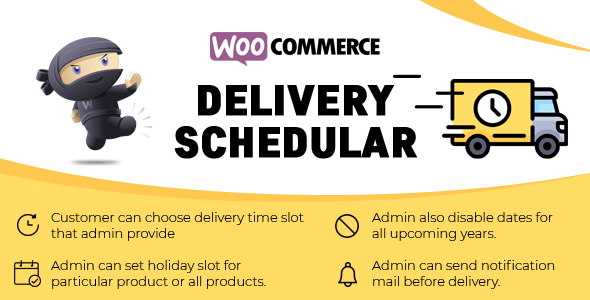

WooCommerce Delivery Scheduler
Improve your customer service by delivering on their chosen date & time slots.
As an administrator, you can provide delivery days or dates or dates range and time slot to the customer. Customers can select any delivery day or date or date range and time slot that you provide. Administrator has a rights to enable or disable delivery days or dates or dates range for all products or particular product.
Features
✔  Customer can choose Product Delivery Date and Delivery Time Slot provided by admins on the checkout page.
✔ Admin can Set Holidays or Days on which you do not deliver the products.
✔ Admin can enable or disable setting to display selected delivery date information on cart and checkout page .
✔ Admin can enable or disable delivery calender on shop .
✔ Admin can enable or disable delivery calender on product page.
✔ Admin can set delivery date range for particular or all products.
✔ Admin can send notification mail before delivery.
✔ The customer can choose a delivery date , day and date range on the WooCommerce product page.
✔ The customer can choose delivery date that site administrator provide.
✔ The site administrator can enable or disable the delivery date,day and date range for particular product or for all products.
✔ The site administrator can enable or disable setting to display delivery text of selected date on cart and checkout page
✔ If no date selected by customer then it displays delievery range text on cart and checkout page.
Benefits
✔ Makes it easy to customer for select delivery date.
Compatibility
✔ Compatible with Wordpress 3.8+
✔ Compatible with WooCommerce 2.0+
FAQ’s
✔ Setup the delivery dates plugin for all products.
To configure the the delivery date plugin for all products you need to go into your Admin Panel > Delivery Dates Dashboards > You can enable and disable delivery dates and days
✔ Setup the delivery dates plugin for Single Products.
To configure the the delivery date plugin for all products you need to go into your product editor > Delivery date metabox > Click on override global setting and select days or dates.
✔ Does plugin require any special Permission?
No special permissions required.
✔ Does plugin depend on any another plugin?
Yes, Woocommerce plugin is required.
Have any Question?
Feel free to ask our Support if you looking for any additional features Or have Pre-Sale Question for Delivery Date Plugin
For Free configuration support send request to Skype: techspawn1 or Email to support@techspawn.com
Read more about us at: www.techspawn.com



Changelog
====== = Version 1.2.3 = Fix : Settings section not working = Version 1.2.2 = Fix : Minor issue fixes. = Version 1.2.1 = Add : Postal Code Feature. Add : Customer can Enable or disable Postal Code settings. = Version 1.2.0 = Add : Customer can Enable or disable Delivery Calender on shop and product page. Add : Allow customer to select Delivery Date from shop page. Add : Allow customer to select Delivery Date range for product. Add : Allow customer to select multiple Delivery date ranges and display all the date ranges on cart and checkout page. Add : Display Delivery Date Range or Delivery Days on cart and checkout page if no date selected. Add : Customer can enable or disable Delivery date Text on cart and checkout page. Fix : Minor issue fixes. Fix : Minor issues related with UI. = Version 1.1.0 = Fixes: Minor Issues related to Datepicker. = Version 1.0.0 = New: Initial Release.
$49 |
Download |
5 average based on 3 ratings.

| Last Update | 2020-12-10 |
| Created | 2019-06-28 |
| Sales | 29 |
| Discussion | Comments |
| Compatible Browsers | Firefox Safari Chrome Edge |
| Software Version | WordPress 6.0.x WordPress 5.9.x WordPress 5.8.x WordPress 5.7.x WordPress 5.6.x WordPress 5.5.x WordPress 5.4.x WordPress 5.3.x WordPress 5.2.x WordPress 5.1.x WordPress 5.0.x |
| Compatible With | WooCommerce 6.x.x |
| Gutenberg Optimized | Yes |
| High Resolution | Yes |
| Files Included | JavaScript JS HTML CSS PHP SQL |
| Video Preview Resolution |


