Business, Wedding Card & Flyer Designer for WooCommerce

Create Personalized Cards for your Customers with WooCommerce Business, Wedding Card & Flyer Designer Plugin!
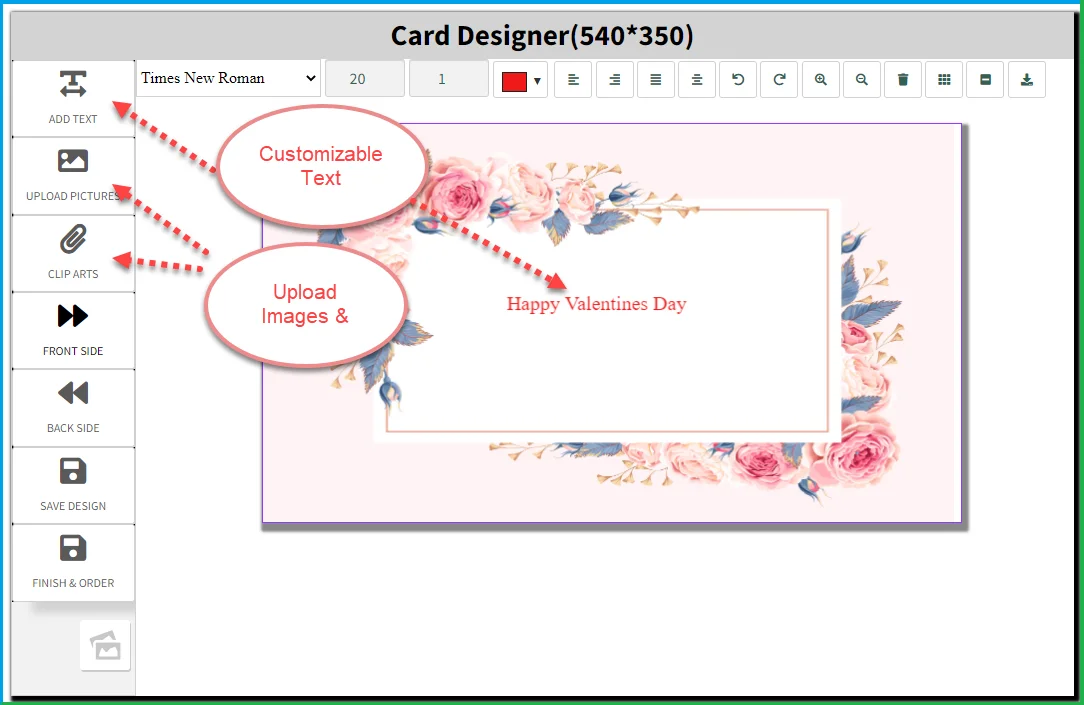
Let customers design and personalize business cards, wedding cards, and flyers directly from your WooCommerce store. They can add text, choose clipart, upload images, and select from ready-made templates to create print-ready designs without any external tools.
The plugin supports two-sided customization so that customers can design both the front and back of a card or flyer. You can upload multiple templates, build a categorized clipart gallery, and let customers save their progress and come back to finish their design.
Features
- Allow Customers to Personalize Cards and Flyers with Text, Clipart, and Images.
- Upload and Categorize Clipart for Easy Selection.
- Support Two-Sided Design for Front and Back Customization.
- Upload Multiple Templates for Customers to Choose From.
- Let Customers Save Their Design and Continue Editing Later.
- Supports Business Cards, Wedding Cards, and Flyers.
Enable customers to design and customize products, Try our WooCommerce Product Designer Plugin
Allow Customers to Personalize Cards and Flyers
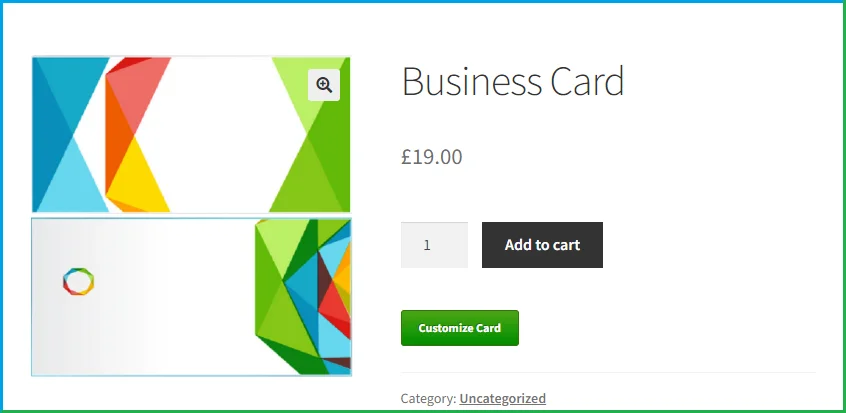
Customers can customize business cards, wedding cards, and flyers by adding text, selecting clipart, and uploading their own images. They can start from a pre-built template and modify it to match their specific requirements, creating a print-ready product directly from the product page.
Add and Categorize Clipart to Facilitate Design Customization
You can build a clipart gallery and organize it into categories to make it easier for customers to browse and find what they need. A well-organized clipart library speeds up the design process and gives customers more options to work with when personalizing their cards or flyers.
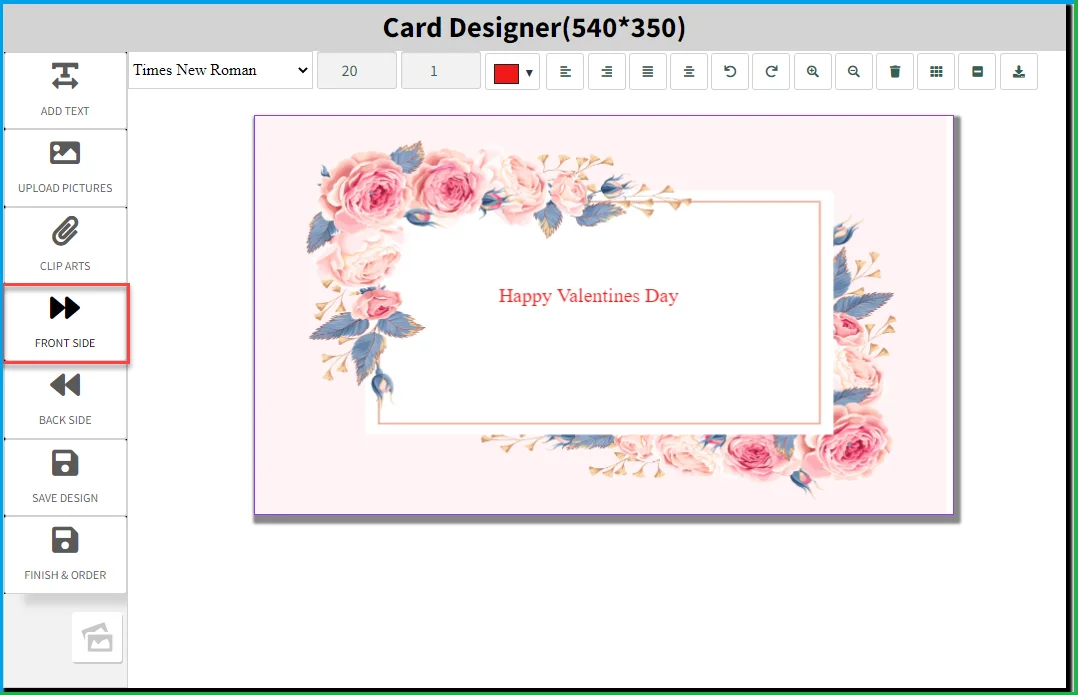
Customers Can Design the Cards from Front and Backside
The plugin supports two-sided product customization. Customers can select separate templates for the front and back of a business card, wedding card, or flyer, giving them full control over how both sides of the printed product look.
Upload Multiple Card Templates for Customers to Select
You can upload a range of card and flyer templates for customers to choose from as a starting point for their design. Having multiple templates available makes it easier for customers to find a layout that fits their occasion and reduces the time they spend designing from scratch.
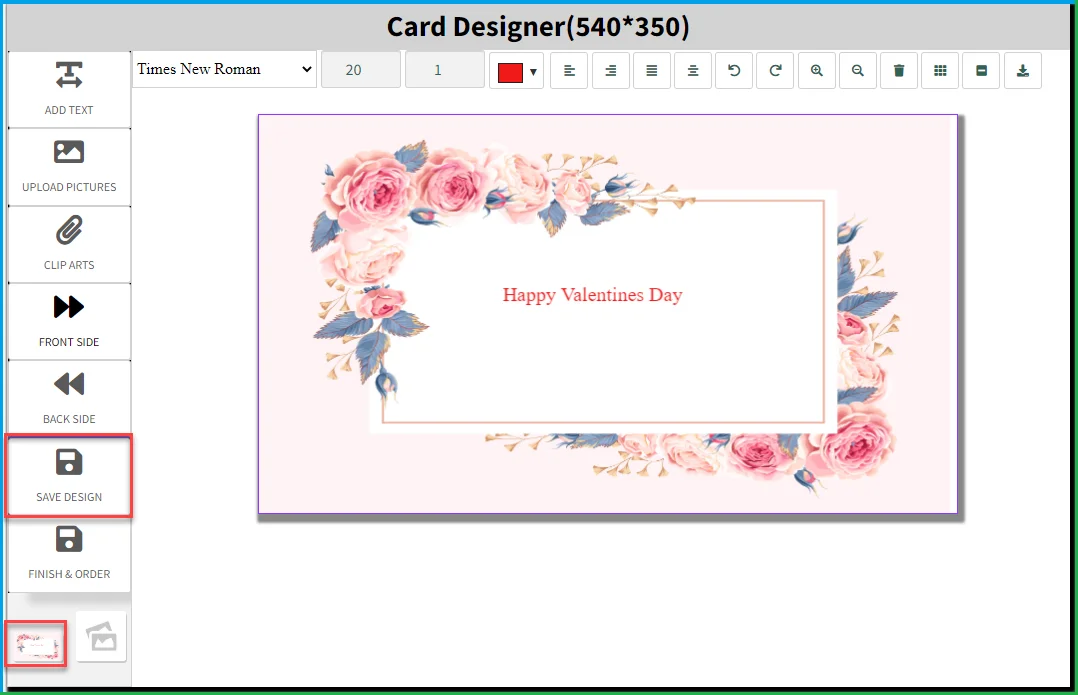
Customers can Save and Continue Editing the Design
Customers can save their design at any point and return to it later to continue editing. A mini preview displayed on the canvas gives them a quick overview of the current design so they can review their progress and make adjustments before finalizing the print copy.
FAQs
1. Can I set specific design options and templates for different products with WooCommerce business card & flyer design?
Ans. Yes, you can set specific templates for the customers as product and allow them design.
2. Can customer design both sides?
Ans. Yes, WooCommerce business card designer allows customers can design front and back both sides of the cards.
3. Can customers upload their own images for customization?
Ans. Absolutely! WooCommerce business card & flyer design supports image uploads, allowing customers to personalize their designs with their own images.
4. What type of options are available for customization?
Ans. You can customize the template with the help of text options, clipart’s and upload image images.
Change Log
Version 1.0.6 Compatible with HPOS Compatible with multisite
Version 1.0.5 Minor Issues Resolved
Version 1.0.4 UI DESIGN CHANGED ISSUES FIXED SOME IMPROVEMENTS
Version 1.0.3 Updated Add text issue fixed for mobile devices Bug fixes and improvements
Version 1.0.2 Updated Icons Issues Resolved Jquery Issues Resolved
Version 1.0.1 Updated Fixed Customization Button Issue Other Bugs
Version 1.0.0 Initial Release
5 average based on 5 ratings.

| Last Update | 2026-01-13 |
| Created | 2018-02-28 |
| Sales | 142 |
| Discussion | Comments |
| Compatible Browsers | IE10 IE11 Firefox Safari Opera Chrome Edge |
| Software Version | WordPress 6.9.x WordPress 6.8.x WordPress 6.7.x WordPress 6.6.x WordPress 6.5.x WordPress 6.4.x WordPress 6.3.x WordPress 6.2.x WordPress 6.1.x WordPress 6.0.x WordPress 5.9.x WordPress 5.8.x WordPress 5.7.x WordPress 5.6.x WordPress 5.5.x WordPress 5.4.x WordPress 5.3.x WordPress 5.2.x WordPress 5.1.x WordPress 5.0.x WordPress 4.9.x |
| Compatible With | WooCommerce 9.x.x WooCommerce 8.x.x WooCommerce 7.x.x WooCommerce 6.x.x WooCommerce 5.x.x WPML |
| Gutenberg Optimized | No |
| High Resolution | No |
| Files Included | JavaScript JS HTML CSS PHP |
| Video Preview Resolution | 1050x650 |


