WooCommerce CAPTCHA - reCAPTCHA / Turnstile / hCaptcha for Checkout | Card Testing Protection


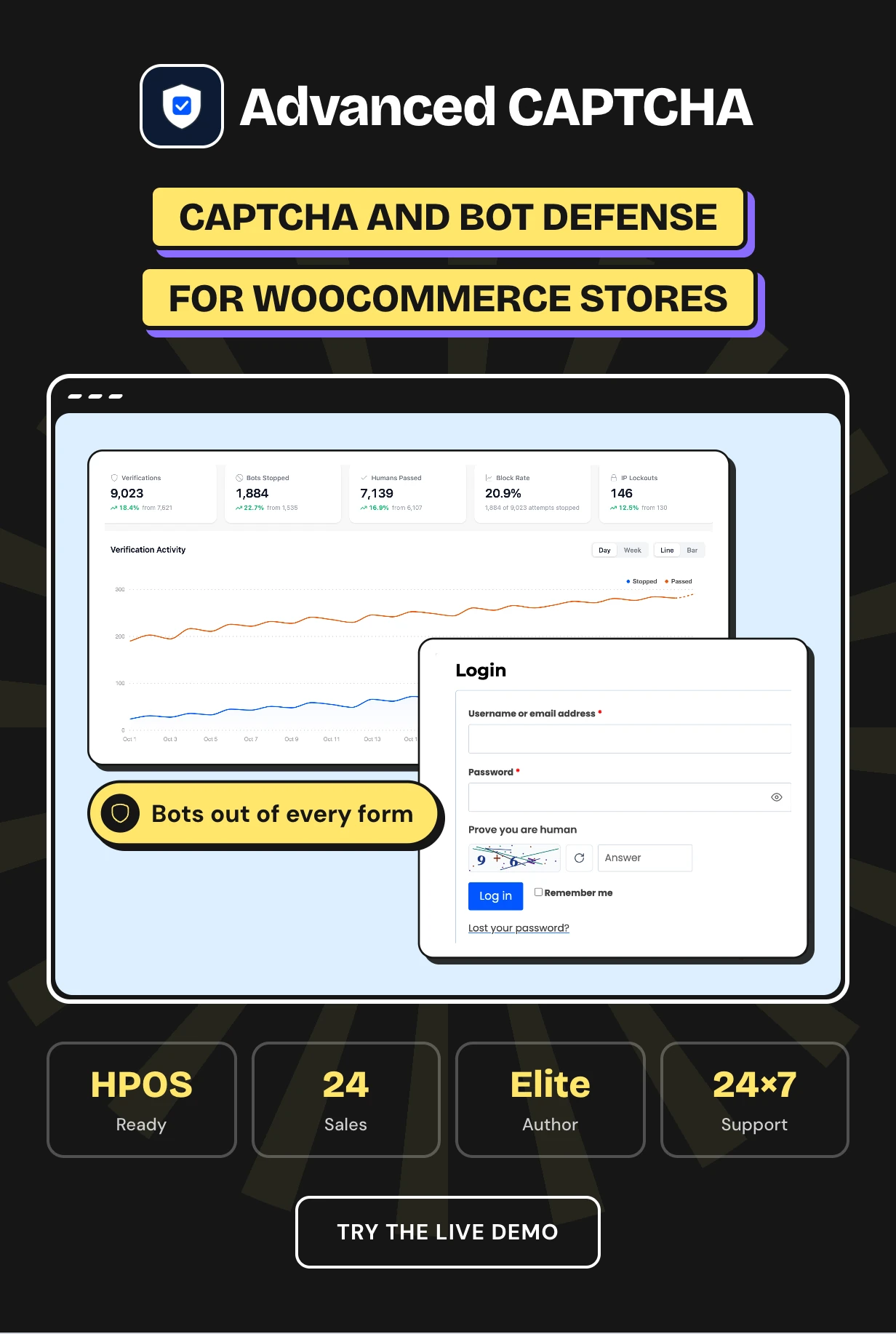
Advanced CAPTCHA is a WooCommerce CAPTCHA plugin that keeps bots off your login, registration, reviews, contact forms and checkout. Pick the built-in CAPTCHA, Cloudflare Turnstile, Google reCAPTCHA or hCaptcha. Then lock out the IPs that keep attacking.
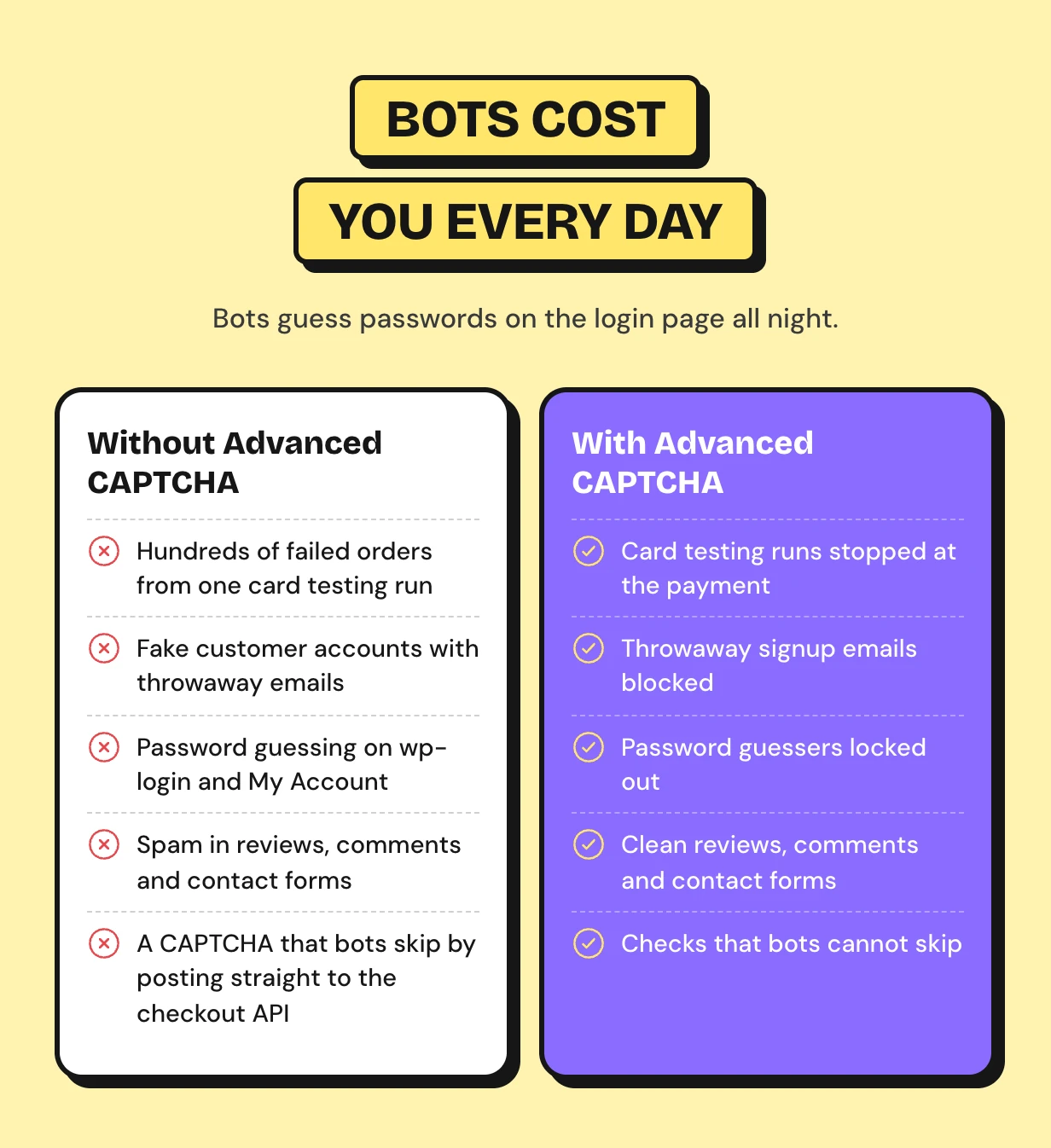
WooCommerce has no CAPTCHA of its own. Card testers push stolen cards through checkout and bots fill your customer list with fake accounts. A plain CAPTCHA on the page is also skipped by bots that post straight to the checkout API.
It works as a WooCommerce checkout CAPTCHA, as reCAPTCHA for WooCommerce and as a reCAPTCHA alternative with no keys. Brute force lockout, a disposable email guard and a full log of every check come in the same download.
Every plan and the latest features: Advanced CAPTCHA plugin page




Bots attack every form on a WooCommerce store
Bots guess passwords on the login page all night. They fill your customer list with fake accounts and your reviews with links.
The costly attack is at checkout. Card testers push hundreds of stolen cards through your gateway to find the ones that work. Every failed charge can cost a fee and puts your merchant account at risk.
How the WooCommerce CAPTCHA protects each form
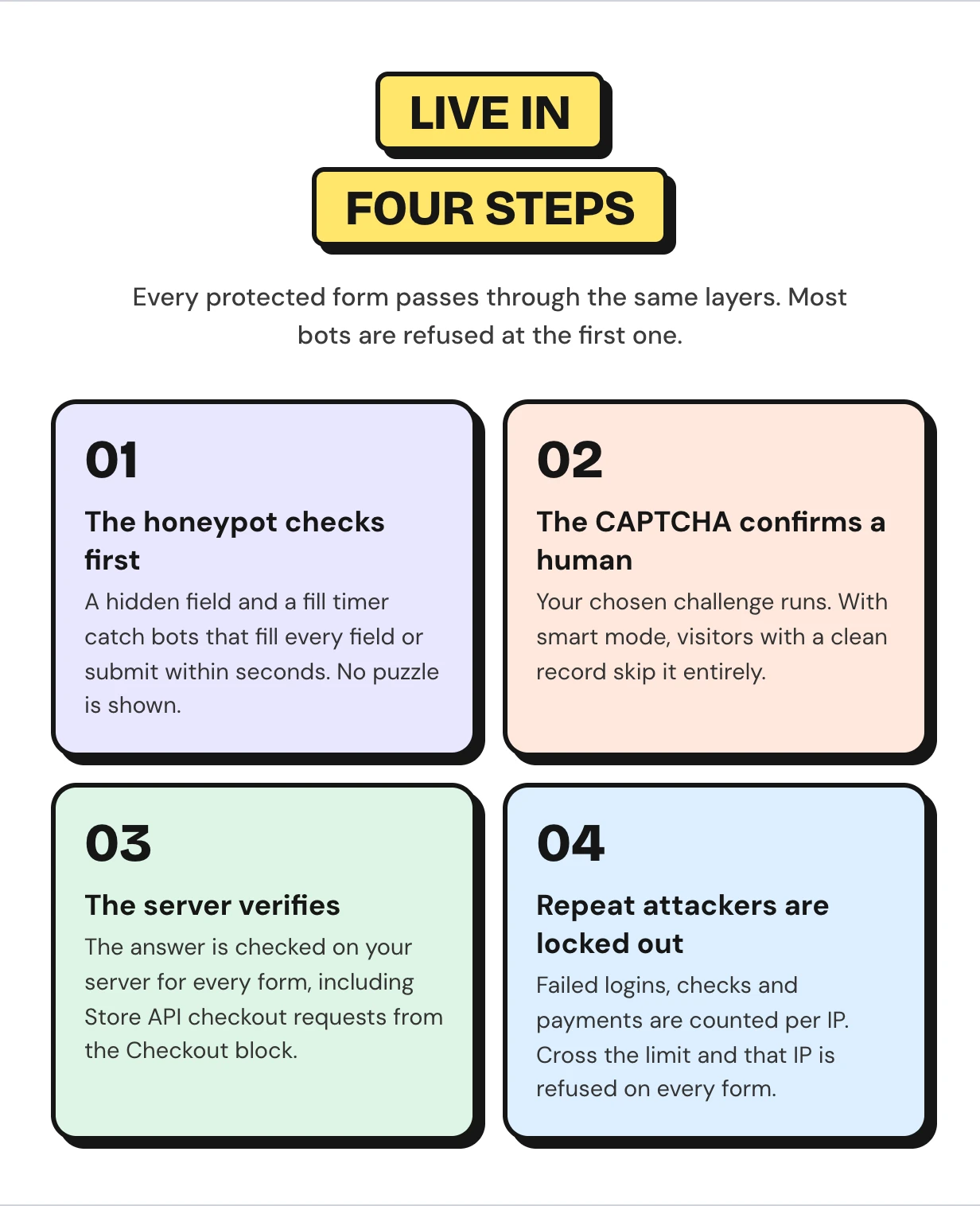
Every protected form passes through the same layers, and most bots are refused at the first one. The setup wizard picks a provider and the forms to protect on first activation.
WooCommerce CAPTCHA features
Every feature below ships in this one download. Run it as WooCommerce Google reCAPTCHA or WooCommerce Cloudflare Turnstile, or keep every check on your own server. The fraud tools and reports come with it.
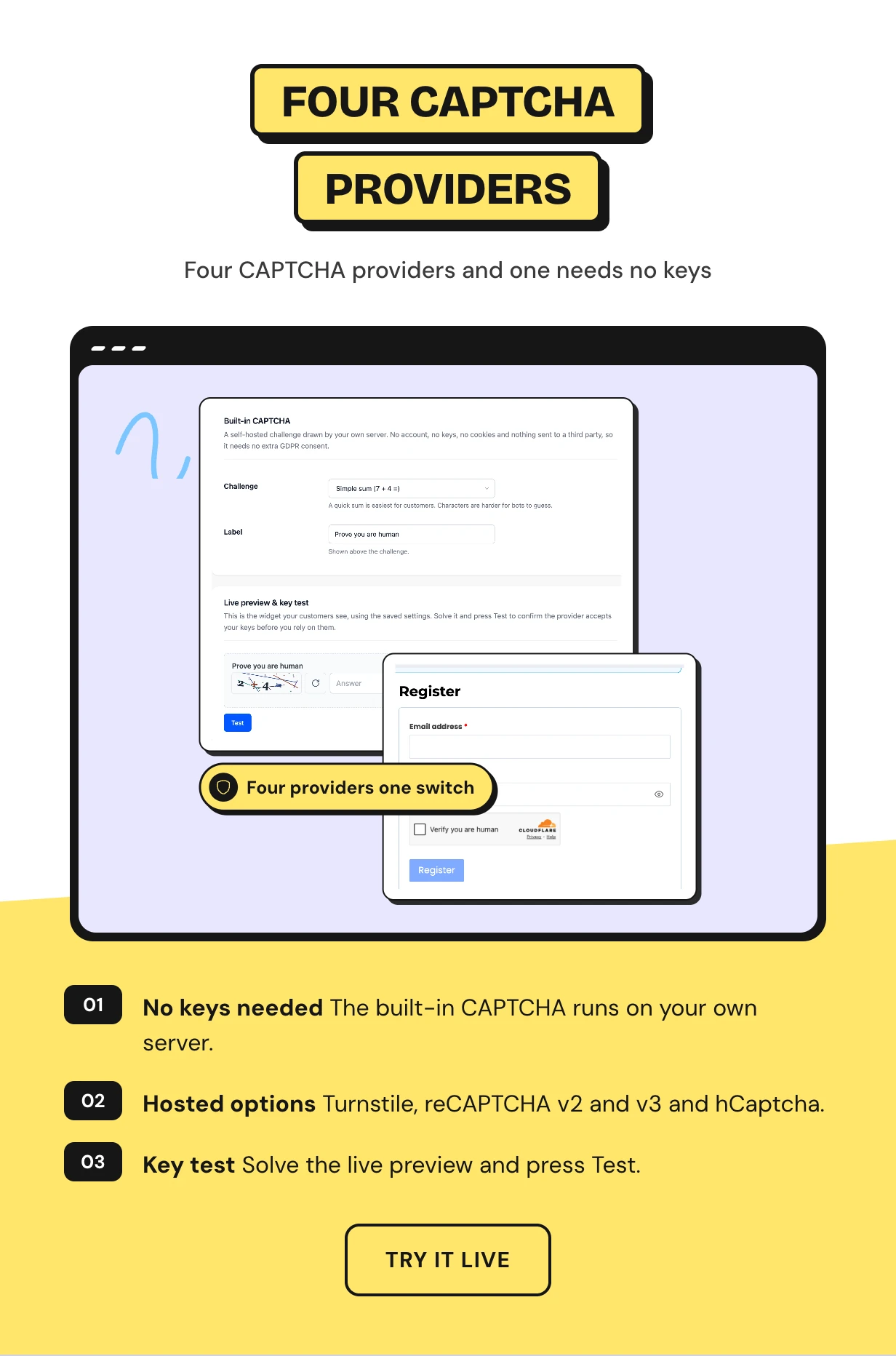
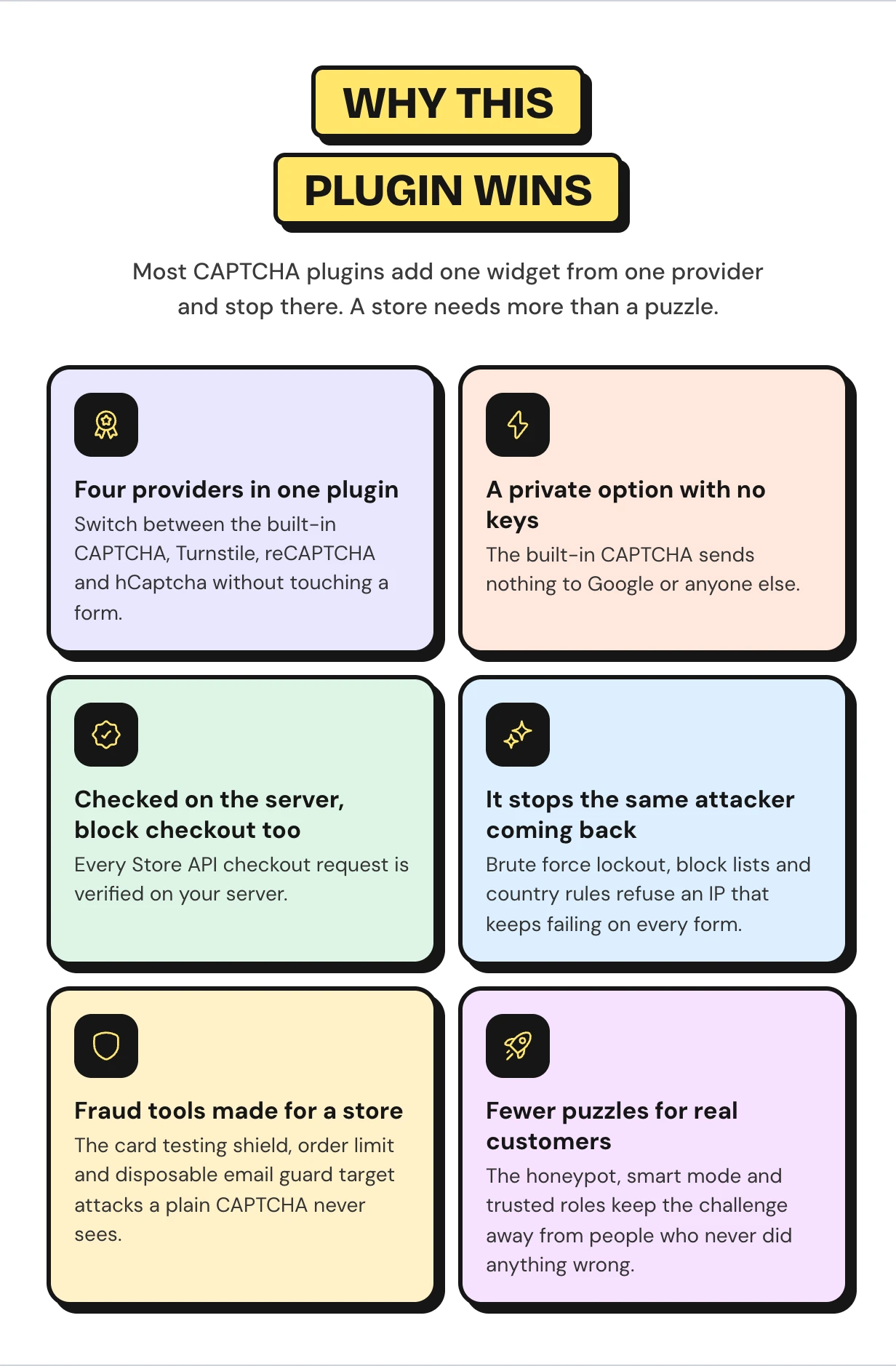
Four CAPTCHA providers including a reCAPTCHA alternative with no keys
The built-in CAPTCHA is drawn by your own server. It needs no account and no keys, and sends nothing to a third party.
Prefer a hosted check? Switch to Cloudflare Turnstile, Google reCAPTCHA v2 or v3, or WooCommerce hCaptcha at any time. Each tab has a live preview and a Test button for your keys.
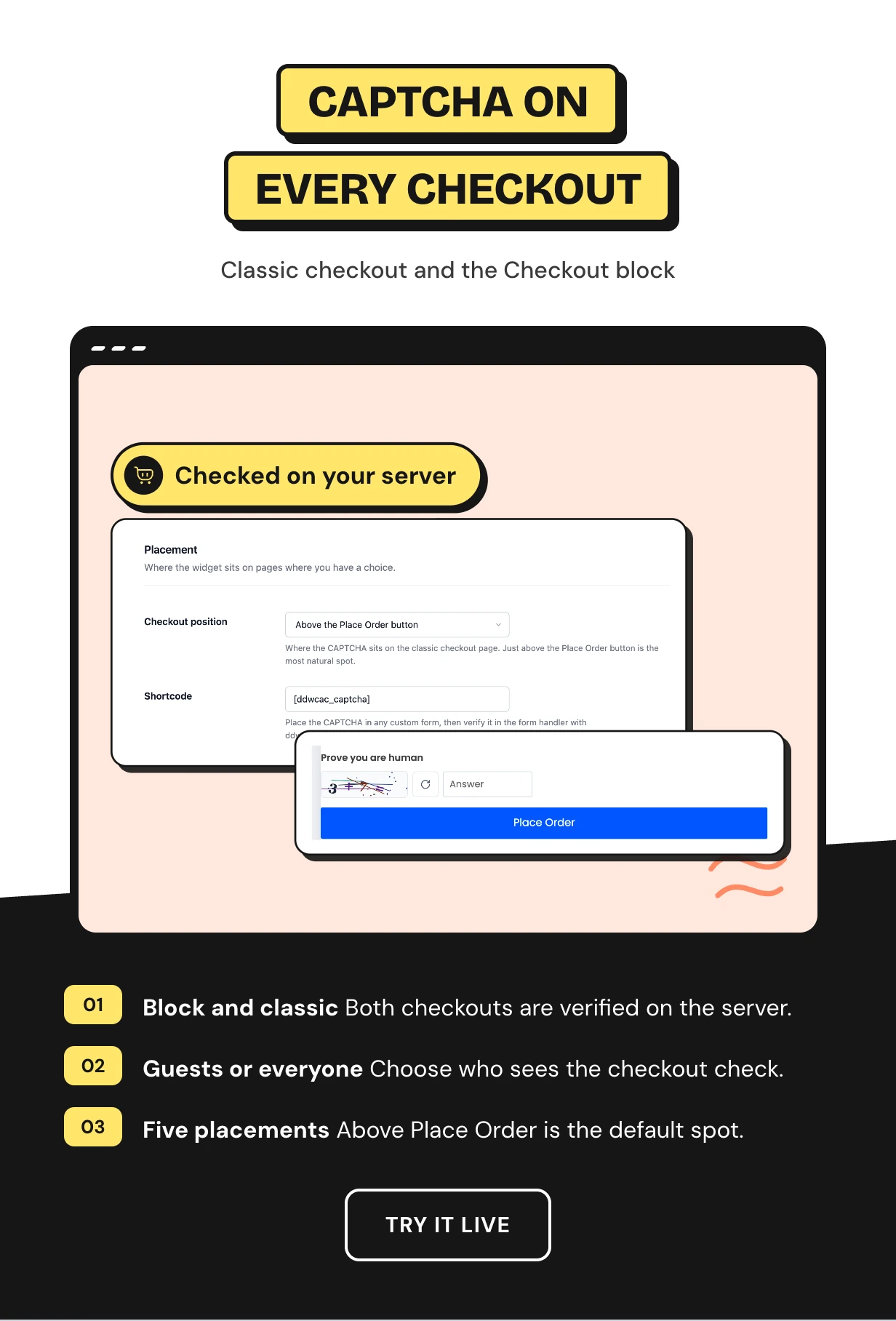
A WooCommerce checkout CAPTCHA for classic and block checkout
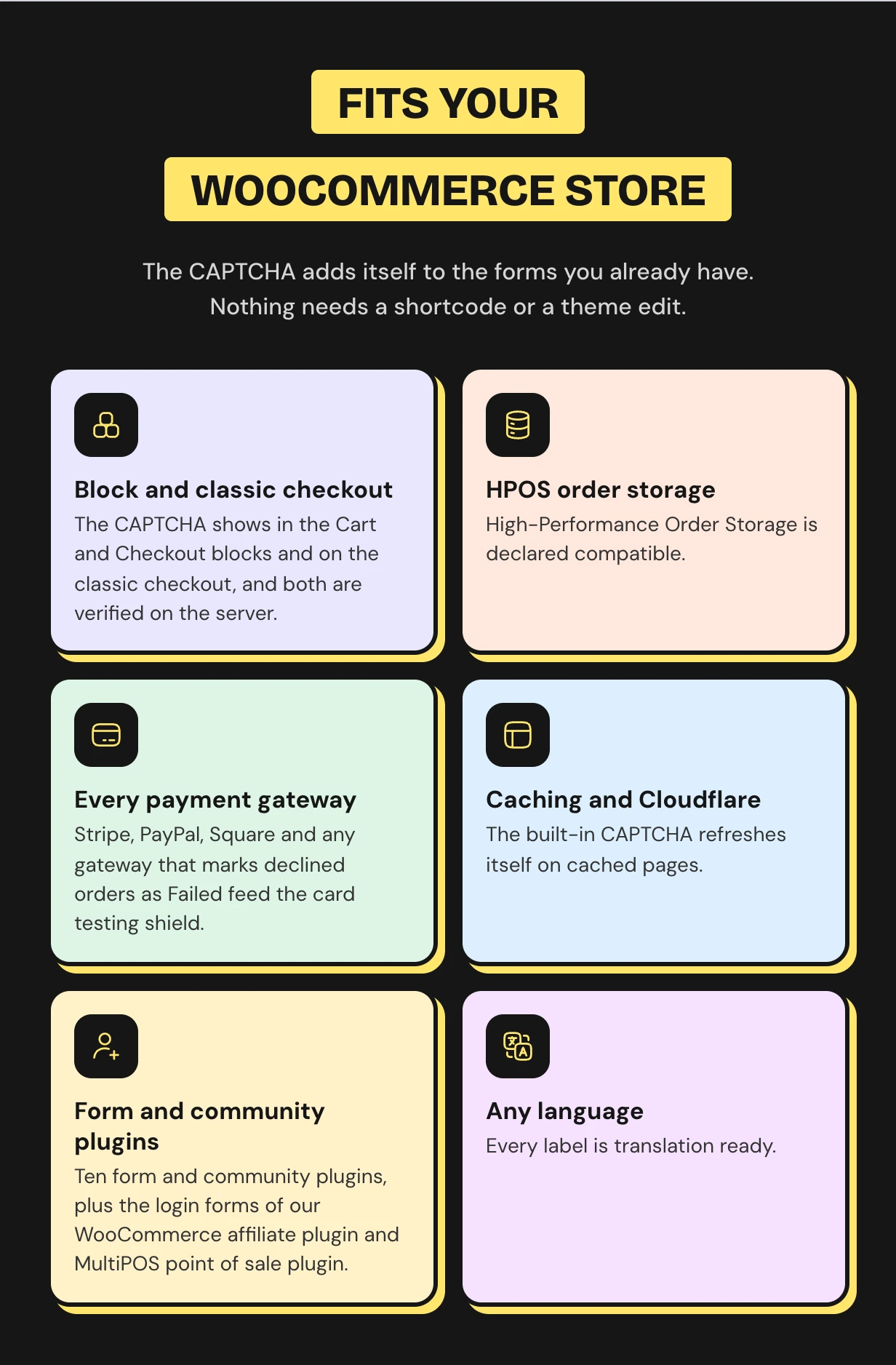
Protect guest checkout only, or every customer. On the Checkout block the answer is checked through the Store API on your server.
That closes the gap where bots skip a CAPTCHA by posting straight to the API. On the classic checkout, place the CAPTCHA above Place Order or in four other spots.
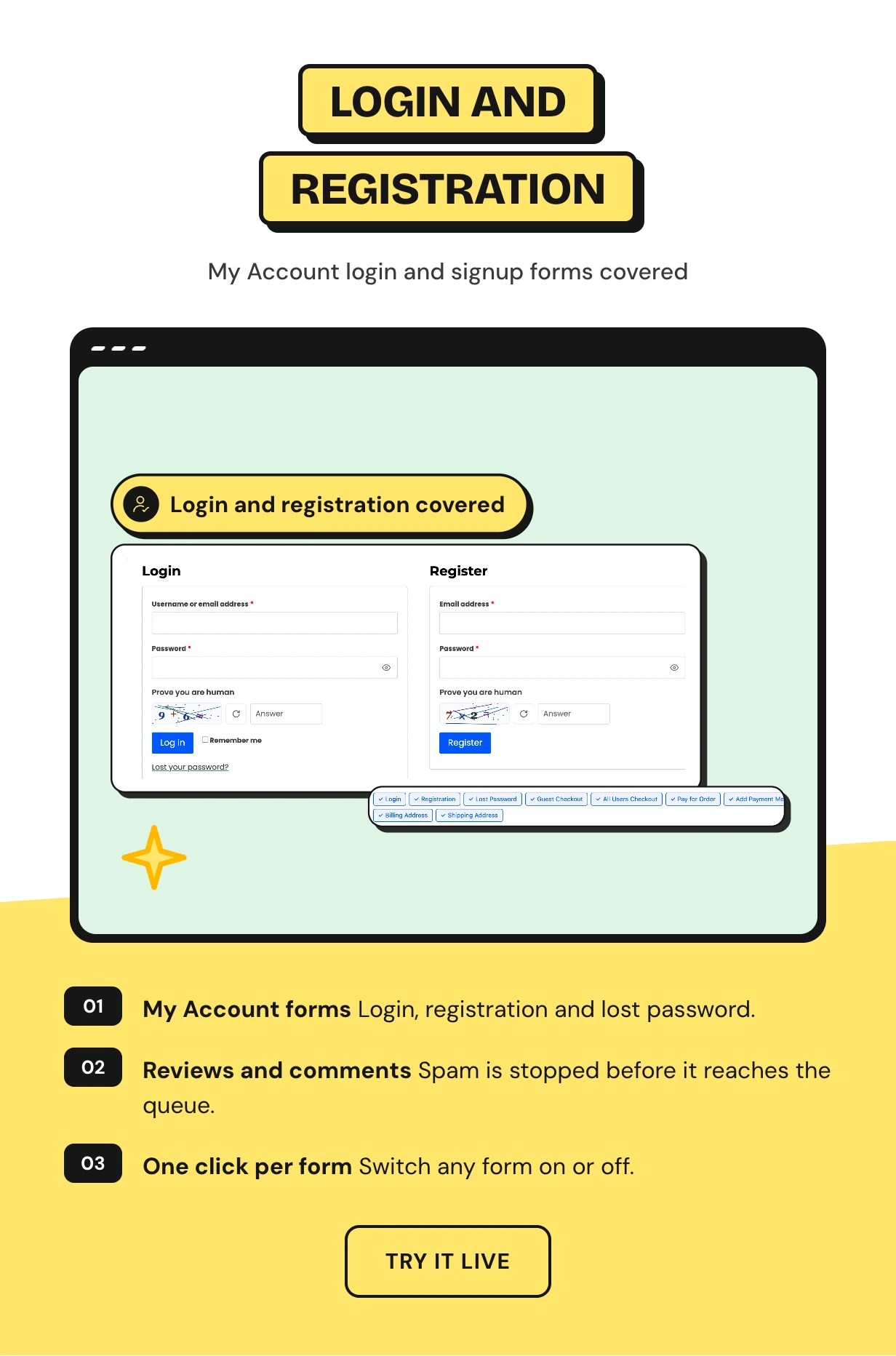
WooCommerce registration CAPTCHA and login protection
Login, registration and lost password are ticked for you on first setup. The same check covers wp-login, blog comments and product reviews.
Each form is a chip on the WooCommerce card under Integrations. Click one to switch that form on or off.
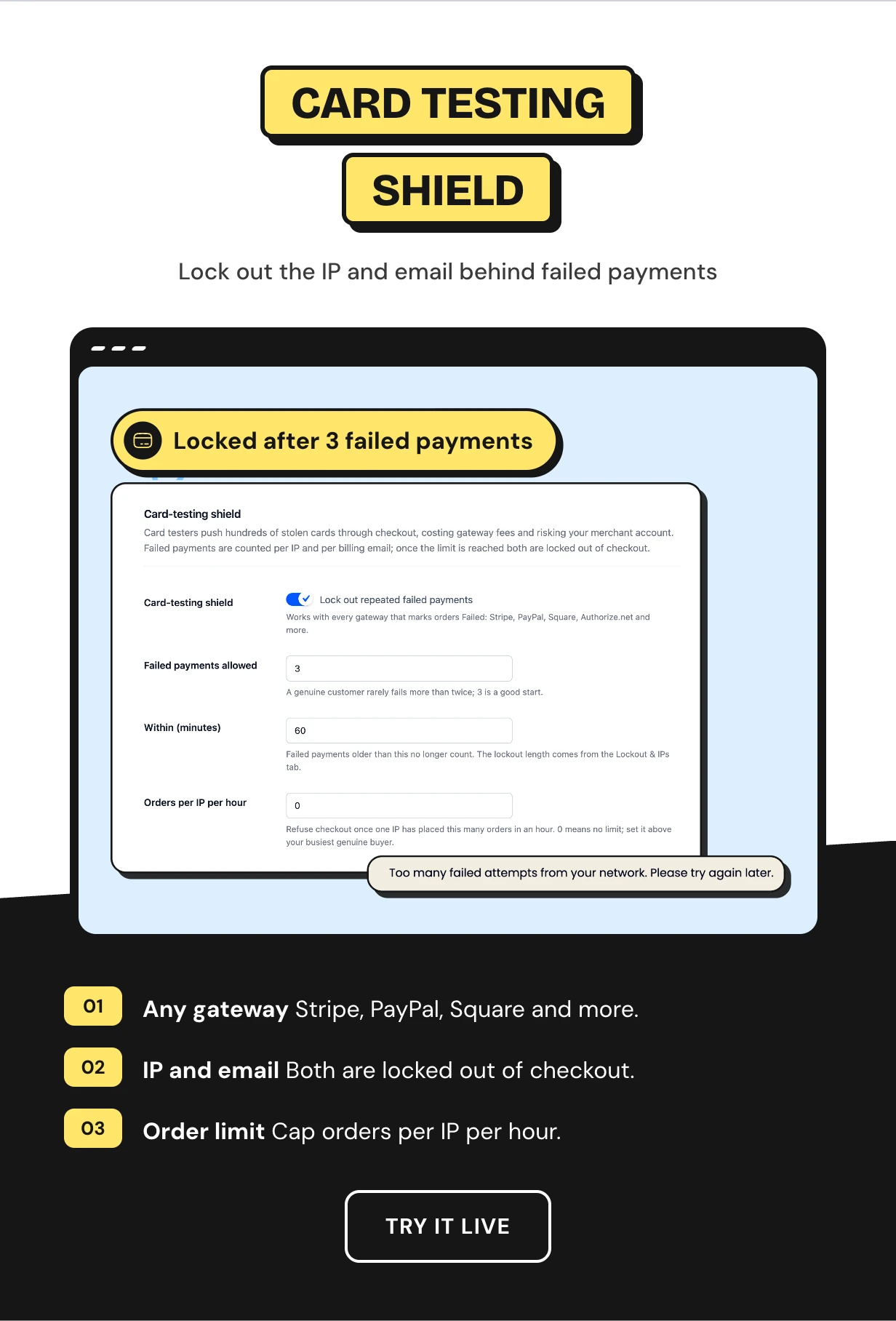
Prevent card testing on WooCommerce with a failed payment shield
WooCommerce card testing bots can solve a CAPTCHA or pay people to do it. The fraud shield watches what they cannot hide, which is failed payments.
Failed payments are counted per IP and per billing email. After three in an hour by default, both are locked out of checkout.
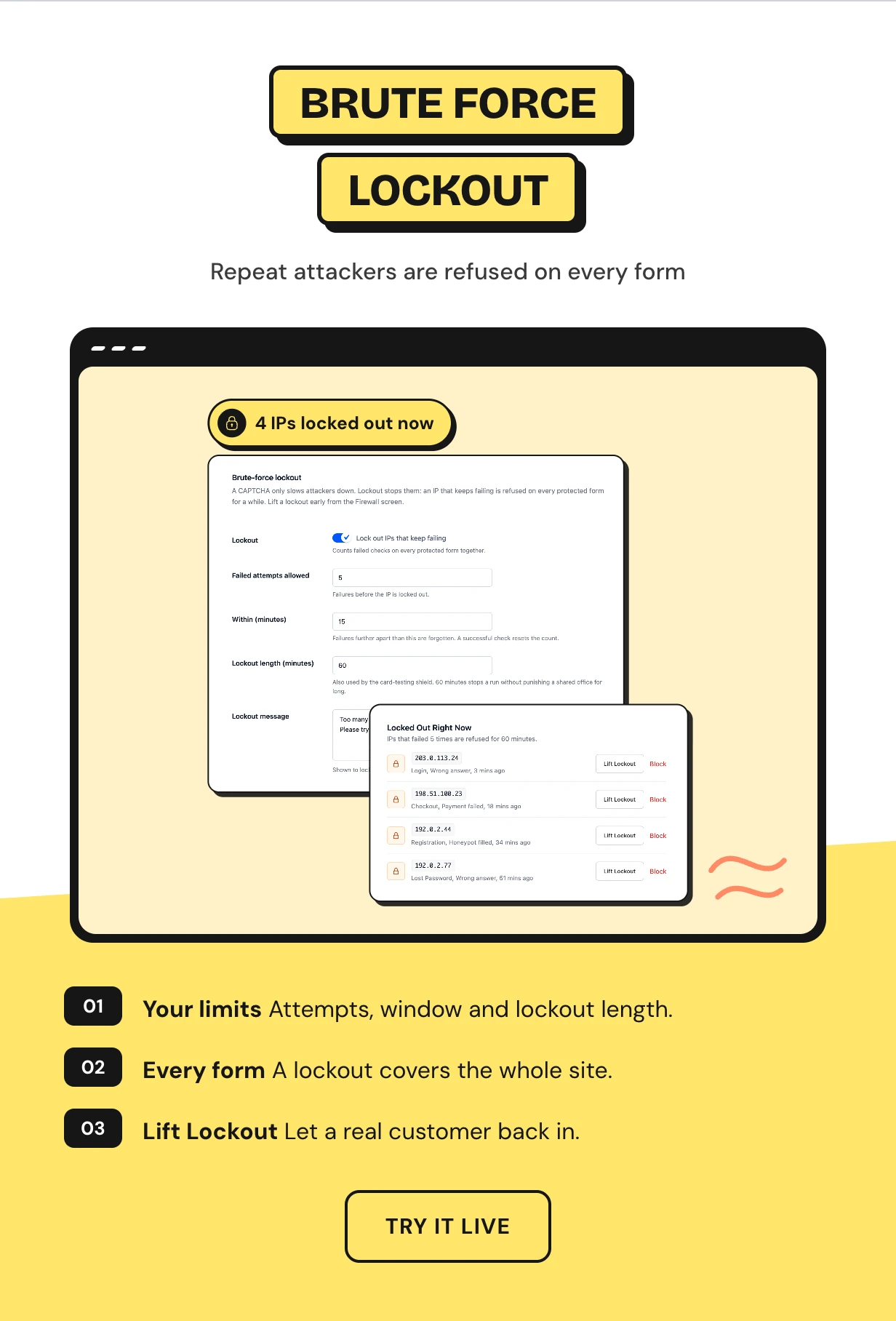
Brute force lockout for repeat attackers
A plain CAPTCHA lets the same bot try forever. Here an IP that fails five times in 15 minutes is refused on every protected form for an hour.
You set all three numbers. The Firewall screen lists who is locked out right now, and one click lets a real customer back in.
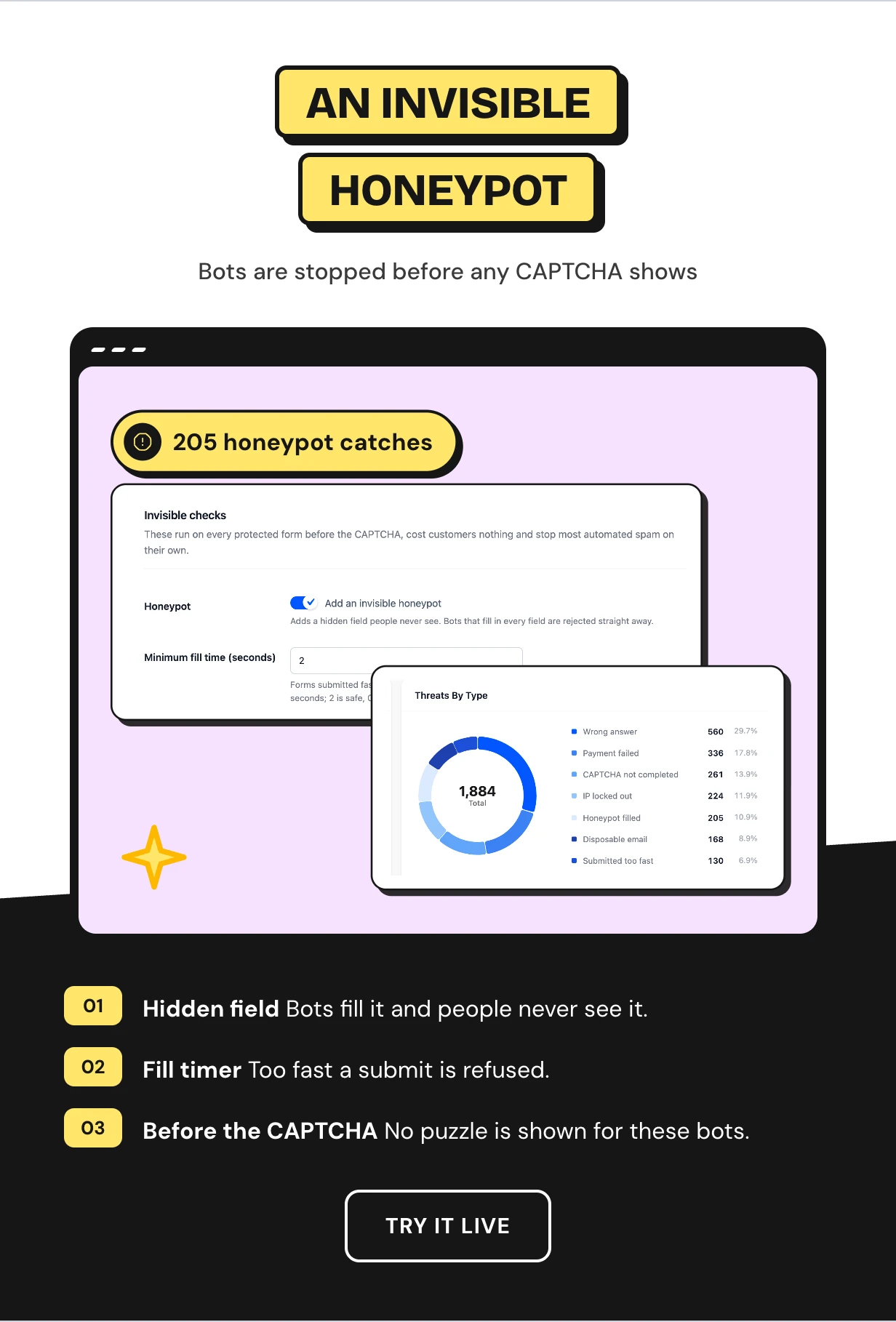
An invisible honeypot that runs before the CAPTCHA
A hidden field people never see sits on every protected form, with a signed timer beside it. Bots that fill every field or submit within two seconds are refused.
No CAPTCHA call is made for them, and real customers notice nothing. The dashboard counts every bot it caught.
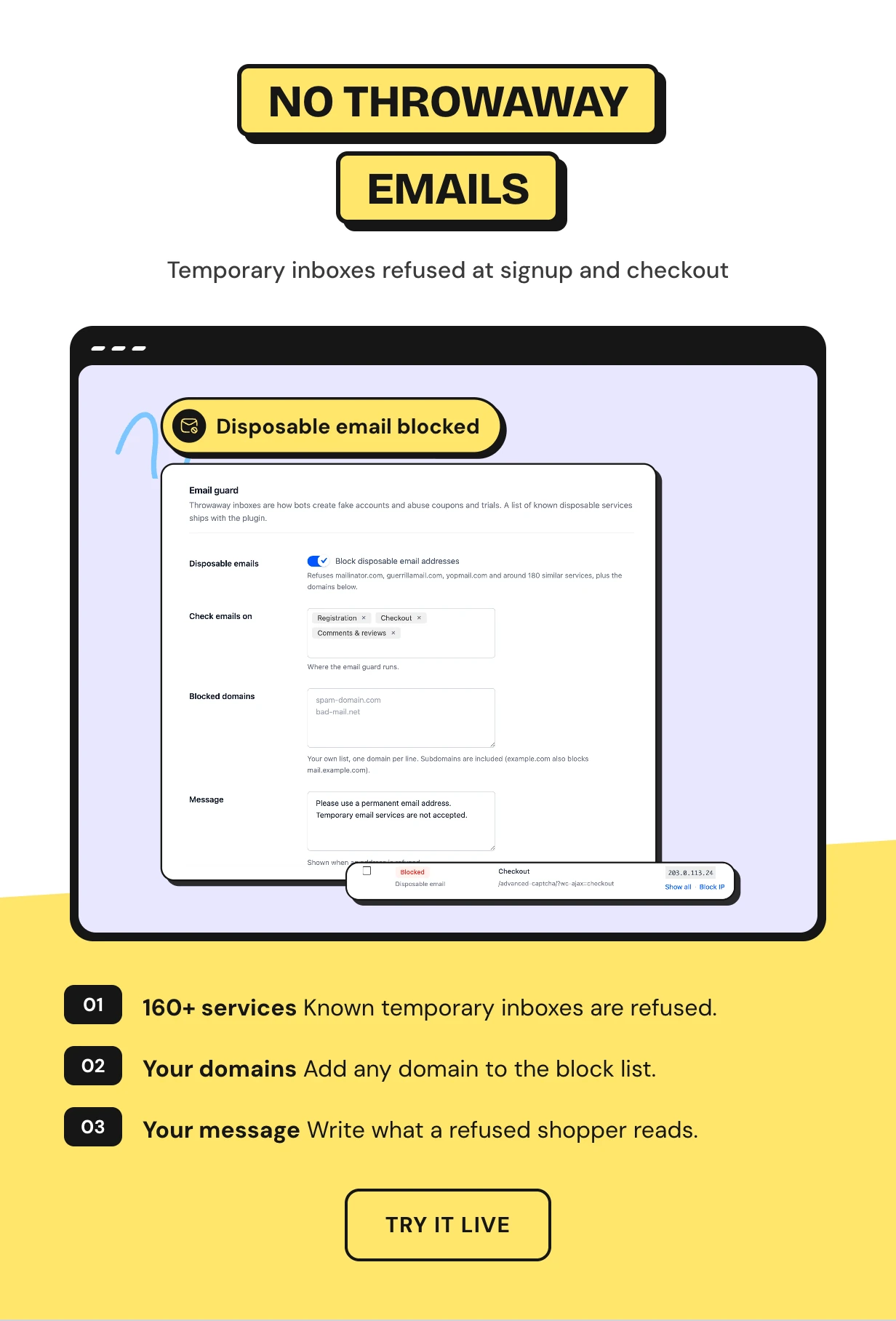
A disposable email guard for signups and checkout
Throwaway inboxes are how fake accounts and fraud orders slip past email checks. The guard refuses more than 160 known temporary email services.
Turn it on for registration, checkout and comments. Add your own blocked domains and write the message shoppers see.
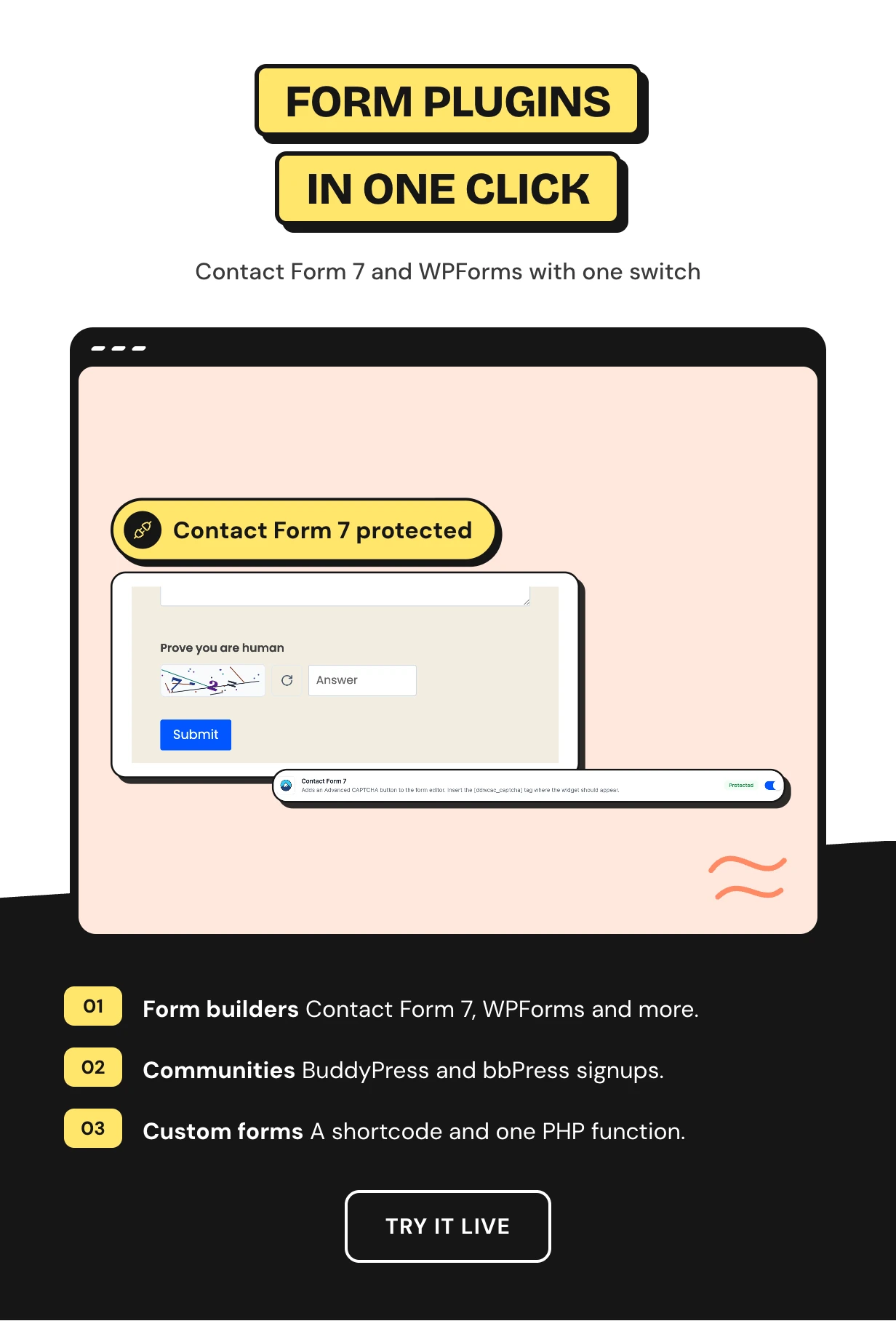
CAPTCHA for Contact Form 7 and other form plugins in one click
The Integrations screen lists every supported plugin with its logo and status. Switch one on and the CAPTCHA appears above its submit button.
Contact Form 7, WPForms, Fluent Forms, Gravity Forms, Elementor Pro Forms, Forminator and Formidable are covered. So are BuddyPress, bbPress and Mailchimp for WordPress.
IP block lists and country rules for repeat attackers
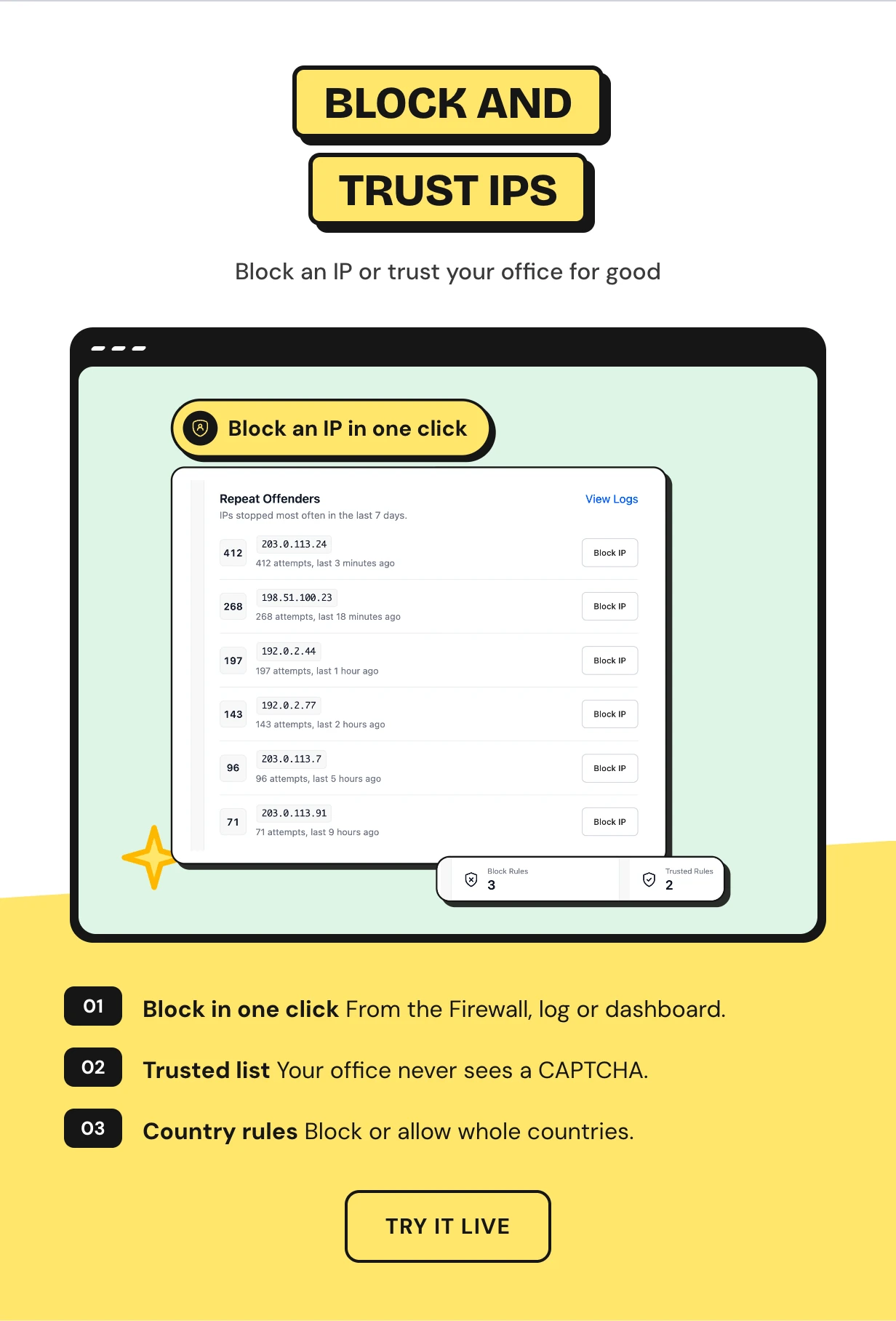
Block an IP for good from the Firewall, the log or the dashboard. Single IPs, wildcards and ranges work for IPv4 and IPv6.
Trusted IPs and user roles never see a challenge. Block the countries you never sell to, or allow only the ones you do.
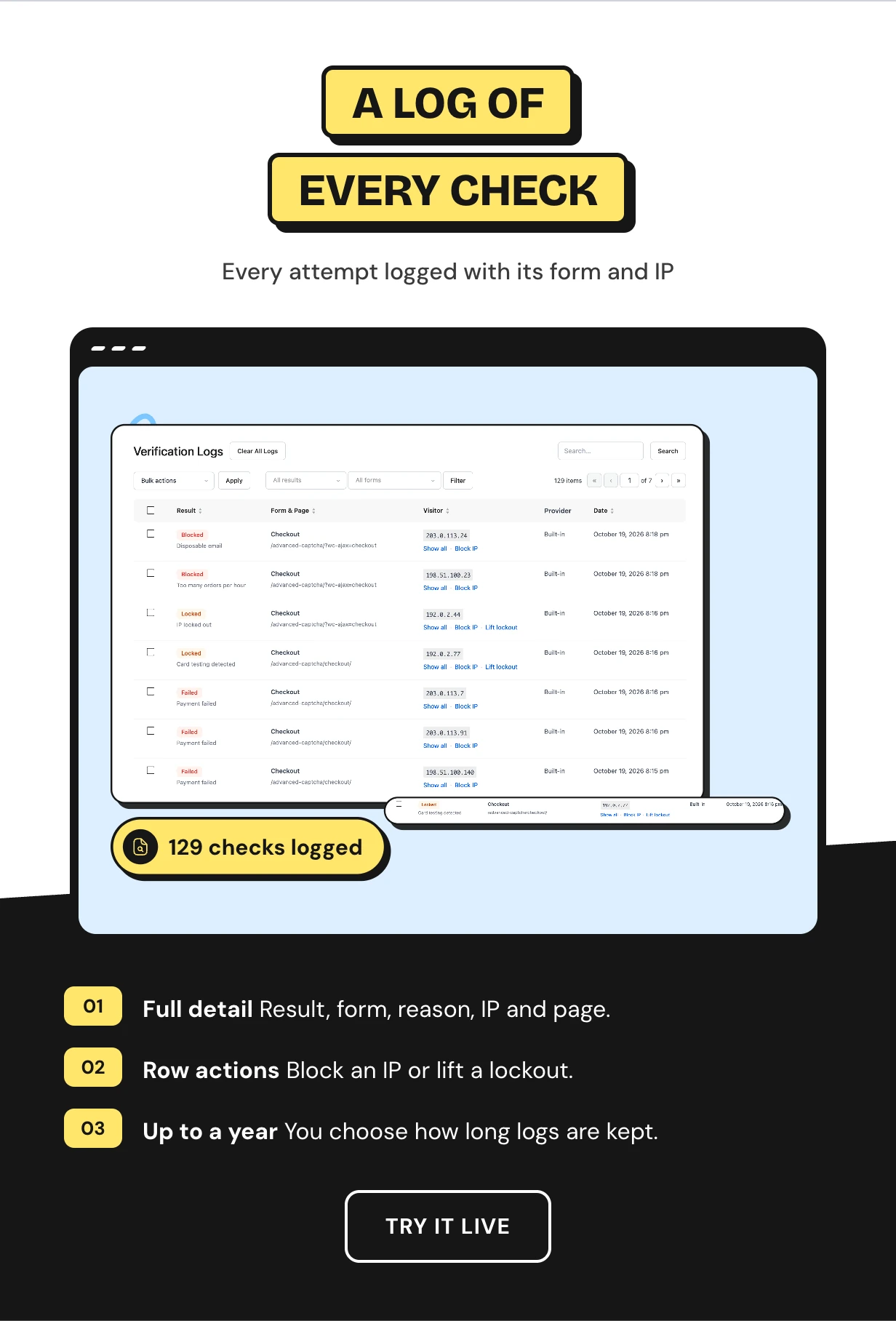
A CAPTCHA log of every check with one-click actions
Every check is logged with its result, form, reason, IP, provider and page. Filter by result or form and search for an IP.
Block or trust an IP from its row, or lift its lockout. Keep the history from one day up to a year, and old entries clear on their own.
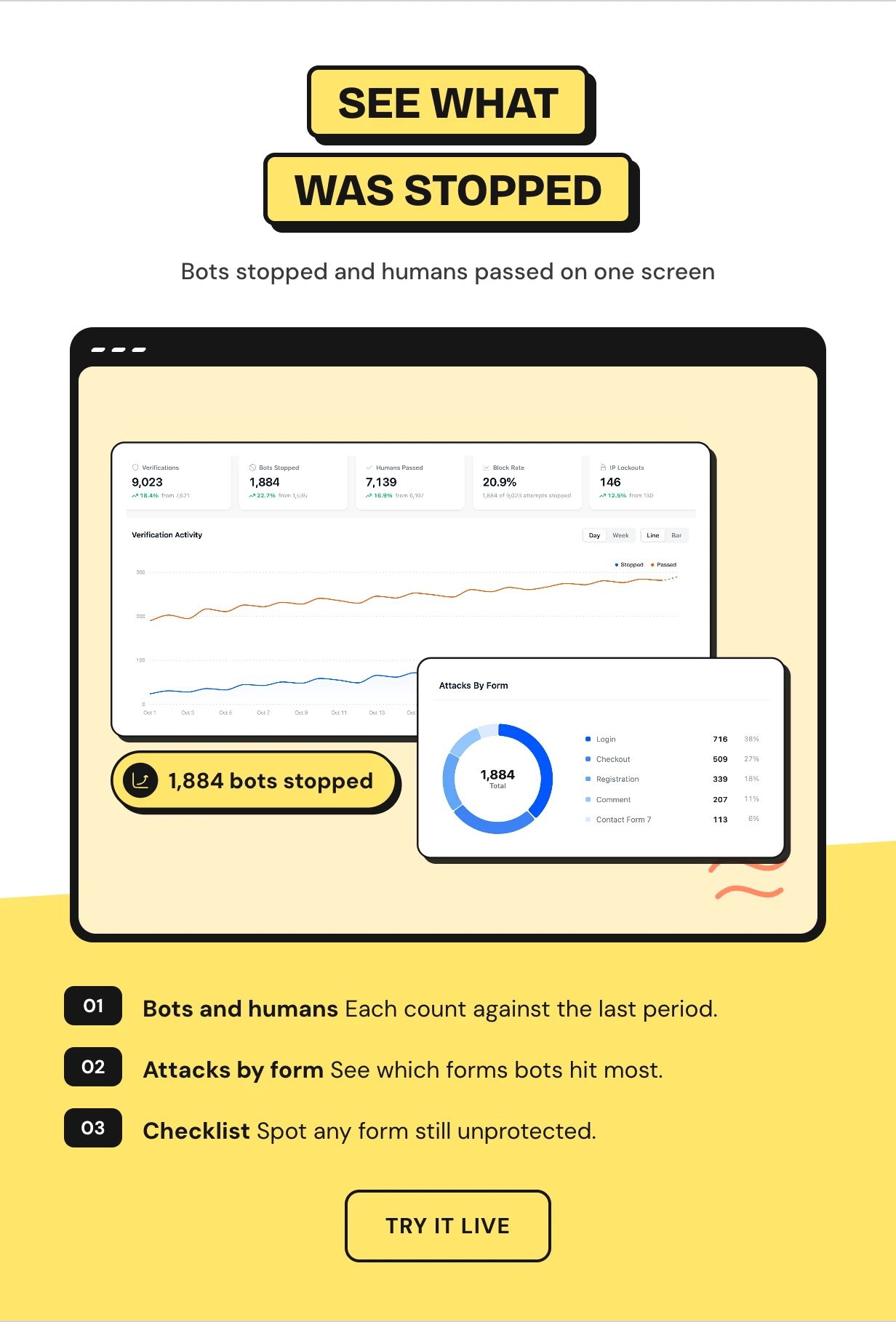
A security dashboard that shows what the CAPTCHA stopped
See verifications, bots stopped, humans passed, block rate and IP lockouts against the previous period. An activity chart shows when attacks came.
Attacks by form, threats by type and the top offending IPs sit below it. A protection checklist points at any form still left open.
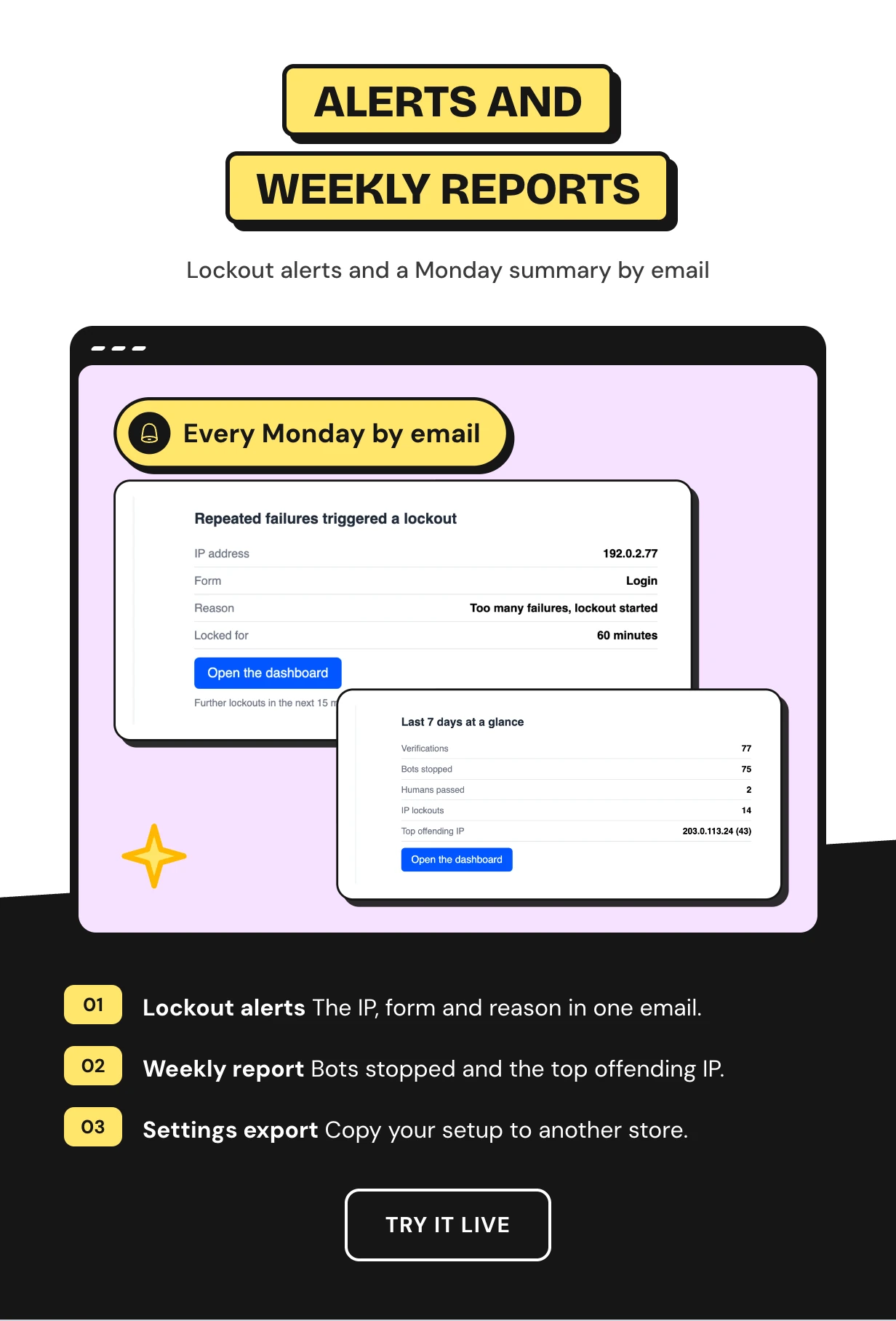
Lockout alerts and a weekly security report by email
Get an email when an attack triggers a lockout. Alerts are held to one every 15 minutes. A big attack never floods your inbox.
A weekly report sums up what was stopped. Copy your whole setup to another store with settings import and export.
Full feature list
CAPTCHA providers
- Built-in math or text CAPTCHA with no keys
- Cloudflare Turnstile
- Google reCAPTCHA v2 checkbox, v2 invisible and v3
- hCaptcha
- Live preview and key test on every tab
- WooCommerce reCAPTCHA v3 with a v2 checkbox for low scores
Protected forms
- WordPress login, registration, lost password and comments
- WooCommerce login, registration, lost password and reviews
- Classic checkout and the Checkout block with a Store API server check
- Guest checkout only or all customers
- Five checkout placements
- Shortcode and PHP function for custom forms
Form and community plugins
- Contact Form 7, WPForms and Fluent Forms
- Gravity Forms, Elementor Pro Forms, Forminator and Formidable
- BuddyPress and bbPress
- Mailchimp for WordPress
- Membership plugin login and signup forms
- DevDiggers Affiliates and MultiPOS login forms
Fraud and bot defense
- Card testing shield per IP and billing email
- Orders per IP per hour limit
- Brute force lockout across every form
- Invisible honeypot and signed fill timer
- Smart mode that only challenges suspicious visitors
- Disposable email guard for more than 160 services
Firewall
- Locked Out list with one-click Lift Lockout
- Block list with wildcards and IPv4 or IPv6 ranges
- Trusted IPs and trusted user roles
- Block or allow countries
- Real visitor IP behind Cloudflare or a proxy
Reports and alerts
- Security dashboard with block rate and trends
- Attacks by form, threats by type and top offending IPs
- Protection checklist
- Verification log kept from one day to one year
- Lockout alert emails and a weekly report
- Settings import and export
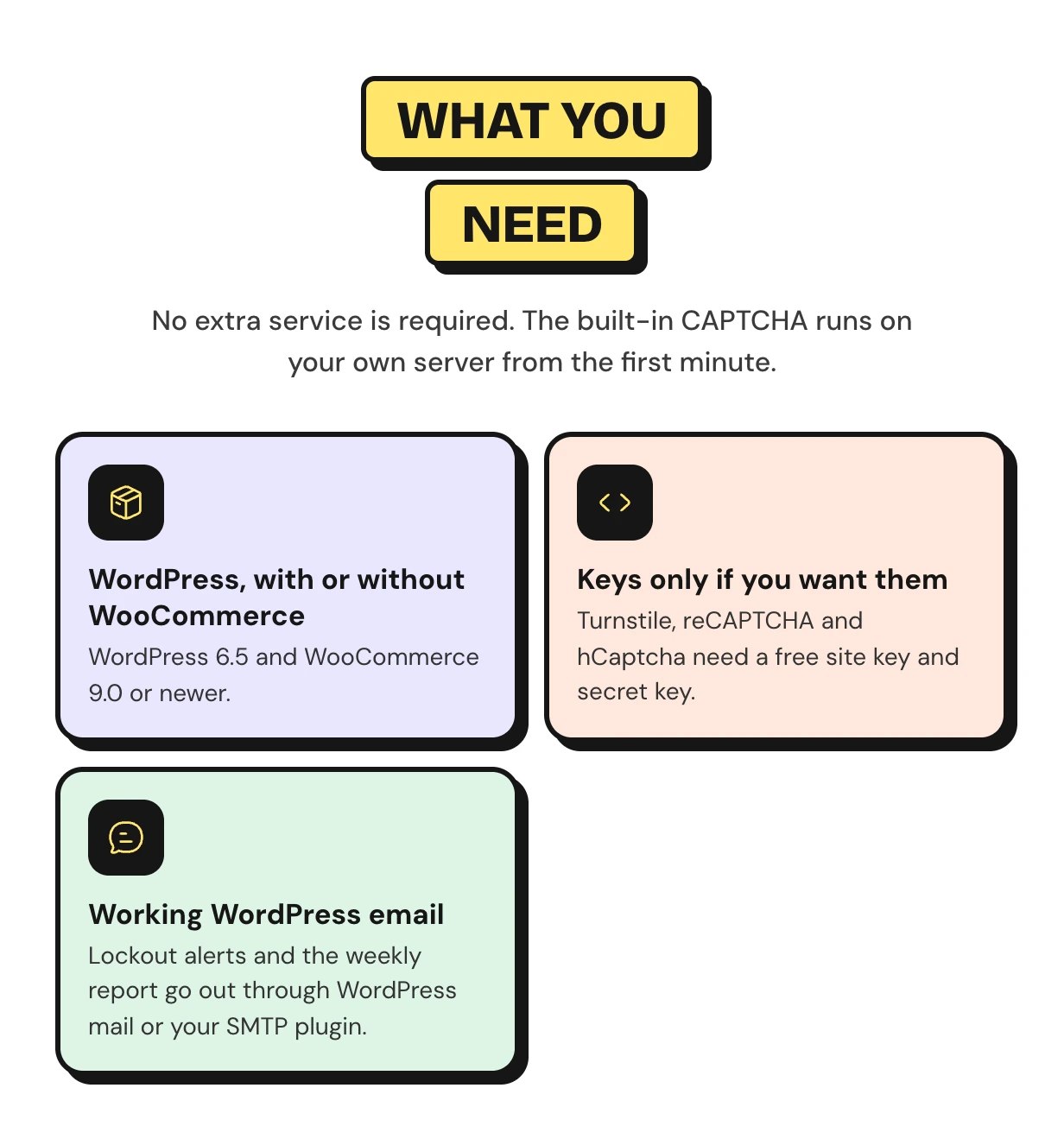
What you need to add a CAPTCHA to WooCommerce
No extra service is required. The built-in CAPTCHA runs on your own server from the first minute.
Works with the WordPress and WooCommerce setup you run
The CAPTCHA adds itself to the forms you already have with no shortcode or theme edit. The Checkout block, HPOS, page caching and Cloudflare are all covered.
Why this WooCommerce reCAPTCHA plugin does more
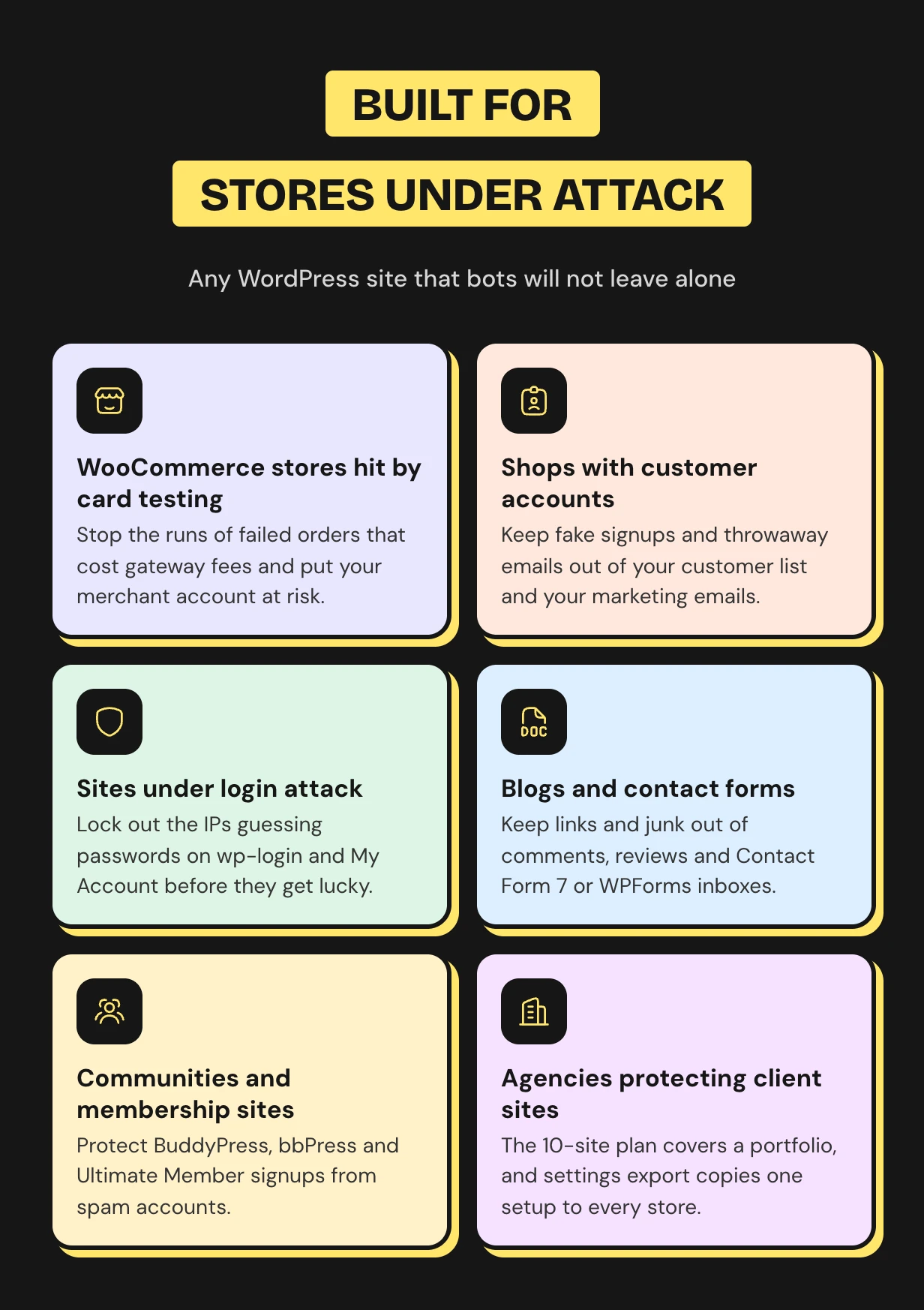
Who the WooCommerce CAPTCHA is for
WooCommerce CAPTCHA questions
How to add CAPTCHA to WooCommerce checkout?
Install the plugin and run the setup wizard. Guest checkout is ticked for you. To protect logged in customers too, tick All Users Checkout on the WooCommerce card under Integrations.
Does it work with the WooCommerce Checkout block?
Yes. The CAPTCHA shows in the Checkout block and the answer is checked through the Store API on your server. A bot that posts straight to the Store API is checked the same way.
Which CAPTCHA should I use?
Cloudflare Turnstile is the friendliest hosted option, because most visitors never click anything. The built-in CAPTCHA is the most private, because nothing leaves your server. Use reCAPTCHA or hCaptcha if you already have keys.
Do I need API keys?
No. The built-in CAPTCHA works without an account or keys. Turnstile, reCAPTCHA and hCaptcha need a free site key and secret key, and each tab links to where you get them.
Will a CAPTCHA stop card testing on my store?
It makes card testing much harder. Some testers solve CAPTCHAs or pay people to. The card testing shield also counts failed payments per IP and billing email and locks both out.
Will real customers have to solve puzzles?
Rarely. Turnstile and reCAPTCHA v3 are usually invisible, and the honeypot catches many bots with no puzzle at all. With smart mode on, visitors with a clean record never see a CAPTCHA.
What happens if a CAPTCHA provider goes down?
By default, forms keep working and the attempt is logged. The honeypot, lockouts and fraud shield keep running. You can switch this off and refuse forms during an outage instead.
Can I lock myself out of my own site?
No. A hosted provider stays off until both keys are saved. Add your IP with the Trust my IP button or trust your user role, and lift any lockout from the Firewall screen.
Does it work without WooCommerce?
Yes. WordPress login, registration, lost password, comments and every form plugin are protected on any WordPress site. The checkout and the fraud shield need WooCommerce.
Support and custom work
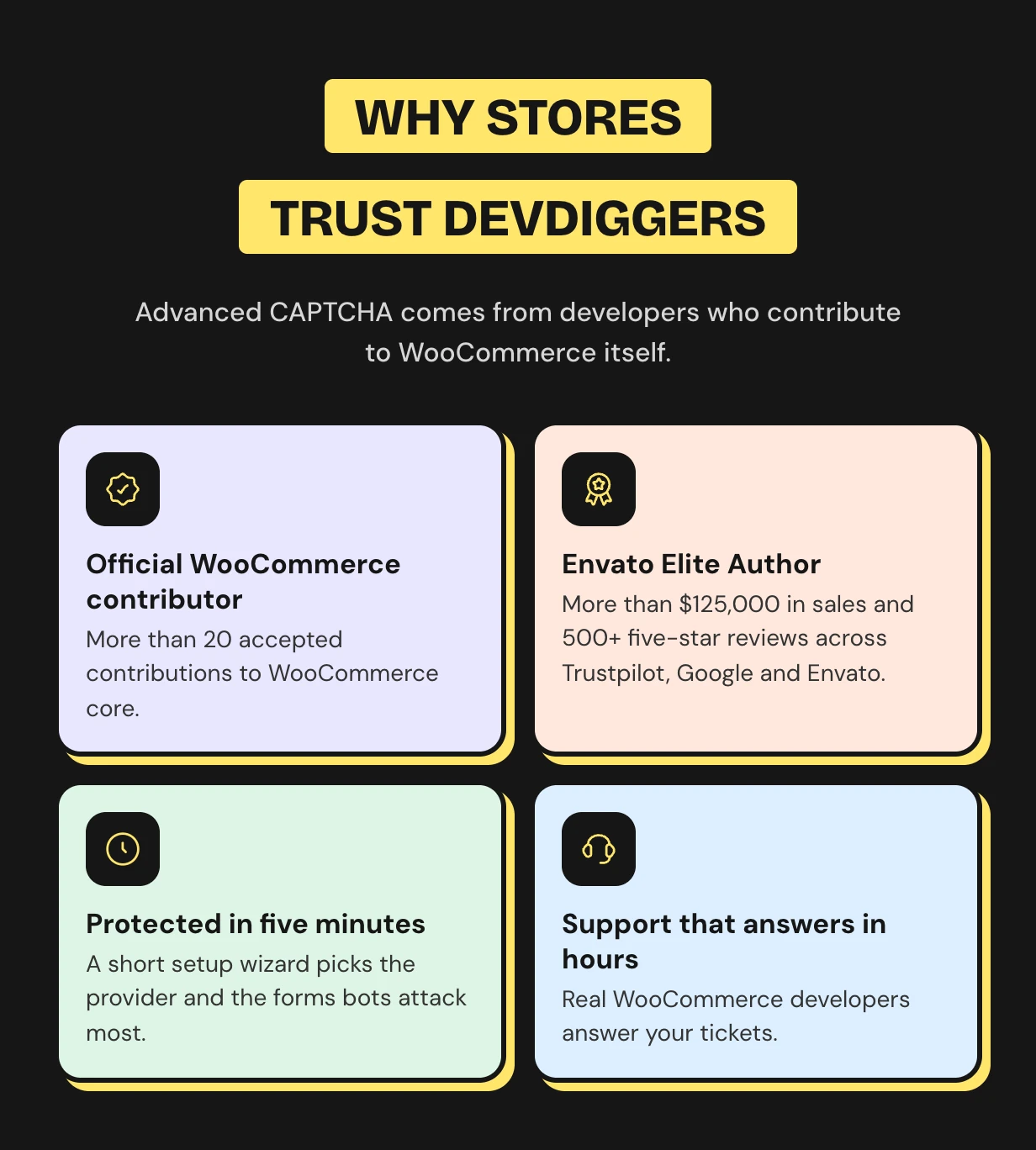
Support comes from the developers who wrote the code, usually within hours. Start with the Advanced CAPTCHA documentation or contact our team. See every feature on the WooCommerce CAPTCHA plugin page.
Need a CAPTCHA on a custom checkout or a rule for your own gateway? Our WooCommerce development services team builds custom security features for your store.
Requirements
- WordPress 6.5 or newer
- WooCommerce 9.0 or newer
Changelog
v 1.1.0 Added WooCommerce HPOS (High-Performance order storage) compatibility. Added compatibility with latest WordPress and WooCommerce. Added new hooks for the customization compatibility. Resolved security issues.
v 1.0.0 Initial Release
$99 |
Download |
0 average based on 0 ratings.

| Last Update | 2026-10-30 |
| Created | 2023-08-01 |
| Sales | 24 |
| Discussion | Comments |
| Compatible Browsers | IE11 Firefox Safari Opera Chrome Edge |
| Software Version | WordPress 7.0.x WordPress 6.9.x WordPress 6.8.x WordPress 6.7.x WordPress 6.6.x WordPress 6.5.x WordPress 6.4.x WordPress 6.3.x WordPress 6.2.x WordPress 6.1.x WordPress 6.0.x WordPress 5.9.x WordPress 5.8.x WordPress 5.7.x WordPress 5.6.x WordPress 5.5.x WordPress 5.4.x WordPress 5.3.x WordPress 5.2.x WordPress 5.1.x WordPress 5.0.x |
| Compatible With | Contact Form 7 WooCommerce 10.x.x WooCommerce 9.x.x WooCommerce 8.x.x WooCommerce 7.x.x WooCommerce 6.x.x WooCommerce 5.x.x |
| Gutenberg Optimized | Yes |
| High Resolution | Yes |
| Files Included | JavaScript JS CSS PHP |
| Video Preview Resolution | 1280x720 |


