Whoxa – WhatsApp Clone Chat App with Admin Panel


Whatsapp Clone App | Chat App iOS | Chat App Android | Nodejs chat App | Flutter Chat App | Chat Messenger | chat messenger mobile app | Chat App Messenger
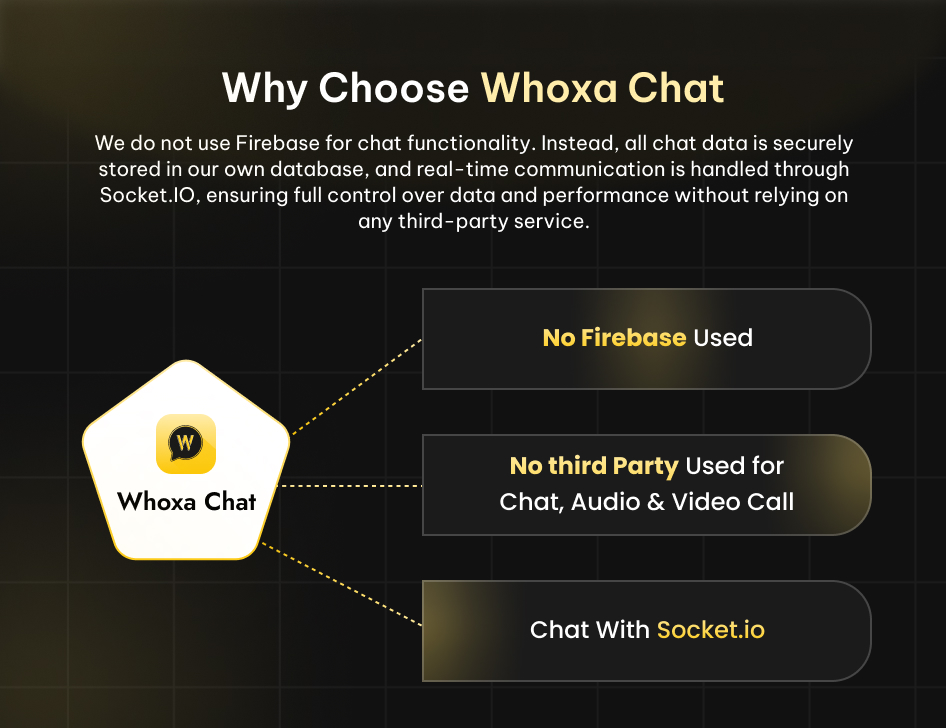
We do not use Firebase for chat functionality. Instead, all chat data is securely stored in your database, and real-time communication is handled through Socket.IO, ensuring full control over data and performance without relying on any third-party service.




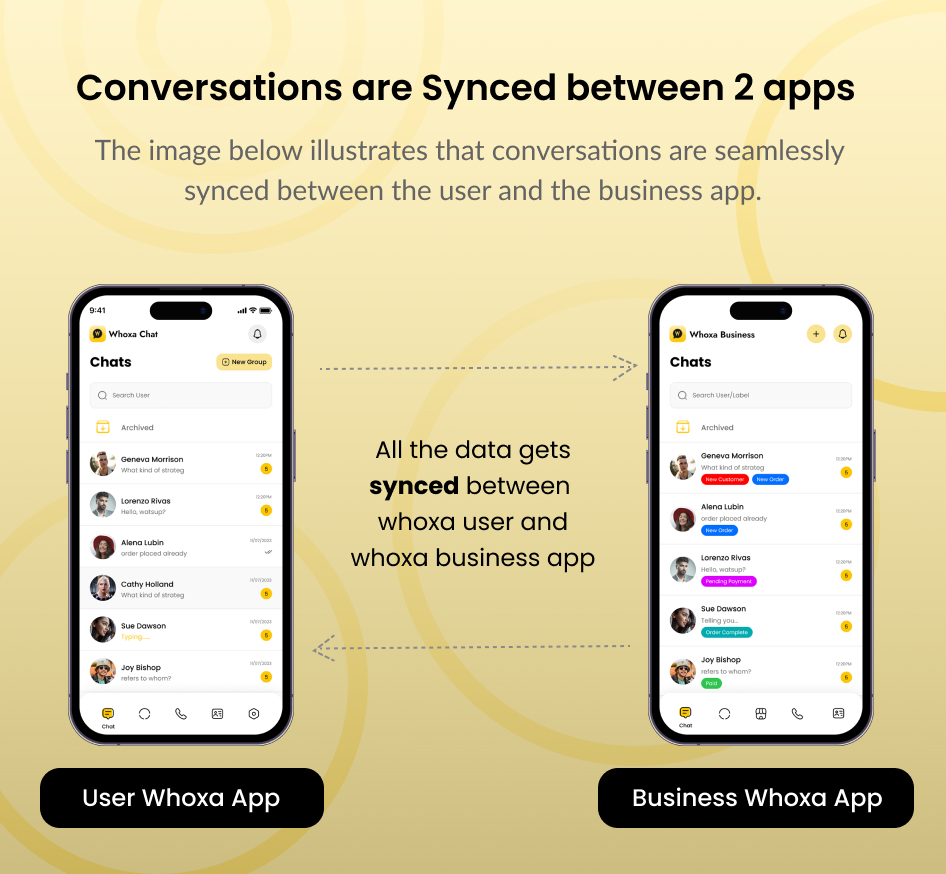
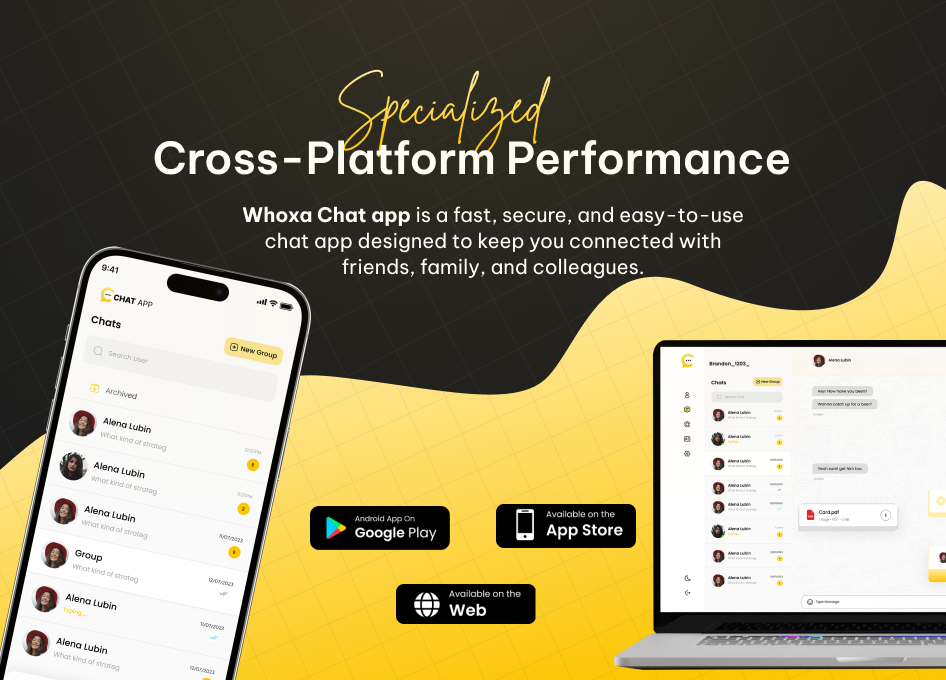
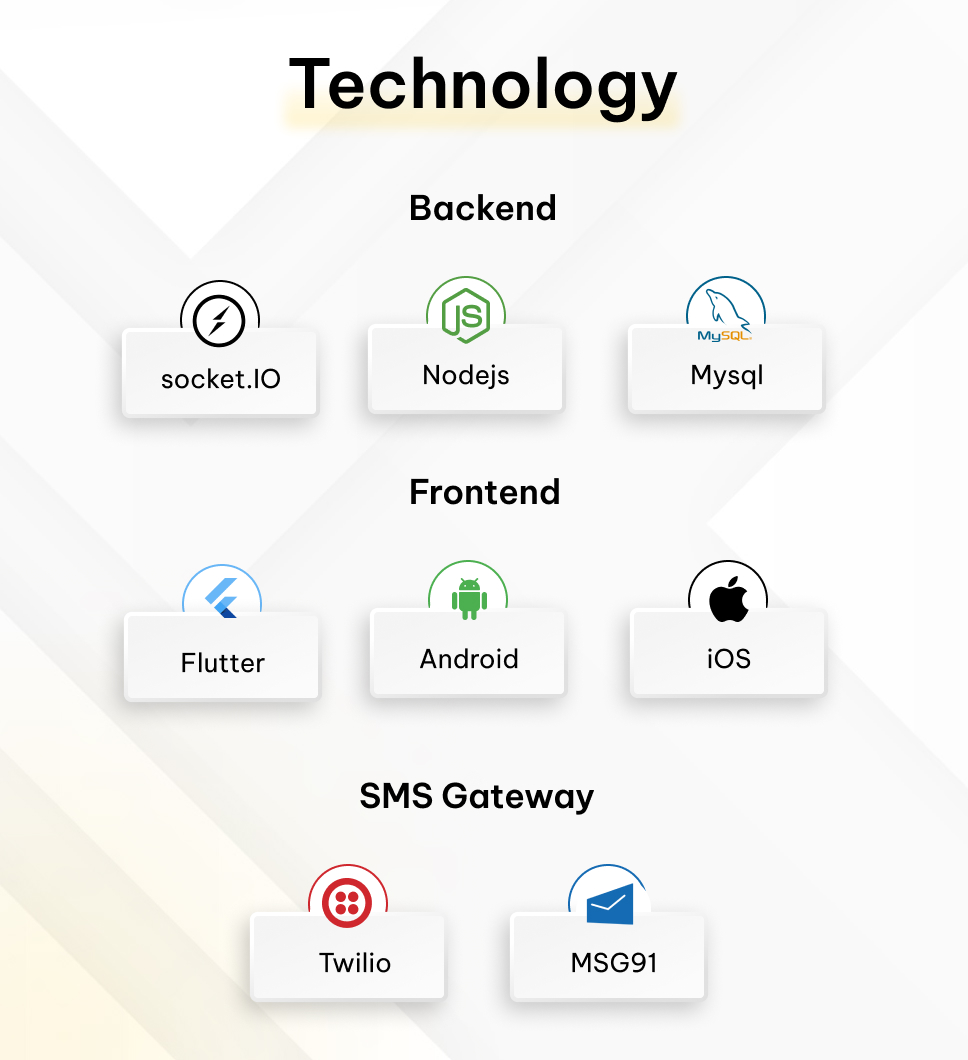
The Whoxa Chat app has developed an incredibly swift user Flutter app with Android and iOS support. This powerful platform has a rich user interface built on the Nodejs backend, socket.io. It delivers a faster, smoother chat messenger. Whoxa app admin panel made in React.js is a popular open-source JavaScript library building user interfaces, particularly for single-page, It focuses on creating reusable UI components and efficiently updating and rendering them in response to changing data.
The modern design and intelligent layout, are clean and well-structured, enabling easy setup, editing, and customization. This package includes the complete source code for the Flutter Android and iOS and admin panel, along with thorough documentation for installation and use.
– Version: 1.1.1 – support Flutter(Flutter V3.38.9), Android, iOS (Flutter Version: 3.35.4)
– Last update: 18 March 2026
– Files Included: Full Source Code of Flutter, Android, iOS, ReactJS for admin panel, and NodeJS, socket.io for chat backend, MySQL Database.
– Buy Website: https://codecanyon.net/item/whoxa-chat-chat-script-web-whatsapp-clone-nodejs-chat-software-chat-website-group-chat/55359732
– For Setup: Contact Us
– This is Exclusive Product License from Envato



Demo Accounts
Note: As the Demo Account has been used by multiple users there is the possibility that you won’t receive the notification and the device token get saved on the initial device, so there are chances audio and video calls won’t work. As Audio and video calls depend on Push notifications.
1st Demo Account Phone Number: +1(5628532467) OTP: 123456



Why Choose Whoxa WhatsApp Clone App?
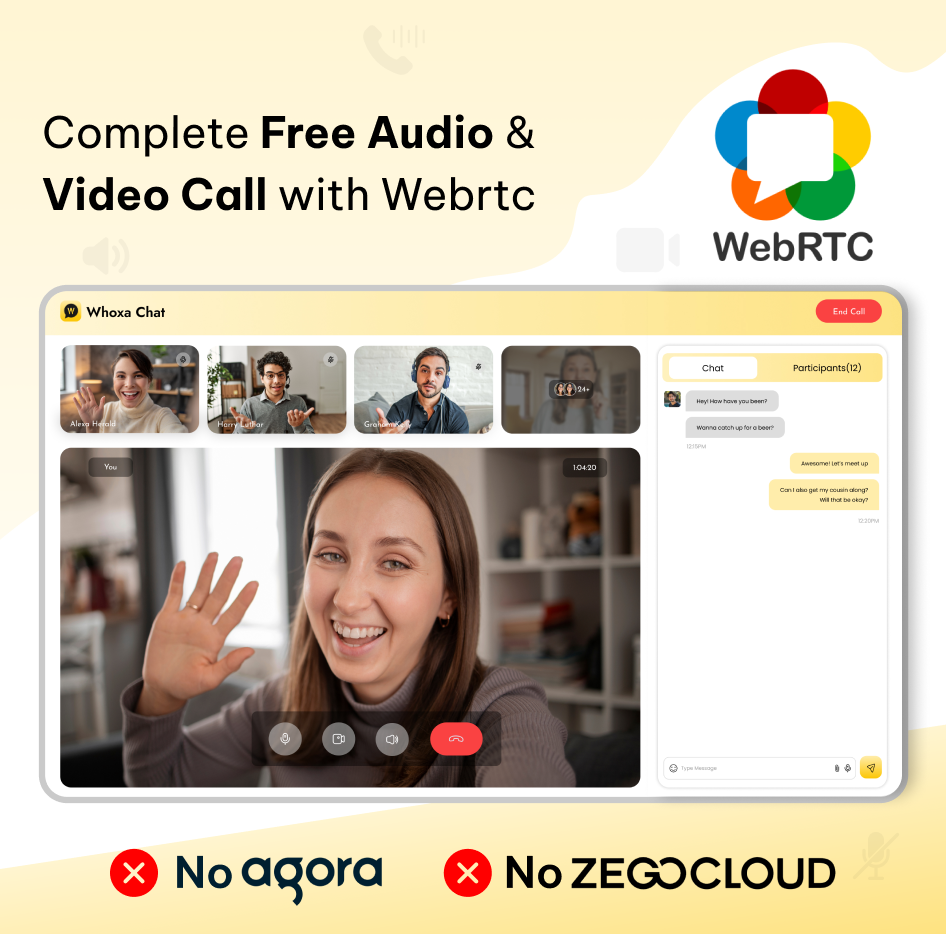
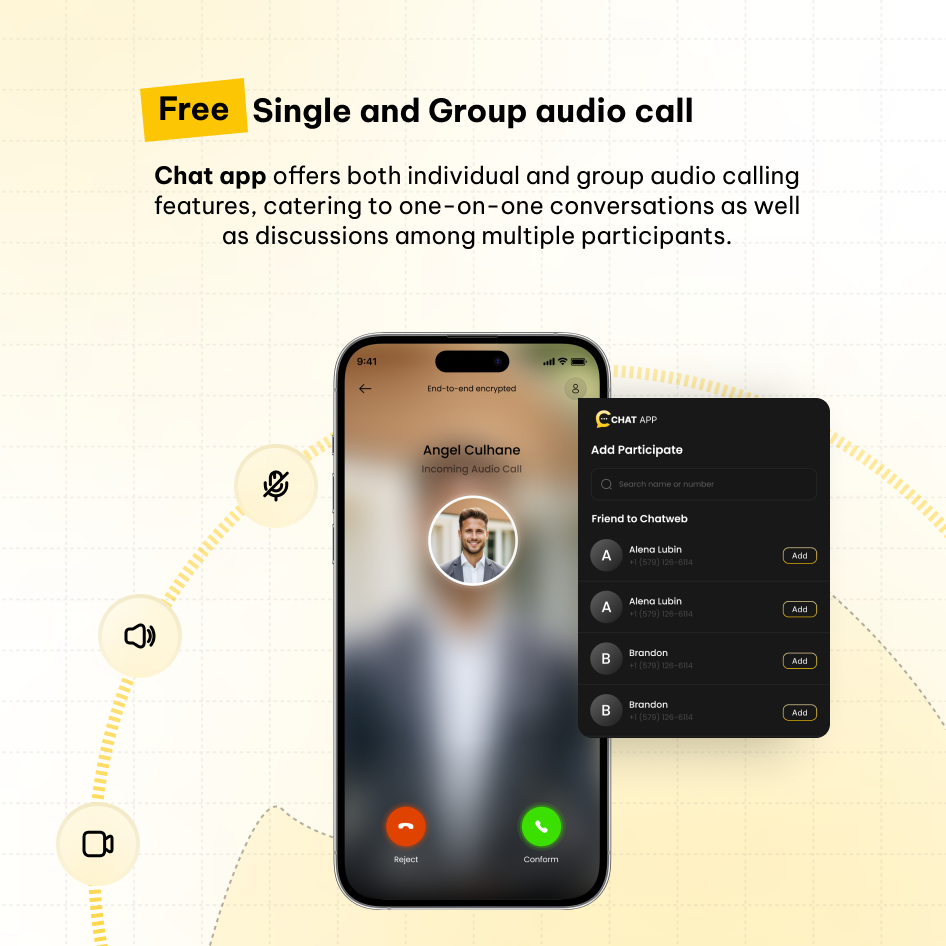
Our platform provides free audio and video calling capabilities, eliminating the need for third-party APIs and ensuring a genuine real-time chat experience powered by socket.io.


Chat App Features
LoginLogin can be done through a mobile number and you need to add OTP and the details to start seeing the chat screen.
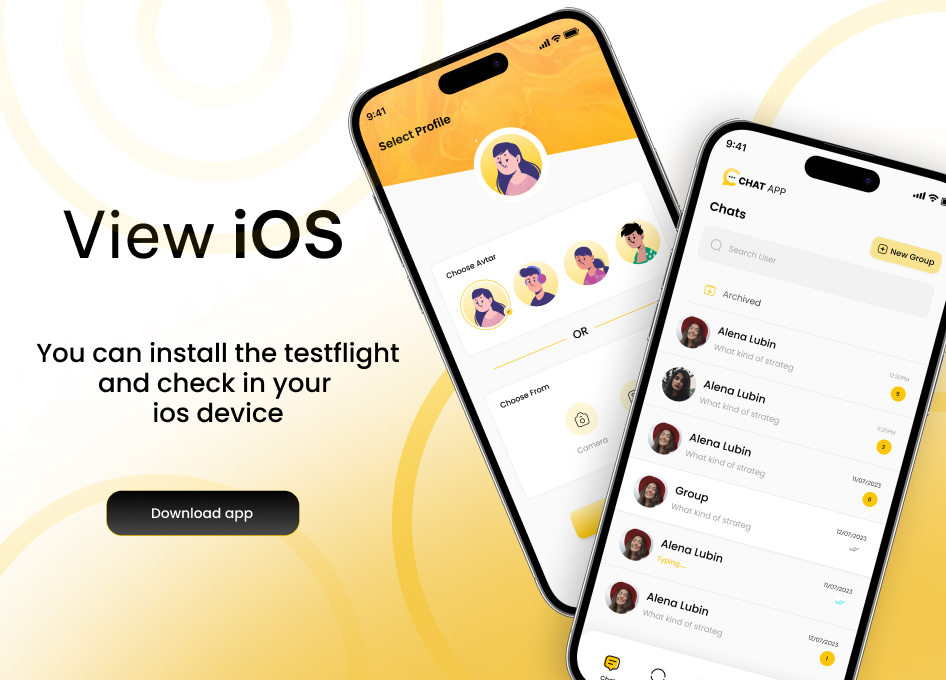
Choose Avtaar Or Image
You can choose an animated avatar according to your choice or upload the profile image from the gallery or system.
Contacts
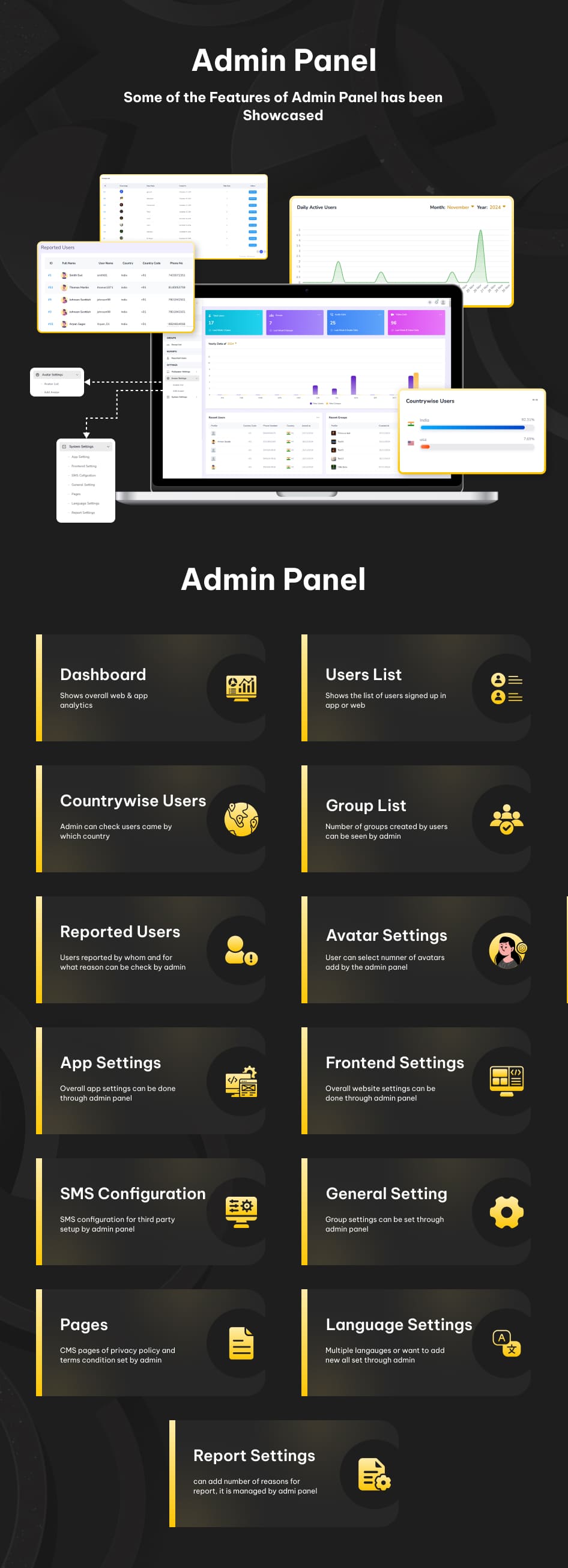
It is possible to modify the settings to display only the phone contacts of users or all contacts logged into WhoXa Chat via the admin panel in the settings.
Settings
In Settings, the user can check starred messages, block contacts, version of the apps, bio of the user, share a link to friends or family members, and logout from the app.
Profile
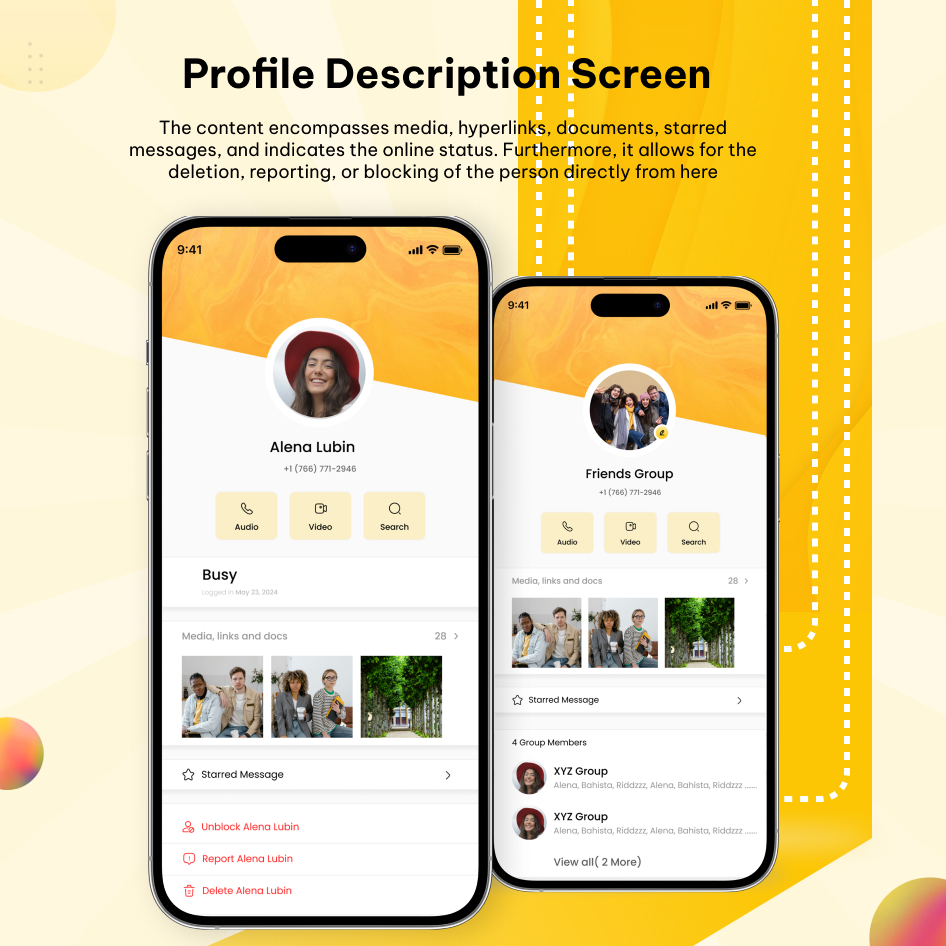
Edit profile has all the user information and can edit the personal info data too.
Other Users Profiles
Users can review all media sent, including images, videos, and documents, within their profile. Additionally, they can access specific starred messages that have been initiated.
Phone Authentication
Verify your number before you access the whoxa chat app. As users will get the OTP on the added number.
Single Chat
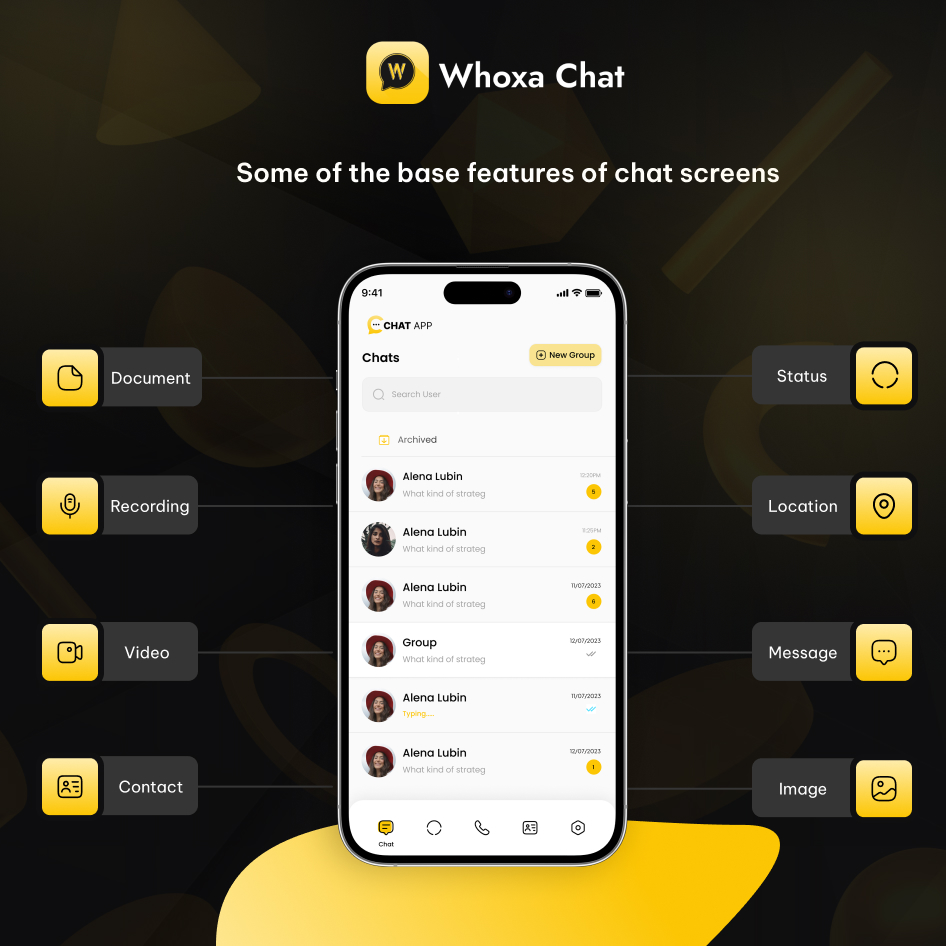
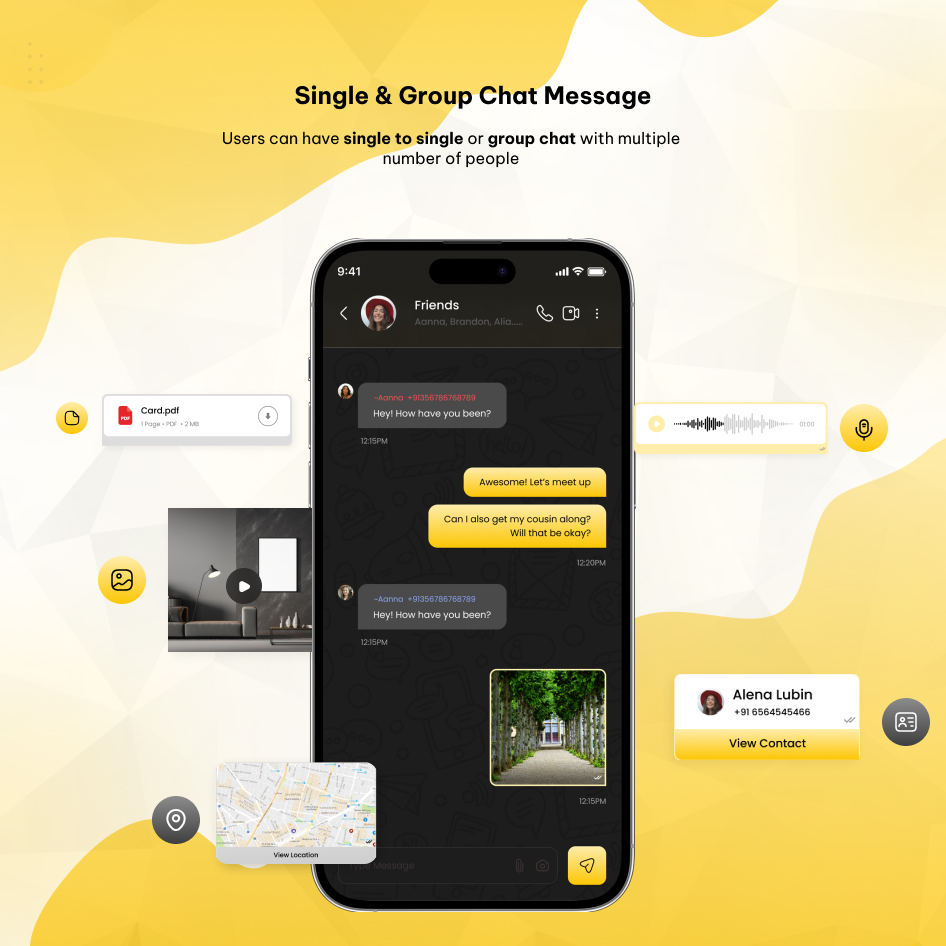
User can chat with a single user at a time and can send attachments like documents, images, videos, contacts, recordings, and locations.
Online & Last Seen Indicator
User can see if the person is online or also can check the last seen of the opposite users. Also if users are online then a green indicator with show the online status
Audio/Video Call
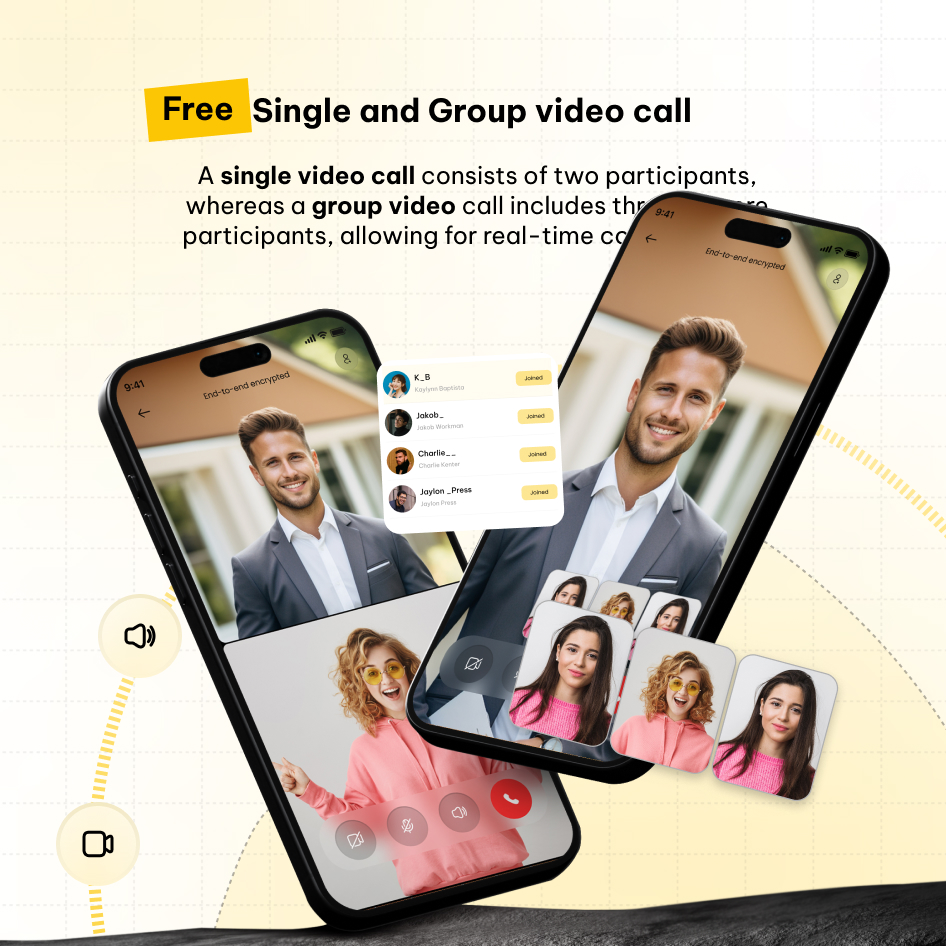
User can do audio and video call with friends and family for chat screens.
Audio/Video Call Logs/History
User can check all video and audio call entries.
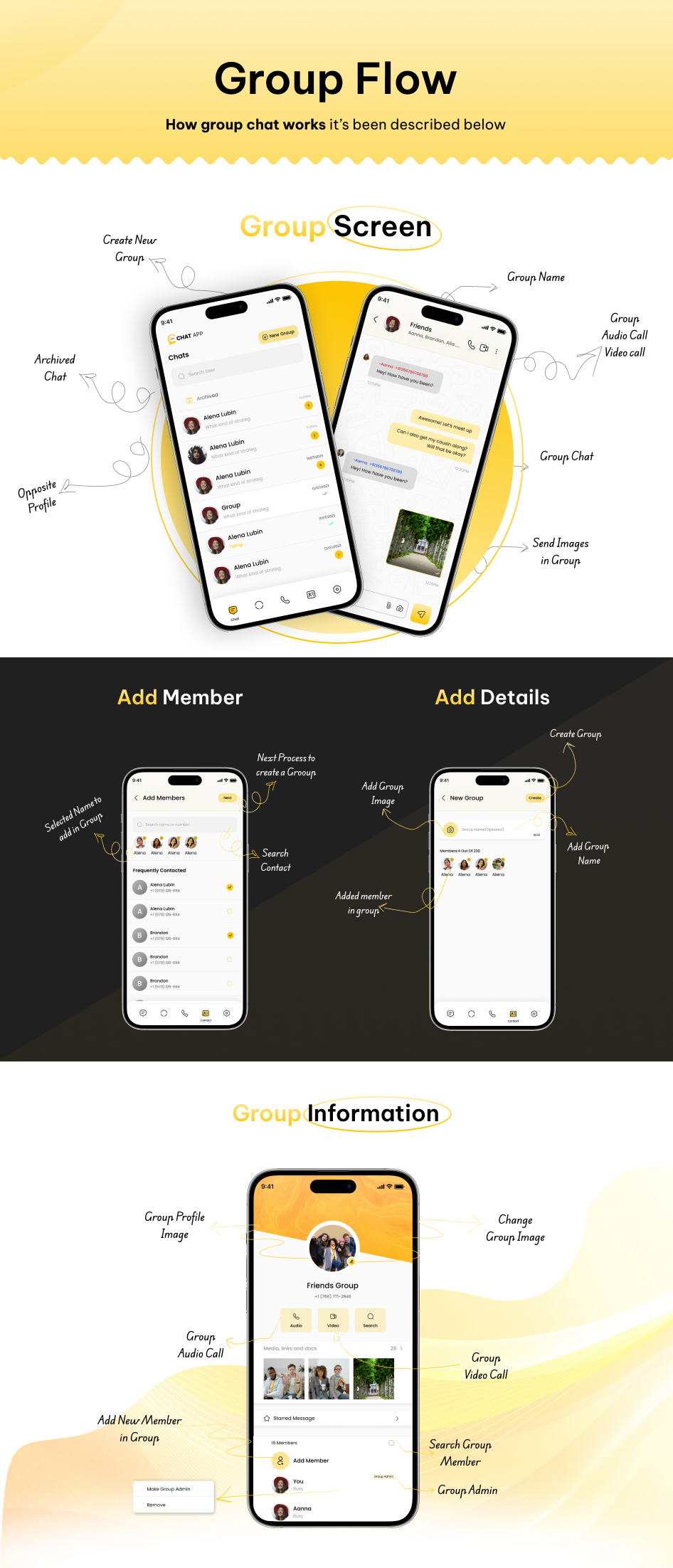
Group Audio/Video Call
Users can do group audio and video calls from our chat app.
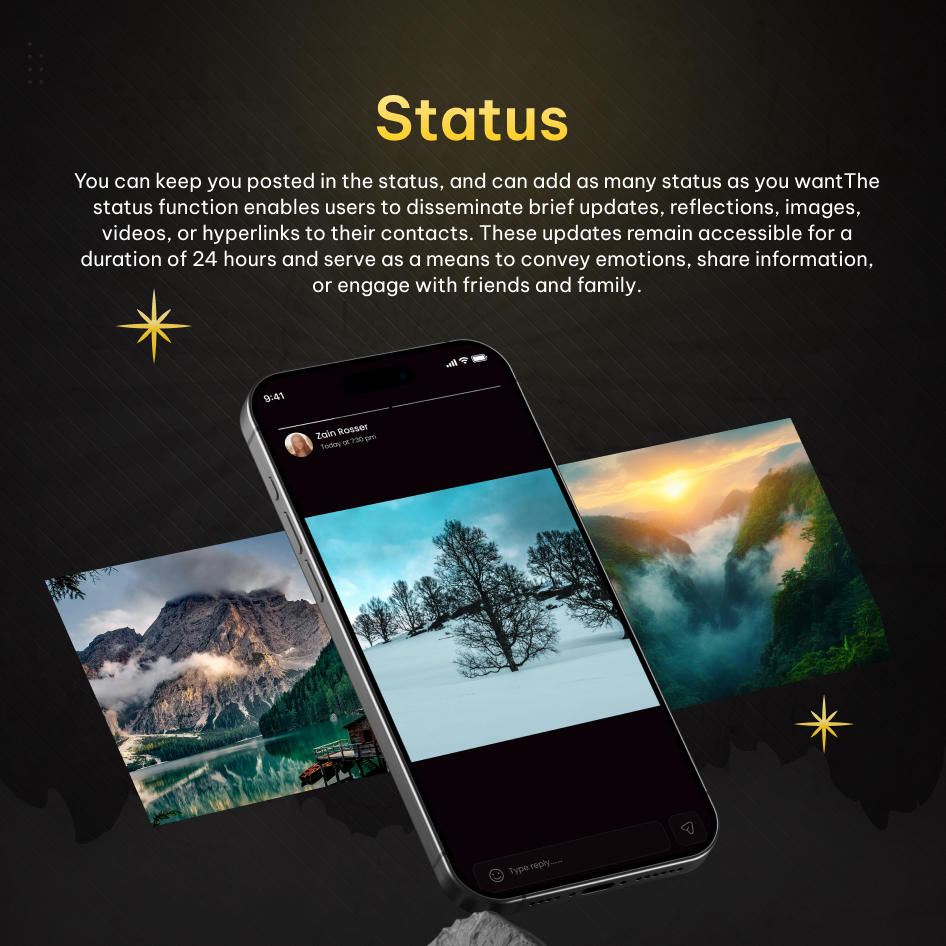
Status
User can add status same as WhatsApp. Plus users can check who has seen their status. Users can add multiple statuses and check views.
Reply in chat from Status
User can reply from other user’s status and it will show in chat screens.
Group Chat
Here multiple users can chat simultaneously assign multiple admins, and can send attachments like documents, images, videos, contact, recording, and location.
Delete Messages
User can delete multiple messages at a time, it can be deleted for me or deleted for everyone.
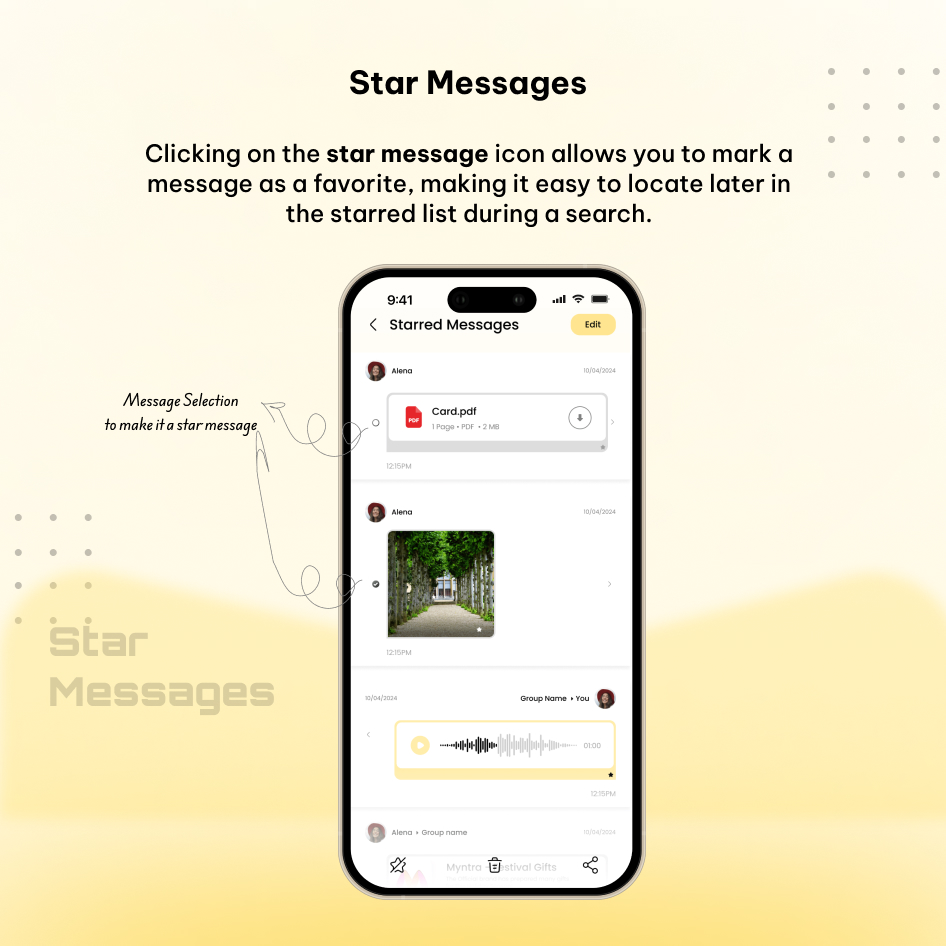
Starred Messages
Users can star messages simultaneously. Additionally, they can unstar any message from the starred screen if they choose to do so.
Reply
You can reply to a particular message by clicking on the reply icon.
Forward Messages
User can forward multiple messages at a time in a single or group chat.
Add/Remove Participants
Admin can add multiple participants to the new group chat. Users also remove and delete existing groups like WhatsApp app.
Clear Chat
Users can clear the chat data from single chat or group chat for themselves.
Search Chat
Search chat feature for easy access to search the number of messages.
Search Users
Search users feature for easy access to search the users so they can quickly connect.
Block Contacts
The users who have been blocked by the user can be shown in the block contacts list.
Report user
You can report a user for the list of reasons, that can be seen by admin.
Archived Chat
The chats that the user doesn’t want to show in the chat list can be archived in the archived chat list.
Unarchived Chat
The users can do Unarchived chat in the archived chat list.
Chat App Push Notification
The users will get push notifications on the lock screen or open the app. The users will get chat messages, media files, audio, and video calls notifications.
Automated Script Install(Using Python)
We developed an automated script for installation using Python. This script is executed at the runtime of Auto Deployment to gather necessary data from users for project setup. It facilitates the automatic installation of Apache2, MySQL, MySQL Secure Installation, and Node.js via our automated commands.
Change Log
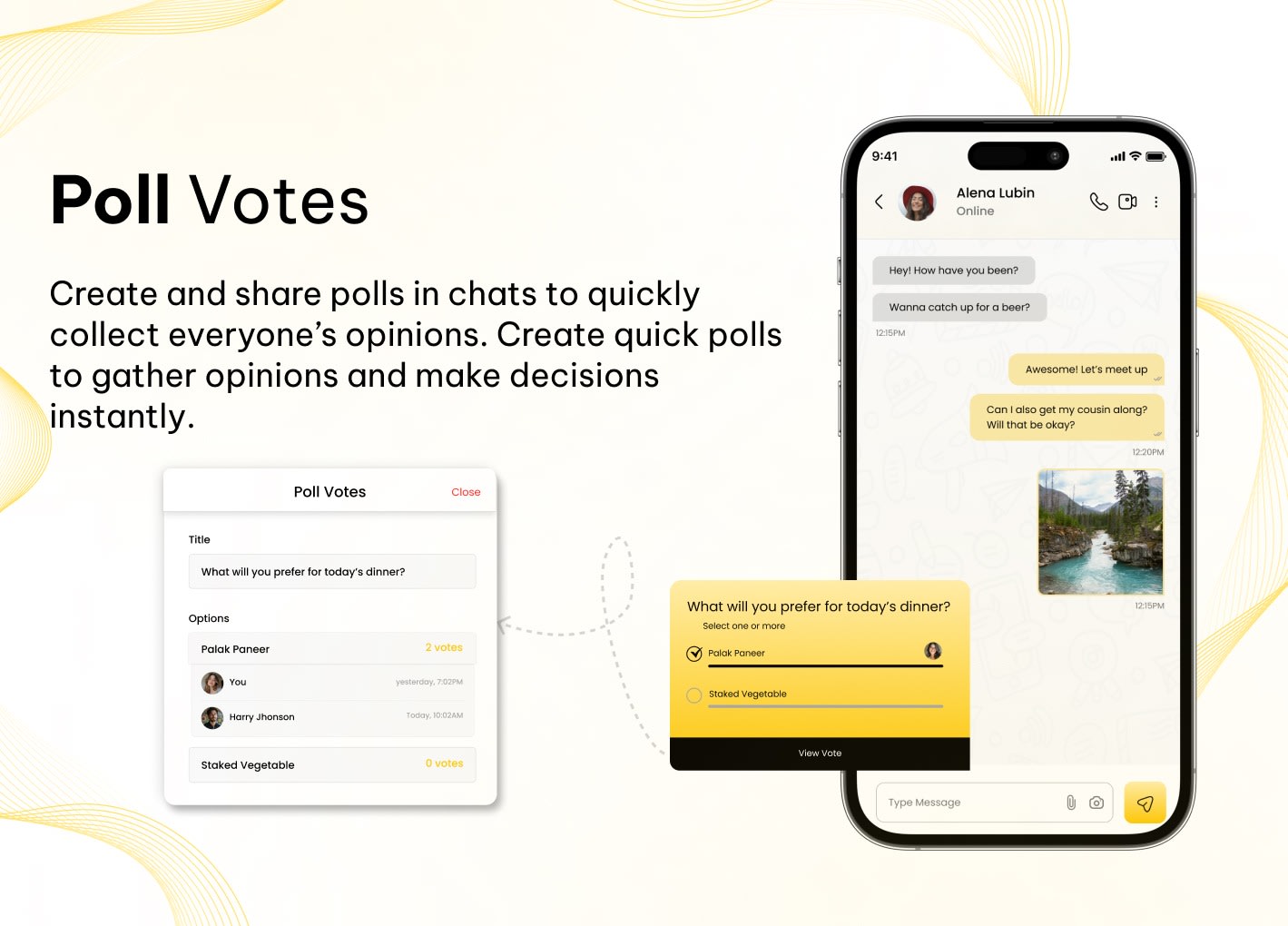
1.1.1 | 09/04/2026 Mobile App Flutter Upgrade • Updated project to latest stable Flutter version(3.38.9) for improved performance and compatibility Poll Messages • Added poll creation feature • Designed poll message UI • Implemented user voting functionality Chat Lock • Introduced chat locking using PIN • URL Handling in Messages • Improved text message widget to detect URLs • URLs are now clickable and open in the browser • Updated in: text_message_widget, user_profile_view, chat_media_screen Quick Send • Added quick send message feature • Loading Experience • Added inner loader Implemented shimmer effect for better UI feedback • UI Fixes • Fixed bottom call UI button overflow issue
1.1.0 | 18/03/2026 Mobile App • Faster OTP verification and a smoother login experience • Voice chat support • Voice message sending on press • Improved video calling (web to app / app to web) • Improved audio calling (web to app / app to web) • Real-time call status updates • MSG91 implementation for OTP and messaging • Invalid mobile number handling: button remains disabled based on country-specific number length • First name / Last name character limit set to 10 with proper validation display • Camera images are compressed during sending for better performance • Messages sent from status can now be viewed in chats, with direct navigation back to the same status • Improved status module • Newly added stories appear first in recent updates • Viewed stories move to “Viewed Status” and are removed from recent updates • Voice message support added • Improved contact and country code handling • Option to save contacts directly from the app • Performance and stability enhancements • Minor bug fixes and optimizations
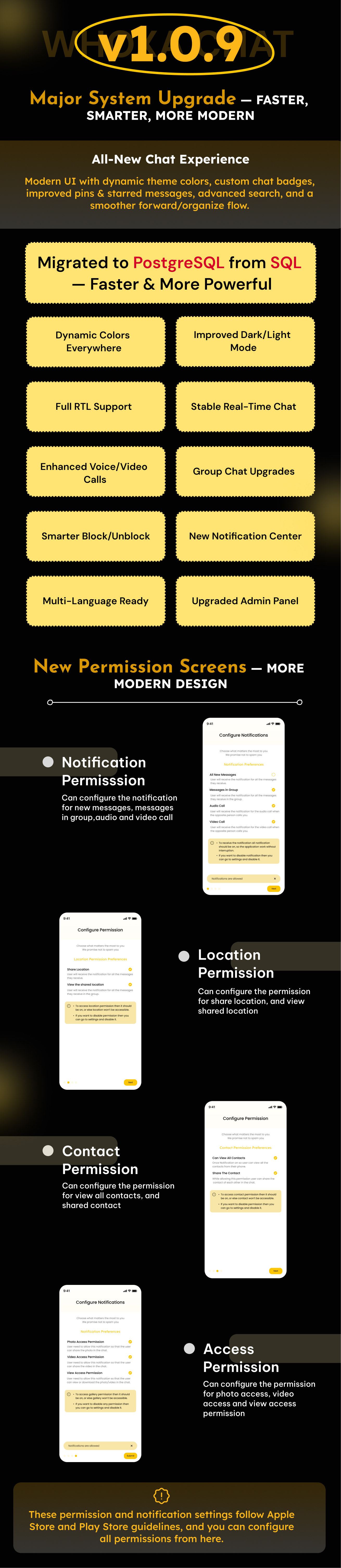
1.0.9(Major Upgrade Release) | 18/11/2025 Website DATABASE & PERFORMANCE Migrated completely from MySQL → PostgreSQL Overall system performance greatly improved Faster queries, optimized indexing & better concurrency Real-time chat engine restructured for smoother experience CHAT SYSTEM UPDATES New Design for better chat experience Show View profile, archive chat, block chat, delete chat Delete chat from chat list Real-time chat enhanced for instant delivery Users can change chat badge colors Dynamic App colors All icons, backgrounds & UI instantly adapt Users can select theme color Admin can set default theme color from panel Improved Pinned Messages Show in chat list (“UserA pinned a message”) Users see “You pinned a message” for their actions Improved Starred Messages Reply message auto-scrolls to original message Search user improved significantly All banners dynamically adapt colors Group chat improvements: Group Description added Users can see how many members online in group Added green dots which users online in group Sender name shown with random color Update group name & image Show “You” during group creation Block/Unblock improved If User A blocks B → “You blocked this contact” If User A is blocked → “You are blocked by this user” Forward/Delete multi-select improved New forward message UI Tabs: Recent + Contacts Media count added New users default status: Available Dark/light mode easy to work CALL SYSTEM Better call experience Call duration now displayed in call history Audio/Video call full testing: Web → App App → Web ARCHIVE & ORGANIZATION Archive now updates live Real-time number update after adding to archive NOTIFICATIONS Notification center added Admin-sent notifications visible in user panel STATUS MODULE Status module fully improved MULTI-LANGUAGE SUPPORT RTL + LTR support added Fully responsive for Arabic, Hebrew, Persian, Urdu, etc. Admin Panel New Admin panel which support PostgreSQL Dashboard Upgrade – Added real-time active users count with country-wise breakdown. Msg91 Credentials Added Custom Push Notification send from admin panel
1.0.8 | 16/10/2025 Nodejs latest update Security improvements
1.0.7 | 24/09/2025 Mobile App - Latest Flutter support - Android dependency improves - iOS dependency improves - Status functionality improves - Reply from the status screen and show in a chat message
1.0.6 | 24/08/2025 Mobile App - App permissions improve based on app store requirements - Audio/video call improvements - Chat Improvements
1.0.5 | 20/05/2025 Mobile App - Search user improve on contact screen. - Dynamic banner color set from admin panel on user profile screen. - Dark/Light Mode - Notification token remove after logout - If users do video call then speaker enable default - PDF viewer fixed - User blocked one user then blocked all other users which fixed - Permission asked again, it's fixed Admin Panel - Manage Dark/light mode app logo from panel.
1.0.4 | 22/04/2025 Mobile App - Email based login - Manage profile email during create the profile and editing the profile - Pin/Unpin Chat message feature for single to single and group users - Users can manage multiple pin and unpin chat messages - Highlight the pinned message when the user clicks on any item of pinned message list - All media files are managed in the pin feature - Users can see other users pinned messages in group chat, similar to WhatsApp logic - Send location on chat - Search location, then share in the chat - Show nearby places auto-populate during share location - Keyboard not closing when open, it's fixed - Multiple permission request issues fixed - Chat screen back button issue fixed - Do not go back from chat screen to home screen, it's fixed - Bottom overlay in chat screen (iPhone 12), it's fixed - Keyboard not closing in the whole app issue fixed - Audio/Video call sometimes push notification users don't have an idea, it's fixed - Home screen loader first time login, it's fixed - Home screen loads every time on the back button issue fixed - Add smooth Chat Profile Loader - Location picker color mismatch fixed - Add a plus icon to the status in my status screen - in profile-> starred messages, when there is no data, hide the edit button - Country picker color change using custom theme Admin Panel - Email based login entry added - Show platform app or web based data in user list - Add email or phone number under full name in the user list - Dashboard, Add a graph customer by login for users who sign up with an email or phone number - Dashboard, Add graph platform activity for users who come from the website or app - Dashboard, show last 30 minute active users like Google Analytics - Admin can enable/disable email or phone number OTP from the General settings - Admin can configure Email Template content from system settings ->email configration - Admin can set the email SMTP value in settings
1.0.3 | 19/02/2025 Flutter Mobile App( Android & iOS) - Gradle Updated. - Java version updated 17. - If no API URL is added to the flutter code, show a screen to add a configuration API to avoid red screening. - Apps work without contact permission. - Add design on contact screen to permit showing contact if contact permission is denied. - Camera permission was denied, so ask permission again when sending the camera image in chat. Admin Panel - Package update. - Set Twilio details in the admin panel setting - Responsive view
1.0.2 | 06/02/2025 Flutter Mobile App( Android & iOS) - Dynamic color changes from the admin panel. - Dynamic share URL content from the admin panel. - Chat Screen Improvement. - The Profile Details screen appears gray when a chat has not been initiated, which has been resolved. Admin Panel - Setup Configuration fix. - Deactivate the Purchase code and set it up on other servers.
1.0.1 | 22/01/2025 Flutter Mobile App( Android & iOS) - Flutter version update 3.24.1 to 3.27.1. - Blue tick was added to single and group chats. - The notification bubble number signifies the number of unread messages associated with the website or particular chat. - The users can do Audio/Video calls from profile screens. - The users can make Audio/Video calls from the call history screen. - If Notifications are not allowed then ask every time if click on call activity. Admin Panel - The avatar show issue is fixed.
V1.0.0 | 14/01/2025 - Initial Version with Flutter app in Android and iOS. - Initial Version with admin panel
Enjoy the whoxa chat app with the admin panel!
$79 |
Download |
5 average based on 4 ratings.
.jpg)
| Last Update | 2026-04-30 |
| Created | 2025-01-14 |
| Sales | 147 |
| Discussion | Comments |
| Software Version | Flutter 3.x Flutter 2.x |
| Files Included | Dart .plist |
| Video Preview Resolution |


