Wholesale Pricing for WooCommerce, a WooCommerce Wholesale Plugin

Wholesale Pricing for WooCommerce adds multiple wholesale pricing levels to your store depending on the user role. If a price has been entered for a specific user role inside the product edit page, it will override the default product price with the new wholesale price you entered for that role. Wholesale prices will only be shown if the current user has a role specified on the settings page. The plugin supports both simple and variable products.
Key Features:- Customers pay price according to their user roles.
- Option to set free tax for the wholesale customers.
- Option to set free shipping for the wholesale customers.
- Set minimum / maximum checkout spending per order.
- Set minimum / maximum checkout quantities per order.
- Option to hide products from the shop that do not have wholesale prices for the current user role.
How To Install
- Download the .zip file from your codecanyon account.
- Go to: WordPress Admin > Plugins > Add New and Upload Plugin with the file you downloaded with the Choose File button.
- Install Now and Activate the plugin.
Backend Settings
When you install the plugin, then a new menu with the title “Wholesale Prices” will appear in the admin dashboard. Let’s go through the options we have on this page:
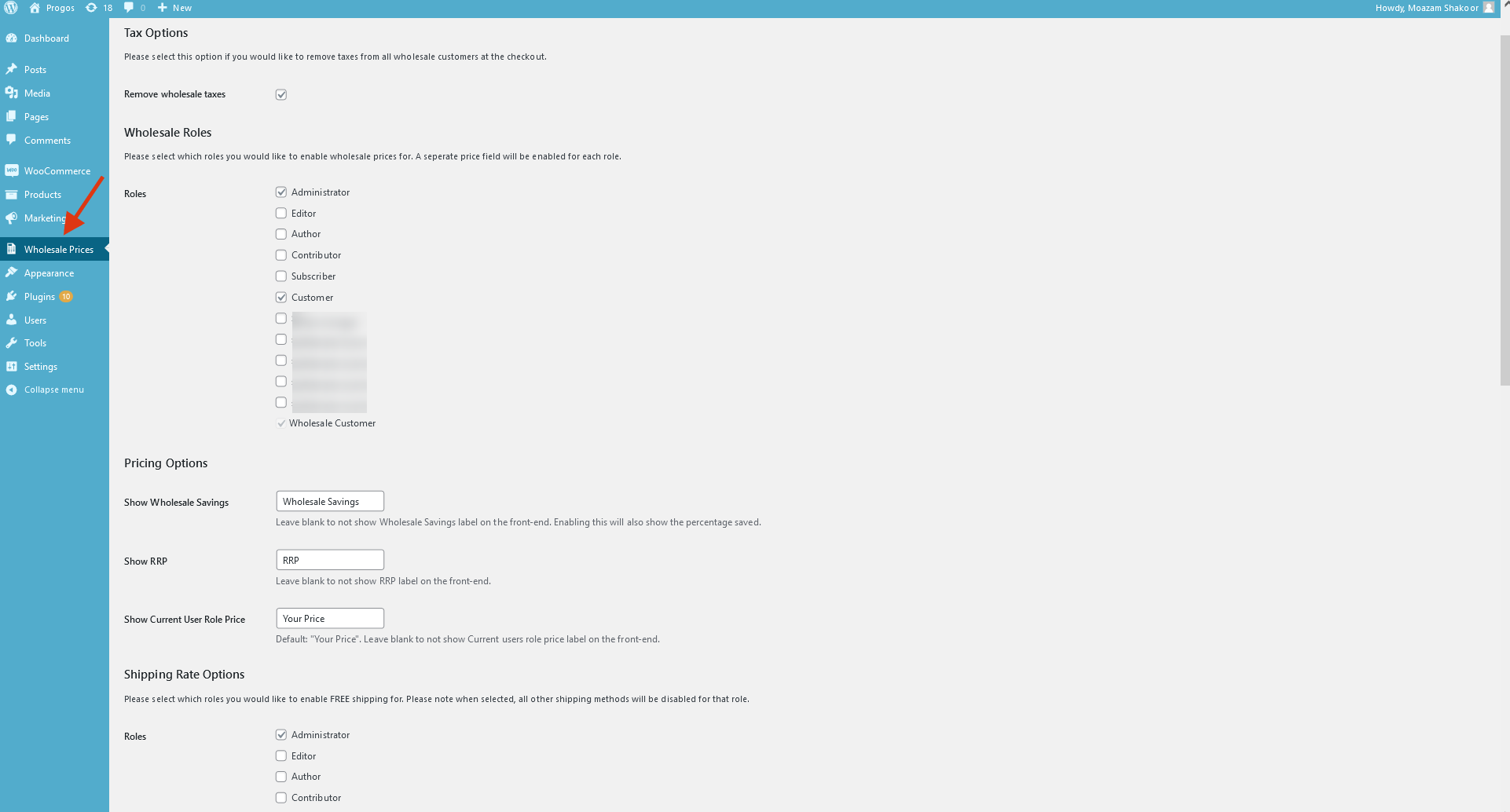
- Remove wholesale taxes: Enable/disable tax for the wholesale customers.
- Wholesale Roles: Select the roles to be assigned as wholesale roles.
- Pricing Options: Set different label texts for the wholesale products information
- Show Wholesale Savings: Show the current user how much they will save if this product has a wholesale price attached to it. Leaving this blank will not show this option on the frontend.
- Show RRP: Show the RRP the current user should be paying. Leaving this blank will not show this option on the frontend.
- Show Current User Role Price: Show the price the current user will be paying. Leaving this blank will not show this option on the frontend and users will not see how much they need to pay until checkout.
- Shipping Rates Options: Select which roles will have free shipping enabled.
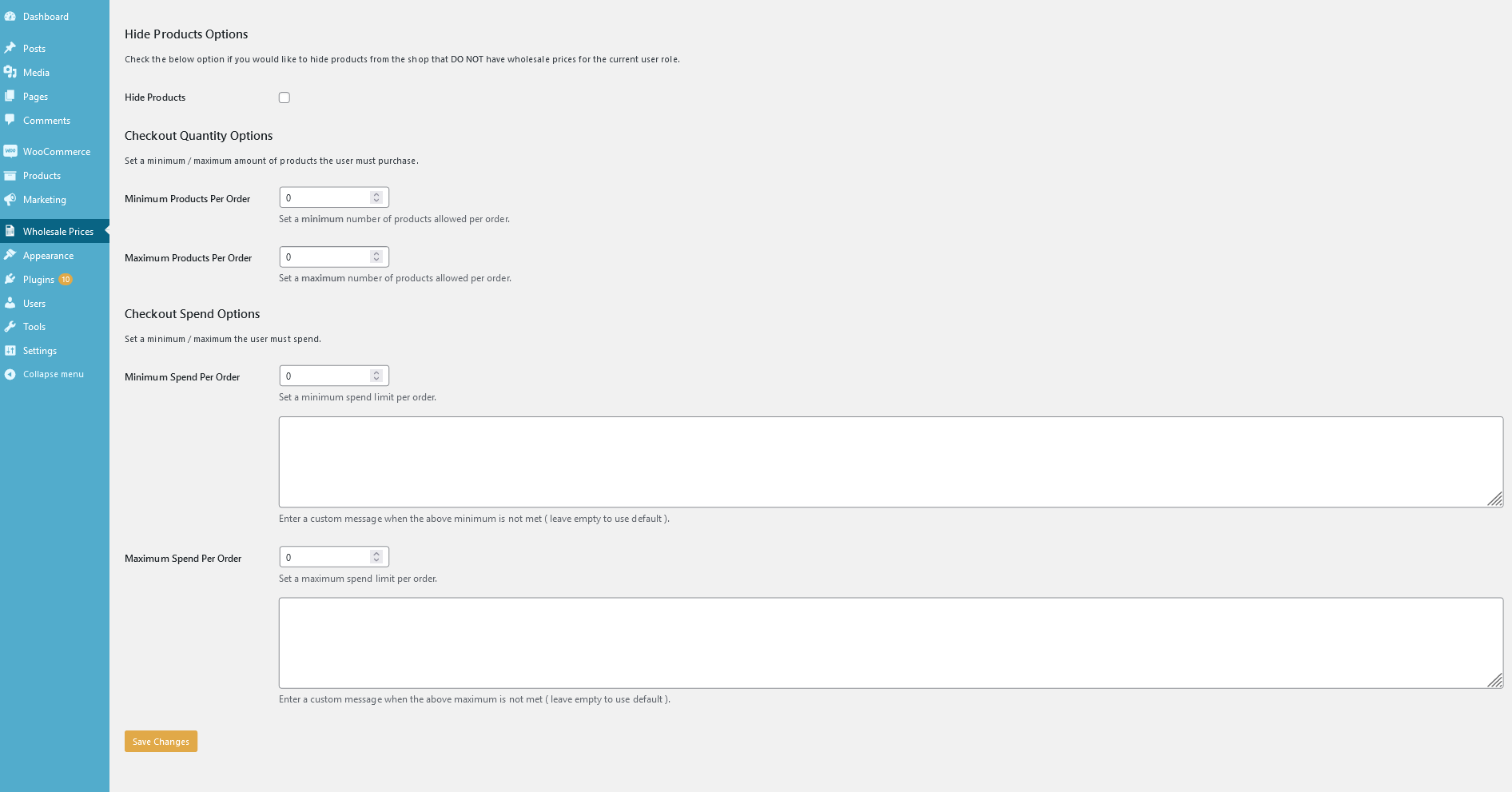
- Hide Products: Hide products from users that don’t have a wholesale price assigned to their current user role.
- Checkout Quantity Options: Set minimum and maximum products allowed per order. Leave empty or set 0 to remove the limits.
- Minimum Products Per Order: Set a minimum number of products allowed per order.
- Maximum Products Per Order: Set a maximum number of products allowed per order.
- Checkout Spend Options: Set minimum and maximum spending allowed per order. Leave empty or set 0 to remove the limits.
- Minimum Spend Per Order: Set a minimum spending limit per order.
- Maximum Spend Per Order: Set a maximum spending limit per order.
While creating/editing a product in the admin panel, you will see new input fields for the pricing according to the enabled wholesale roles as you can see in the below image:
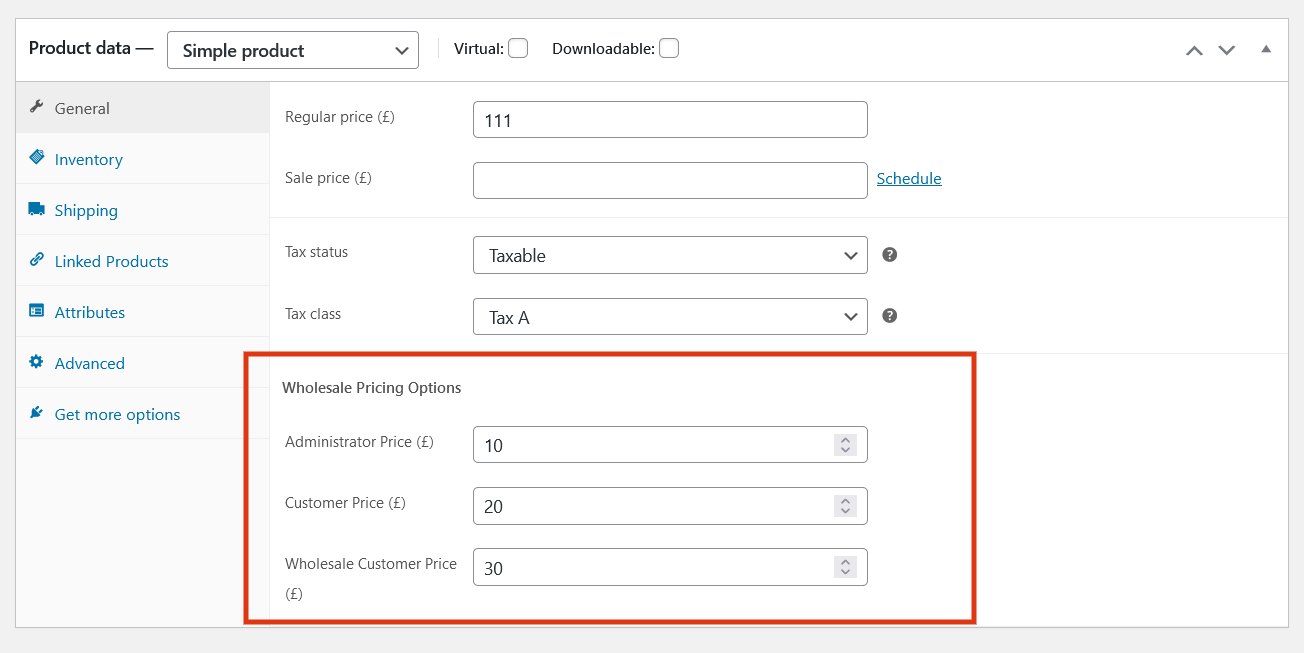
Set the desired prices for the user roles or leave empty(or 0) to disable the wholesale price.
Frontend
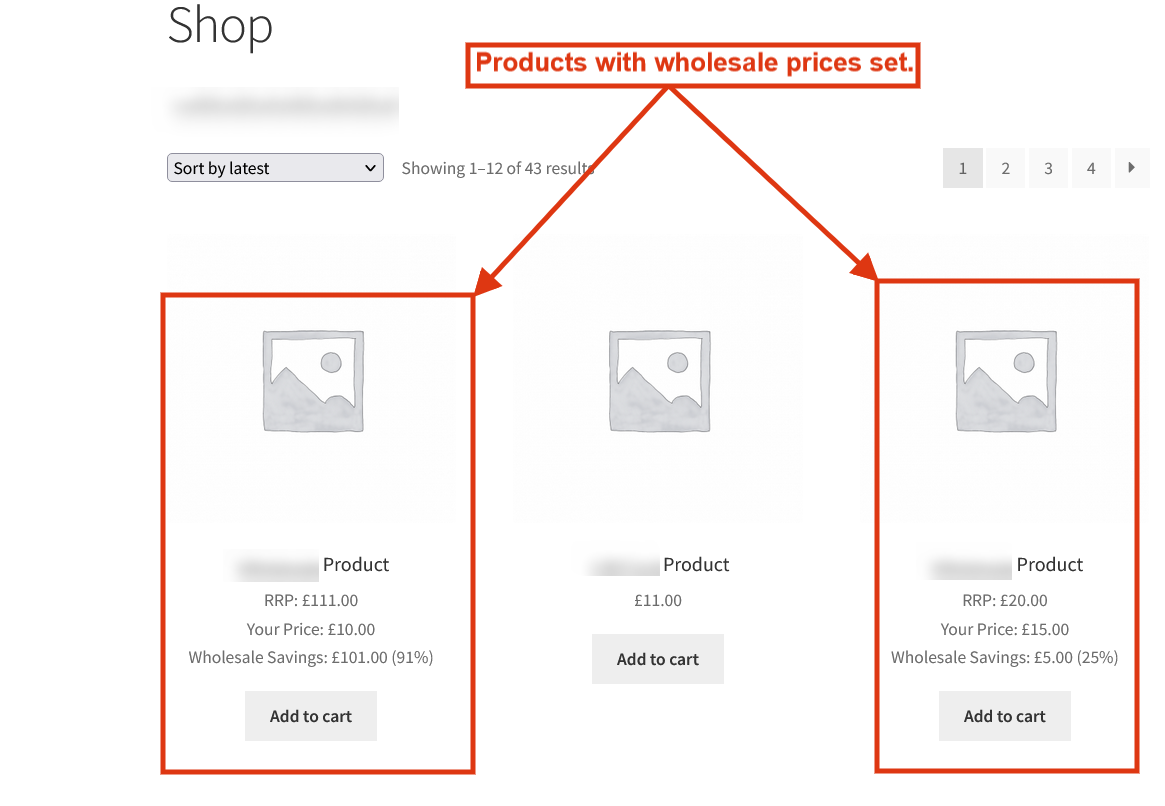
On the frontend, the customers will have prices for the products according to their user role. The products for which wholesale price is not set for the user role will have the original prices.
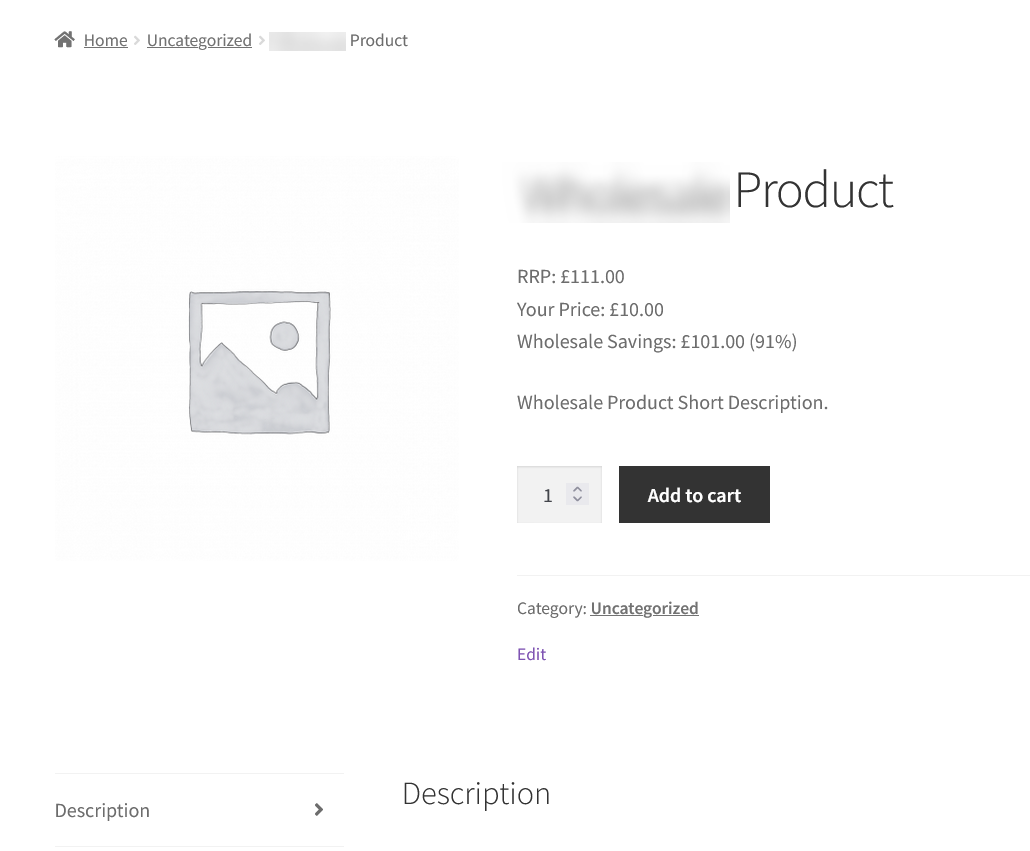
The single product page looks like following:
Request a Feature
Please contact our support team to request another feature or any customization.Changelog
Version 1.0.0 * Initial Release.
0 average based on 0 ratings.

| Last Update | 2025-07-12 |
| Created | 2022-07-19 |
| Sales | 3 |
| Discussion | Comments |
| Compatible Browsers | IE9 IE10 IE11 Firefox Safari Opera Chrome Edge |
| Software Version | WordPress 6.8.x WordPress 6.7.x WordPress 6.6.x WordPress 6.5.x WordPress 6.4.x WordPress 6.3.x WordPress 6.2.x WordPress 6.1.x WordPress 6.0.x WordPress 5.9.x WordPress 5.8.x WordPress 5.7.x WordPress 5.6.x WordPress 5.5.x WordPress 5.4.x WordPress 5.3.x WordPress 5.2.x WordPress 5.1.x WordPress 5.0.x WordPress 4.9.x |
| Compatible With | Elementor Elementor Pro Visual Composer WooCommerce 9.x.x WooCommerce 8.x.x WooCommerce 7.x.x WooCommerce 6.x.x WooCommerce 5.x.x WPBakery Page Builder WPML |
| Gutenberg Optimized | |
| High Resolution | |
| Files Included | PHP |
| Video Preview Resolution |


