WebRec | Html5 Screen Recording Utility For PC
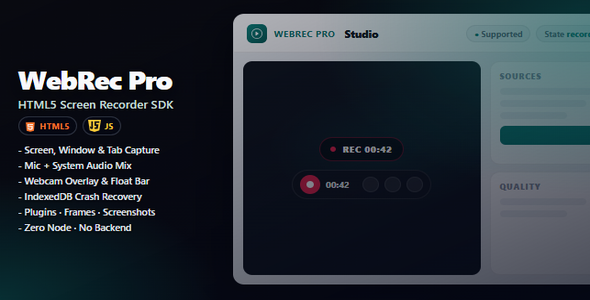

WebRec | Html5 Screen Recording Utility For PC
Turn any website into a place where people can record their PC screen — the full desktop, any window, or a browser tab — with no apps to install.
Whether you run a course, a support desk, a SaaS product, or a client portal, WebRec lets visitors capture what is on their computer, talk with their mic, show their webcam, then preview and save the video. It runs in the browser, but recording is not limited to your webpage alone: users can share their entire PC screen, an application window, or a tab.
The problem it solves
Long written explanations miss the point. Screenshots are incomplete. Desktop recorder apps get abandoned halfway.
WebRec puts PC screen recording where your users already are — inside your website. They click, choose what to share on their computer, and send you a clear video of exactly what happened.
Why it feels valuable
- Looks premium — polished Studio interface and floating controls your users will trust
- Zero friction — works in the browser; visitors don’t download anything
- Ready out of the box — open the included Studio demo and record in minutes
- Easy to brand — match your colors with a simple theming guide
- Built for real sites — courses, support, demos, interviews, and team tools
Everything included
Recording
- Screen, window, or browser tab
- Microphone + system sound (when allowed by the browser)
- Webcam overlay while recording
- Pause, resume, stop, cancel, and restart
After the take
- Instant preview
- Download WebM / Download MP4 (in-browser convert), plus share where the browser allows
- Screenshots during recording
- Video thumbnails
- Simple trim helper
- Crash recovery if the tab closes mid-recording
For your project
- Full visual Studio demo
- Beginner-friendly documentation with screenshots
- 34 examples for common setups
- Optional upload to your own server
Who it’s for
- Course creators & coaches collecting student walkthroughs
- Support teams who want bugs shown, not described
- Product owners adding “record a demo” inside their app
- HR & hiring flows that need screen + camera takes
- Agencies delivering recording features to client websites
How it works
- Try it — open the Studio demo and record a sample video
- Learn it — follow the Getting Started guide (written for non-developers)
- Add it — drop the ready files onto your site, or send them to your developer
Your live website needs a secure connection (HTTPS). For local testing, localhost is enough.
Technical Requirements
- No Node.js required to run Studio, examples, or the prebuilt SDK. Node.js is optional only if you rebuild or customize the modular
src/sources yourself. - Web server — serve files over HTTPS (production) or localhost (development). Screen recording does not work on plain
file://pages. - Browser APIs — requires a modern browser with
getDisplayMedia(Screen Capture),MediaRecorder, and (for mic/webcam)getUserMedia. Chrome and Edge give the fullest experience; Firefox and Safari work with normal browser limits. - Optional file uploads — core recording is 100% client-side. If you enable the chunk uploader (or your own upload endpoint), your server must accept multipart/binary POST requests, allow adequate
upload_max_filesize/ request body limits, and store or forward the received blobs. - Optional MP4 convert — Studio “Download MP4” uses self-hosted FFmpeg.wasm under
assets/libraries/ffmpeg/(unminifiedffmpeg-core.js+.wasmincluded). No CDN is used.
Infrastructure cost warning
WebRec itself does not bill you for storage or encoding. However, if you implement server-side storage (saving recordings to your host, AWS S3, Google Cloud Storage, etc.) or server-side video conversion, you (the buyer) are responsible for those external infrastructure costs — for example AWS S3 storage/request fees, CDN transfer, or server bandwidth and CPU for uploads and transcoding. Plan capacity and hosting budget before enabling uploads or remote conversion in production.
Browsers
Works in modern browsers. Chrome and Edge give the smoothest experience. Firefox and Safari are supported with normal browser limits.
License clarity
Your Envato purchase covers WebRec. All libraries bundled in the package are free and open-source — you do not need to buy extra commercial licenses to use what’s included.
Optional add-ons (like advanced waveform or video conversion) are not required. Details are in CREDITS.md.
WebRec | Html5 Screen Recording Utility For PC — record the full PC screen, a window, or a tab from your website; simple to use and ready for customers.
.png)


