Webhooks & n8n Automation Plugin for Shofy – eCommerce & Multivendor Marketplace
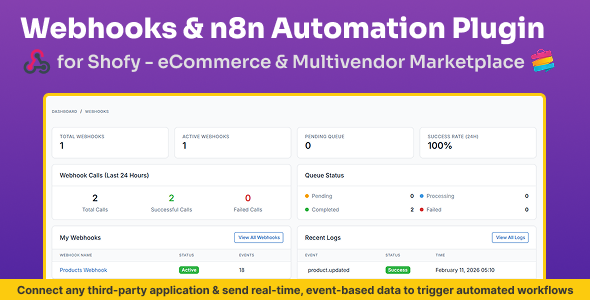

Webhooks & n8n Automation Plugin for Shofy – eCommerce & Multivendor Marketplace
Note: This plugin requires a working Shofy – Laravel eCommerce & Multivendor Marketplace installation (1.4.0 or later) and an existing n8n instance (self-hosted or cloud-based). n8n installation and server setup are not included.
Brief Description
Webhooks & n8n Automation Plugin for Shofy – eCommerce & Multivendor Marketplace enables real-time, event-driven automation by instantly sending webhook events from your Shofy marketplace to n8n workflows or any custom endpoint.
This plugin transforms Shofy into an automation-ready platform — allowing you to build unlimited workflows, integrate with hundreds of services, and automate marketplace operations without recurring subscription fees.
No polling. No delays. Full data ownership.
Key Features
- Real-Time Webhook Triggers: Instantly send events from Shofy to n8n or custom endpoints the moment an action occurs — true real-time automation without polling.
- Comprehensive Event Coverage: Orders, Products, Customers, Vendors, Categories, Reviews, Invoices, Shipping, Cart Abandonment, and more — covering all essential marketplace workflows.
- Queued & Non-Blocking Processing: All webhook events are processed asynchronously using Laravel Queues to ensure Shofy remains fast and responsive even during high activity.
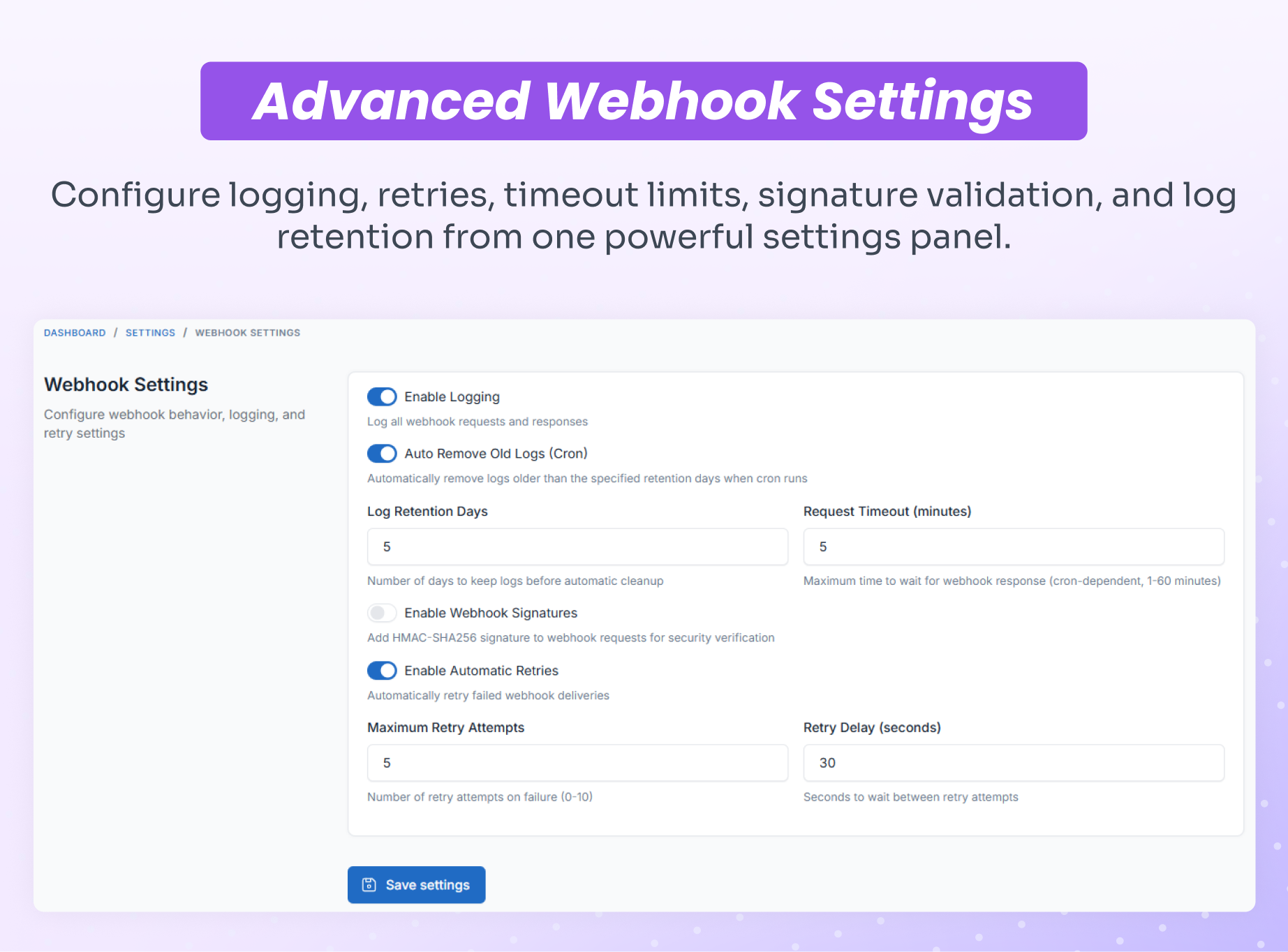
- Secure Webhook Authentication: Webhook payloads are protected using HMAC-SHA256 signature verification to ensure trusted delivery.
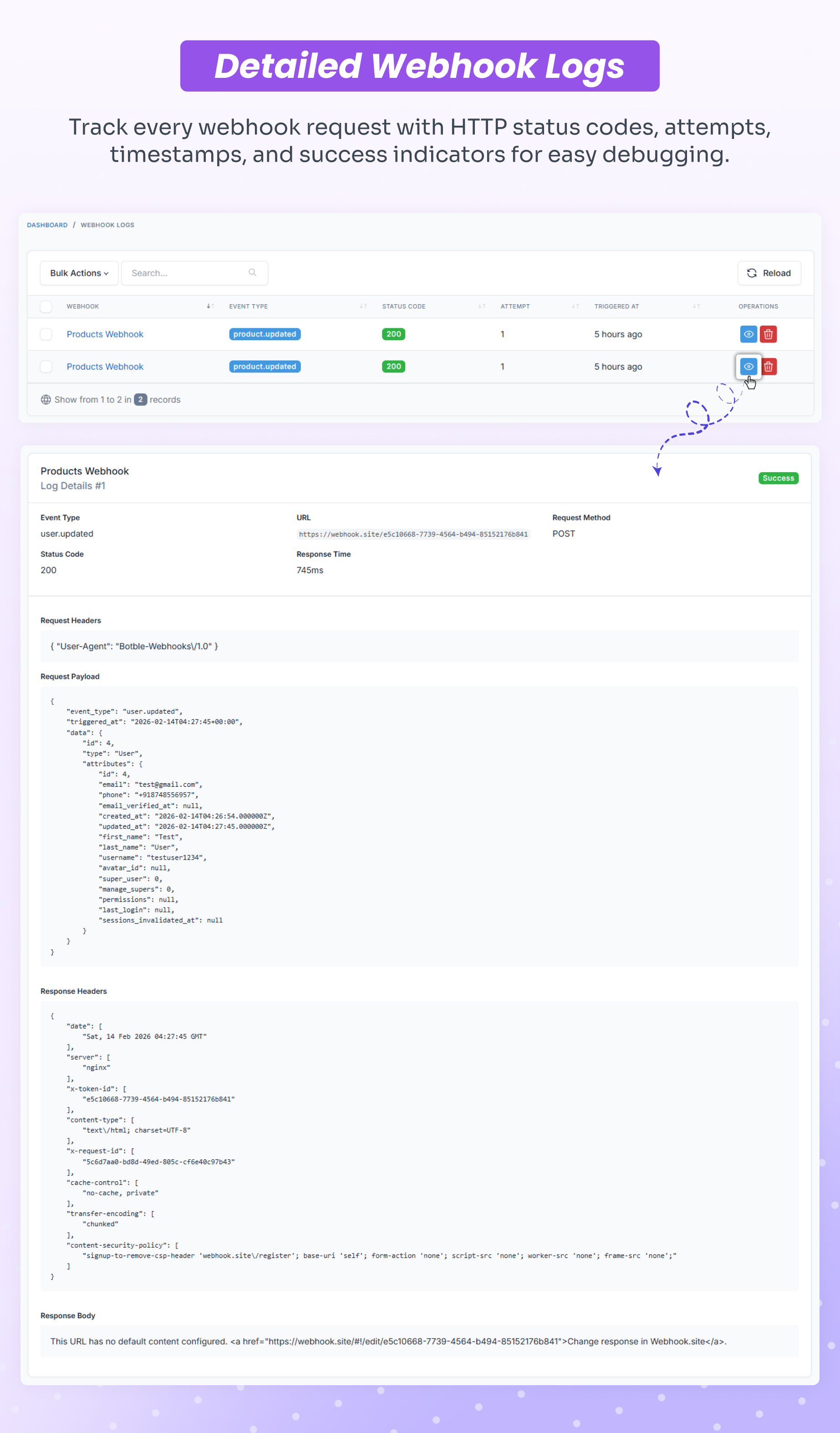
- Event Delivery Logs: Monitor every webhook attempt with detailed logs for debugging, auditing, and reliability tracking.
- Automatic Retry for Failed Webhooks: Intelligent retry handling with exponential backoff ensures events are not lost due to temporary failures.
- Admin Management Dashboard: Beautiful interface to create, configure, enable/disable webhooks, test endpoints, and view delivery logs — all from Shofy admin panel.
- Optimized for Self-Hosted n8n: Unlimited workflows, full data ownership, and zero monthly automation fees.
Who Can Use This Module?
- Marketplace Owners & Operators
Automate vendor management, order fulfillment, and customer communication while reducing manual work and operational errors. - eCommerce Businesses
Connect your store with ERP, inventory systems, accounting software, CRM, and marketing platforms for seamless data synchronization. - Digital Agencies
Build custom integrations for clients and automate marketplace workflows without paying per-client automation fees. - Dropshipping & Fulfillment Operations
Automatically route orders to suppliers and fulfillment partners instantly when orders are placed. - Developers & System Integrators
Build advanced integrations and custom workflows using Shofy webhook events with clean, documented JSON payloads.
Supported Events – Complete Reference
| Resource | Events |
|---|---|
| Orders | Created, Updated, Status Changed |
| Products | Created, Updated, Deleted |
| Categories | Created, Updated, Deleted |
| Customers | Created, Updated, Deleted, Verified, Suspended, Email Verified |
| Users | Created, Updated, Deleted |
| Vendors | Registered, Withdrawal Request |
| Reviews | Created, Updated, Deleted |
| Invoices | Created, Deleted |
| Shipping | Status Changed |
| Cart | Cart Abandoned |
*Additional events will be added based on platform updates.
Webhook Payload Structure
Each webhook includes a standardized JSON payload containing full event metadata and resource data, making it easy to consume in n8n workflows or custom applications.
{ "event": "order.completed", "triggered_at": "2026-02-12T04:57:53+00:00", "resource": "order", "data": { "id": 28, "code": "#SF-10000028", "user_id": 2, "amount": "561.63", "tax_amount": "73.26", "shipping_amount": "0.00", "discount_amount": "0.00", "sub_total": "488.37", "status": "completed", "currency": null, "shipping_method": "default", "shipping_option": null, "created_at": "2026-02-12T04:50:25+00:00", "updated_at": "2026-02-12T04:57:51+00:00" }, "relationships": { "payment": { "id": 25, "method": "cod", "status": "completed" }, "customer": { "id": 2, "name": "Emma Wilson", "email": "vendor@botble.com", "phone": "+1-555-0102" }, "shipping_address": { "name": "Emma Wilson", "phone": "+1-555-0109", "email": "vendor@company.com", "country": "GB", "state": "Michigan", "city": "Miami", "address": "321 Maple Drive", "zip_code": "85001" }, "items": [ { "product_id": 4, "product_name": "Knit Turtleneck Sweater (Digital)", "quantity": 1, "price": 488.37, "tax_amount": 73.26, "total": 488.37, "product_type": "digital", "product": { "id": 4, "slug": "knit-turtleneck-sweater-digital", "sku": "PP-106" } } ], "store": { "id": 8, "name": "Old El Paso", "email": "xstoltenberg@example.org", "status": "published" }, "shipment": { "id": null, "status": null, "tracking_id": null, "tracking_link": null } } }- Event Metadata: Event type, timestamp, resource identifier
- Resource Data: Complete order details including amounts, status, and timestamps
- Relationships: Nested objects for payment, customer, shipping address, items, store, and shipment data
- Product Details: Full item information including product type, SKU, and pricing breakdown
- Store Information: Vendor/marketplace store details for multivendor workflows
Real-World Automation Examples
Instant Order Fulfillment
Order Created → n8n → Send to Warehouse API → Update Inventory → Notify Shipping Partner → Create Tracking Number
Automated Customer Onboarding
Customer Registered → n8n → Add to Mailchimp → Send Welcome Email → Create CRM Contact → Notify Sales Team
Vendor Management Workflow
Vendor Registered → n8n → Slack Notification → Create Approval Task → Send Onboarding Guide → Update Dashboard
Multi-System Order Sync
Order Status Changed → n8n → Update ERP → Sync QuickBooks → Email Customer → Trigger SMS → Log Analytics
Abandoned Cart Recovery
Cart Abandoned → n8n → Wait 1 Hour → Send Recovery Email → Wait 24 Hours → Send Discount Code → Track Conversion
Review & Reputation Management
Review Created → n8n → Sentiment Analysis → Positive: Post to Social → Negative: Alert Support → Sync to Trustpilot
Inventory & Stock Alerts
Product Updated (Low Stock) → n8n → Email Procurement → Create Purchase Order → Notify Supplier → Update Forecast
This plugin replaces Zapier, Make (Integromat), Pabbly, and similar paid automation tools with self-hosted n8n.
Why Choose n8n for Shofy Automation?
- Unlimited Executions – No caps, no overage fees
- 400+ Integrations – Connect virtually any service (CRMs, email, SMS, databases, APIs, cloud storage, and more)
- Complete Data Privacy – Self-hosted & secure, your data never leaves your server
- Open-Source Freedom – No vendor lock-in, full control over your automation infrastructure
- Advanced Workflow Logic – IF/ELSE conditionals, loops, error handling, retries, scheduling
- Visual Workflow Builder – Build complex automations without coding using drag-and-drop interface
- One-Time Cost – Pay once for this plugin, no monthly fees for unlimited automation
Screenshots
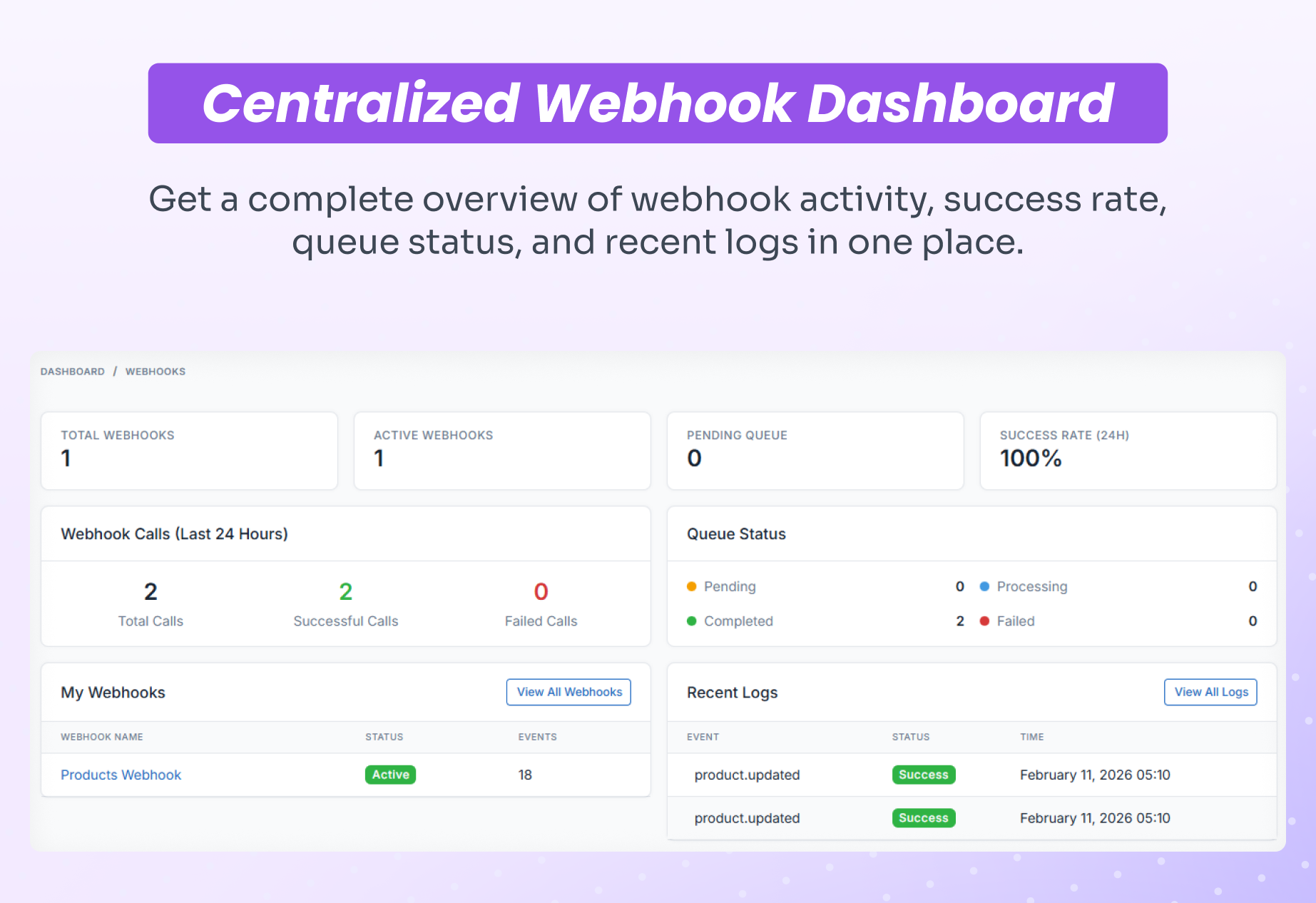
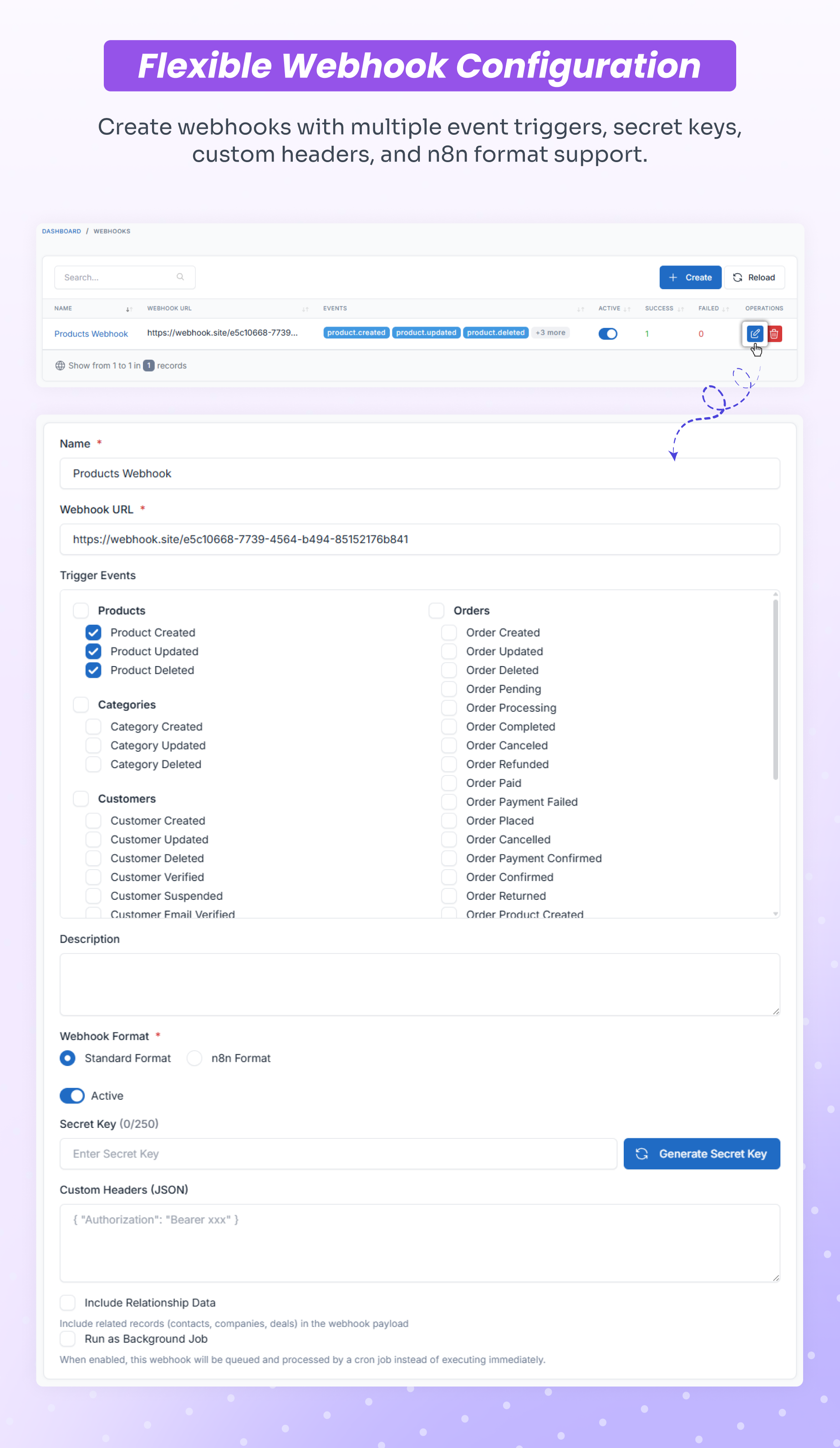
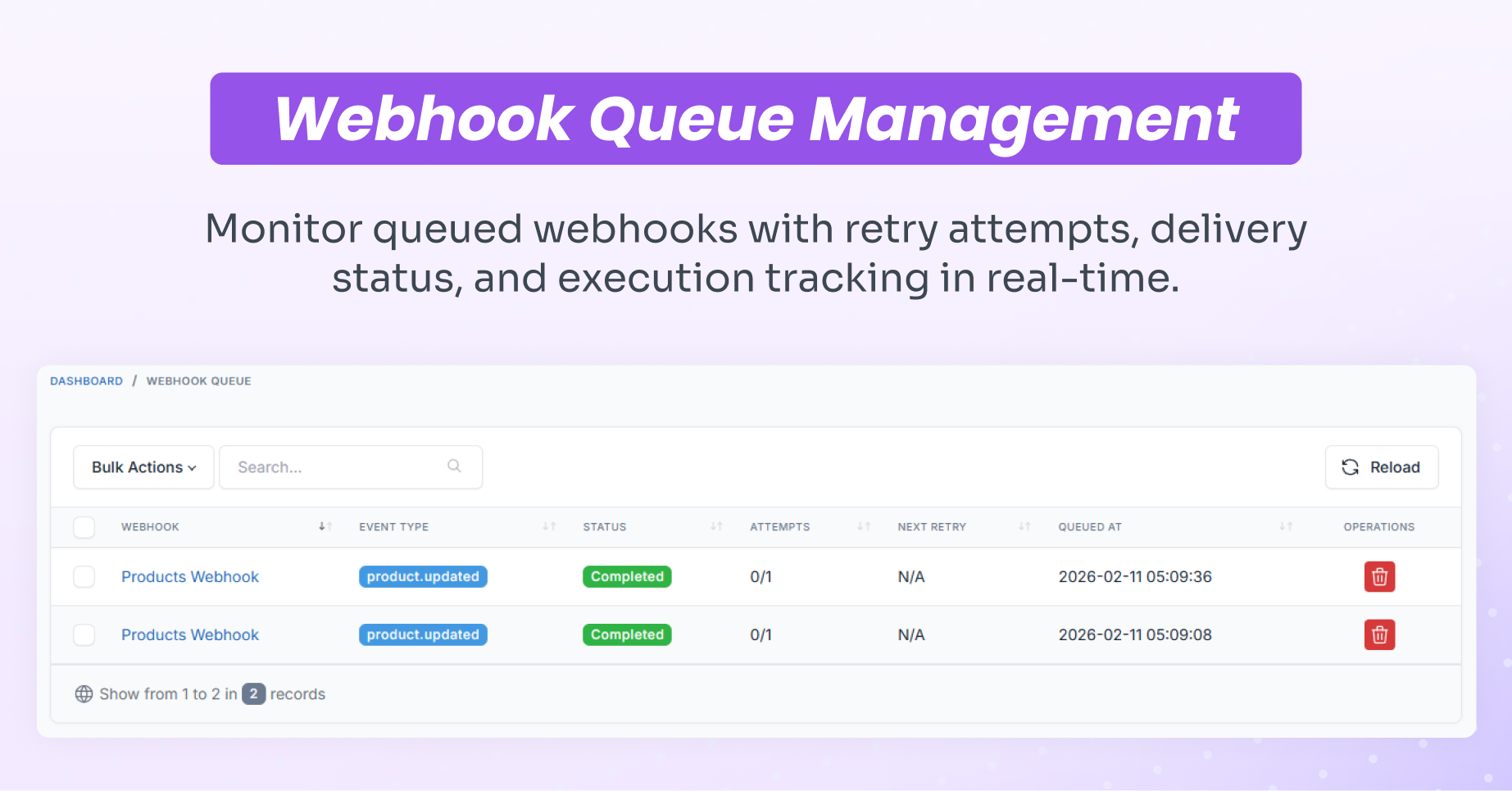
Video Demonstration
Watch this video to see how to install the plugin, send data in real-time from Shofy to n8n using webhooks, and send a WhatsApp message as an example:
▶️ https://youtu.be/wTBrbAwfnZE
Online Documentation
Support / Queries
Support is provided through direct support channel as per Envato policy. Please include your purchase code when requesting support. We aim to respond to all support requests promptly. https://support.corbitaltech.dev/login
Changelog
Version 1.0.0 – February 2026
- Initial release
0 average based on 0 ratings.


