Watch And Earn - Android App Source Code


AI disclosure: AI tools were used to assist with parts of the code, documentation and graphics of this item. The author directed and reviewed the work; exactly what was tested is listed under Declarations below.
MIKODES: official site mikodes.com · support mikodes.com/support · all projects mikodes.com · open for custom projects: tell us what you need

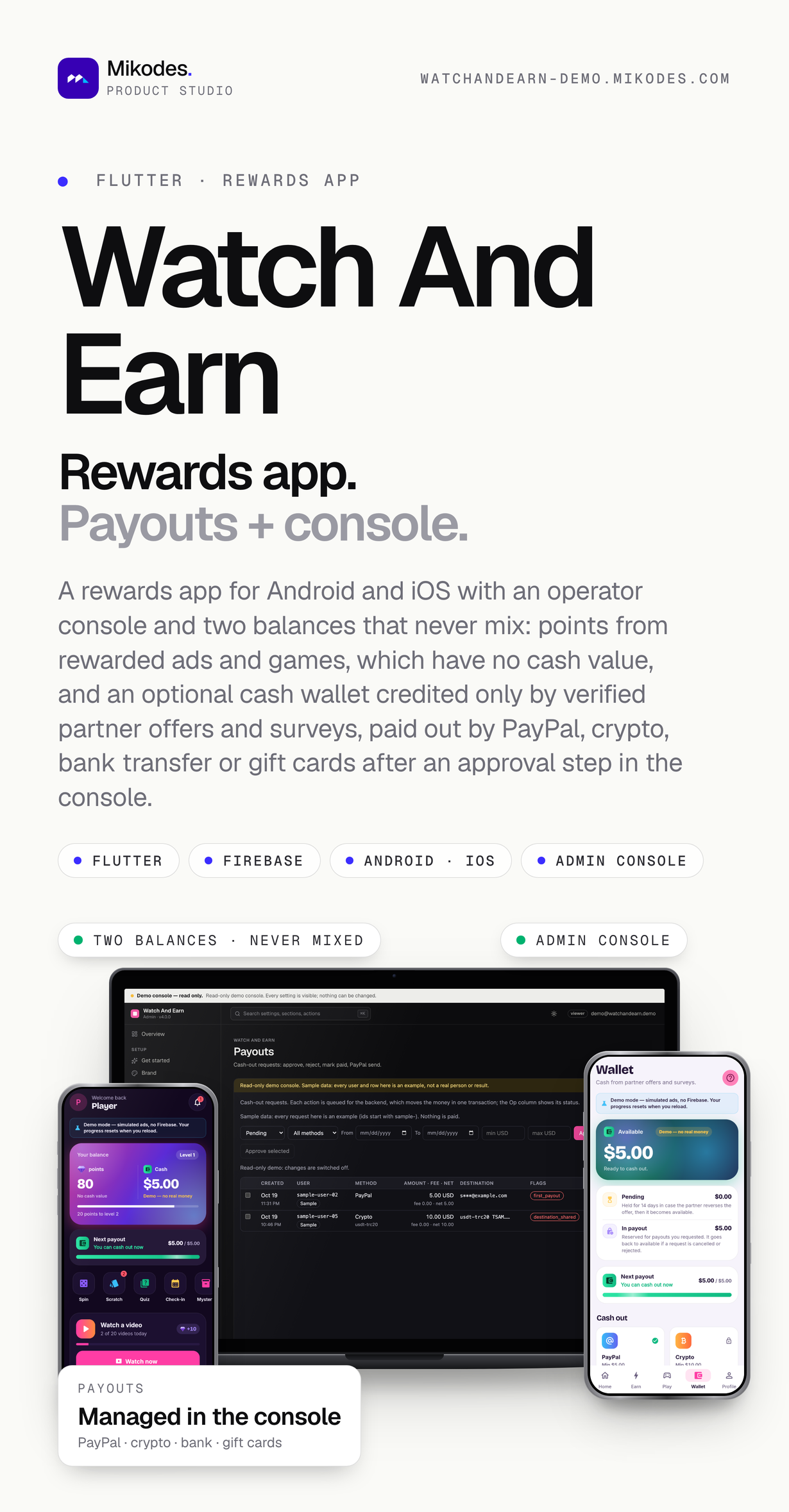
Rewardo is the listing name of this item; the app and the console ship as Watch And Earn, as in the screenshots and the demo, and you rename them in the console (Brand) and in the app’s build files, step by step in the documentation (Customization, Rebranding).
External costs not included in the purchase price
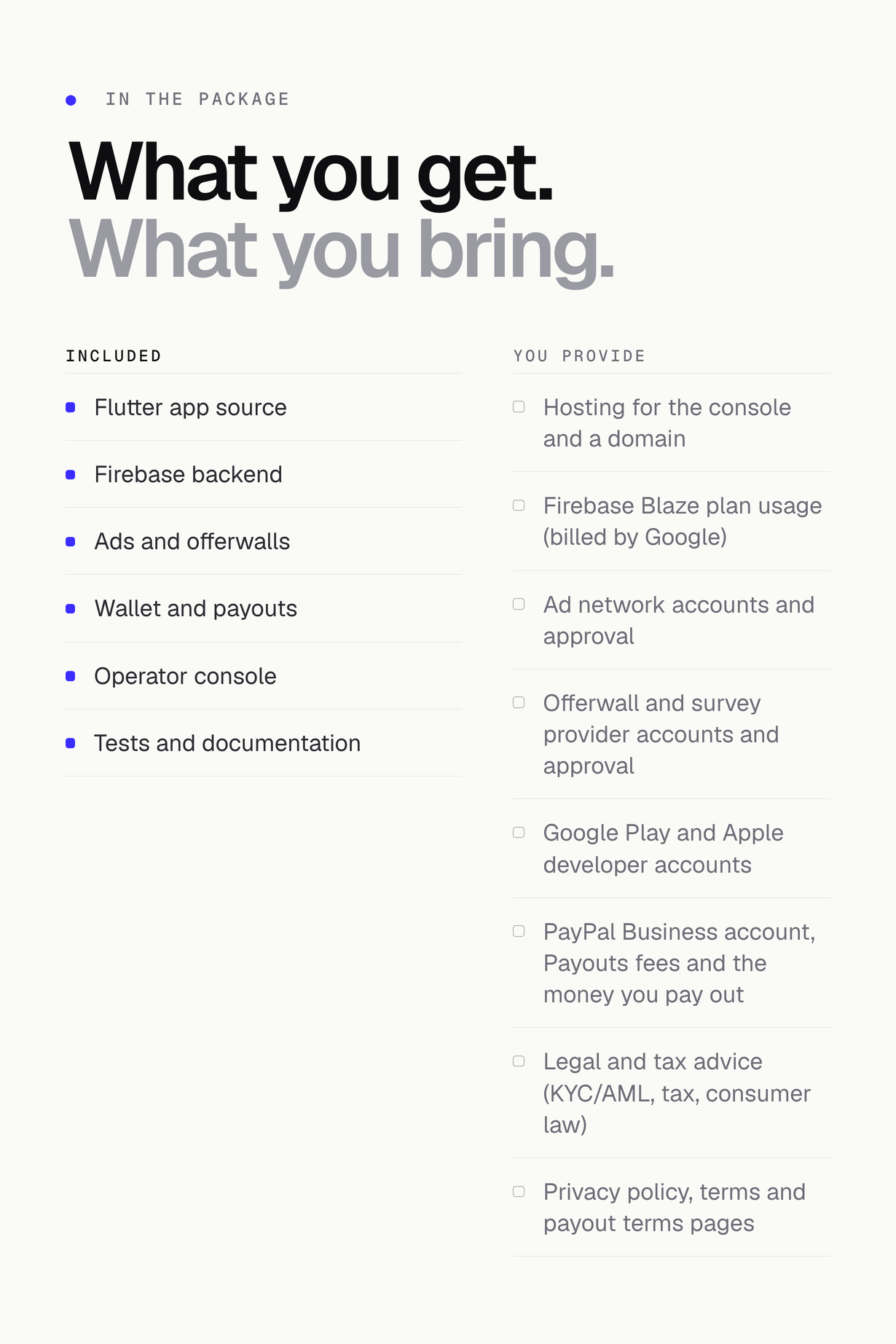
The item price covers the source code, the operator console and the documentation only. Running the app needs third-party accounts and services that are billed separately, on your own accounts, by each provider. These costs are not covered by the purchase price. Check each provider’s current pricing and terms before you buy.
- Firebase (Firestore and Cloud Functions): requires the Blaze (pay-as-you-go) plan with a billing account. Cloud Functions do not run on the no-cost Spark plan, and Firestore, Functions and Cloud Scheduler usage beyond the no-cost tier limits is billed by Google. Required.
- PayPal Payouts: PayPal charges its own per-transaction fees on every payout, billed by PayPal directly. Only if you switch on the cash wallet and send through the PayPal Payouts API (a PayPal Business account with Payouts access, which PayPal must approve); you can also pay PayPal requests by hand.
- Ad networks (AdMob, Unity Ads): you need your own publisher account with each network you use. Each network has its own approval process and may reject or delay your app, and each keeps a revenue share of the ads it serves under its own terms. At least one network is required.
- Google Play developer account (one-time registration fee) and Apple Developer Program (yearly membership) to publish the apps.
- Hosting for the operator console (any host that runs Node 22) and a domain if you want one.
- Only with the cash wallet on: the money you pay out to users, crypto network fees, bank charges, gift-card purchases, and legal and tax advice.
- Other external services you add, such as cloud storage, hosting, e-mail delivery or payment gateways, may involve additional costs charged by their providers; none of them is included in the item price.
Running costs with official pricing links: documentation/requirements.html, section Running costs. From the providers’ own pages (read 2026-10-27, USD): Google Play registration US$25 once; Apple Developer Program $99 per year; Firebase Blaze has no monthly fee, with no-cost daily and monthly quotas for Firestore, Functions and Authentication and usage billed above them; the item’s 8 scheduled jobs cost about $0.50 per month in Cloud Scheduler (3 jobs at no charge per billing account, then $0.10 per job); PayPal Payouts charges a fee per payout (for US-dollar payouts in the US, 2% capped at 1.00 USD, or 0.25 USD per payment through the API).
Live demo
| App | Link | Access |
|---|---|---|
| Watch And Earn app (web demo build) | watchandearn-demo.mikodes.com | The real Flutter app compiled in demo mode: ads and offers are simulated and labelled, the wallet shows labelled demo cash (‘Demo – no real money’) and demo payout requests never leave the device. No account is needed; progress resets when you reload. Android and iOS builds use Firebase and a real ad network. |
| Operator console (read-only) | watchandearn-demo.mikodes.com/admin | Account demo@watchandearn.demo, password GD08oTdDNxV7UofYHmwk7r. Every setting is visible and nothing can be changed; every user and row is labelled sample data. |
| Documentation | watchandearn-demo.mikodes.com/docs/ | Public, no sign-in needed. 39 pages: requirements, installation, Firebase, the console, ads, mediation and placements, wallet and payouts, cash grants, contest prizes, payout methods and PayPal setup, the payouts console, platform rules, your legal duties, mini-games, design, purchases, sponsors, revenue centre, economy, anti-fraud, release, FAQ and changelog. |
Demo instructions
Everything below is open to anyone – nothing to request, nothing to install. The app demo is the real Flutter app compiled in demo mode and running in your browser.
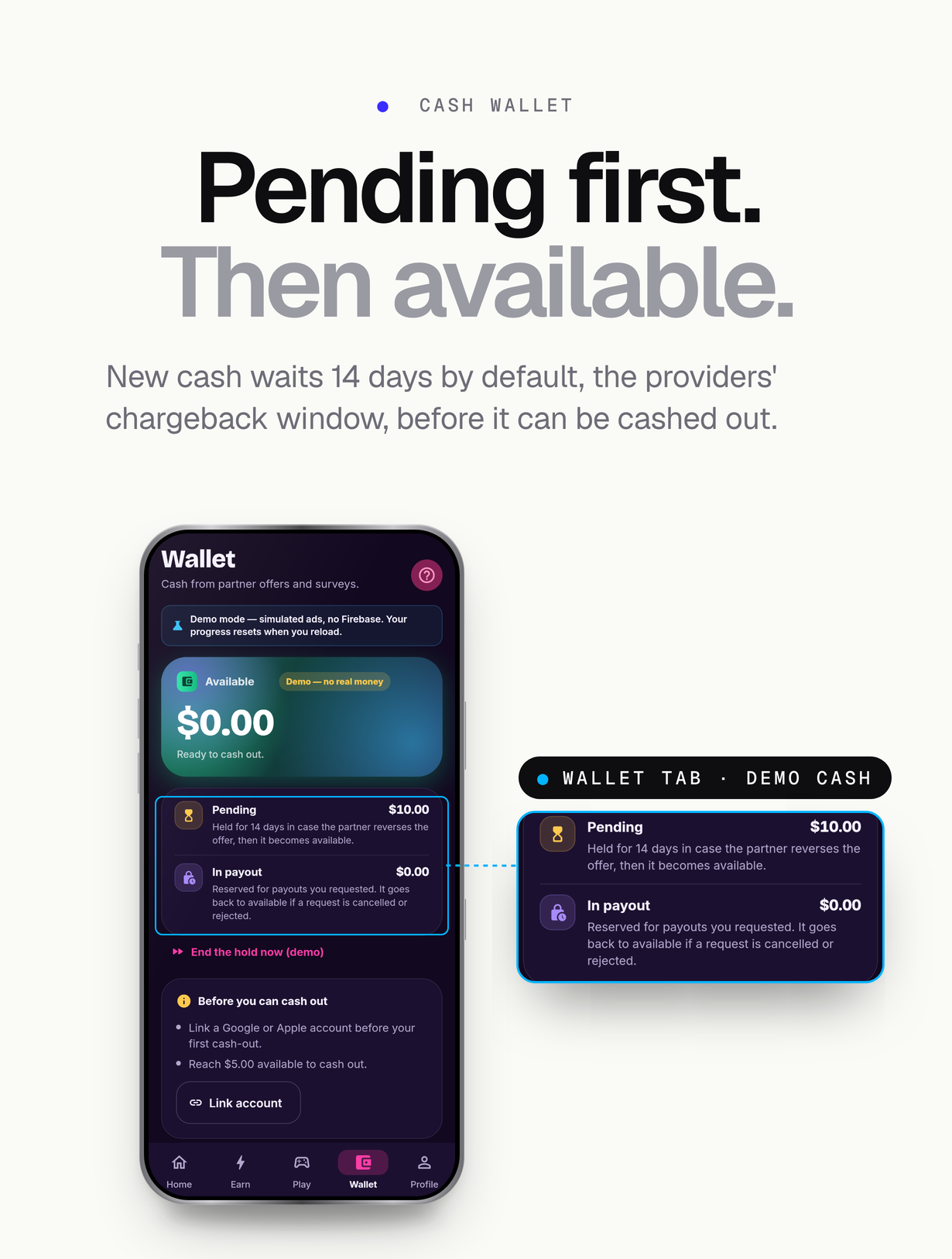
- App demo – sign-in: none. Open watchandearn-demo.mikodes.com and press ‘Continue as guest’. Ads, offers and purchases are simulated and labelled, the wallet shows labelled demo cash (‘Demo – no real money’), demo payout requests never leave the device, and progress resets when you reload.
- Operator console – e-mail and password: demo@watchandearn.demo / GD08oTdDNxV7UofYHmwk7r at watchandearn-demo.mikodes.com/admin. Every page and setting is visible and every write is refused, so you can click anywhere; each user and row is labelled sample data.
- Documentation – sign-in: none. watchandearn-demo.mikodes.com/docs/ is public: 39 pages covering requirements, installation, Firebase, the console, ads and callbacks, the wallet and payouts, release and troubleshooting.
- What the demo cannot show: real ad fills, real store purchases and real PayPal payouts. Those need your own accounts with each provider; the Android and iOS builds use Firebase and a real ad network.
Features
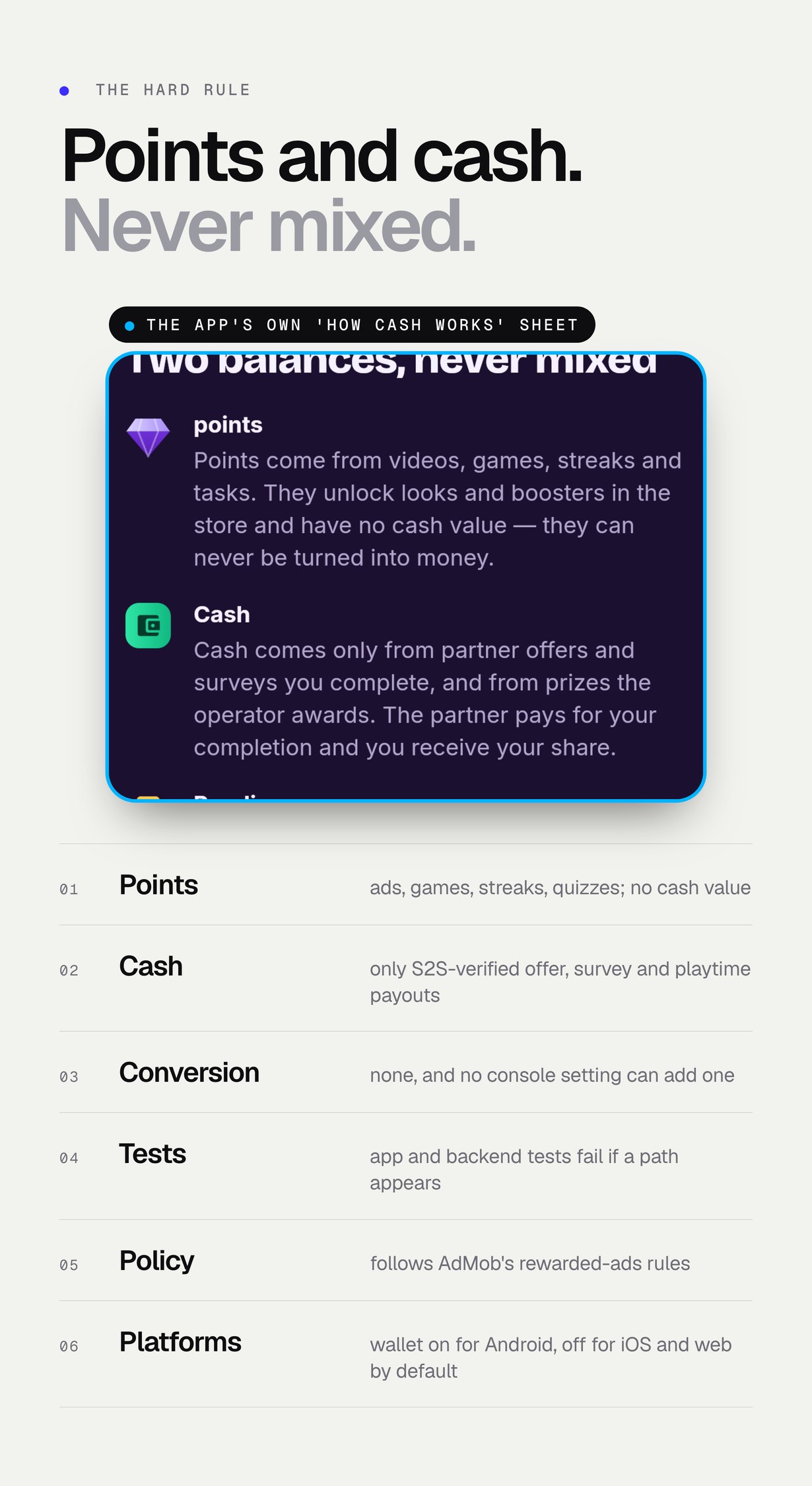
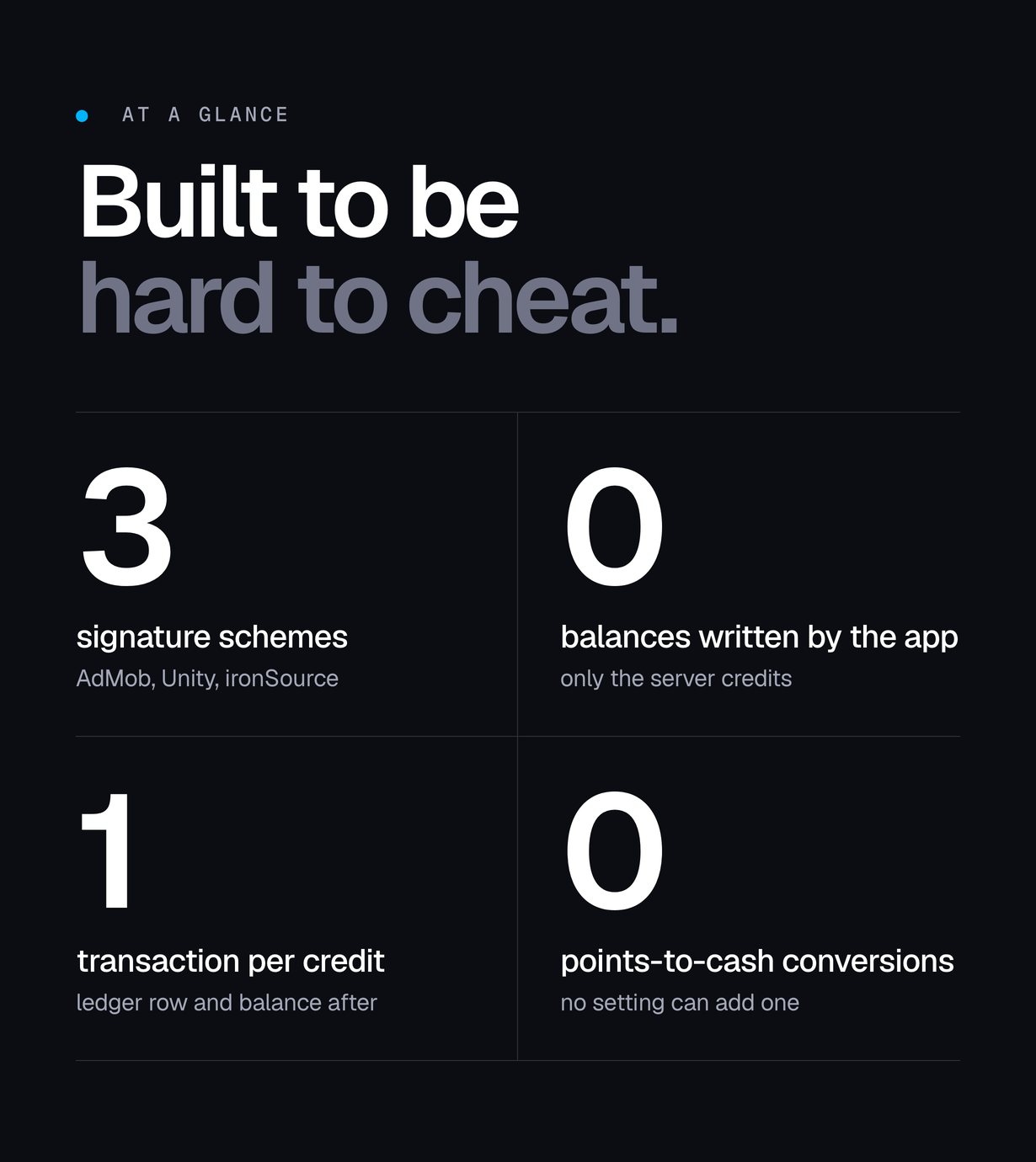
- Two balances that never mix. Points come from rewarded ads, games, streaks, check-ins, quizzes and tasks and have no cash value. The optional cash wallet is credited only by cash you grant by hand in the console and by contest prizes you approve there, all audited. There is no conversion from points to cash, no console setting can add one, and tests in the app and the backend enforce it (AdMob’s rewarded-ads policy forbids cash for ad views)
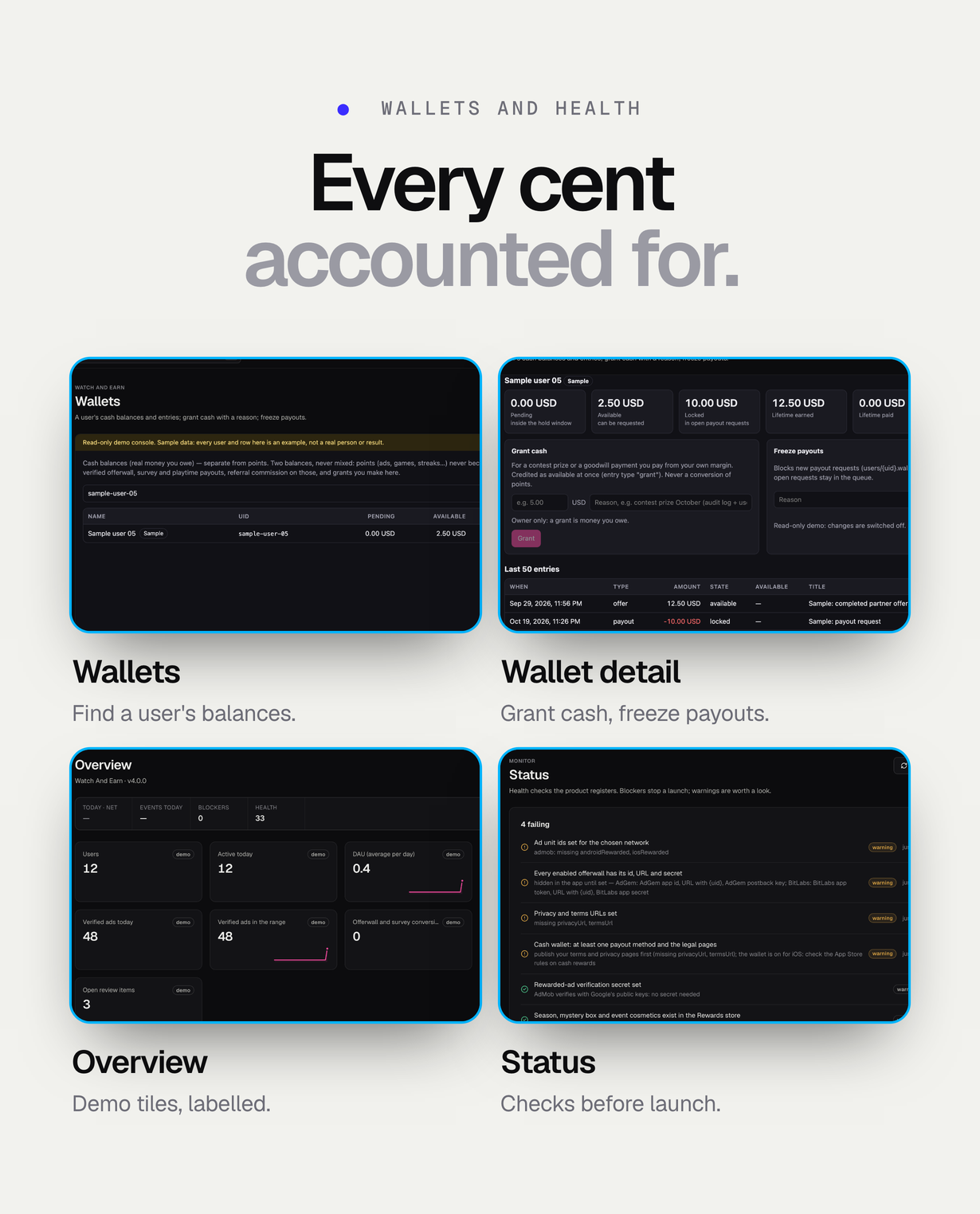
- Cash wallet, off by default: available and locked balances in whole cents of the wallet currency; the owner grants cash with a reason, available at once and audited; every change is a ledger entry written by the server
- Contest cash prizes, off by default: you fund a weekly or monthly prize table by rank; at the end of each period the backend snapshots the ranking and creates pending awards with fraud signals, and nothing is credited until you approve it in the console (bulk, reason, audit, optional two-person rule). The ranking is skill only: mini-games and quizzes, before any VIP or booster multiplier, never VIP-only games and never rewarded ads, and no setting changes that; your official rules are shown in the app
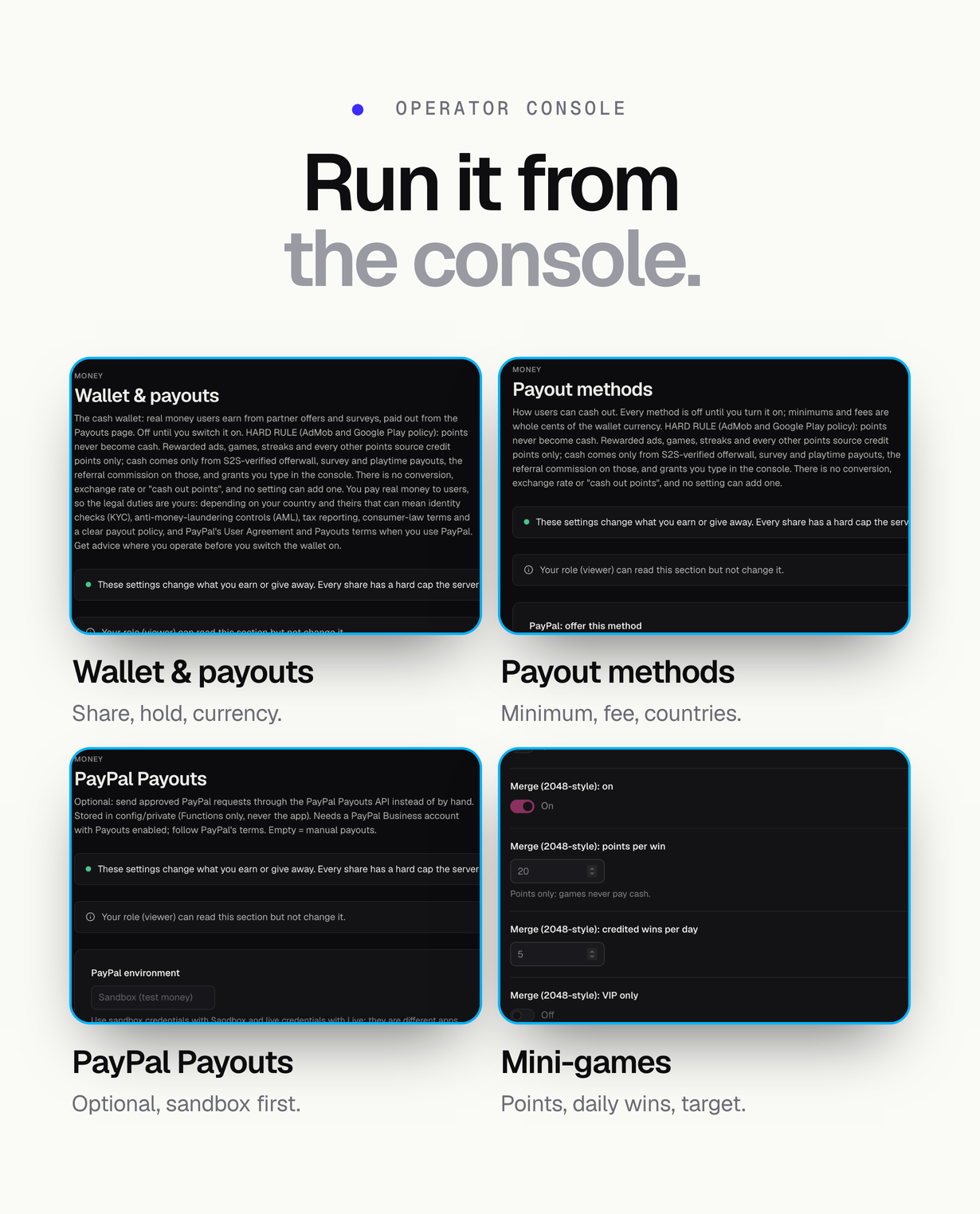
- Payouts by PayPal, crypto (USDT, USDC, Bitcoin, Litecoin by default, editable with address checks), bank transfer (IBAN checksum) and gift cards from a catalog you type; per-method minimum, fee and countries, daily and monthly limits, account age, verified sign-in and rate limits
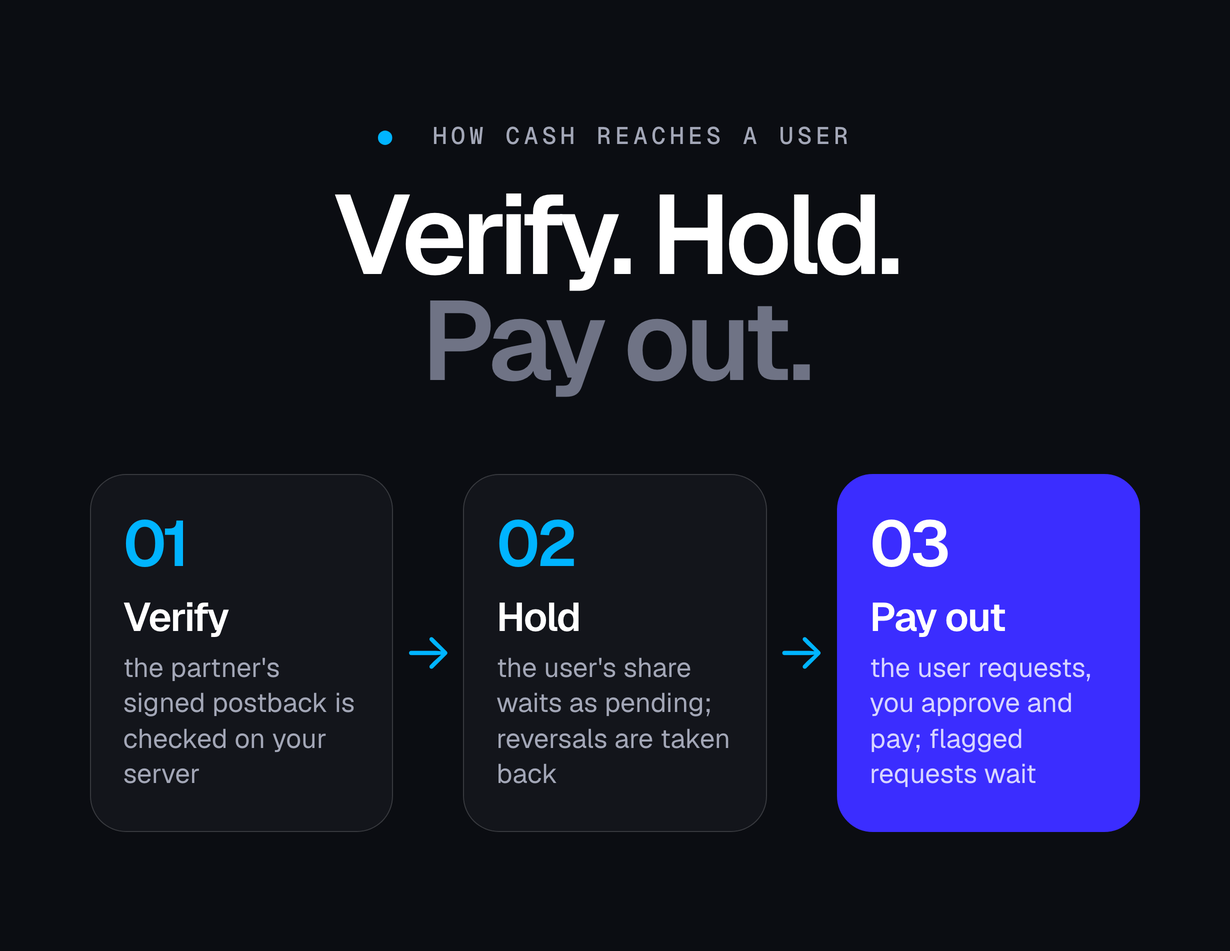
- Optional PayPal Payouts API with sandbox and live mode, a signature-verified webhook and a polling fallback; without it, and always for crypto, bank and gift cards, you pay by hand and mark the request paid with its reference. No private key, seed phrase or bank login is ever stored or asked for; gift-card codes are stored encrypted
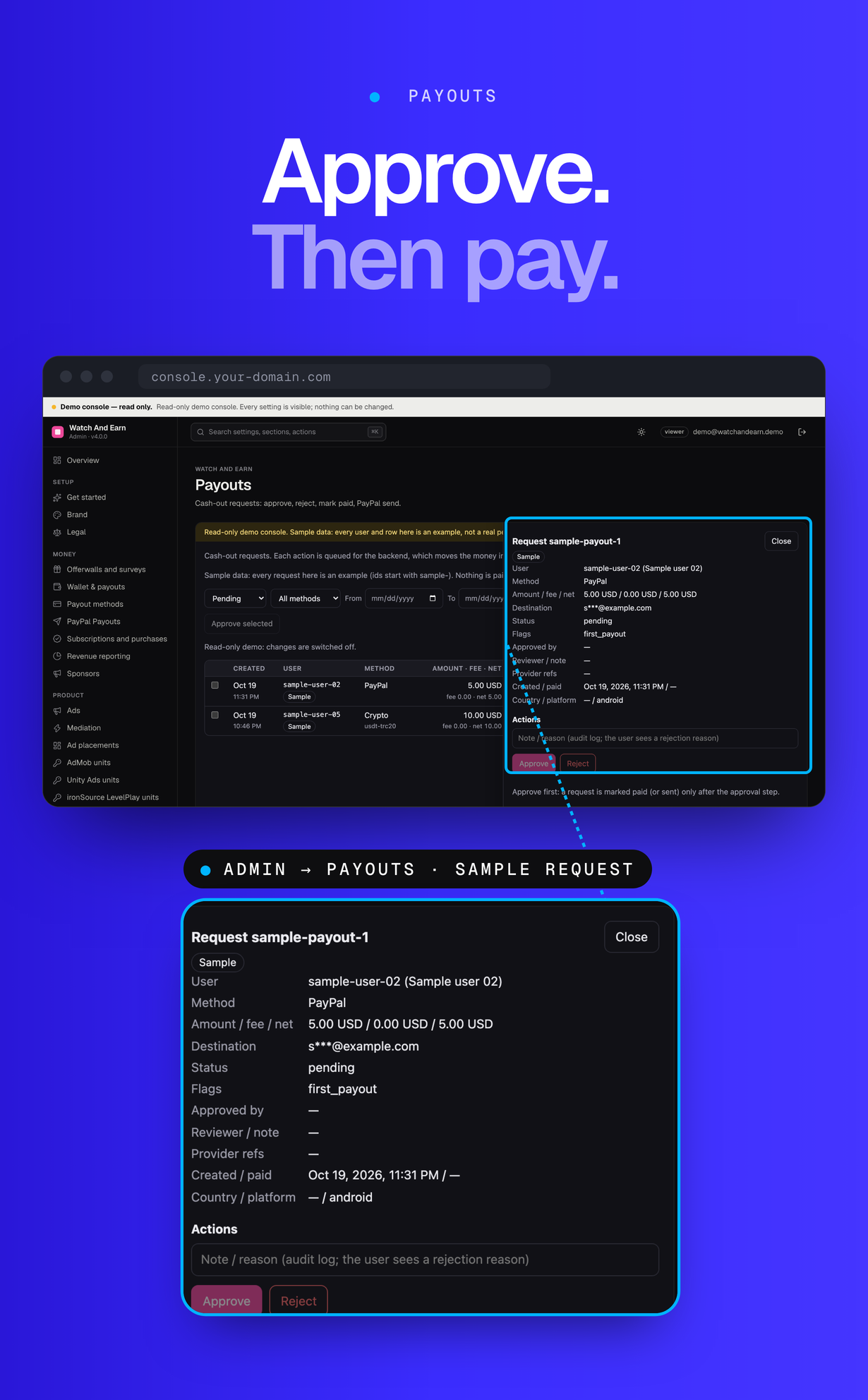
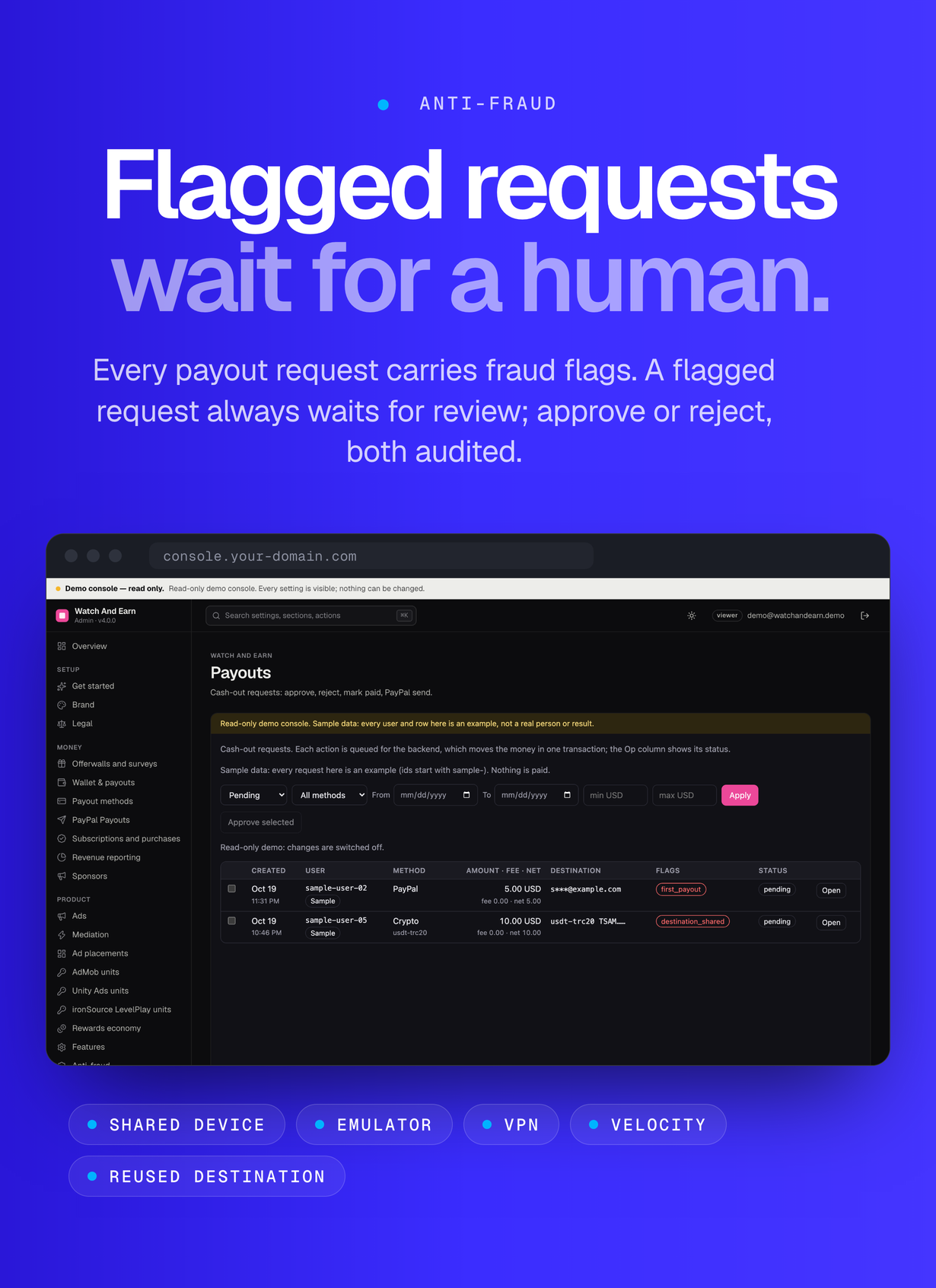
- Approval step before any payment: managers approve, reject and mark manual payouts paid (only after approval); only the owner sends through the PayPal Payouts API, grants cash and changes money settings. An optional owner-only two-person rule (off by default) stops the approver from also sending or marking the same request paid, and auto-approve (off by default) lets small, unflagged requests skip human approval. Every request carries fraud flags (shared device, emulator, root, VPN, velocity, young account, first payout, destination used by another account) and a flagged request always waits for review
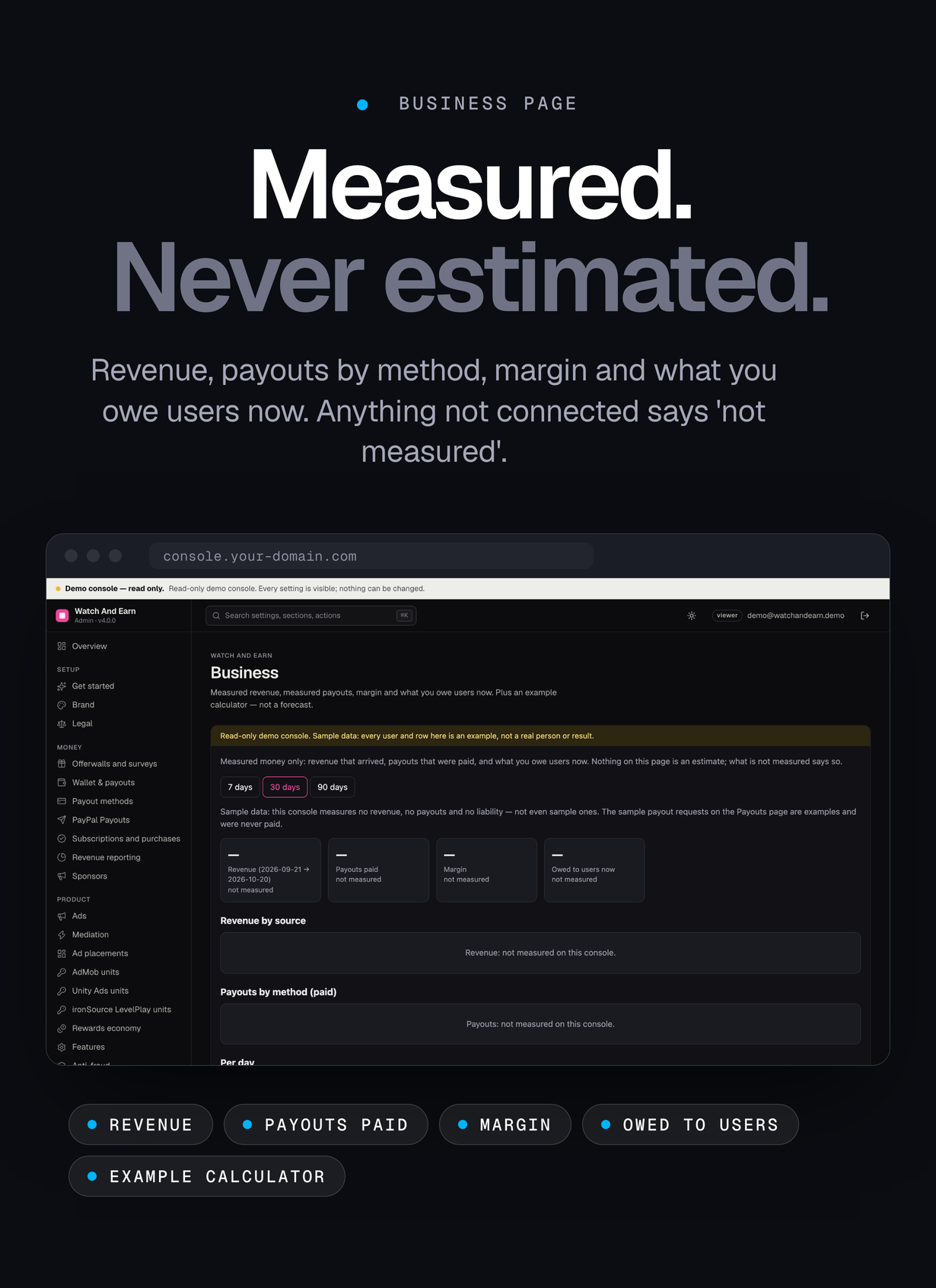
- Console pages Payouts, Wallets and Business: a payout queue with filters and device signals, user wallets with grant and freeze, and measured revenue, payouts by method, margin and what you owe users now, plus an example calculator that is explicitly not a forecast
- The wallet is on for Android and off for iOS and web by default, because Apple restricts cash rewards; the app hides it where it is off
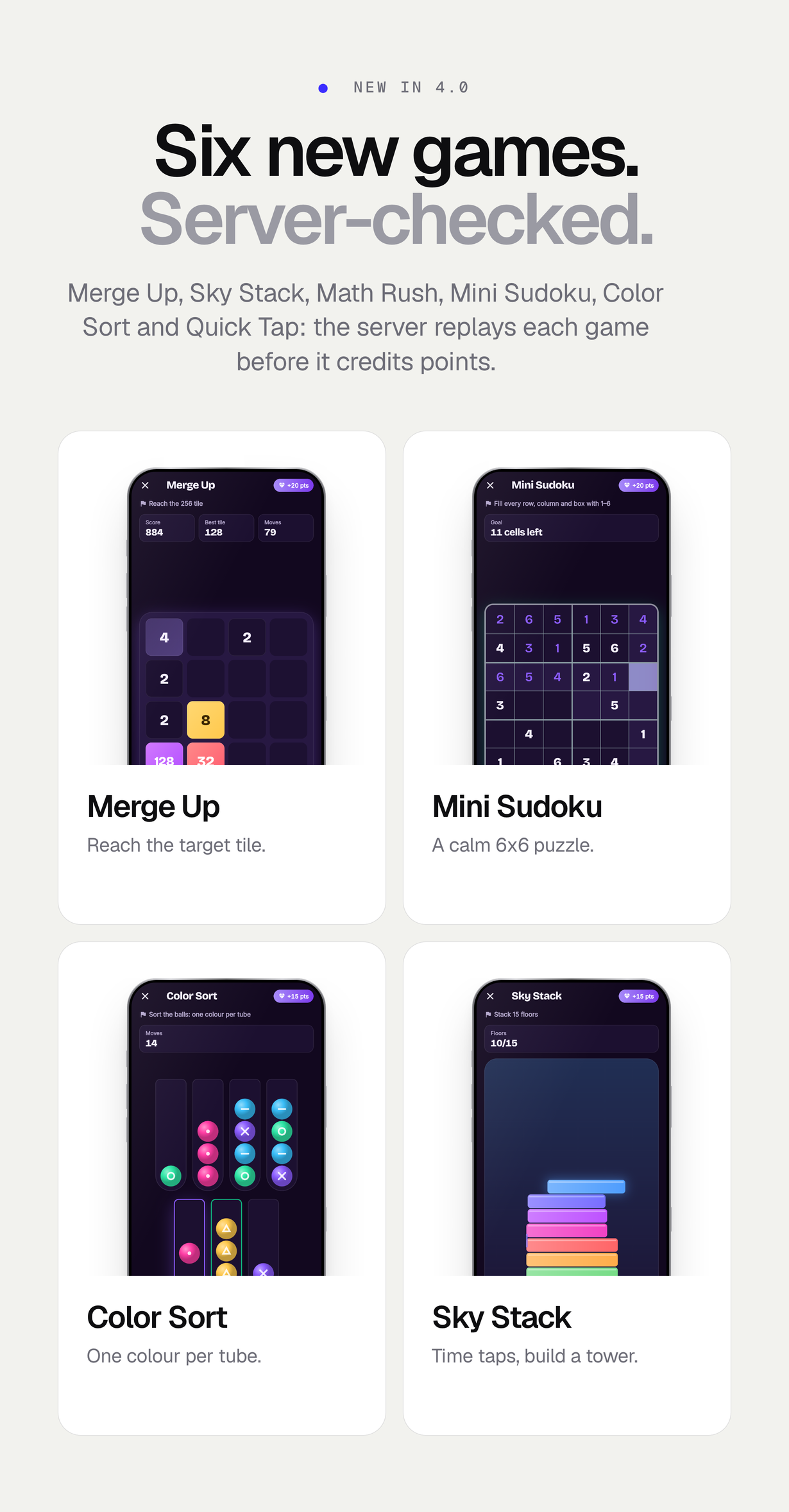
- Six replayed mini-games for points, each validated on the server by replaying the game: Merge, Tower stack, Math rush, Mini sudoku 6×6, Color sort and Reaction, with points, daily wins, VIP-only, minimum time and target set in the console
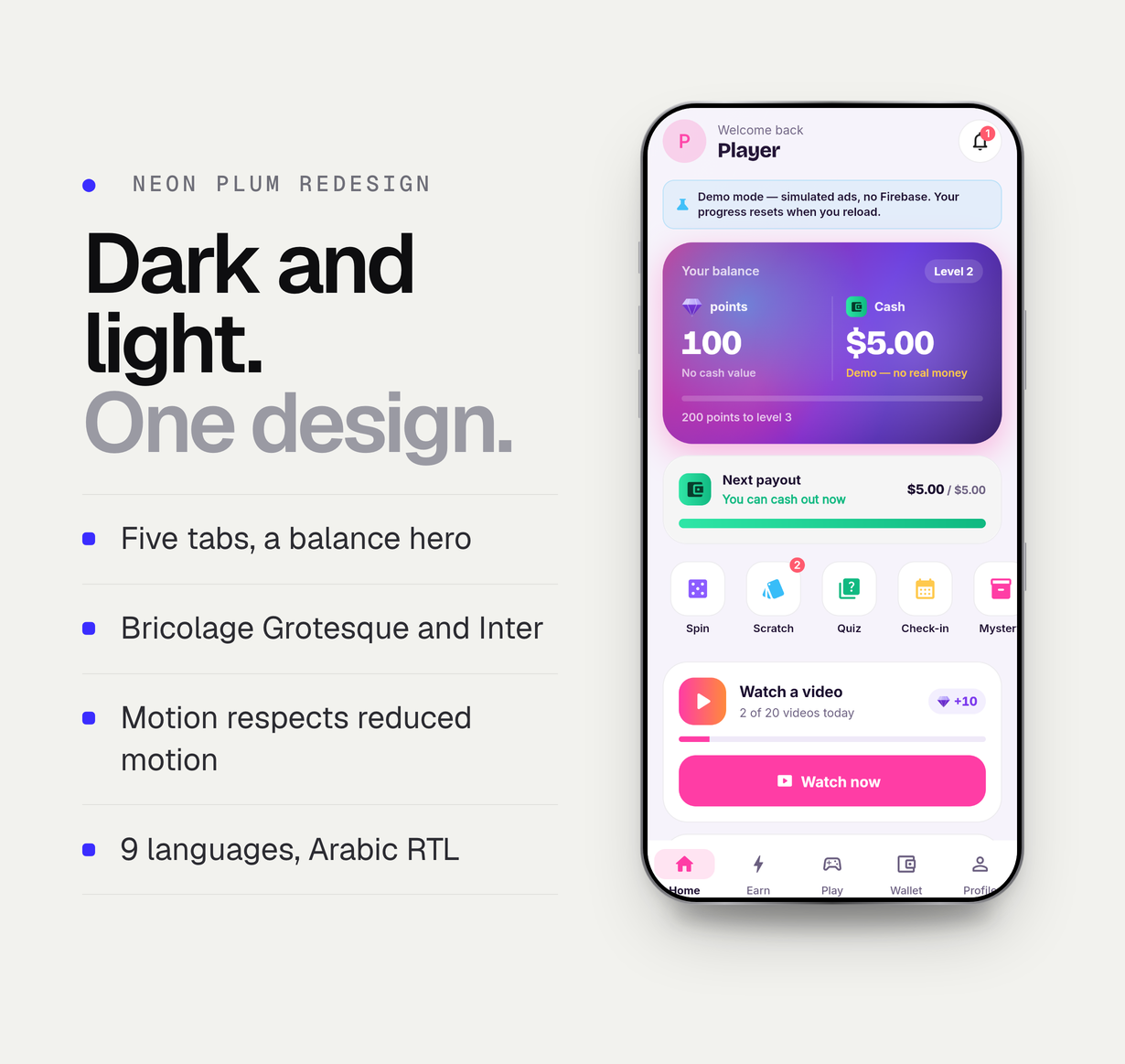
- Neon Plum design: dark and light themes, bundled Bricolage Grotesque and Inter fonts, a balance hero with both balances, a payout progress card, five tabs (Home, Earn, Play, Wallet, Profile) and motion that respects reduced-motion settings
- Ad mediation on AdMob and Unity Ads: a waterfall per format or AdMob mediation, chosen in the console without rebuilding the app; app open, interstitial, banner, native and rewarded interstitial placements, each off by default and capped
- Rewarded videos credit points only after the ad network’s server-side callback is verified: AdMob SSV with Google’s public keys and the Unity Ads S2S signature; a tested example shows how to add a callback for another network
- Optional VIP subscription, consumable boosters, point packs and a one-time remove-ads purchase, verified with Google Play and the App Store on the server; off until you create the store products
- Sponsored campaigns you sell (banners, tasks, quizzes, labelled ‘Sponsored’) and a revenue centre with measured figures only
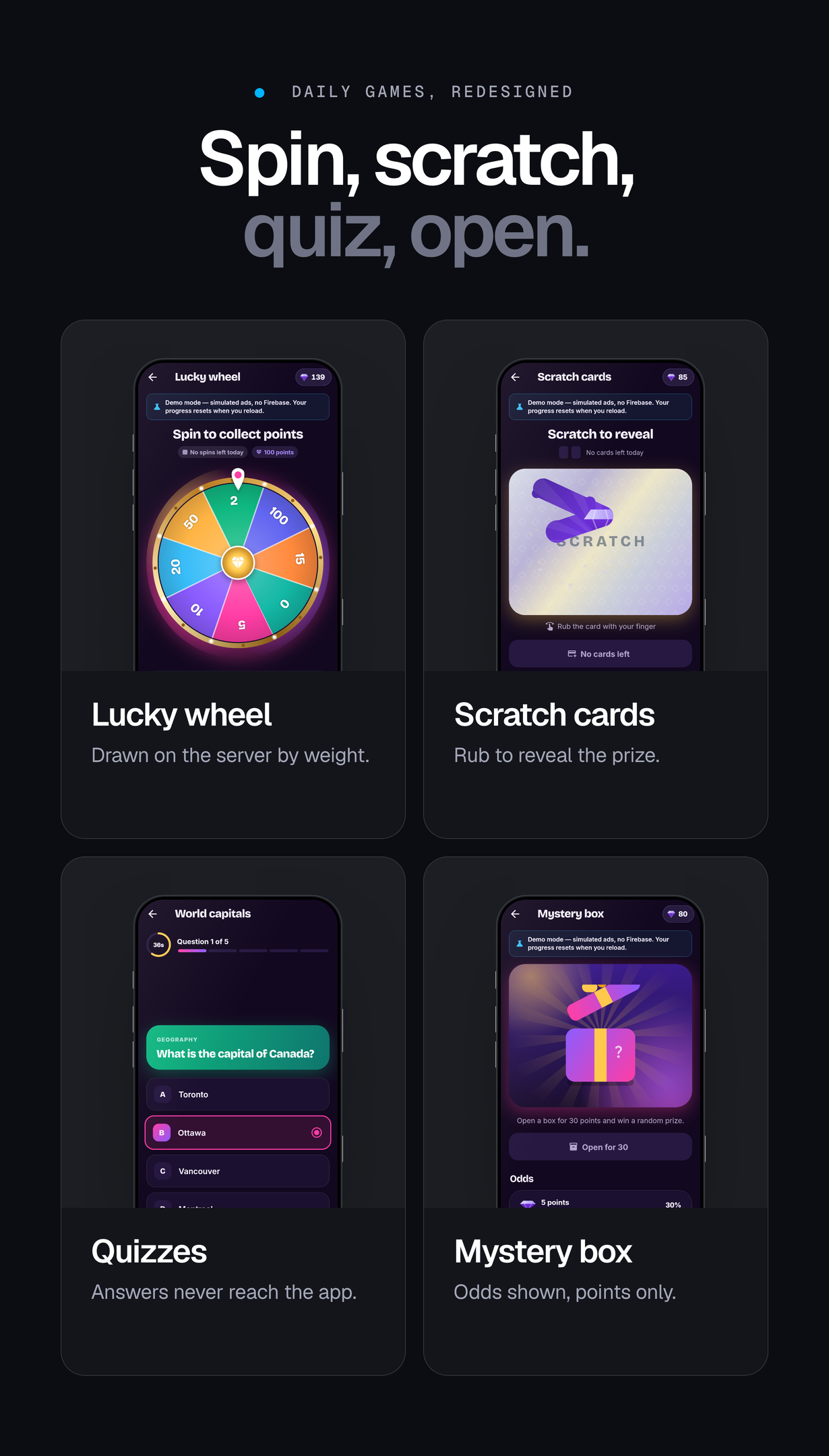
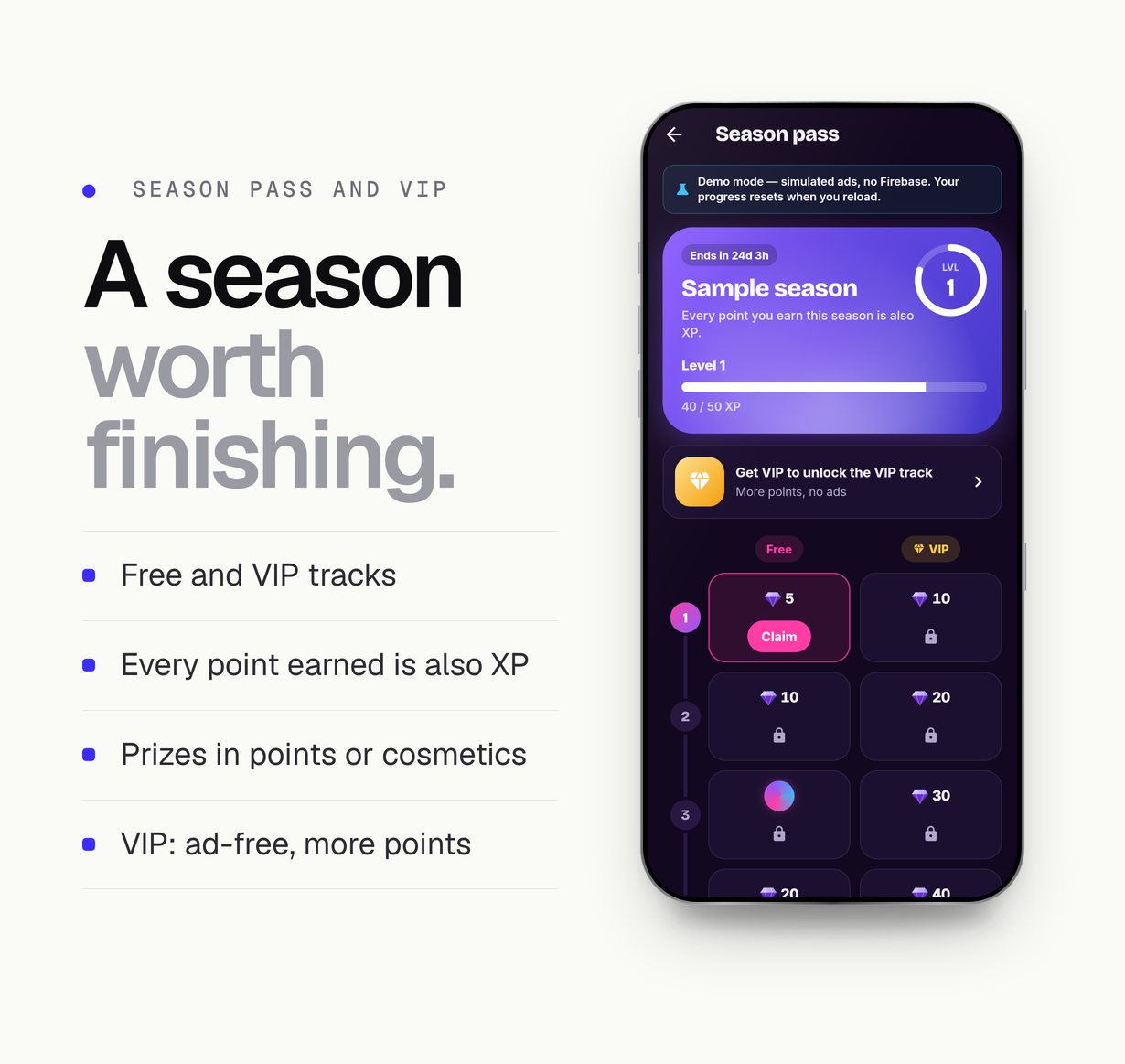
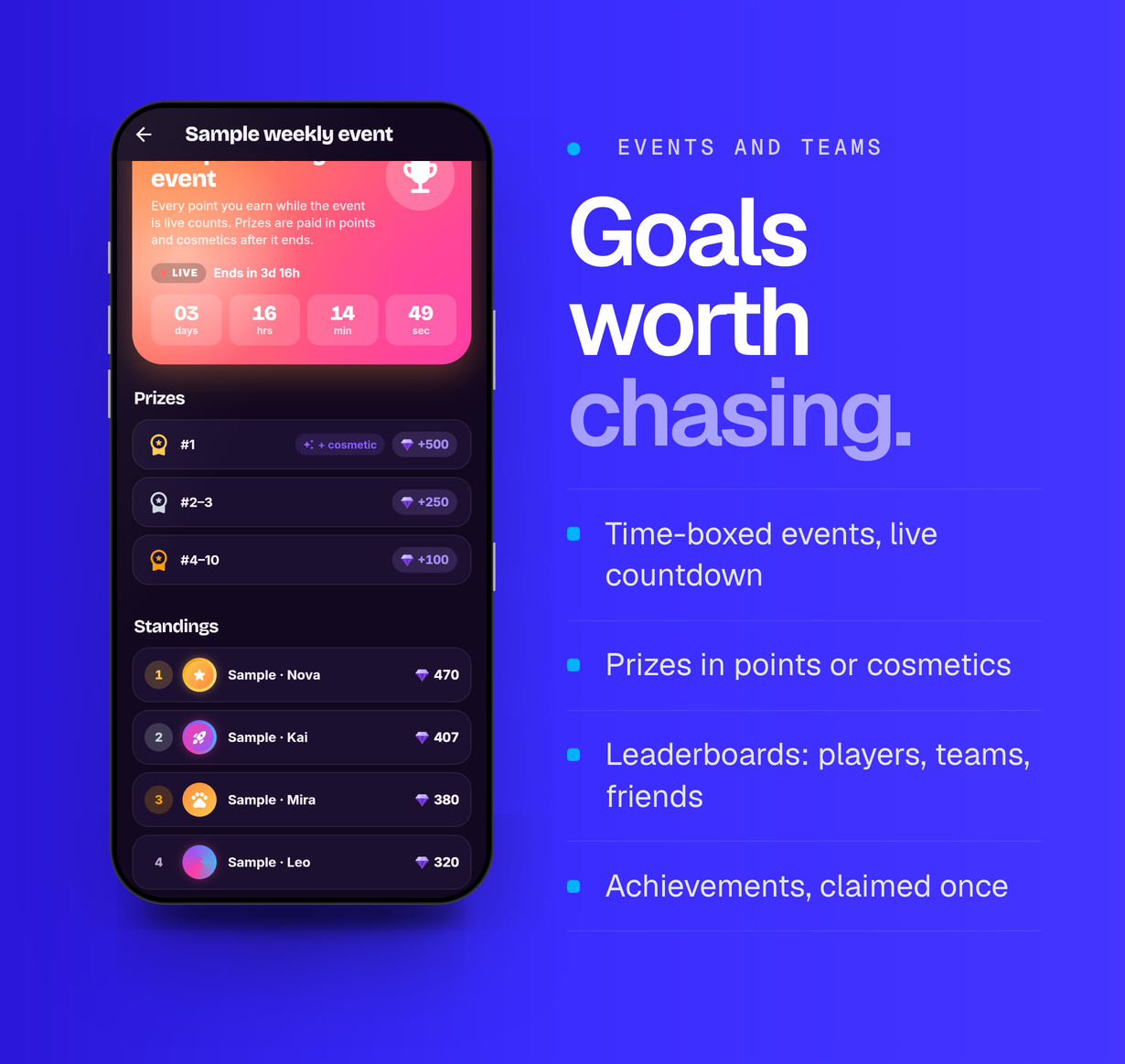
- Season pass, achievements, check-in calendar, daily streak, events, teams, friends and leaderboards; lucky wheel, scratch cards, quizzes, memory and word games, and a mystery box with its odds shown – all points only
- Anti-fraud: one-time ad sessions, duplicate protection, caps, cooldowns, App Check, device reports, an accounts-per-device limit, a velocity rule and a manual review queue
- Every credit and wallet change is written by the server in one Firestore transaction with a ledger row and the balance after it; the app cannot write points, wallets or payout requests
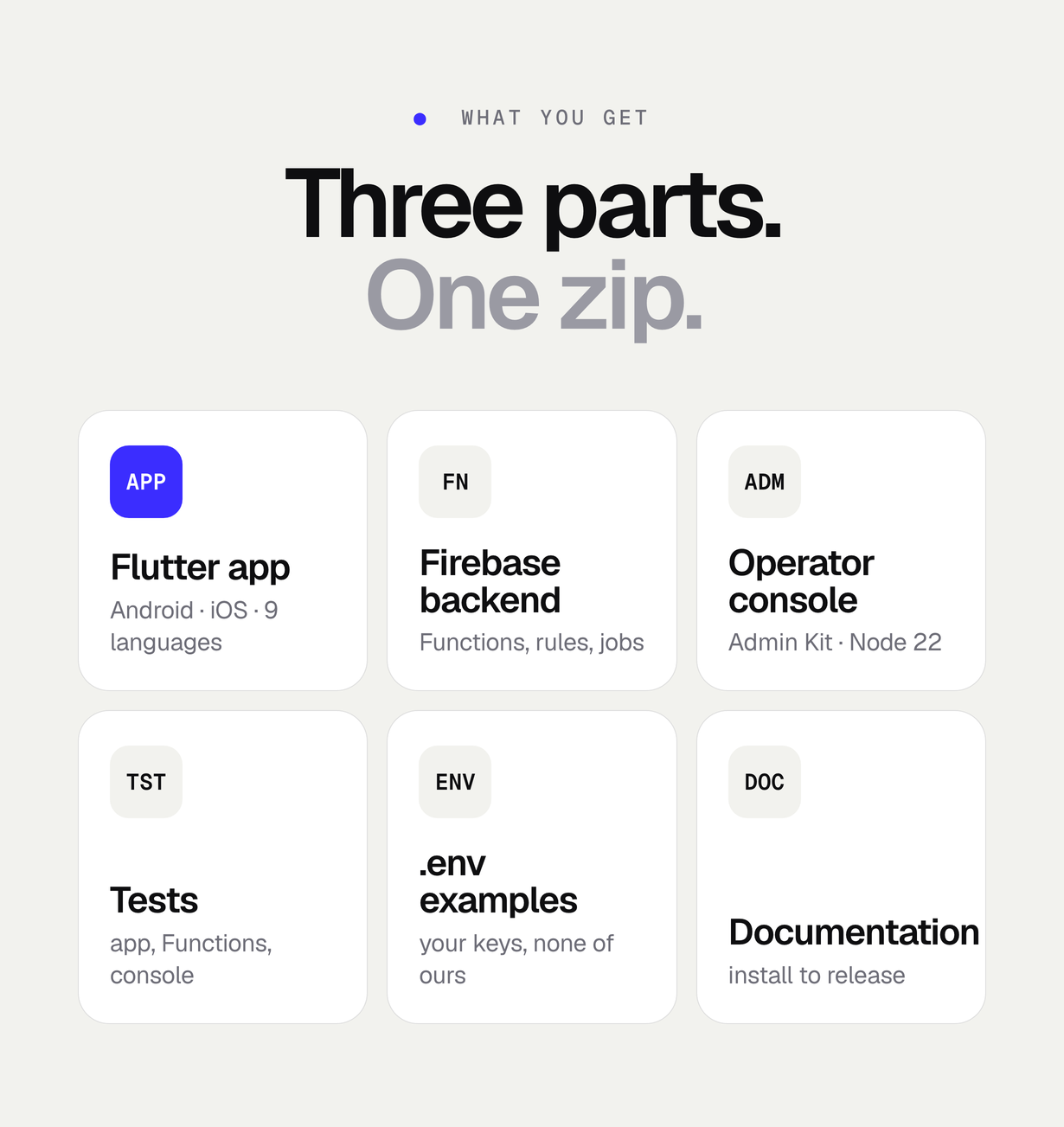
- Push campaigns by segment, A/B tests for economy values, promo codes; 9 languages including Arabic right-to-left; guest, Google and Apple sign-in and in-app account deletion
- Operator console on the MIKODES Admin Kit with an audit log for every write; only Google’s test ad ids ship; Firebase emulator workflow and test suites for the app, the Functions with rules, and the console
Screenshots and preview images show the demo build: ads, offers, purchases and wallet amounts are simulated and labelled (demo cash is not real money), and the console runs read-only on labelled sample data. They are presentation material, not part of the download, and no figure in them is a result. Device frames are illustrations.
FAQ
Do users get money?
Only through the optional cash wallet, and only for cash grants and contest prizes you approve in the console. Points from rewarded ads, games, streaks, check-ins and quizzes are a non-transferable in-app score with no cash value; they buy cosmetics and boosters and can never be converted, exchanged or cashed out. The item makes no claim about what users or you will receive.
Why can points from ads never become cash?
Google AdMob’s policies for ad units that offer rewards do not allow direct monetary items such as cash, cryptocurrency or gift cards as a reward for an ad view. Points that could later become money would turn every rewarded video into a cash reward. So there is no code path from points to the wallet, no console setting can add one, and tests in the app and the backend fail if one appears.
How does the operator make money with it?
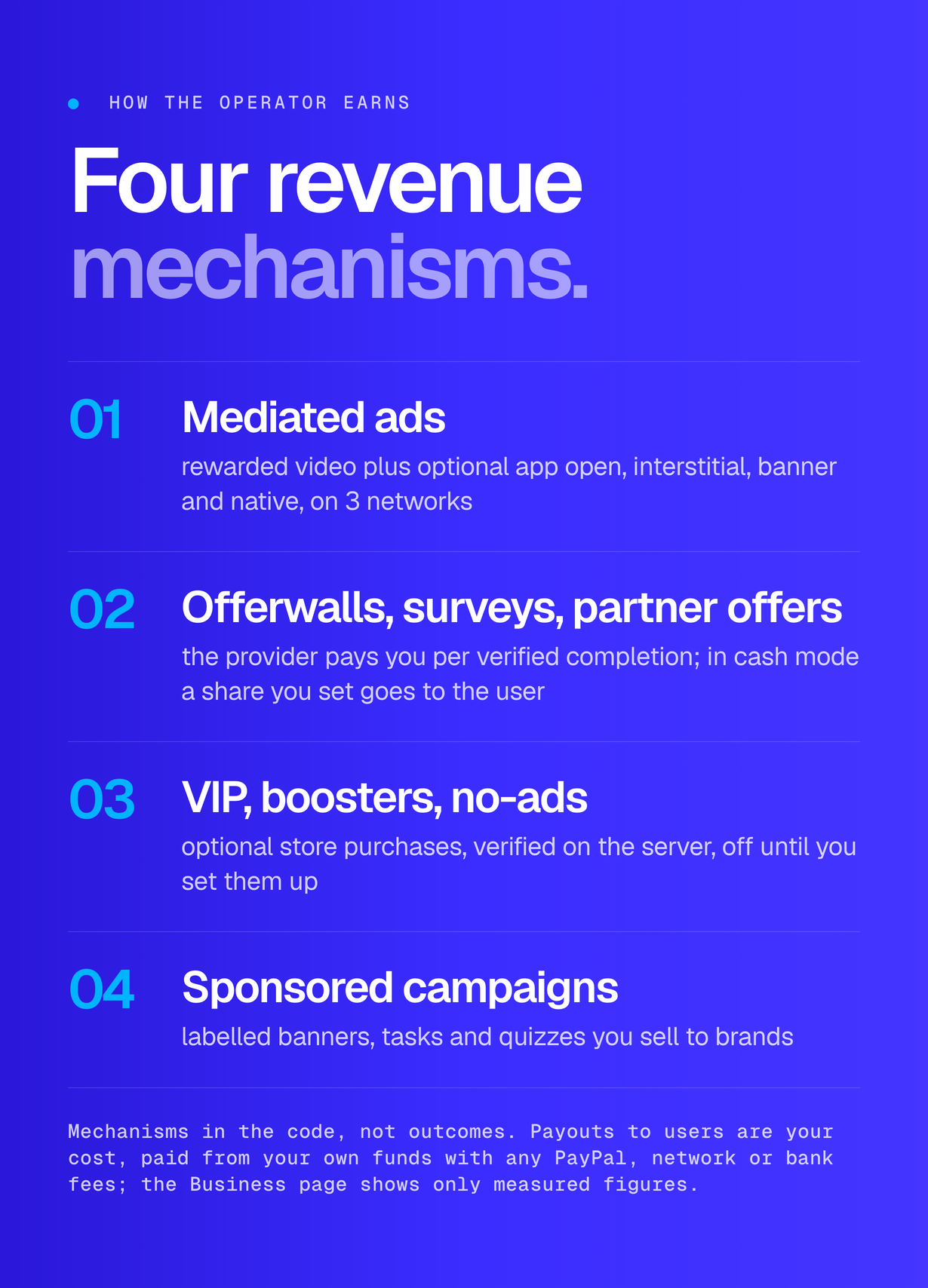
Through mechanisms in the code, described as mechanisms and not as outcomes: mediated ads on the networks you choose, an optional VIP subscription, boosters, point packs and remove-ads purchases, and sponsored campaigns you sell. Payouts to users are your cost, paid from your own funds, together with PayPal fees, network fees and bank charges. The Business page shows measured revenue, payouts, margin and what you owe users; what is not measured says so.
How are payouts paid and protected?
PayPal requests can be sent through the optional PayPal Payouts API (test in sandbox first) or paid by hand; crypto, bank transfer and gift cards are always paid by you from your own wallet, bank or supplier, then marked paid with the reference. No private key, seed phrase or bank login is stored. Every request carries fraud flags, limits apply per day and month, and every payment follows an approval step: managers approve and mark manual payouts paid, only the owner sends through the PayPal Payouts API; an optional two-person rule is available, and auto-approve (off by default) lets small unflagged requests skip human approval.
Why is the wallet off on iOS?
Apple restricts cash rewards (for example App Review Guidelines 3.1.5, 5.1.2 and 5.3 on contests). The wallet defaults to Android only; the app hides it on iOS and web and the server refuses payout requests from a platform that is off. Turn iOS on only after reading the current guidelines for your app.
What are my legal duties if I pay users?
Paying users real money can bring identity-check (KYC) and anti-money-laundering duties, sanctions screening or licensing, tax reporting, PayPal’s terms, consumer law and store policies, depending on where you and your users are. The app does not verify identities, and the payout country is self-declared. The documentation lists the duties and a checklist, but it is not legal advice: get advice from a lawyer and a tax adviser before you switch the wallet on.
Which ad network do I need?
At least one account with AdMob or Unity Ads, with its server-side callback set up. Waterfall or AdMob mediation is set in the console without a new build. The package ships with Google’s test ad ids only.
Does the web demo pay real money?
No. The web build runs in demo mode only: ads, offers and purchases are simulated and labelled, wallet amounts are labelled demo cash, and demo payout requests never leave the device.
Which languages are included?
Nine: English, Spanish, Portuguese, French, German, Hindi, Indonesian, Turkish and Arabic, with a right-to-left layout for Arabic. A professional review of the shipped translations is not included.
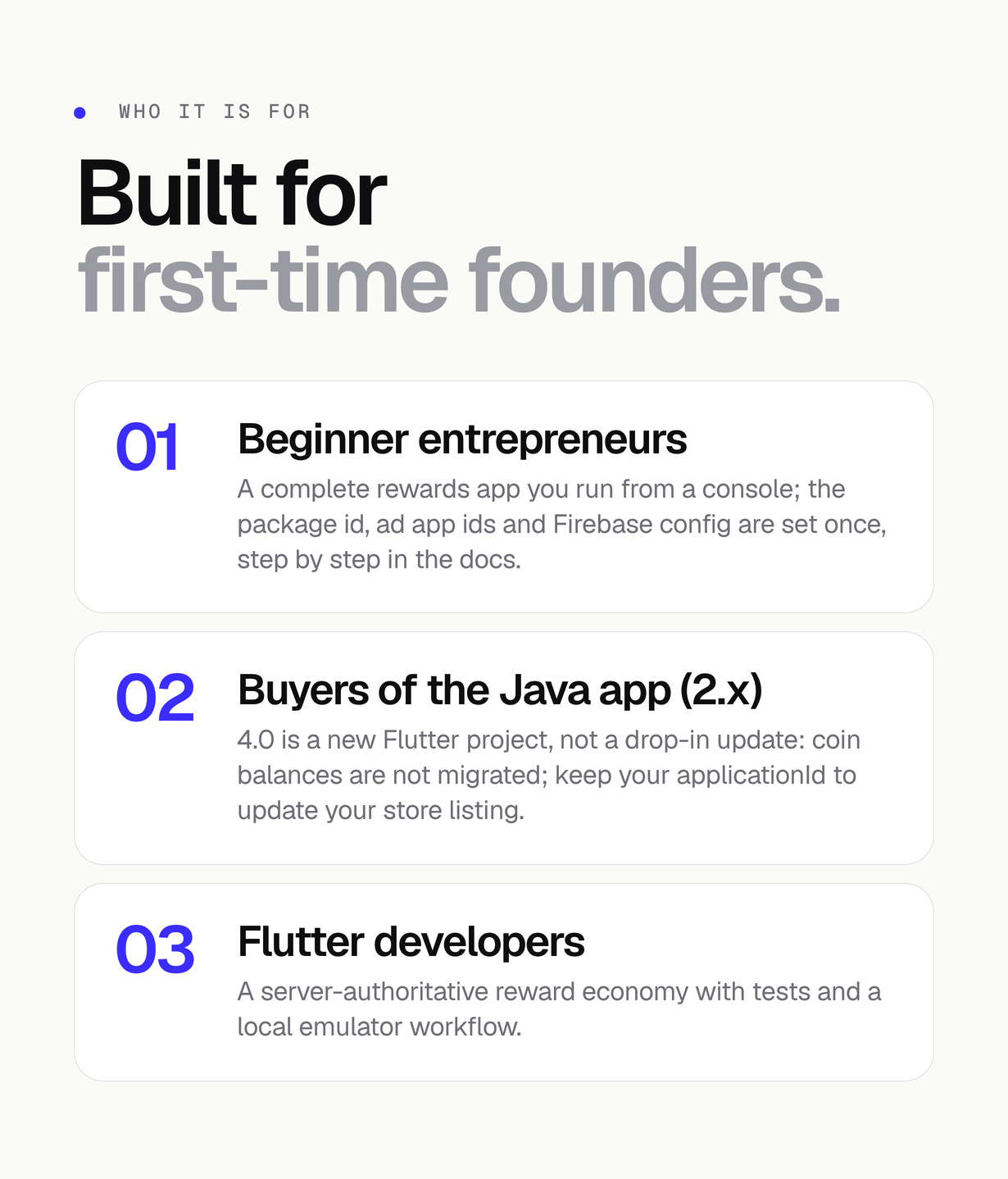
Is 4.0 an update for buyers of the Java app (2.x)?
Yes, it is published as an update of this item, but 4.0 is a new Flutter project, not a drop-in update: the language, backend and data model are new and nothing from the Java code base is reused. Coin balances are not migrated (they stay in your old backend). Keep your Android applicationId and upload key to publish 4.0 as an update of your existing store listing. Every money switch ships off.
How is it installed?
1) Create a Firebase project on the Blaze plan and run flutterfire configure in app/. 2) Deploy the Firestore rules, indexes and Cloud Functions from firebase/, or try everything on the emulators first. 3) Start the console from admin/ with a Firebase service account, then set brand, ads and economy. 4) Create your ad units and point each network’s server-to-server callback at your function. 5) Replace the package id and the test AdMob app ids, then build for Android and iOS. The documentation walks through each step, including the wallet and PayPal setup.
Are external services included in the item price?
No. The price covers the source code and its documentation only. These third-party services are paid separately on your own account: the Firebase Blaze plan, the Google Play registration and the Apple Developer Program, hosting and a domain for the console, and web pages for your privacy policy, terms and payout terms. Ad network accounts have no fee to open but each provider reviews your app. With the cash wallet on, you also pay PayPal’s Payouts fees, crypto network fees, bank charges, the gift cards you buy, the payouts themselves and any legal or tax advice. Check each provider’s current pricing; a first run on the emulators needs none of them.
Regular or Extended licence?
Both licences deliver the same source code, features, documentation and updates; nothing in the item is switched on, off or limited by the licence type. The two licences differ only in the usage rights that Envato grants. Read Envato’s licence terms and FAQ (codecanyon.net/licenses) and choose the licence that matches how you will use the item; each licence covers one end product. Ask Envato if you are unsure. The documentation’s Credits page links to the terms.
What support is included?
Six months of item support from the purchase date are included under Envato’s item support policy and can be extended through Envato. Support covers how the item works and fixes for bugs in the code as delivered; customisation, third-party services, payout operations and your own hosting are not covered. Never send service-account keys, keystores, PayPal credentials or ad network secrets in a support message.
Credits
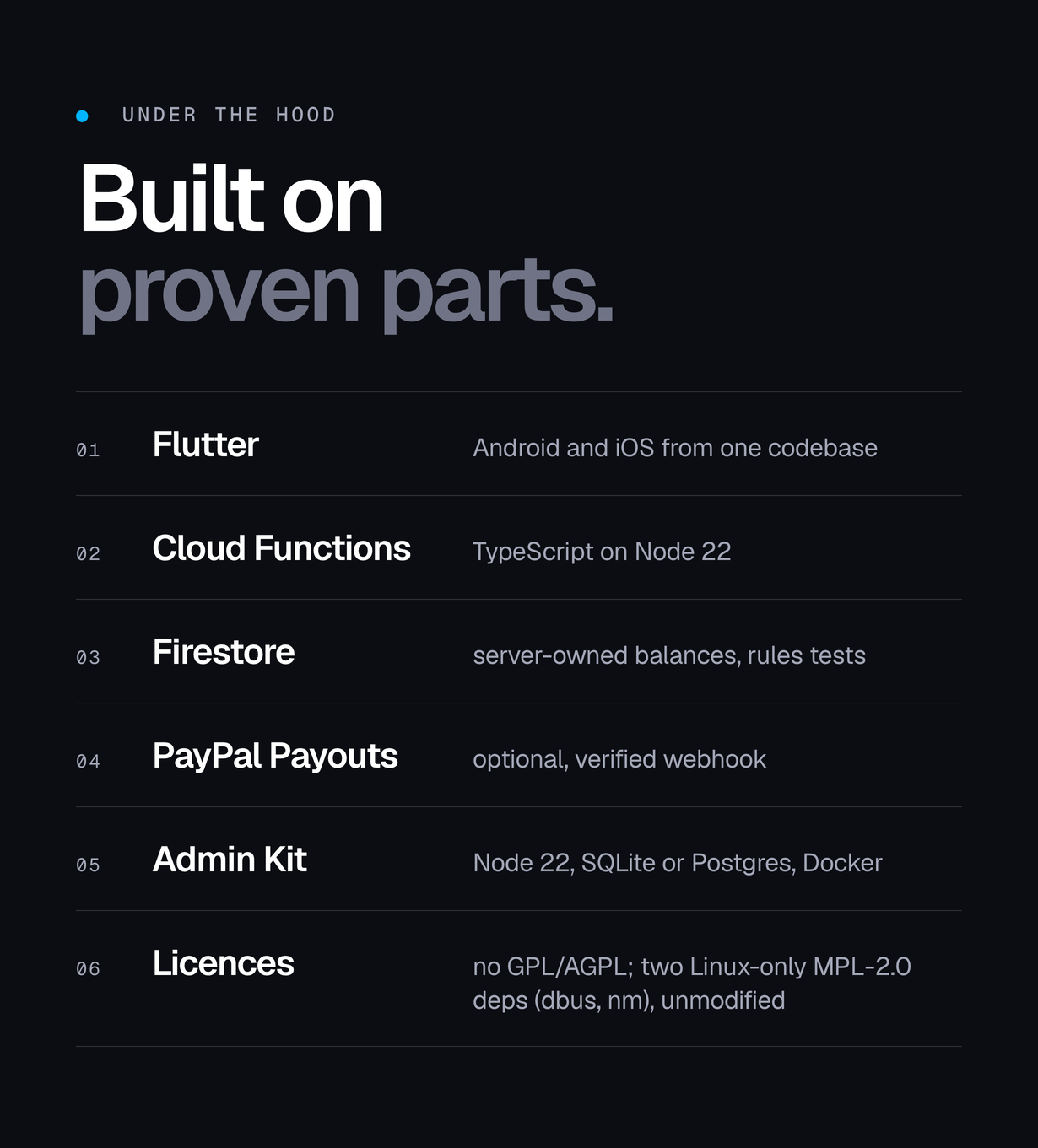
AdMob, Unity Ads, PayPal, Firebase, Google Play and the App Store are named to describe compatibility; the names and marks belong to their owners. No ad network SDK is bundled: the Google Mobile Ads (Apache-2.0) and Unity Ads (MIT) Flutter plugins are fetched from pub.dev when you build. The app bundles the Bricolage Grotesque and Inter fonts and the console bundles Geist, all under the SIL Open Font License 1.1 with their licence texts; the console UI uses React (MIT) and Lucide icons (ISC). Every package is listed with its licence in the documentation and in the third-party licence file in the download.
Declarations
- AI tools: AI tools were used to assist with parts of the code, documentation and graphics of this item. In detail: AI coding assistants were used on the Flutter app, the Cloud Functions, the operator console, the documentation and the preview graphics, under the author’s direction and review. What was tested before this upload: flutter analyze reports no issues and flutter test passes 352 tests; the Cloud Functions pass 239 unit tests, 74 emulator integration tests and 68 Firestore security-rules tests; the console passes 115 tests plus 24 emulator tests; the package was unzipped fresh and its console and Cloud Functions installed, built and tested from that copy. Store purchases, ad fills and PayPal payouts are covered by tests with stand-in services; the documentation explains how to test them with your own store, ad network and PayPal sandbox accounts before release. The dependencies are the public packages listed in pubspec.yaml, the package.json files and licenses/THIRD-PARTY-LICENSES.md.
- Ad network identifiers: the package ships with Google’s public AdMob test ids only (ca-app-pub-3940256099942544). No AdMob publisher or unit id or Unity Game ID belonging to the author is anywhere in the source, and no PayPal client id, secret or webhook id, ad network callback secret or Facebook app id is set either (the PayPal settings default to empty, the .env templates contain no PayPal key and the sample data uses example.com only): every one of those fields is empty until you type your own into the console, so ad revenue and payouts can only ever run through your accounts. You can check it yourself with node source/tools/check_ad_ids.mjs.
- Not affiliated: AdMob and Google Play, Unity Ads, PayPal, Firebase and the App Store are named only to describe what this item integrates with. The names and marks belong to their owners, this is not an official product of any of them, and each service needs your own account under that provider’s own terms.
- Preview material: the screenshots, the cover and the preview images show the demo build on labelled sample data. They are presentation material, not part of the download, and no figure in them is a result or a forecast.
Requirements
- Flutter 3.41 or newer on the stable channel, Dart 3.11+
- Android: Android Studio with Android SDK 36, JDK 17+ (built with AGP 8.11.1, Gradle 8.14, Kotlin 2.2.20); minSdk 24 (Android 7.0), compileSdk 36, targetSdk 36
- iOS: iOS 15.0 or newer; a Mac with Xcode 16+ and CocoaPods 1.16+
- Node.js 22 and npm for Cloud Functions and the console
- Firebase CLI 14+ (tested with 15.12.0); Java 21 or newer only for the Firebase emulators
- A Firebase project on the Blaze (pay-as-you-go) plan
- FlutterFire CLI (flutterfire configure) to replace the placeholder Firebase options
- An account with at least one ad network: AdMob or Unity Ads, with its server-to-server callback set up
- A host for the console that runs Node 22, with a Firebase service account (SQLite by default, Postgres optional, Dockerfile included)
- Google Play Console and Apple Developer Program accounts to publish and to verify purchases
- App Check registration (Play Integrity, App Attest / DeviceCheck)
- Optional, only for the cash wallet: a PayPal Business account approved for Payouts and a REST app (test in sandbox first); otherwise you pay requests by hand
- Optional: AdMob API credentials, so the revenue centre can show measured ad revenue
Changelog
v4.0.0 (2026-11)
- Flutter app for Android and iOS, Firebase backend and operator console, replacing the native Android (Java) app 2.x (nothing from the Java code base is reused).
- Points from rewarded ads (AdMob SSV, Unity Ads S2S), streaks, check-in, wheel, scratch cards, quizzes, tasks, partner offers, referrals, season pass, achievements, events, teams and eight server-validated mini-games.
- A points store, inbox and promo codes.
- 9 languages.
- VIP, boosters, remove-ads and point packs verified on the server.
- Optional cash wallet, off by default and kept apart from points: credited only by operator grants and approved contest prizes.
- Payouts by PayPal (optional Payouts API), crypto, bank transfer and gift cards with limits, fraud flags and an approval step.
- Console with settings, Payouts, Wallets, Prizes and Business pages, measured revenue only.
- Updating from 2.x: a new project, not a drop-in update.
- Coin balances are not migrated.
- Keep your Android applicationId and upload key to publish it as an update of your store listing.
v2.3 and earlier (2020-2026)
- Native Android (Java) app with AdMob, AppLovin and Facebook Audience Network variants and manual PayPal redemption.
MIKODES: official site mikodes.com · support mikodes.com/support · all projects mikodes.com · open for custom projects: tell us what you need
$99 |
Download |
4.5 average based on 10 ratings.

| Last Update | 2021-01-06 |
| Created | 2020-04-21 |
| Sales | 63 |
| Discussion | Comments |
| Software Version | Android 15.0 Android 12.0 Android 11.0 Android 10.0 Android 9.0 |
| Files Included | .xml JavaScript JS CSS HTML |
| Video Preview Resolution |


