Warning Old Browser - Wordpress plugin
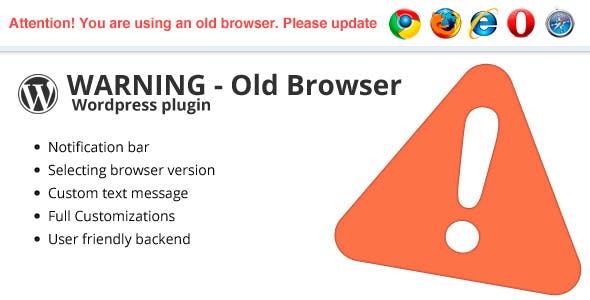


Many people use older browsers and therefore can see modern sites with errors. We have created a plugin that displays a warning message to the user who is using an old browser. The plugin does not block website and displays a message that appears at the top of the screen and can be easily closed.
Features:
- Choose browser version for warning message
- Custom text message
- Transition effects
- Dynamic appearance and styling
- User friendly back end
- Display: top bar or popup window
- Detect desktop browsers only
How to use?
W3 Browser stats
As you can see from the statistics, quite a large percentage still use older browsersAs you can see from the statistics, quite a large percentage still use older browsers, In total about 30% of all users are using older browsers, which can be seen your site with errors
Installation
Download plugin, find and unzip archive on your computer. Upload the files into your plugins folder (located at /wp-content/plugins/) or into a sub folder of the plugins folder. Go to “installed plugins”, find maintenance in the list, hit “activate”.
Change log
Update 1.6 – 02.07.2019
- Added default_options.json file - Updated versions of browsers
Update 1.5 – 24.06.2014
- New options: Panel style (modal window or top bar) - Bug fix: Mobile devices detect removed - New features: browser version synchronizations
1.4 – 21.05.2014
- WordPress 3.9 ready - New backend
1.3.1 – 05.07.2013
- Added new option. Disabling notifications, which does not keep popping up on every page if site visitor close it.
1.3
- Update browsers version - Responsive - Bug fix
1.2.1
- Wordpress 3.5 ready
1.2
- Css changes - Bug fix
1.1
- Translation ready. - Added Chinese, French, Russian language .po .mo files
1.0
- Initial release


4.1 average based on 33 ratings.

| Last Update | 2019-07-02 |
| Created | 2012-10-28 |
| Sales | 434 |
| Discussion | Comments |
| Compatible Browsers | IE6 IE7 IE8 IE9 IE10 IE11 Firefox Safari Opera Chrome |
| Software Version | WordPress 5.2.x WordPress 5.1.x WordPress 5.0.x WordPress 4.9.x WordPress 4.8.x |
| Compatible With | |
| Gutenberg Optimized | No |
| High Resolution | |
| Files Included | JavaScript JS HTML CSS PHP |
| Video Preview Resolution |


