VeroSMS – Android SMS Gateway Source Code + Laravel Admin Panel


VeroSMS | Self-Hosted Android SMS Gateway with Two-Way Inbox, Bulk Campaigns and REST API (Android Source Code and Laravel 12 Admin Panel)
VeroSMS turns the Android phones you already own into your own SMS gateway. Send bulk SMS, scheduled campaigns and transactional messages straight from your own SIM card, receive the replies back into a threaded inbox, and drive the whole thing from a Laravel 12 admin panel or a REST API — all hosted on your own server. No third-party SMS API, no per-message fee and no monthly subscription to anyone. A text costs whatever your mobile operator charges, and nothing on top.
Version 4.0.2 is a complete rebuild. The backend, the REST API and the Android app were all written again from the ground up on Laravel 12, PHP 8.2+ and Android SDK 37, with a new interface on both sides. Where the earlier release scanned a QR code and sent a message, this one is a full messaging platform: a two-way SMS inbox, scheduled and personalised bulk campaigns, contact groups with opt-out tracking, dual-SIM routing per message, delivery reports with export, a scoped REST API with signed webhooks, staff logins with granular permissions, multi-language and RTL support, and an editable public website with ready-to-publish Privacy Policy and Terms pages.
Everything ships as complete, readable source code — the Laravel panel and the Android Studio project — so the app carries your name, your icon, your package name and your own Firebase project.
Before You Buy — Please Read
- Android only. No iOS version is included. The gateway app that sends the SMS is an Android application and runs on Android 7.0 or newer. An iPhone cannot be used as a sending device, and no iOS source code is part of this item. The admin panel is a website and opens in any browser on any device, an iPhone included — but the sending phones must be Android.
- A Firebase project is required, and Firebase is Google’s service, not ours. VeroSMS uses Firebase Cloud Messaging to wake your phones the moment a message is waiting. You create and own that project with a free Google account; it is not included in the purchase price and it is not operated by us. Cloud Messaging — the only Firebase service this product uses — is currently offered by Google at no cost, but Google sets those prices, limits and free-tier terms and can change them at any time, and a project moved to a paid plan, or one where you enable other Firebase services, may incur charges billed to you by Google. Any such cost is a matter between you and Google. Please check Google’s current Firebase pricing page before you deploy. There is a fuller note further down this page.
- The SMS themselves are charged by your mobile operator at their normal rate for a text. VeroSMS adds no fee of its own and takes no commission.
- Sending speed is set by your operator and Android. Each SIM sends at the pace its operator allows, and some operators cap messages per SIM per day. On many phones Android also asks once for permission when an app sends a large number of SMS in a short time. For large campaigns, pair several phones and they send in parallel. The documentation has a “Limits and what to expect” section.
- Branding the Android app means rebuilding it. The app icon, splash and colours live inside the Android project, not in the panel — so after you change them you rebuild the APK in Android Studio (a few clicks, no coding) and reinstall it on each paired phone. The illustrated guide walks through it. The web panel itself is branded live, with no rebuild.
- AI tools were used in building this product — in writing and reviewing its code, in writing its documentation, and in parts of its artwork. Every decision, every review and all testing on real hosting and real handsets were done by the author, and support is answered by the author. The documentation has a short section, “How this product was built”, setting out exactly what was AI-assisted and what was not.
- Upgrading from 2.6? 4.0.2 is a rebuild and cannot be installed over your existing site. Install it alongside, in a new folder and database, and move across — the documentation has the full routine, and your 2.6 site keeps running throughout.
- Updates are optional and depend on nothing of ours. The panel never contacts us — there is no update server, no licence check and no “phone home”. Future versions are downloaded from your marketplace Downloads page and uploaded by you. If we are unavailable or the product is ever discontinued, your installation keeps working exactly as it does. See “About Updates” below.
Live Demo
-

Admin Login
Email: admin@gmail.com
Password: Admin@12345 -
Android Demo APK
-
Online Full Documentation


What’s New in Version 4.0.2
Everything below is new in this release. If you know the earlier VeroSMS, this is a different product.
- Rebuilt on Laravel 12 & PHP 8.2+ — modern framework, modern dependencies, new admin interface with dark mode.
- Android app rebuilt on SDK 37 (Android 7.0 and newer supported), with a new interface and a proper background gateway service.
- Two-way messaging — replies that arrive on your SIM are captured and threaded into an Inbox, and you can reply from the panel.
- Per-device security — every paired phone gets its own credential and its own message queue, so one handset can never collect another’s messages.
- Scheduled sending — queue a campaign for later, review what is scheduled, cancel before it goes.
- Personalised bulk sending — merge each recipient’s name or reference into the message body.
- Full REST API v1 — scoped keys, idempotent sending, signed webhooks, a live request log, and a complete API reference built into the panel.
- Reports & exports — delivery rates, message history and CSV export.
- Roles & permissions — 19 granular permissions, staff logins, and an activity log recording who changed what.
- Multi-language & RTL — translate the whole panel from the browser, including right-to-left languages.
- Editable landing page with SEO settings, plus Privacy Policy and Terms pages that are ready to publish.
- System tools — one-click backup & restore, system information, failed-job management, and sample data you can reset.
Key Features
- Send SMS via SIM: Use your Android device as a real SMS gateway, with SIM1 & SIM2 supported and selectable per message.
- Receive SMS too: Incoming replies are captured from the SIM that received them and appear in the panel inbox within seconds.
- Fully Self-Hosted: Contacts, messages and delivery records live in your own database on your own server.
- No Per-Message Fee: Messages cost whatever your mobile operator charges for a text. Nothing is added on top.
- Multiple Phones — and parallel campaigns: Pair as many handsets as you like, each with its own queue. For a large campaign, split the recipient list across several phones and they send in parallel — your throughput becomes the sum of what each handset’s carrier allows.
- QR or Typed Code Pairing: Scan the code on screen, or type the eight-character code when the camera will not cooperate. Both are single-use and expire in ten minutes.
- Real-Time Delivery Tracking: Queued, sent, delivered or failed — with the reason the network gave when it failed.
- Instant Wake via Firebase: The server wakes the phone the moment there is work, so messages go out in seconds rather than on a polling interval.
- Background Sending Service: Sending continues with the app minimised, and resumes by itself after the phone restarts.
- Offline Queueing: A phone that is switched off or out of coverage is not an error — its messages wait and go out when it returns.
- REST API & Webhooks: Send from your own software, and be told what happened without polling.
Admin Panel Features
- Dashboard — today’s failures, the queue, phones online, scheduled sends, monthly totals and delivery rate
- Inbox — threaded conversations per phone, with replies sent from the panel
- Send — to typed numbers, contacts, groups or everyone; SIM1/SIM2; now or scheduled; with merge fields
- Messages & Campaigns — every send with per-recipient delivery status, plus a scheduled queue you can cancel from
- Message Templates — reusable bodies with placeholders
- Reports — delivery performance over time, with CSV export
- Contacts — add, edit, search, bulk delete
- Contact Groups — a contact can belong to several groups at once
- Import & Export — bulk import numbers from a CSV file into groups (Excel saves one with File › Save As › CSV), with a per-row report; export back out
- Opt-out Tracking — record that somebody asked to stop, with the date, so a future import cannot quietly put them back on the list
- Devices — pair, rename, enable or disable a SIM slot, watch battery and online status, revoke a lost handset
- API Keys — issue keys with only the scopes they need; shown once, stored hashed
- API Documentation — a complete reference inside the panel, with copyable examples
- Webhooks — subscribe an endpoint to message events, with HMAC-signed deliveries and automatic retries
- Request Log — every API call, its status and how long it took, for debugging an integration
- Landing Page Builder — edit, reorder or switch off every section of the public site
- SEO Settings — titles, descriptions, social image, sitemap
- General Settings — site name, logo, favicon, timezone, default country code, maintenance mode
- Email Delivery — SMTP configuration with a live test button, and editable mail templates
- Scheduler — see what the cron runs and when it last ran
- Roles & Permissions — build a role from 19 granular permissions
- Staff Accounts — extra logins for colleagues, each with a role
- Activity Log — who did what, and when
- Languages & Translations — add a language and translate every string from the browser; RTL supported
- Firebase Push — upload your service account key and test it against Google in one click
- System Info, Backup & Restore, Failed Jobs, Reset & Sample Data
Developer API
VeroSMS ships a versioned REST API at /api/v1, documented inside the panel and generated from the code itself, so the reference cannot drift from what the endpoints actually do.
- Send single, bulk and personalised messages, immediately or scheduled
- Read message and batch status, and cancel a batch that has not gone yet
- Full contact and group management, plus bulk import
- Read the inbox and mark messages read
- List devices and see which are online
- Scoped keys — a reporting script can be issued a key that cannot send
- Idempotent sending — a retried request does not send twice
- Documented rate limit — 60 requests per minute per key by default (adjustable per key), with
X-RateLimitheaders on every response andRetry-Afteron a 429 - Signed webhooks — a documented JSON payload with HMAC signature and timestamp headers, so you can verify a delivery really came from your own installation
- One consistent error format — every refusal returns a machine-readable code, not just an English sentence
Who Should Use VeroSMS?
VeroSMS is a self-hosted SMS gateway that lets you send SMS directly using your own SIM card and Android device — no third-party SMS provider required.
- Businesses & Marketers: Send promotional or transactional messages without per-SMS fees.
- Shops & Service Businesses: Order confirmations, delivery updates and appointment reminders from your own number, with replies coming back to you.
- Organizations & Schools: Send alerts, notices and updates with full control of the data.
- Developers & Agencies: Build SMS features into your own software over a proper REST API, or run a gateway for a client on their own hardware.
Why Choose VeroSMS?
- Send SMS directly from your SIM using an ordinary Android phone.
- Full privacy — your contact list and message history never leave your server.
- No monthly costs and no dependency on an external gateway that can change its prices or close your account.
- Own the source — both the Laravel backend and the Android app ship as complete, readable source code.
Use Cases
- Marketing and promotional SMS campaigns
- Order confirmations and delivery notifications
- Customer alert and notification systems
- Two-way customer support over SMS
- School/college notice delivery
- Appointment reminders for clinics and businesses
- OTP or verification code delivery
- Agencies offering SMS services to their own clients
What’s Included?
- Android Studio Source Code: The complete app project. Set your own app name, your own package name and your own Firebase project, then build your own branded APK.
- Laravel 12 Admin Panel Source Code: The complete backend, REST API and dashboard.
- Step-by-Step Installation Guide: Illustrated documentation covering the Android build first, then the server install — written for people who have never opened Android Studio.
- User Manual: Every screen in the panel explained, plus short “how do I…” walkthroughs.
- Web Installer: Requirements check, database setup and admin account creation in the browser.
- White-Label Guide: Step-by-step instructions for replacing the app icon, the opening screen, the brand colour, the app name and the admin panel logo — no code required.
- API Quick Start: Complete end-to-end request examples with the method, full URL, headers and JSON body, so a developer can make a real call straight away. The full reference is generated from the code and built into the panel.
- Developer Notes: How the pieces fit together, and where to add a scheduled task, a webhook event type or your own endpoints.
- One-Click Updates: Update the panel from inside the panel — upload one signed file at Setup › System › Updates and press install. A database snapshot and a file-level rollback are taken first, so a failed update puts itself back. No FTP, no terminal. The panel never downloads anything by itself — there is no update server or update address in the code; you download the file from your Downloads page and upload it.
- Migration Guide: A step-by-step routine for moving an existing 2.6 installation across without taking your current site down, plus the short routine for updating between 4.0.x releases.
- Reference Sections: Every
.envsetting in one table, server configuration for Nginx, Apache and PHP limits, message length and sending limits, how long history is kept, how to remove an installation completely, and the open-source credits and licences.
Requirements
- PHP 8.2 or higher (8.3 recommended)
- MySQL 5.7+ or MariaDB 10.3+
- A cron entry running once a minute
- PHP upload limit of 64 MB and memory limit of 256 MB recommended (the defaults on most hosts)
- A valid HTTPS certificate for a live site — free on most hosts via AutoSSL or Let’s Encrypt. The Android app accepts a plain
httpaddress only for testing on your own local network. - Android 7.0 or newer, with Google Play services and a SIM with an SMS bundle
- A Firebase project for Cloud Messaging — a free Google account is enough to create one. Firebase is an external Google service and is not included with this item; see the notice below about possible charges.
- Android Studio, to build your own branded APK
Installation
Upload one zip, extract it, open your site, and follow the setup wizard. No command line is needed on normal shared hosting.
- Upload
verosms-admin-panel-v4.0.2.zipto your hosting and extract it. - Open your site. Because this item ships source code only, without the
vendorfolder (as the marketplace requires), the first screen installs the required libraries for you — it uses the Composer already present on most hosting, or downloads it if there is none. One button. - The setup wizard then checks your server, asks for your database details, and creates your administrator account.
On the rare host where Composer is unavailable and outbound internet is blocked, that screen prints the single command to run from your hosting panel’s Terminal instead. Illustrated step-by-step documentation is included.
Hosting Configuration (Important Notice)
For smooth installation and stable performance, VeroSMS works perfectly on standard shared or reseller hosting such as Hostinger shared hosting. Our system is fully tested and stable on these environments.
- Fully Supported & Recommended: Hostinger Shared Hosting
- Supported (Manual Configuration Required): VPS, Dedicated Server, Custom Server, Virtual Machine (VM)
When using VPS, Dedicated Server, or VM, additional server-side configuration is required. These environments are not pre-configured like shared hosting, so users must handle the following manually:
- PHP version and required PHP extensions setup
- Database service (MySQL/MariaDB) configuration
- SSL certificate installation and HTTPS configuration
- Firewall, port access, and security rule management
Please note that any issues arising on VPS, custom servers, or VM environments are server configuration-related and not caused by the VeroSMS source code itself.
Support for VPS or custom server installations is limited to application-level guidance only. Full server management and configuration are the responsibility of the user.
Best Option (Recommended):
Use standard shared hosting such as Hostinger for the easiest, fastest, and safest installation experience.
Important Note About Firebase (Third-Party Service — Possible Costs)
VeroSMS uses Firebase Cloud Messaging (FCM) to wake your Android phone the moment a message is waiting. Firebase is a Google service and is not part of this item. It is not included in the purchase price, it is not operated by us, and you create and own the Firebase project yourself.
- Firebase Cloud Messaging is currently offered by Google at no cost, and for normal use of this product that is the only Firebase service VeroSMS needs.
- Google can change its pricing, limits and free-tier terms at any time, and a Firebase project on a paid plan, or one where you enable other Firebase services, may incur charges billed to you by Google.
- Any Firebase cost is a matter between you and Google. Please check Google’s current Firebase pricing page before you deploy, and review it again if your volume grows.
- VeroSMS sends no message content through Firebase — only a short “there is work waiting” signal — so FCM usage stays low, but the responsibility for the Firebase account remains yours.
Separately, the SMS messages themselves are charged by your mobile operator at their normal rate for a text. VeroSMS adds no fee of its own and takes no commission.
Important Note About Google Play Policy
Google Play restricts SMS permissions and requires apps using them to undergo permission review. Please refer to Google’s official SMS Permissions Policy for the latest requirements and review process.
How This Product Was Built (AI Disclosure)
AI tools were used in building VeroSMS — in writing and reviewing its code, in writing its documentation and user manual, and in parts of its interface artwork. We state this plainly because the marketplace asks authors to, and because you are entitled to know what you are buying.
- Every decision was the author’s. What the product does, how a send works, what the database holds, how pairing is secured — specified before a line was written.
- Everything shipped was reviewed by a person. Code is read before it is kept, not kept because it looked plausible.
- Tested on real hardware. Before each release the whole chain is installed from the downloadable package onto real shared hosting, paired with real Android handsets and real SIM cards, and messages are sent and received end to end. An SMS gateway cannot be proved any other way.
- An automated test suite runs before every release, covering the API, permissions, scheduling and the installer.
- Support is answered by the author, not by a bot.
Both halves of the product ship as complete, commented source, so you can read every line before you deploy it. The documentation contains the same disclosure in full, under “How this product was built”.
About Updates — No Ongoing Dependency
VeroSMS can install a newer version from inside the panel (Setup › System › Updates). This is a convenience, not a service you depend on:
- Nothing is fetched from us. There is no update server, no update address and no licence check in the code. The panel installs only an update file that you download from your marketplace Downloads page and upload yourself.
- If we are unavailable or the product is discontinued, nothing changes for your installation: it does not need any server, account or key of ours to keep running. If no further update is ever released, the version you have keeps working exactly as it does now.
- The signing key can be yours. Update files are signed with the author’s key and checked against the public key in
config/updates.php. If you prefer to depend on no one, runphp artisan update:keygen, put your own public key in that file, and build your own signed updates withphp artisan update:build— both commands are included. - The screen is optional. A newer version can always be installed the ordinary way instead: copy its files over your installation (keeping
.env,storage/andpublic/uploads/) and runphp artisan migrate --force.
Privacy & Security Notice
- Every phone gets its own credential. Pairing mints a token that belongs to that handset alone, so a phone can only ever collect the messages addressed to it. No shared account-wide key is ever put on a device.
- No device fingerprinting. The app identifies itself with a random id it generates on first run and keeps in its own storage. It does not use
ANDROID_IDor any hardware identifier. - Message text never reaches Google. Firebase carries only a wake-up signal — “there is work waiting” — and the message itself travels directly between your server and your phone.
- No third-party tracking. The app contains no advertising network and no analytics library. Its only Google dependency is Firebase Cloud Messaging.
- The app does not read your phone. It does not access the phone’s contacts, its existing message store, or its location. It asks for no such permission.
- Credentials are stored hashed. Passwords, API keys and device tokens are one-way hashed and cannot be read back out of the database.
- All data stays on your own server. Nothing is shared with any third party, and a ready-to-publish Privacy Policy and Terms of Service ship with the panel.
- Old records are tidied automatically. Message history is kept for 90 days by default and the activity log for a year, so the database does not grow for ever. Both periods can be changed, or set to keep everything; contacts, groups and templates are never removed automatically.
License Details
Your use of this item is governed by the Envato licence you purchase, Regular or Extended. The terms are on your licence certificate and on Envato’s licensing page. VeroSMS contains no licence key or activation check.
Change Log
- Version 4.0.2
- New: update the panel from inside the panel. Setup › System › Updates installs a signed update package. No FTP, no file manager, nothing to overwrite by hand — upload the package, read what it is, press install.
- Every package is cryptographically signed with the author’s private key and verified against the public key in your installation before a single file is written. A package that is not ours is refused. An administrator password on its own cannot be used to put code on your server.
- Before anything changes, the updater takes a database snapshot and a copy of every file it is about to replace. If any step fails the whole thing is put back and your site comes up on the version it was already running.
- Your
.env, your uploads and your message history are not part of a package and are never overwritten. The updater is only allowed to write the application’s own files, and refuses a package that names anything else. - The site goes into maintenance mode for the few seconds the files are being replaced, then migrations run and caches clear by themselves.
- The screen keeps a history of every update, including the ones that were rolled back, with the log that produced them.
- Updates are super-admin only — a staff account with system permissions cannot install code.
- For hosts with a small upload limit, a package can be dropped into a folder with the control panel’s file manager and installed from there instead.
- Documentation: a new “Updating” section covering how updates install from inside the panel.
- Important — if you already run 2.6: 4.0.2 cannot be installed over your existing site. 2.6 is Laravel 9 on PHP 8.0 with its database built from a shipped
.sql; 4.0.2 is Laravel 12 on PHP 8.2+ with its database built from migrations, and the tables are different tables rather than the old ones extended. Install it alongside, in a new folder and a new database, and move over when it works — your 2.6 site keeps running throughout. Contacts and groups transfer with the CSV import; message history, delivery reports and SMS templates stay in the 2.6 database. The documentation has the whole routine step by step, under “Updating”. - Important: The Android device queue endpoint has changed. Rebuild and reinstall the app from the included 4.0.2 source, and pair each phone again — every handset now holds its own credential instead of one shared key.
- The package now ships source only, without the
vendorfolder. The libraries are installed for you by the first setup screen — see “Installation” above. - Fixed scheduled messages incorrectly expiring before their scheduled time.
- Improved landing-page Custom HTML sanitization and security.
- Hardened webhook URL validation and delivery-time SSRF protection.
- Changed the device queue endpoint from GET to POST for safer state-changing operations.
- Improved webhook retry and failure handling.
- Improved installation, logging, and production configuration.
- Security: removed shipped
.env, APP_KEY, and administrator password. Each installation now generates its own credentials. - Security: no default administrator password ships. The setup wizard asks you to choose one; a password generated for a command-line install must be changed at first login.
- Android: removed the unused
READ_PHONE_NUMBERSpermission. - Security: the SMTP screen and the Firebase service-account credential are now super-admin only, alongside the database download and restore. Both were previously reachable with a delegatable permission, and the SMTP one amounted to an account takeover — a password reset code leaves through whichever mail server that screen names. Both entries are now hidden from the menu for accounts that cannot open them.
- Expanded the in-panel API documentation with the remaining endpoints, including message history and templates.
- Added standalone
CHANGELOG.txtandreadme.txt. - Improved accessibility and public landing-page compatibility.
- Complete rebuild of the backend, the REST API and the Android app. Laravel 12 and PHP 8.2+; the app rebuilt on SDK 37, minimum Android 7.0.
- New admin panel interface with dark mode, and a new interface in the Android app.
- Added a two-way Inbox: incoming replies are captured and threaded, and can be answered from the panel.
- Added scheduled sending, with a queue you can review and cancel from.
- Added personalised bulk sending with merge fields.
- Added campaigns with per-recipient delivery status and failure reasons.
- Added bulk number import from a CSV file into groups, and a “send to all numbers” option.
- Added contact groups, so a contact can belong to several at once, and opt-out tracking that survives a future import.
- Added message templates and reports with CSV export.
- Rebuilt the REST API as a versioned
/api/v1with scoped keys, idempotent sending and a consistent error format. - Added signed webhooks with automatic retries, and an API request log.
- Added a complete API reference inside the panel, generated from the code.
- Added multi-language support with a browser-based translation editor, including right-to-left languages.
- Added a landing page builder with SEO settings, and ready-to-publish Privacy Policy and Terms pages.
- Added roles and permissions with 19 granular permissions, staff logins and an activity log.
- Added backup & restore, system information, failed-job management and resettable sample data.
- Added pairing by typed code as well as QR, for handsets whose camera will not focus.
- Security: each phone now holds its own credential and its own queue, replacing the single shared key.
- Security: the app no longer uses ANDROID_ID; device identity is a random id held in the app’s own storage.
- Performance: phones are woken by push the moment there is work, instead of waiting for the next poll.
- Rewrote the installation documentation: simpler upload and database steps, and 42 screenshots covering the hosting panel, the dependency installer, every step of the setup wizard, branding the app and the panel, device pairing, sending, and the main configuration screens. The user manual has 28 more.
- Version 2.6
- Fixed SIM2 sending issue.
- Resolved error in Admin Panel → All SMS section.
Support
Support is available for verified buyers.
- Email: support@softnix.bd
- Support WhatsApp: +8801829934805
- Author: SoftNix
- Website: softnix.bd
- Founder & Lead Developer: Ali Ajgor
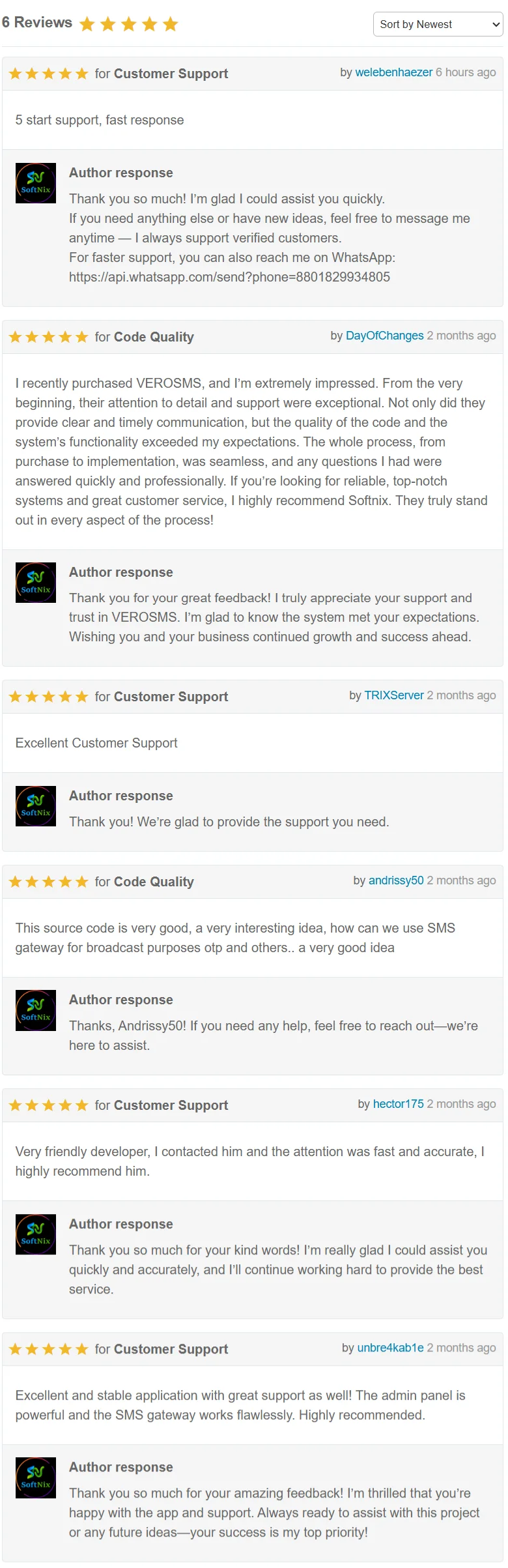
Customer Reviews
$49 |
Download |
5 average based on 6 ratings.

| Last Update | 2025-12-09 |
| Created | 2025-07-29 |
| Sales | 28 |
| Discussion | Comments |
| Software Version | Android 15.0 Android 12.0 Android 11.0 Android 10.0 Android 9.0 |
| Files Included | .apk .java CSS PHP HTML |
| Video Preview Resolution |


