VARGAL – Additional Variation Gallery for WooCommerce







Additional variation gallery for WooCommerce is a feature that allows store owners to display a custom set of images for each product variation—such as different colors, sizes, or styles. Instead of showing just one image per variation, it creates a full image gallery tailored to each option a customer selects.
This kind of plugin is essential for stores where visuals play a key role – fashion, beauty, furniture, electronics, and more.
Create Unique Galleries for Each Product Variation
Easily add images and videos to a dedicated gallery for each product variation in WooCommerce. When customers select a specific variation, the corresponding gallery is automatically displayed to show the exact images and media related to that option.
This feature creates a more visual shopping experience, reduces confusion when selecting variations, and helps customers make purchasing decisions faster.
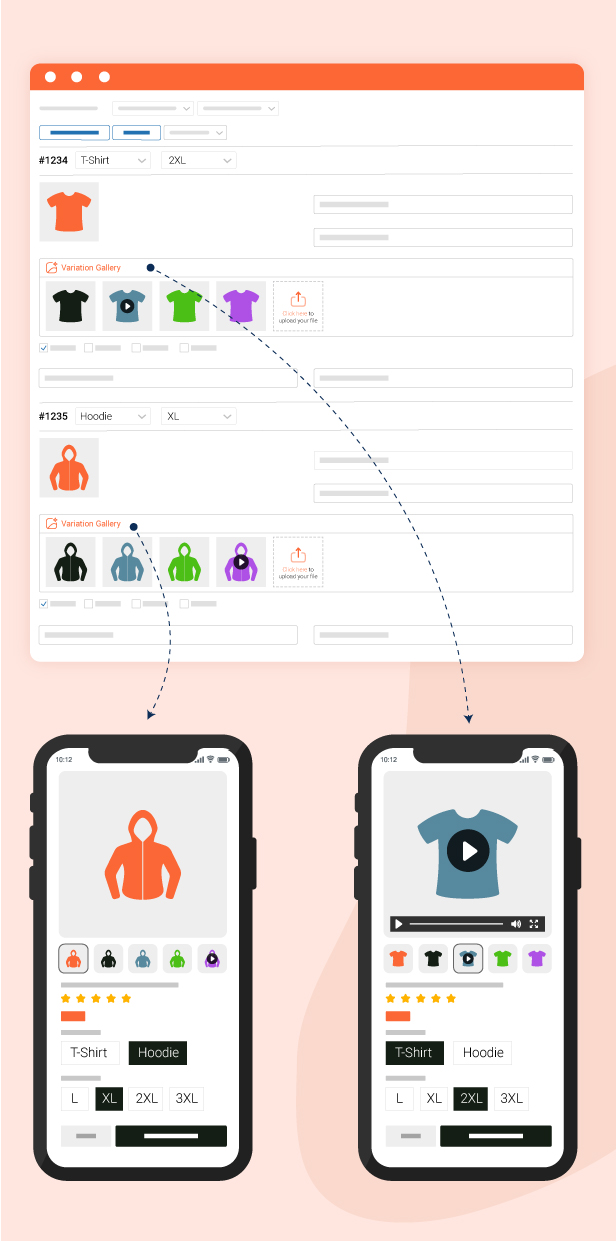
Variation Galleries With Images and Videos
Enhance your variation galleries by adding both images and videos for a richer and more engaging product showcase. Each product variation can display its own unique media content, helping customers better understand the appearance and details of every option before making a purchase.
This feature makes product pages more professional, visually appealing, and conversion-friendly on WooCommerce.
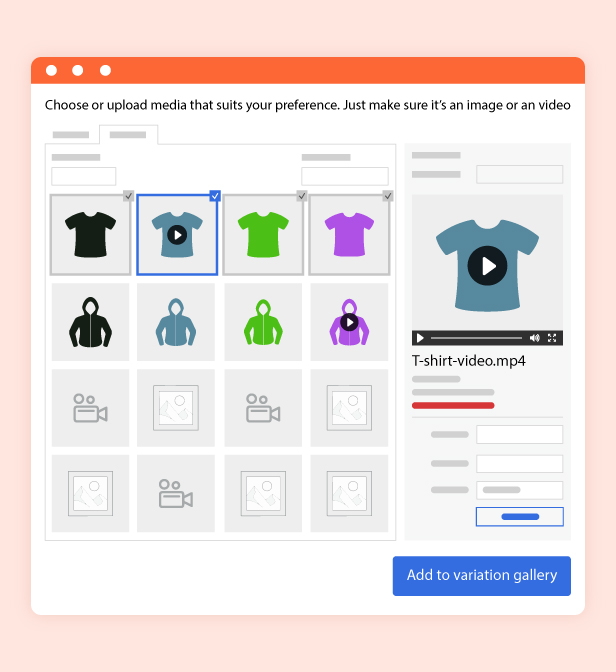
Customizable Thumbnail Position
Easily customise thumbnail placement on product pages to match your preferred layout and website design. You can flexibly arrange thumbnails in different display styles to improve product viewing experiences and create a more visually organised product page.
This feature helps variation galleries integrate seamlessly with your WooCommerce theme while enhancing the professionalism of your store design.
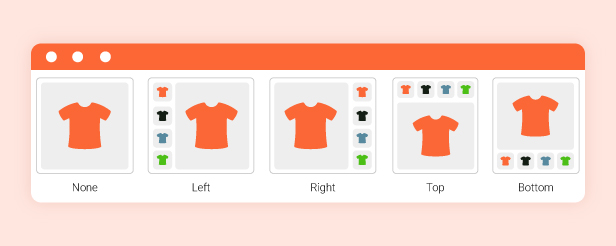
Seamlessly Migrate Galleries From Other Plugins
The plugin allows you to easily migrate galleries from other variation gallery plugins without complicated setup. This helps save time, prevent media loss, and ensure a smoother transition process when switching gallery solutions.
The feature is especially useful for WooCommerce stores looking to upgrade or replace their variation gallery plugin while keeping existing product gallery data intact.

Fully Responsive on All Devices
The plugin is fully optimised to ensure variation galleries display beautifully and work smoothly across desktop, tablet, and mobile devices. No matter which device customers use, product variation images and videos remain visually appealing, easy to navigate, and provide a more professional product viewing
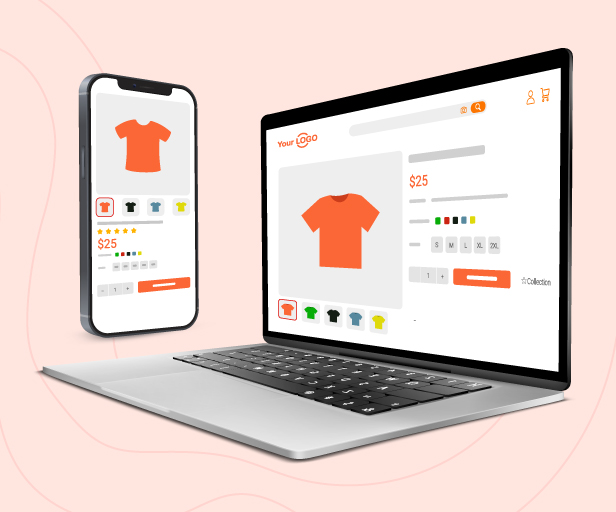
Introducing VARGAL – Additional Variation Gallery for WooCommerce. Your all-in-one solution for building dedicated media galleries for product variations in WooCommerce. With VARGAL, you can:
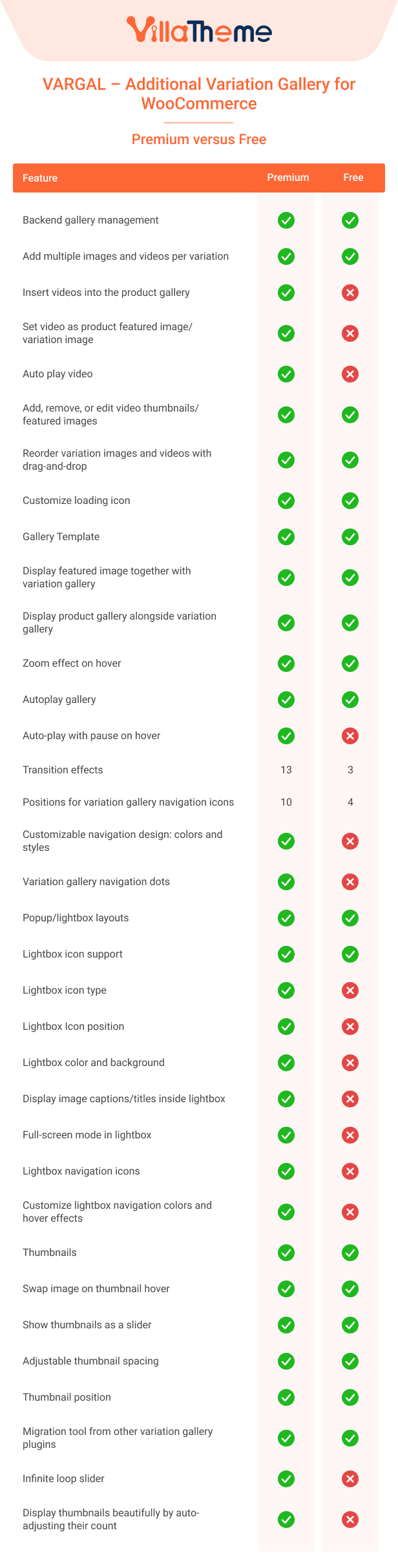
- Set a video as the featured image or variation image for your product
- Upload multiple images and videos for each product variation
- Use videos instead of static images as the main display media
- Drag and drop to sort gallery items directly in the product editor
- Include the main product image or default gallery in each variation gallery
- Zoom into images with a hover-to-zoom effect
- Autoplay the entire gallery with custom speed and optional pause on hover
- Autoplay videos automatically when they load, without user interaction
- Apply smooth transition effects like fade, slide, zoom, bubble, blur, rotate, and more
- Open media in a lightbox with customizable icons, captions, fullscreen, and navigation
- Swap the main gallery image by hovering over thumbnails
- Display thumbnails in a scrollable slider (horizontal or vertical)
- Auto-adjust the number of visible thumbnails to fit beautifully within the layout
- Change thumbnail positions (top, bottom, left, right) independently for desktop and mobile
- Customize spacing and gaps between thumbnails for better layout control
- Choose from multiple loading icon styles (dual ring, ripple, spinner, Facebook, etc.)
- Set custom loader icon colors to match your store branding
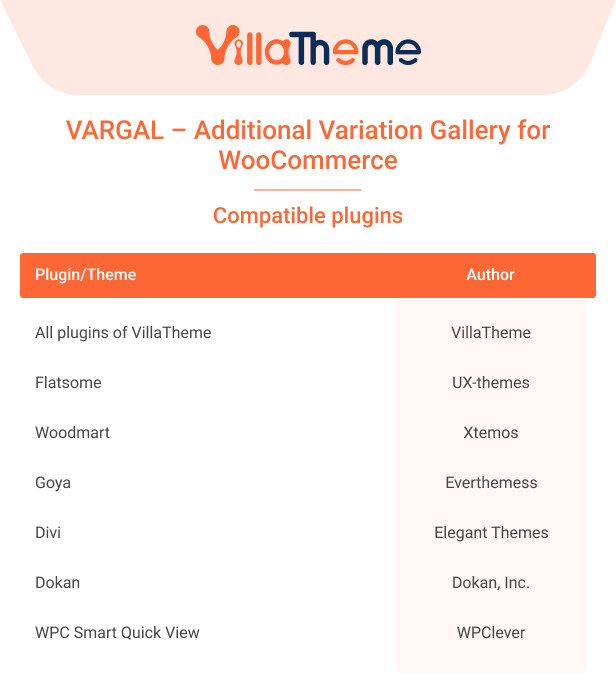
- Works seamlessly with WooCommerce Product Variations Swatches plugin. Show variation galleries when users click on swatches. Assign galleries to specific attributes (like color or size) instead of just additional variation gallery.
- Migrate galleries from other plugins into VARGAL easily
Whether you’re upgrading your image display or starting fresh, VARGAL gives you full control over how your product variations look – helping customers make faster, more confident buying decisions.
Whether you’re selling products with different colors, styles, materials, or any other variation – VARGAL helps you give each of them a unique, immersive visual experience.
Dedicated Additional Variation Gallery
Highlight every variation with its own gallery. VARGAL allows you to go beyond WooCommerce’s single gallery system. With VARGAL, every variation of a product can have its own collection of media, including:
- Allows each product variation to have its own gallery, not just a single image per variant.
- Upload and display multiple images and videos per variation.
- Set video as product featured image/variation image – Use a video instead of an image as the main visual for a product or variation.
- Drag-and-drop sorting in the backend to reorder media items easily.
- Optionally include the product’s main image or default gallery in the variation gallery
This is ideal for stores selling fashion, accessories, furniture, gadgets, or any product where visuals make the difference.
Interactive Additional Variation Gallery Display
Create a more engaging and intuitive experience. VARGAL makes it easy for customers to interact with your product images and videos. You control how the gallery behaves and feels:
- Zoom on Hover: Let shoppers inspect products up close just by hovering over the image.
- Transition Effects: Choose between fade, slide, or zoom transitions to control how the gallery switches images.
- Auto play Gallery: Automatically rotate through gallery images every few seconds. Useful for drawing attention to multiple angles without needing clicks.
- Auto play video: Automatically plays the video when it loads, without requiring user interaction. ✅
- Lightbox View: Allows customers to click and expand the gallery into a full-screen lightbox. You can enable or disable the lightbox icon trigger based on your design preference.
These features help increase engagement and make your product pages feel more premium.
Thumbnails and Navigation in Additional Variation Gallery
Fast and user-friendly gallery browsing. For products with multiple gallery items, thumbnails offer a fast way to switch views. VARGAL gives you full control over how these thumbnails look and behave:
- Thumbnail Hover Swap: Instantly switch the main image just by hovering over a thumbnail—no clicks needed.
- Thumbnail Slider: Display thumbnails in a scrollable slider, which is especially useful for smaller screens or when you have many images.
- Thumbnail beauty: Display thumbnails beautifully by auto-adjusting their count – Automatically adapts the number of thumbnails to fit neatly based on screen size.
- Gap and Spacing Control: Adjust the spacing between thumbnails and between the thumbnails and the main image for a clean layout.
- Position Settings: Decide where thumbnails appear – top, bottom, left, or right – separately for desktop and mobile views.
Helps users find what they’re looking for quickly and encourages deeper browsing.
Style and Loading Customisation for additional variation gallery
Match the look and feel of your store. VARGAL – Additional Variation Gallery for WooCommerce includes styling options that let you personalise how the gallery looks and behaves as it loads:
- Custom Loading Icons: Choose from a variety of pre-designed loading animations like Dual Ring, Facebook styles, Ripple, Spinner, and more.
- Color Picker: Set your icon color using an intuitive color wheel or hex value.
Little details like custom loaders can make your site feel more polished and professional.
Gallery Migration Tool
Switch to VARGAL without losing your galleries. If you are already using another additional variation gallery plugin, VARGAL includes a built-in migration tool that lets you:
- Import galleries from other plugins
- Replace your current VARGAL gallery content with the imported one
This plugin is great for store owners who want to switch without starting over. Try it now!
See this tutorial video for details!
ChangeLog
$10 |
Download |
0 average based on 0 ratings.

| Last Update | 2026-11-07 |
| Created | 2025-09-03 |
| Sales | 48 |
| Discussion | Comments |
| Compatible Browsers | Firefox Safari Opera Chrome Edge |
| Software Version | WordPress 7.1.x WordPress 7.0.x WordPress 6.9.x WordPress 6.8.x WordPress 6.7.x WordPress 6.6.x WordPress 6.5.x WordPress 6.4.x WordPress 6.3.x |
| Compatible With | Elementor Elementor Pro WooCommerce 10.x.x WooCommerce 9.x.x WooCommerce 8.x.x WPML |
| Gutenberg Optimized | Yes |
| High Resolution | Yes |
| Files Included | JavaScript JS HTML CSS PHP |
| Video Preview Resolution |


