Use-your-Drive | Google Drive plugin for WordPress
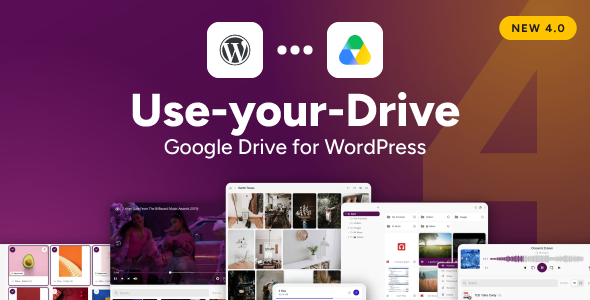

Google Drive Plugin for WordPress: Put Your Drive Files to Work on Your Site
★ The original Google Drive plugin for WordPress: the first to bring a full file browser, inline previews and media streaming to Google Drive.
Your files already live in Google Drive, so why copy them into WordPress all over again? Use-your-Drive (WP Cloud Plugins) brings your Google Drive folders straight onto your pages, so visitors browse, preview and download the real files, live from Google Drive. No duplicates on your server, no sync tool running in the background, no second library to keep tidy. Connect your account in one click, drop a module on the page, and you’re publishing in minutes, without touching a line of code.
✔ Google Drive ✔ Shared Drives ✔ Google Workspace
★ 25,000+ customers since 2012 • 14+ years of active development • Version 4.0 out now
❱❱❱ See it live • ❱❱❱ Play in the sandbox (no install) • ❱❱❱ Get Use-your-Drive, download instantly
✱ New in version 4.0
The biggest update of Use-your-Drive in years. The highlights:
- Google Drive in your Media Library: pick files from Google Drive right in the WordPress Add media dialog. Import them as regular media items, or insert them as a cloud reference that stays in Google Drive and never takes up space on your server. Every link is listed on the new Public Assets page, where you can revoke it at any time.
- A new media player built on Video.js 10: playlists with folders, a waveform for audio, captions, a small player while scrolling, lock-screen controls and video ads.
- A new lightbox with swipe, pinch-to-zoom and full keyboard support.
- Three gallery layouts: Justified, Masonry and Grid, and visitors can switch between them.
- A redesigned File Browser with list and tile views, a rebuilt folder tree, a Details panel and modern icons.
- Review & Approve (client proofing) with a new overview of all collections and a results page per collection.
- Colours that always work: the whole palette is calculated from your accent and background colours, with enough contrast every time.


✱ Connect Google Drive to WordPress in minutes

Use-your-Drive is the Google Drive plugin for WordPress that shows your documents, images and media right on your posts and pages, straight from your Google account, always up to date.
✔ Google Drive ✔ Shared Drives ✔ Google Workspace
Getting your Google Drive content onto your site is genuinely quick. Here’s the whole thing:
- Link your Google account to the plugin with one click.
- Create a module in the Module Configurator: start from the Modules page, the Use-your-Drive block or your page builder, and pick a module type.
- Choose the Google Drive folder you want to show.
- Fine-tune the look and the permissions with the on-screen controls, no code, no guesswork.
- Place the module with the block, a page builder widget or its shortcode, hit publish, and you’re live.
Just need one file in a post? Skip the module: pick it from Google Drive in the Add media dialog.
⋅⋅⋅⋅⋅⋅⋅⋅⋅⋅⋅⋅⋅⋅⋅⋅⋅⋅⋅⋅⋅⋅⋅⋅⋅⋅⋅⋅⋅⋅⋅⋅⋅⋅⋅⋅⋅⋅⋅⋅⋅⋅⋅⋅⋅⋅⋅⋅⋅⋅⋅⋅⋅⋅⋅⋅⋅⋅⋅⋅⋅⋅⋅⋅⋅⋅⋅⋅⋅⋅
Use-your-Drive is part of the WP Cloud Plugins family, trusted on 10,000+ company websites and refined over 14+ years of development. Keep your files where they belong, in Google Drive, and let your website do the rest.
⋅⋅⋅⋅⋅⋅⋅⋅⋅⋅⋅⋅⋅⋅⋅⋅⋅⋅⋅⋅⋅⋅⋅⋅⋅⋅⋅⋅⋅⋅⋅⋅⋅⋅⋅⋅⋅⋅⋅⋅⋅⋅⋅⋅⋅⋅⋅⋅⋅⋅⋅⋅⋅⋅⋅⋅⋅⋅⋅⋅⋅⋅⋅⋅⋅⋅⋅⋅⋅⋅
❱❱❱ See it live • ❱❱❱ Play in the sandbox (no install) • ❱❱❱ Get Use-your-Drive, download instantly

✱ New in 4.0: Google Drive in your Media Library
Google Drive now has its own tab in the standard WordPress Add media dialog, the dialog you already use for every image, video and file. Browse your Google Drive folders without leaving the editor, select one or more files, and choose what happens with them:

IMPORT TO THE MEDIA LIBRARY
The file is copied into your Media Library as a regular media item. Use it as a featured image, in a WooCommerce product gallery, in an ACF image field, or anywhere else your theme and other plugins expect a media item. Images can be picked straight from the Featured image dialog.
INSERT A CLOUD REFERENCE
The file stays in Google Drive and nothing is copied to your server. The plugin creates a permanent link on your own website and places the file in your post: in the block editor as an Image, Cover, Video, Audio or File block, or added to a Gallery or Playlist block, and in the Classic Editor as an image, player or download link. No module, no shortcode.
YOU DECIDE HOW FILES ARE DELIVERED
Via Google Drive: the fastest for your visitors, and your server does no work.
Via your website: the file stays private in your Google Drive, and other websites can’t show it.
Pick a default, and change it for any link whenever you like.

ONE OVERVIEW OF EVERY LINK: PUBLIC ASSETS
The new Public Assets page lists every cloud reference with its file, account, the post it was added in, its delivery, the number of views and when it was last used. Copy a link, revoke it with one click, reactivate it or delete it, also for several links at once. A revoked link stops working straight away.
YOU CONTROL WHO CAN USE IT
Choose which roles may browse Google Drive in the Media Library and which roles may manage the Public Assets. By default, only administrators can. Public Assets are part of the plugin’s backups.
Why it’s useful:
- Save server space: large videos, PDFs and photo sets stay in Google Drive, and your posts still show them.
- One place for your files: keep working in Google Drive, and use the same files on your site without uploading them twice.
- Works with everything that needs a media item: featured images, product galleries and custom fields get a real Media Library item through an import.
- Stay in control: see where every link is used and how often it is viewed, and revoke it at any time.
❱❱❱ Read how the Media Library integration works
✱ What people build with Use-your-Drive
A few common ways teams put their Google Drive files to work on WordPress:
- Client portals: give each client a private Drive folder to preview, download and drop off documents, without seeing anyone else’s files.
- Download centers: publish manuals, price lists, brochures or software for visitors to grab, straight from Google Drive.
- Documentation & knowledge bases: keep your docs in Drive and let the site always show the latest version, edits included.
- Course materials: share lesson files, worksheets and recordings with students, updated the moment you change them in Drive.
- Portfolios & event galleries: build image galleries from a Drive folder and refresh them by adding photos in the cloud.
- Photo proofing & client approvals: let clients pick, label and approve their favourite photos from a Drive folder, on your own site.
- Member areas & team workspaces: share the right files with the right people, controlled per WordPress user and role, also from Shared Drives.
✱ Modules: build exactly what you need
Mix and match modules to create a client portal, a download center, a media library or a documentation hub. Whatever you build, your files never leave Google Drive.
⋅⋅⋅⋅⋅⋅⋅⋅⋅⋅⋅⋅⋅⋅⋅⋅⋅⋅⋅⋅⋅⋅⋅⋅⋅⋅⋅⋅⋅⋅⋅⋅⋅⋅⋅⋅⋅⋅⋅⋅⋅⋅⋅⋅⋅⋅⋅⋅⋅⋅⋅⋅⋅⋅⋅⋅⋅⋅⋅⋅⋅⋅⋅⋅⋅⋅⋅⋅⋅⋅◉ File Browser: a Google Drive file manager on your site
ALWAYS IN SYNC | ❱❱❱ DEMO
Give visitors a real file manager for any Google Drive folder: a clean list or tiles, breadcrumb navigation, search, a Details panel and drag-and-drop uploads. A folder tree next to the list (a drawer on phones) and a menu of subfolders in every part of the breadcrumb make deep folder structures easy to find your way in. Change a file in Google Drive and it updates on your site on the next page load, so you manage everything in one place and never touch WordPress twice.
◉ Photo Gallery: a Google Drive gallery that updates itself
NEVER RE-UPLOAD AGAIN | ❱❱❱ DEMO
Turn any Google Drive folder into a polished gallery in seconds, in a Justified, Masonry or Grid layout. Visitors can switch the layout and the image size themselves. Add or remove photos in Google Drive and the gallery follows, with no re-uploading, no rebuilding, and your originals stay safely in the cloud.
◉ Review & Approve: client proofing and photo approval from Google Drive
LET CLIENTS CHOOSE | ❱❱❱ DEMO
Client proofing and file approval on your own site. Clients pick their favourite photos or documents, give them labels such as Album or Print, add a comment and approve their selection. Ask for a minimum or maximum number of files and set a deadline. You get an email when a client approves, and all collections, approvals and results per person wait for you in one overview, ready to export to CSV.
◉ Upload Box: let anyone upload to your Google Drive
COLLECT FILES FROM ANYONE | ❱❱❱ DEMO
Let visitors drop files straight into your Google Drive. Pair it with the form-plugin integrations and Personal Folders and you’ve got a full client area, where every client uploads to their own private folder without ever seeing anyone else’s.
◉ Video & Audio Player: stream Google Drive video and audio
STREAM STRAIGHT FROM DRIVE | ❱❱❱ VIDEO DEMO | ❱❱❱ AUDIO DEMO
Play audio and video right on the page with a modern player built on Video.js 10. Playlists with folders, search and a list or grid view, captions (WebVTT and SRT), playback speed, skip buttons, and the title and cover art on the lock screen. Audio can show its waveform in the progress bar, visitors continue where they left off, and playback moves to a small player when they scroll away. Video modules can show VAST and VMAP advertisements that respect your cookie consent tool. It streams from Google Drive, so your source files stay put, and it can build a playlist automatically from the folder you choose.
Plays what the visitor’s browser supports, such as mp4, m4v, webm and ogv video and mp3, m4a, ogg, opus, flac and wav audio.
◉ Slider / Carousel: a Google Drive image slider
SHOW OFF YOUR IMAGES | ❱❱❱ DEMO
Spin up a responsive image slider from a Google Drive folder and manage the contents from your cloud. Style it in the Module Configurator without code, and it looks sharp on every screen size, from phone to desktop.
◉ And there’s more
◉ SEARCH BOX: a search field that finds files by name and content in a folder and its subfolders.
◉ LISTS & BUTTONS | ❱❱❱ DEMO: a simple list of download or view links, or a single download button.
◉ EMBED DOCUMENTS | ❱❱❱ DEMO: one document, right in your page.
✱ Features you’ll actually use
The features and integrations below let you build a genuinely custom file solution in a few clicks, the kind you’d normally pay a developer for.
ALL IN THE CLOUD
Your files stay on Google Drive instead of your server, so you save disk space and bandwidth. The plugin manages everything directly in Google Drive, and visitors download from Google’s servers, not yours.
PREVIEW YOUR FILES IN PLACE
Open Google Docs, Sheets and Slides, plus PDFs and Office files, right on the page. Visitors read them in the built-in viewer without downloading a thing.
MODULE CONFIGURATOR
Set up any module in the visual Module Configurator, no code required. All modules are kept on the Modules page, where you can search, filter, edit and reuse them. There’s a lot you can tweak, but even first-timers get a great result on the first try.
A NEW LIGHTBOX (new in 4.0)
Photos, videos and documents open in a fast, full-screen lightbox that only loads what it needs. Swipe, pinch-to-zoom and double-tap on phones and tablets, a thumbnail bar, and full keyboard and screen reader support. Choose the theme, transition, header and captions in the plugin settings.
FULL-TEXT SEARCH
Let visitors find files by name and extension, and search inside file contents too, not just the file names.
EMBED DOCUMENTS
Want a single document front and centre? Embed a Google Drive document in any page or post with the Embed Documents module.
WORDPRESS MEDIA LIBRARY (new in 4.0)
Browse Google Drive in the standard Add media dialog. Import files as regular media items, or insert a cloud reference that stays in Google Drive. See “Google Drive in your Media Library” above.
UPLOAD DIRECT TO THE CLOUD
Uploads go straight from the visitor’s device to Google Drive, so you’re not limited by your server’s upload limits.
ZIP DOWNLOADS
Visitors download several files or whole folders as one ZIP file. The ZIP streams straight from Google Drive to the browser, without a temporary file on your server, so the download starts right away.
PERSONAL & DYNAMIC FOLDERS
Give every client their own personal folder on Google Drive to preview, download and upload to. They see their folder and nobody else’s. Link one user to several folders (invoices, contracts, deliverables), or share a folder with someone who has no WordPress account via the built-in Guest user. Assign folders by hand, or let the plugin create them automatically as people sign up. With Dynamic Folders, one module on one page shows every logged-in user their own folder.
MULTIPLE ACCOUNTS
Connect as many Google accounts as you like and use them side by side, for instance when one account runs out of space or to keep the files of different clients apart.
USER PERMISSIONS
Decide per module which users and roles may view, download, upload, rename or delete files, all through the WordPress user system you already know.
PASSWORDS & LEAD CAPTURE
Protect a module with a password, or ask visitors for their email address before they can see the files.
SECURE BY DEFAULT
Access per user and role, password protection, downloads via your own server when you don’t want to show the cloud link, and an upload filter that refuses files that can run as a program, such as .exe. You can also limit sharing to your own Google Workspace domain.
NOTIFICATIONS
Get a friendly email the moment someone downloads, uploads or deletes a file, so you always know when a client needs your attention.
REPORTS DASHBOARD
See every preview, download, stream and upload in the Reports Dashboard, with a daily chart and a searchable log of all events, or in a summary email. Events can flow into Google Analytics too.
WEBHOOKS
Send every event, such as an upload, a download or a preview, as JSON to your own URL, and connect the plugin to the other systems you use.
YOUR COLOURS, ANY THEME (new in 4.0)
Pick an accent colour and a light and a dark background, and the plugin calculates every other colour for you: text, borders, hover states, menus and focus rings, always with enough contrast. Modules use the system font of the device and one text scale with a Text size setting, so they look right in every theme.
KEYBOARD & SCREEN READER FRIENDLY
Menus, buttons, the lightbox and the media player work with the keyboard and are labelled for screen readers. The modern SVG icons stay visible in high-contrast mode and when printing.
BACKUP & RESTORE
Export your settings, modules, Personal Folders, statistics and Public Assets. Before an import, the plugin shows what will change, and you choose what to import.
OPTIMIZED PERFORMANCE
A built-in caching system remembers Google Drive’s responses, so your pages load quickly instead of calling Google Drive on every single view. Media only loads when a visitor presses play, and photos and thumbnails only when they are needed.
MULTI-LANGUAGE SUPPORTED
The package ships with 20 translations, all reviewed for 4.0, and is fully translation-ready. Prefer to do your own? It’s easy with the free Loco Translate plugin. Send us a new translation and we’ll happily refund your purchase.
LAZY LOADING
The plugin only loads its assets on pages where a module is actually used: less traffic, faster pages.
RESPONSIVE DESIGN
Every module adapts to the space it gets, from a wide page to a narrow sidebar or a phone, with touch gestures where they help.
PROFESSIONAL SUPPORT
In active development since 2012 and improved constantly ever since. Got a question or hit a snag? Open a ticket and we’ll do our best to get you sorted.
LIFETIME UPDATES – Free of Charge
Every update is automatic and free. Stay on the latest Use-your-Drive release and enjoy new features as they land.
LOOKING FOR A NEW FEATURE?
We love good feedback. Need something the plugin doesn’t do yet? Drop us a line through support. We’ll see if we can add it in a future version, or write a bit of PHP to help you out.
↯ Plays nicely with your favourite plugins
Already using these? Use-your-Drive slots right in, so you can build even more without starting over.
PAGE BUILDERS
Add cloud files to your pages with the builder you already use, no shortcode hunting required:
✔ Gutenberg
✔ Elementor
✔ Divi
✔ WPBakery
✔ Beaver Builder
WORDPRESS MEDIA LIBRARY
Import Google Drive files as media items or insert them as cloud references, in the block editor and the Classic Editor.
WOOCOMMERCE
Serve your WooCommerce digital downloads straight from Google Drive. With the Upload integration you can also let customers add documents to their orders, tucked away in an order-specific folder on your cloud. Product images can be imported from Google Drive in the Media Library.
ADVANCED CUSTOM FIELDS (ACF)
Pick cloud files and folders as ACF fields and surface them anywhere in your pages and posts. Use the ACF get_field() function to pull an item’s metadata into any theme template.
UNCANNY AUTOMATOR
Use-your-Drive adds triggers to Uncanny Automator, so a plugin event (a new upload, a deleted file, and more) can kick off a recipe: fire off an email, a tweet, a WhatsApp message, or send data to another app.
EASY DIGITAL DOWNLOADS (EDD)
Selling with Easy Digital Downloads? Use-your-Drive hooks right in and serves your EDD downloads directly from Google Drive.
SLACK
Pipe real-time alerts about plugin events into your Slack channels. Choose exactly which events (new upload, file removal, and so on) get a message.
FORM PLUGINS
Need more than the Upload Box offers? Use-your-Drive connects to the popular form builders so you can design the exact upload form you want:
✔ Elementor Forms
✔ Gravity Forms
✔ Fluent Forms
✔ Formidable Forms
✔ Contact Form 7
✔ Ninja Forms
✔ WPForms
GRAVITY PDF
Save the PDFs that Gravity PDF creates for your Gravity Forms entries straight to Google Drive.
USER MANAGEMENT
Works with user-management plugins built on the WordPress user framework, including but not limited to:
✔ Ultimate Member
✔ WP-Members
✔ UsersWP
✔ BuddyPress
URL SHORTENERS
Shorten your shared and direct file links with one of the supported APIs:
✔ PrettyLinks
✔ Rebrandly
✔ Shorte.st
✔ Bit.ly
COOKIE CONSENT
Video advertisements follow the consent tool of your site (IAB TCF, GPP, US Privacy and the WP Consent API, as used by Complianz, CookieYes, Cookiebot and OneTrust).
reCAPTCHA
Turn on reCAPTCHA (v3) to make sure only real people can reach and use your modules.
❔ Wondering before you buy?
Will it run on my site?
Almost certainly. You need WordPress 6.1+ and PHP 8.2+ with the cURL extension, available on nearly every host. Full requirements are just below.
What if I get stuck?
You’re not on your own. Your purchase includes 6 months of support through our dedicated channel, backed by a plugin that’s been in active development for 14+ years.
And updates later on?
Free and automatic, straight from your WordPress plugin dashboard.
❔ Frequently Asked Questions
Q: Where can I find the documentation for this plugin?
The documentation is included in the plugin package and can also be found here.
Q: Which license do I need?
FAQ article: All about Licenses (Single site / Multisite / Developer / Bulk).
Q: How can I update the plugin to the latest version?
Updates will automatically appear in your WordPress Plugin Dashboard. If you have trouble using the WordPress updater, check this FAQ article: How do I update the plugin?
Q: Are my files copied to my server?
No. Your files stay in Google Drive and are shown straight from there. To make your pages fast, the plugin keeps a cache and thumbnails on your server. Only files you import into the Media Library yourself are copied, like any other upload.
Q: Does it work with my Google account type?
Yes. Personal Google accounts and Google Workspace both work, with My Drive and Shared Drives.
Q: Can I connect more than one account?
Yes, as many as you like. Each module can use a different account.
Q: I use more than one cloud service. Which plugin do I need?
One plugin per cloud service: Use-your-Drive for Google Drive, Share-one-Drive for OneDrive & SharePoint, Out-of-the-Box for Dropbox and Lets-Box for Box. They have the same modules and work side by side on one site.
Q: What happens if I uninstall the plugin?
Your files stay in Google Drive, untouched. Your modules and settings are kept, so you can pick up where you left off if you install the plugin again. If you want them removed as well, switch that on in the settings before you uninstall.
Q: Do files I import into the Media Library stay in sync with Google Drive?
No. An import makes a copy on your server, like any other upload. If you want the file to stay in Google Drive, insert a cloud reference instead.
Q: How can I get support?
You can reach us via our dedicated support channel. Your purchase comes with 6 months of free support. You can renew/extend your support package if you need support after this period.
⚠ Requirements
- WordPress 6.1+ (tested up to WordPress 7.1)
- PHP 8.2+ (tested up to PHP 8.5) with the cURL extension, which almost every server has enabled
- A Google Drive account
✱ Updates
Always have the latest version of the plugin available via your WordPress Update dashboard!
⚡ Current version: 4.0.0 (16 November 2026)
❱❱❱ Release Notes
Ready to bring your Google Drive files to life on WordPress? Take it for a spin in the sandbox (no install, nothing to set up), or grab your copy and be live today.
$69 |
Download |
4.9 average based on 427 ratings.

| Last Update | 2026-11-18 |
| Created | 2013-11-26 |
| Sales | 12465 |
| Discussion | Comments |
| Compatible Browsers | Firefox Safari Opera Chrome Edge |
| Software Version | WordPress 7.1.x WordPress 7.0.x WordPress 6.9.x WordPress 6.8.x WordPress 6.7.x WordPress 6.6.x WordPress 6.5.x WordPress 6.4.x WordPress 6.3.x WordPress 6.2.x WordPress 6.1.x WordPress 6.0.x |
| Compatible With | Beaver Builder Block Editor Contact Form 7 Easy Digital Downloads Elementor Elementor Pro Gravity Forms Visual Composer WooCommerce 10.x.x WooCommerce 9.x.x WooCommerce 8.x.x WooCommerce 7.x.x WooCommerce 6.x.x WPBakery Page Builder WPForms WPML |
| Gutenberg Optimized | |
| High Resolution | |
| Files Included | JavaScript JS CSS PHP |
| Video Preview Resolution |


