TrafficLab | Website Traffic Automation Software With AI Agent and Analytics Testing
.png)

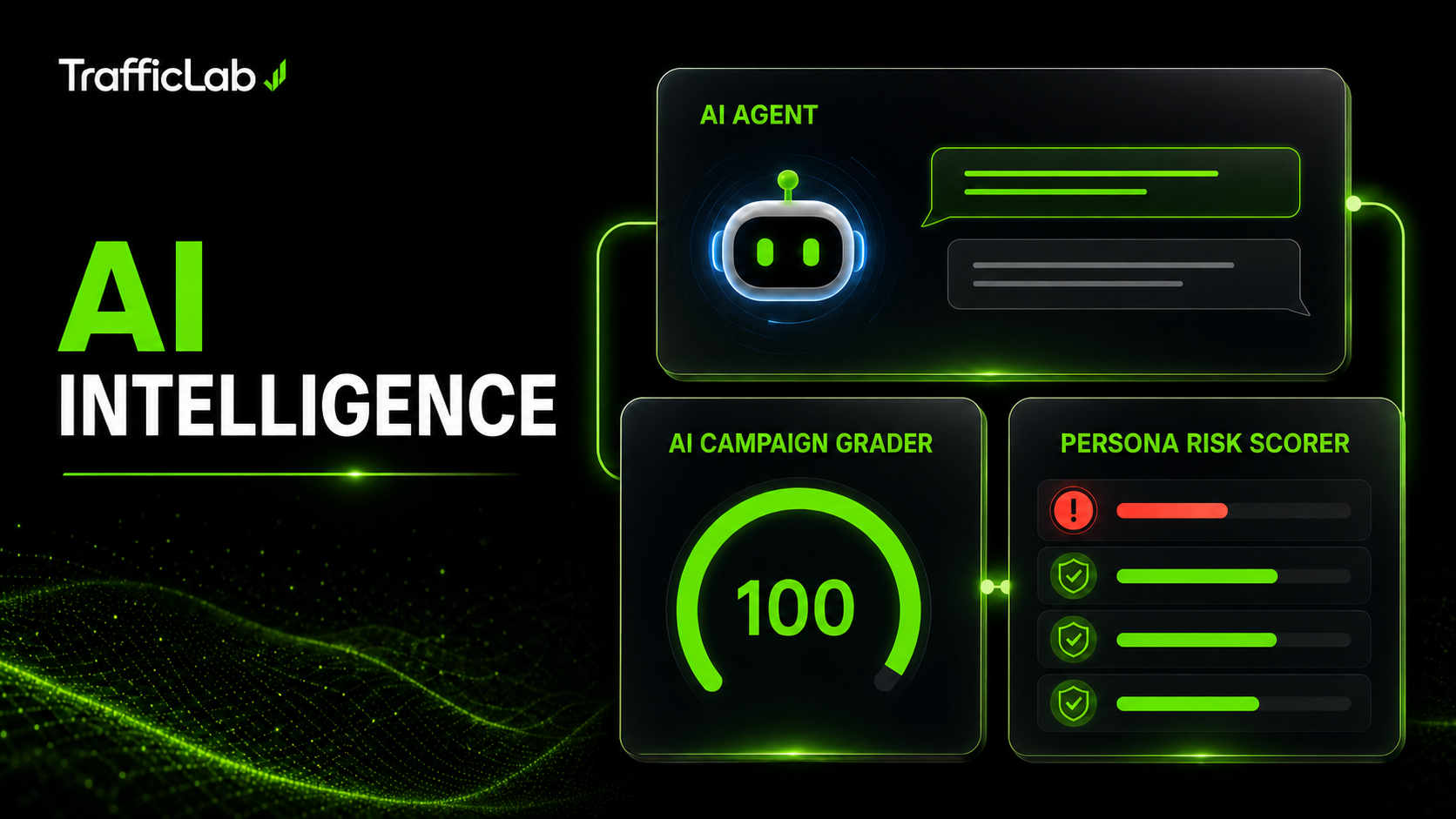
AI features that make setup easier
- AI Agent: An embedded assistant that can read dashboard statistics, campaigns and logs, explain reports, suggest setting changes, and control supported application actions through an OpenAI-compatible endpoint configured by the user.
- AI Campaign Grader: A local 0–100 pre-flight assessment with critical findings, recommendations and configuration warnings. No model API key is required.
- Persona Risk Scorer: Reviews proxy availability, device mix, operating-system and browser coherence, traffic distribution and interaction settings before a test run.
- Optional AI comments: Generate comments using a configured provider, or use the included offline templates.
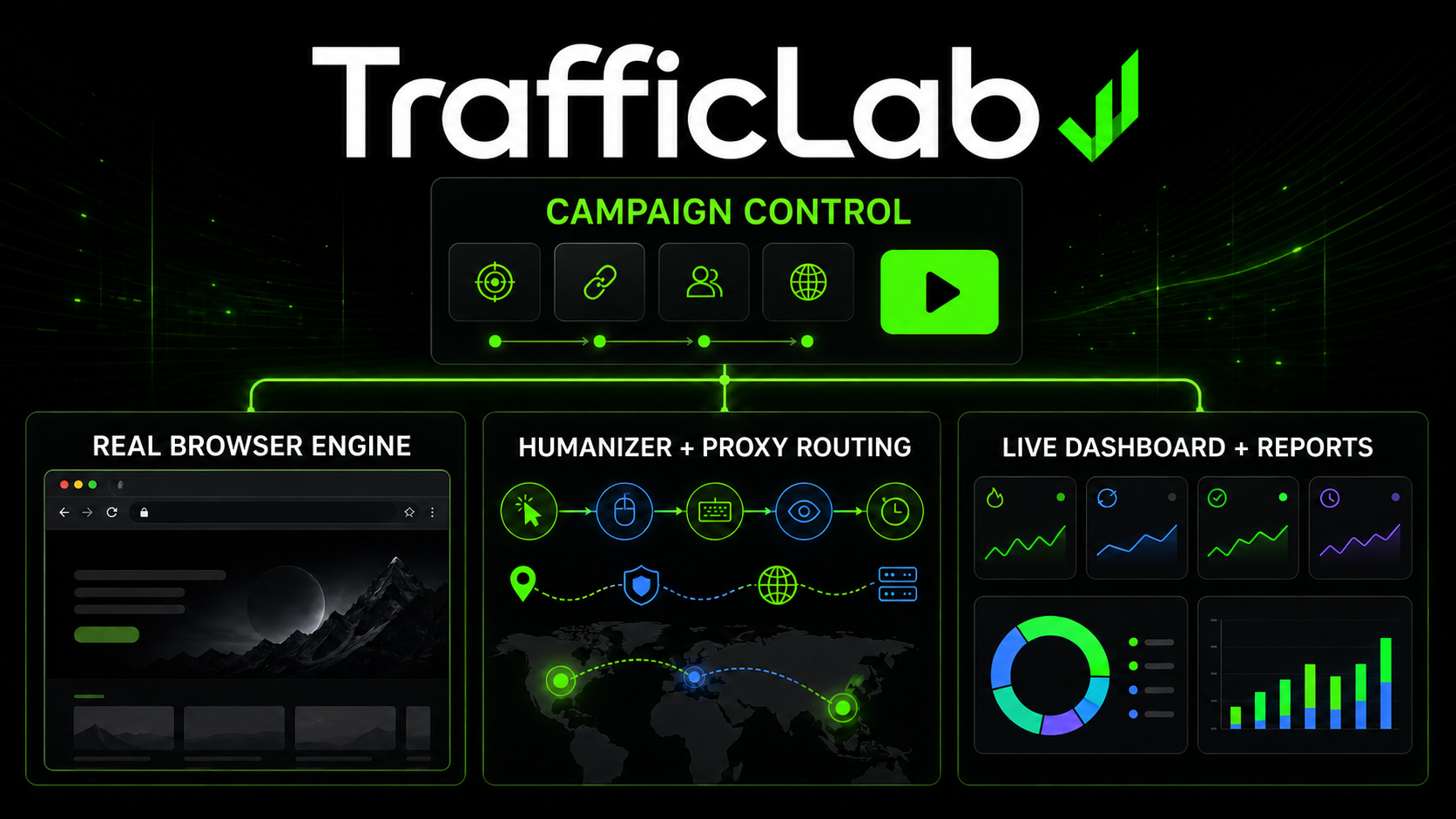
Campaign and browser testing controls
- Chromium sessions: Playwright launches isolated browser contexts with configurable device, operating system, browser identity, locale, timezone and referrer settings.
- Browser visibility: Choose between Headless mode to run automation in the background or Normal mode to watch sessions operate in visible Chromium windows.
- Improved browser fingerprinting: Browser fingerprint consistency and interaction behavior have been improved so automated sessions behave more naturally and reduce automation-related detection during testing.
- Privacy: TrafficLab does not import the user’s personal browser profile, cookies, passwords, history or extensions.
- Humanizer profiles: Configurable reading, scrolling, clicking and typing patterns for controlled interface and analytics tests.
- Proxy Manager: HTTP, SOCKS4 and SOCKS5 validation with latency, status and country information.
- Campaign management: Store URLs, keywords, session limits, workers, search settings, warmup options and interaction settings per campaign.
- Dashboard and reports: Review session status, source, device, browser, operating system and location data, with CSV, HTML and print-ready exports.
- Optional integrations: Google Analytics 4 Measurement Protocol, OpenAI-compatible endpoints and supported captcha providers configured with the buyer’s own credentials.
Included
- ◆ Product type: Windows x64 desktop application
- ◆ Version: 1.0.8
- ◆ Installer: Guided Windows installer
- ◆ Browser runtime: Private Chromium runtime downloaded during setup
- ◆ Data storage: Local SQLite database
- ◆ Documentation: Hosted documentation and an offline HTML copy
Technical Requirements
- Operating system: Windows 10 version 1809 or later, or Windows 11 (64-bit).
- Memory: 4 GB RAM minimum; 8 GB recommended; 16 GB recommended for larger concurrent tests.
- Processor: 64-bit dual-core processor or better.
- Storage: At least 1 GB for the application, plus space for the Chromium runtime, cache, logs and exported reports. SSD storage is recommended.
- Internet connection: Required for installation, activation, browser runtime downloads and enabled online integrations.
- .NET dependency: No separate .NET Framework or .NET runtime installation is required.
- Optional services: Buyers provide their own credentials for any enabled AI, analytics or captcha-provider integrations.
Live Interface Demo
The hosted demo is an interactive visual preview of the application’s pages and controls. It is not the working desktop product, does not run browser sessions, and does not perform live automation.
Documentation
The documentation includes annotated page screenshots, installation and first-run guidance, branding and settings customization, a detailed configuration reference, and troubleshooting for common errors.
Ethical Use
TrafficLab is intended for browser automation testing, analytics validation and research on websites and analytics properties you own or have explicit permission to test. It must not be used to manipulate third-party advertising, engagement or analytics systems.
Changelog
Version 1.0.8
- ✦ Added a Headless / Normal browser visibility option. Users can now run automation in the background or watch it in visible Chromium windows.
- ✦ Improved the browser fingerprinting and human-like behavior of automated sessions, reducing automation and bot-detection signals during browser testing.
- ✦ Changed the Windows installer so the full private Chromium runtime is downloaded during setup instead of being included in the buyer ZIP.
- ✦ Added SHA-256 verification for the Chromium download before it is extracted and used.
- ✦ Updated the Windows application icon with rounded transparent corners for a cleaner appearance after installation.
- ✦ Fixed the Settings layout so dropdowns and controls remain properly inside their cards.
- ✦ Updated the offline documentation, hosted documentation and live interface demo to reflect the new browser visibility option and installation process.
- ✦ Rebuilt the Windows x64 installer and CodeCanyon package for version 1.0.8.
$24 |
Download |
0 average based on 0 ratings.

| Last Update | 2026-08-18 |
| Created | 2026-08-13 |
| Sales | 2 |
| Discussion | Comments |
| Application Runtime | Native |
| High Resolution | No |
| Compatible OS Versions | Windows 11 Windows 10 |
| Video Preview Resolution |
Search plugins
Browse Categories


