Toonify – Hand-Drawn Animation & Storyboard Studio (Flutter App)

Toonify – Hand-Drawn Animation & Storyboard Studio (Flutter App)
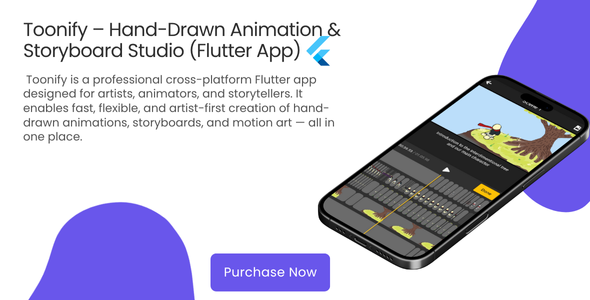
Toonify is a professional cross-platform Flutter app designed for artists, animators, and storytellers. It enables fast, flexible, and artist-first creation of hand-drawn animations, storyboards, and motion art — all in one place.
With advanced tools like onion skinning, layers, timeline editing, and multi-format export, Toonify bridges the gap between creativity and productivity — available on Android, iOS, macOS, Windows, Linux, and Web.
✨ Key Features
- Drawing Tools
- Custom brush presets with adjustable opacity, flow, and pressure
- Shapes: rectangle, circle, line, polygon
- Text tool with font and color customization
- Gradient tool – linear & radial
- Eraser, lasso, and paint bucket tools
- Onion Skinning
- View previous and next frames simultaneously
- Adjust opacity, color, and frame count
- Customize line thickness and blending modes
- ️ Layers, Frames & Timeline
- Layer-based animation workflow
- Timeline with frame reordering and playback controls
- Independent opacity, visibility, and blend mode per layer
- Asset Library
- Import and manage images, audio, and templates
- Quick actions: preview, delete, replace
- Grid and list view with thumbnails
- Multi-Format Export
- Export to MP4, MOV, WebM, GIF, or PNG sequence
- Adjust quality, resolution, and frame rate
- Generate thumbnails automatically
- Audio & Video Pipeline
- FFmpeg-powered rendering and compression
- AAC → M4A audio conversion support
- Real-time preview with audio synchronization
- ☁️ Firebase Integration
- Crashlytics and Analytics pre-configured
- Cloud-ready architecture for future sync features
- ️ Cross-Platform
- Runs on Android, iOS, macOS, Windows, Linux & Web
- Consistent Material 3 UI across devices
- Responsive layout with adaptive scaling
What’s Implemented
- Phase 1 – Immediate Impact
- Asset Library (images, audio, templates)
- Multi-Format Export (MP4, MOV, WebM, GIF, PNG)
- Gradient Tool (linear and radial)
- Template System (ready for future expansions)
- Phase 2 – Artist-Focused
- Custom Brushes System (create, save, manage presets)
- Onion Skinning Engine (models, painter, UI controls)
Roadmap (Next Updates)
- Reference Image Import (pin photos on canvas)
- High-Resolution Export (up to 4K with bitrate control)
- Layer Effects (drop shadow, glow, outline)
- Audio Timeline (sync animation with sound)
️ Tech Stack
- Framework: Flutter 3.35.6 (Dart)
- State Management: ChangeNotifier & Provider
- Video: ffmpeg_kit_flutter_new, video_compress
- Audio: just_audio
- Storage & Files: file_picker, path_provider, open_file
- UI: flutter_slidable, flutter_svg, Material 3
- Firebase: firebase_core, firebase_crashlytics, firebase_analytics, firebase_messaging
Permissions
- File access – for import/export and thumbnails
- Internet – for analytics, crash reporting, and dependencies
Demo
Click here to download the Demo APK!
Toonify is the perfect creative companion for animators and illustrators — turning imagination into motion with a professional workflow built for speed, control, and artistry.
0 average based on 0 ratings.
| Last Update | 2025-11-11 |
| Created | 2025-11-11 |
| Sales | 0 |
| Discussion | Comments |
| Software Version | Flutter 3.x |
| Files Included | Dart |
| Video Preview Resolution |
Search plugins
Browse Categories


