TinyMCE4 MindMap Editor
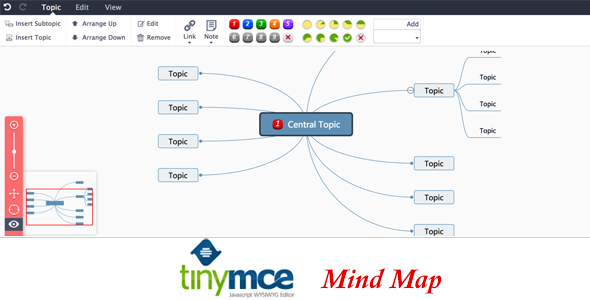

TinyMCE4 has no mind map plugin default. This plugin is a mind map plugin for TinyMCE4 called TinyMCE4 MindMap Editor”, you can use it in TinyMCE4 to insert/edit mind map easily, just like the XMind!.
Features
- Mind Map structure in Wordpress MindMap Editor contains a root in the center, with main branches radiating from it.
- Support for links, images, and markdown notes.
- Multiple beautiful themes.
- Easy to use.
- Pure front-end, no server support.
- Save as image.
How to install it
- Upload the files to the tinymce plugins’ folder.
- Update your tinymce configuration to add `leaui_mindmap` plugin, eg:
tinymce.init({ selector: "textarea", plugins: [ "leaui_mindmap", "advlist autolink link lists charmap hr anchor pagebreak", "directionality textcolor paste fullpage textcolor" ], paste_data_images: true, toolbar1: "leaui_mindmap | styleselect formatselect fontselect fontsizeselect | bold italic underline strikethrough " });Please Note that, you must setpaste_data_imagesto true.
0 average based on 1 ratings.

Search plugins
Browse Categories


