The Accountant Advance
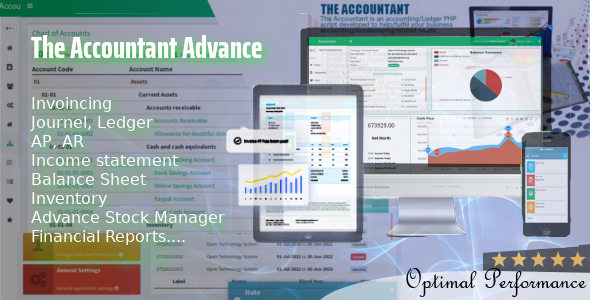

Easy to use web based double entry accounting software with invoicing, stock management, payables and receivables written in PHP – MySQL
Features :
- Chart of Accounts (Groups and Ledgers), Import from CSV/Export to XLS
- Dynamic Entry Types (Receipt, Payment, Contra, Journal, etc)
- Ledger account reconciliation
- Tag entries
- Invoicing
- Stock Management
- Payables
- Receivables
- Reports include Balance Sheet, Profit and Loss Statement, Trial
- Balance and Ledger Statement, Reconciliation Report, etc
- Download Reports in PDF format
- User authentication and roles
- User action logs
- Full support for MySQL database transactions to maintain data integrity
- Support for multiple accounts
Important Information about application’s Database Structure
The default structure of The Accountant Advance is based on two databases.
First, the SQLite3 Database which handles the admin section for the software i.e. the users, groups, permissions, accounts that are created for each new fiscal year/company, it’s MySQL database settings and the general/main setting for the application.
On the other hand the MySQL database handles the main features of the application, that is the accounting/book keeping/Chart of Account(COA), entries, advance search, reports, account settings, etc.
Important Note: Create New accounts in new Databases. don’t use same DB for different accounts.
Demo
URL: https://preview.otsglobal.org/accountant_advance
Username/Email: admin@admin.com
Password: password
Update
Guide for updating to latest version
Backup previous accountant advance and extract downloaded accountant advance to your server.
Now copy /application/config/database.sqlite from backup to /accountant_downloaded/application/config.
Now copy /application/config/config.php from backup to /accountant_downloaded/application/config.
Now copy /assets/uploads from backup to /accountant_downloaded/assets/
Now open /application/config/database.sqlite in any Sqlite DB viewer and run:
UPDATE `of_settings` SET `version` = '<the latest version here>';
Change Log
Update to Version 1.0.0
1. Real-time synchronization in Ledger Entry when selecting from Chart of Account drop down updated when adding new new account in chart of account, 2. Fixed Date Range bug and print as pdf/csv issues in Reports(Balancesheet, Profit & Loss, etc), 3. Some Major Bug Fixes regarding inventory management, UPDATE `of_settings` SET `version` = '1.0.0';
Update to Version 1.1.0
1. Fixed Date Range bug and export to pdf issues in all Reports(Balancesheet, Profit & Loss, etc)... UPDATE `of_settings` SET `version` = '1.1.0';
Update to Version 1.1.0
1. Export to xls bug fixed, 2. Other Bug fixes UPDATE `of_settings` SET `version` = '1.1.2';
Counter


