Techno - Portfolio Management Panel
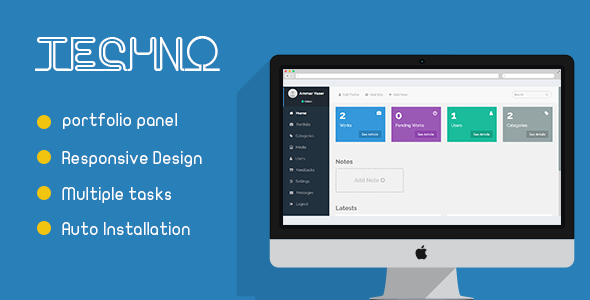

 Techno is a portfolio management admin panel. Just install the script on your host and begin to create your portfolio. You can control works, users, categories, media, etc. Add / Edit / Delete, or whatever you want There are two users permissions: Admin & Moderator. Of course, the moderator has less control than the admin. Also, you can manage media by uploading/deleting files easily.
Documentation
Installation guide to set up your application & also to develop your own user interface by a set of functions Open DocumentationUsers
Admin User Username: admin Password: adminadminModerator User Username: moderator Password: moderatorFront-End
You can visit the front-end user interface by clicking “Visit Site” in the panel or by this link Open the siteChange Log
We did the following: - Fix some issues - Add a feature of uploading files any during another process - Build a simple file system including create folders, moving them, etc - Make a notification alert for new emails - Some changes in the front end of the script
$33 |
Download |
0 average based on 0 ratings.

| Last Update | 2018-03-06 |
| Created | 2017-11-16 |
| Sales | 8 |
| Discussion | Comments |
| Compatible Browsers | IE10 IE11 Firefox Safari Opera Chrome Edge |
| Software Version | PHP 7.x PHP 4.x PHP 5.x PHP 5.0 - 5.2 PHP 5.3 |
| High Resolution | No |
| Software Framework | |
| Files Included | JavaScript JS HTML CSS PHP Layered PNG |
| Video Preview Resolution |
Search plugins
Browse Categories


