TechHarbour | Digital Store Desktop App


TechHarbour | Digital Store App for Windows
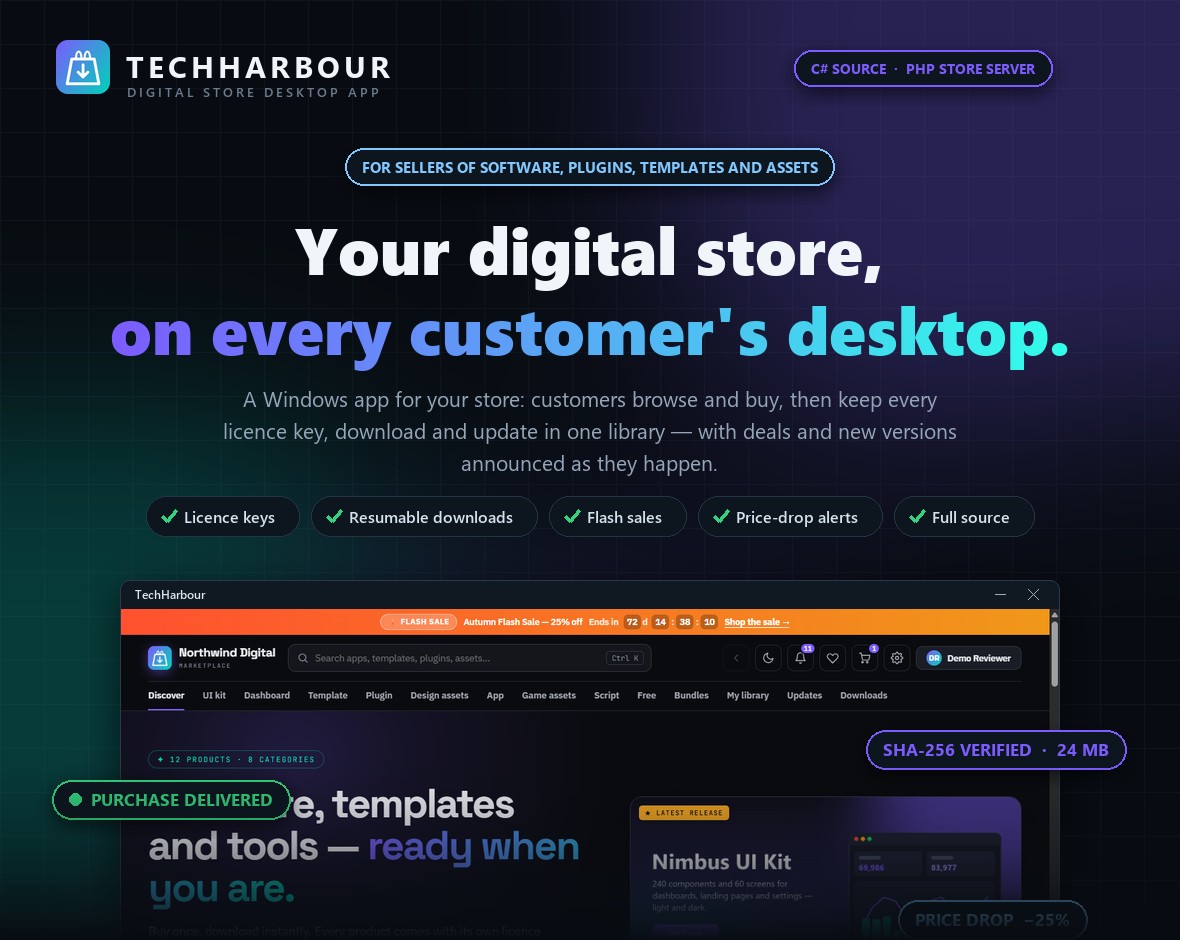
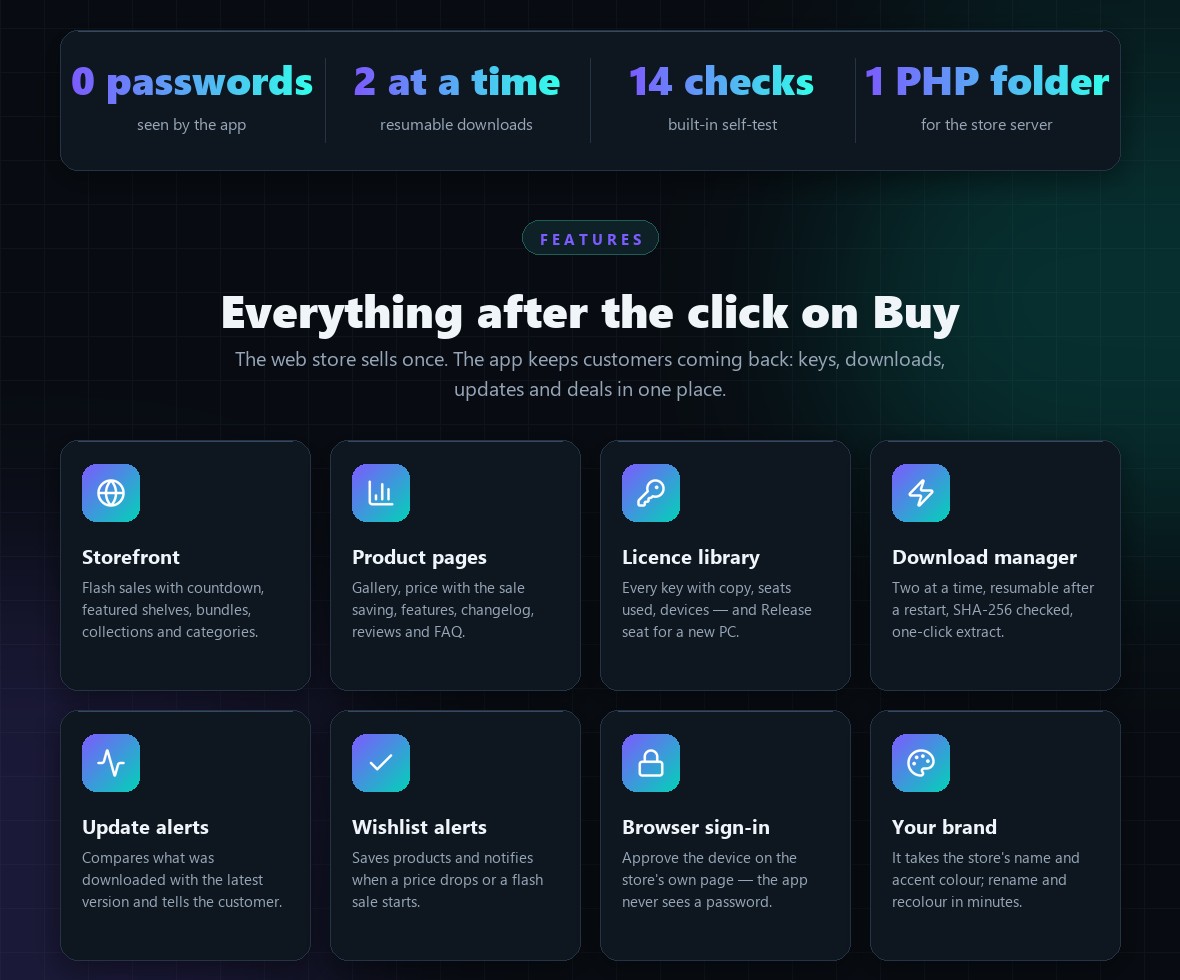
TechHarbour puts your digital-products store on your customers’ Windows desktops — with full C# source code and a ready-to-run PHP store server. Customers browse your catalogue, read product pages with galleries and reviews, pick a licence and pay in their browser. Everything they buy then lives in one library: every licence key with its seats and devices, every download (resumable, checked against its SHA-256 fingerprint, one-click extract), and every update — the app tells them when a new version is out, when a flash sale starts and when something on their wishlist gets cheaper. It takes your store’s name and accent colour automatically, and sign-in happens on your store’s own page, so the app never sees a password.
Demo Instructions
Try the real app on Windows 10 or 11, connected to a live demo store with a sample catalogue
Demo download: https://demo.alphaxp.net/Evanto/TechHarbour/TechHarbour-Demo.exe
Store: built into the demo build (a live demo store with a sample catalogue)
Email: demo@example.com
Password: Demo-Store-2026
- Download and run the demo build. It isn’t code-signed, so Windows SmartScreen asks first: choose More info, then Run anyway. It opens on the demo store.
- Click Sign in (top right). The store’s sign-in page opens in your browser: use the email and password above, then Allow. The app now shows your library with five products and their licence keys.
- In My library, press Download — watch the download manager resume and verify each file. Then add another product to the cart and check out: the demo store uses a built-in test payment page, and the purchase appears in your library by itself.
- Try the wishlist heart, the flash-sale countdown, the light theme (moon button) and Settings.
The demo store is shared by everyone who tries it and runs on sample products. No real payment is ever taken.

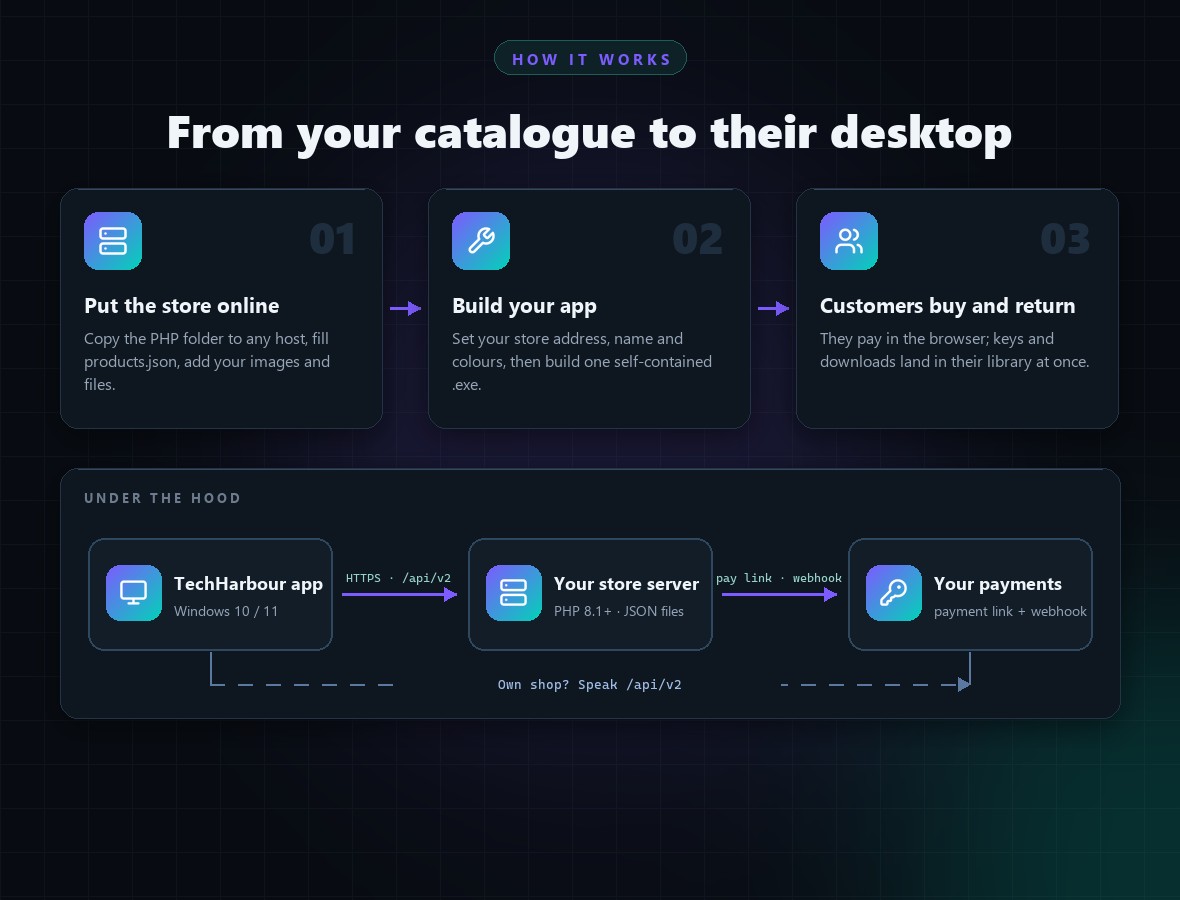
Important: TechHarbour is the Windows app plus a reference store server you host yourself. It is not a hosted shop and takes no commission. Hosting, a domain and your payment provider are separate costs, paid by you to those providers.
Important – External Service Costs (please read before buying)
The app and the store server are included. The services they run on are not. To sell with it you will need:
- Web hosting with PHP 8.1 or later (shared hosting with Apache works; or a VPS from DigitalOcean, Hetzner, Vultr, Linode…), billed by your host.
- A domain or subdomain for the store address (for example store.yourdomain.com). The HTTPS certificate is free through Let’s Encrypt.
- A payment provider (for example Stripe, Paddle, PayPal or Lemon Squeezy) for real payments, with that provider’s fees. The store server sends buyers to your payment link and is told about the payment by a webhook call; the guide shows how.
- Optional: a code-signing certificate so Windows SmartScreen trusts the program you distribute.
These are billed to you by those providers and NOT included in the item price. Documentation/backend-api-setup.html walks through the store server setup step by step.
Key Features
- Storefront in the app: flash sale with live countdown and promo bar, featured / new / most-installed / top-rated / free shelves, bundles, collections, category rail
- Browse with categories, sub-categories, search, sorting, free-only and on-sale filters
- Product pages: screenshot gallery with full-screen viewer, licence picker (seats, update terms, popular tier), highlights, features, licences comparison, changelog timeline, reviews with rating breakdown, FAQ, bundles that include it
- Cart priced by the store: licence per item, promo codes, tax, bundles; checkout opens the payment page in the browser and the app watches for the delivery
- Library: every order with its licence key (copy), seats used, expiry, devices that activated it with Release seat, order page and Write a review
- Download manager: two downloads at a time, resume after a pause, a network error or a restart, SHA-256 verification, one-click zip extract (protected against zip-slip), open folder
- Updates view and notifications when something you downloaded has a newer version
- Wishlist with price-drop alerts; flash-sale alerts; tray icon, background checks and Start with Windows
- Secure sign-in: the customer approves the device on the store’s own page in the browser — the app gets a revocable device token and never sees a password
- Takes the store’s name and accent colour; light and dark themes; keyboard search (Ctrl+K)
- PHP reference store server with no database and no dependencies: JSON catalogue, accounts, sign-up, orders, licence keys with seats, a licence API for YOUR software (activate / validate / deactivate), Range downloads, coupons, bundles, collections, flash sales, reviews, demo payment page and a payment webhook, command-line tools

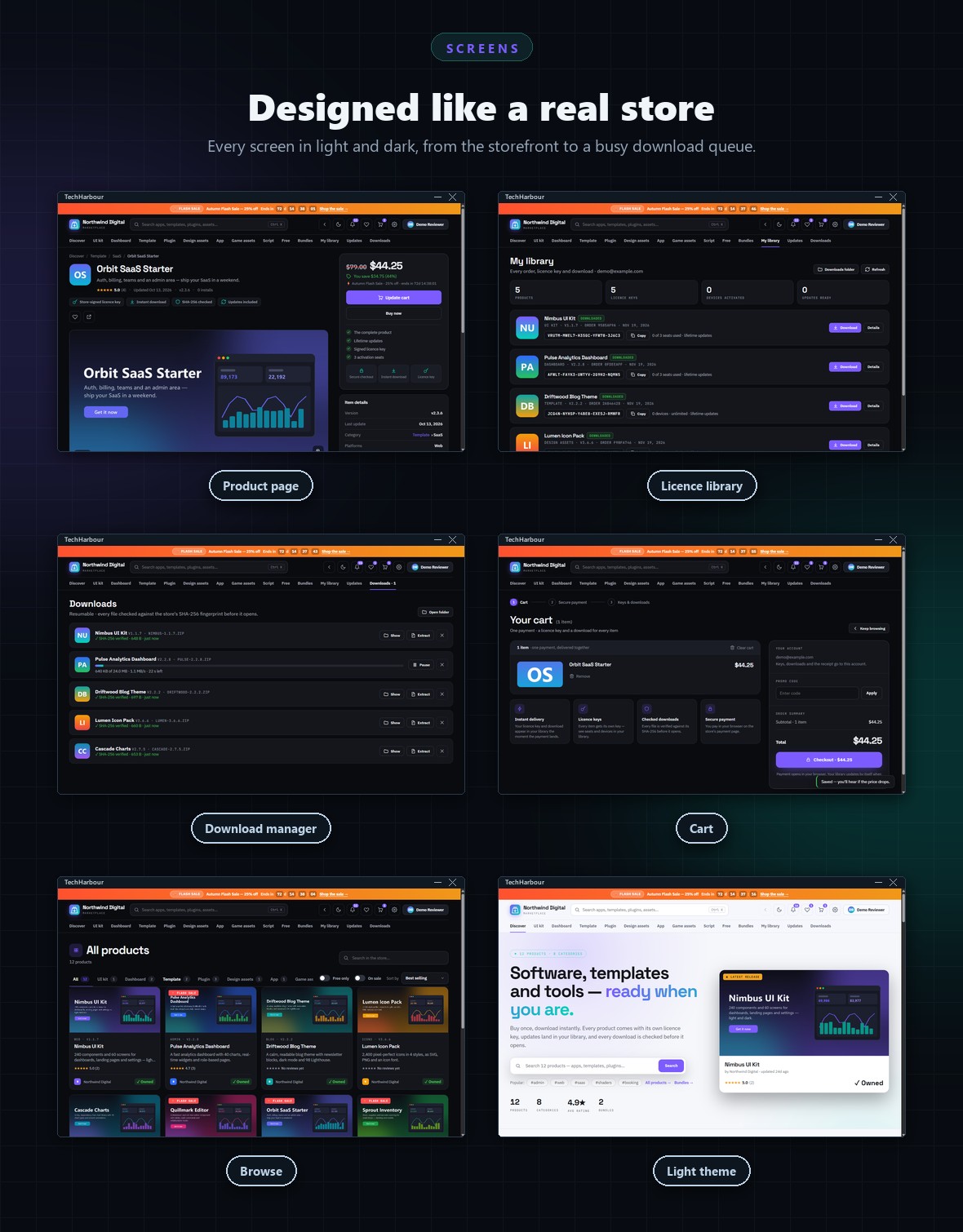
Screens Included (12)
- Home (storefront)
- Browse
- Product page
- Bundles
- Wishlist
- Cart
- My library
- Updates
- Downloads
- Account and sign-in
- Settings
- Notifications
What You Get
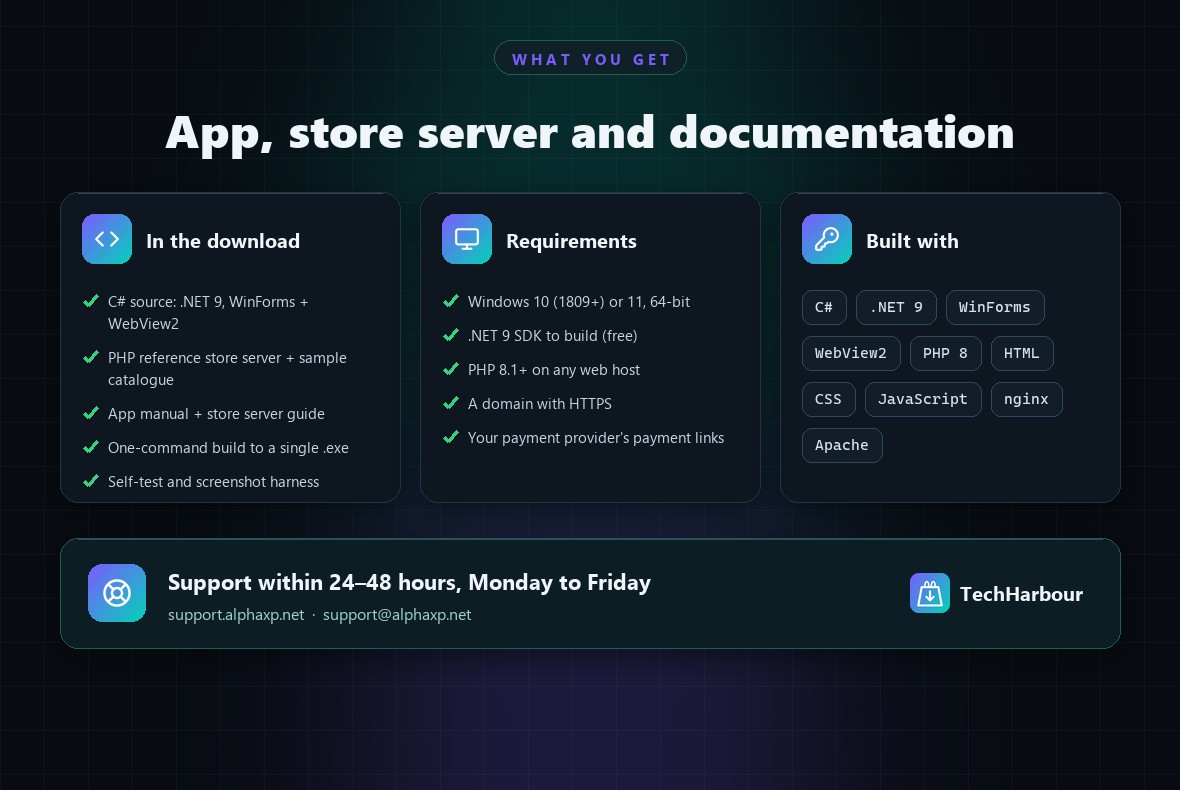
- Full C# source of the Windows app (Visual Studio 2022 or the .NET 9 SDK), with a one-command build script that produces a single self-contained .exe
- The PHP reference store server with a 12-product sample catalogue, command-line tools, and nginx and Apache configuration
- HTML documentation for the app, and a separate step-by-step store server guide including the API reference
- A built-in self-test and a screenshot harness for your own QA
Requirements
- Customers: Windows 10 (version 1809 or later) or Windows 11, 64-bit, with the Microsoft Edge WebView2 Runtime (built into Windows 11 and current Windows 10)
- Building: the .NET 9 SDK (free), or Visual Studio 2022 version 17.12 or later
- Store server: PHP 8.1 or later (nginx or Apache), HTTPS on a domain
Easy to Customize
The interface is plain HTML, CSS and JavaScript inside the app. The store name and accent colour come from your store server; the program name, icon and default store address live in a handful of clearly marked places, all listed in the documentation’s Branding chapter.
Support and Updates
Questions about installing, building and customizing TechHarbour are answered at support.alphaxp.net or support@alphaxp.net, within 24–48 hours, Monday to Friday. Updates are delivered through your Envato downloads page.
AI Disclosure
AI tools assisted with parts of the code, the documentation and the preview graphics. Every feature was reviewed and tested on Windows 11, and the app was tested against the included store server on a live host. TechHarbour has no AI features of its own and calls no AI service.
0 average based on 0 ratings.

| Last Update | 2026-11-21 |
| Created | 2026-11-21 |
| Sales | 0 |
| Discussion | Comments |
| Application Runtime | .NET 4 |
| High Resolution | No |
| Compatible OS Versions | Windows 11 Windows 10 |
| Video Preview Resolution |


