Stock Manager - Inventory Management Application With SaaS Feature


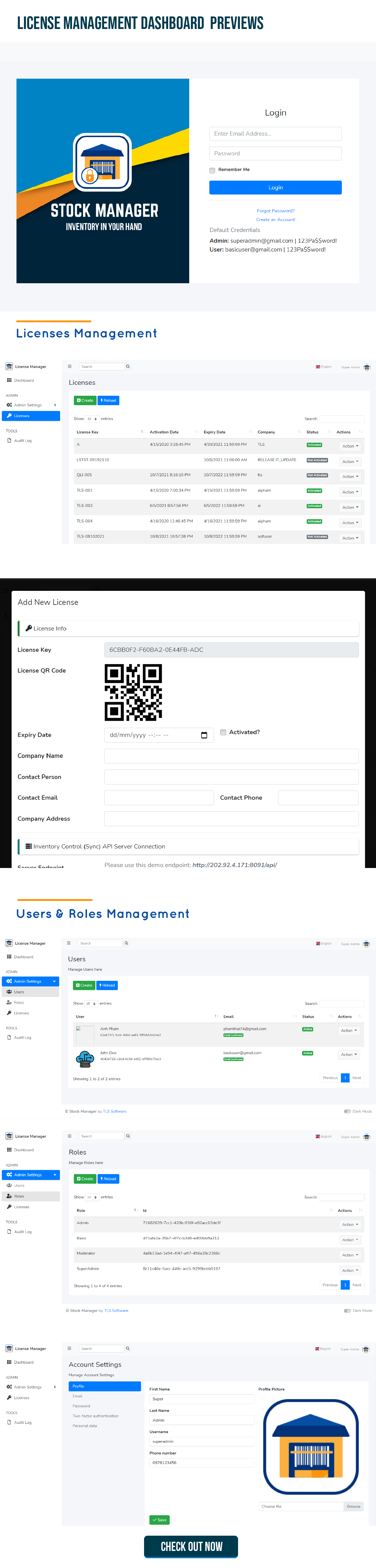
Demo Information:
How to try the app?* Step 1: Create new License Key at License Management Web Dashboard
* Step 2: Download demo Android or iOS app. At Activation screen, key in your License key from step 1 and another fields to activate
* Step 3: At login screen, select Company & Location from dropdown options, use default username/password: admin/123456 or user 1/123456 to login.
| License Management Web Dashboard: | http://sm-license.tlssoftwarevn.com | |
| Admin credentials: | superadmin@gmail.com | 123Pa$$word! | |
| User credentials: | basicuser@gmail.com | 123Pa$$word! | |
| Mobile Apps: | ||
| Download link: | Android or iOS | |
| Admin: | admin | 123456 | |
| Staff: | user 1 | 123456 | |
| API Server: | Click here to checkout | |
| Auth credentials: | Same as mobile app credentials |
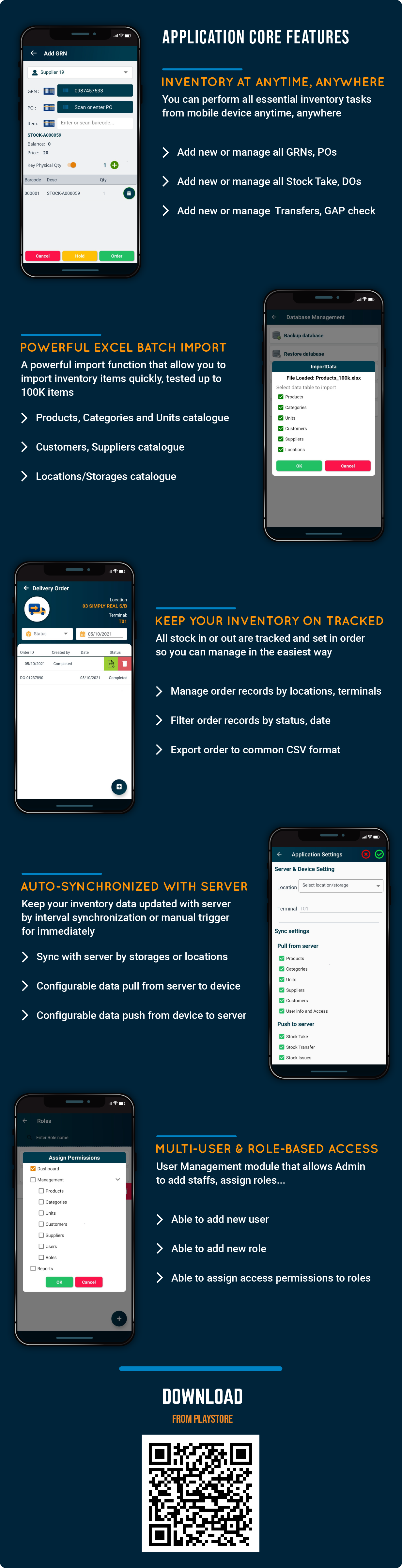
☕ Stock Manager is a Warehouse/Stock Management Solution that runs on your mobile devices
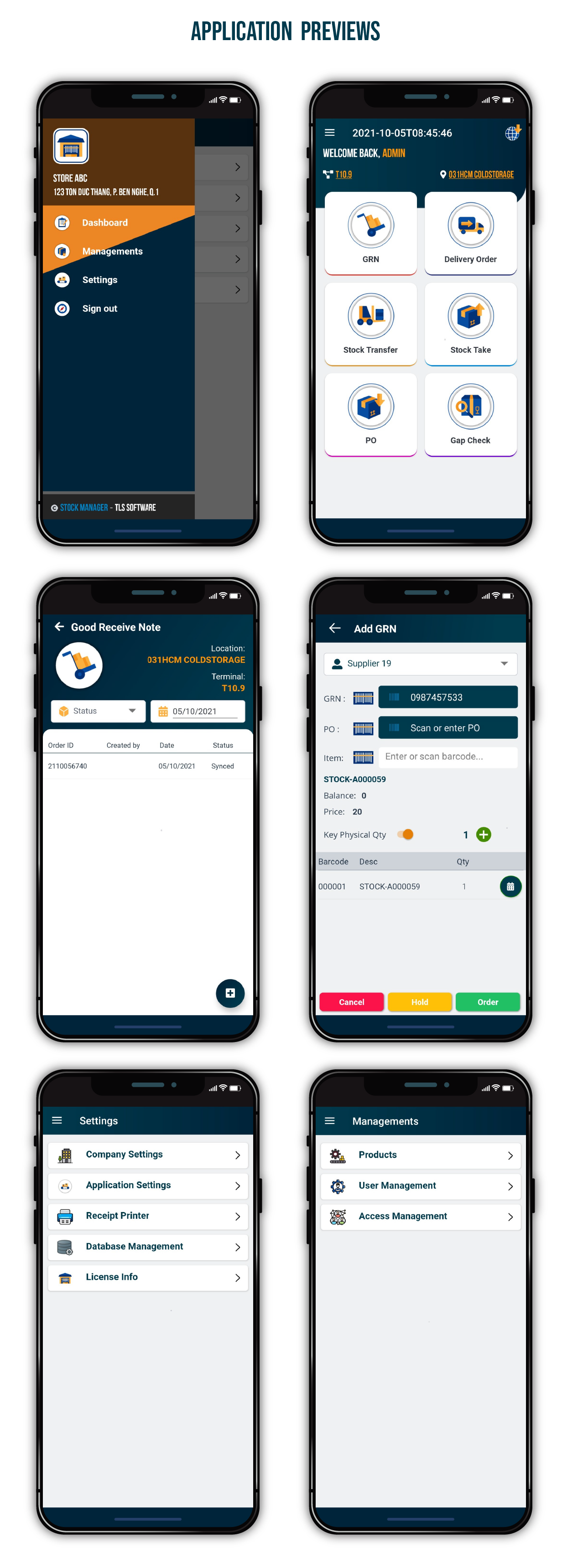
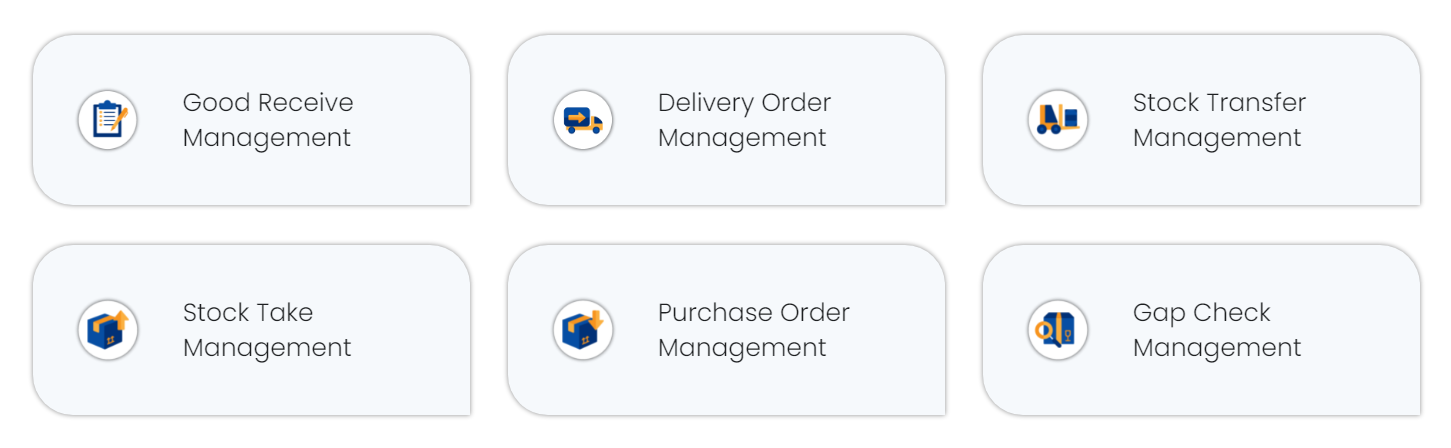
With Stock Manager, you can now handle all Warehouse/Stock Inventory activities including Good Receive, Delivery Order, Stock Transfer, Stock Take, Purchase Order and GAP Check directly from your mobile devices.
☕ Turn Stock Manager into Your New Business Opportunity
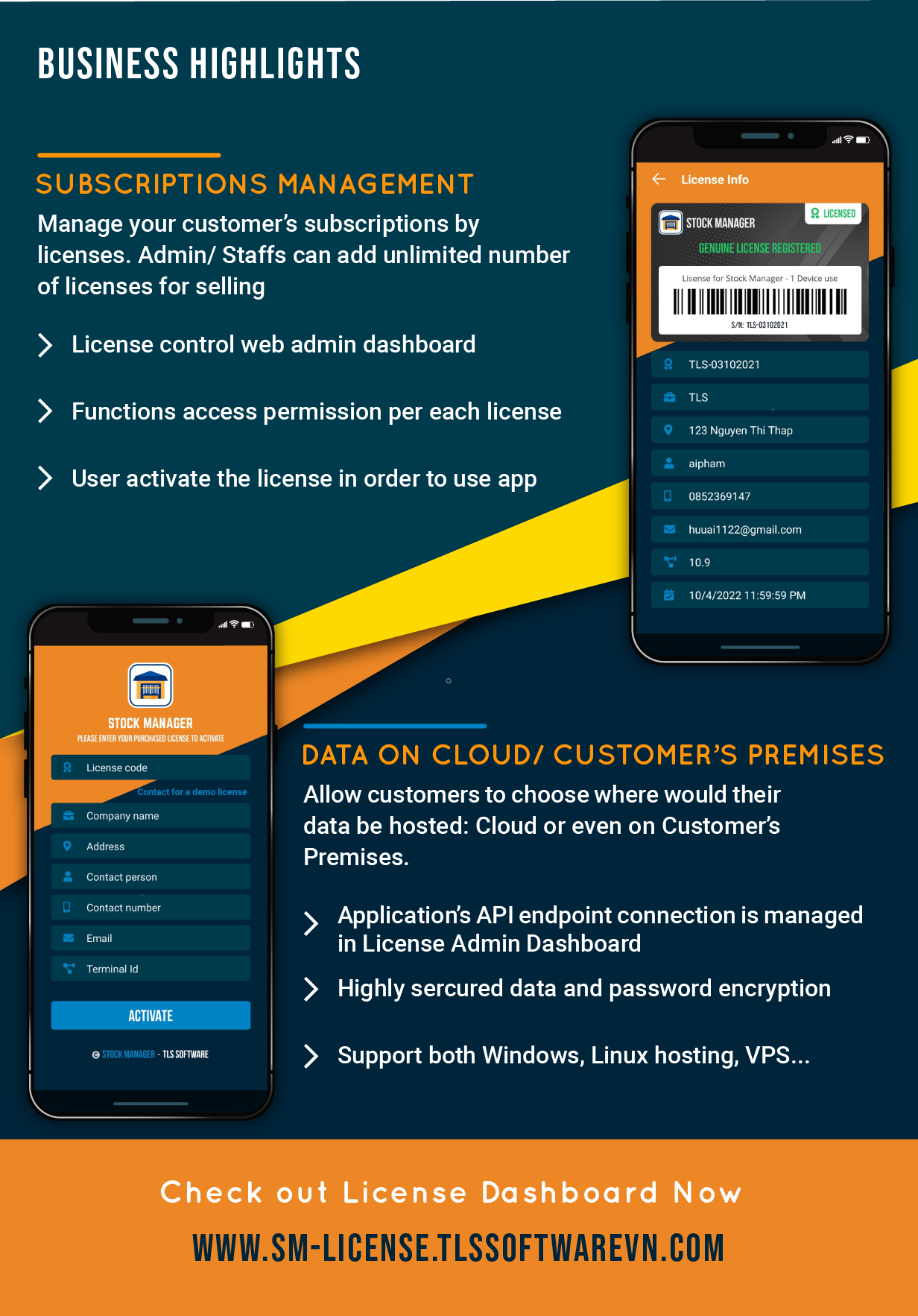
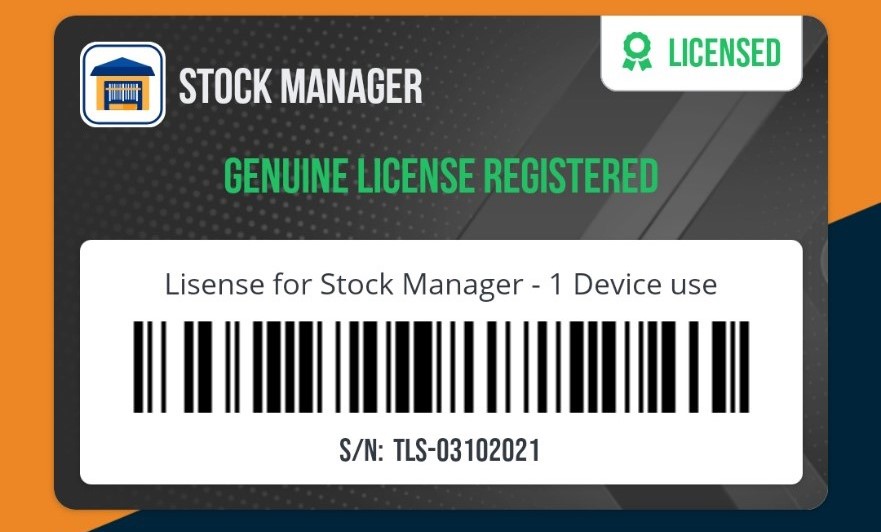
– You can sell Stock Manager to your customers as a service by selling License.
– The Licenses is managed in a Web Admin dashboard.
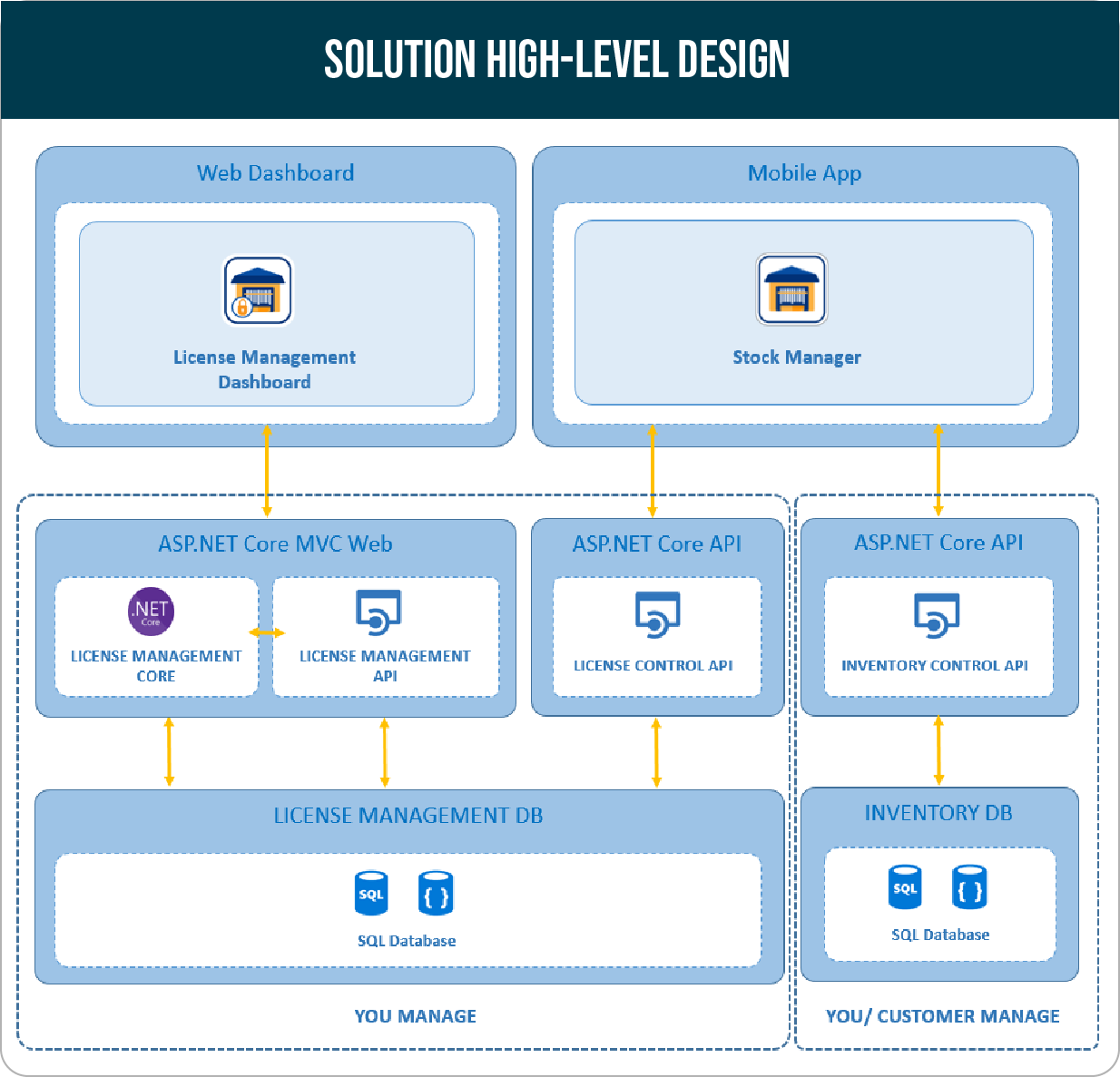
– Highly flexibility structure that allows customers to host their database in Cloud or Self-hosted.
– Admin/Staffs can create unlimited number of license for selling.
License Web Admin Dashboard features
1. User Management Module:- Login
- Registration
- JWT Authentication (WebAPI)
- API: with Swagger documentation
- User Profiles
- Permissions Management
- Role Management
2. License Management Module:
- License management with customer details
- Add, View, Update or Delete licenses
3. Audit Tool:
- Access logs: record login history
- License logs: record license modification logs
What You Will Get by Purchasing Stock Manager?
Once purchased, you will get full solutions source code, databases and documentation as below:
⚡ License Management Web Dashboard with Database and API)
– All Web + APIs are developed using latest ASP.NET Core Framework (.Net 5.0)
⚡ Android + iOS Mobile Application with Cloud DB API Project
– Built with latest release Xamarin.Forms, targeted Android 13+, iOS 17.5
✨ A Premium, Intensively Documentation
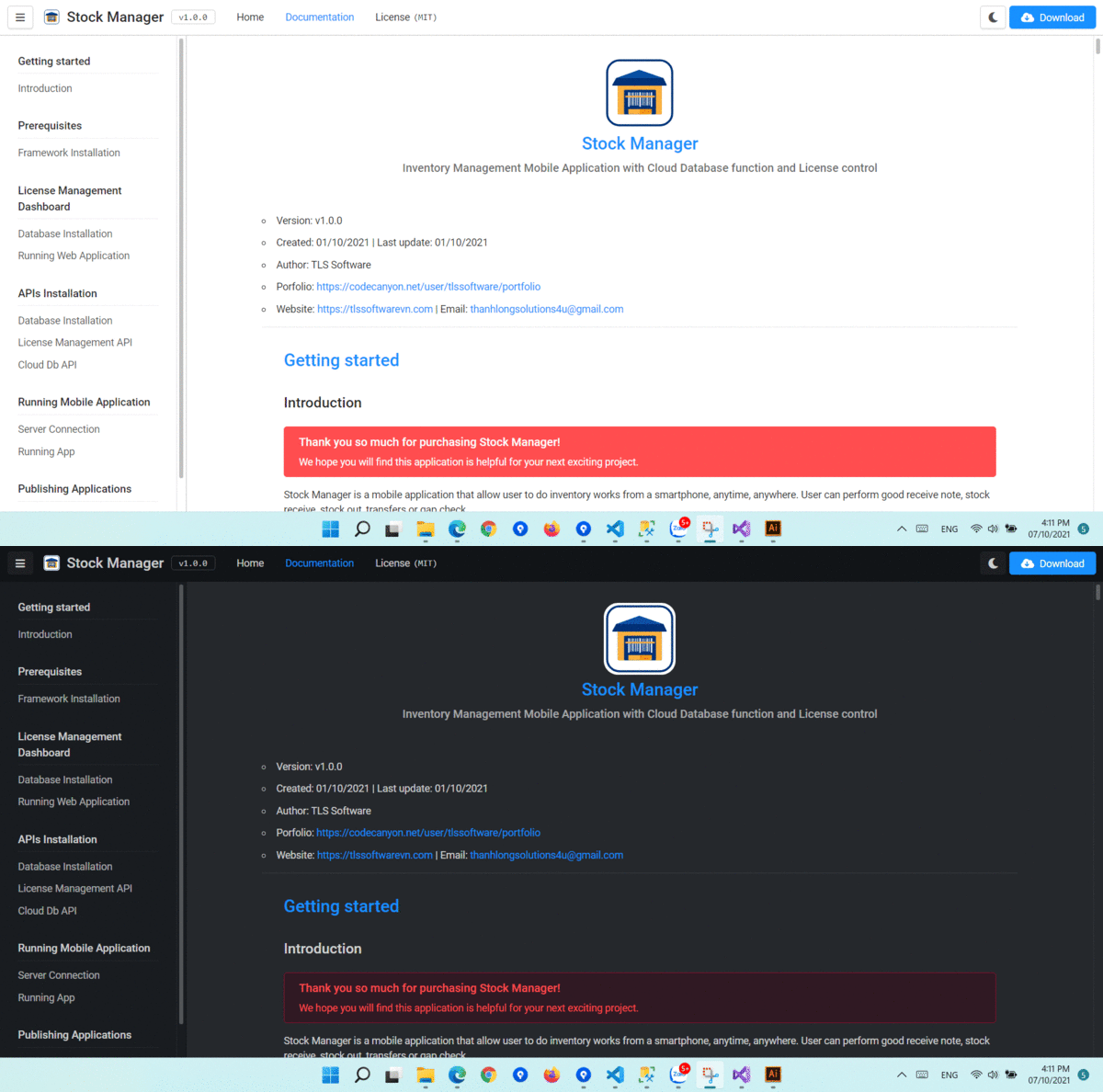
For your quickly getting started with Stock Manager, we made a premium, clean and clear documentation Choose your Theme, save your eyesight with Dark Mode .
✨ Bonus App Flyer Design
You will get a nice App Flyer design in AI + PSD format for your campaign or business promotion.
Important Note:
- An Extended License is required when you redistribute, publish and sell this application to your customer. Please purchase the Extended License from Codecanyon in this business case.
Purchase Stock Manager Now!
Logs:
Version v2.1.0 – 26 May, 2024
- Support Android 13+ - Support iOS latest version 17.5 (Built with Xcode 15.4) - Upgrade Xamarin.Forms to latest version 5.0.0.2662 - Code base review and improvements
Version v2.0.0 – 30 May, 2023
- Change main navigation to bottom tabbed page - UIUX redesign and improvements - Using web url for privacy policy, term and conditions pages - Using font icons instead of image assets - Support latest Android API to comply with Google Play Store's Policies
Version v1.2.0 – 28 Sep, 2022
- Added language selection option in App Setting page.
Version v1.1.0 – 27 Jul, 2022
- Update obsolete plugins: File Picker, Multilingual, - Update Searchbar UI for Products view, roles view and users view. - Fixed blank image issue at license activation, login and drawer menu.
Version v1.0.3 – 21 Apr, 2022
- Upgraded Xamarin.Forms lib to latest stable version (5.0.0.2401) - Upgraded Syncfusion components to latest version (20.1.0.47) - Allow to set store avatar in Store setting.
Version v1.0.2 – 12 Nov, 2021
- License Dashboard: redesign login, register and forgot password pages. - Added translation template for all supported languages - UIUX enhancements.
Version v1.0.1 – 12 Oct, 2021
- License Dashboard: added QR code image for license key - Added QR code scanning for license key in Mobile app - Fixed crashed issue when tap view inventory records - Fixed crashed issue when importing products - UIUX enhancements.
Version v1.0.0 – 9 Oct, 2021
- Initial release.
$39 |
Download |
0 average based on 0 ratings.

| Last Update | 2024-05-27 |
| Created | 2021-10-08 |
| Sales | 41 |
| Discussion | Comments |
| Software Version | iOS 15 iOS 14 iOS 13 iOS 12 Android 12.0 Android 11.0 Android 10.0 Android 9.0 |
| Files Included | XML .apk .db .xml |
| Video Preview Resolution |


