SLA Guard — Ticket SLA & Escalation Manager for Perfex CRM


Important: SLA Guard is a module that runs inside Perfex CRM — not a standalone application. You need an existing install of Perfex — Powerful Open Source CRM to use it.
SLA Guard — the ticket SLA engine your Perfex CRM was missing
SLA Guard adds full SLA governance to Perfex CRM tickets: configurable policies, a real-time breach semaphore, automatic escalations with anti-spam cooldown, compliance reports exportable to CSV, and the unique “no-policy coverage” KPI that flags tickets that match no policy at all. Built native to Perfex 3.x, fully self-hosted, no external services, no recurring fees.
Every support team that sells service levels to clients needs accountability: who responded first, who breached, how often, on which department. Perfex core has none of this. Existing marketplace options either implement department-level SLA without per-client granularity, skip working-hours awareness, or omit escalation entirely. SLA Guard delivers all of it — standalone, at a single price, without requiring additional modules.
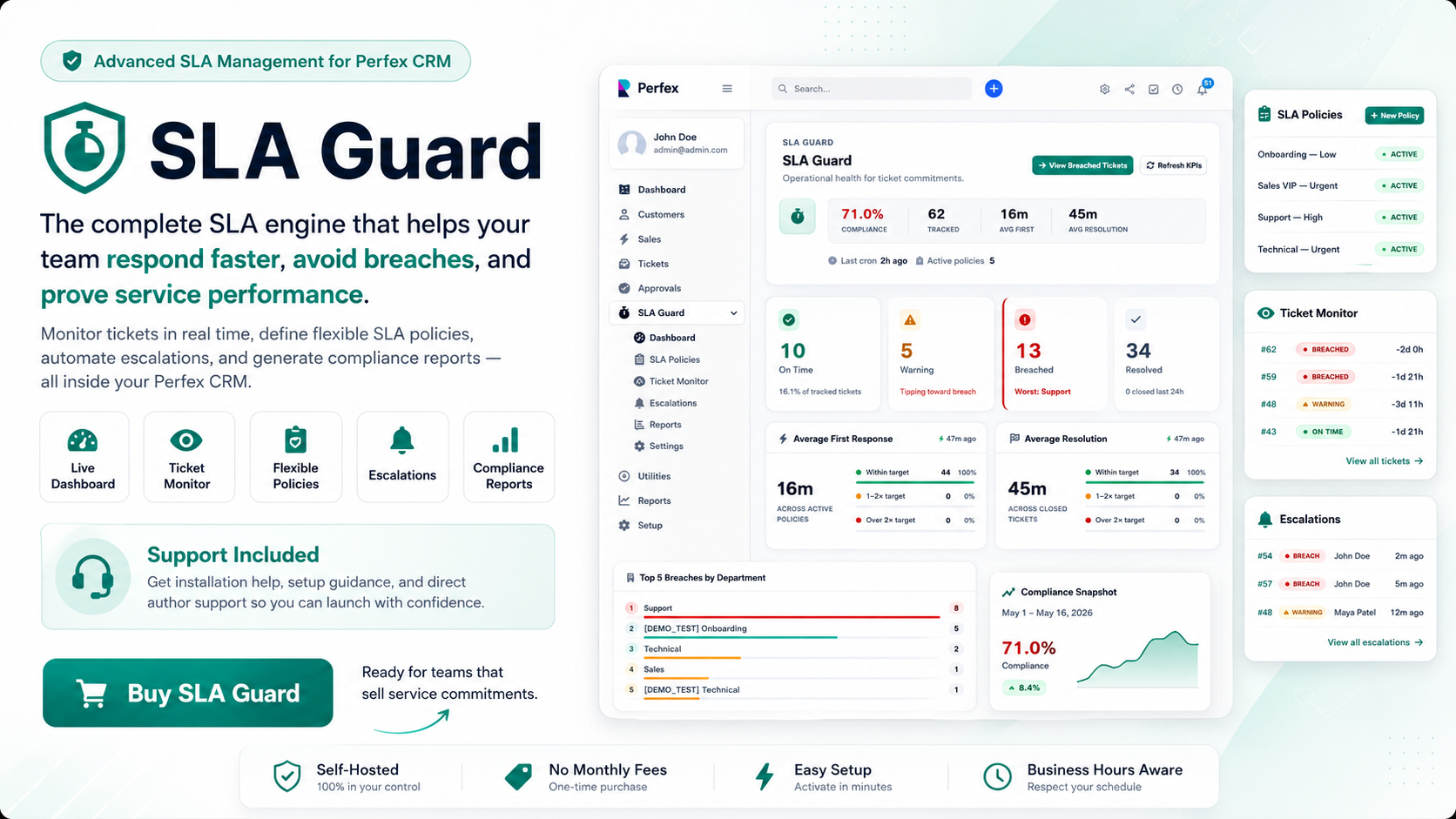
Why SLA Guard is different
- Per-client SLA policies. Define a different SLA for your VIP accounts. The policy matcher resolves by (department, priority, client) with a fallback to (department, priority) general — the same logic enterprises use, available to 3-agent teams.
- Anti-spam escalation cooldown. A breached ticket will not flood the manager’s inbox. The configurable cooldown (default 60 minutes) ensures exactly one escalation email per window, regardless of how many cron ticks fire.
- No-policy coverage KPI. Most SLA tools only report on tickets they track. SLA Guard counts the tickets that match no policy — the blind spot that causes undetected breaches. This KPI lives on the dashboard so gaps are visible before they become a support crisis.
- Business hours built in. Both first-response and resolution deadlines can be calculated within your configured working window. A ticket opened at 5 PM on Friday does not breach over the weekend.
- Escalation to a named staff member. Each policy designates a specific manager to notify on breach. No broadcast-to-everyone noise — the right person gets the alert.
- Self-hosted, source included. No external API calls, no data leaves your server, no monthly fee. Install once and own it.
What’s inside
Dashboard
- Hero scorecard: on-time %, total under SLA, breached count, no-policy count — all live
- 5 KPI cards with colour coding matching the ticket monitor semaphore
- Top-5 breaching departments and top-5 agents with the most overdue tickets
- Recent activity timeline with deep links to each affected ticket
- Onboarding panel for fresh installs — guides the admin to the first policy in under 3 minutes
- Cron status banner when the last cron tick is overdue (alerts before silent detection gaps)
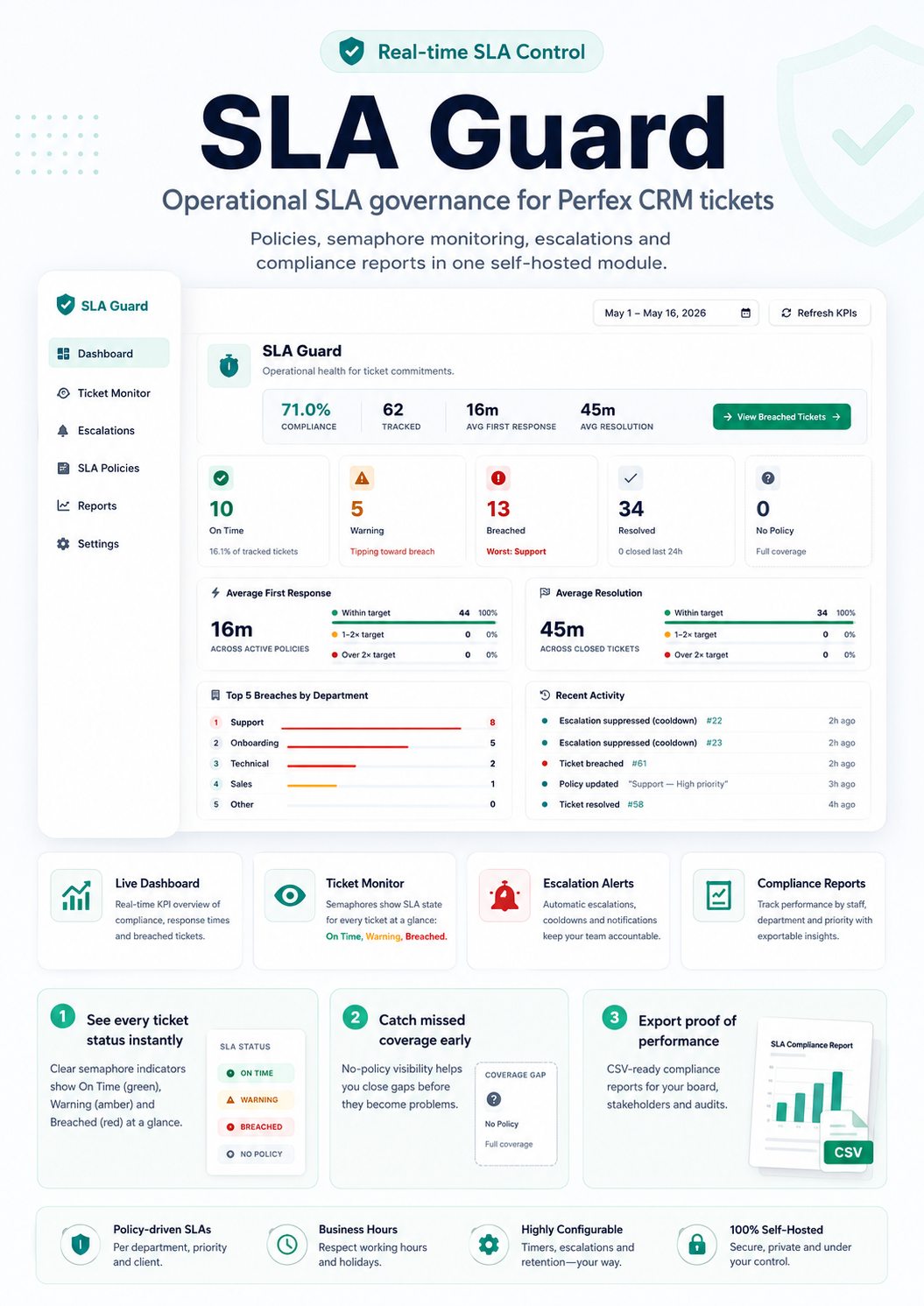
SLA Policies
- Define policies by department + priority, optionally scoped to a specific client
- Fields per policy: max first-response minutes, max resolution minutes, warning lead time, escalation manager, business-hours toggle
- Policy matcher cascades client-specific → general: no duplicate configuration needed
- Application-level uniqueness guard prevents overlapping active policies on the same (dept, prio, client) combination
Ticket Monitor
- Server-side DataTables listing every ticket under SLA coverage
- 5-state colour semaphore per row: pending (grey), on time (green), warning (amber), breached (red), resolved (teal)
- Filterable by SLA status, department, priority, date range
- Cross-department IDOR guard: staff members see only tickets in their assigned departments
- Stacked-card mobile layout for on-the-go monitoring
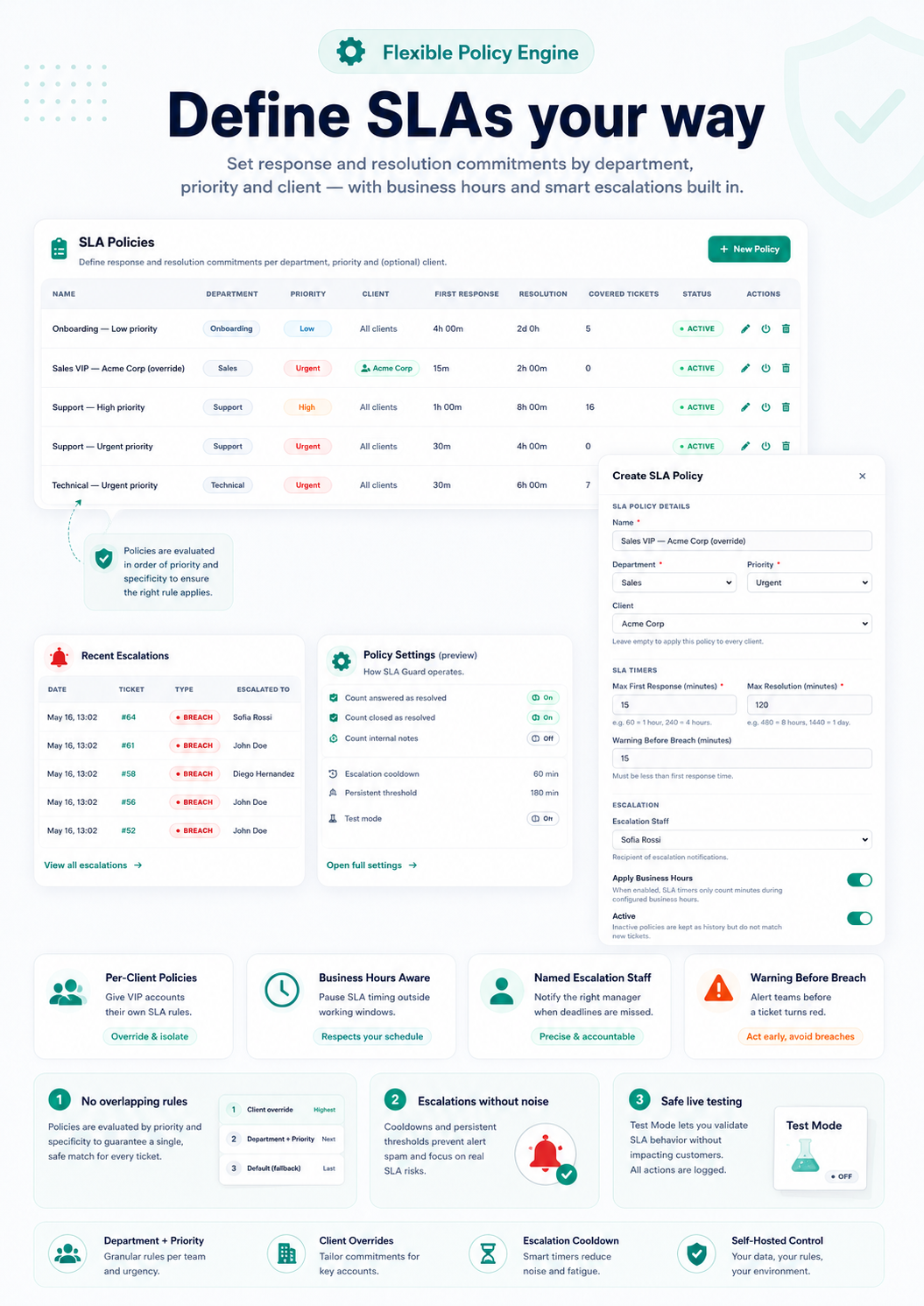
Escalation engine
- Hybrid event + cron architecture: first-response detection fires in O(1) via the
after_ticket_reply_addedhook; warning / breach detection runs on every Perfex cron tick without page-load overhead - Warning email before the deadline — configurable lead time per policy
- Breach email to the designated manager when the SLA window closes
- Persistent-breach escalation for tickets that remain breached beyond a second threshold
- Anti-spam cooldown: one escalation per ticket per window (configurable, default 60 minutes)
- Test Mode: logs every escalation decision without sending a single email — safe to configure on a live production install
- Three editable email templates (warning, breach, escalation) available in Perfex’s native Setup → Email Templates
- Full escalation history with timestamp, type, target staff, and channel (cron / manual)
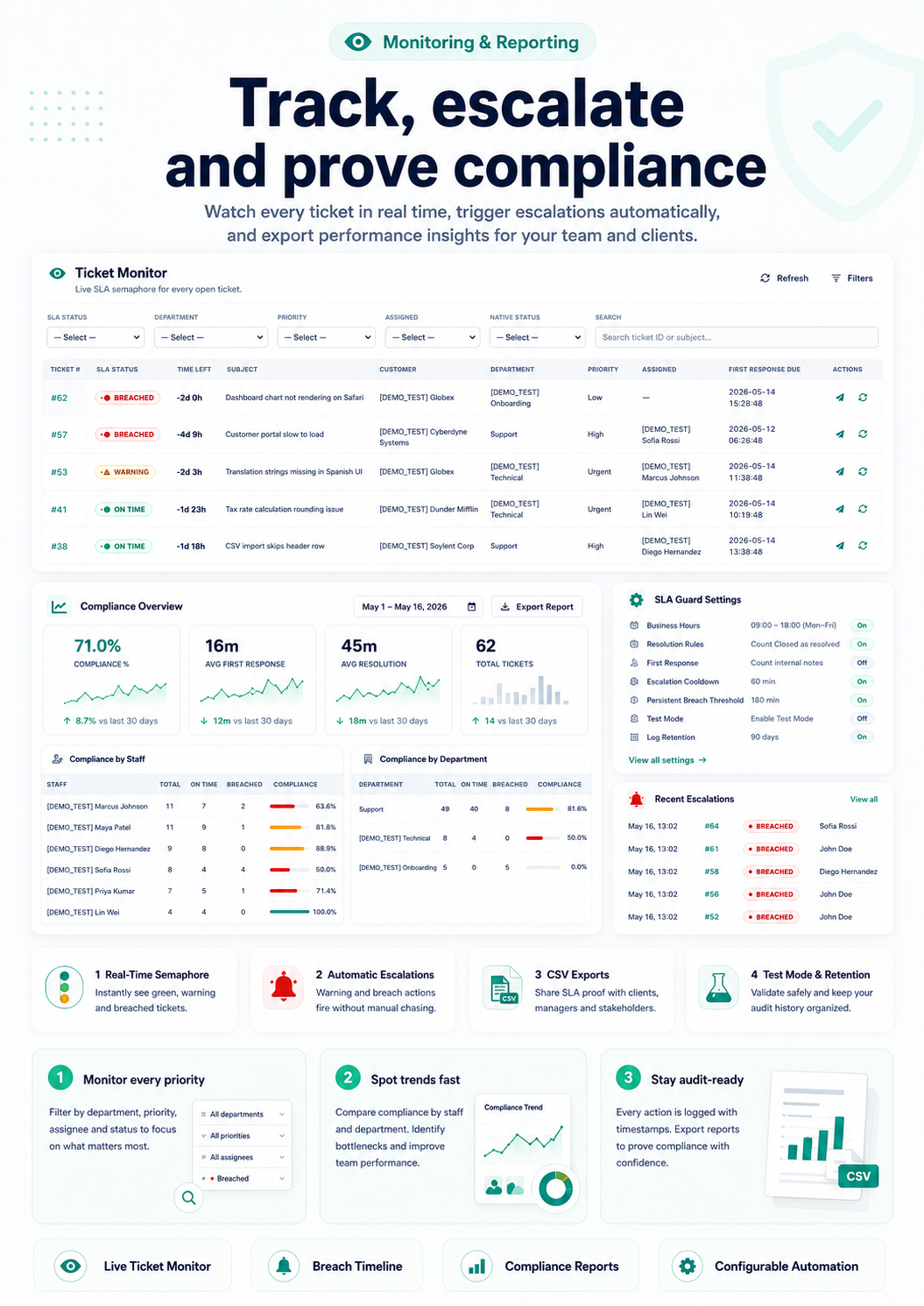
Compliance Reports
- Date-range filter across all report views
- Breakdown by department, priority, staff member, and client
- Compliance % per policy: on-time vs breached vs in-progress
- One-click CSV export for every breakdown — paste directly into your client SLA reports
Settings
- Business hours window + working-days calendar
- Resolution rules: which Perfex statuses count as resolved (Answered, Closed)
- Cooldown and persistent-breach thresholds (minutes)
- Test Mode toggle — live banner across every module page when ON
- Log retention with automatic cron purge
- Sticky save bar with dirty-form detection — never lose unsaved changes
Security & reliability
- CSRF-protected AJAX on every action
html_escape()on every dynamic value rendered in views- CodeIgniter Query Builder only — zero raw SQL with interpolated variables
- 5-tier permissions: view, manage_policies, view_reports, manage_escalations, settings
- Idempotent installer (safe to re-activate), 3-file versioned migration framework, clean uninstaller (drops only the module’s 4 tables — your tickets and CRM data stay intact)
- No external API calls, no telemetry, no third-party JS bundled
Internationalization
- English + Spanish language packs (368 strings each)
- Every UI string runs through Perfex’s
_l()helper — ready for community translation - Full UTF-8, zero mojibake
How it scales
SLA Guard’s cron processes tickets in cursor-based batches (configurable, default 50 per tick) ordered by last_checked_at so no ticket is starved. The hybrid architecture means even a 10,000-ticket install adds negligible overhead to each Perfex cron pass. No background workers, no queue server, no extra cron container required.
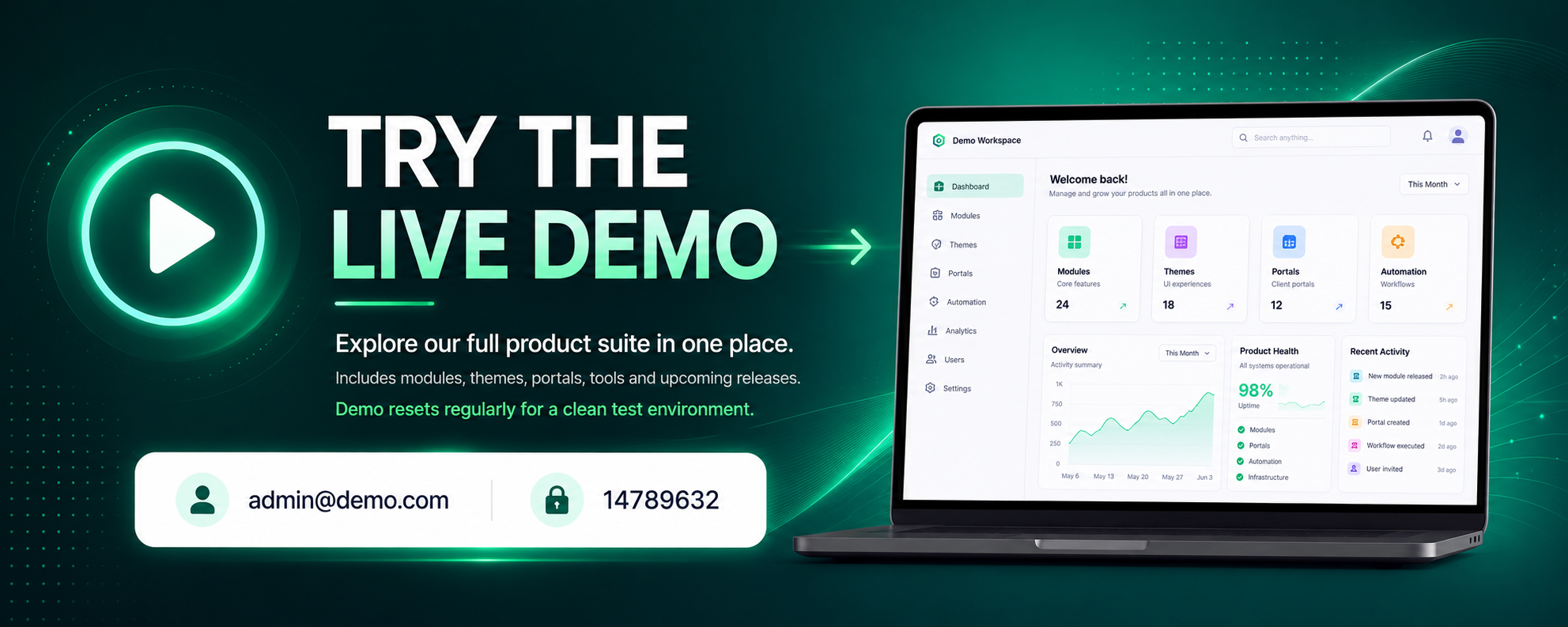
Live demo
URL: https://onboarding.ticempresarial.com/demo3/admin
Email: admin@demo.com
Password: 14789632
Log in, open SLA Guard → Dashboard, inspect the KPI cards and the recent breach timeline. Go to Monitor → filter by “Breached” to see the semaphore in action. Open Reports → export a CSV. The demo is pre-seeded with realistic ticket data including per-client policies, escalation history, and all five SLA states visible simultaneously.
Requirements
- Perfex CRM 3.0.0 or later (tested up to 3.4.1)
- PHP 7.4 / 8.0 / 8.1 / 8.2 / 8.3
- MySQL 5.7+ or MariaDB 10.3+
- PHP extensions: json, mbstring (both standard)
- No external API key required — SLA Guard runs 100% on your server
- Optional: Perfex cron enabled for automatic warning + breach detection (strongly recommended)
Support
Direct author support included for 6 months: bug fixes, install help, policy configuration questions. Submit a ticket via Envato or email us directly.
What’s NOT in v1.0 (transparency)
SLA Guard v1.0 is intentionally focused on the core governance loop. The following are on the roadmap for v1.1+:
- SLA pause when ticket status is “On Hold / awaiting client reply” — the most-requested feature post-launch; declared as v1.1 from day one
- SLA breach charts and trend graphs (data exists; UI visualisation deferred)
- Escalation to a staff role rather than a named individual
- Webhook notifications (Slack, Teams) on breach
If any of these is critical for your workflow, contact us before purchasing — we will tell you straight whether the upcoming release will cover it or whether you should wait.
Why we built this
We run a CRM consultancy. The single most common compliance gap our clients hit after deploying Perfex is “we agreed to a 4-hour response SLA with our client but we have no way to enforce or report on it”. Every alternative was either a generic SLA SaaS that wanted to ingest your data, an overpowered enterprise suite that costs more than the CRM, or a Perfex addon that promised SLA but only delivered department-level toggles. We built SLA Guard — the governance tool we wanted to buy, but couldn’t.
SLA Guard is a community-built add-on for Perfex CRM. We are not affiliated with Perfex Ltd.


