Shiprocket Shipping for WooCommerce Marketplace


Shiprocket Shipping for WooCommerce Marketplace
This Item only works with Webkul’s WordPress WooCommerce Multi Vendor Marketplace. Hence the Marketplace Plugin is Required, to make use of this Plugin.
Shiprocket Shipping for WooCommerce Marketplace plugin enables seamless integration of Shiprocket logistics within a multi-vendor WooCommerce store. It allows both admin and vendors to efficiently manage shipping operations using Shiprocket’s courier network.
This plugin supports multiple courier partners, dynamic address-based courier selection, and real-time shipping rates at checkout pages. Shipping charges are calculated based on the customer’s location, product dimensions, and payment method, ensuring accurate delivery pricing.
In a marketplace environment, when a customer places an order with products from multiple vendors, the order is automatically split into vendor-wise sub-orders. Each vendor processes their shipment independently using their own pickup location and assigned courier partner.
Orders are automatically synced with Shiprocket, and AWB numbers are generated for each vendor shipment, enabling efficient tracking and fulfillment. Admin and vendors can generate shipping labels and invoices directly from their respective order panels.
Both admin and customers can view courier partner details and shipment information within the order details. This ensures transparent shipping operations and improved tracking across the marketplace.
The plugin simplifies end-to-end shipping workflows by providing centralized control to the admin while allowing vendors to manage their own logistics efficiently.
NOTES:
- Shiprocket Shipping for WooCommerce Marketplace plugin is compatible with WooCommerce’s High-Performance Order Storage (HPOS) feature and Cart and Checkout Blocks.
- Check how to activate your WooCommerce plugin through the purchase code and how to get updates on Webkul modules directly from the Plugins page.


Why Shiprocket Shipping for WooCommerce Marketplace is essential?


- Integrates Shiprocket shipping with WooCommerce multi-vendor marketplace.
- Supports multiple courier partners for flexible delivery.
- Displays courier options based on customer delivery address.
- Shows real-time shipping rates atcheckout.
- Automatically splits orders vendor-wise for shipment processing.
- Allows vendors to manage their own pickup locations.
- Syncs pickup locations and allows default selection.
- Automatically syncs orders with Shiprocket dashboard.
- Generates AWB numbers for each vendor shipment.
- Enables admin and vendors to print shipping labels.
- Allows invoice printing directly from order details.
- Displays courier and tracking details to admin and customers.
- Provides centralized control with vendor-level shipping flexibility.

- Marketplace Integration Connect Shiprocket with WooCommerce marketplace to automate shipping across multiple vendors.
- Vendor-wise Order Splitting Automatically split orders into vendor-specific shipments for independent processing.
- Multiple Courier Partners Choose from a wide range of courier services for reliable delivery.
- Address-Based Courier Selection Display courier options dynamically based on the customer’s shipping address.
- Live Shipping Rates Show real-time shipping charges at checkout for accurate pricing.
- Global Shipping Settings Set default product dimensions and weight for consistent calculations.
- Pickup Location Management Admin and vendors can manage and sync pickup locations easily.
- Automatic Order Sync Sync WooCommerce orders with Shiprocket automatically.
- AWB & Shipment Management Generate AWB numbers and manage shipments for each vendor order.
- Shipping Label & Invoice Printing Print labels and invoices directly from admin and vendor panels.
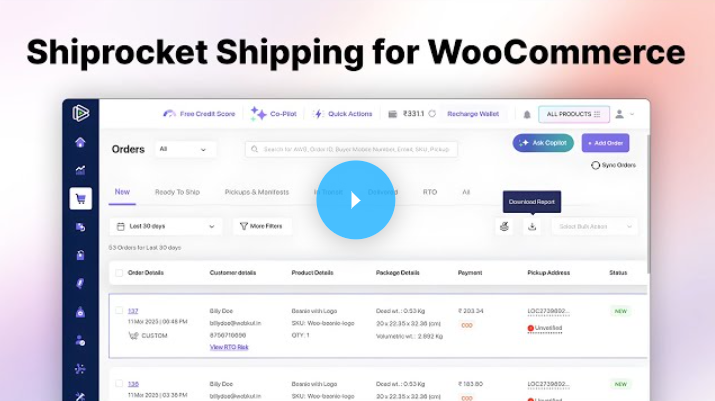
Video Tutorial
Business Use
This plugin is ideal for WooCommerce marketplace owners who want to streamline shipping operations across multiple vendors using Shiprocket’s logistics network.
It enables automatic order syncing, vendor-wise shipment handling, and AWB generation, reducing manual work and improving operational efficiency.
With real-time shipping rates, courier selection, and pickup location management, both admin and vendors can ensure accurate and timely deliveries.
The plugin provides a perfect balance of centralized control for admin and independent shipping management for vendors, making it suitable for scalable eCommerce marketplaces.

Dear Customers, if you have a question/query, please raise a ticket at webkul.uvdesk.com. We will do our best to answer as quickly as possible. Don’t give us a low rate without contacting support on the issue you’ve faced with. We are always happy to help you.
Change Log
"Initial release v 1.0.0" "Current release v 1.0.0"
v 1.0.0 Initial release
$189 |
Download |
0 average based on 0 ratings.

| Last Update | 2026-05-04 |
| Created | 2026-05-04 |
| Sales | 0 |
| Discussion | Comments |
| Compatible Browsers | IE11 Firefox Safari Opera Chrome Edge |
| Software Version | WordPress 6.9.x WordPress 6.8.x WordPress 6.7.x |
| Compatible With | WooCommerce 9.x.x |
| Gutenberg Optimized | No |
| High Resolution | No |
| Files Included | JavaScript JS JavaScript JSON HTML CSS |
| Video Preview Resolution |


