Shape Studio | HTML5 Educational Geometry Game for Kids

Learn your shapes.
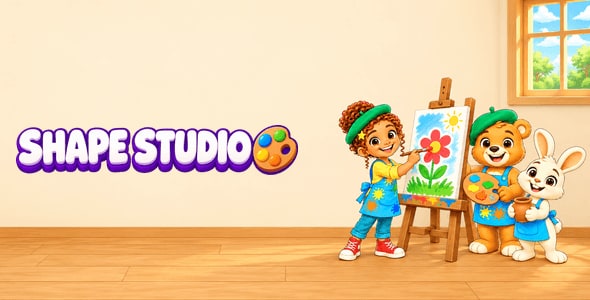
Shape Studio is a geometry game for children aged 6 to 10. Mia the young artist and her zoo-animal friends run an art studio: the child names flat shapes and solids, counts sides, corners, faces and edges, finds lines of symmetry and finishes mirror pictures, measures area and perimeter, works with angles, turns and the protractor, and folds nets into solids. Every instruction is spoken and shown, the buttons are big, and there is no fail screen: a wrong answer is said back, and after two tries the right one glows. Every finished round hangs a new artwork in My Gallery.
Six rooms
- Shape Spotter: which shape is this, which solid, which shape is a real thing (a clock, a stop sign, a tent), and find all the hexagons among six turned shapes
- Corner Counter: sides and corners, right angles, faces, edges and vertices of solids, sorting shapes by a rule
- Mirror Studio: is the dashed line a line of symmetry, tap the mirror line, finish a mirror picture on squared paper, how many lines of symmetry
- Grid Builder (from 7 years): area and perimeter on squared paper, make a rectangle of a given area, length × width and L-shapes at 9–10
- Angle Workshop (from 7 years): right, acute, obtuse and straight angles, which angle is bigger, quarter and half turns, reading and making angles with a protractor at 9–10
- Net Lab (9 to 10 years): which shape of six squares folds into a cube (it folds up on the screen), and the solid a net makes
Shapes done right
- The game draws every shape itself from exact corner points, often turned and stretched; sides, right angles, lines of symmetry and area are measured from the drawing, never typed in. Tests measure the shapes on the screen
- A record of every shape: a missed shape comes back within a few tasks, a known one less often
- Three levels that follow how geometry is taught: names, sides and symmetry (6); + right angles, solids, area and perimeter, angles and turns (7–8); + shape families, triangles by sides and angles, the protractor and nets (9–10)
- Settings for every school: US or UK words (trapezoid or trapezium, rectangular prism or cuboid, counterclockwise or anticlockwise), the trapezoid definition your school uses, squares, centimetres or inches in Grid Builder
- 26 real things that truly are their shapes: a round clock, a square window, a hexagonal honeycomb cell, a die, a tin, a party hat, a tent
- The wrong answers are the mistakes children really make (a look-alike shape, one side too many, a turned square not recognised, area mixed up with perimeter, the wrong scale of the protractor); the report shows which mistakes a child makes
- All 11 nets of a cube, and a net that folds up on the screen
- The number of choices follows the child’s answers
- Big buttons and cards: easy for small fingers; works with touch, stylus, mouse and keyboard (also the mirror pictures)
- Fills the whole screen at any size and shape (phones, tablets, 4:3, 16:9, ultra-wide), no black bars
- Checked by tests: shape names written down twice in US and UK words, 200 tasks per room and level with exactly one right answer, rounds simulated for children of every skill
- A parent gate protects the settings, the report and your links
No coding needed
- Settings Editor (offline page): title, colours, level, rooms, US or UK words, trapezoid definition, units, voice, parent gate, SCORM
- Things Editor (offline page): your own real things (their words, the shape each one is, levels and pictures), Excel/CSV import and export, the same checks as the game
- Artwork: replace pictures with the same name and size
- Natural recorded voice for every English line, shape name and number (also offline); replace any clip with your own recording of the same name
- Runs on any hosting, in a sub-folder or in an iframe
For schools, parents and learning sites
- Progress report for grown-ups: the six steps (names, sides and faces, symmetry, area and perimeter, angles and turns, nets), a shape grid of every shape and solid of the level, first-try answers per room, the last 7 days, what to practise, the typical mistakes, CSV export
- SCORM 1.2 and 2004 packages: Moodle, LearnDash, Blackboard, Canvas, TalentLMS, SCORM Cloud (score, completion, passed or failed)
- xAPI / Tin Can statements to any LRS
- WordPress plugin included: [edu_game] shortcode, results per user, GamiPress / myCred hook
- No accounts and no personal data; progress stays on the device
- Ads (optional, off by default): AdSense H5 Games Ads or an AdMob hook, shown only in the grown-ups area behind the parent gate, never while a child plays
Note on ads: AdSense and AdMob are separate Google services. You need your own accounts, approved under Google’s programme policies; their terms, possible costs and revenue sharing are set by Google, not by this item. Children’s games must also follow COPPA and the app stores’ family rules (see the documentation).
Note on server features: the WordPress plugin and xAPI reporting are optional. They run on your own WordPress site or LRS account, which may have their own costs; the game itself needs no server.
Note on languages: the game is in English. Buttons, instructions and the words of the real things can be translated in text files; the shape names the game says are made in English.
Technical Requirements
- Browsers: current Chrome, Edge, Firefox, Safari and Opera on Windows, macOS, Android, iPhone and iPad (Internet Explorer is not supported)
- Engine: TypeScript on the Phaser game engine (MIT licence), already bundled in game/: nothing to install; the exact Phaser version is listed in the included source (package.json)
- Hosting: any static web hosting (HTML, JS and CSS files); no PHP, database or server code is needed for the game. It also runs offline by double-clicking game/index.html
- WordPress plugin (optional): WordPress 5.8 or newer and PHP 7.4 or newer
- SCORM (optional): any LMS with SCORM 1.2 or SCORM 2004 (3rd or 4th edition)
- xAPI (optional): your own LRS endpoint and credentials
- Rebuilding from source (optional): Node.js 20 or newer and pnpm; not needed to change texts, colours, pictures or settings
Package
- game/ ready to upload
- Documentation.html (at the top and in game/) opens the documentation
- documentation/ with annotated screenshots, a logo and background guide, a WordPress install guide and an FAQ
- editor/ Settings Editor and Things Editor
- wp-plugin/, scorm/
- source/ full TypeScript source (Phaser engine and Edu Engine, unit and browser tests)
Support
Support is provided in English by email (hosain@naptechlabs.com) and in the item comments. Please write your request in English.
0 average based on 0 ratings.


