Sellify - Classified Ads App - Buy & Sell App - Classified Ads Listing Full Solution



Introduction to Sellify:
Looking to buy, sell, or trade with ease? Our Sellify classified app offers a seamless and secure marketplace where users can post ads, browse listings, and connect with buyers or sellers in just a few clicks. Whether you’re searching for second-hand gadgets, home essentials, vehicles, or even services, our platform ensures a smooth experience with powerful search filters, real-time chat, and secure payment options. Every ad goes through a rigorous review process to maintain quality and authenticity, giving users peace of mind while making transactions.
With our user-friendly interface, posting an ad takes less than a minute! Simply upload photos, add a description, set your price, and reach thousands of potential buyers instantly. Sellers can boost their ads for better visibility, while buyers can negotiate deals effortlessly. Whether you’re decluttering your home or looking for a great deal, our classified app makes buying and selling faster, safer, and more convenient than ever!
What’s included:
- A complete fully working system.
- Customer App (Android & iOS) Flutter code.
- An Admin Panel (PHP)
- Database(MySQL)
- Constant development with regular updates.
- Clean, well-structured and maintainable code
- Active customer support to help.
- Value for money system.
- Flexible prices, no surprises!
Sellify: Classified Ads App – Detailed Feature Breakdown
- User Management & Authentication
Users can sign up and log in using email, phone numbers (OTP-based), A secure authentication system ensures data privacy and account protection. Users can manage their profiles, including name, location, and profile picture. A verification system can be implemented to enhance credibility for sellers. - User Profiles
Each user has a dedicated profile where they can view their ads, saved favorites, and messages. The system includes password recovery options and remembers user credentials for convenient access, while maintaining strong security protocols. - Home Screen & Navigation
The home screen presents a clean, intuitive interface with prominent category browsing options. Features a smart search bar at the top, followed by browse categories section with iconographic representation. The bottom navigation bar provides quick access to essential features like home, search, messages, and profile. - Dashboard & Ad Management
The dashboard gives users an overview of their active, pending, and expired ads. Users can track views, inquiries, and responses to their listings. Options to edit or renew expired ads are available for better management. An intuitive interface ensures easy navigation and control over listings. - Ad Posting & Listing
Users can quickly post ads by filling out details such as title, description, price, category, and location. Multiple high-quality images can be uploaded to enhance the appeal of the listing. A review system ensures that only relevant and appropriate ads get approved. The listing process is optimized for user convenience, with pre-defined category options. - Detailed Ad Creation Process
Provides a step-by-step ad creation interface with comprehensive fields for item details. Supports multiple image uploads with gallery view, price setting, description, and condition specifications. Includes category selection and subcategory options for precise item classification. - Categories & Subcategories
The app offers multiple categories such as Cars, Properties, Mobiles, Jobs, Bikes, and Electronics & Appliances. Each category has well-structured subcategories to help users find the right products or services. Category-specific filters enhance the search experience. Users can browse listings within their preferred category effortlessly. - Featured Ads & Paid Promotions
Sellers can pay to boost their ads and get premium visibility on the homepage or top search results. Featured ads appear with special tags to grab attention and increase engagement. Other paid options include urgent labels and ad bumps to refresh listing dates. A secure payment system allows users to purchase promotional plans seamlessly. - Ad Approval & Moderation System
All new ads go through a review process to ensure compliance with community guidelines. Admins can approve or reject for an ad before publishing. Automatic content filtering detects inappropriate words, images, or fraudulent listings. Users receive notifications about the status of their ad approvals. - Expiry & Renewal System
Ads are set to expire after a predefined period (e.g., 30 days) to keep the marketplace fresh. Expired ads are automatically archived and can be reactivated if needed. This feature helps maintain a clutter-free platform with only active listings. - Search & Filters
A powerful search engine enables users to find listings based on keywords, price, and location. Advanced filters allow sorting by latest ads, lowest to highest price, and featured listings. Users can also filter based on specific criteria such as property type, vehicle brand, or job category. The search results are optimized for quick loading and relevant suggestions. - Location-Based Services
The app auto-detects user locations using GPS to show relevant local ads. Users can manually set a preferred location if they want to search in another city or area. Location filtering helps buyers find listings close to their area, making transactions more convenient. This feature is especially useful for real estate, jobs, and service-based ads. - Nearby Ads Feature
A dedicated section highlights ads from nearby sellers for quicker and more accessible transactions. Buyers can browse listings based on their current GPS coordinates. This feature enhances user engagement by providing hyper-local shopping opportunities. Nearby ads improve conversion rates, as buyers prefer dealing with local sellers. - In-App Chat & Messaging
Buyers and sellers can communicate securely using the in-app chat system. Message encryption ensures privacy while allowing users to discuss prices and product details. Quick reply templates make responding easier for busy sellers. Users get real-time notifications for new messages and inquiries. - Call Integration
To facilitate quicker deals, buyers can contact sellers via direct call. This feature helps build trust while maintaining user privacy. Buyers can choose their preferred mode of communication for better interaction. - Wishlist & Favorites
Buyers can save listings by tapping the heart icon for future reference. The saved ads section allows easy access to preferred listings at any time. This feature enhances user experience by allowing them to track favorite items. - Wallet & Payments
Secure integrated wallet system for managing transactions and earnings. Supports multiple payment methods and includes transaction history tracking. Features clear expense breakdown and earning reports from sales and referrals. - Price Negotiation & Offers
Buyers can submit counter-offers on listed prices, allowing for seamless negotiation. This interactive pricing system increases engagement and successful deals. Notifications are sent when an offer is received or updated. - Notification System
Users receive real-time push notifications for new messages, ad approvals, and expiry alerts. Notifications help keep users engaged and updated about their listings. Users can customize which notifications they want to receive. This feature enhances app retention and ensures timely responses. - Admin Panel & Moderation
The admin panel provides full control over ad approvals, payments, user reports, and analytics. Admins can monitor fraudulent activities and take action against policy violations. Revenue tracking and promotional plan management are integrated. A user-friendly dashboard allows efficient platform management. - AdMob Integration
Seamlessly integrates AdMob network ads without disrupting user experience. Strategically placed ad units generate additional revenue while maintaining app usability. Includes both banner and interstitial ad placements. - Multi-Language Support
Comprehensive language support with multiple options including English, Spanish, Arabic, and others. Interface elements and content automatically adjust to selected language. Maintains consistent layout and functionality across all language options. - Dark Mode & Accessibility
Features both light and dark mode options for comfortable viewing in different lighting conditions. Implements RTL (Right-to-Left) support for Arabic and other RTL languages. Includes accessibility features for improved usability. - Refer & Earn Program
Built-in referral system that rewards users for bringing new members to the platform. Features unique referral codes and tracking system for attribution. Includes clear visualization of earned rewards and referral status.







Admin Panel Demo Access Click Here
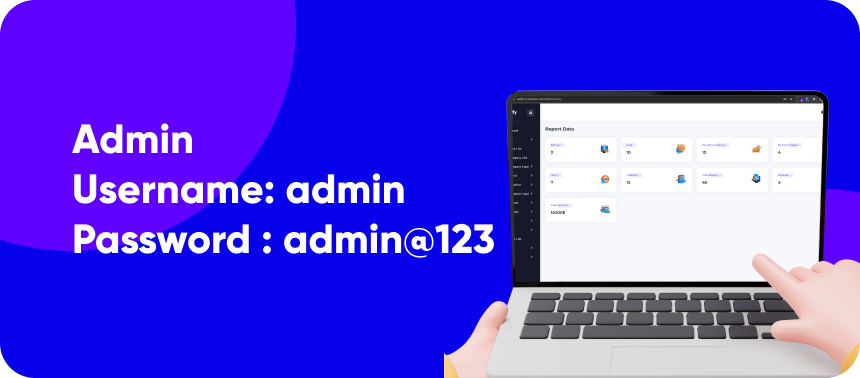
Admin: https://sellify.cscodetech.com User: admin Password: admin@123
Customer App Demo Access
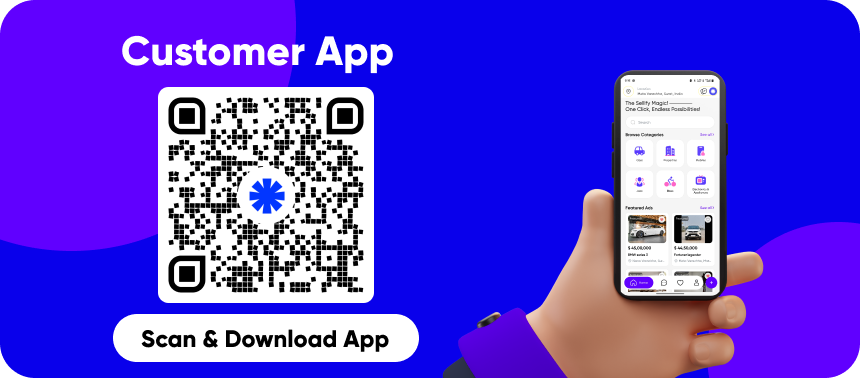
Note: To experience a better demonstration, you can sign up with a new mobile number to access all the features.
Website Demo Access [Not Included in this package]
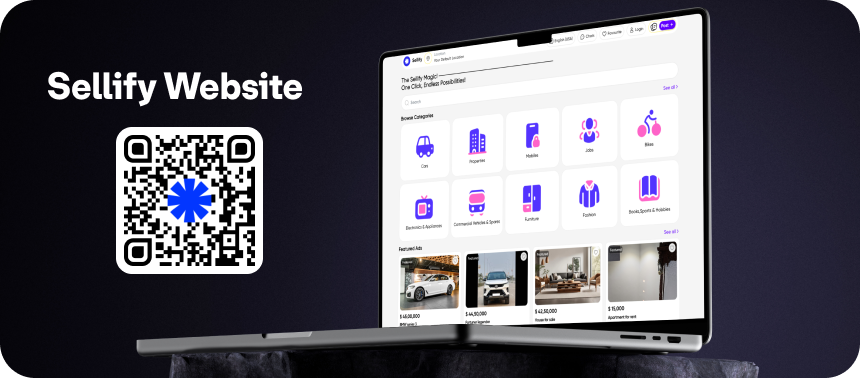
Website URL : https://sellifyweb.cscodetech.com/ Note: To experience a better demonstration, you can sign up with a new mobile number to access all the features.
Test accounts for payment
- Flutterwave test cards Click here: https://developer.flutterwave.com/docs/test-cards
- Credit Card for Stripe: 4242 4242 4242 4242 – Anything in the CVV and expiration date
- Credit Card for Razorpay: 4111111111111111, Exp: 12/25, CVV: 111


Faced a problem? Need assistance with the product? No worries – our customer support team is always ready to help you.
- Support requests are being processed on business days from 10:00 to 18:00 (IST +05.30) within 24h to 48h.
- We suggest, while our team reviews your support request, please read the documentation that comes in the zip file of Codecanyon. You can download it from Codecanyon: https://codecanyon.net/downloads
- We are in IST+5:30 time zone. We address all the support queries 5 days weekly (Saturday & Sunday off).
- Have pre-sales questions or concerns, please write to us via our website contact page
- If you like our product and support then please drop a rate and write a review at: https://codecanyon.net/downloads
Disclaimer
- A live hosting server and properly configured subdomain are required to access the setup panel. Localhost environments are not supported.
- Phone number verification requires a Twilio or MSG91 account.
- Twilio and MSG91 are paid third-party SMS services.
- SMS charges apply based on the provider’s pricing.
- SMS costs are not included in the item purchase price.
- A valid Google Maps API key must be required for the map functionality to work.
- Buyers are responsible for configuring external services and covering all associated costs.
Refund Policy
- We don’t offer a refund. (If the item is downloaded)
- Please read the description and compatibility content thoroughly before purchasing as we don’t offer a refund if you buy it by mistake.
- Be Aware : We do not sell any of our items outside the Envato market
Please Note: Live preview images cannot be used directly in client’s live project. Those are used for preview purpose only.
0 average based on 1 ratings.

| Last Update | 2025-12-20 |
| Created | 2025-02-16 |
| Sales | 18 |
| Discussion | Comments |
| Software Version | Flutter 3.x Flutter 2.x Flutter 1.x |
| Files Included | Dart YAML JavaScript JSON .java .kotlin .h .plist .swift |
| Video Preview Resolution |


