Selena - TZ Portfolio+ Gallery
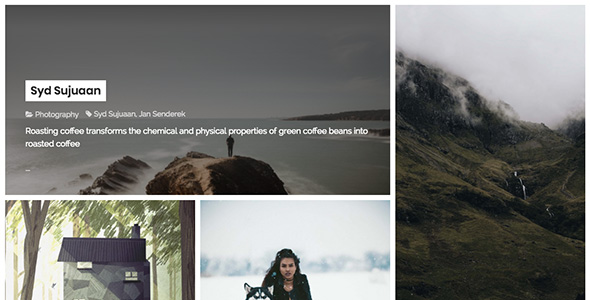

Selena is a clean and flat style for Creative website. It’s support Title Position and Display in Landscape and Portrait. Let’s check it. It’s a Template of TZ Portfolio – Best Portfolio Joomla Extension
3 ways to display image
Nish provides option for the images you upload to posts. If it’s a portrait image you can choose option Portrait to get a post formatted perfectly for portrait dimensions. The same goes for landscape images, too.

3 ways to display article detail
Nish supports TZ Portfolio+. You can use it to, well, feature your work in a separate place from your blog. It’s a neat way of keeping your website organised and easy to use for your visitors. The portfolio with Selena TZ Portfolio Template provide you 3 way to display post is (Default, Classic and Media Bottom)

Technical requirement
- Joomla 3.x. (Recommended Joomla 3.7.x)
- TZ Portfolio v1.1.7+
How to Install
- Go to Administrator -> Components -> TZ Portfolio Plus -> Templates
- Click “Upload” toolbar button -> Choose package Selena template -> Click “Upload & Install” Button.
- Go to Administrator -> Components -> TZ Portfolio Plus -> Styles (or Click Styles on sidebar) -> Click Selena and Configure it.
- Go to Administrator -> Extensions > Manager > Install > Upload “tpl_selena_params.zip” Plugin
- Go to Plugin Manager Enable plugin plg_system_tpl_selena_params
- Done! Let’s insert your article and go to front-end see your Portfolio new look


0 average based on 0 ratings.

| Last Update | 2017-12-06 |
| Created | 2017-12-06 |
| Sales | 1 |
| Discussion | Comments |
| Compatible Browsers | IE10 IE11 Firefox Safari Opera Chrome Edge |
| Software Version | Joomla 3.8.x Joomla 3.7.x Joomla 3.6.x |
| Extension Type | |
| High Resolution | Yes |
| Files Included | JavaScript JS CSS PHP |
| Video Preview Resolution |


