RevDroid | AI Android APK Security Analyzer
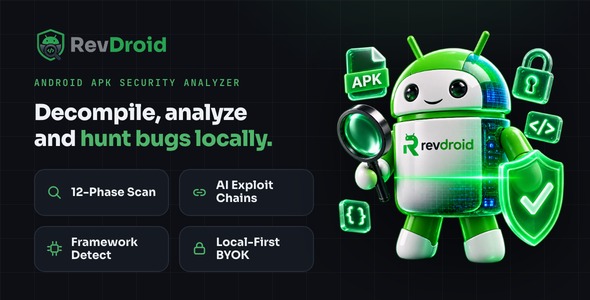

⚠ Important — external service costs are NOT included in this purchase. RevDroid is a self-hosted application. Its AI features connect to a third-party LLM provider (OpenRouter), which bills you directly based on usage, and sign-in uses your own Google OAuth credentials. The purchase price does NOT include any API credits, subscriptions, or usage costs — you (the deployer) create your own provider accounts and pay them separately. The local static-analysis engine runs entirely on your machine and requires no paid service.
AI disclosure. RevDroid uses artificial intelligence. Its hunt agent is powered by large language models accessed through OpenRouter (you choose the model, e.g. Anthropic Claude, OpenAI, DeepSeek). The AI reasons over your local scan data to generate exploit-chain hypotheses, suggested steps and written summaries. AI output is assistive and must be verified by you; it does not replace manual testing. The 12-phase static-analysis engine itself is deterministic and uses no AI.
An APK is just a zip file. Anyone can open it. The only question is whether you looked first.
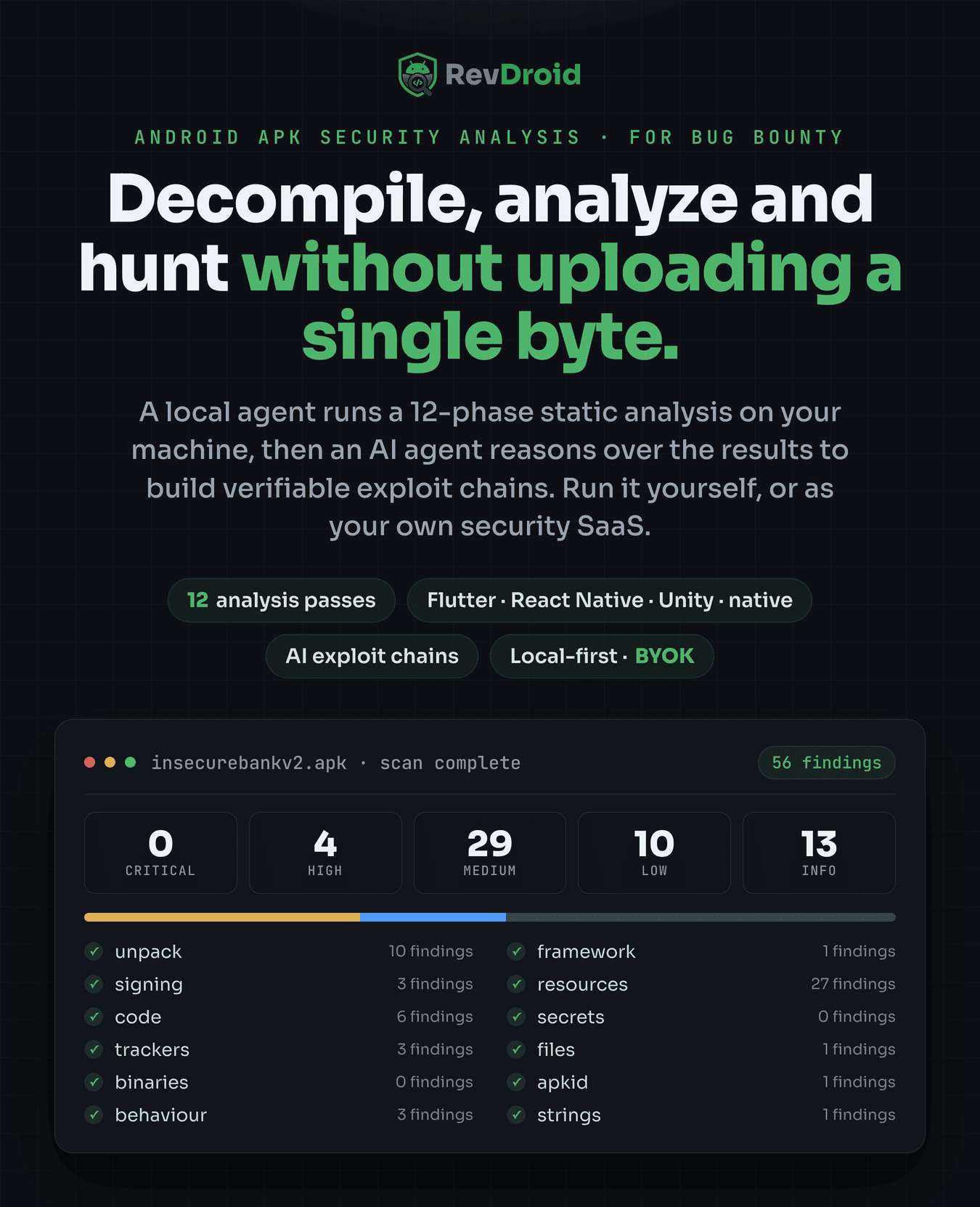
The moment your app hits a store, its bytes are on other people’s machines. A stranger can unzip it, decompile it, and read what you left inside in an afternoon. RevDroid lets you be the first person to do that — decompiling any Android APK, running a 12-phase security scan, and letting an AI agent turn the raw findings into real, step-by-step exploit chains. All of it runs locally. The app’s bytes never leave your machine.
Point it at an app. In minutes you see what a bounty hunter would see: the hardcoded key, the exported screen anyone can launch, the traffic going out in cleartext, the WebView that will run whatever JavaScript it is handed. Then an AI reasons over it and hands you the attack path, not a wall of warnings you will ignore.
Self-host it for yourself or your team. You own the full source and bring your own OpenRouter key.
You shipped it in a weekend. Do you actually know what you shipped?
AI copilots and no-code builders are astonishingly good at making an app work. They are not paid to make it safe, and they will happily paste your live API key straight into the build, leave the app debuggable, allow cleartext traffic, and export components that were never meant to be public. It compiles. It runs. It ships. And none of that shows up in a demo — it shows up when someone decompiles the release.
Here is what typically survives the “it works, push it” moment, and RevDroid finds every one of them:
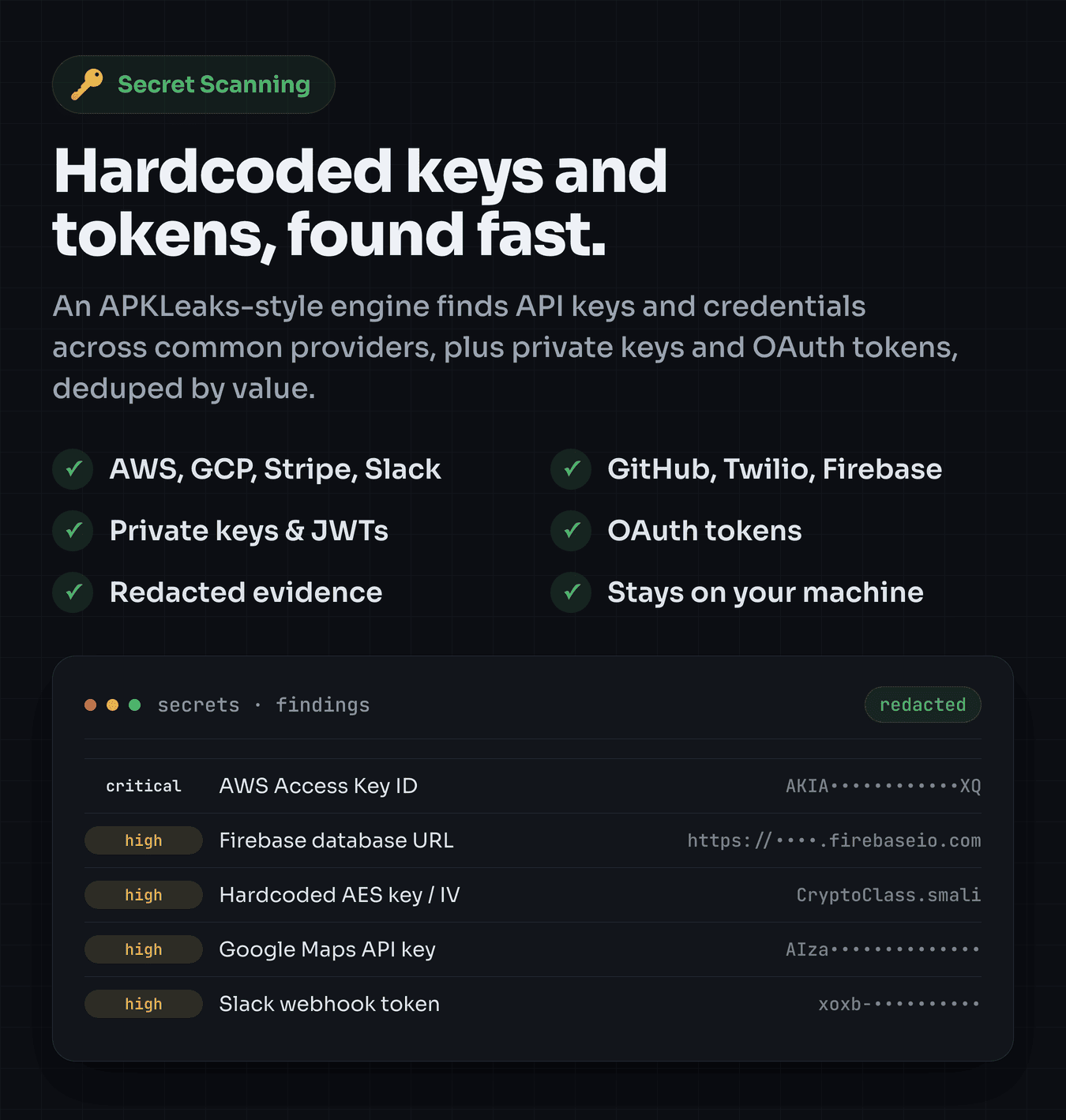
- Your AWS, Stripe, Google or Firebase key sitting in plain text inside the APK, ready to copy
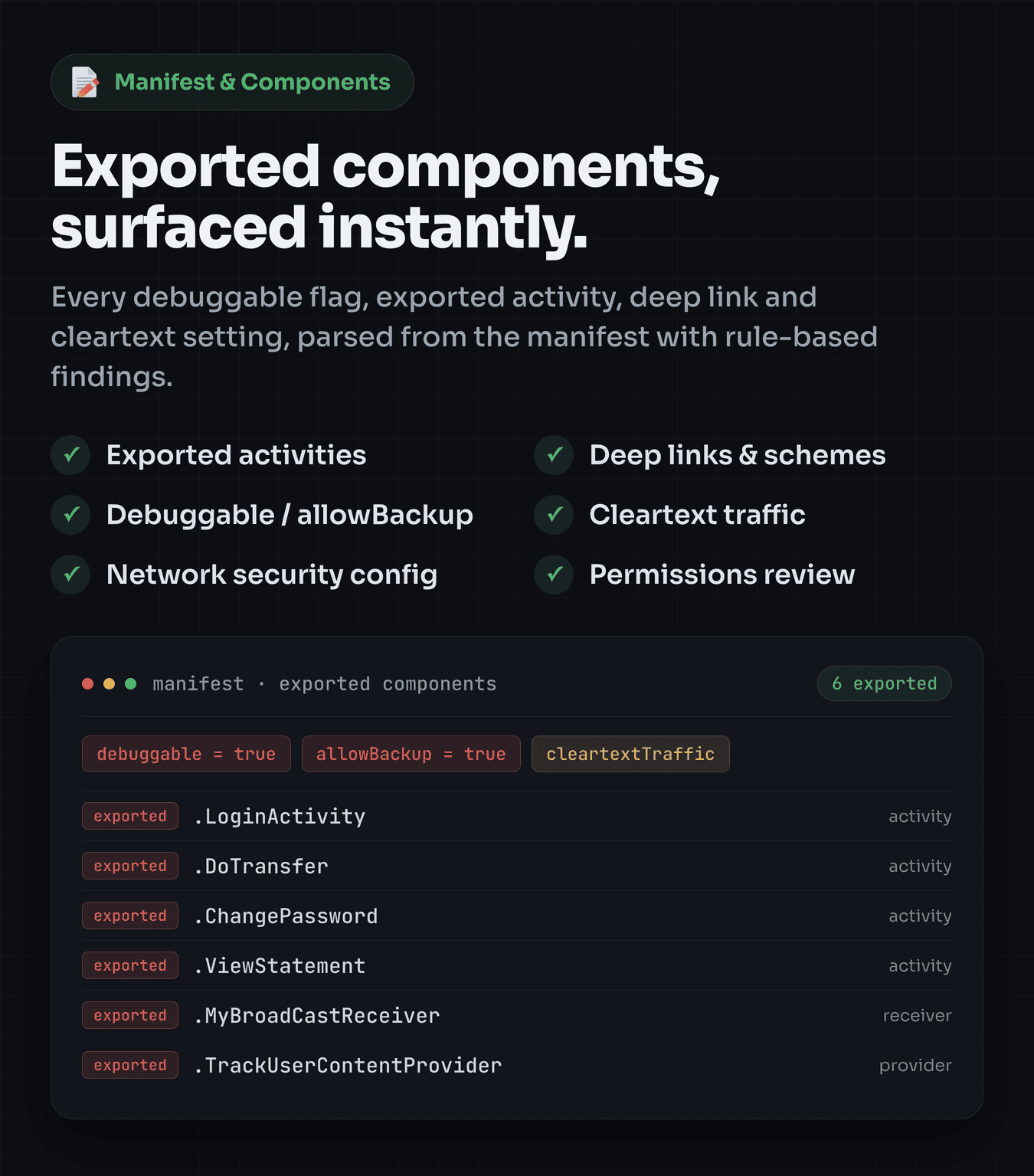
- An exported activity, service or content provider any other app on the device can call
- Cleartext HTTP and disabled TLS checks, quietly leaking data on every network
- A debuggable, backup-enabled release build that hands an attacker your app’s private data
- A WebView with a JavaScript bridge that turns a rogue page into code running in your app
- 40+ trackers you did not know you bundled, and native libraries with no hardening
None of this is your fault. Not seeing it before you shipped would be. Drop the APK you just built into RevDroid, read the findings in plain language, and fix them before a stranger turns them into your incident report. It is your app. Scanning it is the most authorized test there is.
What you can do with RevDroid
- Decompile and analyze any APK locally — the app’s bytes never get uploaded anywhere
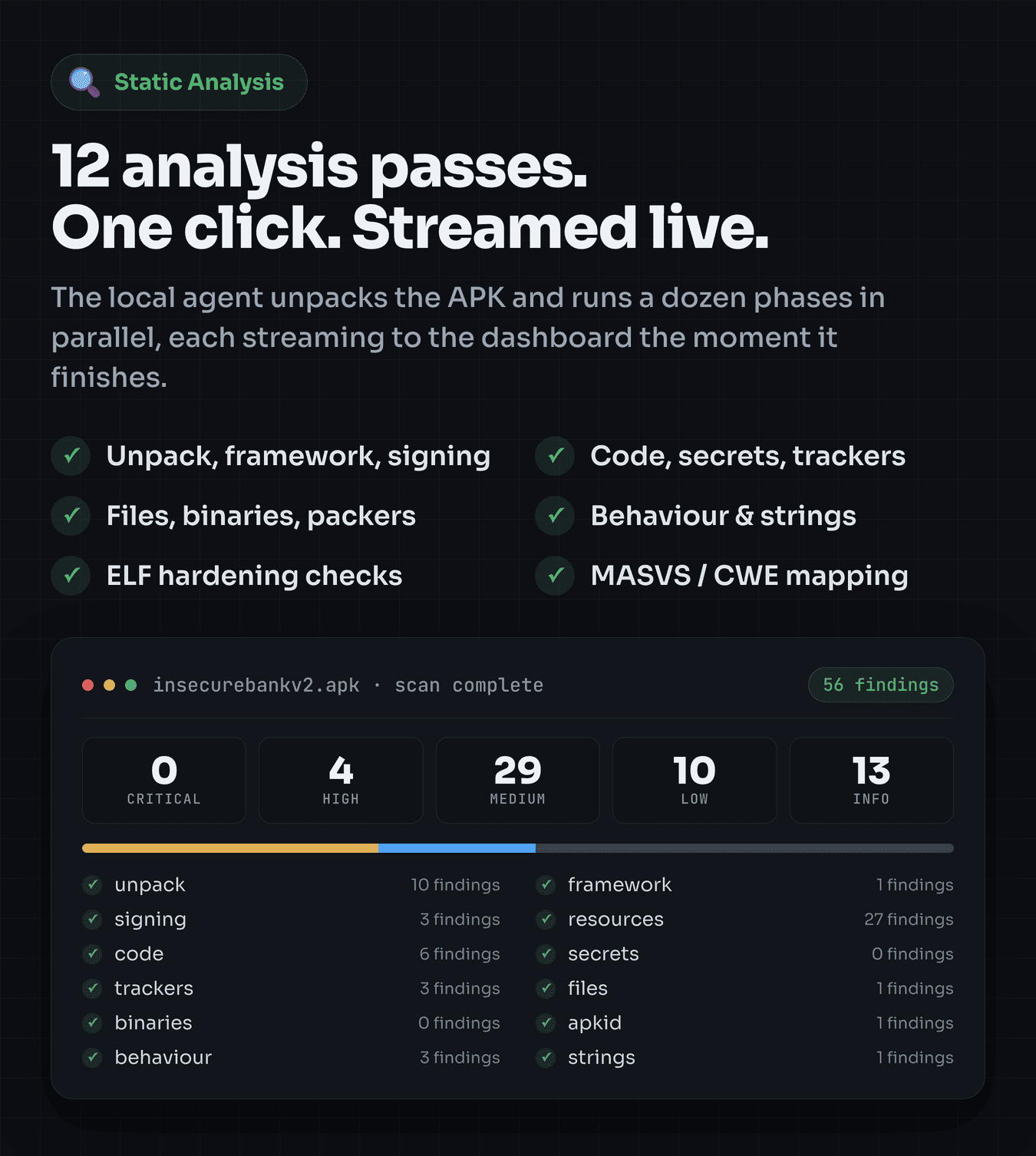
- Run 12 static-analysis passes that stream to your dashboard live, so you watch the app give up its secrets in real time
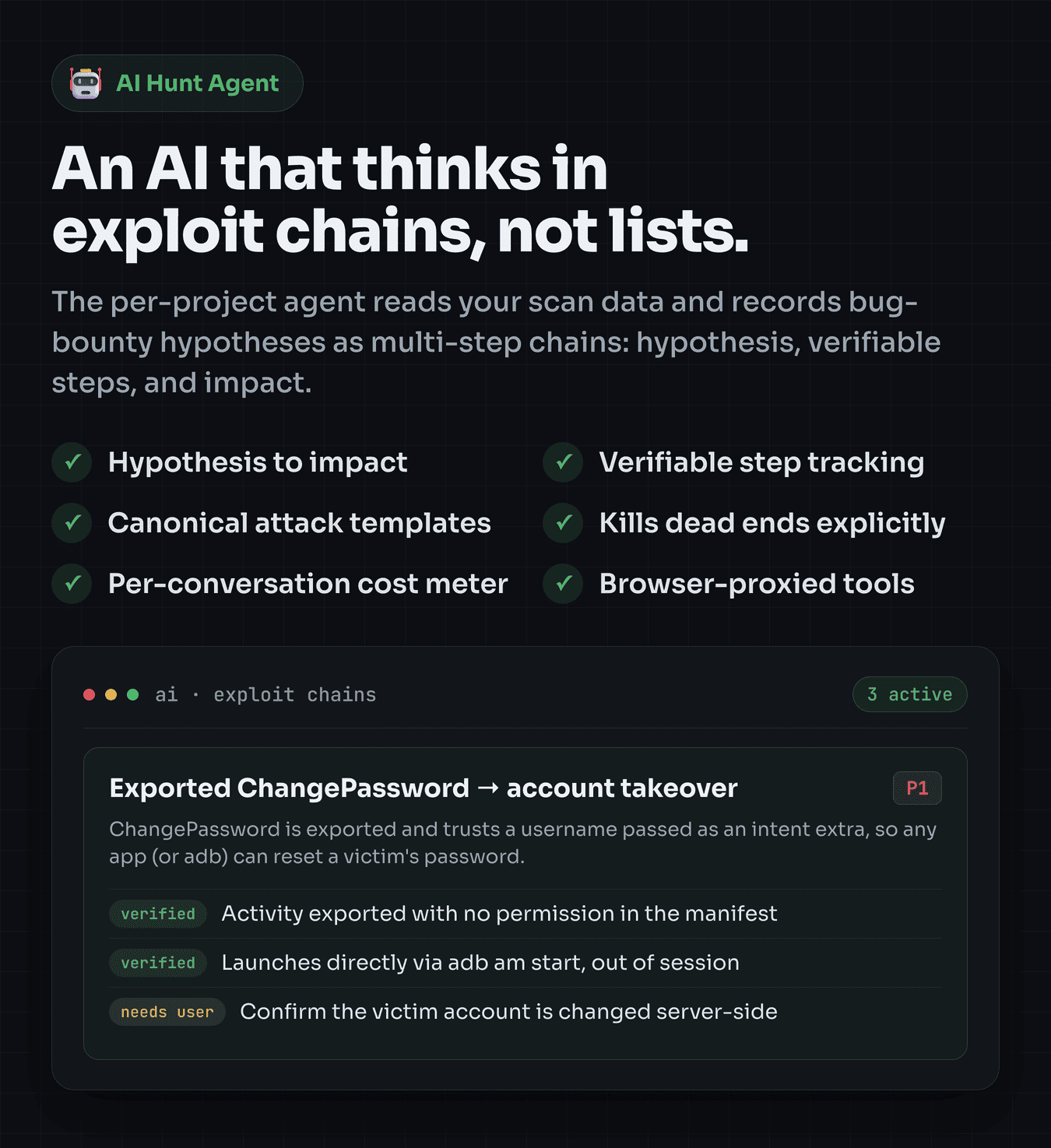
- Let an AI agent read your scan data and propose verifiable exploit chains (hypothesis → steps → impact), not a checklist you will scroll past
- Catch hardcoded secrets, insecure code patterns, risky manifest components, trackers, and weak binaries before they ship
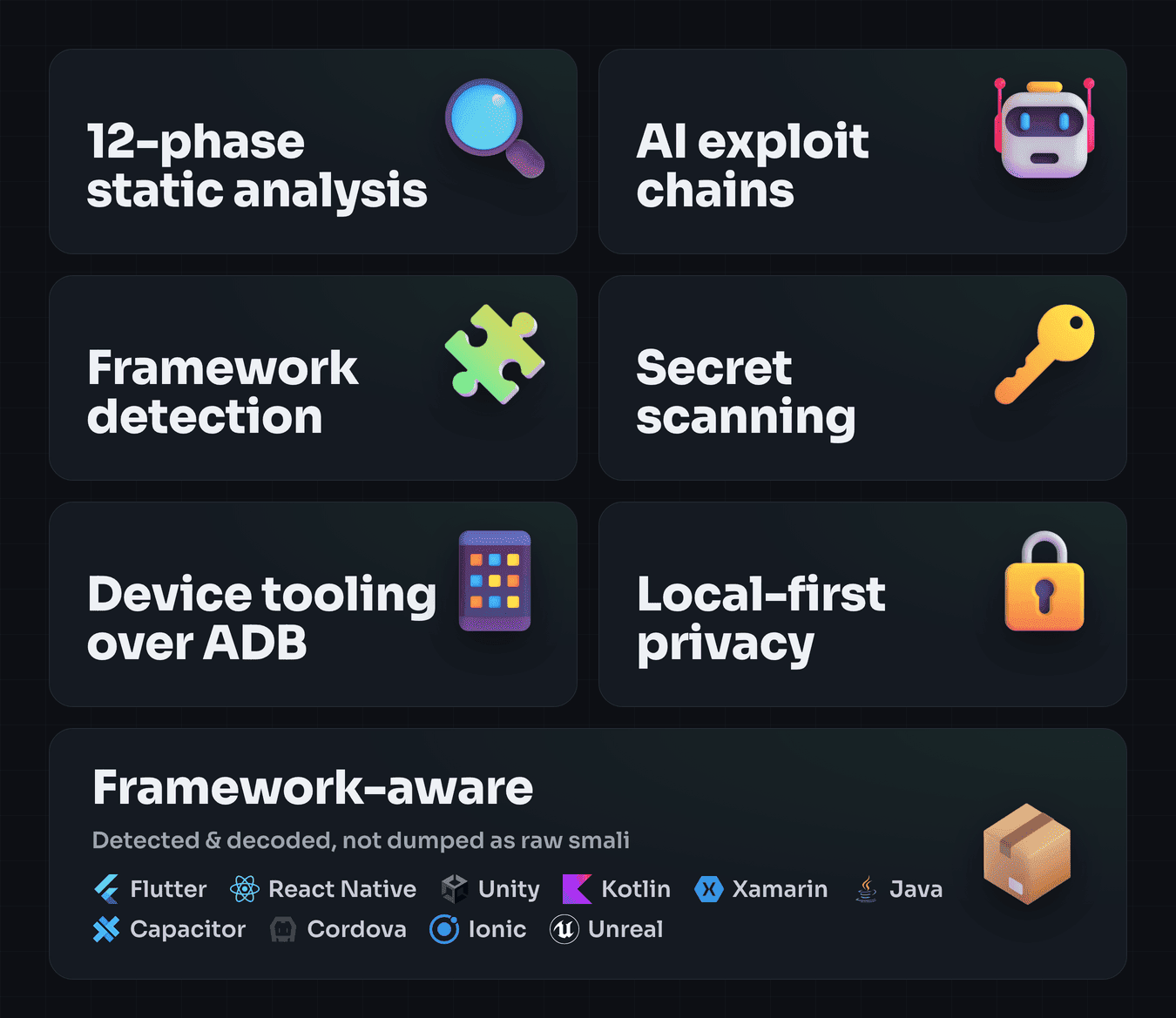
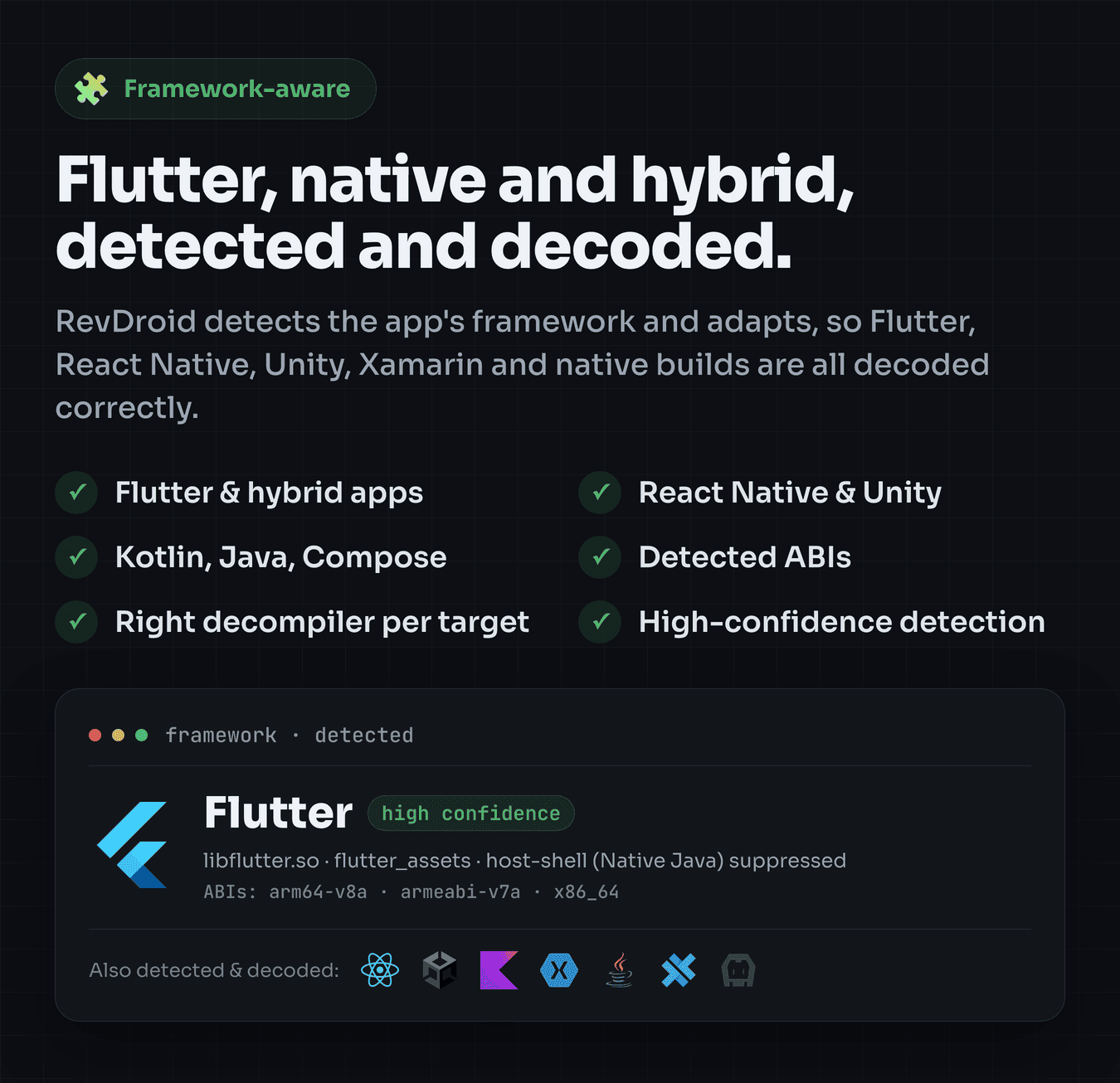
- Detect the app framework (Flutter, React Native, Xamarin, Unity, native) and adapt the scan to it
- Drive real Android devices over ADB — pull installed APKs, inspect security posture, view the live screen
- Keep per-conversation token and cost visibility on every AI run, so spend never surprises you
Who this is for
- Builders and “vibe coders” shipping AI-assisted or no-code Android apps fast — check your own release before the internet does, and turn “I hope it’s fine” into “I checked.”
- Indie devs and startups without a security team, who still can’t afford to leak a customer’s data or their own cloud keys
- Bug bounty hunters on HackerOne / Bugcrowd / YesWeHack who need signal over noise and speed to a valid finding
- Mobile pentesters & AppSec engineers running MASVS/MASTG-style assessments or reviewing their own org’s builds
- Security teams & consultancies who want to self-host a shared Android-security tool for their team under their own brand, with Google sign-in and per-conversation cost visibility

From “I hope it’s fine” to a finished finding, in six steps
- Pair the local agent — start the lightweight Node agent on your machine; paste its one-time token into the dashboard to link them over localhost.
- Add an APK — upload a file directly, or pull an installed package straight off a connected Android device via ADB.
- Run a scan — the agent unpacks the APK and runs 12 analysis phases, each streaming to the UI live over Server-Sent Events.
- Review findings — browse by category: findings, manifest, permissions, network & deep-links, code, secrets, signing, behaviour, trackers, files, binaries, APKiD, strings.
- Ask the AI to hunt — open the per-project chat and ask for the most promising chain; it reads your scan data through the agent and reasons over it.
- Act on it — take the verified chain and evidence into a bug-bounty report, or straight into your own fix list — all while the APK stayed on your machine.
Try it live
Browse a live, seeded instance with pre-scanned sample apps (InsecureBankv2, DIVA, InjuredAndroid, and a Flutter app) across Java and Flutter:
Live demo: https://revdroid.wixzel.com/
Because analysis runs through a local agent on the user’s own machine (that is the privacy guarantee), the live demo shows pre-scanned projects with their findings and AI exploit chains. Install the local agent to scan your own APKs end to end.
Feature highlights
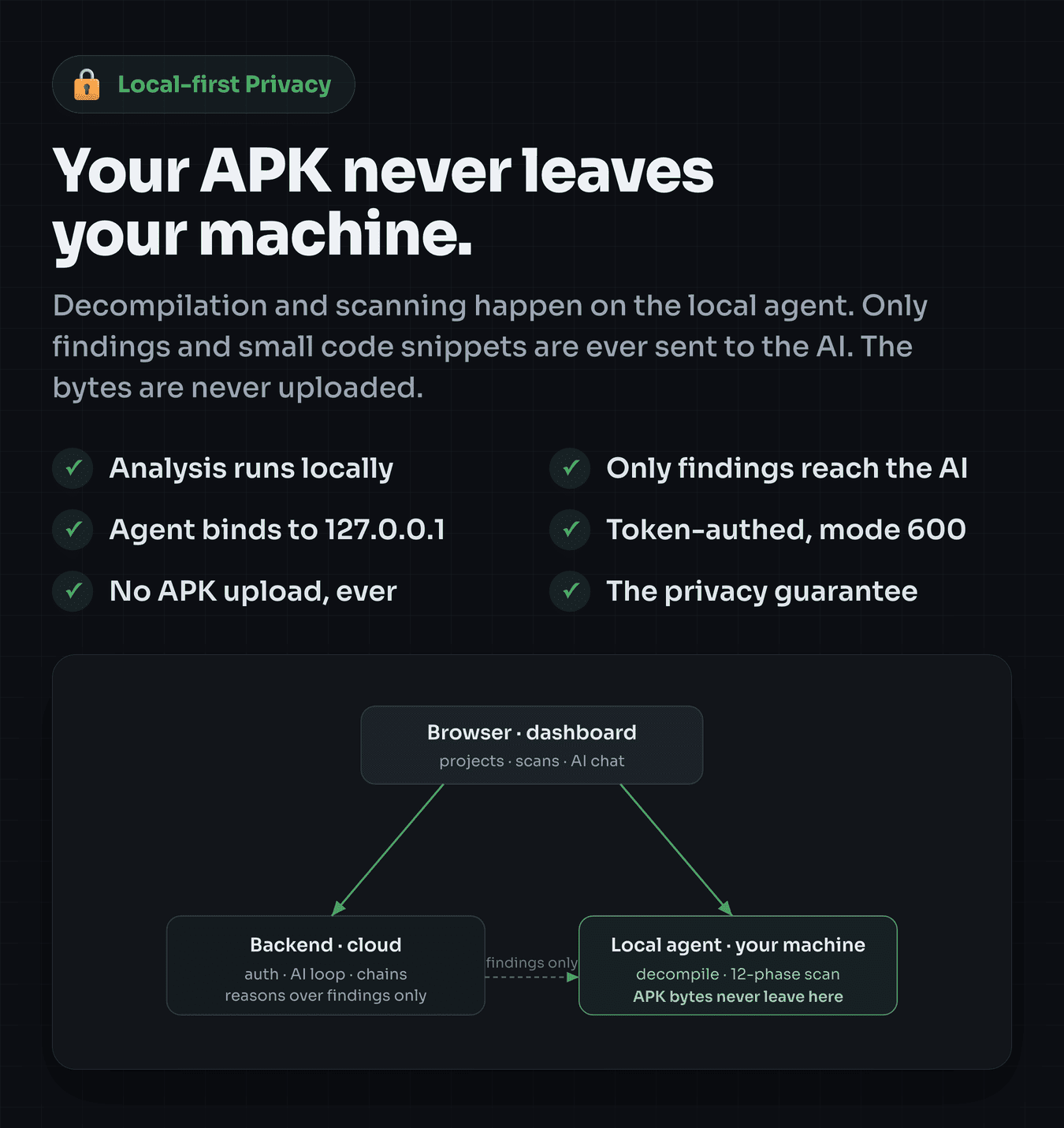
Local-first privacy: your code never leaves your machine
- All decompilation and scanning run on the local agent — APK bytes never leave the machine
- Only findings and small code snippets are ever sent to the AI layer you configure
- The agent binds to
127.0.0.1, authenticates every route with a bearer token, and stores it at file mode 600
12-phase static analysis, streamed live
- Unpack — apktool decode into smali, resources, and the manifest
- Framework detection — Flutter, React Native, Xamarin, Unity, native (+ ABIs)
- Signing — certificate chain and signature-algorithm analysis
- Secret scanning — API keys & credentials (AWS, GCP, Stripe, Slack, GitHub, Twilio), private keys, OAuth tokens
- Code analysis — weak crypto, SSL/TLS bypass, insecure RNG, WebView misconfig, unsafe reflection, SQLi patterns, debug logging
- Manifest & components — debuggable, allowBackup, cleartext, exported components, deep links, network security config
- Tracker detection — 40+ known third-party SDKs
- Binary hardening — NX, PIE, RELRO, stack canary, stripped, RPATH (ELF)
- Packer / obfuscator detection — commercial packers, ProGuard/R8/DexGuard, anti-debug (APKiD-style)
- Behaviour signals — IMEI/IMSI reads, contacts/sensors, encryption, native loads
- File inventory & string extraction — searchable, with suspicious-file flagging
An AI that thinks in exploit chains, not warnings
- Per-project AI chat that reads your scan data through a multi-turn tool-calling loop
- Exploit chains — tracks bug-bounty hypotheses as multi-step, verifiable chains with impact, seeded from 10+ canonical Android templates (open Firebase RTDB, WebView JS-interface RCE, deep-link account takeover/IDOR, exported-provider disclosure, JWT weakness, SSRF via image proxy, and more)
- Swappable model layer over OpenRouter (default Claude; switch to cheaper models anytime)
- Per-conversation token & cost metering with cached-token-aware pricing
Device tooling (via the local agent)
- Connect Android devices over USB or Wi-Fi
- Device info & security posture (bootloader, verified boot, SELinux, debuggable)
- Installed-app browser, live screen view with remote input (tap / swipe / key)
- Pull an installed APK straight off a device into a project
Self-host for your team
- Multi-user — Google OAuth sign-in and per-user projects out of the box
- Bring your own key — the deployment uses a single OpenRouter key you control; per-conversation cost visibility keeps spend transparent
- Extended License — build a commercial service on top under your own brand, per Envato terms. Billing and usage limits are yours to add (see the FAQ)
Important notice (external service costs)
RevDroid connects to third-party services that bill you directly: OpenRouter (the LLM provider for the AI agent) and Google (OAuth sign-in). Your purchase does not include API credits or subscriptions — create your own accounts and pay the providers separately. Static analysis runs locally and needs no paid service. RevDroid is a tool for authorized security testing only — your own apps, bug-bounty programs you are enrolled in, or intentionally vulnerable / CTF apps.
The tech stack
- Local agent: Node.js + Express, Apktool (auto-downloaded, integrity-checked), ADB, keytool
- Backend: Node.js + Express, MongoDB (Mongoose), Passport Google OAuth, JWT, OpenRouter
- Frontend: Next.js 16 (App Router), React 19, Tailwind CSS v4, DaisyUI
What’s in the box?
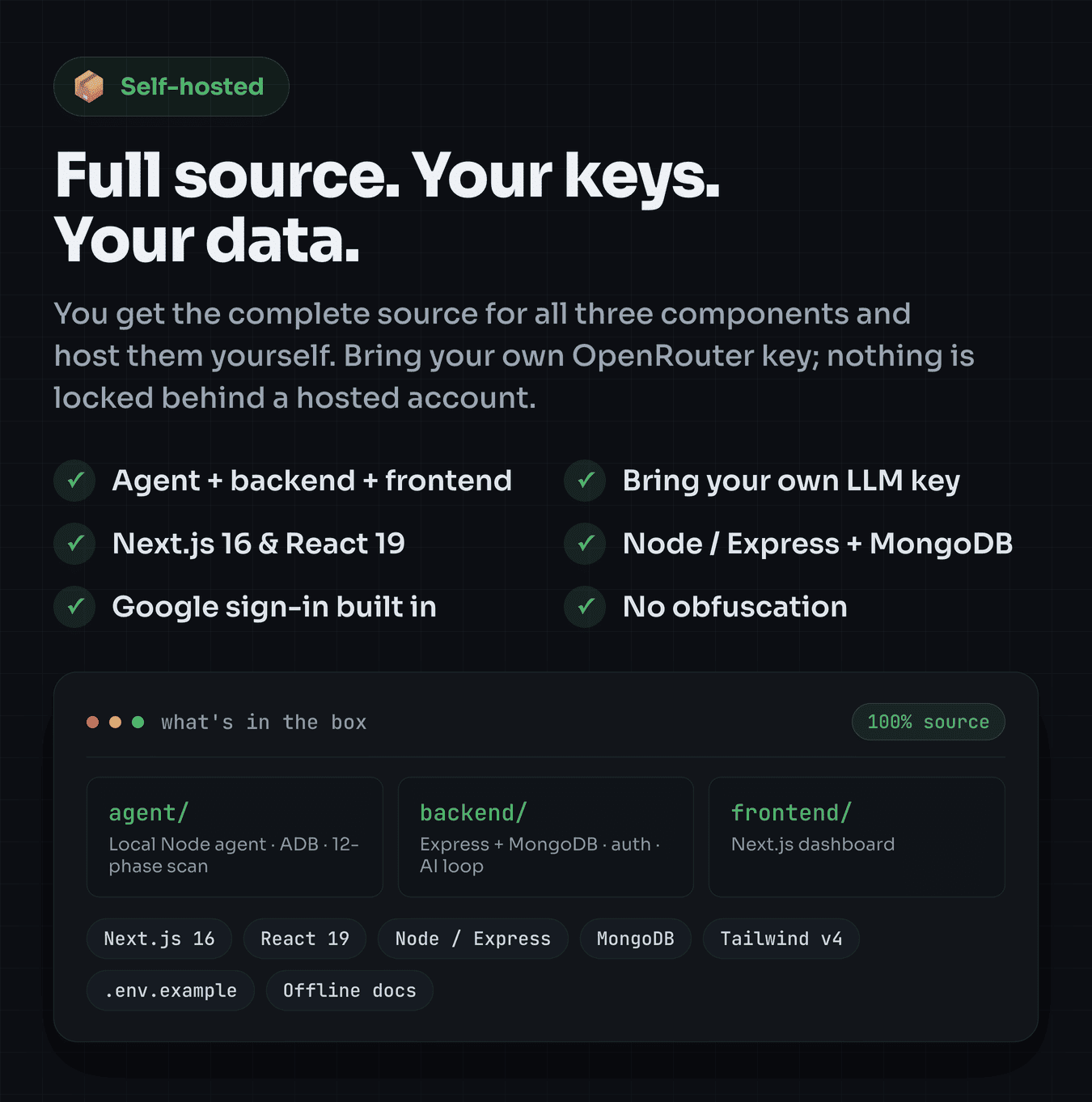
- Complete local agent source code (
agent/) - Complete backend source code (
backend/) - Complete frontend source code (
frontend/) - Full offline documentation (interactive
index.html) and a separate Quick Start guide - Environment templates (
.env.example) for the backend and frontend - Third-party notices, scanner notes, and changelog
Customization & contents: 100% source is included and fully editable — no obfuscation, no encoded files. The AI scan prompts, exploit-chain templates, detection patterns, and UI are all editable source. Not included / bring your own: a MongoDB instance, a Google OAuth client, and an OpenRouter (LLM) API key; the apktool.jar binary is downloaded automatically on npm install from its official source (not bundled). The live demo’s sample data and any images shown in this listing preview are for demonstration and are not part of the download.
Be the first to open your app, not the last to find out. Ship your own AI-powered Android security platform today — full source, local-first, yours to run.
Frequently Asked Questions (FAQ)
I built my app with AI or a no-code tool. Can RevDroid check it?
Yes — that is one of its best uses. If your app builds to an Android APK, drop it in and RevDroid scans it exactly like any other app: hardcoded keys, exported components, cleartext traffic, debuggable builds, WebView issues, trackers and more. You do not need to understand security tooling to read the findings; they are in plain language. It is your own app, so you already have permission to test it.
Does the APK get uploaded anywhere?
No. Decompilation and scanning run locally through the agent on the user’s machine. Only findings and small code snippets are used by the AI layer.
Do I need a paid AI key?
The AI features use an LLM via your own OpenRouter key and incur usage costs. The full static-analysis pipeline works without any key.
Can I resell this as a paid SaaS?
You can host it for multiple users today — Google sign-in and per-user projects are built in, and each user runs the lightweight local agent on their own machine (that local step is the privacy guarantee). However, billing is not included: the deployment uses one OpenRouter key you provide, so all users share it and you (the operator) carry the inference cost. To charge end users or cap their usage, you add your own payment and usage-limit layer on top. RevDroid gives you per-conversation cost visibility to build on, and an Extended License covers running a commercial service under your brand.
Does it include billing, subscriptions, or credits?
No. RevDroid is a self-hosted, bring-your-own-key tool — there is no payment gateway, subscription system, or credit metering built in. It tracks and displays per-conversation token cost for visibility only. Paid plans/billing are on the roadmap, not in this release.
Do I need a physical Android device?
No — you can upload an APK directly. A connected device unlocks pulling installed apps and the device tooling.
Which frameworks are supported?
It detects and adapts to Flutter, React Native, Xamarin, Unity, and native Android apps.
Is iOS supported?
No. RevDroid is Android-specialized by design.
Is this legal to use?
RevDroid is for authorized security testing only — your own apps, bug-bounty programs you are enrolled in, or intentionally vulnerable / CTF apps. You are responsible for having permission to test any app you analyze.
%201.jpg)


