Restaurant App Cash Register Web Add-on
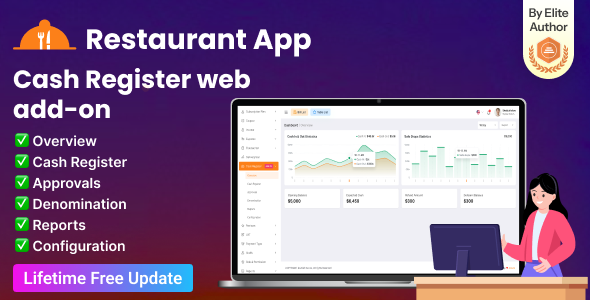

Restaurant App Cash Register Web Add-on is designed exclusively for the Restaurant App SaaS – Food Ordering, Table Booking & Restaurant Management System with Laravel Admin Panel . If you have not purchased the Restaurant App SaaS yet, you can purchase it from here .
Overview
The Cash Register Web Add-on helps businesses manage daily cash transactions efficiently and maintain accurate financial control at the point of sale. In businesses such as restaurants, retail stores, and service-based establishments, cash handling occurs frequently throughout the day.
Without a proper system, it becomes difficult to track cash flow, detect discrepancies, and ensure accountability among staff members. This add-on solves these challenges by providing a structured and transparent cash management process.
Key Features
1. Overview Dashboard
The dashboard provides a quick summary of all cash register activities. Users can monitor the current status of registers, view key financial metrics, and understand overall cash flow at a glance.
2. Cash Register Management
Users can open and close cash register shifts with an initial opening balance. During the shift, all cash-related activities such as sales, cash in, and cash out are recorded automatically.
3. Approval System
Managers or authorized users can review and approve requests related to cash adjustments and transactions. This adds an extra layer of security and prevents unauthorized financial modifications.
4. Denominations Management
This feature allows users to count and record physical cash by currency denominations such as notes and coins to ensure accurate reconciliation.
5. Advanced Reports
Generate detailed reports including transaction history, shift summaries, and financial overviews with advanced filtering options.
6. Configuration & Settings
Administrators can customize system settings, manage user permissions, and configure approval workflows according to business requirements.


Special Offer: If you purchase the Extended License, you will receive free reskin services including logo change, theme color customization, full system setup, and Play Store upload (White Label).
Envato recommends purchasing an Extended License for SaaS-based projects.
Note: You can print sales invoices using any Bluetooth thermal printer. New invoices will be printed automatically, and previous invoices can be printed from the sales report section.

Demo Access
Demo URL:
https://restaurantapp.acnoo.xyz/
Admin URL:
https://restaurantapp.acnoo.xyz/login
Admin Credentials
- Super Admin: superadmin@acnoo.com / superadmin
- Admin: admin@acnoo.com / admin
- Manager: manager@acnoo.com / manager
Restaurant Demo Credentials
- Restaurant: restaurant@acnoo.com / 123456
- Chef: chef@acnoo.com / 123456
- Waiter: waiter@acnoo.com / 123456
- Cashier: cashier@acnoo.com / 123456
Flutter & Android Studio Setup Guide
Step 1: Install Flutter
Step 2: Install Android Studio
Step 3: Configure Android SDK
- Open Android Studio
- Go to File → Settings
- Navigate to Android SDK
- Install the required SDK tools
Step 4: Install Flutter Plugin
- Open Plugins
- Search for Flutter
- Install and restart Android Studio
Step 5: Connect Your Device
- Enable Developer Mode
- Enable USB Debugging
- Connect your device via USB




Changelog
Version 1.0.0 - Initial Release
$29 |
Download |
0 average based on 1 ratings.

| Last Update | 2026-03-16 |
| Created | 2026-03-16 |
| Sales | 5 |
| Discussion | Comments |
| Compatible Browsers | IE6 IE7 IE8 IE9 IE10 IE11 Firefox Safari Opera Chrome Edge |
| Software Version | PHP 8.x |
| High Resolution | Yes |
| Software Framework | Laravel |
| Files Included | JavaScript JS JavaScript JSON HTML CSS LESS Sass PHP |
| Video Preview Resolution |


