WooCommerce QuickBooks Connector
.png)

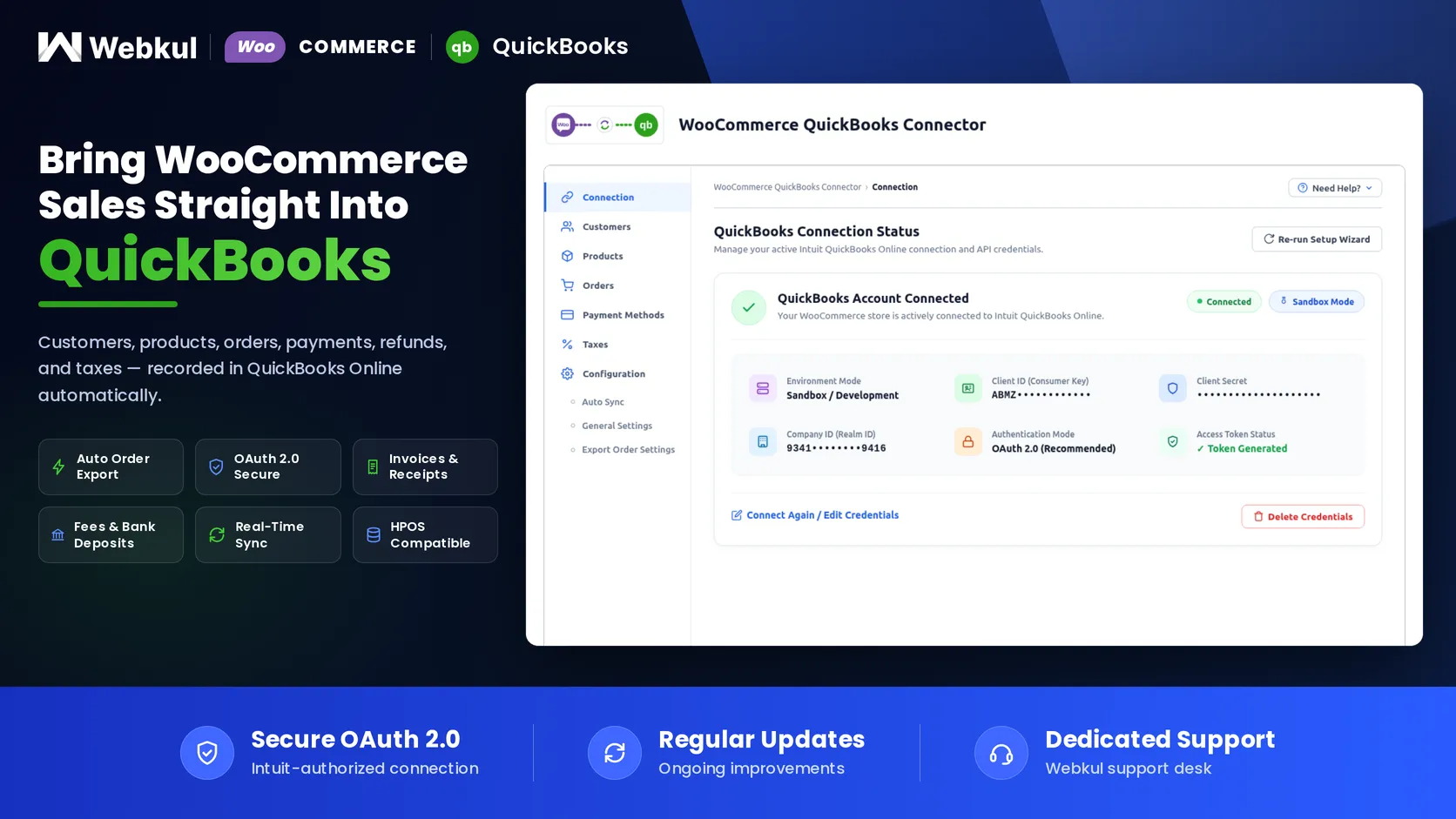
QuickBooks Connector for WooCommerce
Quickbooks is accounting software. Using this software, one can track and manage sales and business transactions. There are two versions available such as QuickBooks Online and QuickBooks Desktop.
Using the WooCommerce QuickBooks Connector, the admin will be able to sync the WooCommerce store orders on the QuickBooks. All the information that is related to the orders such as customer name, email address, items ordered, billing address, etc is synchronized with the QuickBooks account.
This will also synchronize the customers who have placed the orders. And sync the product for which the orders have been placed. This module will streamline and manage account information.
Check how to activate your WooCommerce plugin through the purchase code and How do you get updates on Webkul Modules directly on the Plugins page.
Note:
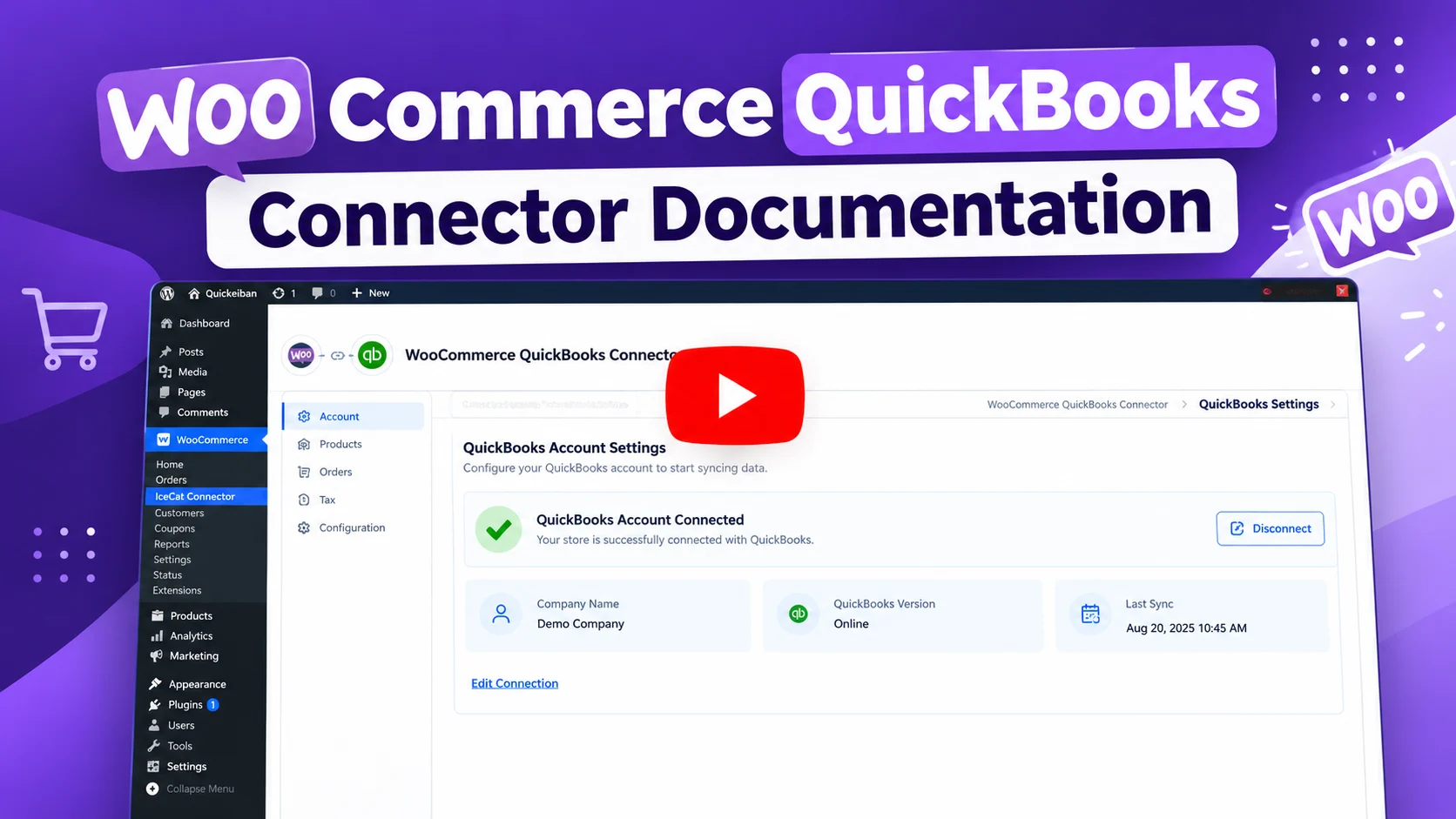
Video Preview


Why to use the QuickBooks Connector for Woocommerce?

Features of QuickBooks Connector for Woocommerce
- Automatic synchronization of the WooCommerce store orders to Quickbooks on a real-time basis.
- Auto Inventory management with real-time two-way synchronization.
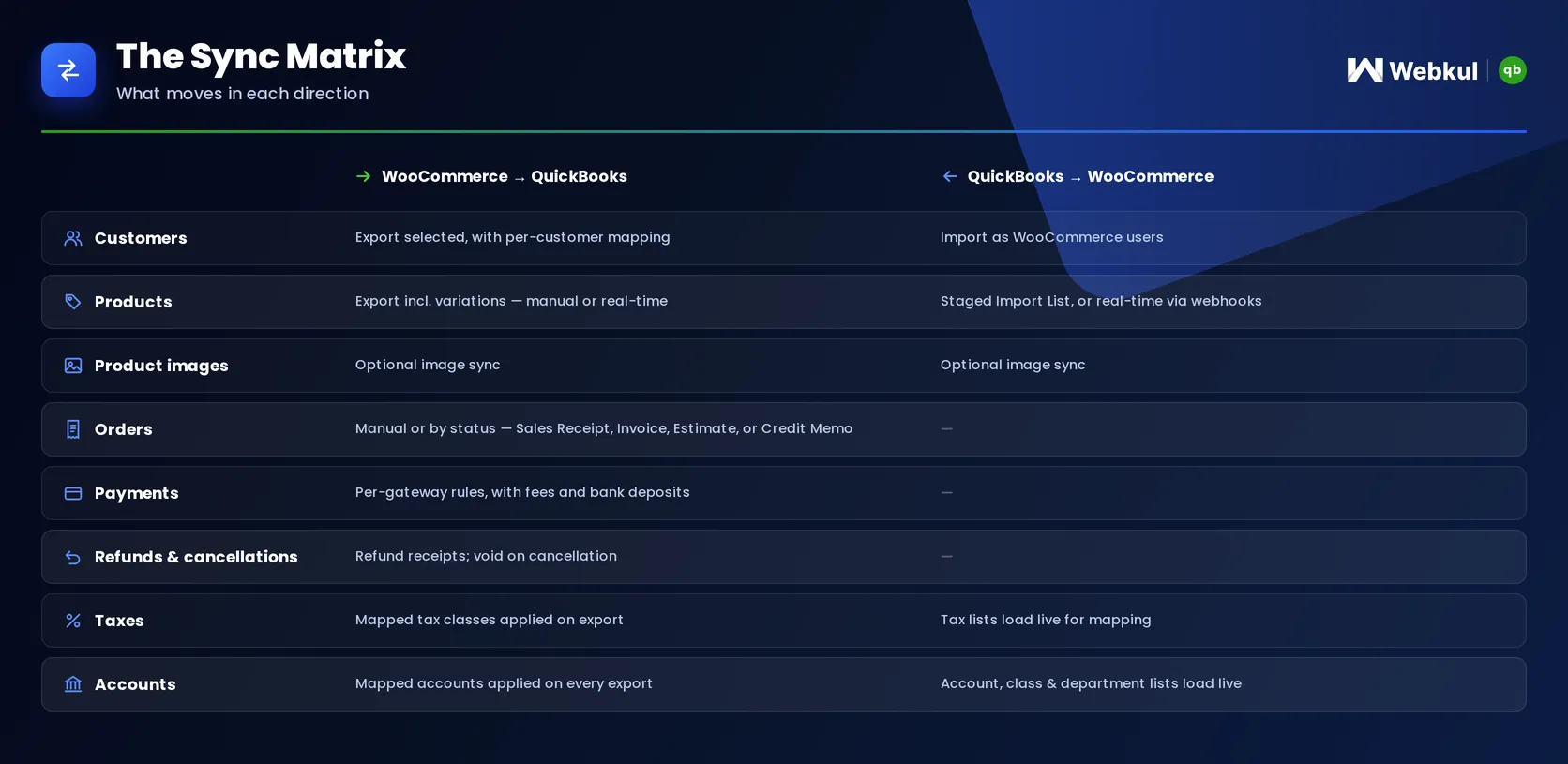
- The admin can export and import customers.
- The admin can export and import the products.
- Select one of the options from – Sales Receipt, Invoice, Estimate or Credit Memo to map the orders in QuickBooks.
- Sync customer details like name, email, company name, phone number, billing & shipping address.
- Sync product details like name, SKU, price, stock, and active/inactive status.
- The order information will be synced – customer info, product, info, payment method, shipping method, WooCommerce order Id, and taxes.
- The module will sync the orders of registered customers only.
Highlighted Features
1- Track Orders
QuickBooks integration lets the admin track and manage WooCommerce sales and transactions.2- Sync Customers
The admin can easily export and import the customers.3- Sync Products
The admin can easily export and import the products.4- Sync Orders
The admin can conveniently export the orders to Quickbook.Data Flow Overview
Business Use
The WooCommerce QuickBooks Connector is an excellent tool for tracking and managing sales and business transactions for your WooCommerce store.
It provides the admin to sync the WooCommerce store orders on QuickBooks. All the information that is related to the orders such as customer name, email address, items ordered, billing address, etc is synchronized with the QuickBooks account.
As it also synchronizes the customers who have placed the orders and sync the product for which the orders have been placed. This module will streamline and manage the account information.
Support
Dear Customers, if you have a question/query, please raise a ticket at webkul.uvdesk.com. We will do our best to answer as quick as it is possible. Don’t give us a low rate without contacting support on the issue you’ve faced with. We are always happy to help you.
Change Log
"Initial release v 1.0.0", "Current release v 3.0.1"
3.0.1 (2026-08-31) * Fixed: "Per Page" screen option was not applied to the listings. * Fixed: Product listing pagination count when searching products. * Fixed: Long search url issue. * Fixed: Order sync as void in quickbooks sales receipt when order status is cancelled.
3.0.0 (2026-08-20) * Added: Setup wizard for the initial QuickBooks connection (environment, API credentials and one-click "Connect with QuickBooks" authorization). * Added: Redesigned admin UI for the connection, configuration, customers, products, orders, payment methods and taxes sections. * Added: Order meta box redesigned to sync or update an order on QuickBooks directly from the order edit screen. * Added: Background processing of import/export tasks using Action Scheduler. * Added: Search orders by QuickBooks order ID. * Added: Confirmation popups before clearing mappings and deleting records. * Added: Admin notice when the required Webkul submodules are missing. * Added: JavaScript strings are now translatable (JSON translations loaded from the languages folder). * Update: Compatibility with WooCommerce 11.0. * Update: Compatibility with WordPress 7.1. * Update: Security hardening and coding standards updates. * Fix: Settings save feedback with toast notifications. * Fix: Searching in listings, variable product export, product import, image sync and order listing issues. * Fix: Menu slider display on small devices.
2.2.1 (2026-05-04) * Update: Compatibility with WooCommerce 10.9 * Update: Plugin Compatible with latest QuickBook Api version. * Fix: Minor issues resolved.
2.2.0 (2026-05-04) * Update: Compatibility with WooCommerce 10.8 * Update: Compatibility with WordPress 7.0 * Fix: Minor issues resolved. * Update: Plugin updated with v6.2.0 (minor version 75). * Update: Added new CloudEvents Webhook JSON. * Update: Employee entity enhancements. * Update: Plugin Compatible with the latest QuickBook Api version.
2.1.0 (2025-03-27) Added: Compatibility with WooCommerce Cart and Checkout blocks. Added: Journal Entry Create Features. Added: Expense Entry Create Features. Added: Product image sync with product import/export. Added: Class and Location option on quickbook invoice. Added: Product sync according to categories. Added: Payment method mappings. Added: Tax Mappings. Update: Update coding structure according to WordPress coding standards. Update: Compatible with WooCommerce 9.6 version. Update: Compatible with WordPress 6.7 version. Optimized: Scripts and styles for faster loading. Added: Compatibility with WooCommerce Cart and Checkout blocks.
v 2.0.0 Update: Auto Export Products. Update: Auto Import Products. Update: Realtime Bidirectional Product Sync. Update: Auto Export Order and Generate Refund Receipt. Update: Auto Inventory increment/decrement on new orders and other order status changes. Update: Setting to choose Order Sync on Order received or Order Completed. Update: Setting to Control Sync direction. Update: Auto Generate Refund Receipt On Refund on refund on WooCommerce. Update: Order Mappings. Update: Settings to Choose Asset Account, Income Account, and Expense Account. Update: Connect to QuickBooks in a single click.
v 1.0.6 Update: Export the variable product. Update: Export orders with shipping amount. Update: Export Discount value orders. Update: Corrected Listing and sorting of orders, products, customers.
v 1.0.2 Added : Added Webkul WooCommerce POS Support. Fixed : Fixed Security Issues.
v 1.0.0 Initial release
$71 |
Download |
0 average based on 1 ratings.

| Last Update | 2026-09-01 |
| Created | 2019-07-19 |
| Sales | 30 |
| Discussion | Comments |
| Compatible Browsers | IE11 Firefox Safari Opera Chrome Edge |
| Software Version | WordPress 6.9.x WordPress 6.8.x WordPress 6.7.x |
| Compatible With | WooCommerce 9.x.x WooCommerce 8.x.x |
| Gutenberg Optimized | Yes |
| High Resolution | Yes |
| Files Included | JavaScript JS CSS PHP |
| Video Preview Resolution |


